Developing solutions on Azure is sometimes an effortless operation. Administrate all your Azure resources that may be a different story. And this PowerShell script focuses on simplifying one of these processes.
One of the painful processes, not only when we are developing our Logic App, but mainly when we are administrating them, is finding what API Connections and no longer being used by your Logic Apps. What we call Orphaned API Connections.
What is the importance of this script? Over time, our Logic Apps can change to fit new requirements or fix some issues that can occur. And we can quickly end up with unused Azure API Connections. In addition, it is not easy to work out which API Connections are being used by our Logic Apps directly thru the Azure Portal! Neither to see if a specific API connector is orphaned.
This PowerShell script will look at all of the API Connections in your resource group and then inspect every Logic App in your resource group to check if the API Connections are being used or not. This script will help you to identify orphaned API Connections quickly.
This script was initially created by Mike Stephenson, which I took as a reference and improved or modified according to what I thought fit better to this task:
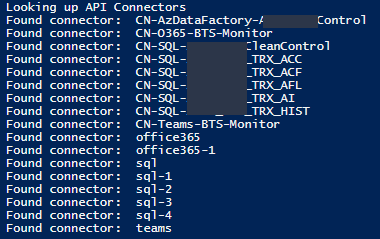
List the output of existing API Connectors in a specific resource group to print only the API Connector name instead of the full ID to be simple to read;
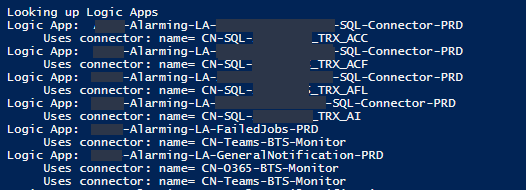
List the output of API Connectors bind to a Logic App group by each Logic App to be simple to read;
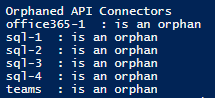
List the output of deprecated API Connector to include only connectors are deprecated to be simple to read – this is the main point of the script. give the list of deprecated/orphaned connectors;
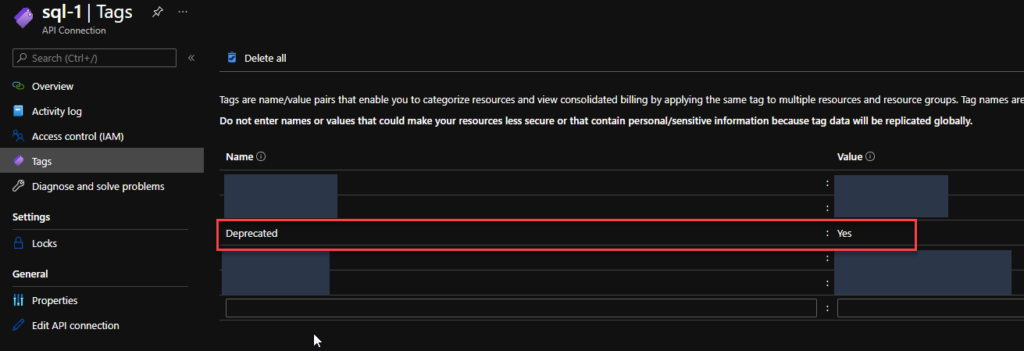
Add a Deprecated tag on all the API Connectors. The reason to add this tag is that sometimes I just want to reference them and make manually double-check on the subscription, talk with the development team or make these changes (remove these API Connectors on the next intervention window, if companies have kind of this policy) :
If it is orphaned then the value of this tag will be true;
Otherwise, the value of this tag will be false;
The output CSV format now includes the option for you to specify what CSV character you want to use as a separator or delimiters like comma or semicolon.
Download
You can download Find Orphaned API Connectors from GitHub here:
Do you feel difficult to keep up to date on all the frequent updates and announcements in the Microsoft Integration platform and Azure iPaaS?
Integration weekly updates can be your solution. It’s a weekly update on the topics related to Integration – enterprise integration, robust & scalable messaging capabilities and Citizen Integration capabilities empowered by Microsoft platform to deliver value to the business.
Do you feel difficult to keep up to date on all the frequent updates and announcements in the Microsoft Integration platform and Azure iPaaS?
Integration weekly updates can be your solution. It’s a weekly update on the topics related to Integration – enterprise integration, robust & scalable messaging capabilities and Citizen Integration capabilities empowered by Microsoft platform to deliver value to the business.
Do you feel difficult to keep up to date on all the frequent updates and announcements in the Microsoft Integration platform and Azure iPaaS?
Integration weekly updates can be your solution. It’s a weekly update on the topics related to Integration – enterprise integration, robust & scalable messaging capabilities and Citizen Integration capabilities empowered by Microsoft platform to deliver value to the business.
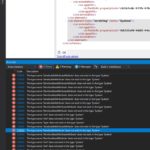
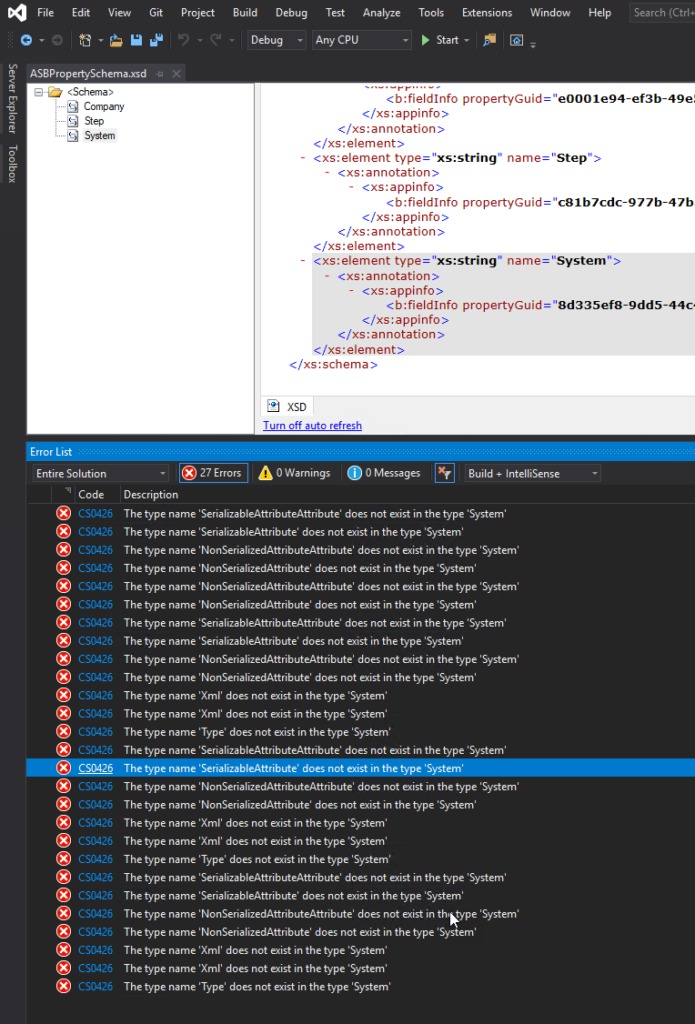
I’m just playing with BizTalk Server doing a small proof-of-concept using BizTalk Server and Azure Service Bus, and I was surprised with a few bunches of errors while I tried to compile my simple project:
Severity Code Description Project File Line Suppression State Error CS0426 The type name ‘SerializableAttributeAttribute’ does not exist in the type ‘System’ POC.BizTalk.AzureServiceBus C:DEVPOCPOC.BizTalk.AzureServiceBusPOC.BizTalk.AzureServiceBusSchemasASBPropertySchema.xsd.cs 9 Active Severity Code Description Project File Line Suppression State Error CS0426 The type name ‘Xml’ does not exist in the type ‘System’ POC.BizTalk.AzureServiceBus C:DEVPOCPOC.BizTalk.AzureServiceBusPOC.BizTalk.AzureServiceBusSchemasASBPropertySchema.xsd.cs 85 Active
Were is the full error list:
The type name ‘SerializableAttributeAttribute’ does not exist in the type ‘System’
The type name ‘SerializableAttribute’ does not exist in the type ‘System’
The type name ‘NonSerializedAttributeAttribute’ does not exist in the type ‘System’
The type name ‘NonSerializedAttribute’ does not exist in the type ‘System’
The type name ‘NonSerializedAttributeAttribute’ does not exist in the type ‘System’
The type name ‘NonSerializedAttribute’ does not exist in the type ‘System’
The type name ‘SerializableAttributeAttribute’ does not exist in the type ‘System’
The type name ‘SerializableAttribute’ does not exist in the type ‘System’
The type name ‘NonSerializedAttributeAttribute’ does not exist in the type ‘System’
The type name ‘NonSerializedAttribute’ does not exist in the type ‘System’
The type name ‘Xml’ does not exist in the type ‘System’
The type name ‘Xml’ does not exist in the type ‘System’
The type name ‘Type’ does not exist in the type ‘System’
The type name ‘SerializableAttributeAttribute’ does not exist in the type ‘System’
The type name ‘SerializableAttribute’ does not exist in the type ‘System’
The type name ‘NonSerializedAttributeAttribute’ does not exist in the type ‘System’
The type name ‘NonSerializedAttribute’ does not exist in the type ‘System’
The type name ‘Xml’ does not exist in the type ‘System’
The type name ‘Xml’ does not exist in the type ‘System’
The type name ‘Type’ does not exist in the type ‘System’
The type name ‘SerializableAttributeAttribute’ does not exist in the type ‘System’
The type name ‘SerializableAttribute’ does not exist in the type ‘System’
The type name ‘NonSerializedAttributeAttribute’ does not exist in the type ‘System’
The type name ‘NonSerializedAttribute’ does not exist in the type ‘System’
The type name ‘Xml’ does not exist in the type ‘System’
The type name ‘Xml’ does not exist in the type ‘System’
The type name ‘Type’ does not exist in the type ‘System’
Cause
Initially, I have to be honest, I was not realizing why this error was happening, mainly because the main error description may elude us and point us to DLL reference problems: Xml, System, SerializableAttributeAttribute, and so on. But looking carefully to the error message details, all of the errors will point us to the PropertySchema file.
After realizing that, it was not difficult to realize that I had on my Property Schema an element call System. System is a reserved word that you CANNOT use inside the property schemas.
Solution
The solution to this issue is quite simple, you need to:
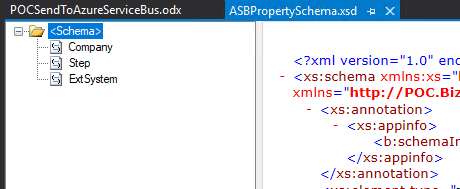
Rename your System element inside your Property Schema to another word, for example ExtSystem
Of course, fix all the dependencias inside your project, if you were already using this element iside your solution, for example Message Assigment shape
Do you feel difficult to keep up to date on all the frequent updates and announcements in the Microsoft Integration platform and Azure iPaaS?
Integration weekly updates can be your solution. It’s a weekly update on the topics related to Integration – enterprise integration, robust & scalable messaging capabilities and Citizen Integration capabilities empowered by Microsoft platform to deliver value to the business.
Do you feel difficult to keep up to date on all the frequent updates and announcements in the Microsoft Integration platform and Azure iPaaS?
Integration weekly updates can be your solution. It’s a weekly update on the topics related to Integration – enterprise integration, robust & scalable messaging capabilities and Citizen Integration capabilities empowered by Microsoft platform to deliver value to the business.
Do you feel difficult to keep up to date on all the frequent updates and announcements in the Microsoft Integration platform and Azure iPaaS?
Integration weekly updates can be your solution. It’s a weekly update on the topics related to Integration – enterprise integration, robust & scalable messaging capabilities and Citizen Integration capabilities empowered by Microsoft platform to deliver value to the business.
There was a big buzz this weekend regarding the release of a new Azure Logo by Microsoft. The new Azure icon represents the unity of Azure within the larger Microsoft family of product icons. It’s part of Microsoft’s Fluent Design System, carefully crafted to produce icons that look familiar to what customers know and love, while representing the agile future of our business.
I usually don’t update my stencils only because of a new icon. Still, this time I made an exception, and I updated my package with this new Azure icon (thanks, Tiago Costa, for providing me the resource). I also toked this opportunity to add also a previous request: the new Dataverse icon.
What’s new in this version?
These are the list of changes and additions present in this major release:
New shapes: There are new shapes on the following Visio Stencils files (.vssx):
MIS Power Platform Stencils: the new logo of Dataverse was added.
MIS Azure Stencils: the new logo of Azure was added.
SVG files: new SVG files added.
Microsoft Integration, Azure, Power Platform, Office 365 and much more Stencils Pack
Microsoft Integration, Azure, Power Platform, Office 365 and much more Stencils Pack it’s a Visio package that contains fully resizable Visio shapes (symbols/icons) that will help you to visually represent On-premise, Cloud or Hybrid Integration and Enterprise architectures scenarios (BizTalk Server, API Management, Logic Apps, Service Bus, Event Hub…), solutions diagrams and features or systems that use Microsoft Azure and related cloud and on-premises technologies in Visio 2016/2013:
BizTalk Server
Microsoft Azure
Integration
Integration Service Environments (ISE)
Logic Apps and Azure App Service in general (API Apps, Web Apps, and Mobile Apps)
Azure API Management
Messaging: Event Hubs, Event Grid, Service Bus, …
Azure IoT and Docker
AI, Machine Learning, Stream Analytics, Data Factory, Data Pipelines
SQL Server, DocumentDB, CosmosDB, MySQL, …
and so on
Microsoft Power Platform
Microsoft Flow
PowerApps
Power BI
Office365, SharePoint,…
DevOps and PowerShell
Security and Governance
And much more…
… and now non-related Microsoft technologies like:
SAP Stencils
The Microsoft Integration Stencils Pack is composed of 27 files:
Microsoft Integration Stencils
MIS Additional or Support Stencils
MIS AI and Machine Learning Stencils
MIS Apps and Systems Logo Stencils
MIS Azure Additional or Support Stencils
MIS Azure Black and Gray
MIS Azure Old Versions
MIS Azure Stencils
MIS Black and Cyan
MIS Buildings Stencils
MIS Databases and Analytics Stencils
MIS Deprecated Stencils
MIS Developer Stencils
MIS Devices Stencils
MIS Files and Message Types Stencils
MIS Generic Stencils
MIS Infrastructure and Networking Stencils
MIS Integration Fun
MIS Integration Patterns Stencils
MIS IoT Stencils
MIS Office, Office 365 and Dynamics 365
MIS Power BI Stencils
MIS Power Platform Stencils
MIS SAP Stencils
MIS Security and Governance
MIS Servers (Hexagonal) Stencils
MIS Users and Roles Stencils
Organisational Stencils
That you can use and resize without losing quality, in particular, the new shapes.
Continuous Integration/Continuous Delivery is a development practice that enables you to accelerate your deployments and delivery time to the customer, by reliably releasing software at any time and without manual intervention.
For this post series, I will explain how to enable this practice, oriented to Logic Apps and Azure Pipelines.
We will start by Building the Logic App, using Visual Studio. I will not approach Logic Apps Preview, because since it’s still a preview feature, many changes can happen and render all this useless.
As you may know, to create Logic Apps in Visual Studio, there are a few requirements, such as:
Visual Studio 2015, 2017, 2019 or greater, if available
Azure SDK
Azure Logic Apps Tools for Visual Studio Extension (if using VS)
An active Azure subscription
Time, will and patience.
After you have all this installed, you can begin to create and let your creativity flow!
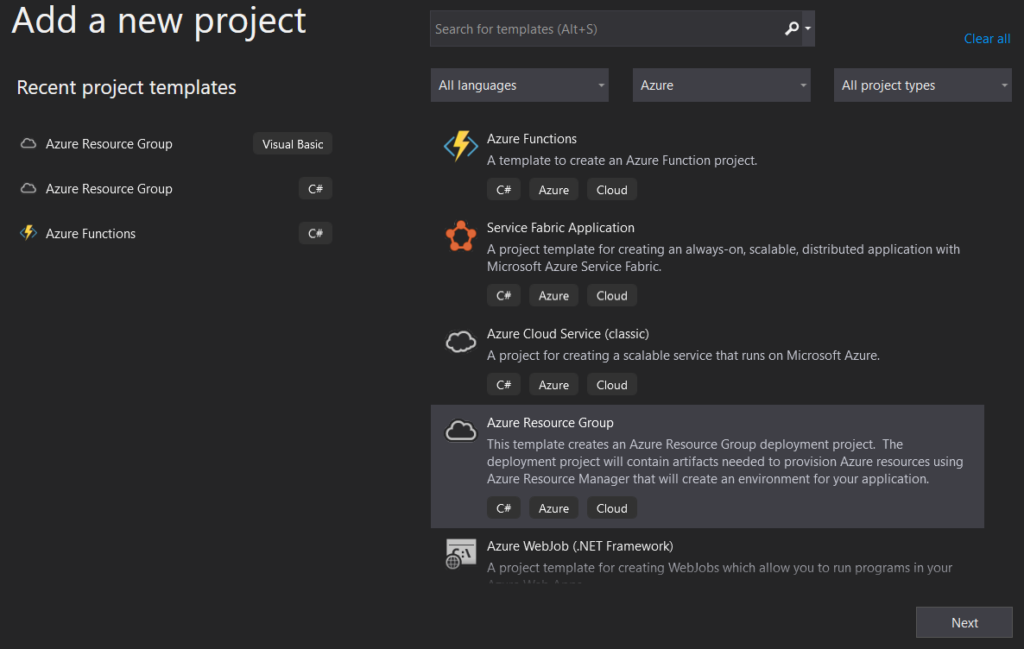
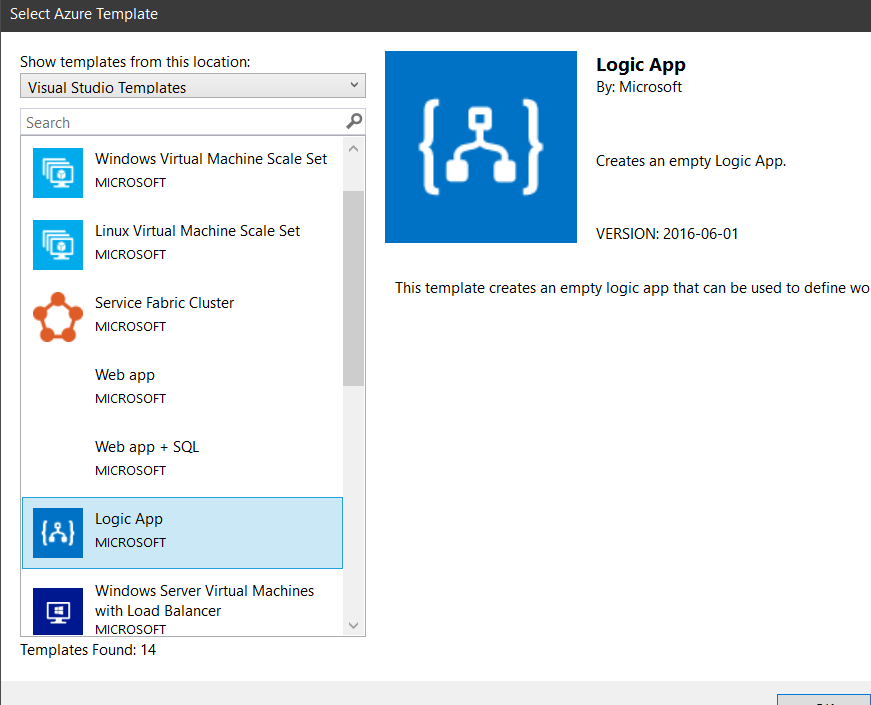
We’ll start from scratch. Open you VS and start a new Project, by selecting the Azure Resource Group C# template and the Logic App template after that.
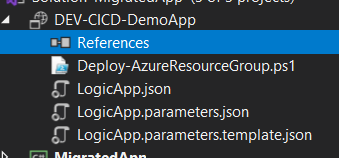
You will end with a new Project, and Solution if it’s the case, with 3 files. The PowerShell file is the deployment script that VS uses to automate the ARM deployment. Only in a special case do you need to fiddle with this file.
The other two files are the Logic App code and the Parameters file. You will need to create a new one, to be used as a Template for the Azure Pipeline. So go ahead and copy the Parameters file and change the name to LogicApp.parameters.template.json .
You should end with something like this.
This Parameters Template file will contain our Tokens, which will be replaced in the Pipeline using the “Replace Tokens” Task. In the coming posts, I will explain how it works and why we’re using it.
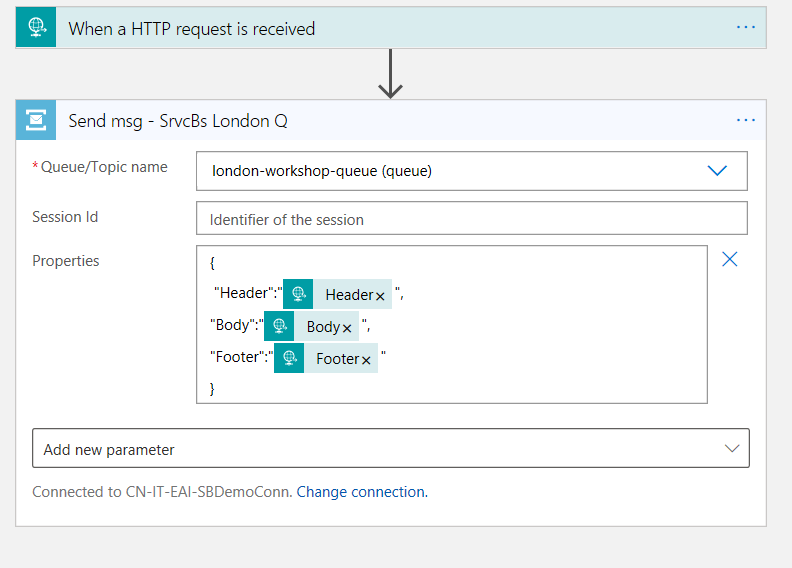
For the sake of simplicity, I’ll just use the Service Bus connector, where depending on the input, I’ll send a message to the Queue with the provided information.
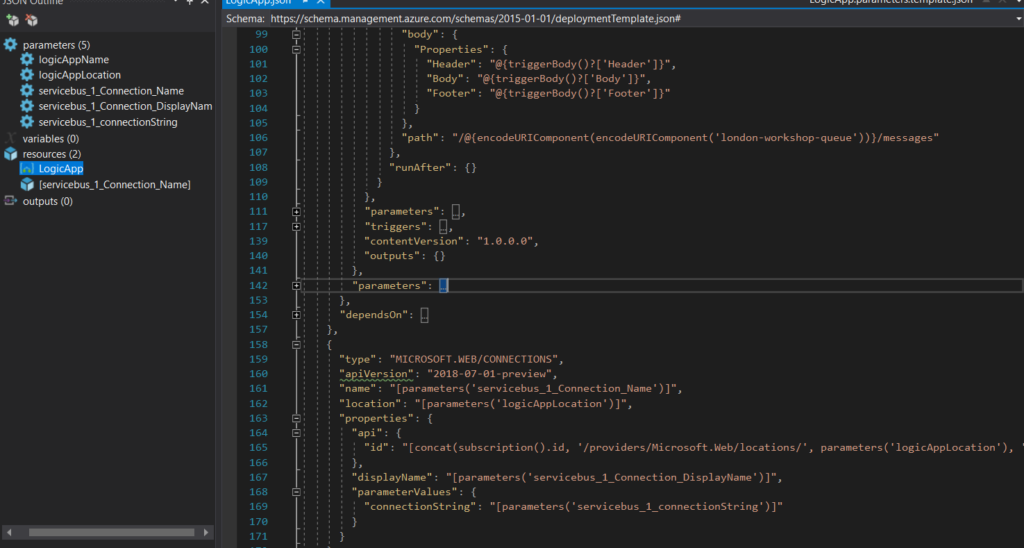
After creating the connection, you will see that, in the back code, several parameters and a Resource node were created as well, that contain the link and inputs for this connection.
Even when working in a single Resource Group, it is a good practice to prepare this for CI CD, because even though it’s static, connections change and instead of having to re-do all of it, you just need to re-deploy the pipeline with the new configurations.
We will not be making any changes to the Resource node, but to the action path and parameters. This will define that instead of having a fixed value, it will point to the parameter itselft, making it possible to have an ARM parameter configurable in the Pipeline.