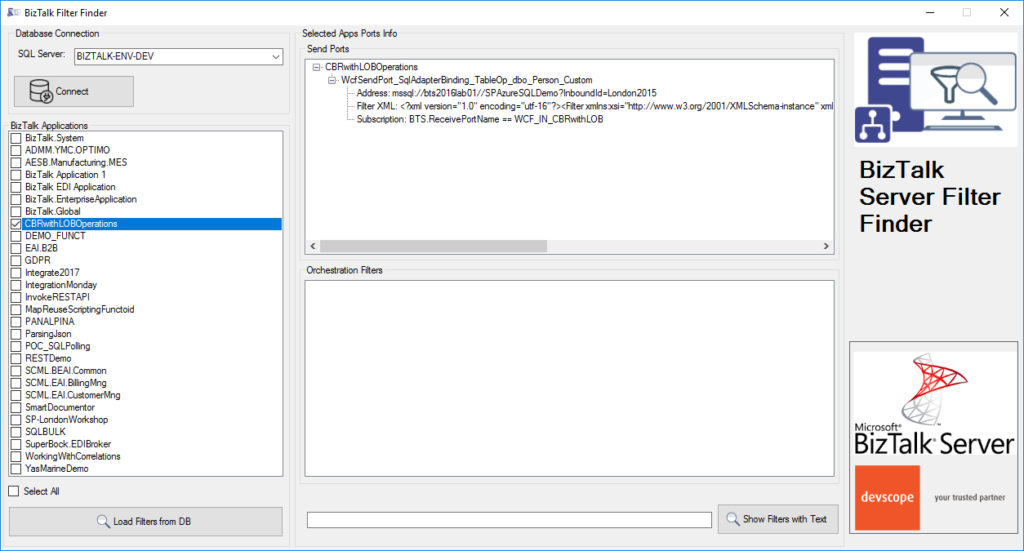
BizTalk Filter Finder tool got an update and it is now more powerful and with new features and mainly all of that thanks to Michał Plutyński contributions. And for those who are not familiar with this tool, the BizTalk Filter Finder Tool is a simple tool that aims to simplify the process for better understand and maintain solutions based on content-based routing and context-based routing with or without orchestrations involved.
This tool will extend default BizTalk Server capabilities transforming this tedious and sometimes complicate analysis a little simple, easy and fast. You can read more details about this tool in the original post here: BizTalk Filter Finder Tool.
What’s new in the release
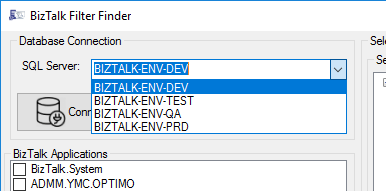
A new dropdown list that allows you to select your BizTalk Server environment (you can set up them in the config file), this way is better and easier to use in bigger teams with several environments.
Add filters/search capabilities allowing you to filter the existing subscriptions and only show filters with subscriptions that contain some text;
Hotfix/improvements: Changes in reading orchestration list when it’s used a MessageBoxDb on a different server then ManagementDb.
Credits to Michał Plutyński for becoming a collaborator of this tool.
On 15th of January 2020, Microsoft announced the release of BizTalk Server 2020. There was a lot of buzz on social media about the release. Pretty much all of the posts were highlighting and excited about the new set of features that got shipped in the product.
Even though the release came with a bunch of exciting new features like any other regular software product updates, there are some important points to note, especially for people who invested heavily in Microsoft BizTalk Server for the past 2 decades.
BizTalk Server 2020 is not just a simple software update it’s a game-changer and beginning of a new era.
Two decades of past
That’s how long Microsoft BizTalk Server is in the market.
The first version came in 2000, and now we are in 2020 and excited about the new release “BizTalk Server 2020”. Microsoft consistently released a new version every 2-4 years once for the past 20 years (2000, 2002, 2004, 2006, 2006 R2, 2009, 2010, 2013, 2013 R2, 2016 and now 2020) – i.e 11 major releases.
There are very few products in the history of software sustained a two decades life span and still going strong. On Microsoft land I can only think of a few products like Windows, Office, SQL Server are the ones which reached this milestone.
I’m feeling lucky enough to be one of them who worked on this amazing piece of technology for 20 years now. For most of the software developers out there, our career is pretty much determined by our initial few months/years after graduation and where we end up. For some people, you become programmers, again depending on what technology stack you got initial opportunities, some become data guys like DBA’s, IT administrators, and in the modern era new things like AI/ML, Big Data, etc. For me, it was/is BizTalk Server and Integration in general.
In the past 20 years, I have seen various technologies come and go. We ourselves were bitten by choosing a wrong one for BizTalk360 in the initial days. Microsoft Silverlight as our front-end, the thing that looked flashy and promised to change the way Rich Internet Applications (RIA) are build quietly died and we ended up wasting full 1 year rebuilding everything in HTML5. We finally released version 7.0 back in Oct 2013 fully revamped in HTML5
Unless otherwise, the product solves a core problem well, the chances of sustainability for this long is pretty slim.
One decade of future commitment
When Microsoft releases a server product like BizTalk Server, they commit for 10 years of product support commitment. 5 years of regular support and another 5 years of extended support for you to comfortably run your production systems without worrying about the end of life.
BizTalk Server 2020 is Microsoft’s commitment to existing customers who invested in BizTalk Server and future customers the product is supported until 2030.
It’s very important for large enterprises to get this commitment. As I mentioned earlier, you cannot afford to make wrong bets (like what we did on the front-end technology for BizTalk360 using Microsoft Silverlight), you simply end up with wasted time, money and more importantly opportunity. For us, that one year was a very painful period, with limited resources instead of building exciting new features for our customers, we ended up redoing the same thing.
It’s not easy
Even for a large organization like Microsoft, it’s not easy to maintain and improve a legacy matured product like BizTalk Server.
During my long-standing relationship with BizTalk Server in this 20 years period, I have personally dealt with at least 4-5 different completely different sets of teams at Microsoft. This is what I have witnessed
“People will come, people will go but the product stays.”
I can imagine it will be such a hard job to bring people on board to get up to speed understanding such a vast platform and innovate on top of that mixing the old and new era. In spite of the challenges, Microsoft still continued and innovated constantly for the past 20 years.
What goes behind the scene?
On every release, one of the important updates will be platform alignment. BizTalk Server relies on four important underlying platforms, the core Windows Operating System, SQL Server for data, Visual Studio for development tools and finally Microsoft Office for certain dependencies like BAM.
BizTalk Server 2020 supports the following platforms
Visual Studio 2019
Windows Server 2019, Windows Server 2016, Windows 10
SQL Server 2019, SQL Server 2017, SQL Server 2016 SP2
Office 2019, Office 2016
Supporting these new platforms is not always just a recompile of your code. For instance, the team had spent nearly 3 years rebuilding the tools for Visual Studio 2019. Some of the BizTalk Server toolings like Mapper and Orchestration designer is complex. Visual Studio 2019 changed the complete plugin-architecture and significant work has gone behind the scene to make it work.
There are few areas Microsoft does not highlight on the release notes, but that takes a significant amount of time for the product group like accelerators and adapters. Microsoft BizTalk Server is a central middleware hub supporting various industry standards like HL7, SWIFT, etc, these specifications change regularly as well, in every release they need to make sure they support the latest standards.
In a similar way, all those connecting BizTalk adapters like SAP, Oracle, JD Edwards, Peoplesoft, etc all need to be retested and realigned.
Being a global product there are a ton lot of legal procedures they need to pass through before a 20 year old product like BizTalk Server is released to the public.
You probably are not aware, some of the high-end military/defense teams across the world use BizTalk Server, it’s not that easy to commit a new release when you have such sensitive customers.
I remember having a conversation with one of the product owners of BizTalk Server in the past, how tough the whole legal process before they can get a go-ahead for the release.
Hub for modern and legacy world
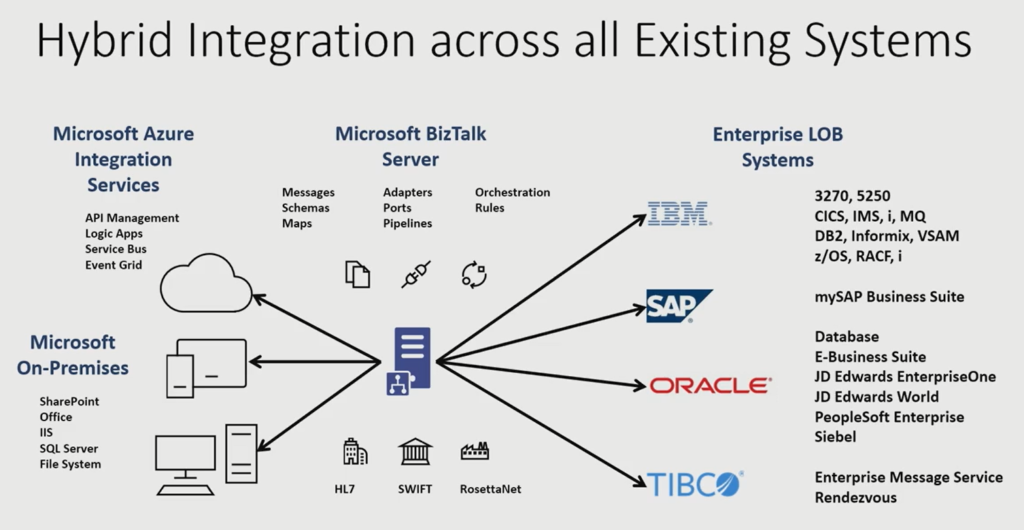
If you look carefully at how Microsoft is positioning BizTalk Server 2020, it’s positioning it as a hub/window between the legacy and modern world.
The fact is, however the new cloud technology stack spans out and promises to change the world, there will always be an on-premise dependency. It will take at least another few decades (or never), for 100% cloud-native organizations to evolve.
Oh! Do you know still some of the big bank’s core systems are still running on IBM Mainframes built-in 1960 and ’70s?
For the past 10 years, in the enterprise world, it’s always a hybrid scenario, where certain things are best suited for on-premise and certain things are best suited for the cloud, you mix and match the tech stack that’s suitable for your business.
The below picture depicts how Microsoft BizTalk Server can act as a glue between the on-prem and the cloud world and get most of the benefit out of both.
There are a lot of features that shipped with BizTalk Server 2020 supporting this vision.
New customers – is BizTalk Server the right technology?
If you are on a hunt for choosing your middleware platform, it’s not an easy decision to make. With a ton of new products available in the market and each product requiring months of learning to understand the capabilities, it’s never going to be easy to compare and test everything.
But sometimes you need to go with the proven technology and the future vision of the product. BizTalk Server sustained 20 years of constant improvement (a release pretty much every 2-3 years once 2000, 2002, 2004, 2006, 2006 R2, 2009,2010, 2013, 2013 R2, 2016), a lot of features and underlying architecture are robust and scalable to sustain such a long time period.
This long history of the product is such an important decision-making factor.
And the future commitment from Microsoft gearing towards the cloud makes it a perfect candidate for any organization to bet on this middleware platform.
Why BizTalk Server developers and administrators must be excited?
Learning a complex product like BizTalk Server is time consuming long term commitment. It takes years of work and the right projects to fully understand the product and its capabilities. If you have invested your time in the past few years being a BizTalk Developer or Administrator it’s a great time to be excited with the commitment from Microsoft on the future of BizTalk Server.
BizTalk360 is ready for BizTalk Server 2020
For those of you who are not aware of BizTalk360. I would like to give a short intro and excited to announce after working with Microsoft for the past few months, we are now fully supporting Microsoft BizTalk Server 2020 with our latest release.
We are a 3rd party product providing advanced monitoring and management capabilities for Microsoft BizTalk Server. Out of the box, BizTalk Server comes with a management console called “BizTalk Admin Console”, which does a great job for people to manage and operate your BizTalk Server environments. However, the tool lacks a lot of advanced capabilities like web-based management console, advanced user access security features, advanced toolings like throttling analyzer, topology viewer, messaging patterns viewer, health dashboards, etc.
Monitoring for a platform like BizTalk Server is so crucial, but BizTalk Server doesn’t come out of the box with any monitoring capabilities. The customers need to rely on Microsoft SCOM or 3rd party products like BizTalk360. SCOM management packs for BizTalk Server is not updated for many years and it comes with only minimal monitoring capabilities.
BizTalk360 is a widely used product in the market with over 650 large enterprises helping them to manage/operate and monitor their BizTalk Server environments. BizTalk360 supports BizTalk Server 2013, 2013 R2, 2016 and now 2020.
Do you feel difficult to keep up to date on all the frequent updates and announcements in the Microsoft Integration platform and Azure iPaaS?
Integration weekly update can be your solution. It’s a weekly update on the topics related to Integration – enterprise integration, robust & scalable messaging capabilities and Citizen Integration capabilities empowered by Microsoft platform to deliver value to the business.
It was only 9 days ago that I released the latest minor version of this package, on that time the goal was to update the Security and Governance stencils to please my dear friend Nino Crudele. It was then that I notice that Microsoft did again a completely redesigned on several of the symbols and of course add new services so I decided that this was the time to not only refresh the package with the new icons but also but so extra work.
What’s new in this version?
With the growing number of stencils in this package, it was becoming hard to easily find or look for the right shape/representation. So once again based on some feedback I received from the community I decide to do so rearranging. I still have many things to do in this project in terms of organization but for now, these are the changes on this major release:
New shapes: The main additions are all the new shapes on the Azure Portal. New shapes added on:
MIS Azure Stencils: containing all the main Azure Portal Services
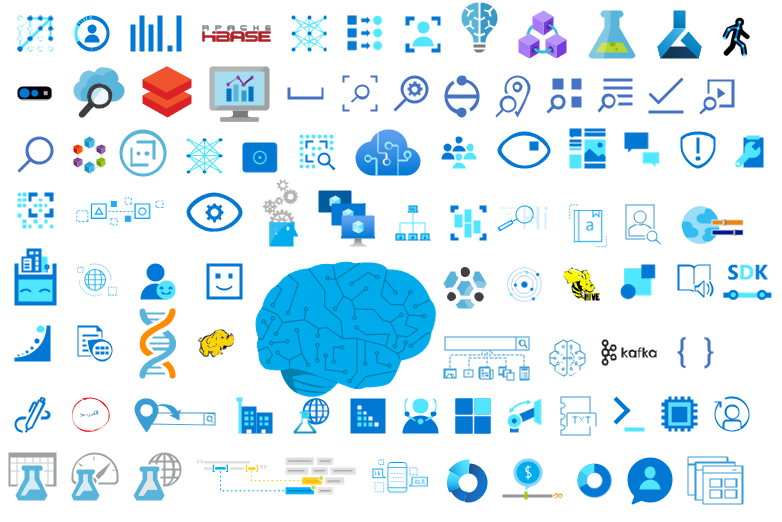
MIS AI and Machine Learning Stencils: all shapes related to AI or Machine Learning scenarios;
MIS IoT Devices Stencils: all shapes related to IoT scenarios:
Microsoft Integration Stencils;
MIS Azure Others Stencils: containing Azure Postal Services, features of the services and other interesting shapes;
MIS Azure Additional or Support Stencils: other shapes that may be interesting in supporting Azure diagrams and designs or presentations;
MIS Azure Stencils: Complete update to this category with many new shapes added and many shapes moved to MIS Azure Others Stencils file;
MIS AI and Machine Learning Stencils: Complete update to this category with many new shapes added and updating many others to there current stencils;
Add categories:
Microsoft Integration Stencils Old Version Stencils: containing all the oldest versions of stencils (obsolete, deprecated or replaced by a new shape)
Ordered by name: I recently started to sort shapes in alphabetical order. These are the categories already sorted:
MIS Azure Stencils;
MIS Azure Others Stencils;
MIS AI and Machine Learning Stencils;
Microsoft Integration Stencils Old Version Stencils;
MIS Security and Governance;
Text Annotations: This is a requested feature and I already started to work on it but it will get some time to finish it. For now, you will see text annotations on:
MIS AI and Machine Learning Stencils
SVG Files: Add new SVG files, and uniform the name of the files;
Microsoft Integration, Azure, Power Platform, Office 365 and much more Stencils Pack
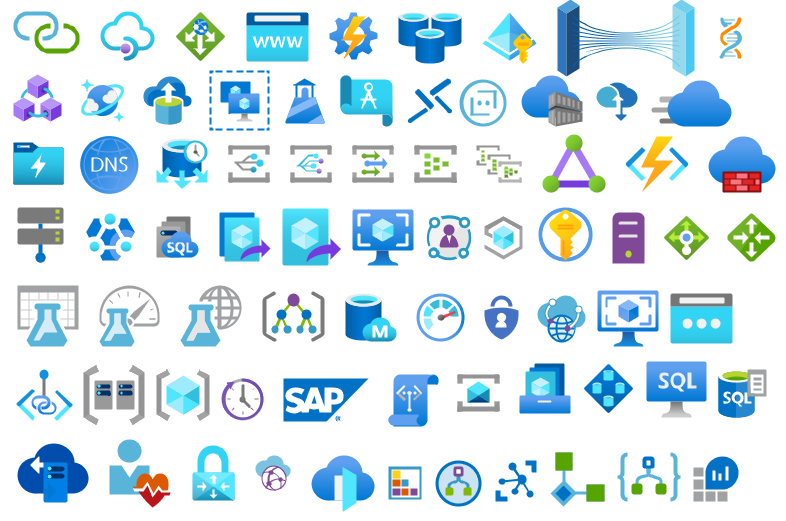
Microsoft Integration, Azure, Power Platform, Office 365 and much more Stencils Pack it’s a Visio package that contains fully resizable Visio shapes (symbols/icons) that will help you to visually represent On-premise, Cloud or Hybrid Integration and Enterprise architectures scenarios (BizTalk Server, API Management, Logic Apps, Service Bus, Event Hub…), solutions diagrams and features or systems that use Microsoft Azure and related cloud and on-premises technologies in Visio 2016/2013:
BizTalk Server
Microsoft Azure
Integration
Integration Service Environments (ISE)
Logic Apps and Azure App Service in general (API Apps, Web Apps, and Mobile Apps)
Azure API Management
Messaging: Event Hubs, Event Grid, Service Bus, …
Azure IoT and Docker
AI, Machine Learning, Stream Analytics, Data Factory, Data Pipelines
SQL Server, DocumentDB, CosmosDB, MySQL, …
and so on
Microsoft Power Platform
Microsoft Flow
PowerApps
Power BI
Office365, SharePoint,…
DevOps and PowerShell
Security and Governance
And much more…
… and now non-related Microsoft technologies like:
SAP Stencils
The Microsoft Integration Stencils Pack is composed of 28 files:
Microsoft Integration Stencils
MIS Azure Stencils
MIS Additional or Support Stencils
MIS AI and Machine Learning Stencils
MIS Apps and Systems Logo Stencils
MIS Azure Additional or Support Stencils
MIS Azure Mono Color
MIS Azure Old Versions
MIS Azure Others Stencils
MIS Buildings Stencils
MIS Databases and Analytics Stencils
MIS Deprecated Stencils
MIS Developer Stencils
MIS Devices Stencils
MIS Files Stencils
MIS Generic Stencils
MIS Infrastructure Stencils
MIS Integration Fun
MIS Integration Patterns Stencils
MIS IoT Devices Stencils
MIS Office365
MIS Power BI Stencils
MIS PowerApps and Flows Stencils
MIS SAP Stencils
MIS Security and Governance
MIS Servers (HEX) Stencils
MIS Users and Roles Stencils
Microsoft Integration Stencils Old Version Stencils
That you can use and resize without losing quality, in particular, the new shapes.
I was alerted by fellow Integration MVPs that BizTalk Server 2020 is now available!
Sure enough, it is available for download on MSDN. All versions of BizTalk 2020 including Developer, Branch, Standard, and Enterprise.
The interesting take away is support for Visual Studio 2019! So we skipped over Visual Studio 2017 altogether. Plus support for SQL 2019 and Windows 2019.
There is a nice, long list of What’s New in BizTalk 2020 along with some notable deprecations including the POP and SOAP adapters.
BizTalk360 Product Support – Every year brings a new learning and new experience. We receive support tickets through different channels like emails, support portal, feedback widget. It is the responsibility of every support engineer to make sure the support case is taken care of and resolved on time, thereby aiming for 100 % customer satisfaction.
2019, of course, was a better year than before. A lot of customer relationship calls, best practice sessions, customer demos and much more. We are happy to share the stats of the support cases handled by us in 2019. This is the result of our continuous hard work and dedication which has resulted in some really positive numbers in BizTalk360 Customer Support.
Total tickets received for technical product support – 1274
No of tickets closed – 1064
Nearly 75% of the tickets resolved within SLA
January and September were busiest months which had the highest number of tickets received
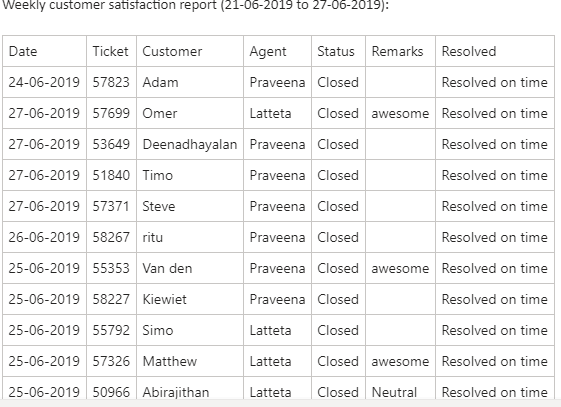
Customer Satisfaction Report
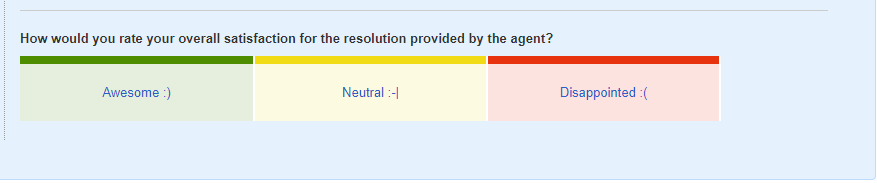
This is another interesting factor which helps to know the rating of customer satisfaction. For every support ticket that is getting closed, there is a customer survey that gets attached to the closure response where they rate the resolution provided by the support engineers.
The rating may be awesome, neutral or disappointed. The customers can provide their comments as per the resolution provided. The customer satisfaction reports help us improve our support based on the ratings and comments that we receive from the customers. This report is taken every week. We are happy to inform that most of the responses we received were of ‘Awesome’ rating and very few had the other ratings.
Here are some of the customer quotes the BizTalk360 Support team has received in the past few months:
“Your support is amazing. It will definitely be a selling point here :-).”
“Fantastic support. Thank you!”
“Thanks for the quick and effective solution for monitoring this scenario. It is working for us. Really appreciate it!”
“Felt good to get a resolution which exactly solved our problem well done “
“Quick, friendly and very knowledgeable support! very happy with the service :)”
These kinds of comments motivate us to do more and thereby providing the best customer support.
Here is a one such customer satisfaction report:
Major Releases in 2019
The feedback portal is one place where the customers can provide their suggestions and valuable feedback on the features that they already use and also features that they expect in BizTalk360. It is based on these feedback and customer votes; the features are selected for every release.
In 2019, we had 5 major releases, 8.9.5, 8.9.6, 9.0 Phase 1, 2 and 3.
For the list of new features and enhancements shipped in each release, refer to the release notes.
Some of the highlighting features added in 2019 are:
SQL cluster monitoring
Clustered host instance monitoring
Dynatrace integration for Analytics
BizTalk360 Activities Auditing
BizTalk Group Dashboard
Configuring polling interval for monitoring
Database size monitoring
SMTP Notification channel
Quick alarm configuration
For more details on the top 10 features in 2019, refer to the link. Also, the release includes enhancements as well as bug fixes. We always recommend the customers to upgrade to the latest version so that they are in line with our releases. This will avoid the issues with the product and helps us in the support as well.
In addition to the CR calls, to help customers in all aspects and understand their challenges, the client relationship team introduced the Quarterly health check session this year. In this session, we, the technical support engineers, would assist the customers in the upgrade process if they require assistance and understand their challenges in using BizTalk360 and provide resolutions.
This makes us understand the customers’ expectations better and help in improving the product to cater to the needs of the customer. As the saying goes, ‘Every ending has a new beginning’, the end of 2019 has brought us new lessons and experiences with various customers and new processes. Every support case has a lesson in it, be it the customer scenario, their infrastructure settings or our way of troubleshooting the case, our responses. We make sure that we improve our support, thereby making our customers happy and working more efficiently.
As part of the customer services, we also have the on-site BizTalk360 consultancy. Sometimes it would be more convenient to speak to somebody in person and with your BizTalk environment at hand. For such scenarios, we provide our customers with the opportunity to have an experienced BizTalk360 Product Consultant visit you at your premises.
The client relationship calls done every quarter helps us understand the pain points of the customers and the most used features in BizTalk360. The resolutions would be provided immediately in the call if possible or separate tickets would be raised for the issues so that it would be easy for tracking.
In 2020
2020 is, of course, going to be a very great year, with no doubt at all, the important reason being BizTalk 2020 will be announced by Microsoft which in turn sets the pace for the new features to be included in BizTalk360.
The most awaited event in the Microsoft Integration space, Integrate2020 is on the way. The dates and venues are finalized. Grab the early bird offer which ends by March 31st, 2020.
We have an upcoming webinar on “BizTalk360 Product v9.x product walkthrough”. Please register for the same here. More webinars to come on the way.
Conclusion
We would like to request you, our customers, so please take the time to fill this questionnaire. This helps us to prioritize the next upcoming feature tasks and will let us know what your main pain points are. In case of any queries, you can always write to [email protected], so that we can immediately get your queries answered and resolve the issues. Happy monitoring with BizTalk360!
Every ending has a new beginning. Let’s hope and pray for 2020 to bring loads of wonders and happiness.
Do you feel difficult to keep up to date on all the frequent updates and announcements in the Microsoft Integration platform and Azure iPaaS?
Integration weekly update can be your solution. It’s a weekly update on the topics related to Integration – enterprise integration, robust & scalable messaging capabilities and Citizen Integration capabilities empowered by Microsoft platform to deliver value to the business.
In October, I did a major rearrange and release of my stencils pack mainly because Microsoft redesigned many of the icons present in the Azure Portal, but and guess what? Microsoft didn’t stop it yet. And several of the symbols that suffer a redesigned they already have a new version. So I decide that it is time for me to update my stencils once again, but instead of spending a lot of time and release everything at the same time, like I did last time, I decided this time I will do it in small waves.
What’s new in this version?
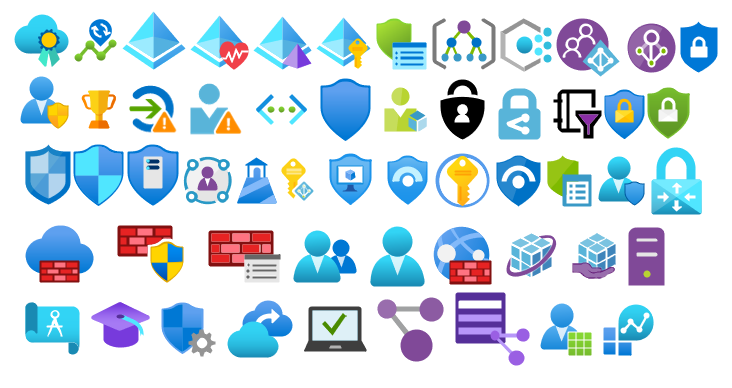
The main goal of this release was to provide the new icons present in the Azure Portal and update existing ones. In this version, the changes and additions are:
New shapes: New shapes added on MIS Security and Governance, MIS Developer Stencils and MIS IoT Devices Stencils;
MIS Security and Governance: Complete update to this category with many unique symbols added and updating many others to there current stencils;
SVG Files: Add new SVG files, and uniform all the filenames;
Special Highlights: Azure Arc and Machines – Azure Arc
Microsoft Integration, Azure, Power Platform, Office 365 and much more Stencils Pack
Microsoft Integration, Azure, Power Platform, Office 365 and much more Stencils Pack it’s a Visio package that contains fully resizable Visio shapes (symbols/icons) that will help you to visually represent On-premise, Cloud or Hybrid Integration and Enterprise architectures scenarios (BizTalk Server, API Management, Logic Apps, Service Bus, Event Hub…), solutions diagrams and features or systems that use Microsoft Azure and related cloud and on-premises technologies in Visio 2016/2013:
BizTalk Server
Microsoft Azure
Integration
Integration Service Environments (ISE)
Logic Apps and Azure App Service in general (API Apps, Web Apps, and Mobile Apps)
Azure API Management
Messaging: Event Hubs, Event Grid, Service Bus, …
Azure IoT and Docker
AI, Machine Learning, Stream Analytics, Data Factory, Data Pipelines
SQL Server, DocumentDB, CosmosDB, MySQL, …
and so on
Microsoft Power Platform
Microsoft Flow
PowerApps
Power BI
Office365, SharePoint,…
DevOps and PowerShell
Security and Governance
And much more…
… and now non-related Microsoft technologies like:
SAP Stencils
The Microsoft Integration Stencils Pack is composed of 27 files:
Microsoft Integration Stencils
MIS Additional or Support Stencils
MIS AI and Machine Learning Stencils
MIS Apps and Systems Logo Stencils
MIS Azure Additional or Support Stencils
MIS Azure Mono Color
MIS Azure Old Versions
MIS Azure Others Stencils
MIS Azure Stencils
MIS Buildings Stencils
MIS Databases and Analytics Stencils
MIS Deprecated Stencils
MIS Developer Stencils
MIS Devices Stencils
MIS Files Stencils
MIS Generic Stencils
MIS Infrastructure Stencils
MIS Integration Fun
MIS Integration Patterns Stencils
MIS IoT Devices Stencils
MIS Office365
MIS Power BI Stencils
MIS PowerApps and Flows Stencils
MIS SAP Stencils
MIS Security and Governance
MIS Servers (HEX) Stencils
MIS Users and Roles Stencils
That you can use and resize without losing quality, in particular, the new shapes.
In 2019, we released multiple major versions of BizTalk360. We have always believed that listening to the requests of our customers and partners is the right way to evolve the product. Many of the new features and improvements in the most actual version of the product have been suggested by our customers. So, we decided to organize a webinar to showcase the most appealing new features and improvements in the product.
Date: Wednesday 22nd of January
Time: 10 AM to 11 AM GMT (London)
Overview of some of the most important updates in BizTalk360 v9.x
It is interesting to see, that although over the last 8 years, we have brought over 60 releases, there are still areas where we can improve in the product. When looking at the v9.X updates we have released in 2019, the most recent version of the product contains 11 new features, 25 improvements, and 30 bug fixes. During the webinar, we will show the most interesting of these features in detail. Some of the features we brought are in the following areas:
Monitoring and notification – SQL Server cluster monitoring, database size monitoring, a new BizTalk Group dashboard, configurable polling intervals, a new Notification Channel
Operations – Querying Subscriptions, Send Port Group operations
Does this sound interesting? It doesn’t stop here! Join the webinar to learn about other new capabilities in BizTalk360!
How does BizTalk360 help our customers?
Meanwhile, we have around 600 customers all over the world and we believe that we are doing a good job in helping them efficiently manage their BizTalk environments. But why should you just take our word for it?
That’s why we have invited representatives from a BizTalk360 customer and a partner to be a part of our webinar.
During the webinar, we will interview them, enabling them to share their experiences with BizTalk360. Please find a short introduction about both below.
The customer, UWV (Netherlands), is an organization around social security. They might just have the largest BizTalk Server platform in The Netherlands. UWV is using BizTalk360 for a few years now. We have invited Hans Knaap, a senior administrator at UWV, to share his experiences with the product.
The partner, Integration.Team, is one of the major Belgian consultancy companies in the area of Microsoft integration. During the webinar, we will talk to Jordy Maes, who is a BizTalk360 Product Specialist for multiple years meanwhile. He has done multiple implementations of BizTalk360 at his customers.
Join us at the Webinar!
The webinar will be hosted by two of our senior Product Consultants, who have years of experience in the area of BizTalk Server and BizTalk360. This tandem will be able not just to show how the new capabilities look like, they will also share how they can be used in day-to-day practice.
Do you want to join us at the webinar on January 22nd? Why wait! Registration is simple, just click the below banner and leave your details. We are looking forward to welcoming you during the webinar.
2019 was a very challenging year. Nevertheless, it was another great year both on a personal and professional level, if last year I described as a family year this one it was a consolidation year.
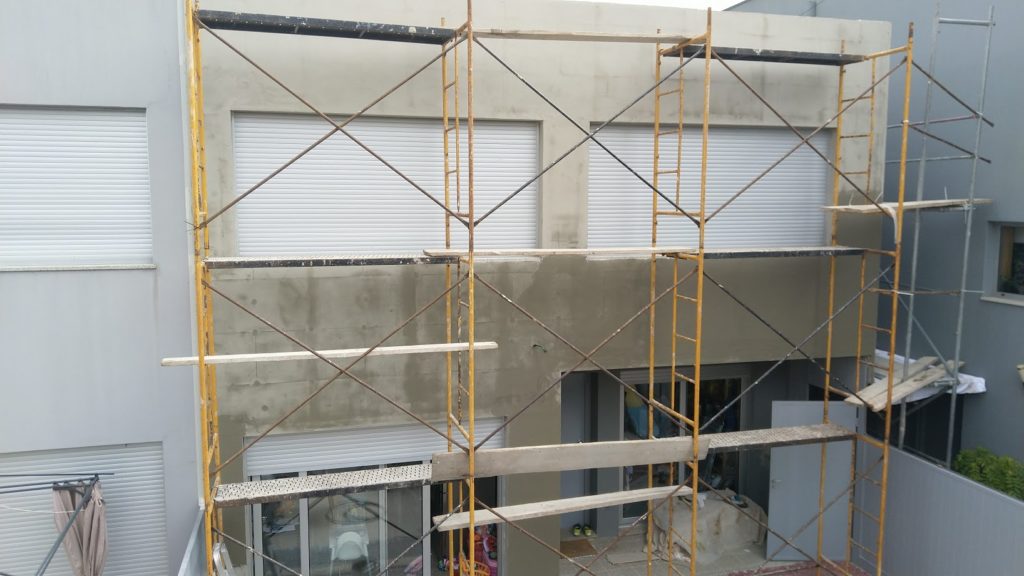
If last year I moved my family to a bigger house, this year we made all the necessary modifications to the home of our dreams;
If my team at DevScope grew at the end of 2018, 2019 was a year of consolidation, and we hope it will continue to grow during this year in terms of business but full of challenging and great projects worldwide. We are doing a fantastic job;
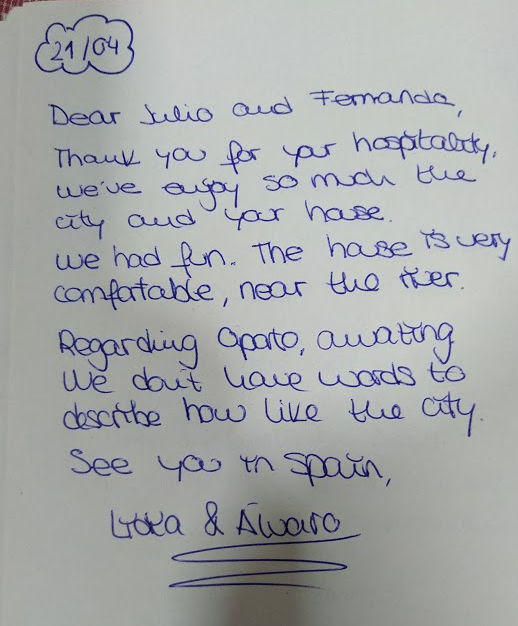
My Porto Airbnb host house is running smoothly, with good reviews from our guests. Nevertheless, there is always space for improvement.
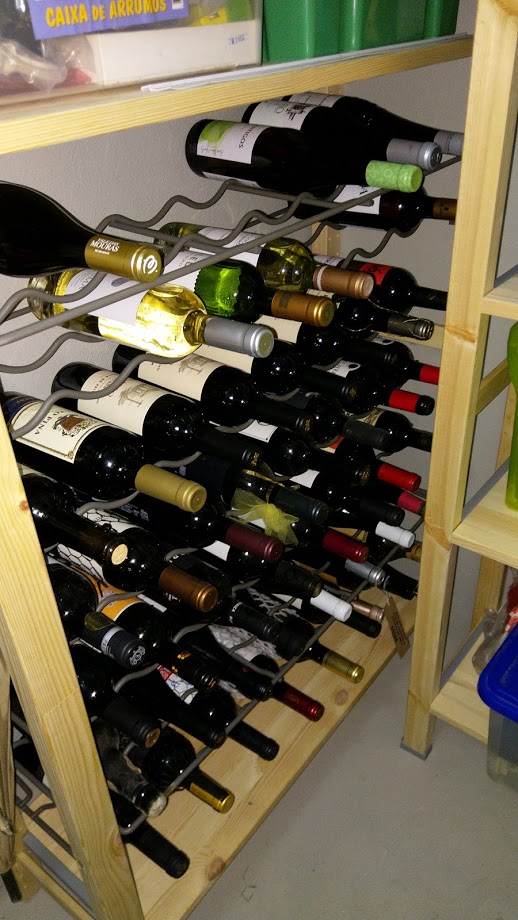
And who knows me knows that one of my passions is to enjoy a glass of good wine, so I’m delighted to have my first wine cellar draft (it will be improved in the future)
But with all of these renovations, it was also a year
that I had to dedicated more time to the family – something that was delightful!
And I got married…
My Blog is growing every year…
So, once again, I struggle to have free time, but when you love what you do, you will always find a way to do it. So, in the end, I was able to:
Publish 43 new posts on my blog; it was indeed the year I publish fewer blog posts since I started my blog, but to be honest, I compensate in other aspects!
More than 431,000 visits to my blog – that’s an average of 1,181 visits per day!
That is almost double of last year. And the best year ever.
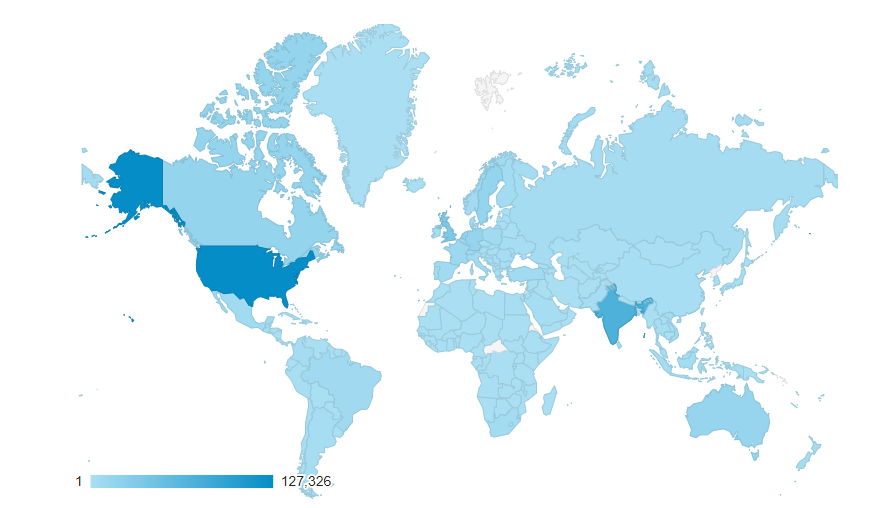
Coming from 207 countries across the world in the past year.
13 new locations compare to the previous year
And the countries that most visited my blog still are the United States, followed by India, the United Kingdom, and Canada
Not bad if we compare to previous years:
2018: 246,381 visits, 194 countries, 70 new posts
2017: 210,000 visits, 167 countries, 63 new posts (migrate to a new blog)
2016: 318,576 visits, 190 countries, 50
new posts
2015: 350,000 visits, 184 countries, 79 new
posts
2014: 310,000 visits, 183 countries, 52
new posts
2013: 200,000 visits, 176 countries, 79
new posts
2012: 170,000 visits, 171 countries, 102
new posts
2011: 91,000 visits, 61 new posts
I want to say thanks to all my readers. I appreciate all the visits to my
blog, and thanks for your support.
Attractions in 2019
These are the top 10 posts that got the most views in 2019:
I told earlier that this was the year I wrote fewer
blog posts in my blog. On the other hand, this was the year I published more
open source contributions like code samples, tools, and resources. Here is the
current list of all my contributions:
Migrate all the code samples that existed in Microsoft Code Gallery that shut down to a GitHub repository: BizTalk Server Learning Path that includes nothing less than 46 code samples that will help you understand and improve different skill in BizTalk Server.
BizTalk Scheduled Task Adapter repo includes an in-process receive adapter that executes a prescribed task on a daily, weekly or monthly schedule.
And the creation of a public repository for Microsoft BizTalk Server open source community extensions: code samples, BizTalk Artifacts (components), adapters, tools and so on: BizTalk Server Open Source Community that at the moment already includes 5 tools and 3 resources:
BizTalk Binding Exporter Tool is a simple tool that you can use to easily generate and export binding files from BizTalk Applications.
BizTalk Port Multiplier Tool is a simple tool that aims to simplify this process by allowing you to easily “clone or duplicate” an existing port (Receive Port or Send Port).
BizTalk Filter Finder Tool is a simple tool that aims to simplify the process for better understand and maintain solutions based on content-based routing and context-based routing with or without orchestrations involved.
BizTalk Pipeline Components Extensions Utility Pack is a set of custom pipeline components (libraries) with several custom pipeline components that can be used in received and sent pipelines, which will provide an extension of BizTalk out-of-the-box pipeline capabilities.
BizTalk Mapper Extensions UtilityPack is a set of libraries with several useful functoids to include and use it in a map, which will provide an extension of BizTalk Mapper capabilities.
BizTalk MapperExtensions Functoid Wizard is a Custom Functoid Project Wizard for Visual Studio. It allows you to create a new Functoids project for BizTalk Server without having to create manually the project.
SSO Application Configuration tool that provides the ability to add and manage applications, add and manage key-value pairs in the SSO database, as well as import and export configuration applications so that they can be deployed to different environments.
Other contributions…
And of course, several other publications outside my
blog.


 BizTalk Filter Finder Tool





 well done “