Microsoft BizTalk Server product team has released Cumulative Update 5 for BizTalk Server 2016. For more information, see Microsoft Knowledgebase Article 4132957, posted to https://support.microsoft.com/help/4132957.
Recently I have been looking at some opportunities to utilise the new Model-Driven capabilities in Power Apps. I spent some time at Integrate 2018 chatting to Kent Weare about some of its capabilities and realised it was a great fit for some of the architecture challenges we have. Before I go into some of the opportunities in a sample architecture lets consider an existing setup.
Existing Architecture
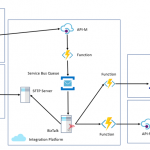
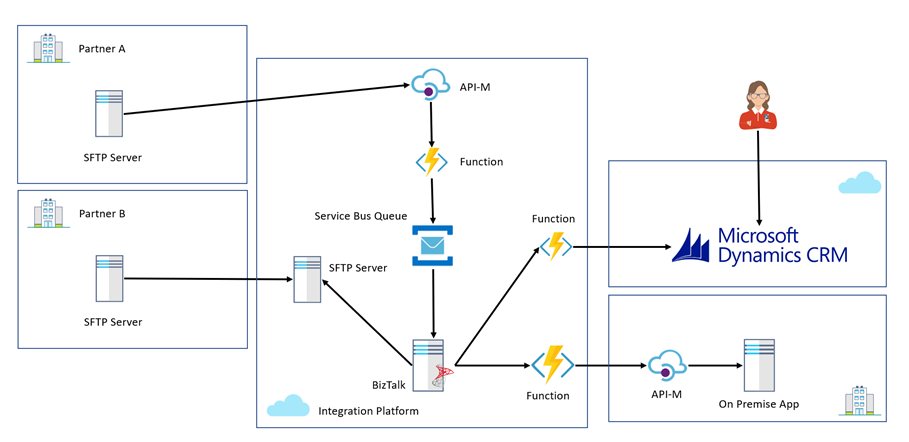
In the existing architecture we have a cloud hosted integration platform which the company uses to integrate partners into Dynamics CRM Online and some existing on premise line of business applications. The cloud integration platform is able to support partners submitting data via multiple channels. In this case we have a traditional SFTP and batch based mechanism which old school partners still use. With this pattern we use BizTalk where it excels on the IaaS part of the platform to manage multiple partners submitting different file formats all being converted to a canonical format and then messages are loaded into systems via helper functions on Azure which implement the service façade pattern.
You can see this in the diagram below represented by Partner B.
We also have partners who use more modern approaches to integration where we expose an API via Azure APIM which allows them to submit data which is saved to a queue. BizTalk will process the queue and reuse the existing functionality to load data into our core systems.
The Challenge
While we support 2 example channels in this architecture, we have a massive partner network with different capabilities and some partners even use a person to person and email based interactions. If you imagine a person in a call centre is sent an email with some data or a form in the post and they will type the data into systems manually.
As the application architecture expanded there were more systems these users would need to work with and we needed to find efficiencies to optimise the user entering data. The more records a user can enter in 1 day the bigger the potential cost savings.
The challenge with this was to provide a new form to enter data that was simple and quick. We initially looked at options like Microsoft Forms and Cognitio Forms which could allow us to create forms to capture data but they missed ticking boxes on some of the key non functional requirements such as security and authentication. We needed something which had more features than these options which were good but too simple.
Above we do have Dynamics CRM but the key problem with that like our other applications is that it is tied to a product backlog which means our changes and optimisations would need to fit within an agile release process which was delivering change in a complex system. What we really needed was a sandbox type application where we could build a simple App without many dependencies which would then integrate with our processes.
Proposed Architecture
Coming back to the discussion with Kent, I could see that model driven Power Apps is really like a cut down version of Dynamics and looking at some of the apps in the samples and that people are building you could see straightaway this could be a great opportunity. The Power Apps environment allowed us to build some forms and a data model very quickly to model the data we need users to capture.
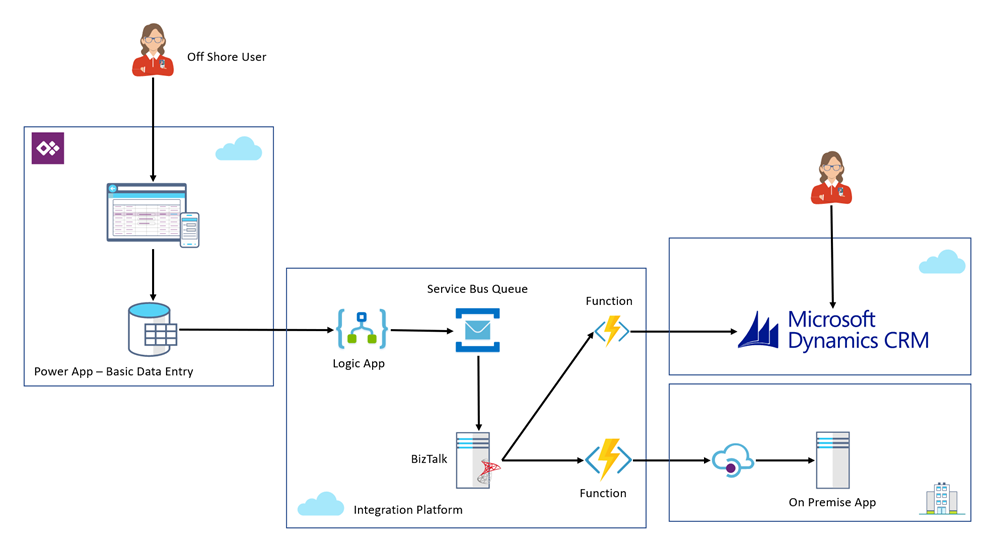
We then implemented a logic app which would fire on the update of a record which would check for a field being set to indicate that the record was ready to be published. The logic app would extract the data from the Power App. The really cool bit was that I can use the Dynamics connectors in Logic Apps because the Power App is really just a Dynamics instance. The Logic App puts a message on a queue which is then used to reuse our existing integration.
The below picture represents the architecture from the perspective of the new Power App. Please note that to keep the diagram simple I have omitted the existing B2B SFTP and API integrations so that we can focus on the Power Apps bit.
From this point I now have a pretty simple Power App which can allow these users to input data manually into our process which we think can save a few minutes per record based on manually keying the record in the old ways.
The benefits of Power Apps though are way beyond just this, first off the key to empowering rapid change is that its in an isolated app focusing on just this use case. I don’t have to worry about all of the many features within a bigger CRM implementation. When it comes to implementing changes and regression testing things are much simpler.
At the same time the licensing is slightly different with Power Apps our users are using P1 licenses which aren’t that expensive and good for users who just run the Power App. we use P2 Power Apps licenses for those users who need to admin and develop the Power App.
We also get for free the integration with Azure AD so that our users have a good authentication story. This was one of the challenges with our previous considered options. The products we looked at which provided out of the box forms capability seemed to lack the ability to authenticate then restrict the users to just certain users and to then know who filled in which form. This is a key requirement.
When it comes to many of the other security scenarios as existing Dynamics users we have already gone through the governance around what Dynamics is, how it works, its security, etc. The model driven Power App seems to be just the same in terms of capabilities.
At one time we were considering building an ASP.net app for our users and when you consider everything PaaS on Azure offers for very little cost it would seem an attractive option, but compared to these new more powerful Power Apps I think removing the considerations about hosting, security, custom coding, design experience, etc you get so much out of the box that it’s a compelling argument to try the Power App.
At this point Power Apps seems to be offering a great opportunity for us to build those utility applications and system of engagement applications on an enterprise ready platform but without lots of custom development. Really focusing on delivering business value there seems to be loads of places we could use this.
Hopefully we can provide more info about Power Apps as our journey progresses.
0830 — An early start on Day 2. The session started with consideration of using Logic Apps for System to System, Application to Application integration.
Logic Apps finds it applications in multi-billion-dollar transactions that happen through Enterprise Application Integration platform.
Most of these business cases are in BizTalk Server. Using Logic Apps and other Azure Services can modernise these platforms.
Microsoft Vision
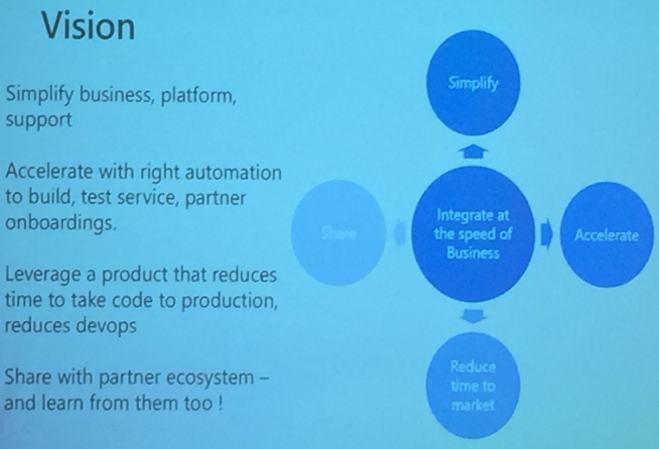
We do integration at the speed of the business. We want to simplify the process
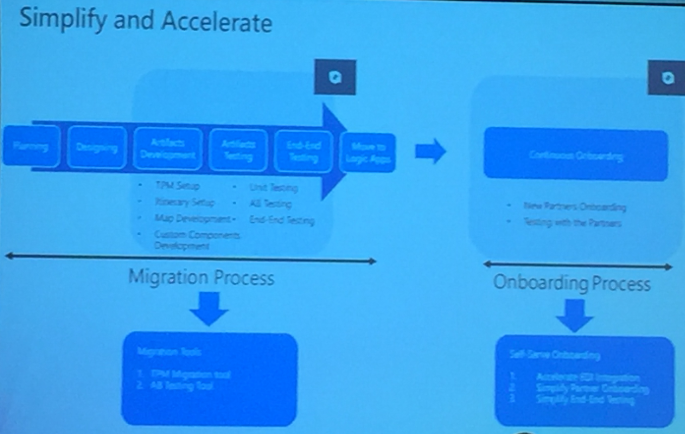
Microsoft is building tooling to automatically onboard partners and enable migration from BizTalk Server to Logic Apps. Embracing the change from taking the lead.
They are looking at reducing the DevOps time from Code -> Development -> Production
Microsoft is willing to share what they build to partners and community. Lot of integration patterns being built.
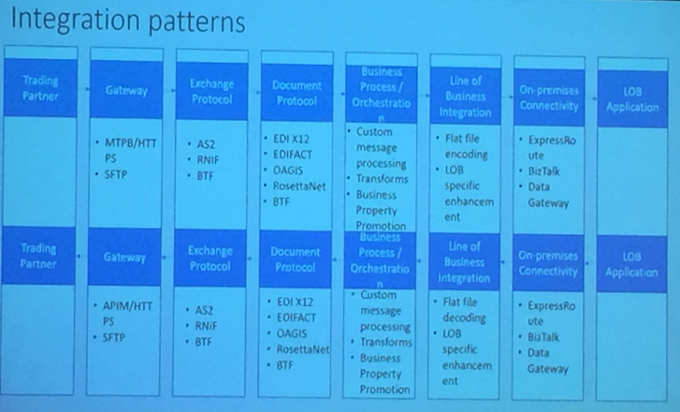
Microsoft is working on strategy to migrate from BizTalk Server to Logic Apps. How they plan to do?
Use On-Premise Gateway
Publish / Subscribe Model (work-in-progress)
The idea is to use integration workflows, publish to queues and there will be a subscriber reading from Queues to SAP / SFTP depending on the location.
They also mentioned about the categorization of Logic Apps under the following verticals:
Policy / Route
Processing
LoB (Line of Business) Adapters
Suggestion is Have Logic Apps simple and self contained.
As more protocols are being added, they will update the policies. Also help decouple platform from onboarding.
APIM Policies make it simple to drive itinerary
Policies allow for dynamic routing of messages
What properties need to be promoted can be derived from meta data
This means same logic app can be used for different partners and purposes by using routing and metadata
Exception Handling
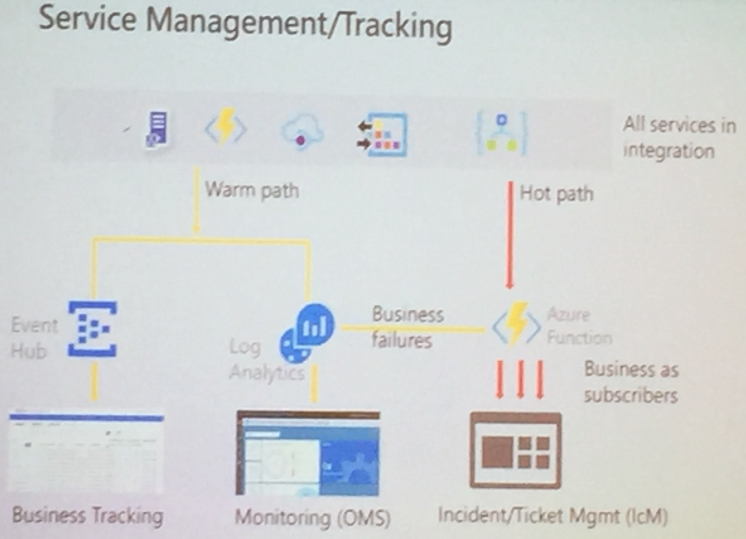
Enumerate over failures in run scope, extract properties relevant to business
Forward to another logic app
They are suitable in Warm Path and Hot Path Monitoring.
Future Considerations
Integration Account to be used for
BizTalk Server Partner configurations
Logic Apps for Partners
Microsoft is ready with Migration strategy for the same
Logic Apps are being built suitable for isolated businesses provide offering to meet strongest SLAs
Amit demonstrated the following
TPM Management tool
Help self-service onboarding
Accelerate EDI integration
AB Testing tool
Basically, Microsoft is aimed at Simplification and Acceleration of Migration and on boarding process
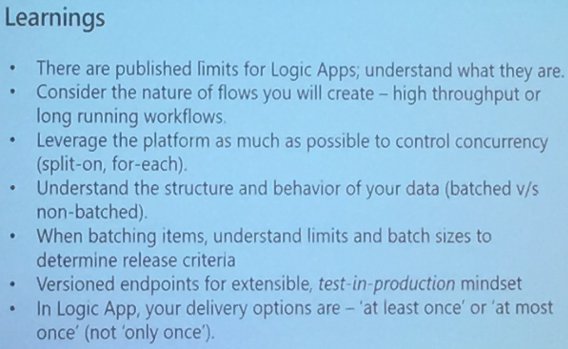
Finally, they concluded the session with the learning to migrate to Logic Apps
0915 — API Management deep dive
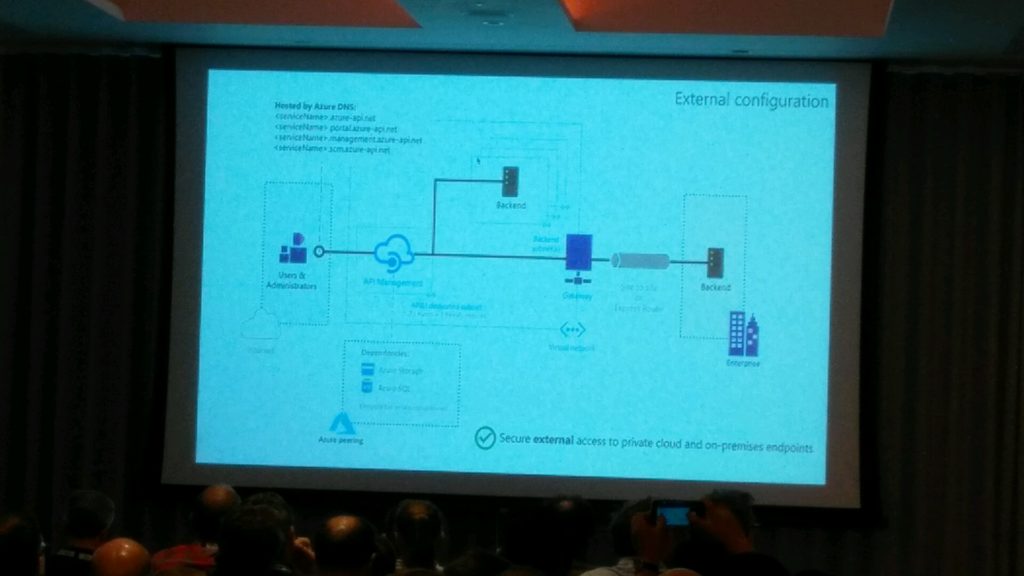
After the first session of day 2 Vladimir Vinogradsky took the stage to talk about API Management which is one of first Azure service that developers gets introduced too.
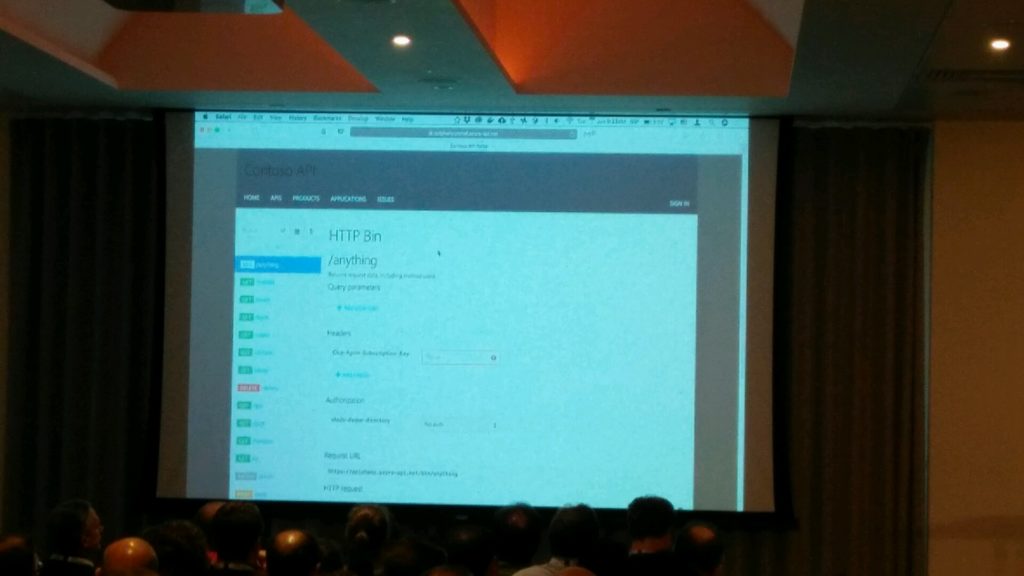
Vladimir has started of with list of features that Azure API Management offers and how it helps developers to consume, mediate and publish their web API’s. In this he has explained how you can open the azure portal and look at the documentation of your APIs which is powered by Swagger without writing single line of code.
He also went in to detail on authentication and authorization and explained how Azure API management will help you with various authentication mechanisms from simple username password combo to Azure AD authentication etc. He also mentioned how easy it is to use third party providers such as Google, Facebook with Azure API management.
Vladimir then went into detail on what are all the frequent questions from API developers and how Azure API management can solve that. He explained this using some live demos which was well received from the audience.
1000 — Logic Apps Deep Dive
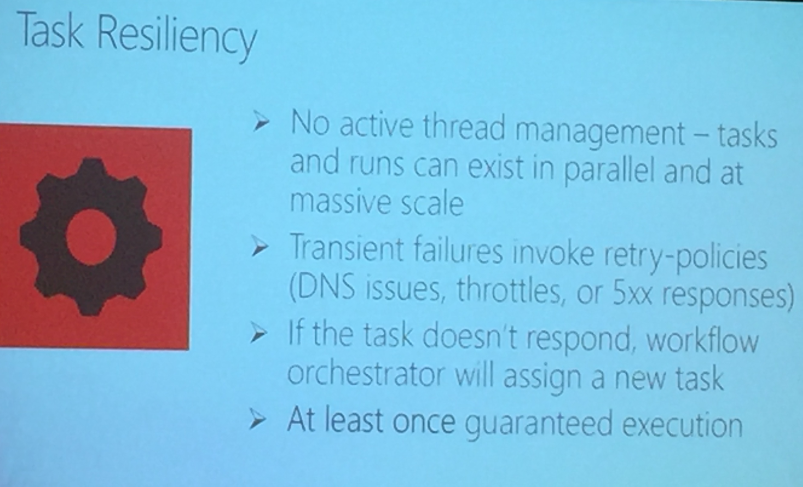
Kevin started with explaining Task Resiliency in Logic Apps
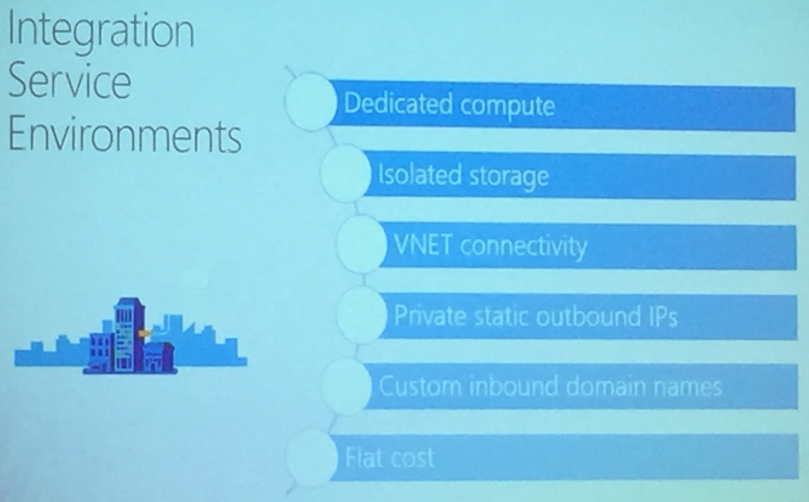
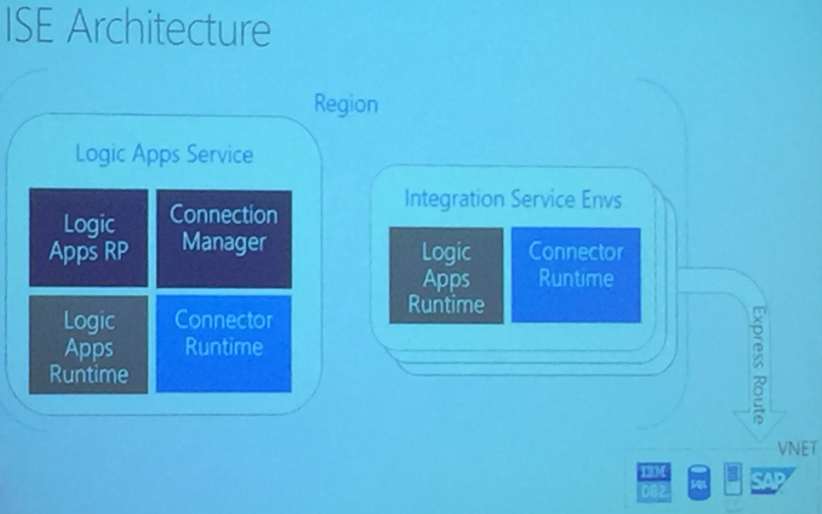
The highlight of the session was the demonstration of Integrated Service Environments (ISE) and its Architecture – but this is in the pre- private preview, means we need to wait for quite sometime.
Private Static IPs for Logic Apps are released with ISE
The deployment model of Logic Apps was also discussed with
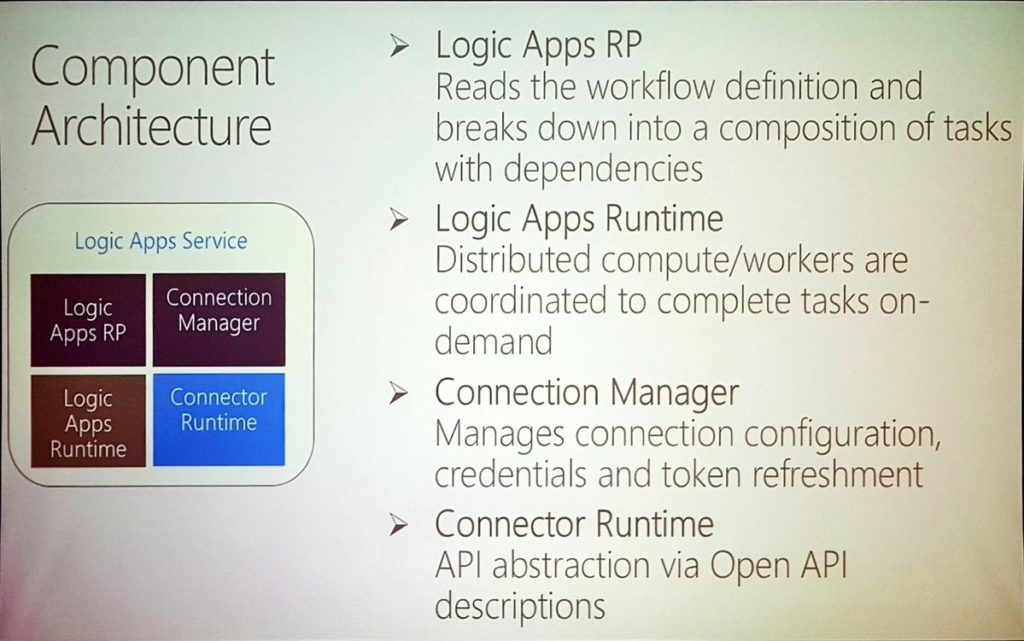
Logic Apps now has more than 200 Custom Connectors built. The Component Architecture of Logic Apps goes was also discussed.
1115 — Logic Apps Patterns & Best Practices
Kevin started this session with introducing the following patterns:
Work Flow patterns –
Patterns are derived to implement Error Handling at work flows
Define Retry policy – turn on/off retries, custom retries at custom and fixed rate as required for business.
Run After patterns help in running logic apps after failure or time out. Limit can also be set for eg. You can stop Logic App execution after 30 seconds
Patterns for Termination of execution of Logic Apps and associated Run Actions
Scopes will have final status of all actions in that scope
Implementation of Try-Catch-Finally in Logic Apps
Concurrency Control for
Runs
Instances are created concurrently
Singleton trigger executions include level parallelism
Degrees of parallel execution can be defined
Parallel Actions
Explicit Parallelizations
Join with Run After patterns
For Each Loops
Do Until Loops
Patterns are discussed for Scheduling Executions. Example workloads can be clean up jobs
Logic Apps can execute Run Once jobs. Example workloads can be time based jobs i.e. when you want to fire the action
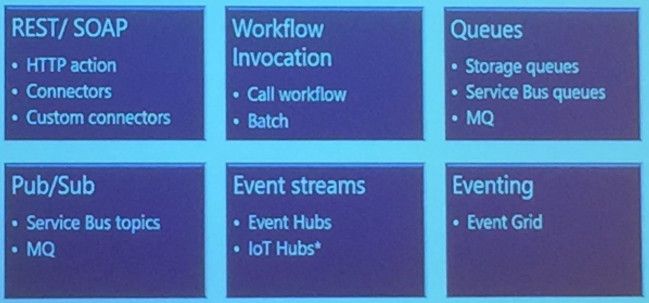
Logic Apps support Messaging Protocols like:
REST/SOAP
Workflow Invocation
Queues
Pub/Sub
Event Streams
Eventing
These provide workflow invocation and componentization of Logic Apps
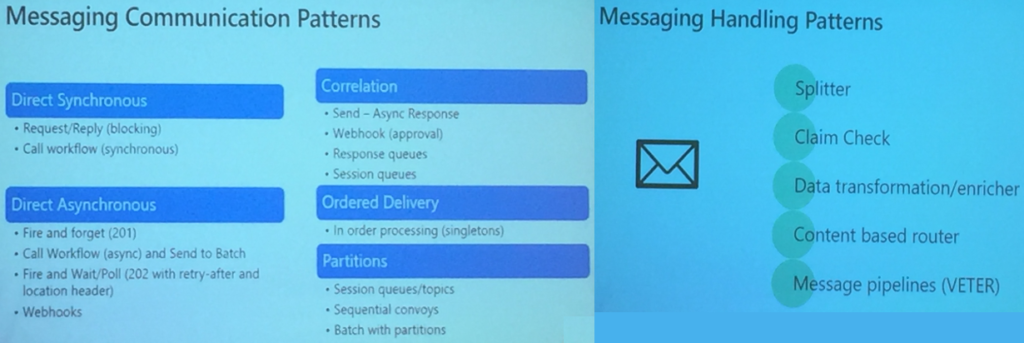
Messaging Patterns
Kevin then discussed the patterns for messaging that are categorized as
Messaging Communication Patterns
Messaging Handling Patterns
Derek Li provided some Best Practices
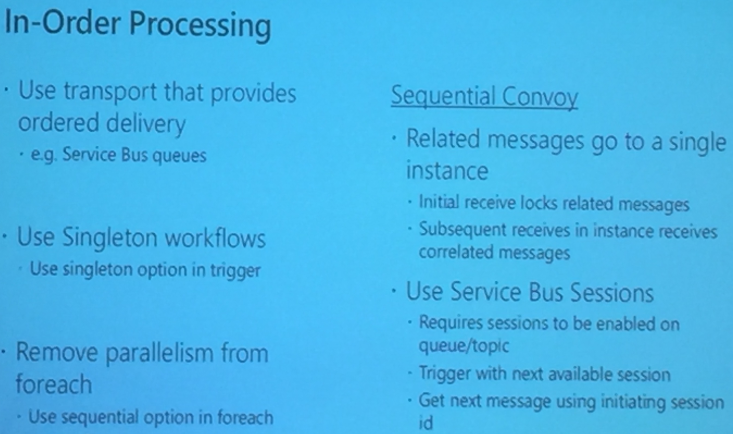
Working with Variables
Variables in Logic Apps are global in scope
Array is heterogenous
Care needs to be taken when using variables in parallel for-each loop
Sequential for-each comes handy for having order
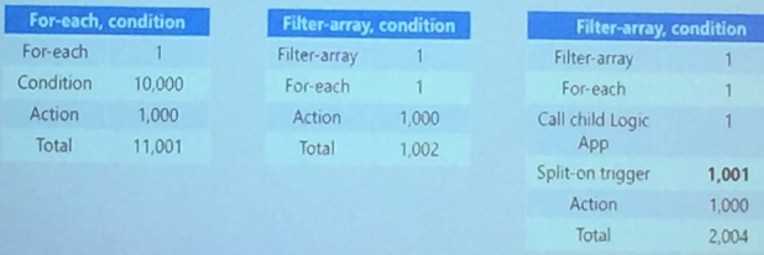
Derek Li made an impressive demo on how to efficiently use collections and parallel executions to process messages working with Arrays.
He also made a comparison of executing an array in Logic Apps in different possibilities that provided interesting inference.
He also made a comparison of executing an array in Logic Apps in different possibilities that provided interesting inference.
1200 — Microsoft Integration Roadmap
The last session before the lunch break was presented by Jon Fancey and Matt Farmer. The presentation was short and to the point. The audience got a view of the past and Microsoft plans towards future of integration.
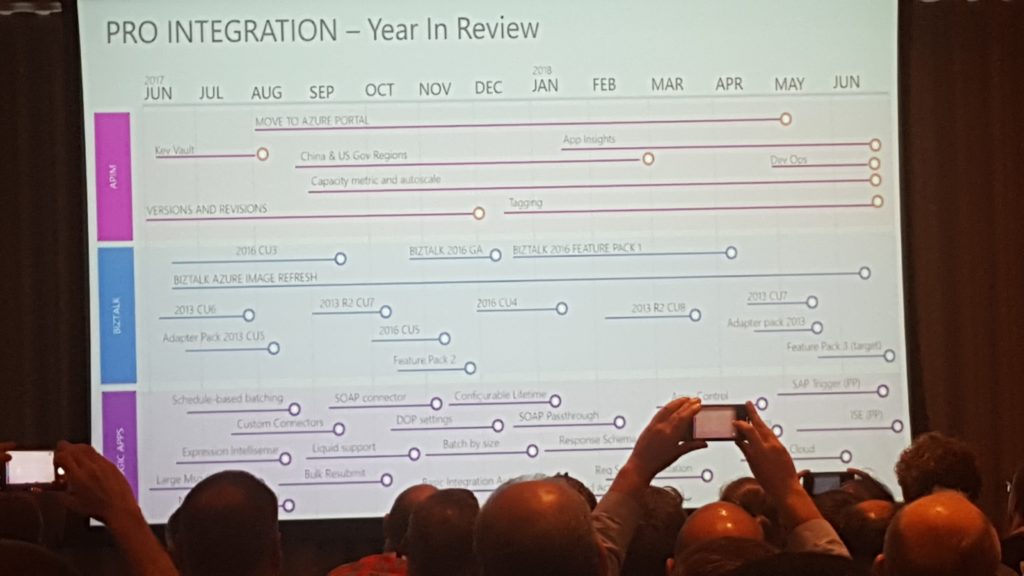
Initially, we got a quick glimpse of all things that have been released as part of pro-integration in the past year. To emphasise that Microsoft is doing hard work in the integration space Jon and Matt announced that Microsoft has been recognised as a leader of enterprise integration in 2018 by Gartner.
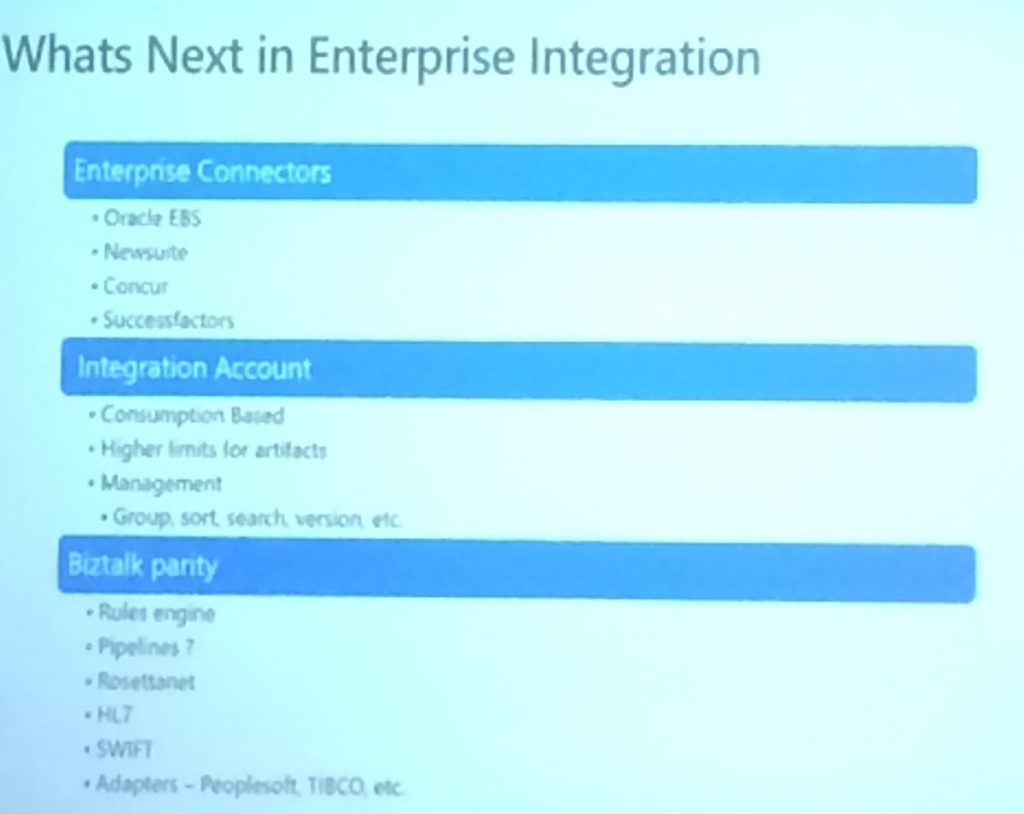
Next came the interesting stuff, what Microsoft has in plans for the Logic Apps?
Smart Designer – as seen in the other demos from Jeff and Derek they want to make the designer more user-friendly. They are looking into getting improved hints, suggestions and recommendations that actually apply to what you are using inside Azure.
Dedicated and connected – for all the companies that care about the security of their integrations, Logic Apps will be available in a vnet.
Obfuscation – another feature that will make the Logic Apps more secure within your organisation. Obfuscation will allow you to specify certain users that will be available to see the output of Logic App run.
On-Prem – Logic Apps are coming to Azure stack.
More: OAuth request trigger, China Cloud, Manage serviced identity, Testability, Manage serviced identity, Key Vault and Custom domain name for Logic Apps
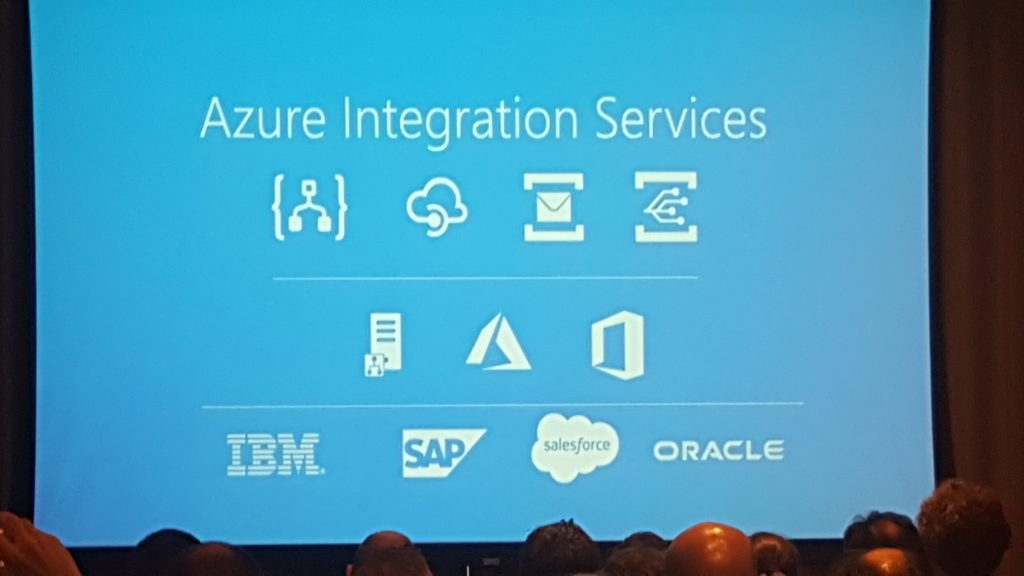
Lastly, Jon and Matt revealed that they want to club every key azure integration such as Logic Apps, Event Grid, Azure Functions under one umbrella called Azure Integration Services.
The aim is to create a one-stop platform that will supply all the tools needed to fulfil your requirements in order to effortlessly bring your integrations to production in minimal time and maximum results. A platform that will allow you to run your integrations wherever you need it and however you need it, serverless or on-prem. We were told that Microsoft will provide guidance and templates across all the regions.
They finalised by acknowledging that there is still a lot to do and that many systems are not yet possible to connect with, but they strive to get everything into the platform including BizTalk, which they still see as part of the integration picture.
1330 — Post lunch, Duncan Barker, Business Development Manager at BizTalk360 thanked all the partners for their continued support. Then Saravana took stage to demonstrate the capabilities of BizTalk360 and ServiceBus360.
Highlight of this session — ServiceBus360 will be re-branded into Serverless360. For more updates, please read this blog post.
1415 – Serverless Messaging with Microsoft Azure
Steef started with introducing the concept of Severlesss with the evolution from VM -> Containers -> IaaS -> PaaS -> Serverless.
Serverless reduces Time to Market, billed at micro level unit, reduced DevOps.
Messaging in Serverless is like Down, Stay, Come i.e you retrieve message when you want and got good control over message processing
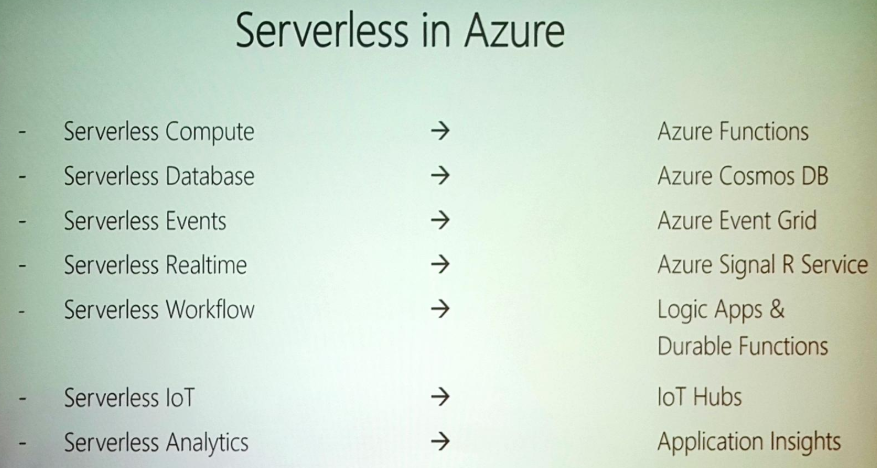
The categorization of Serverless in Azure looks like:
There are various applications for Messaging in Serverless
Financial Services
Order Processing
Logging / Telemetry
Connected Devices
Notifications / Event Driven Systems
Azure Serverless Components that support messaging are – ServiceBus, EventHub, EventGrid & Storage Queues
Steef provided lot of demo scenario for Messaging applications like
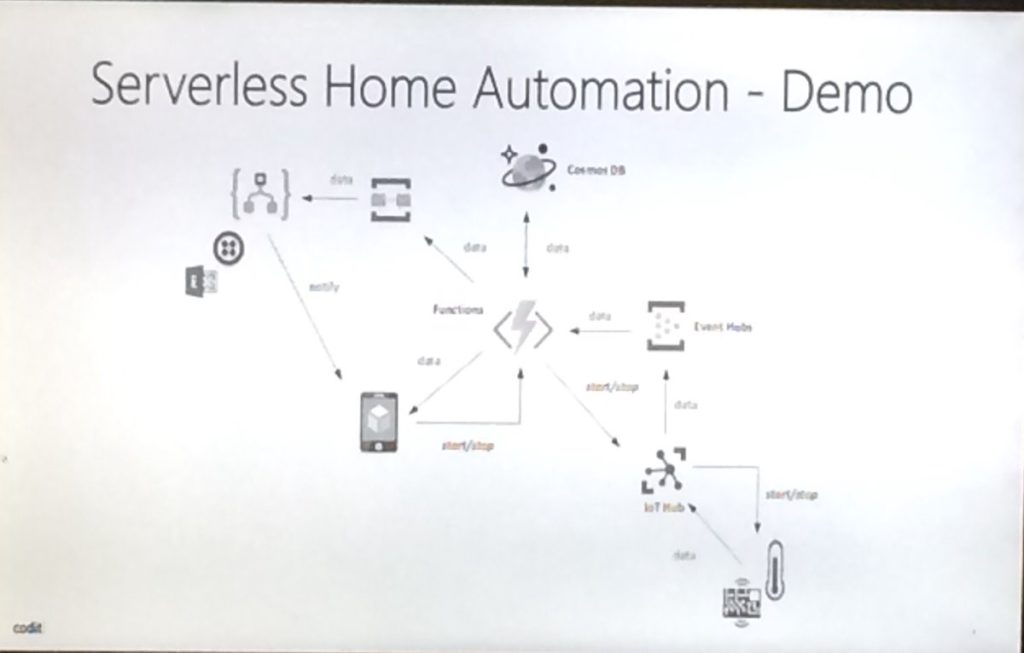
Serverless Home Automation (Used Queues & Logic Apps)
Connecting to Kafka Endpoint
Toll Booth License plate recognition, that included IoT, OCR and Serverless components. He also used functions to process images.
Pipes and Filters cloud patterns
Microservice Processing
Data and Event PipelineHe suggested some messaging considerations:
Protocol
Format
Size
Security
Frequency
Reliability
Monitoring
Networking
1450 — What’s there & what’s coming in Atomic Scope
After the session on Serverless Messaging with Microsoft Azure, Saravana took the stage to present on Atomic Scope, our brand new product from Kovai Limited. Even though there was an considerable amount of interest in Atomic Scope throughout the day 1 of integration event, most of the participants haven’t got the chance to fully experience the product due to various reasons like time constraints etc.
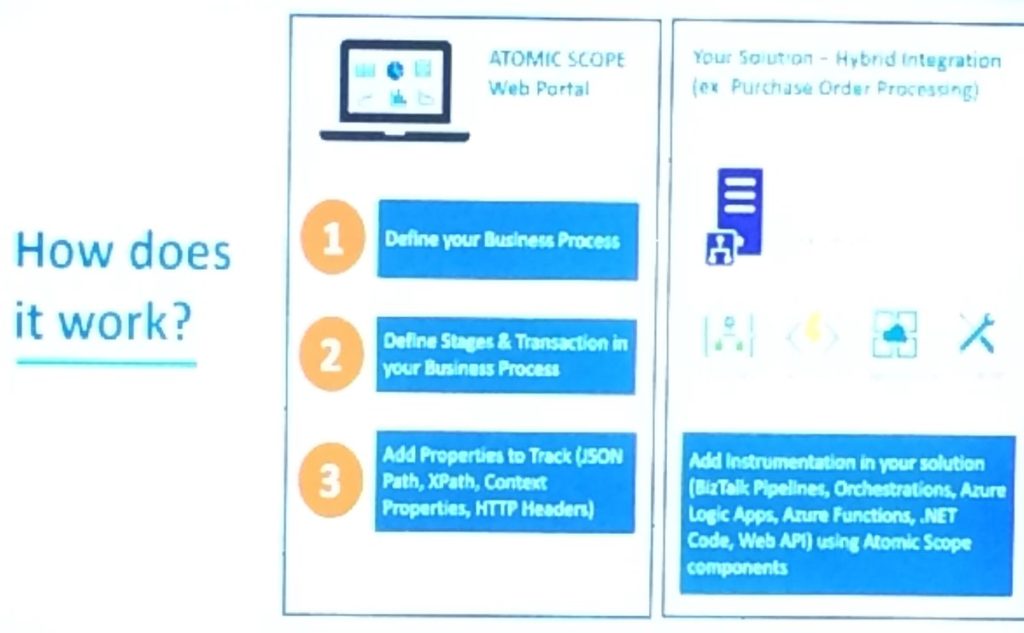
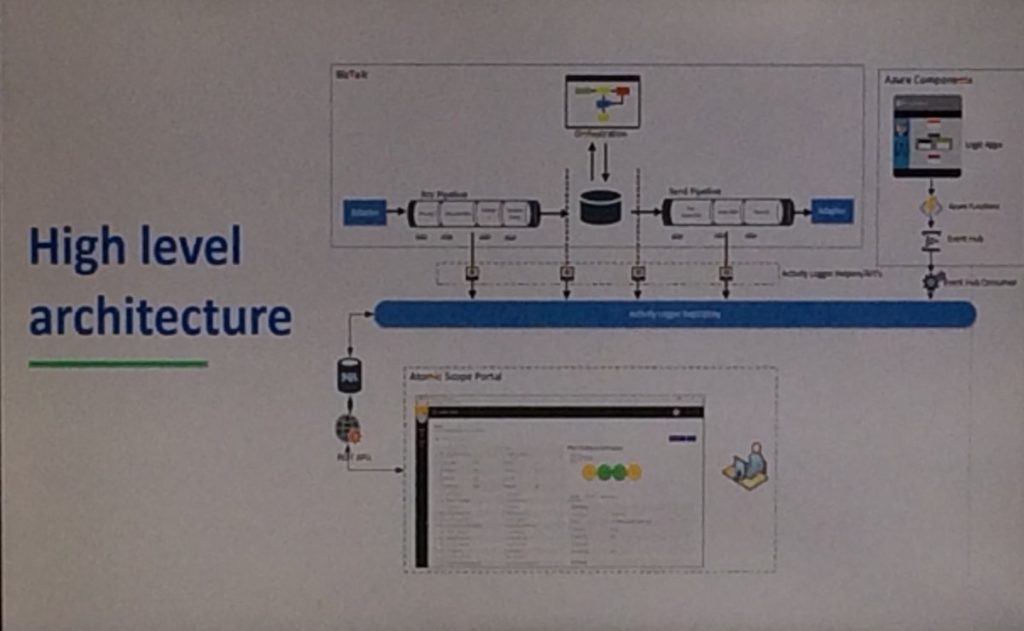
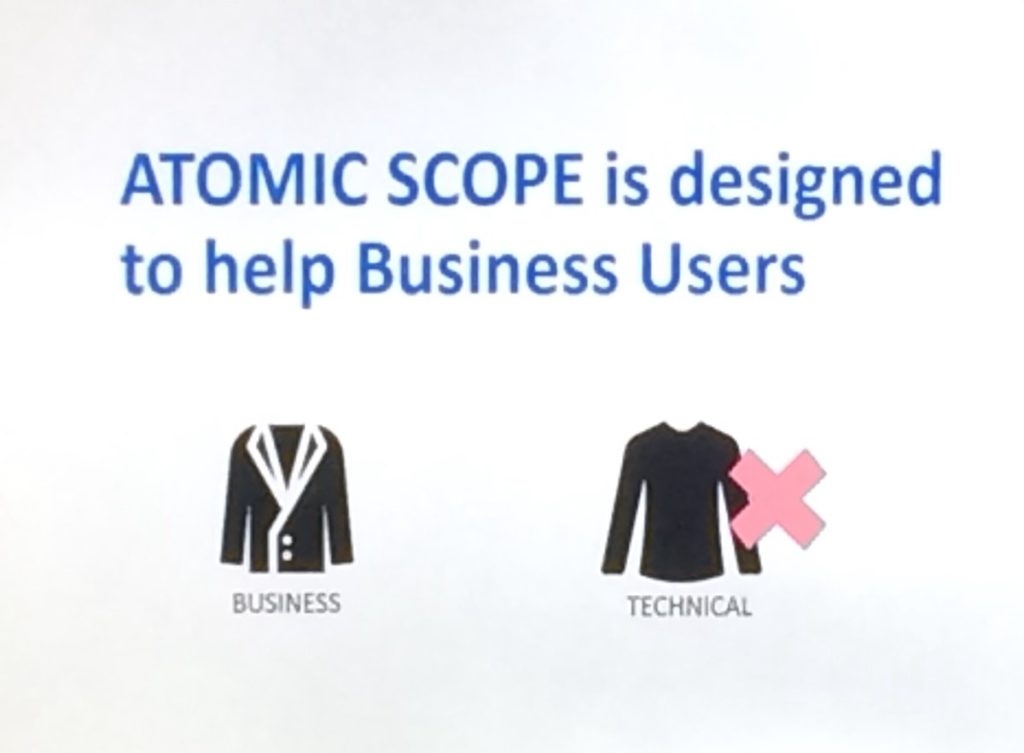
Saravana started explaining the challenges of the end to end monitoring when it comes to BizTalk and Hybrid integration scenarios and provided a couple example business process belonging to different domains. He also then proceeded to explain list of things that Atomic Scope tries to address like security end to end business visibility etc.
He then pointed out how much amount of effort that Atomic Scope can reduce when compared to the typical custom implementation solution for the end to end monitoring. Then Saravana went little bit deeper and explained how Atomic Scope actually works.
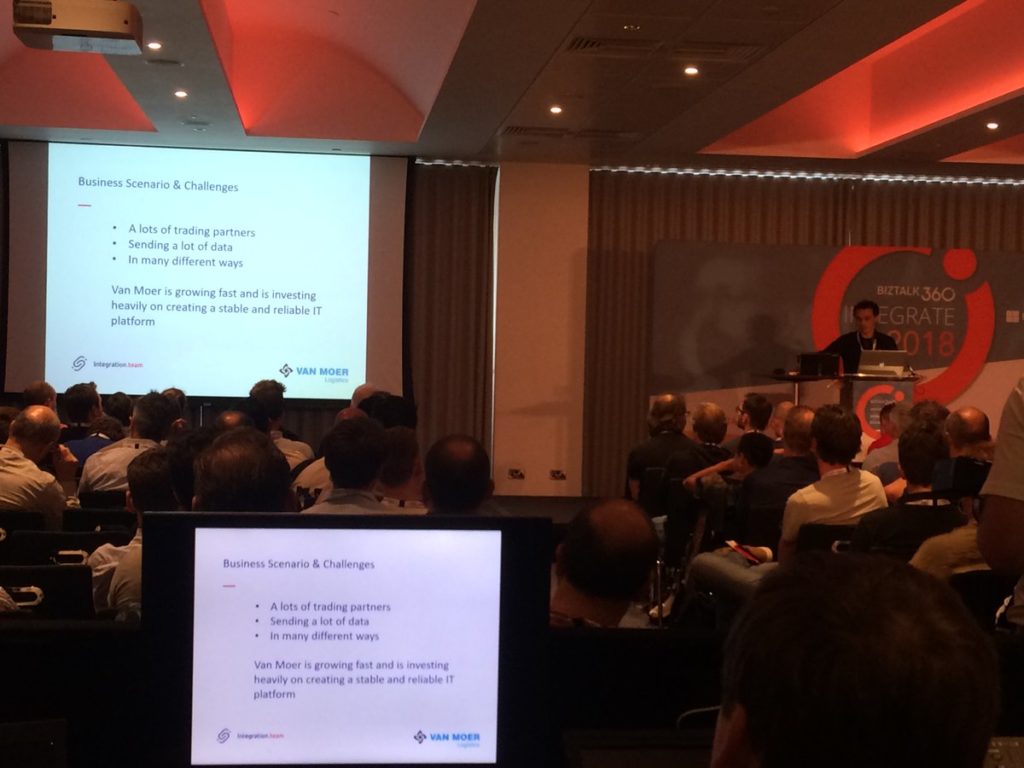
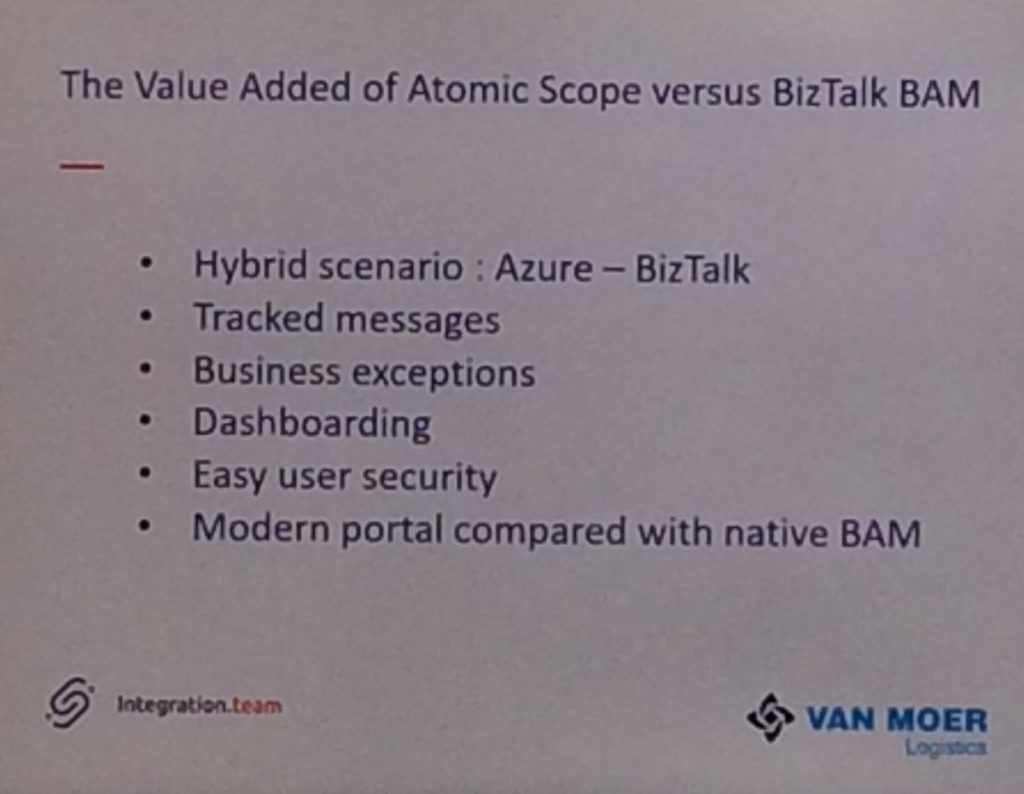
With that Saravana handed over the session to Bart from Integration Team and he showed how solution like BAM will not be sufficient for end to end monitoring and then he proceeded to explain a production ready atomic scope implementation which can add better value than BAM. Bart showed step by step process of how you can configure the business process and how tracking has happened once he dropped an EDI message to the APIM and On premise.
Bart’s presentation on Atomic Scope was very well received so much so that the AtomicScope booth was bombarded by participants after the presentation with people showing interest in the product and from people who was just curious to know more about the product.
1600 — BizTalk Server: Lessons from the Road
Sandro being a great lover of biz talk spoke about best practices such as making use of patterns , naming conventions , logging and tracing etc .
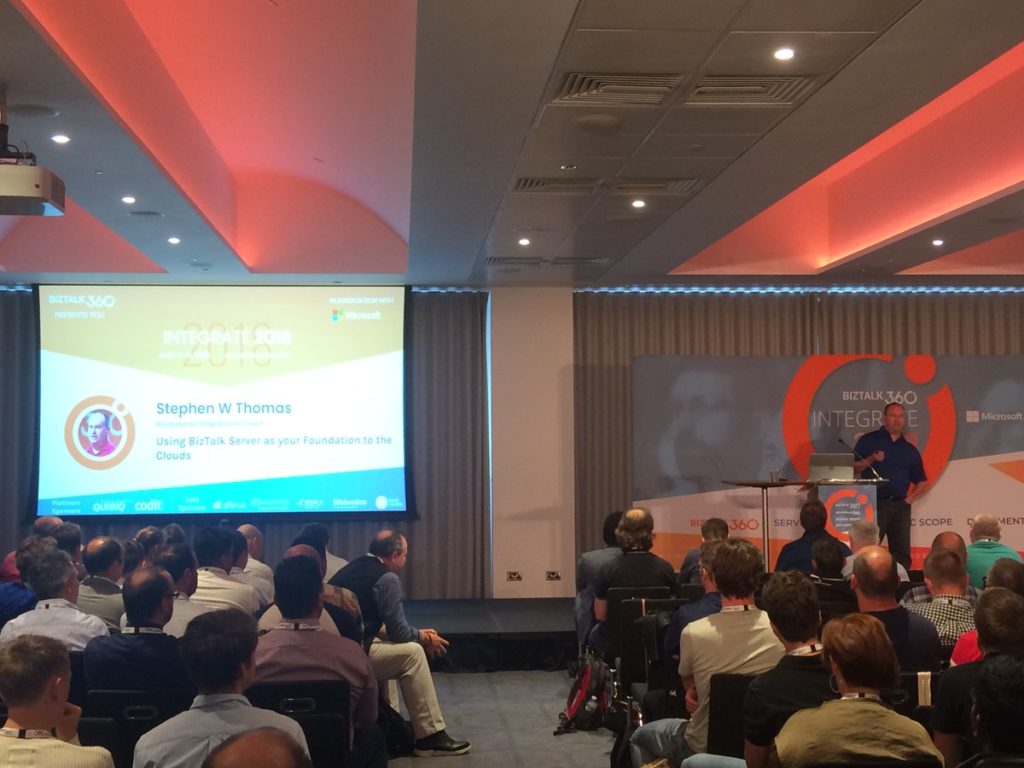
1640 — Using BizTalk Server as your Foundation to the Clouds
The last session of the day was done by Stephen M. Thomas, who gave his view on how BizTalk Server can be used as a foundation to using the cloud. Before he began his actual session, he introduced himself and mentioned a few resources he has been working on for learning purposes of Logic Apps. Amongst them are few Pluralsight trainings and hand-outs which can be found at his web site (http://www.stephenwthomas.com/labs).
The session consisted of two parts, being the Why you could use BizTalk Server combined with Logic Apps and Friction Factors which could prevent you from using them.
Why use BizTalk Server and Logic Apps
Stephen admits that Logic Apps don’t fit all scenarios. For example, in case your integrations are 100% on-premise or you have a low latency scenario at had, you could decide to stick with BizTalk Server. However, the following could be the reasons to start using Logic Apps:
use connectors which do not exist in BizTalk Server
load reduction on the BizTalk servers
plan for the future
save on hardware/software costs
want to become an integration demo
Stephen sketched a scenario in which the need of connector exist which are not available in BizTalk. Think of for example scenarios for:
social media monitoring, in which you need Twitter, Facebook or LinkedIn connectors
cross team communication, in which you need a Skype connector
incident management, in case you would need a ServiceNow adapter
Before Stephen showed few demos on batching and debatching with Logic Apps, he told that Logic Apps is quite good in batching, while BizTalk is not that good at it.
Friction factors
In the second part of his session, Stephen mentioned a number of factors which might prevent organisations to start using Logic Apps for your integration scenarios.
These factors included:
We already have BizTalk (so we don’t need another integration platform)
Our data is too sensitive to move it to the cloud
The infrastructure manager says No
Large learning curve for Logic Apps
Azure changes too frequently
CEO/CTO says NO to cloud
All these factors were addressed by Stephen, putting the door open to start using Logic Apps for your integrations, despite the given friction factors.w
With that, we wrapped up day 2 at INTEGRATE 2018 and it was time for the attendees to enjoy the INTEGRATE party over some drinks and music.
Read the Day 3 highlights here.
Thanks to the following people for helping me to collate this blog post—
Arunkumar Kumaresan
Umamaheswaran Manivannan
Lex Hegt
Srinivasa Mahendrakar
Daniel Szweda
Rochelle Saldanha
Author: Sriram Hariharan
Sriram Hariharan is the Senior Technical and Content Writer at BizTalk360. He has over 9 years of experience working as documentation specialist for different products and domains. Writing is his passion and he believes in the following quote – “As wings are for an aircraft, a technical document is for a product — be it a product document, user guide, or release notes”. View all posts by Sriram Hariharan
0430 — It all started early for the BizTalk360 team. Train ride, walk to the underground station, a tube ride and finally the team reached 155 Bishopsgate, etc.Venues — the event venue.
0610 — Activities sprung off in a flash to get the venue set up for the big day — pulling up banners, setting up the registration desks, and more.. But what happens when 15 people get together to do these, job done in less than an hour.
0715 — Attendees start to come in to the venue and the numbers started to increase as the clock passed 8 AM. Everything started to pick up pace as we were quite strict to maintain the event on time.
0830 — We clocked over 350+ attendees who had been given their badges and the welcome kit.
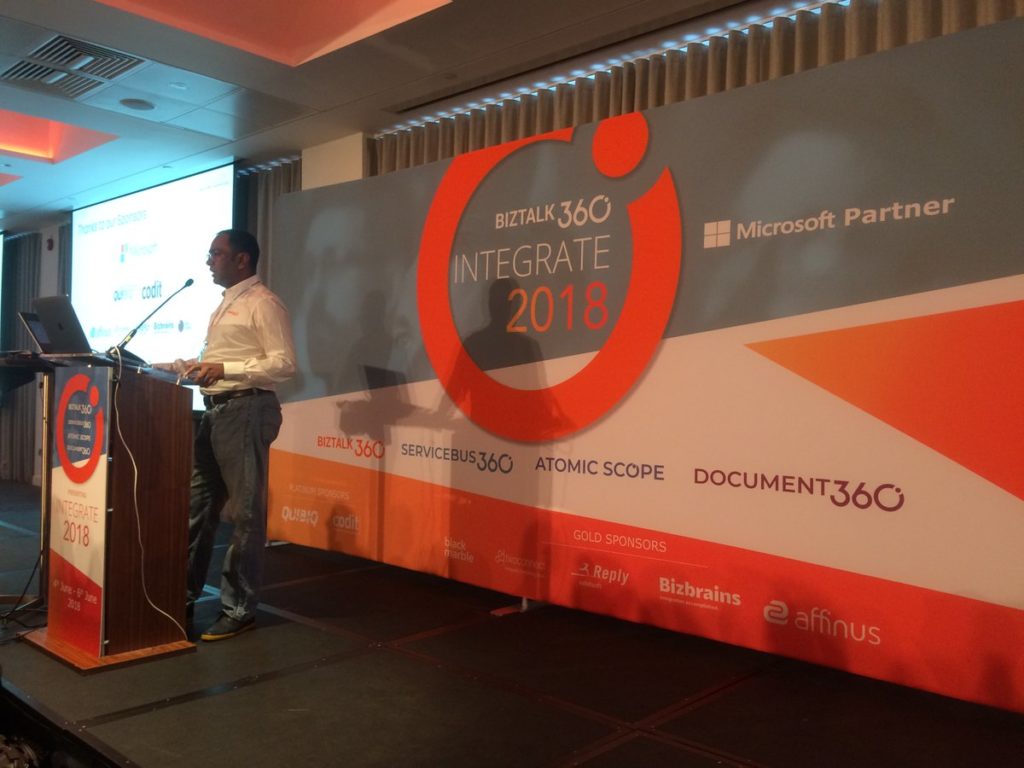
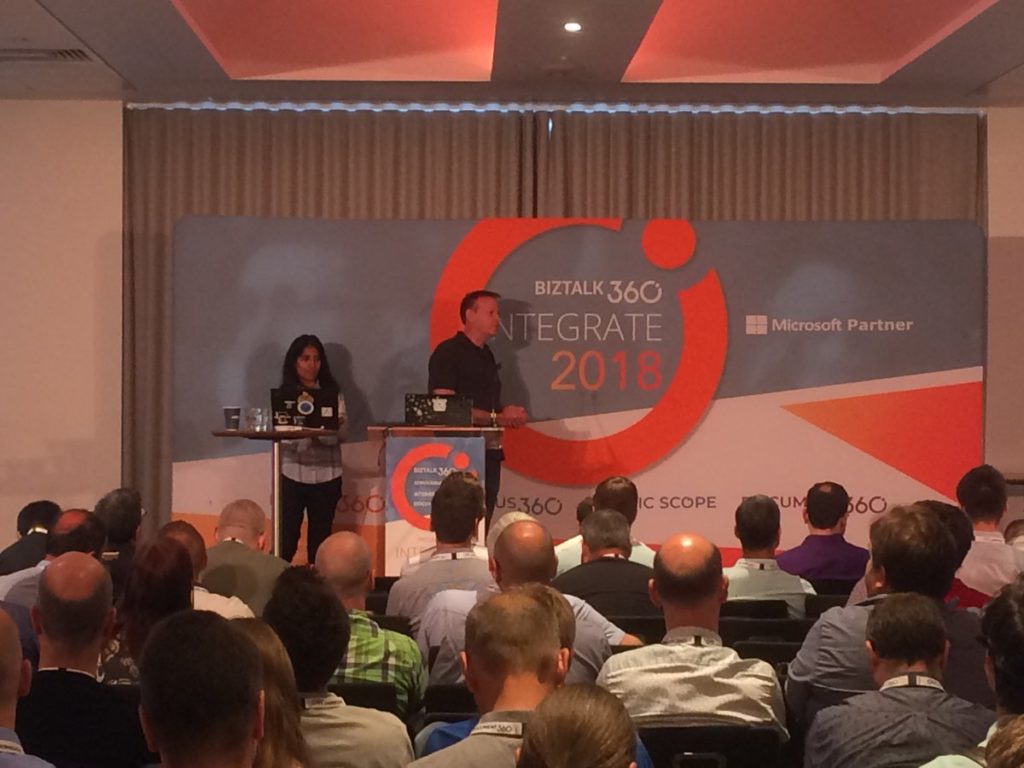
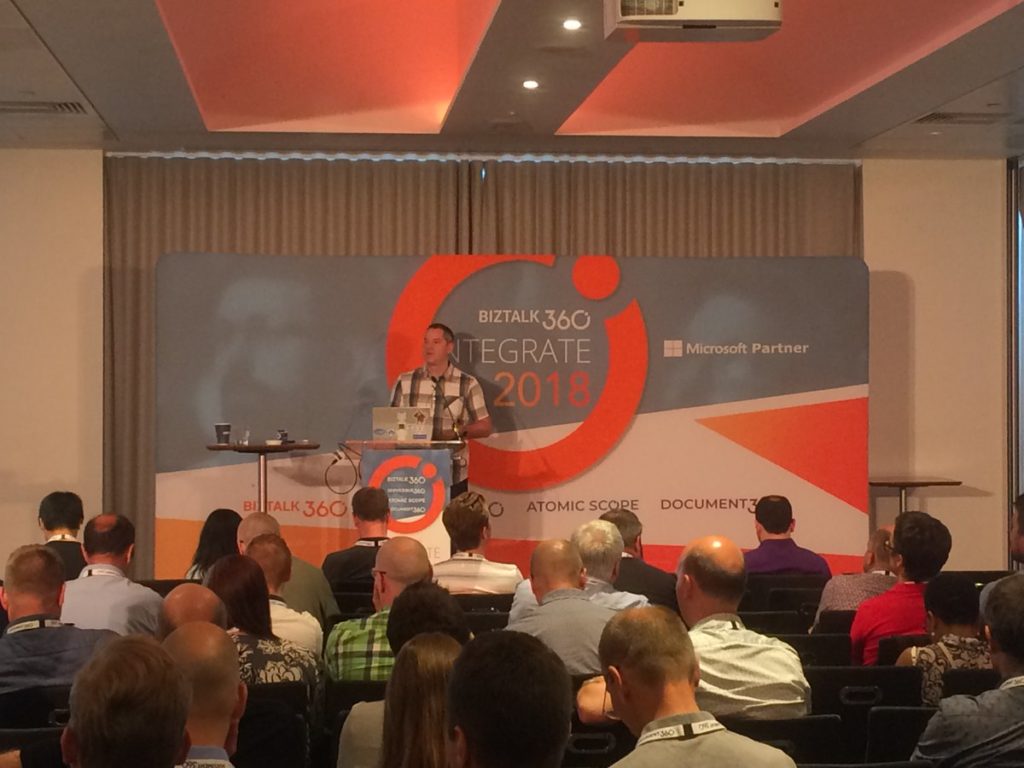
0845 — Time for Saravana Kumar, Founder/CTO of BizTalk360 to get the event going with his welcome speech. Saravana extended his thanks to all the attendees (420+), speakers, sponsors and his team for making #INTEGRATE2018 a grand success.
0855 — Saravana introduced Jon Fancey to deliver the keynote speech on “The Microsoft Integration Platform”.
0900 — Jon Fancey started his talk with the words “I wanna talk about change“. His talk was focused on history, change, inevitable disruptions in the technology and Microsoft’s approach to work with partners and ISVs to keep up and innovate.
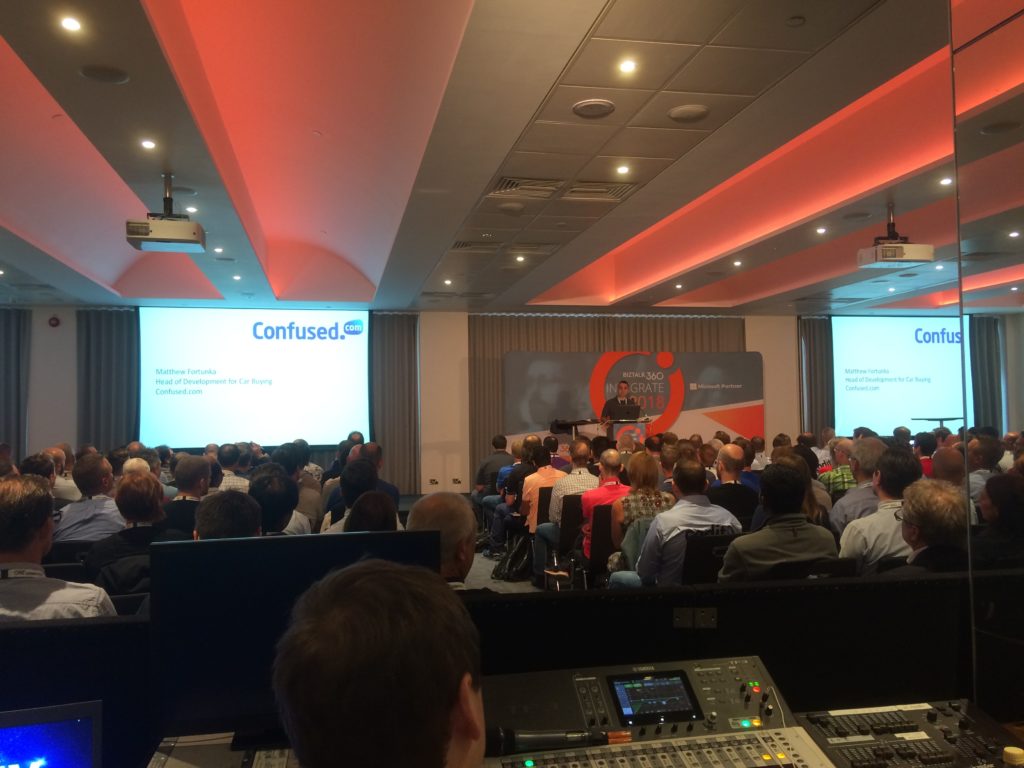
0920 — Jon Fancey presented a case study about Confused.com and introduced Mathew Fortunka, Head of development for car buying at Confused.com. Some of the very interesting insights from the talk of Mathew Fortunka were — Confused.com’s pricing flow is powered by Azure Service Bus and includes a consumption based model. He explained how Confused.com delivers the best price to customers.
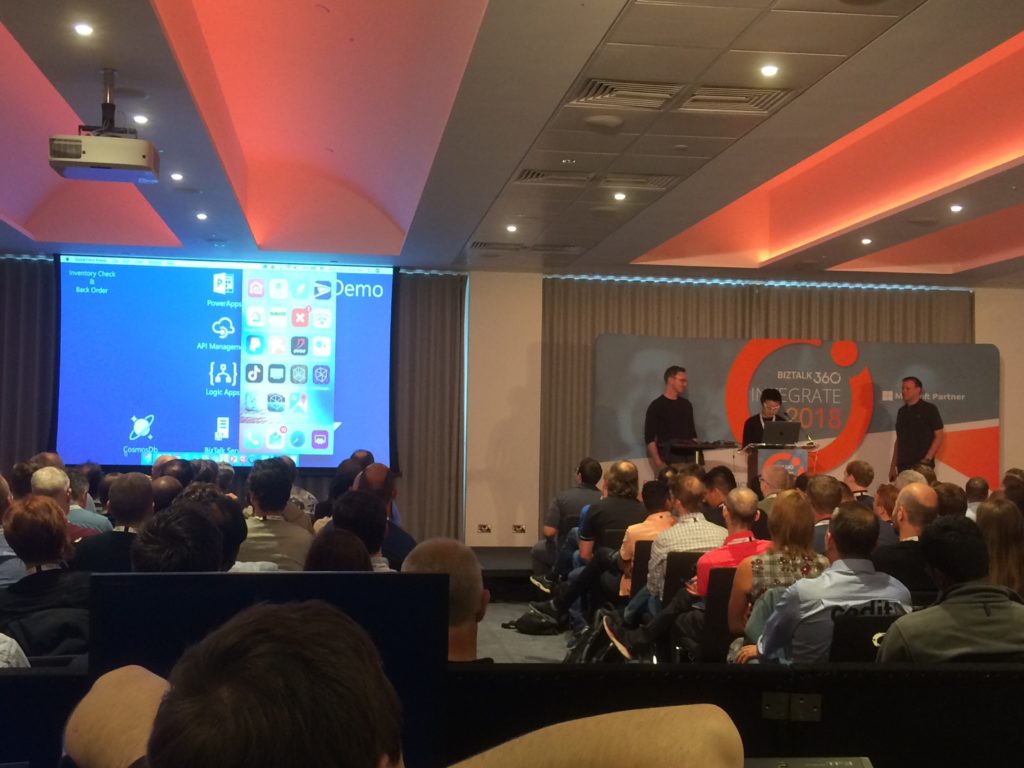
0935 — Jon Fancey sets up the context for #INTEGRATE2018 with the fictional “Contoso Retail” example (very similar to the Contoso Fitness example they showed during INTEGRATE 2017). He showed how the traditional Contoso example can change with the Integration concepts, and how Microsoft is using IPaaS offerings in their supply chain solutions. The Contoso Retail is divided into four pieces —
Inventory check and back order,
Order processing and send to supplier,
Register delivery and alerting the customer,
Pick up and charge the credit card
Key updates from this fictional example were —
VNET integration for Azure Logic Apps
Private preview of bi-directional SAP trigger for Azure Logic Apps
Demo using a Logic Apps trigger based on a SAP webhook trigger with the webhook registered in the gateway
Private hosting of Azure Logic Apps using Integration Service Environments (ISE)
1005 — Just one hour into #INTEGRATE2018 and already few key announcements from the Microsoft Pro Integration team. This got the audience definitely interested and to look forward for more in the day / over the next few days. Jon Fancey wrapped up his talk with the recap of the key announcements during the talk and a quote from Satya Nadella, Microsoft CEO.
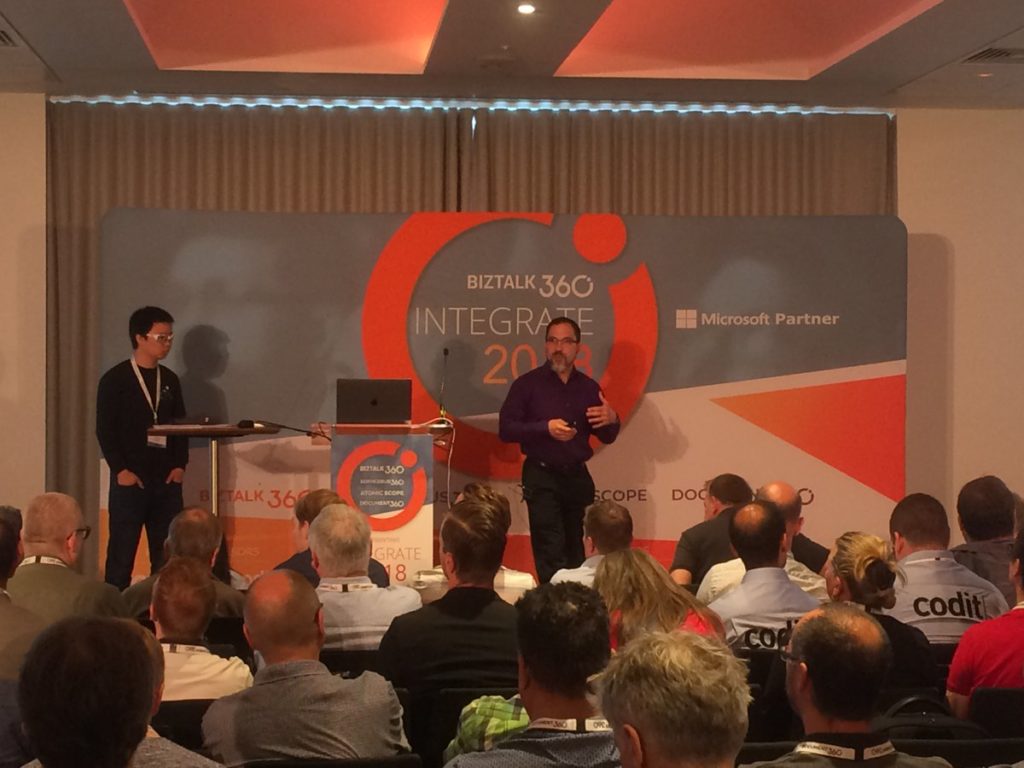
1015 — Second session of the day by Kevin Lam and Derek Li on “Introduction to Logic Apps“. Kevin started off with the question of “How many in this room have known/worked on Logic Apps?”. 50-60% of the audience raised their hand and this shows how popular Logic Apps is in the Integration space. Then, Kevin Lam explained about the basics of Azure Logic Apps for people who were new to the concept. Logic Apps has over 200+ connectors. Kevin showed the triggers that are available with Logic Apps.
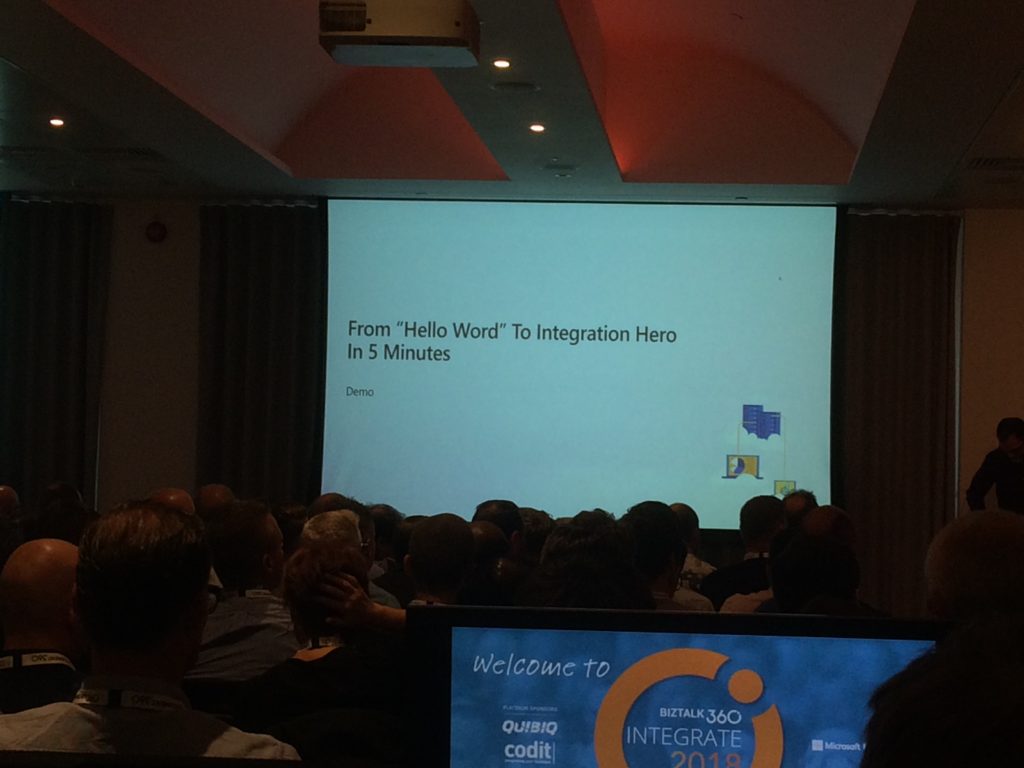
1027 — Derek Li showed how easy it is to move from “Hello World” to Integration Hero in just 5 minutes with an interesting demo. The power of having Azure and using Machine Learning, Artificial Intelligence to the integration process really propels you to become an Integration hero.
Post the demo, Derek continued his talk and showed how you can get the same experience as in the Logic App designer in Visual Studio (for developers). Kevin also showcased a weather forecast demo in just a few clicks.
The second demo scenario was even an interesting one with a little complexity added to it — receiving an invoice, using Optical Character Recognition (OCR) to read the image and Azure Function to process the text in the image, and send an email if the amount in the invoice accounted to more than $10.
New Logic App features —
Running Logic Apps in China Cloud
Smart(er) designer – with AI – better predictive management of connector operations make it even faster
Dedicated and connected – on the ISE
Testability
On-premise (Azure Stack)
Managed Service Identity (MSI) – LA can have its own identity and access your system
OAuth request trigger
Output property obfuscation
Key Vault Support
1045 – Networking break time over some coffee
1115 — Jeff Hollan started his talk by saying “INTEGRATE is one of his favourite conference to attend and he loves coming here every year”. Jeff kicked off with a one liner explanation of “What is Azure Functions?”
Then Jeff went deeper into the Azure Functions concepts such as Trigger, Bindings. Jeff showed a nice demo of how you can create an Azure Function using Visual Studio.
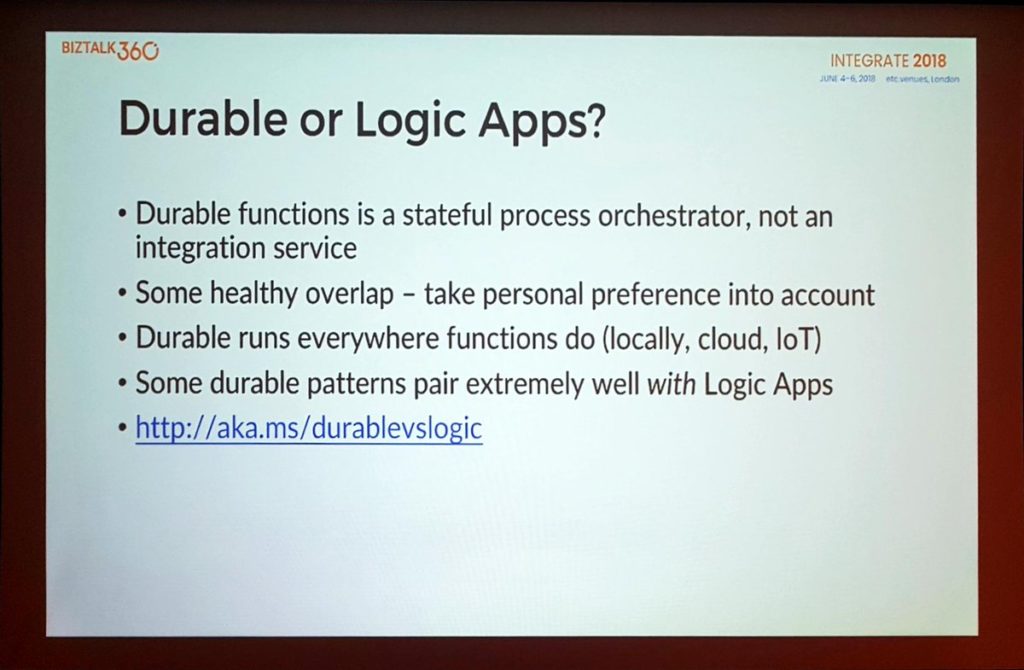
Jeff wrapped up his session by giving best practice tips for Azure Functions and the ways in which you can run Azure Functions. Jeff also spoke about Durable Functions and the limitations/tips to use Durable functions. Jeff gave a nice comparison of when you should use Durable and Logic Apps.
1200 — Paul Larsen and Valerie Robb took the stage to talk about “Hybrid integration with Legacy Systems”. They started off with whats coming in BizTalk Server 2016 and the most important update was the announcement of BizTalk Server 2016 Cumulative Update (CU) 5. They also showed the traditional BizTalk Server life cycle diagram that showed that just a month is left ahead for support to end for BizTalk Server 2013 and BizTalk Server 2013 R2.
Paul also pointed about the BizTalk Server Migration Tool, which will make migration from these versions to BizTalk Server 2016 easier.
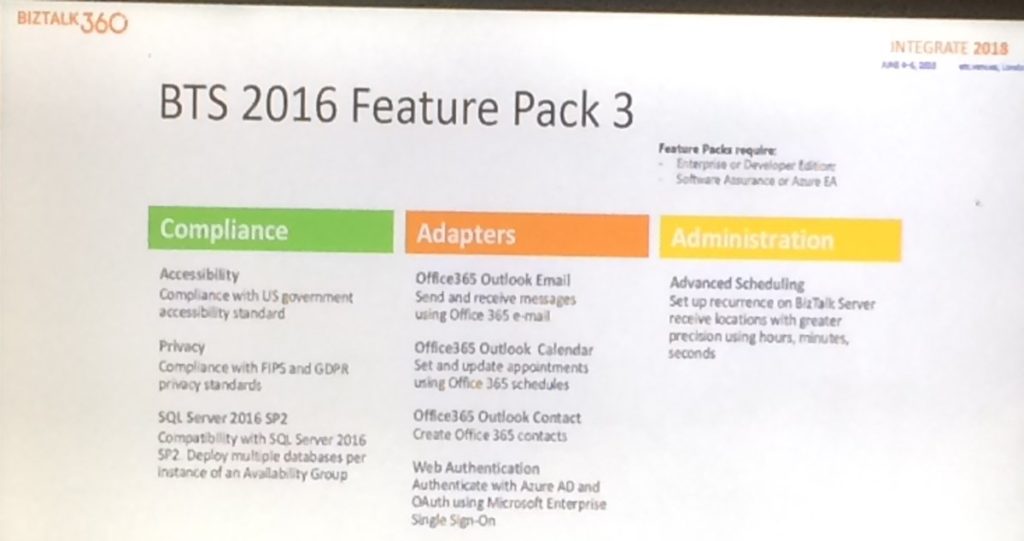
BizTalk Server 2016 Feature Pack 3
Paul announced the availability of BizTalk Server 2016 Feature Pack 3 by the end of June 2018. This Feature Pack will contain, amongst others, the following features:
Compliance:
Accessibility – compliance to US government accessibility standard
Privacy – compliance with GDPR and FIPS privacy standard
Support of SQL Server 2016 SP2
Adapters:
Office 365 Outlook Email
Office 365 Outlook Calendar
Office 365 Outlook Contacts
Web Authentication
Administration:
Advanced Scheduling
The good thing of SQL Server 2016 SP2 support is, that when you have an Always On setup with Availability Group, you can have multiple BizTalk databases in the same SQL Instance, thereby cutting down license and operation costs.
Besides FP3, the BizTalk team is also working on BizTalk Server CU 5, which is expected for coming July. Few months later, there will also be a CU5, which contains Feature Pack 3.
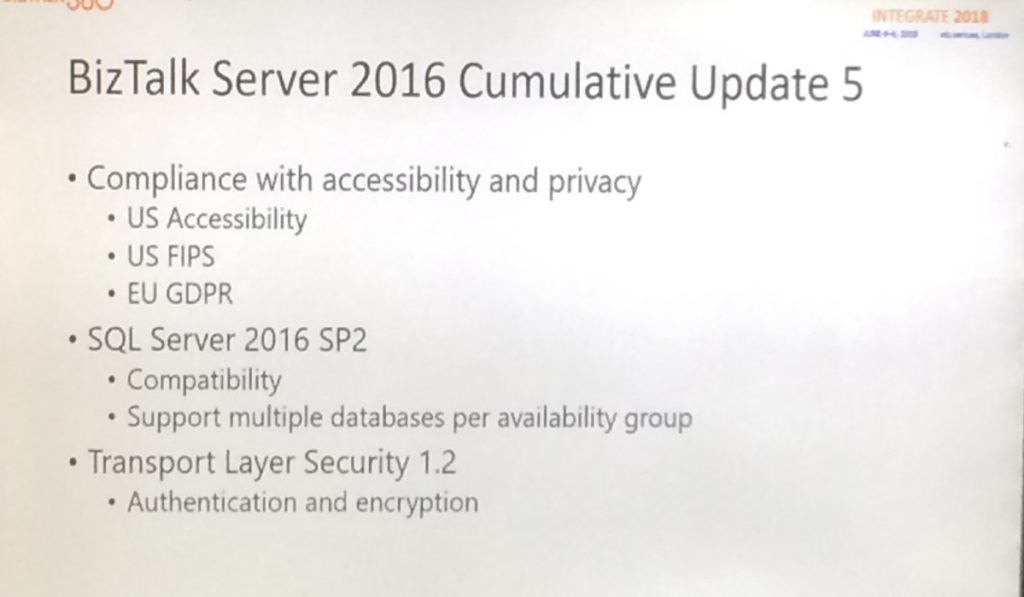
CU 5 will contain the following:
compliance with US Accessibility
US FIPS
EU GDPR
SQL Server 2016 SP 2 (multiple databases per Availability Group
TLS 1.2
1245 — Lunch time
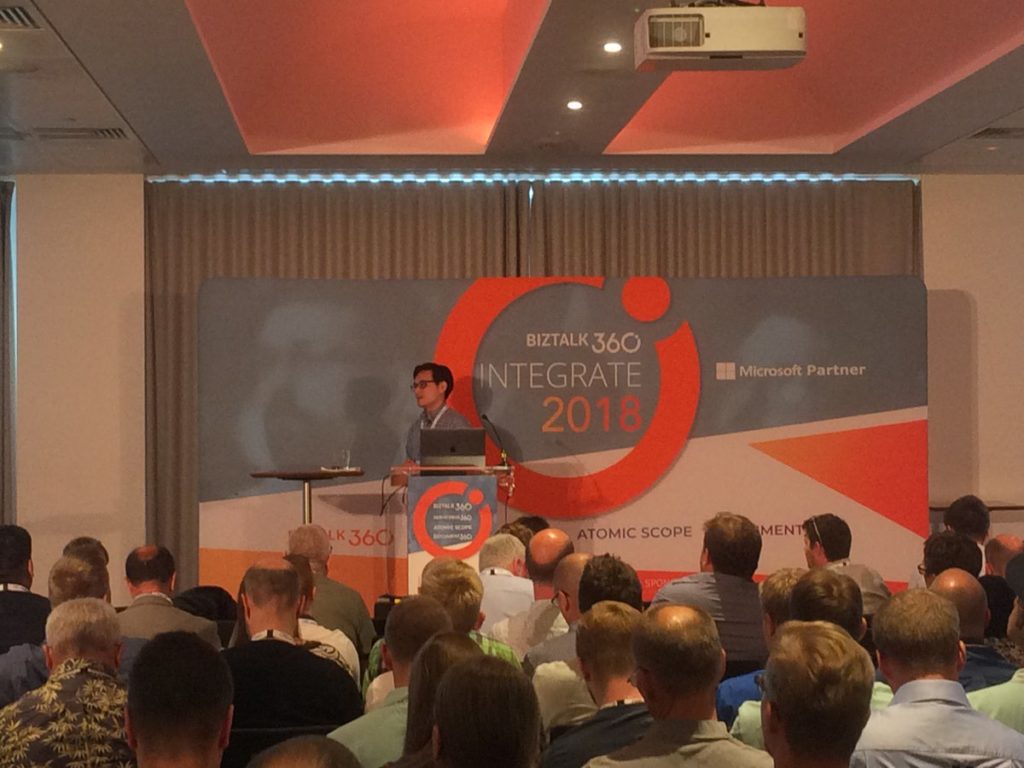
1345 — Post lunch, it was time for Miao Jiang from the Microsoft API Management team to talk about “Azure API Management Overview“.
During this session, Miao started with telling about the importance of API`s which started in the periphery but are now in the core of Enterprise IT. Nowadays, API’s can be considered the default way to do it.
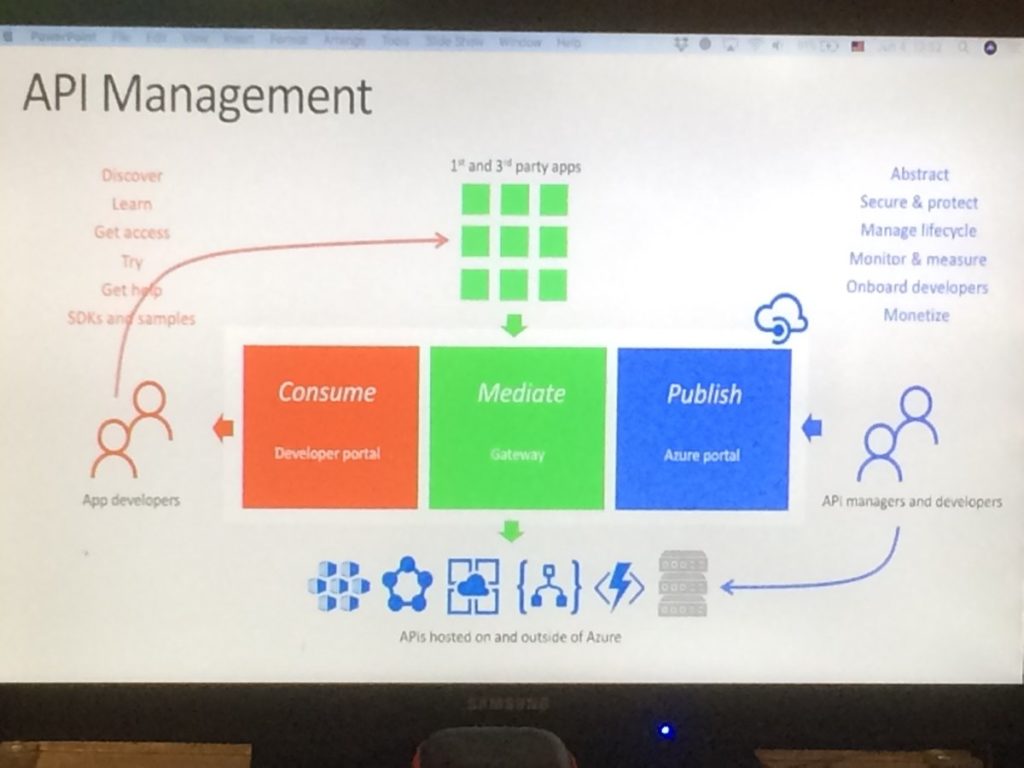
Miao explained both the Publish side and the Consumption side of API’s and told about the steps to take with API Management, being:
Consume – use the Developer portal
Mediate – that’s done in the Gateway
Publish – use the Azure portal
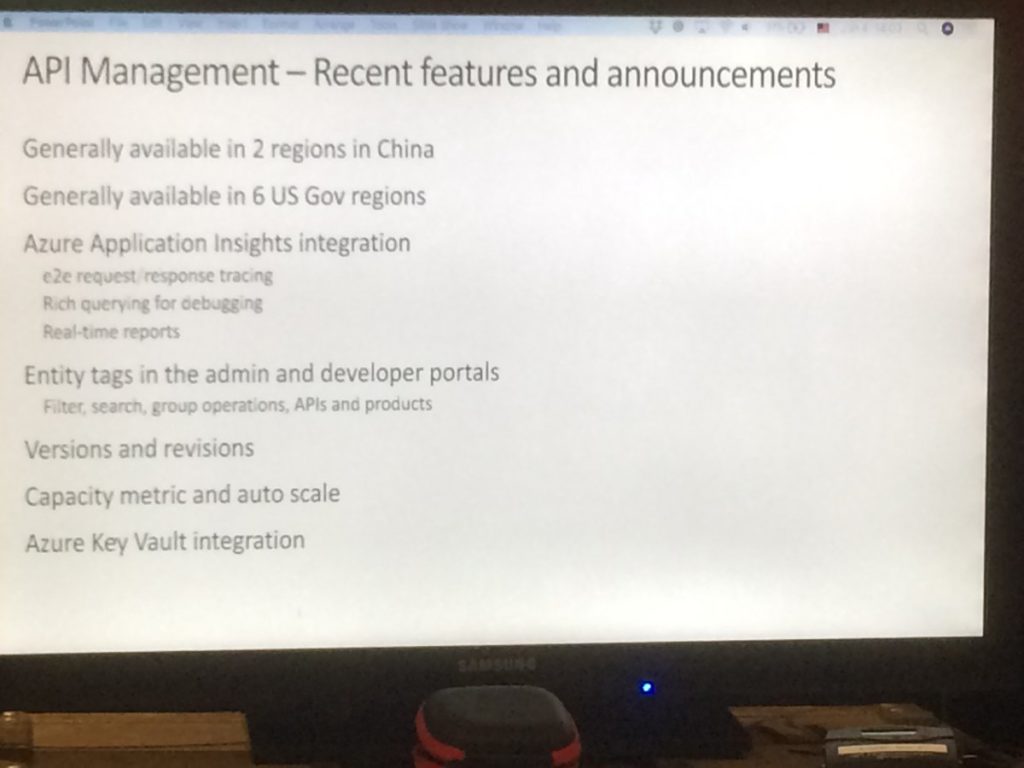
Next, he spoke about encapsulating common API functions like access control, protection, transformation and caching via API Policies. After also telling about Policy Expressions, he updated the audience on the recent features and announcements.
Recent features and announcements
Here’s the overview:
General Availability of 2 Chinese regions
General Availability of 6 US Governmental regions
Integration with Azure App Insights
Support of Entity Tags in the Admin and Dev portal
Support of Versions and Revisions
Integration with KeyVault
Miao ended his session with an extended demo, during which he showed, amongst others, how to use Policies to limit the number of requests, how non-breaking compatibility Revisions and breaking compatibility Versions work and also how to mock API’s, enabling Developers and Admins working in parallel on the same API.
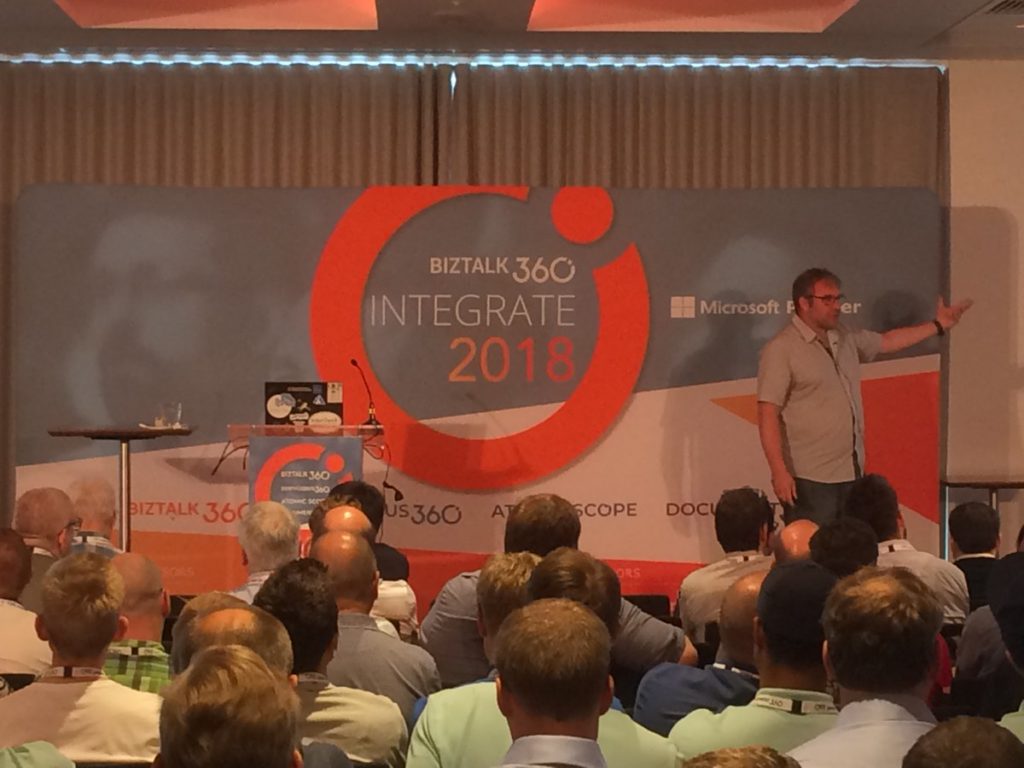
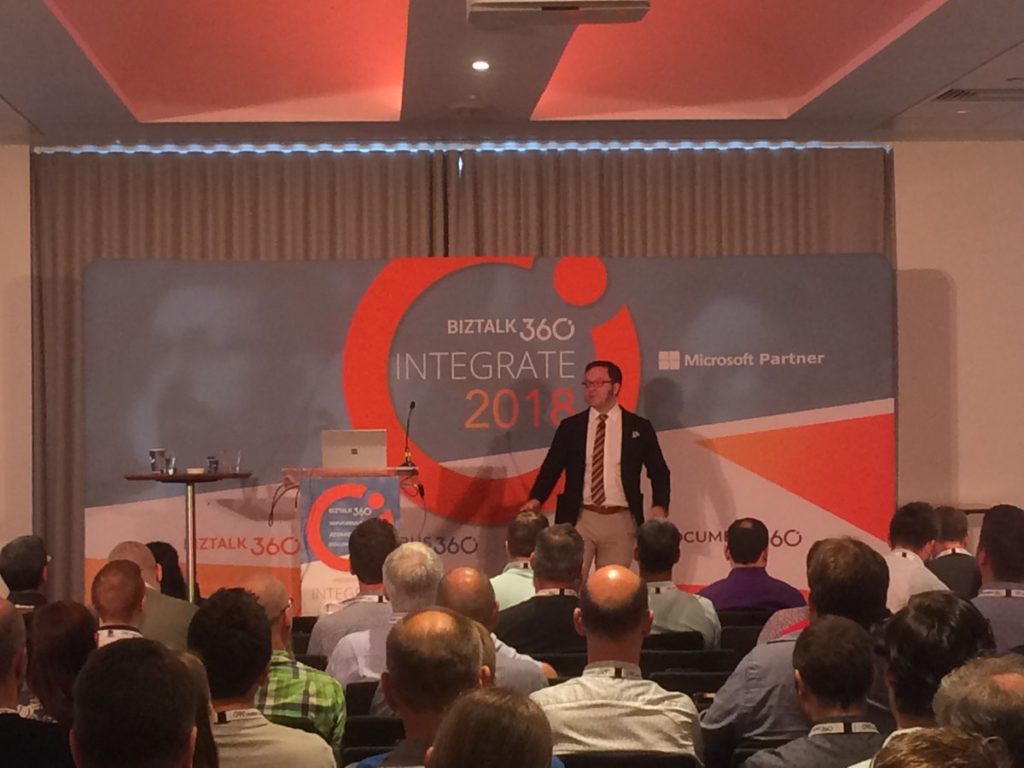
1430 – Next up was Clemens Vasters to talk on “Eventing, Serverless and the Extensible Enterprise“. Clemens set the scene by sketching few scenarios. The first scenario was around a photographer who was uploading photos to Service Bus, which triggered an Azure function to automatically resize photos to a particular size. The photos could next by ingested, via an Azure Function, to for example Lightroom, Photoshop or Newsroom app.
The second scenario was about sensor driven management, which can be used for, for example Building management. Buildings could contain sensors for, for example:
Occupance (motion sensors)
Fire/Smoke
Gaz/Bio hazard
Climate (temperature/humidity)
With that information available, it will become easy to ask all kind of questions, which can be necessary in case of, for example, an emergency.
The scenarios were just used to point out the incredible amount of possibilities with the current feature set. Clemens pointed out few of the characteristics of services, like they are autonomous and should not hold state.
Clemens concluded that the modern notion of a service is not about code artifact counts or sizes or technology choices; it is about ownership.
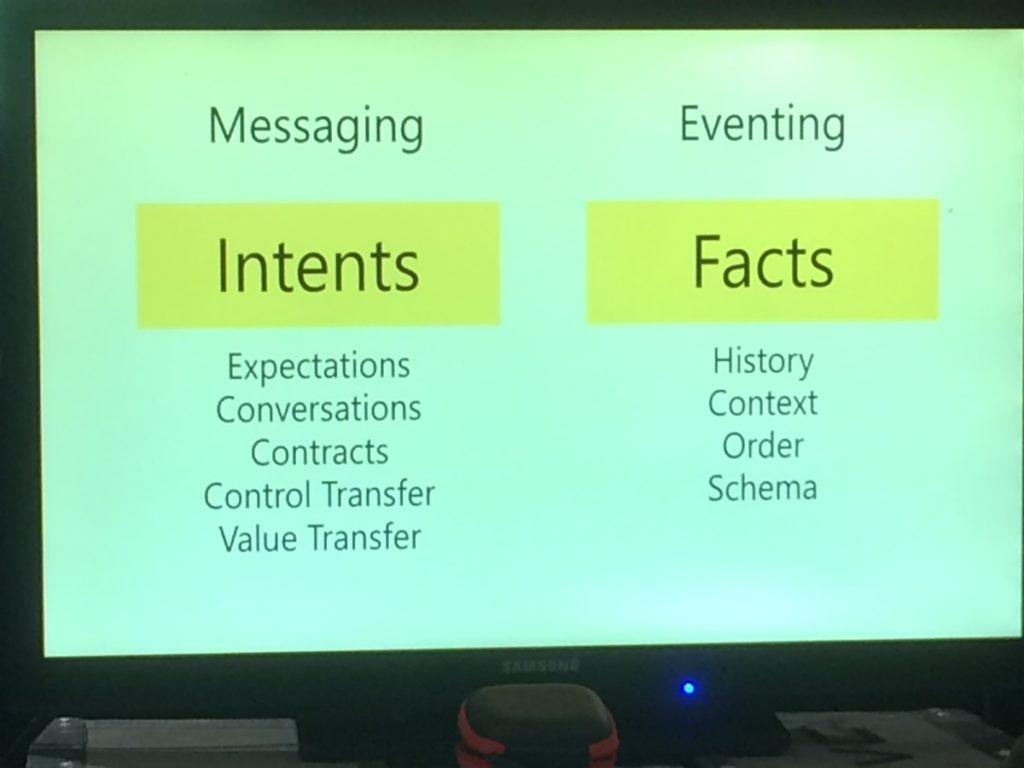
Continuing, Clemens told about Eventing and Messaging and about their characteristics and gave some examples on both.
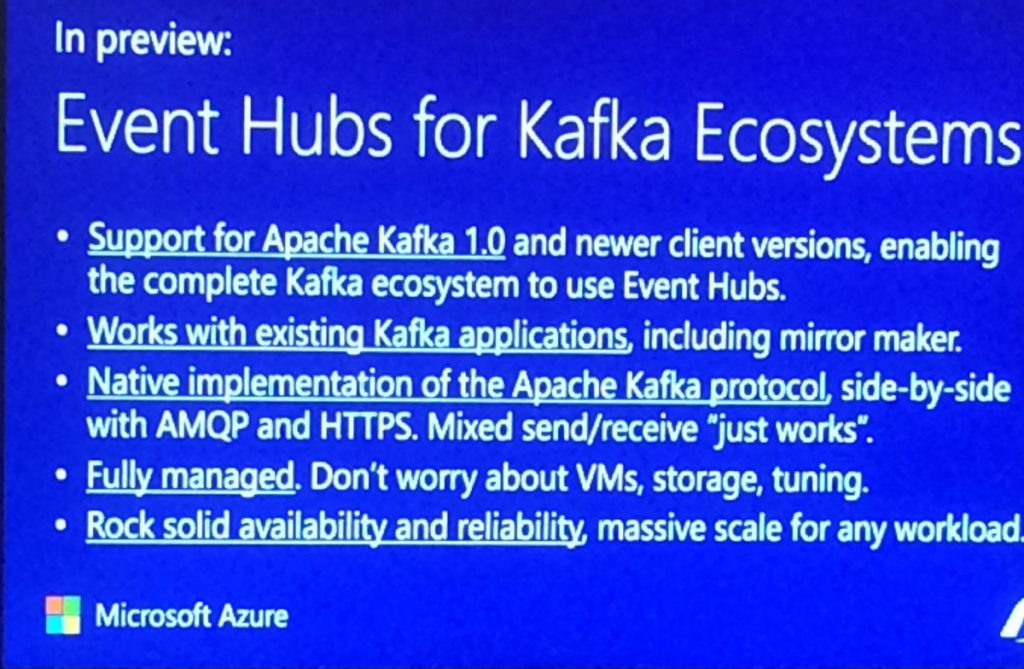
In preview: Event Hubs for the Kafka Eco system
Clemens announced that Event Hubs for Kafka Eco system is in preview. Features are:
– Supports for Apacha Kafka 1.0, enabling the complete Kafka Eco system to be used in Event Hubs
– Works with existing Kafka applications
– Native implementation of the Apache Kafka protocol
– Fully managed – don’t worry about VMs, storage and tuning
– Rock solid availability and reliability
1530 — After tea break, Dan Rosanova did a session on The Reactive Cloud: Azure Event Grid. He firstly explained the conceptual architecture of Event Hubs, with the flow from Event producers to Event Hub to Event consumers. In a simple demo, Dan showed how events could be generated, pushed to Event Hub and being received in a console application.
Dan pointed out that messaging services, like web hooks or queues, can both be publishers and subscribers to Event Grid. Dan also showed Stream Analytics, Time Series Insights and Java-based Open Source Eco system of Kafka.
1615 – Second last session of the day by Jon Fancey and Divya Swarnkar on “Enterprise Integration using Logic Apps“. Jon explained how the VETER pipeline can be used for enterprise messaging. He continued with telling about a number of characteristics of Message handling in Logic Apps. These characteristics contain:
flexibility in content types: JSON, XML
mapping: JSON-based and XML-based
data operations: compose, CSV/HTML tables
flat-file processing
message validation
EDI support
batching support
Jon continued with telling about Disaster Recovery with B2B scenarios. He told amongst others about the ability to have Primary and Secondary Integration Accounts, which can be deployed in different regions. If necessary, you can have multiple Secondary Integration Accounts. All these Secondary Integration Accounts can be replicated from the Primary one by using Logic Apps, in case changes occur in the Primary Integration Account.
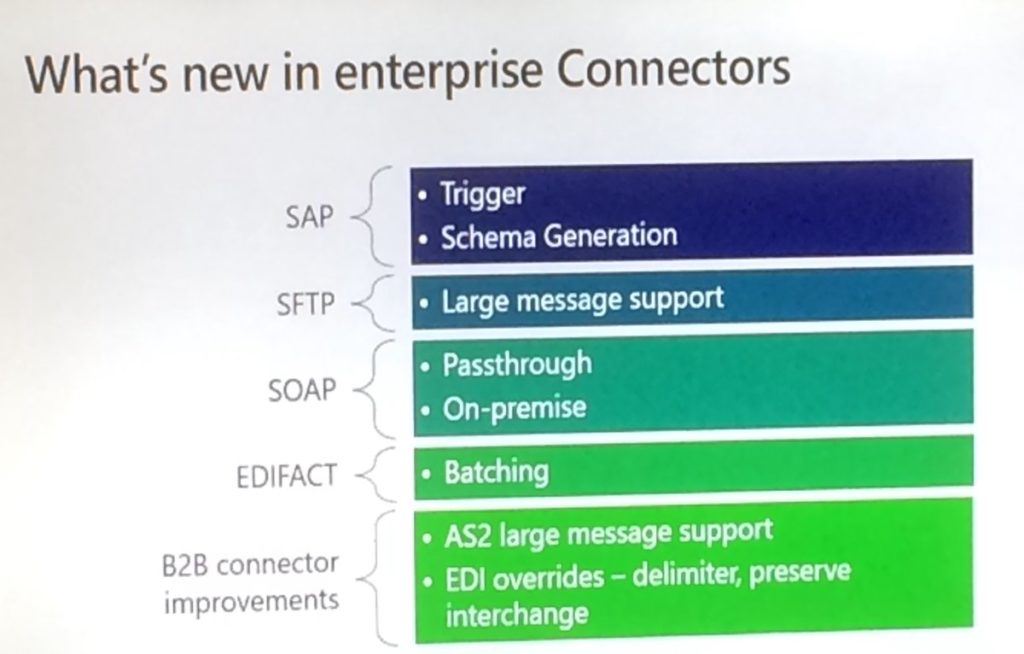
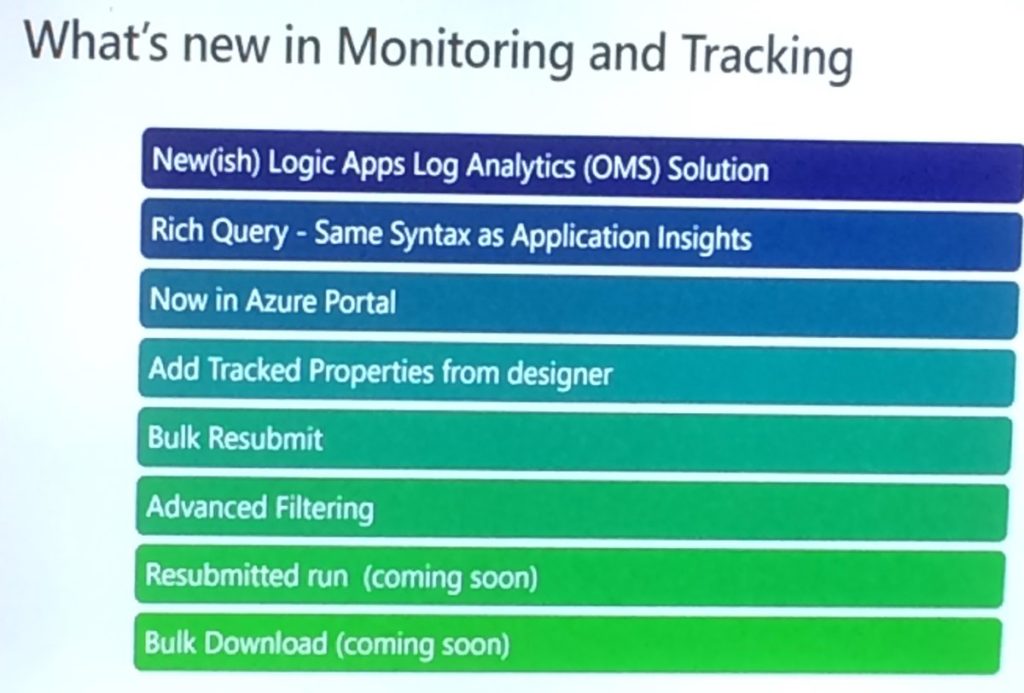
After discussing the tracking capabilities for Integration Accounts, Logic Apps, EDI, custom tracking and OMS, Jon explained what’s new to the Enterprise adapters. He mentioned the adapters for SAP, SFTP, SOAP, EDIFACT and also mentioned the B2B connector improvements like AS2 large message support and EDI overrides.
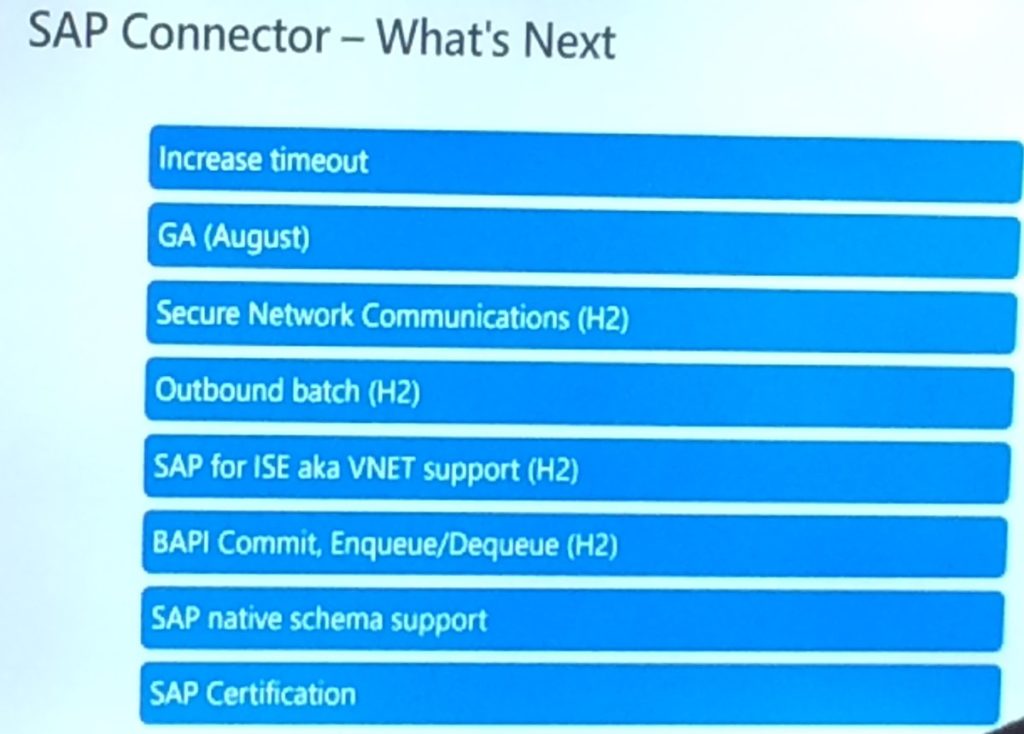
The SAP ECC connector was shown in a demo by Divya. She mentioned the pre-requirements of the adapter and in the demo she showed how to receive a message from that SAP adapter in Logic Apps and simply write the contents of that message to a file location.
The session was wrapped by mentioning what’s new in Mapping, Monitoring and Tracking and what we can expect for the SAP connector and other enterprise adapters.
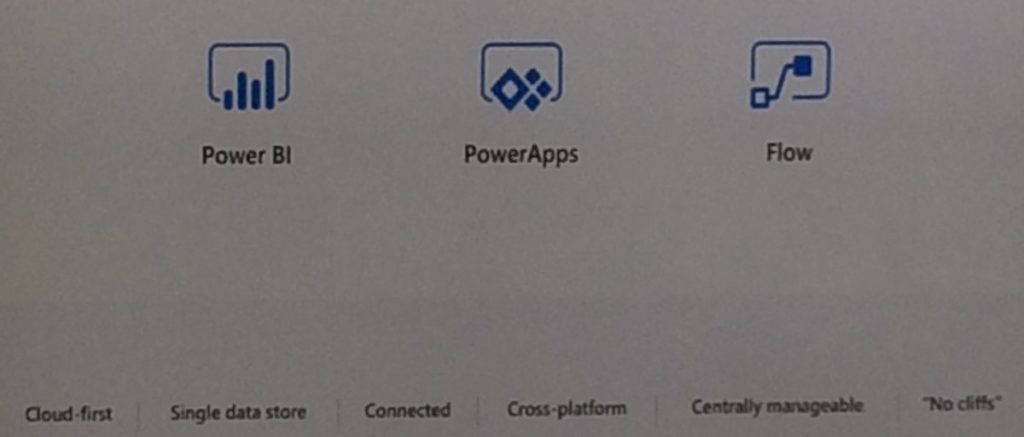
1700 — Kent’s session started with positioning Microsoft Flow, after which he explained how the product fits in the Business Application Platform. This platform consists of PowerApps (including Microsoft Flow) and Power BI.
Microsoft plans to unify these technologies to one powerful highly-productive application platform.
Momentarily, 1.2 million users, coming from over 213.000 companies, are using the platform on a monthly base.
Kent compared Microsoft Flow with MS Access, where MS Access has less to no visibility to the IT department, where (luckily) this is not the case with Microsoft Flow. Because of the better federation with Microsoft Flow, the risk of proliferation with Microsoft Flow is way less, than with Microsoft Access.
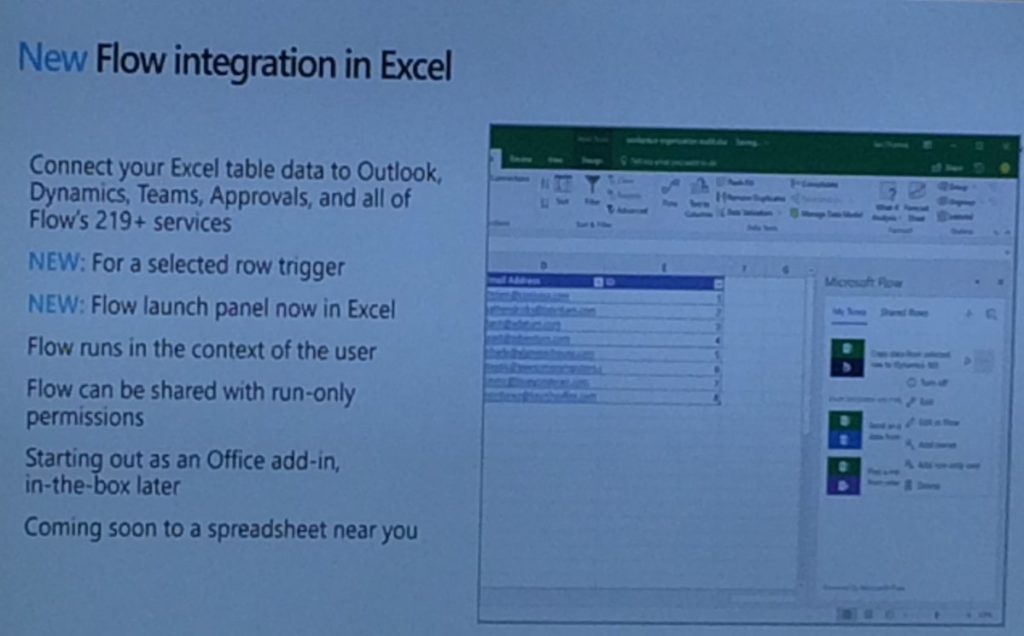
Next, Kent showed 4 demos to the audience, indicating the versatility of Microsoft Flow.
Kent concluded the session with the road map for the second and third quarter of the year. This exists of:
Improving the user experience
Office 365 integration
Compliance (GDPR, US Gov cloud deployments)
Sandbox environments for IT Pro’s, Admin, Developer
With that, it was a wrap on the session of Day 1 and time for some networking and drinks.
Stay tuned for the Day 2 blog updates.
Author: Sriram Hariharan
Sriram Hariharan is the Senior Technical and Content Writer at BizTalk360. He has over 9 years of experience working as documentation specialist for different products and domains. Writing is his passion and he believes in the following quote – “As wings are for an aircraft, a technical document is for a product — be it a product document, user guide, or release notes”. View all posts by Sriram Hariharan
Do you feel difficult to keep up to date on all the frequent updates and announcements in the Microsoft Integration platform?
Integration weekly update can be your solution. It’s a weekly update on the topics related to Integration – enterprise integration, robust & scalable messaging capabilities and Citizen Integration capabilities empowered by Microsoft platform to deliver value to the business.
If you want to receive these updates weekly, then don’t forget to Subscribe!
Feedback
Hope this would be helpful. Please feel free to reach out to me with your feedback and questions.
Microsoft has a lot of great partners, and one of our missions is to highlight these, if you want to do a partner post on our team blog reach out to us either over email or through comments on this post.
This post is written by Microsoft Gold Partner Enkay Tech (www.enkaytech.com) to highlight a new product to help with monitoring BizTalk solutions.
When your BizTalk environment is running well and within capacity, your total cost of ownership (TCO) is low. However, without proper monitoring, failures could occur that could significantly increase TCO. For example, when you receive unusually large message payloads from a customer or when new applications are deployed that cause a significant increase in load, or when SQL jobs have stopped/failed, BizTalk could exceed optimal utilization of available resources. If these failures are not resolved in a timely fashion, BizTalk messaging throughput could decrease, integration durations could increase, and timeouts could occur. To recover, one may need to do some of the following tasks, all of which result in an increase in TCO:
Suspended messages may need to be resumed or messages routed to the exceptions database may need to be recovered and resubmitted.
If BizTalk services are down, external applications cannot communicate with BizTalk, and these applications will need to recover and replay their requests once BizTalk services are back online.
Perform cleanup of data (e.g. roll back transactions).
Watch our Enkay Tech webcast (https://www.youtube.com/watch?v=EUQa7gCeatg) on May 22nd at 1:30 pm Central Standard Time to see how Enkay PRO can help reduce TCO. For example, you will see how your operations team can view graphs that continuously display application activity including message counts, message sizes, throughput and durations. By using these graphs, the team can get visibility into performance issues that could impact business service level agreements (SLA). They can perform deep analysis by viewing historical data to quickly identify issues that caused the failure. They can search for details on EDI transactions that are being sent to and being received from trading partners. With proactive monitoring and alerting, Enkay PRO can help customers see the value BizTalk is delivering and verify that business SLAs are being met.
No license fees are required to install and use Enkay PRO for qualified customers. You can download and use Enkay PRO for any number of users, any number of servers, and any number of environments. Free support for ninety (90) days is provided, which includes installation and training. Additional paid support for Enkay PRO software is available and includes customization and consulting services. For more information visit: http://www.enkaytech.com/enkaypro
I realize that several other of the Host form this years Global Integration Bootcamp Cities have posted recaps, mine is going to be a bit different, more about why these local events are import and valuable for the attendees and how they happen.
Again this year I organized the Melbourne, Australia city of the Global Integration Bootcamp, the biggest issue every year is finding a venue, this year we used The Cluster on Queens street in Melbourne, thanks to Mexia for sponsoring the venue, biggest issue out of the way. The other sponsorship that is need is food, we thought the Microsoft was going to come thought with the Subway offer like they did for user groups, but for whatever reason that did not happen this year, so SixPivot, came to the party and covered the food, thanks Faith.
The next thing to organize was speakers, a big thanks goes out to Paco for stepping up and organizing the morning sessions with help of his colleagues from Mexia: Prasoon and Gavin. For the remaining 3 session I went a little away from the global agenda and invited Simon Lamb from Microsoft to talk about VSTS build and release of ARM Templates, Jorge Arteiro contacted me about giving a talk about Open Service Broker for Azure with AKS, something different for the Melbourne attendees. I decided that we always have people that are using BizTalk so I decided that the final talk that I would do would be “What’s new in Azure API Management and BizTalk”, the API Management part of the talk was also BizTalk focused around BizTalk.
The recording from the talks can be found currently at SixPivot GoToWebinar site they will eventually be moved to YouTube and the links will be posted here.
The key ingredient to a successful local event is the attendees, once the registration site went up, the registrations poured in and we eventually issued all 70 tickets (venue holds between 55-60) so we typically expect a 30% to 35% no-show rate for free events, we decided to enable the waitlist feature and released an additional 20 tickets, for a total of 90 (it turns out not to be 90 there were a few duplicate registrations). So the days before the event planning everything I was a bit nervous that more than 60 people might show up, but I figure that we would just make it work.
On the day everything got started of really good, we ended up with a total attendance of 37 people including speakers. I think it was one of the most engaged audience that I have every had a pleasure to be a part of for a hand-on-day event, Thank you very much, but I was still a bit disappointed that we had over a 50% no-show rate, I need to figure out a way to help prevent this in future events, so if anyone has any suggestion please contact me.
The networking that took place during the breaks was great and I really think that it this is one of the key ingredients of a good technical event, I hope all of the attendees enjoyed this aspect of the event.
Thanks again to everyone that help may Global Integration Bootcamp 2018 Melbourne the success that it was again this year.
Microsoft BizTalk Server product team has released Cumulative Update 8 for BizTalk Server 2013 R2. For more information, see Microsoft Knowledgebase Article 4038891, posted to https://support.microsoft.com/help/4052527.
Do you feel difficult to keep up to date on all the frequent updates and announcements in the Microsoft Integration platform?
Integration weekly update can be your solution. It’s a weekly update on the topics related to Integration – enterprise integration, robust & scalable messaging capabilities and Citizen Integration capabilities empowered by Microsoft platform to deliver value to the business.
If you want to receive these updates weekly, then don’t forget to Subscribe!
Packt $10 Sale: Get your copy to start building Robust Cloud Integration solution in Azure Robust cloud Integration with Azure
New Book: Stay tuned for our next book on cloud integration with Steef-Jan Wiggers, Abhishek Kumar, & Srinivasa Mahendrakar
Feedback
Hope this would be helpful. Please feel free to reach out and let me know your feedback on this Integration weekly series.
Do you feel difficult to keep up to date on all the frequent updates and announcements in the Microsoft Integration platform?
Integration weekly update can be your solution. It’s a weekly update on the topics related to Integration – enterprise integration, robust & scalable messaging capabilities and Citizen Integration capabilities empowered by Microsoft platform to deliver value to the business.
If you want to receive these updates weekly, then don’t forget to Subscribe!
Feedback
Hope this would be helpful. Please feel free to reach out and let me know your feedback on this Integration weekly series.

 He suggested some messaging considerations: