A few days ago, I release the latest version of the BizTalk Scheduled Task Adapter optimized for BizTalk Server 2020. Today I merged the changes and improvements made on that version and made it available for BizTalk Server 2016.
What is new?
New schedule capabilities:
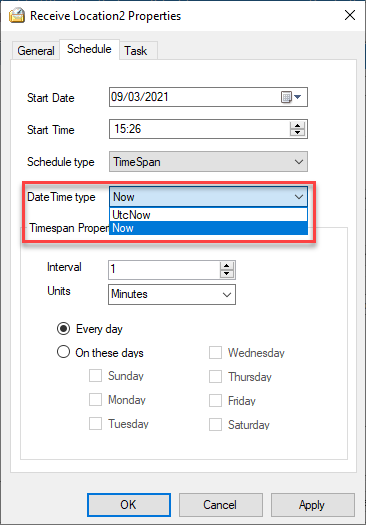
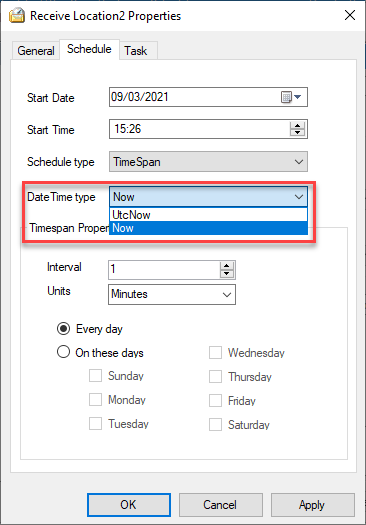
Capability to set DateTime you want to use on the Timespan schedule type: DateTime.Now or DateTime.UtcNow
By adding this capability to chose between DateTime.Now or DateTime.UtcNow, it will address and solve the issues reported regarding unlimited messages being triggered if you are using a different timezone than UTC.
The functionality always to trigger the message at 00 seconds and respect the original time set was added again to the Timespan schedule type. The GetNextActivationTime method was improved to fix all these unexpected behaviors reported that indeed was a feature by design.
BizTalk Scheduled Task Adapter
The BizTalk Scheduled Task Adapter is an in-process receive adapter that executes a prescribed task on a daily, weekly or monthly schedule. The adapter is configured entirely within BizTalk, all configurations are stored within the SSODB and can be exported and imported via binding files.
The schedule capabilities are similar to those available with the Windows Scheduled Task Service.
Four simple tasks are included:
XmlStringStreamProvider – generates a BizTalk message from a configured Xml string
FileStreamProvider – generates a BizTalk message from the contents of a file
HttpDownload – generates a BizTalk message from data downloaded from a web site
SQLStreamProvider – generates a BizTalk message from the contents of a SQL Query (similar to the old SQL adapter) – Since version 3.0
Custom tasks can be created. Any .NET class that implements the appropriate interface can be scheduled.
Big thanks to Pedro Almeida, my team member, that took 95% of my work and finalize this version!
Download
You can download this “new” version of the adapter in BizTalk Scheduled Task Adapter from GitHub:
Please feel free to use the adapter, and If you find any problems or bugs, please open an issue on the adapter GitHub site: https://github.com/sandroasp/BizTalk-Scheduled-Task-Adapter and help evolve this community adapter. You can also suggest new features, and I am also open to new ideas.
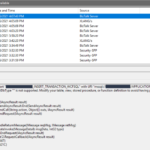
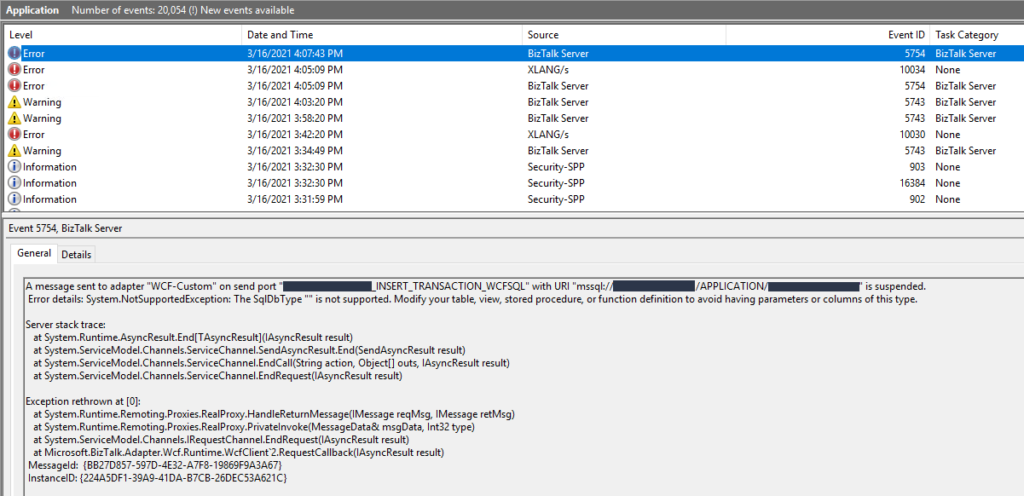
Recently while I was testing an integration solution on a client that uses WCF-SQL to insert data on a SQL Server database I got the following error:
System.NotSupportedException: The SqlDbType “” is not supported. Modify your table, view, stored procedure, or function definition to avoid having parameters or columns of this type.
This was a surprise since everything was working properly in the development environment.
Cause
In this solution, we were doing bulk insert on a SQL Server database by using a User-Defined Types as the input to the stored procedure, in our case a User-Defined Table Type. There are other ways to do a SQL Server bulk insert or update in BizTalk Server but definitely, this is the best approach. And this is one of the reasons why we are getting on the error message with the keyword: SqlDbType.
This problem occurs because the user account that you used to access the database, in my case the BizTalk Host Instance Account, don’t have permissions on the User-Defined Type associated to the Store procedure that we were invoking.
Solution
To solve this issue, you must give access to the user, in my case BizTalk Host Instance Account to properly execute the stored procedure, you must:
Open SQL Server Management Studio and connect to your server.
In the Object Explorer, select and expand the desired database and expand the Security folder and then the Users.
Right-click on the User, BizTalk Host Instance Account, and choose Properties.
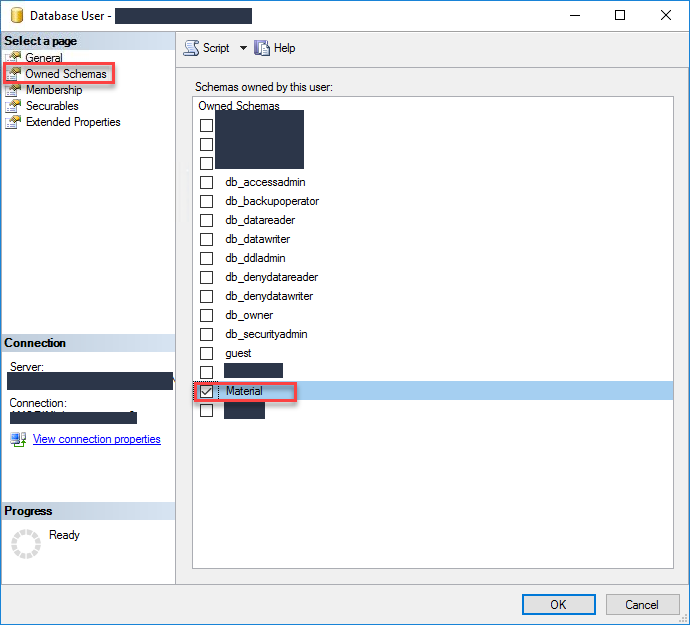
On the Database User windows, choose the Owned Schemas tab, and then on the Schemas owned by this user panel select the schema bind to your User-Defined Table Type.
In our case: Material
Click OK and try again to send the data to your SQL Server. It should work.
It has been a while since I didn’t follow carefully all the comments or issues posted on my blog or GitHub regarding BizTalk Scheduled Task Adapter. It was not by lack of interest but instead due to my lack of free time or just because I was focused on other projects or contributions.
Since I recently (7 days ago) publish I new version of the adapter with some further improvements and optimized it to BizTalk Server 2020. And I have a brand new environment that I need to install this adapter. I decided that it was an excellent opportunity and time to read the existing feedback and address, once and for all, all the reported issues or unexpected behaviors:
Using the Timespan schedule type may trigger unlimited messages;
Using the Timespan schedule type, if the time is set to past time, the task will not be triggered in certain cases.
Using the Timespan schedule type, when stopping the receive locations or stop/restart the host instances, you start to get a time drift from the original time set.
What is new?
New schedule capabilities:
Capability to set DateTime you want to use on the Timespan schedule type: DateTime.Now or DateTime.UtcNow
By adding this capability to chose between DateTime.Now or DateTime.UtcNow, it will address and solve the issues reported regarding unlimited messages being triggered if you are using a different timezone than UTC.
The functionality always to trigger the message at 00 seconds and respect the original time set was added again to the Timespan schedule type. The GetNextActivationTime method was improved to fix all these unexpected behaviors reported that indeed was a feature by design.
BizTalk Scheduled Task Adapter
The BizTalk Scheduled Task Adapter is an in-process receive adapter that executes a prescribed task on a daily, weekly or monthly schedule. The adapter is configured entirely within BizTalk, all configurations are stored within the SSODB and can be exported and imported via binding files.
The schedule capabilities are similar to those available with the Windows Scheduled Task Service.
Four simple tasks are included:
XmlStringStreamProvider – generates a BizTalk message from a configured Xml string
FileStreamProvider – generates a BizTalk message from the contents of a file
HttpDownload – generates a BizTalk message from data downloaded from a web site
SQLStreamProvider – generates a BizTalk message from the contents of a SQL Query (similar to the old SQL adapter) – Since version 3.0
Custom tasks can be created. Any .NET class that implements the appropriate interface can be scheduled.
Big thanks to Pedro Almeida, my team member, that took 95% of my work and finalize this version!
Download
You can download this “new” version of the adapter in BizTalk Scheduled Task Adapter from GitHub:
Please feel free to use the adapter, and If you find any problems or bugs, please open an issue on the adapter GitHub site: https://github.com/sandroasp/BizTalk-Scheduled-Task-Adapter and help evolve this community adapter. You can also suggest new features, and I am also open to new ideas.
Once again, after many requests and many postponements, due to my unavailability and free time to take these tasks, BizTalk Scheduled Task Adapter is finally officially available and optimized for BizTalk Server 2020 on GitHub!
The BizTalk Scheduled Task Adapter is an in-process receive adapter that executes a prescribed task on a daily, weekly or monthly schedule. The adapter is configured entirely within BizTalk, all configurations are stored within the SSODB and can be exported and imported via binding files.
The schedule capabilities are similar to those available with the Windows Scheduled Task Service.
Four simple tasks are included:
XmlStringStreamProvider – generates a BizTalk message from a configured Xml string
FileStreamProvider – generates a BizTalk message from the contents of a file
HttpDownload – generates a BizTalk message from data downloaded from a web site
SQLStreamProvider – generates a BizTalk message from the contents of a SQL Query (similar to the old SQL adapter) – Since version 3.0
Custom tasks can be created. Any .NET class that implements the appropriate interface can be scheduled.
What is new?
New schedule capabilities:
HTTPDownload task was changed and improved to control timeouts better and to avoid the receive locations disabling themselves automatically (Contribution made by Rickard Karlmats)
HTTPDownload task was changed and improved to support REST/JSON (Contribution made by Pedro Almeida)
Improved and optimized to BizTalk Server 2020 but it will also be compatible with BizTalk Server 2016
You can download this “new” version of the adapter in BizTalk Scheduled Task Adapter from GitHub:
Please feel free to use the adapter, and If you find any problems or bugs, please open an issue on the adapter GitHub site: https://github.com/sandroasp/BizTalk-Scheduled-Task-Adapter and help evolve this community adapter. You can also suggest new features, and I am also open to new ideas..
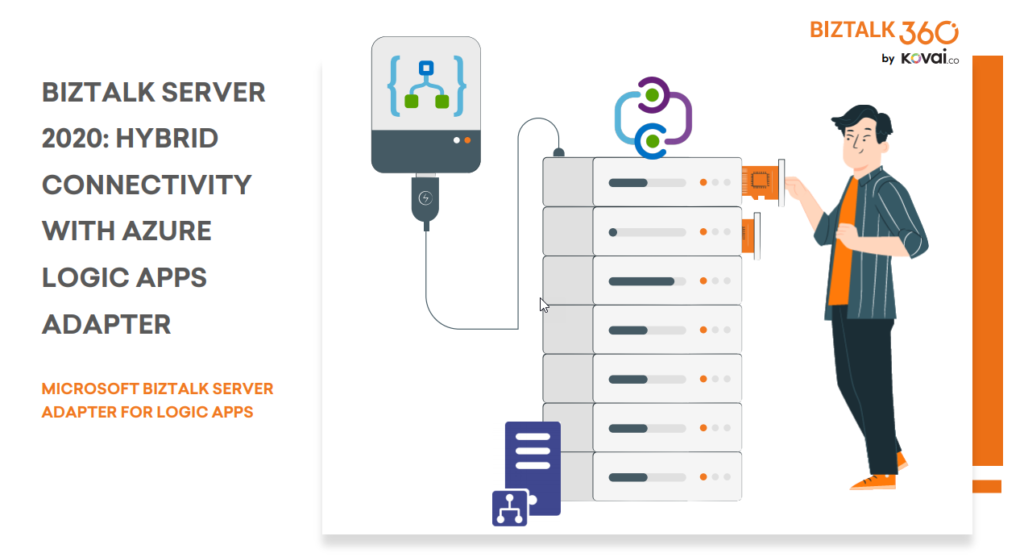
BizTalk Server 2020 is undoubtedly the best-suited integration for the On-Premises integration platform and IaaS (Infrastructure as Service). It is also integrating cloud services with a variety of built-in adapters for the cloud, such as the Azure Logic Apps.
The Azure Logic Apps adapter is used by BizTalk Server to communicate with Azure Logic Apps. This could also be possible using the HTTP adapter, but the Logic App adapter provides a better and straightforward experience.
This whitepaper will show you how BizTalk Server 2020 can interact with Logic Apps:
How BizTalk Server can send messages to Logic Apps using the Logic App adapter
How Logic Apps can send messages through BizTalk Server using the BizTalk Connector
Where I can download it
You can download the whitepaper here:
You can also find, download and enjoy several other free whitepapers of my own here:
Much has been written about the European Union’s (EU) General Data Protection Regulation (GDPR), which came into effect last May 28, 2018. the GDPR applies no matter where you are located, and with many organizations storing critical data in their database platforms, it will be incumbent upon them to ensure that the entire IT environment complies with the legislation, to avoid fines or penalties of up to €20 million or 4% of annual worldwide turnover.
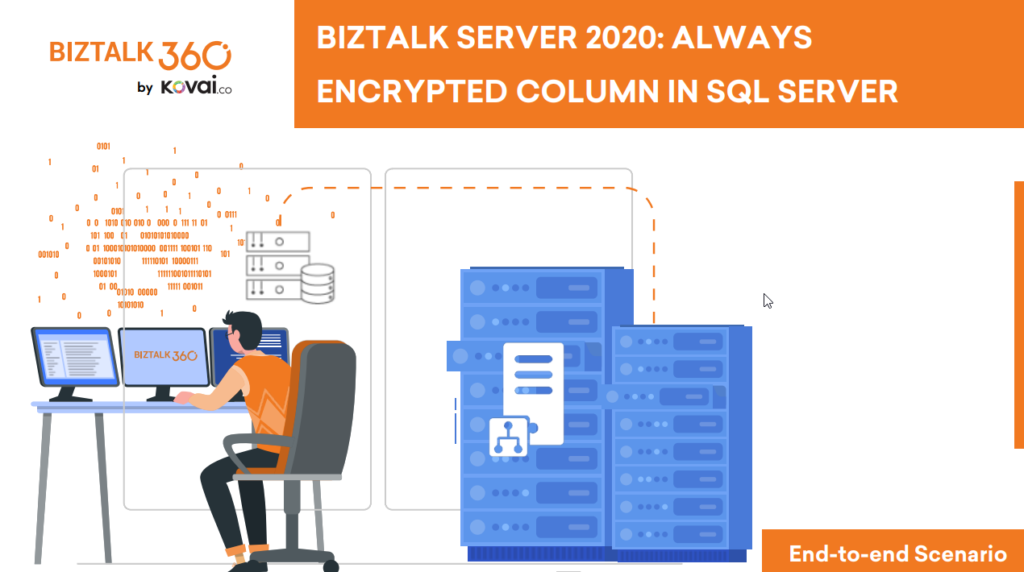
Always Encrypted is a feature designed to protect sensitive data, such as credit card numbers or national identification numbers (for example, U.S. social security numbers), stored in Azure SQL Databases or on-premises SQL Server databases.
Always Encrypted allows clients to encrypt sensitive data inside client applications and never reveal the encryption keys to the Database Engine (SQL Database or SQL Server). As a result, Always Encrypted provides a separation between those who own the data (and can view it) and those who manage the data (but cannot view it). By ensuring on-premises database administrators, cloud database operators, or other high-privileged (but unauthorized) users, cannot access the encrypted data, Always Encrypted enables customers to confidently store sensitive data outside of their direct control. This allows organizations to encrypt data at rest and in use for storage in Azure, to enable delegation of on-premises database administration to third parties, or to reduce security clearance requirements for their own DBA staff.
This whitepaper will give you a detailed understanding of the following:
Creating SQL Server Database in BizTalk 2020
Creating always encrypted column in BizTalk Server
Querying and inserting data in the encrypted columns
Where I can download it
You can download the whitepaper here:
You can also find, download and enjoy several other free whitepapers of my own here:
We live in the age of fast digital transformation. Different emerging services appear extremely fast which results in a more heterogeneous IT architecture. However, when we have this heterogeneous landscape compose of different legacy and modern systems, a major problem that may arise is how can we put all of these systems to interact with each other to create the concept of a single production system.
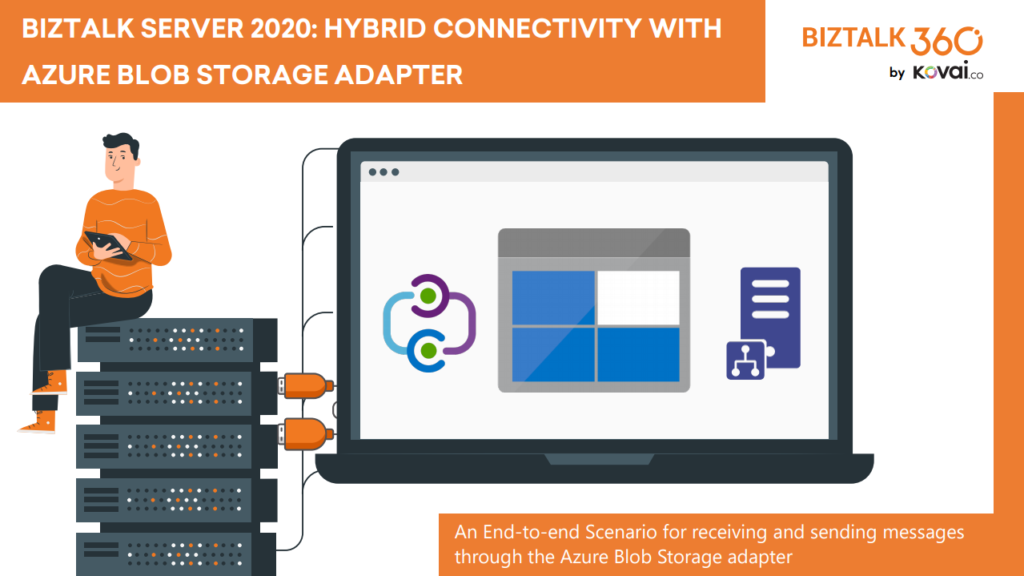
BizTalk Server 2020 is undoubtedly the best-suited integration for the On-Premises integration platform and IaaS (Infrastructure as Service). This whitepaper is intended to show you the complete process of receiving and sending messages through the newly introduced Azure Blob Storage adapter.
This whitepaper will give you a detailed understanding of the following:
Creating Azure Blob storage
Sending messages from BizTalk Server to Blob Storage using the Blob Storage adapter
Receiving messages to BizTalk Server from Blob Storage using the Blob Storage adapter
Where I can download it
You can download the whitepaper here:
You can also find, download and enjoy several other free whitepapers of my own here:
Sometimes we want to bypass the adapters and perform the communication thru .NET code. Sometimes we want to access multiple values, or recursive values, of a message inside a helper class that supports an orchestration. Sometimes we want to perform a complex transformation or construct a message thru .NET code instead of a BizTalk Server map.
And for each of these circumstances, we can have several approaches, one that is simple, effective, and transversal to all of them is to use the XML Schema to generate a .NET class. This way, you have a quick and straightforward way to represent the messages you get from your BizTalk processes into a .NET class.
The easy way to generate classes that conform to a specific schema is to use the need to use the XML Schema Definition tool (Xsd.exe). You can do that by:
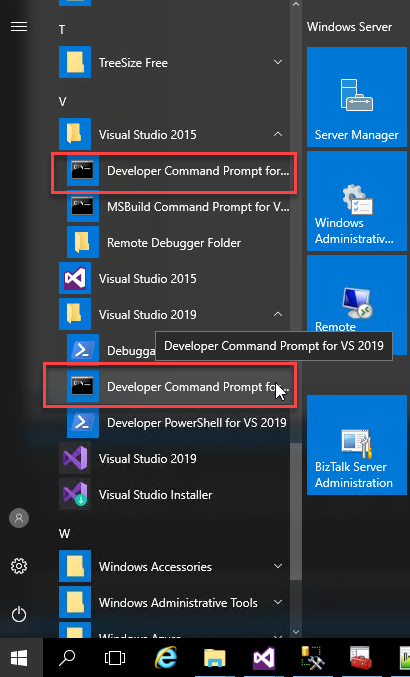
Open a Developer Command Prompt for VS <edition>
On the command prompt, navigate to the Schema folder and type
xsd /classes /language:CS Schema1.xsd
For complex schemas that import or include other schemas you need to provide all the dependencies, for example:
xsd /classes /language:CS Schema1.xsdSchema2.xsd
Now you will be able to import the C# class generated by the tool to your helper project and the rest is simple!
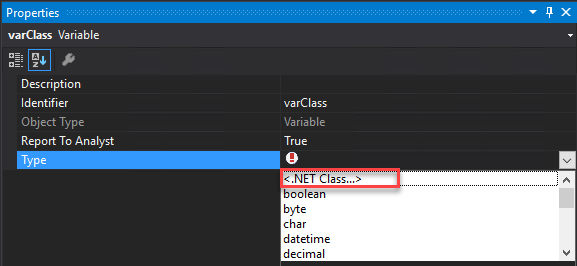
On the Orchestration you can create a variable that represents that class:
On property Type select <.NET Class…> and select the class that you created previously
From the Browse and Select .Net Type to reference, you need to select the proper assembly and the Type.
Then by using C# code inside Message Assign or Expression Shape you can serialize or deserialize XML document into C# and vice versa in a simple and straightforward way
//CONVERT MESSAGE INTO C# OBJECT
varPersonMsg = msgInput;
//CONVERT C# OBJECT INTO BIZTALK MESSAGE
msgOutput4 = varPersonMsg;
or if we have a function in a helper class like:
public static XmlDocument MapPersons(Person person)
{
...
}
we can directly pass the message to the function without the need to create a variable:
I previously wrote several posts about how you can Check/Get a list of BizTalk Server Cumulative Updates installed in your machines for previous versions of the product:
Now it is time to update this script to BizTalk Server 2020.
Checking what CU is installed is not a difficult task to do, but without a doubt, it is one of the most annoying tasks to do as an administrator because, and once again:
you can do it manually by checking “Control PanelProgramsPrograms and Features” and then view the “Installed Updates”, try to find them in the list can be sometimes very confusing because they are not organized in a category BizTalk;
Or rely on tools like BizTalk MsgBoxViewer, which sometimes are not up to date, to check and provide that information;
Probably there are other ways, nevertheless, this simple task should be simple, extremely easy and fast to do, what you really want to know is what are the BizTalk Cumulative Updates installed like:
This is the list of BizTalk Server Cumulative Updates installed in this machine: BTS2020LAB01
- Microsoft BizTalk Server 2020 Cumulative Update 1
To check if the last Cumulative is installed or not.
PowerShell script overview
So how can we easily automate tasks? and reuse them whenever necessary and at the same time saving significant time for other tasks?
Using PowerShell is a good option. Windows PowerShell is a Windows command-line shell designed especially for system administrators and can be used by BizTalk administrators to help them in automating repetitive tasks or tasks that are time-consuming to perform manually.
This is a simple script that allows you to configure the template name of the cumulative updates, that will change from version to version, and will give you the list of all BizTalk Server 2016 cumulative updates installed on your server:
3th Edition of 101 Talk Arena is here and now I’m joining forces with Nino Crudele to interview the one and the only Michael Stephenson!
Michael Stephenson is a highly experienced Cloud Architect who has many years working with large enterprise customers delivering integration solutions with Microsoft technologies on-premise, in the cloud, and with hybrid technologies. Not only he is a brilliant mind, and an unstoppable researcher, he is also a regular blogger and host of Integration Monday!
He is a good friend, and it will be an honor to have him with us on February 18th, 2021, at 2 PMUTC. Once again this will be an open conversation about Integration and Azure:
Cloud automation
Serverless patterns and practices
Today Integration landscape
BizTalk migration
and many more topics
I will invite all of you to join us it is free. This is a one to one talk without filters, no marketing, nothing planned, and where people can also jump in with any question.