Azure Logic Apps Standard REST APIs (Part II)

Azure Logic Apps Standard REST APIs (Part II)

In my last blog post, I documented the Workflow Run Actions REST APIs for Logic App Standard, you can read more about it here: Azure Logic Apps Standard REST APIs (Part I).

REST Operation Groups

Like Logic Apps Consumption, Logic App Standard REST APIs are organized in these REST Operation Groups:

  • Workflow Run Actions: Lists workflow run actions.
  • Workflow Runs: Provides operations for listing and canceling workflow runs.
  • Workflow Trigger Histories: Lists workflow trigger histories.
  • Workflow Triggers: Provides operations for listing and running workflow triggers.
  • Workflow Versions: Lists workflow versions.
  • Workflows: Provides operations for creating and managing workflows.

Today we are going to address the Workflow Runs REST APIs for Logic App Standard.

Workflow Runs

These are the available operations:

  • Cancel: Cancels a workflow run.
  • Delete: Deletes a workflow run.
  • Get: Gets a workflow run.
  • List: Gets a list of workflow runs.

This list may change since this is not the official list, and many things under the hood are different from Consumption to Standard.

Cancel

Request URL:

POST https://management.azure.com/subscriptions/{subscriptionId}/resourceGroups/{resourceGroupName}/providers/Microsoft.Web/sites/{logicAppStdName}/hostruntime/runtime/webhooks/workflow/api/management/workflows/{workflowName}/runs/{runId}/cancel?api-version=2018-11-01

URI Parameters:

Name In Required Type Description
subscriptionId path True string The subscription id.
resourceGroupName path True string The resource group name.
logicAppStdName path True string The Logic App Standard name.
workflowName path True string The workflow name.
runId path True string The workflow run id (name).
api-version query True string The API version.

Response:

Name Type Description
200 OK OK

Sample Request:

https://management.azure.com/subscriptions/xxxxxxxxx/resourceGroups/RG-SPMSDN-LASTD-POC/providers/Microsoft.Web/sites/LASTD-SPMSDN-EAI-POC/hostruntime/runtime/webhooks/workflow/api/management/workflows/DemoHTTP/runs/08585286433641737811956886654CU00/cancel?api-version=2018-11-01

Sample Response:

Status Code: 200

We may also get some errors if you try to cancel an already completed instance.

{
    "error": {
        "code": "WorkflowRunCanNotBeCancelled",
        "message": "The workflow 'DemoHTTP' run '08585286433641737811956886654CU00' with state 'Succeeded' could not be canceled, because it is not active."
    }
}

Delete

Request URL:

DELETE https://management.azure.com/subscriptions/{subscriptionId}/resourceGroups/{resourceGroupName}/providers/Microsoft.Web/sites/{logicAppStdName}/hostruntime/runtime/webhooks/workflow/api/management/workflows/{workflowName}/runs/{runId}?api-version=2018-11-01

URI Parameters:

Name In Required Type Description
subscriptionId path True string The subscription id.
resourceGroupName path True string The resource group name.
logicAppStdName path True string The Logic App Standard name.
workflowName path True string The workflow name.
runId path True string The workflow run id (name).
api-version query True string The API version.

Response:

Name Type Description
200 OK OK
204 No Content No Content

Note: I wasn’t able to successfully test this API. But I assume it will exist.

Get

Request URL:

GET https://management.azure.com/subscriptions/{subscriptionId}/resourceGroups/{resourceGroupName}/providers/Microsoft.Web/sites/{logicAppStdName}/hostruntime/runtime/webhooks/workflow/api/management/workflows/{workflowName}/runs/{runId}?api-version=2018-11-01

URI Parameters:

Name In Required Type Description
subscriptionId path True string The subscription id.
resourceGroupName path True string The resource group name.
logicAppStdName path True string The Logic App Standard name.
workflowName path True string The workflow name.
runId path True string The workflow run id (name).
api-version query True string The API version.

Response:

Sample Request:

https://management.azure.com/subscriptions/xxxxxxxxxx/resourceGroups/RG-SPMSDN-LASTD-POC/providers/Microsoft.Web/sites/LASTD-SPMSDN-EAI-POC/hostruntime/runtime/webhooks/workflow/api/management/workflows/DemoHTTP/runs/08585286433641737811956886654CU00?api-version=2018-11-01

Sample Response:

Status Code: 200

We may also get some errors if you try to cancel an already completed instance.

{
    "properties": {
        "waitEndTime": "2023-01-06T00:05:21.4086338Z",
        "startTime": "2023-01-06T00:05:21.4086338Z",
        "endTime": "2023-01-06T00:05:23.8140158Z",
        "status": "Succeeded",
        "correlation": {
            "clientTrackingId": "08585286433641737811956886654CU00"
        },
        "workflow": {
            "id": "/workflows/DemoHTTP/versions/08585286433748374192",
            "name": "08585286433748374192",
            "type": "workflows/versions"
        },
        "trigger": {
            "name": "manual",
            "inputsLink": {
                "uri": "https://lastd-spmsdn-eai-poc.azurewebsites.net:443/runtime/webhooks/workflow/scaleUnits/prod-00/workflows/xxxx/runs/08585286433641737811956886654CU00/contents/TriggerInputs?api-version=2018-11-01&code=xxxxxx%3d%3d&se=2023-01-06T18%3A00%3A00.0000000Z&sp=%2Fruns%2F08585286433641737811956886654CU00%2Fcontents%2FTriggerInputs%2Fread&sv=1.0&sig=7I7ZCpuXQwhlKNl6RrVLe5yAFPF-VR3CVBzK-IfRNwI",
                "contentSize": 16
            },
            "outputsLink": {
                "uri": "https://lastd-spmsdn-eai-poc.azurewebsites.net:443/runtime/webhooks/workflow/scaleUnits/prod-00/workflows/xxxxxx/runs/08585286433641737811956886654CU00/contents/TriggerOutputs?api-version=2018-11-01&code=xxxx3d%3d&se=2023-01-06T18%3A00%3A00.0000000Z&sp=%2Fruns%2F08585286433641737811956886654CU00%2Fcontents%2FTriggerOutputs%2Fread&sv=1.0&sig=N-E5R7dsxwuoWFKav_EZFBC8_E-Xlf7eDkieJIsMyJk",
                "contentSize": 1126
            },
            "startTime": "2023-01-06T00:05:21.3134356Z",
            "endTime": "2023-01-06T00:05:21.3134356Z",
            "originHistoryName": "08585286433641737811956886654CU00",
            "correlation": {
                "clientTrackingId": "08585286433641737811956886654CU00"
            },
            "status": "Succeeded"
        },
        "outputs": {},
        "response": {
            "name": "Response",
            "outputsLink": {
                "uri": "https://lastd-spmsdn-eai-poc.azurewebsites.net:443/runtime/webhooks/workflow/scaleUnits/prod-00/workflows/xxxxxxxxx/runs/08585286433641737811956886654CU00/contents/ResponseOutputs?api-version=2018-11-01&code=QoTB_2yAu1mf6NMwZVEFwWd5xH4EgQBpXSFK3Q7zi7qQAzFuy-PBZw%3d%3d&se=2023-01-06T18%3A00%3A00.0000000Z&sp=%2Fruns%2F08585286433641737811956886654CU00%2Fcontents%2FResponseOutputs%2Fread&sv=1.0&sig=YFHL0CPNgytFe2OMHaymNcCaYCxpX3xH6BwrZNt-tHI",
                "contentSize": 46
            },
            "startTime": "2023-01-06T00:05:21.4639188Z",
            "endTime": "2023-01-06T00:05:23.7365848Z",
            "correlation": {
                "clientTrackingId": "08585286433641737811956886654CU00"
            },
            "code": "OK",
            "status": "Succeeded"
        }
    },
    "id": "/workflows/DemoHTTP/runs/08585286433641737811956886654CU00",
    "name": "08585286433641737811956886654CU00",
    "type": "workflows/runs"
}

List

Request URL:

GET https://management.azure.com/subscriptions/{subscriptionId}/resourceGroups/{resourceGroupName}/providers/Microsoft.Web/sites/{logicAppStdName}/hostruntime/runtime/webhooks/workflow/api/management/workflows/{workflowName}/runs?api-version=2018-11-01

URI Parameters:

Name In Required Type Description
subscriptionId path True string The subscription id.
resourceGroupName path True string The resource group name.
logicAppStdName path True string The Logic App Standard name.
workflowName path True string The workflow name.
api-version query True string The API version.
$filter query False string The filter to apply on the operation. Options for filters include: Status, StartTime, and ClientTrackingId.
$top query False integer
int32
The number of items to be included in the result.

Response:

Sample Request:

https://management.azure.com/subscriptions/xxxxxxxxxx/resourceGroups/RG-SPMSDN-LASTD-POC/providers/Microsoft.Web/sites/LASTD-SPMSDN-EAI-POC/hostruntime/runtime/webhooks/workflow/api/management/workflows/DemoHTTP/runs?api-version=2018-11-01

Sample Response:

Status Code: 200

We may also get some errors if you try to cancel an already completed instance.

{
    "value": [
        {
            "properties": {
                "waitEndTime": "2023-01-09T10:37:36.9988341Z",
                "startTime": "2023-01-09T10:37:36.9988341Z",
                "endTime": "2023-01-09T10:37:38.9480163Z",
                "status": "Succeeded",
                "correlation": {
                    "clientTrackingId": "08585283462284798311177740271CU00"
                },
                "workflow": {
                    "id": "/workflows/DemoHTTP/versions/08585283475919679565",
                    "name": "08585283475919679565",
                    "type": "workflows/versions"
                },
                "trigger": {
                    "name": "manual",
                    "inputsLink": {
                        "uri": "https://lastd-la-with-error.azurewebsites.net:443/runtime/webhooks/workflow/scaleUnits/prod-00/workflows/xxxxxxx/runs/08585283462284798311177740271CU00/contents/TriggerInputs?api-version=2018-11-01&code=xxxxxxxxx%3d%3d&se=2023-01-12T02%3A00%3A00.0000000Z&sp=%2Fruns%2F08585283462284798311177740271CU00%2Fcontents%2FTriggerInputs%2Fread&sv=1.0&sig=hgIpAfmo4kOdJ_bNwXhvmmD3m_mo8KY3ANeKUwk86ZM",
                        "contentSize": 2
                    },
                    "outputsLink": {
                        "uri": "https://lastd-la-with-error.azurewebsites.net:443/runtime/webhooks/workflow/scaleUnits/prod-00/workflows/xxxxxxx/runs/08585283462284798311177740271CU00/contents/TriggerOutputs?api-version=2018-11-01&code=xxxxxxxx%3d%3d&se=2023-01-12T02%3A00%3A00.0000000Z&sp=%2Fruns%2F08585283462284798311177740271CU00%2Fcontents%2FTriggerOutputs%2Fread&sv=1.0&sig=_rs0On_muhcy3a9Nq6nrB-3kOnW6Xa_NgkaBkvc3zQ0",
                        "contentSize": 3541
                    },
                    "startTime": "2023-01-09T10:37:36.9980725Z",
                    "endTime": "2023-01-09T10:37:36.9980725Z",
                    "originHistoryName": "08585283462284798311177740271CU00",
                    "correlation": {
                        "clientTrackingId": "08585283462284798311177740271CU00"
                    },
                    "status": "Succeeded"
                },
                "outputs": {}
            },
            "id": "/workflows/DemoHTTP/runs/08585283462284798311177740271CU00",
            "name": "08585283462284798311177740271CU00",
            "type": "workflows/runs"
        },
        {
            "properties": {
                "waitEndTime": "2023-01-09T10:15:00.3587608Z",
                "startTime": "2023-01-09T10:15:00.3587608Z",
                "endTime": "2023-01-09T10:15:00.6643048Z",
                "status": "Succeeded",
                "correlation": {
                    "clientTrackingId": "08585283475851195588749398419CU00"
                },
                "workflow": {
                    "id": "/workflows/DemoHTTP/versions/08585283475919679565",
                    "name": "08585283475919679565",
                    "type": "workflows/versions"
                },
                "trigger": {
                    "name": "manual",
                    "inputsLink": {
                        "uri": "https://lastd-la-with-error.azurewebsites.net:443/runtime/webhooks/workflow/scaleUnits/prod-00/workflows/xxxxxxx/runs/08585283475851195588749398419CU00/contents/TriggerInputs?api-version=2018-11-01&code=xxxxxxxxxxx%3d%3d&se=2023-01-12T02%3A00%3A00.0000000Z&sp=%2Fruns%2F08585283475851195588749398419CU00%2Fcontents%2FTriggerInputs%2Fread&sv=1.0&sig=tSCoAq49tK2DQbQNcIpzNnTOcucvPTHmNwDEb7L_ZYM",
                        "contentSize": 2
                    },
                    "outputsLink": {
                        "uri": "https://lastd-la-with-error.azurewebsites.net:443/runtime/webhooks/workflow/scaleUnits/prod-00/workflows/xxxxxxxxx/runs/08585283475851195588749398419CU00/contents/TriggerOutputs?api-version=2018-11-01&code=xxxxxxxxx%3d%3d&se=2023-01-12T02%3A00%3A00.0000000Z&sp=%2Fruns%2F08585283475851195588749398419CU00%2Fcontents%2FTriggerOutputs%2Fread&sv=1.0&sig=EuCVyfV1kQjwwlLQplQqT39AumkGidYGhWDPA0Mv5ew",
                        "contentSize": 1144
                    },
                    "startTime": "2023-01-09T10:15:00.3580393Z",
                    "endTime": "2023-01-09T10:15:00.3580393Z",
                    "originHistoryName": "08585283475851195588749398419CU00",
                    "correlation": {
                        "clientTrackingId": "08585283475851195588749398419CU00"
                    },
                    "status": "Succeeded"
                },
                "outputs": {},
                "response": {
                    "name": "Response",
                    "outputsLink": {
                        "uri": "https://lastd-la-with-error.azurewebsites.net:443/runtime/webhooks/workflow/scaleUnits/prod-00/workflows/xxxxxxxxx/runs/08585283475851195588749398419CU00/contents/ResponseOutputs?api-version=2018-11-01&code=xxxxxxxxxxxxxx%3d%3d&se=2023-01-12T02%3A00%3A00.0000000Z&sp=%2Fruns%2F08585283475851195588749398419CU00%2Fcontents%2FResponseOutputs%2Fread&sv=1.0&sig=AcySKrg9iWVe1pGhLP4xdmvHuOfG3doS_tc4tY2LWtM",
                        "contentSize": 46
                    },
                    "startTime": "2023-01-09T10:15:00.3588287Z",
                    "endTime": "2023-01-09T10:15:00.6455744Z",
                    "correlation": {
                        "clientTrackingId": "08585283475851195588749398419CU00"
                    },
                    "code": "OK",
                    "status": "Succeeded"
                }
            },
            "id": "/workflows/DemoHTTP/runs/08585283475851195588749398419CU00",
            "name": "08585283475851195588749398419CU00",
            "type": "workflows/runs"
        },
        {
            "properties": {
                "waitEndTime": "2023-01-09T10:14:56.6507366Z",
                "startTime": "2023-01-09T10:14:56.6507366Z",
                "endTime": "2023-01-09T10:14:58.6732805Z",
                "status": "Succeeded",
                "correlation": {
                    "clientTrackingId": "08585283475889371416241396129CU00"
                },
                "workflow": {
                    "id": "/workflows/DemoHTTP/versions/08585283475919679565",
                    "name": "08585283475919679565",
                    "type": "workflows/versions"
                },
                "trigger": {
                    "name": "manual",
                    "inputsLink": {
                        "uri": "https://lastd-la-with-error.azurewebsites.net:443/runtime/webhooks/workflow/scaleUnits/prod-00/workflows/xxxxxxxxxxx/runs/08585283475889371416241396129CU00/contents/TriggerInputs?api-version=2018-11-01&code=xxxxxxxxxxxxxxxx%3d%3d&se=2023-01-12T02%3A00%3A00.0000000Z&sp=%2Fruns%2F08585283475889371416241396129CU00%2Fcontents%2FTriggerInputs%2Fread&sv=1.0&sig=D18HGfNtYLzq2AEtgFqVLkkRvULNPvCeCa1SvBpa3nQ",
                        "contentSize": 2
                    },
                    "outputsLink": {
                        "uri": "https://lastd-la-with-error.azurewebsites.net:443/runtime/webhooks/workflow/scaleUnits/prod-00/workflows/xxxxxxxxxxxxxxxx/runs/08585283475889371416241396129CU00/contents/TriggerOutputs?api-version=2018-11-01&code=xxxxxxxxxxxxxxxxxx%3d%3d&se=2023-01-12T02%3A00%3A00.0000000Z&sp=%2Fruns%2F08585283475889371416241396129CU00%2Fcontents%2FTriggerOutputs%2Fread&sv=1.0&sig=3axc0IdnGm4oO0rmJrfrX3YiDfpsR9nQ5ctDlPVeU-g",
                        "contentSize": 1144
                    },
                    "startTime": "2023-01-09T10:14:56.5500175Z",
                    "endTime": "2023-01-09T10:14:56.5500175Z",
                    "originHistoryName": "08585283475889371416241396129CU00",
                    "correlation": {
                        "clientTrackingId": "08585283475889371416241396129CU00"
                    },
                    "status": "Succeeded"
                },
                "outputs": {},
                "response": {
                    "name": "Response",
                    "outputsLink": {
                        "uri": "https://lastd-la-with-error.azurewebsites.net:443/runtime/webhooks/workflow/scaleUnits/prod-00/workflows/xxxxxxxxxxxxxxxxxxxxx/runs/08585283475889371416241396129CU00/contents/ResponseOutputs?api-version=2018-11-01&code=xxxxxxxxxxxxxxxxx%3d%3d&se=2023-01-12T02%3A00%3A00.0000000Z&sp=%2Fruns%2F08585283475889371416241396129CU00%2Fcontents%2FResponseOutputs%2Fread&sv=1.0&sig=h20YChZzmAiFqHJy6pHSxQIe0RPlxIwPX_8UlZC2OGQ",
                        "contentSize": 46
                    },
                    "startTime": "2023-01-09T10:14:56.6856426Z",
                    "endTime": "2023-01-09T10:14:58.6090884Z",
                    "correlation": {
                        "clientTrackingId": "08585283475889371416241396129CU00"
                    },
                    "code": "OK",
                    "status": "Succeeded"
                }
            },
            "id": "/workflows/DemoHTTP/runs/08585283475889371416241396129CU00",
            "name": "08585283475889371416241396129CU00",
            "type": "workflows/runs"
        },
        {
            "properties": {
                "waitEndTime": "2023-01-09T10:13:58.6761434Z",
                "startTime": "2023-01-09T10:13:58.6761434Z",
                "endTime": "2023-01-09T10:13:59.0232985Z",
                "status": "Succeeded",
                "correlation": {
                    "clientTrackingId": "08585283476468021537543143313CU00"
                },
                "workflow": {
                    "id": "/workflows/DemoHTTP/versions/08585283477145621096",
                    "name": "08585283477145621096",
                    "type": "workflows/versions"
                },
                "trigger": {
                    "name": "manual",
                    "inputsLink": {
                        "uri": "https://lastd-la-with-error.azurewebsites.net:443/runtime/webhooks/workflow/scaleUnits/prod-00/workflows/xxxxxxxxxxxxxxx/runs/08585283476468021537543143313CU00/contents/TriggerInputs?api-version=2018-11-01&code=xxxxxxxxxxxxxxxxxxxxxxx%3d%3d&se=2023-01-12T02%3A00%3A00.0000000Z&sp=%2Fruns%2F08585283476468021537543143313CU00%2Fcontents%2FTriggerInputs%2Fread&sv=1.0&sig=5bZVwL5pXWS0qAPRSxtfAzRxvibNObZAPTdBP30va-8",
                        "contentSize": 2
                    },
                    "outputsLink": {
                        "uri": "https://lastd-la-with-error.azurewebsites.net:443/runtime/webhooks/workflow/scaleUnits/prod-00/workflows/xxxxxxxxxxxxxxxxxxxxxxxx/runs/08585283476468021537543143313CU00/contents/TriggerOutputs?api-version=2018-11-01&code=xxxxxxxxxxxxxxxxxxxxxxxx%3d%3d&se=2023-01-12T02%3A00%3A00.0000000Z&sp=%2Fruns%2F08585283476468021537543143313CU00%2Fcontents%2FTriggerOutputs%2Fread&sv=1.0&sig=oHizYha7-xdqDGK8vQ23_4n3sRjNhf7dGPt3WKg-Gyg",
                        "contentSize": 1144
                    },
                    "startTime": "2023-01-09T10:13:58.6754443Z",
                    "endTime": "2023-01-09T10:13:58.6754443Z",
                    "originHistoryName": "08585283476468021537543143313CU00",
                    "correlation": {
                        "clientTrackingId": "08585283476468021537543143313CU00"
                    },
                    "status": "Succeeded"
                },
                "outputs": {},
                "response": {
                    "name": "Response",
                    "outputsLink": {
                        "uri": "https://lastd-la-with-error.azurewebsites.net:443/runtime/webhooks/workflow/scaleUnits/prod-00/workflows/xxxxxxxxxxxxxxx/runs/08585283476468021537543143313CU00/contents/ResponseOutputs?api-version=2018-11-01&code=xxxxxxxxxxxxxxxxxxx%3d%3d&se=2023-01-12T02%3A00%3A00.0000000Z&sp=%2Fruns%2F08585283476468021537543143313CU00%2Fcontents%2FResponseOutputs%2Fread&sv=1.0&sig=Ikp1b_4ziSKX411LM9aKpWmGZE_GNpBMUw6pPKLmCD0",
                        "contentSize": 20
                    },
                    "startTime": "2023-01-09T10:13:58.6761767Z",
                    "endTime": "2023-01-09T10:13:59.0014749Z",
                    "correlation": {
                        "clientTrackingId": "08585283476468021537543143313CU00"
                    },
                    "code": "OK",
                    "status": "Succeeded"
                }
            },
            "id": "/workflows/DemoHTTP/runs/08585283476468021537543143313CU00",
            "name": "08585283476468021537543143313CU00",
            "type": "workflows/runs"
        },
        {
            "properties": {
                "waitEndTime": "2023-01-09T10:13:55.0871282Z",
                "startTime": "2023-01-09T10:13:55.0871282Z",
                "endTime": "2023-01-09T10:13:57.0799951Z",
                "status": "Succeeded",
                "correlation": {
                    "clientTrackingId": "08585283476504944788005579297CU00"
                },
                "workflow": {
                    "id": "/workflows/DemoHTTP/versions/08585283477145621096",
                    "name": "08585283477145621096",
                    "type": "workflows/versions"
                },
                "trigger": {
                    "name": "manual",
                    "inputsLink": {
                        "uri": "https://lastd-la-with-error.azurewebsites.net:443/runtime/webhooks/workflow/scaleUnits/prod-00/workflows/xxxxxxxxxxxxxx/runs/08585283476504944788005579297CU00/contents/TriggerInputs?api-version=2018-11-01&code=xxxxxxxxxxxxxxxxxx%3d%3d&se=2023-01-12T02%3A00%3A00.0000000Z&sp=%2Fruns%2F08585283476504944788005579297CU00%2Fcontents%2FTriggerInputs%2Fread&sv=1.0&sig=syEc_IyPeOEkrkKVb9aMhxFBt6TXSJUlFvbAX9WM_S8",
                        "contentSize": 2
                    },
                    "outputsLink": {
                        "uri": "https://lastd-la-with-error.azurewebsites.net:443/runtime/webhooks/workflow/scaleUnits/prod-00/workflows/xxxxxxxxxxxxxxxxx/runs/08585283476504944788005579297CU00/contents/TriggerOutputs?api-version=2018-11-01&code=xxxxxxxxxxxxxxxxxxx%3d%3d&se=2023-01-12T02%3A00%3A00.0000000Z&sp=%2Fruns%2F08585283476504944788005579297CU00%2Fcontents%2FTriggerOutputs%2Fread&sv=1.0&sig=66zkoZXdBg8Z5HhJY_ph2HKTRRALmBYkwzGPka2UZBE",
                        "contentSize": 1144
                    },
                    "startTime": "2023-01-09T10:13:54.9924658Z",
                    "endTime": "2023-01-09T10:13:54.9924658Z",
                    "originHistoryName": "08585283476504944788005579297CU00",
                    "correlation": {
                        "clientTrackingId": "08585283476504944788005579297CU00"
                    },
                    "status": "Succeeded"
                },
                "outputs": {},
                "response": {
                    "name": "Response",
                    "outputsLink": {
                        "uri": "https://lastd-la-with-error.azurewebsites.net:443/runtime/webhooks/workflow/scaleUnits/prod-00/workflows/xxxxxxxxxxx/runs/08585283476504944788005579297CU00/contents/ResponseOutputs?api-version=2018-11-01&code=xxxxxxxxxxxxxxxxxxxxxxxxxxxxxx%3d%3d&se=2023-01-12T02%3A00%3A00.0000000Z&sp=%2Fruns%2F08585283476504944788005579297CU00%2Fcontents%2FResponseOutputs%2Fread&sv=1.0&sig=4tvsLPQ3d5gfw2HfhMuezRS2SdYHZp2HvuhLnFB3SrM",
                        "contentSize": 20
                    },
                    "startTime": "2023-01-09T10:13:55.1265121Z",
                    "endTime": "2023-01-09T10:13:57.0138955Z",
                    "correlation": {
                        "clientTrackingId": "08585283476504944788005579297CU00"
                    },
                    "code": "OK",
                    "status": "Succeeded"
                }
            },
            "id": "/workflows/DemoHTTP/runs/08585283476504944788005579297CU00",
            "name": "08585283476504944788005579297CU00",
            "type": "workflows/runs"
        }
    ]
}

Stay tuned for the next Operation Group: Workflow Trigger Histories.

Author: Sandro Pereira

Sandro Pereira lives in Portugal and works as a consultant at DevScope. In the past years, he has been working on implementing Integration scenarios both on-premises and cloud for various clients, each with different scenarios from a technical point of view, size, and criticality, using Microsoft Azure, Microsoft BizTalk Server and different technologies like AS2, EDI, RosettaNet, SAP, TIBCO etc.

He is a regular blogger, international speaker, and technical reviewer of several BizTalk books all focused on Integration. He is also the author of the book “BizTalk Mapping Patterns & Best Practices”. He has been awarded MVP since 2011 for his contributions to the integration community.
View all posts by Sandro Pereira

Azure Logic Apps Standard REST APIs (Part I)

Azure Logic Apps Standard REST APIs (Part I)

You may know, and many of you may be familiar with Logic Apps REST APIs that are very well documented by Microsoft here: Azure Logic Apps. However, for those who didn’t know about this, I recommend you to look. They may be handy in specific scenarios. One of these cases is the strategy I documented to get the error message from a particular fail inside Logic App Consumption. You can read more about it here: How to get the Error Message with Logic App Try-Catch (Part II) – Using an Azure Function.

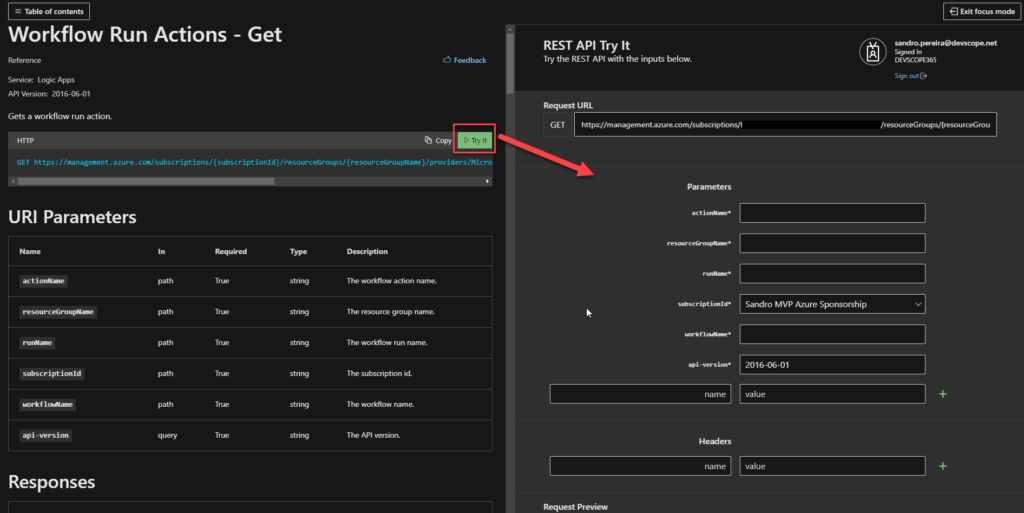
Another great thing about this Microsoft documentation is the availability to try these REST APIs directly from the documentation page!

But there is one major problem! These REST APIs can be applied only to Logic Apps Consumption. There isn’t any REST APIs documentation available for Logic Apps Standard… and yes, they are different. There isn’t until now!

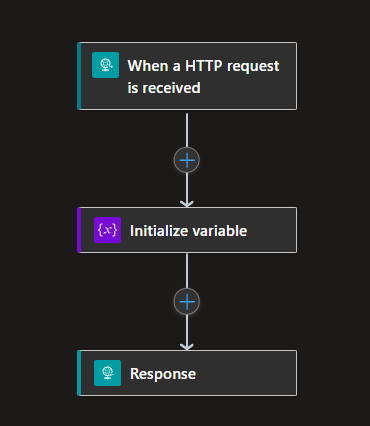
We are going to use the following workflow to test these APIs:

Of course, this is a very simple sample just to demonstrate the APIs.

REST Operation Groups

Like Logic Apps Consumption, Logic App Standard REST APIs are organized in these REST Operation Groups:

  • Workflow Run Actions: Lists workflow run actions.
  • Workflow Runs: Provides operations for listing and canceling workflow runs.
  • Workflow Trigger Histories: Lists workflow trigger histories.
  • Workflow Triggers: Provides operations for listing and running workflow triggers.
  • Workflow Versions: Lists workflow versions.
  • Workflows: Provides operations for creating and managing workflows.

Today we are going to address the first Operation Group: Workflow Run Actions.

Workflow Run Actions

These are the available operations:

  • Get: Gets the history of a specific workflow run action.
  • List: Gets the list history of all workflow run actions.
  • List Expression Traces: Lists a workflow run expression trace.

This list may change since this is not the official list, and many things under the hood are different from Consumption to Standard.

Get

Request URL:

GET https://management.azure.com/subscriptions/{subscriptionId}/resourceGroups/{resourceGroupName}/providers/Microsoft.Web/sites/{logicAppStdName}/hostruntime/runtime/webhooks/workflow/api/management/workflows/{workflowName}/runs/{runId}/actions/{actionName}?api-version=2018-11-01

URI Parameters:

Name In Required Type Description
subscriptionId path True string The subscription id.
resourceGroupName path True string The resource group name.
logicAppStdName path True string The Logic App Standard name.
workflowName path True string The workflow name.
runId path True string The workflow run id (name).
actionName path True string The workflow action name.
api-version query True string The API version.

Response:

Sample Request:

https://management.azure.com/subscriptions/xxxxxxxx/resourceGroups/RG-SPMSDN-LASTD-POC/providers/Microsoft.Web/sites/LASTD-SPMSDN-EAI-POC/hostruntime/runtime/webhooks/workflow/api/management/workflows/DemoHTTP/runs/08585286433641737811956886654CU00/actions/Initialize_variable?api-version=2018-11-01

Sample Response:

Status Code: 200

{
    "properties": {
        "inputsLink": {
            "uri": "https://lastd-spmsdn-eai-poc.azurewebsites.net:443/runtime/webhooks/workflow/scaleUnits/prod-00/workflows/77611e515f054951b892c7da37d37e8c/runs/08585286433641737811956886654CU00/actions/Initialize_variable/contents/ActionInputs?api-version=2018-11-01&code=xxxxxxx%3d%3d&se=2023-01-06T04%3A00%3A00.0000000Z&sp=%2Fruns%2F08585286433641737811956886654CU00%2Factions%2FInitialize_variable%2Fcontents%2FActionInputs%2Fread&sv=1.0&sig=xxxxxxxxx",
            "contentSize": 69
        },
        "startTime": "2023-01-06T00:05:22.8183475Z",
        "endTime": "2023-01-06T00:05:23.4705888Z",
        "correlation": {
            "actionTrackingId": "b8af094f-acd0-48ad-9d08-acee1d10360b",
            "clientTrackingId": "08585286433641737811956886654CU00"
        },
        "status": "Succeeded",
        "code": "NotSpecified"
    },
    "id": "/workflows/DemoHTTP/runs/08585286433641737811956886654CU00/actions/Initialize_variable",
    "name": "Initialize_variable",
    "type": "workflows/runs/actions"
}

List

Request URL:

GET https://management.azure.com/subscriptions/{subscriptionId}/resourceGroups/{resourceGroupName}/providers/Microsoft.Web/sites/{logicAppStdName}/hostruntime/runtime/webhooks/workflow/api/management/workflows/{workflowName}/runs/{runId}/actions?api-version=2018-11-01

URI Parameters:

Name In Required Type Description
subscriptionId path True string The subscription id.
resourceGroupName path True string The resource group name.
logicAppStdName path True string The Logic App Standard name.
workflowName path True string The workflow name.
runId path True string The workflow run id (name).
api-version query True string The API version.
$filter query False string The filter to apply on the operation. Options for filters include: Status.
$top query False integer
int32
The number of items to be included in the result.

Response:

Sample Request:

https://management.azure.com/subscriptions/xxxxxxxx/resourceGroups/RG-SPMSDN-LASTD-POC/providers/Microsoft.Web/sites/LASTD-SPMSDN-EAI-POC/hostruntime/runtime/webhooks/workflow/api/management/workflows/DemoHTTP/runs/08585286433641737811956886654CU00/actions?api-version=2018-11-01

Sample Response:

Status Code: 200

{
    "value": [
        {
            "properties": {
                "inputsLink": {
                    "uri": "https://lastd-spmsdn-eai-poc.azurewebsites.net:443/runtime/webhooks/workflow/scaleUnits/prod-00/workflows/77611e515f054951b892c7da37d37e8c/runs/08585286433641737811956886654CU00/actions/Initialize_variable/contents/ActionInputs?api-version=2018-11-01&code=xxxxx%3d%3d&se=2023-01-06T04%3A00%3A00.0000000Z&sp=%2Fruns%2F08585286433641737811956886654CU00%2Factions%2FInitialize_variable%2Fcontents%2FActionInputs%2Fread&sv=1.0&sig=xxxxxx",
                    "contentSize": 69
                },
                "startTime": "2023-01-06T00:05:22.8183475Z",
                "endTime": "2023-01-06T00:05:23.4705888Z",
                "correlation": {
                    "actionTrackingId": "b8af094f-acd0-48ad-9d08-acee1d10360b",
                    "clientTrackingId": "08585286433641737811956886654CU00"
                },
                "status": "Succeeded",
                "code": "NotSpecified"
            },
            "id": "/workflows/DemoHTTP/runs/08585286433641737811956886654CU00/actions/Initialize_variable",
            "name": "Initialize_variable",
            "type": "workflows/runs/actions"
        },
        {
            "properties": {
                "inputsLink": {
                    "uri": "https://lastd-spmsdn-eai-poc.azurewebsites.net:443/runtime/webhooks/workflow/scaleUnits/prod-00/workflows/77611e515f054951b892c7da37d37e8c/runs/08585286433641737811956886654CU00/actions/Response/contents/ActionInputs?api-version=2018-11-01&code=xxxxx%3d%3d&se=2023-01-06T04%3A00%3A00.0000000Z&sp=%2Fruns%2F08585286433641737811956886654CU00%2Factions%2FResponse%2Fcontents%2FActionInputs%2Fread&sv=1.0&sig=xxxxx",
                    "contentSize": 46
                },
                "outputsLink": {
                    "uri": "https://lastd-spmsdn-eai-poc.azurewebsites.net:443/runtime/webhooks/workflow/scaleUnits/prod-00/workflows/77611e515f054951b892c7da37d37e8c/runs/08585286433641737811956886654CU00/actions/Response/contents/ActionOutputs?api-version=2018-11-01&code=xxxxx%3d%3d&se=2023-01-06T04%3A00%3A00.0000000Z&sp=%2Fruns%2F08585286433641737811956886654CU00%2Factions%2FResponse%2Fcontents%2FActionOutputs%2Fread&sv=1.0&sig=xxxxxx",
                    "contentSize": 46
                },
                "startTime": "2023-01-06T00:05:23.6343337Z",
                "endTime": "2023-01-06T00:05:23.7654387Z",
                "correlation": {
                    "actionTrackingId": "9fc1530d-a50e-450b-9792-e785462ebfba",
                    "clientTrackingId": "08585286433641737811956886654CU00"
                },
                "status": "Succeeded",
                "code": "OK"
            },
            "id": "/workflows/DemoHTTP/runs/08585286433641737811956886654CU00/actions/Response",
            "name": "Response",
            "type": "workflows/runs/actions"
        }
    ]
}

List Expression Traces

Request URL:

GET https://management.azure.com/subscriptions/{subscriptionId}/resourceGroups/{resourceGroupName}/providers/Microsoft.Web/sites/{logicAppStdName}/hostruntime/runtime/webhooks/workflow/api/management/workflows/{workflowName}/runs/{runId}/actions/{actionName}/listExpressionTraces?api-version=2018-11-01

URI Parameters:

Name In Required Type Description
subscriptionId path True string The subscription id.
resourceGroupName path True string The resource group name.
logicAppStdName path True string The Logic App Standard name.
workflowName path True string The workflow name.
runId path True string The workflow run id (name).
actionName path True string The workflow action name.
api-version query True string The API version.

Response:

Note: I wasn’t able to successfully test this API. But I assume it will exist.

Stay tuned for the next Operation Group: Workflow Runs.

Author: Sandro Pereira

Sandro Pereira lives in Portugal and works as a consultant at DevScope. In the past years, he has been working on implementing Integration scenarios both on-premises and cloud for various clients, each with different scenarios from a technical point of view, size, and criticality, using Microsoft Azure, Microsoft BizTalk Server and different technologies like AS2, EDI, RosettaNet, SAP, TIBCO etc.

He is a regular blogger, international speaker, and technical reviewer of several BizTalk books all focused on Integration. He is also the author of the book “BizTalk Mapping Patterns & Best Practices”. He has been awarded MVP since 2011 for his contributions to the integration community.
View all posts by Sandro Pereira

Logic App Standard CI/CD from zero to hero whitepaper

Logic App Standard CI/CD from zero to hero whitepaper

Continuous integration/continuous delivery (CI/CD) pipelines are a practice focused on improving software delivery using a DevOps approach.?

A CI/CD pipeline may sound like overhead, but it isn’t. It’s essentially a runnable specification of the steps that any developer needs to perform to deliver a new software product version. In the absence of an automated pipeline, Engineers would still need to perform these steps manually and, therefore, be far less productive.

This is a must to have when deploying resources to Azure! Especially for non-development environments.

In this whitepaper, I will address and explain in a detailed way a complete guide for automating the implementation of Logic Apps Standard using Azure DevOps Pipelines.

I will explain in detail all the basic things you have to know, from the creation of a Logic App Standard on Visual Studio Code to everything you need to create and configure inside DevOps to archive the implementation of the CI/CD process.

What’s in store for you?

This whitepaper will give you a detailed understanding of the following:

  • An introduction to:
    • What are Continuous Integration (CI) and Continuous Deployment (CD)?
    • What are CI/CD Pipelines?
    • What is Azure DevOps?
  • Create an organization or project collection in Azure DevOps
  • Create a project in Azure DevOps
  • Building your Logic App Standard from scratch
    • Publish your code from Visual Studio Code
  • A step-by-step approach to building Azure Pipelines
  • A step-by-step approach to building Azure Release Pipelines

Where can I download it

You can download the whitepaper here:

I hope you enjoy reading this paper and any comments or suggestions are welcome.

Azure Function App CI/CD from Zero to Hero whitepaper

Azure Function App CI/CD from Zero to Hero whitepaper

Continuous Integration and Continuous Deployment (CI/CD) is a practice that has become an essential aspect of Azure development. Although it is possible to execute each of the CI/CD pipeline steps manually, the actual value can be achieved only through automation.

And to improve software delivery using CI/CD pipelines, either a DevOps or a Site Reliability Engineering (SRE) approach is highly recommended.

In this whitepaper, I will address and explain how you can implement CI/CD oriented to Azure Function Apps using Azure DevOps Pipelines.

I will explain in detail all the basic things you have to know, from the creation of an Azure Function on Visual Studio 2022 to everything you need to create and configure inside DevOps to archive the implementation of the CI/CD process using Azure Functions.

What’s in store for you?

This whitepaper will give you a detailed understanding of the following:

  • An introduction to:
    • What are Continuous Integration (CI) and Continuous Deployment (CD)?
    • What are CI/CD Pipelines?
    • What is Azure DevOps?
  • Create an organization or project collection in Azure DevOps
  • Create a project in Azure DevOps
  • Building your Azure Function from scratch
    • Publish your code from Visual Studio
  • A step-by-step approach to building Azure Pipelines
  • A step-by-step approach to building Azure Release Pipelines

Where can I download it

You can download the whitepaper here:

I hope you enjoy reading this paper and any comments or suggestions are welcome.

Azure Logic Apps team is interested in your feedback – Logic App Pricing & Container Survey

Azure Logic Apps team is interested in your feedback – Logic App Pricing & Container Survey

Another day, another inquiry/survey! Honestly, I love this new interaction from the Logic App team. They are constantly looking to learn from the field: clients, partners, consultants, how are we using Azure Integration Services, how are we using BizTalk Server, what features we need, and so on to improve the overall experience in the existing Enterprise Integration features available on Azure Integration Services as well as knowing how to decide which and how the following features will be.

Logic App Pricing & container Survey

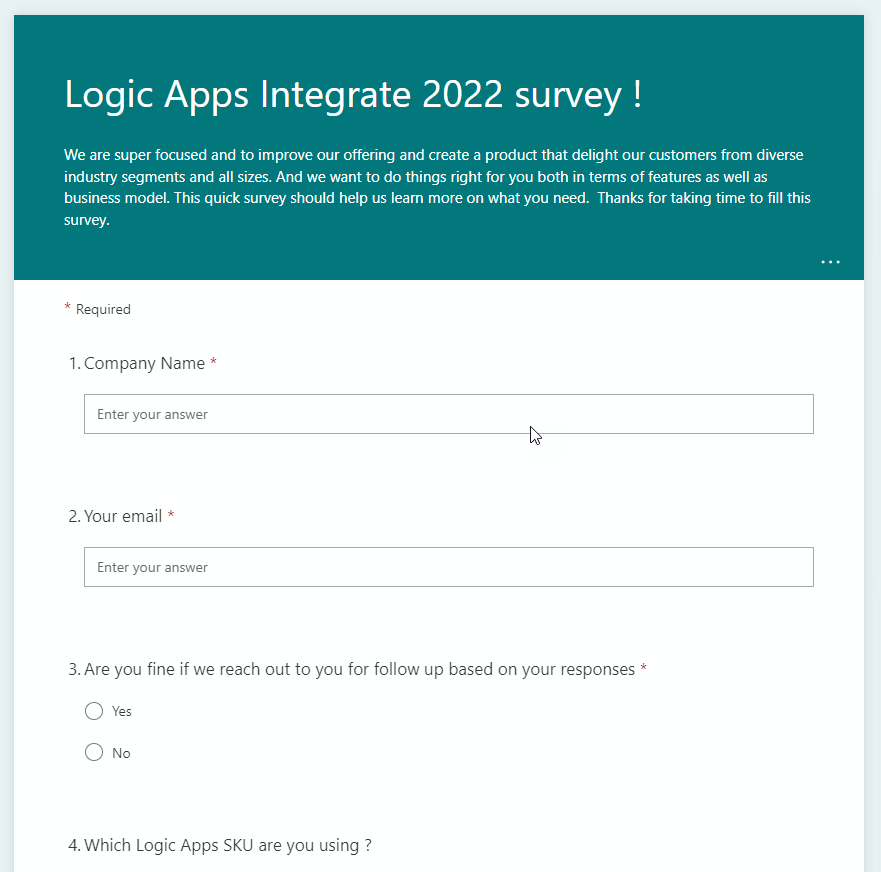
So once again, the Azure Logic Apps team wants to enter your brain and is looking to learn more about what you need for your Enterprise Integration landscape and do things right for you both in terms of features as well as a business model. This survey was released at INTEGRATE 2022 conference, but even if you didn’t attend the conference, your input is also important to them:

  • Which Logic Apps SKU are you using?
  • How important are certain features for your organization for integration workloads? Like:
    • Out-of-the-box Connectors
    • VNET Support
    • Disaster Recovery
    • and so on
  • How satisfied are you with certain capabilities in Logic Apps? Like:
    • Out-of-the-box Connectors
    • Enterprise Connectors like SAP or MQ
    • Integration Account
    • and so on
  • Rating ‘pricing’ principles by order of importance for your organization for iPaas products like Logic Apps
  • Based on your business strategy and preferences, how would you rate specific pricing models for your iPaas needs? Like:
    • Fixed cost
    • Consumption-based
    • and so on
  • If Logic Apps Premium connectors were offered through a model other than consumption-based, what would be your order of preference?
  • How satisfied are you with the Logic Apps pricing model for Logic Apps, ISE, connectors, and so on?
  • For applying policies such as network configuration, DLP (Data loss protection) policies, security policies, at what scope do you prefer to apply them?
  • For leveraging configurations such as EDI artifacts (Partners, Agreements), connection parameters, application parameters, CMK (customer managed keys), etc, at what scope do you prefer to apply them?
  • Logic Apps Standard provides you single tenancy, and customers bring their own compute. How do you prefer to use this compute across applications?

The Logic App team is super focused on improving their offering and creating a product that delights their customers from diverse industry segments and all sizes.

Once again, don’t complain in the future about the lack of features that will suit you better. The survey does not take that long to respond to.

I did my part!

Please fill out the following survey to help Azure Logic Apps: 

Azure Logic Apps team is interested in your feedback – Logic App EDI, SWIFT & SAP Survey

Azure Logic Apps team is interested in your feedback – Logic App EDI, SWIFT & SAP Survey

Logic App teams are being very active in gathering feedback from all of us: partners, clients, developers, and so on in order to improve the overall experience in the existing Enterprise Integration features available on Azure Integration Services as well as knowing how to decide which and how the next features will be. So once again, the Azure Logic Apps team is looking to learn about how are you using certain B2B capabilities in Azure in three (3) different surveys.

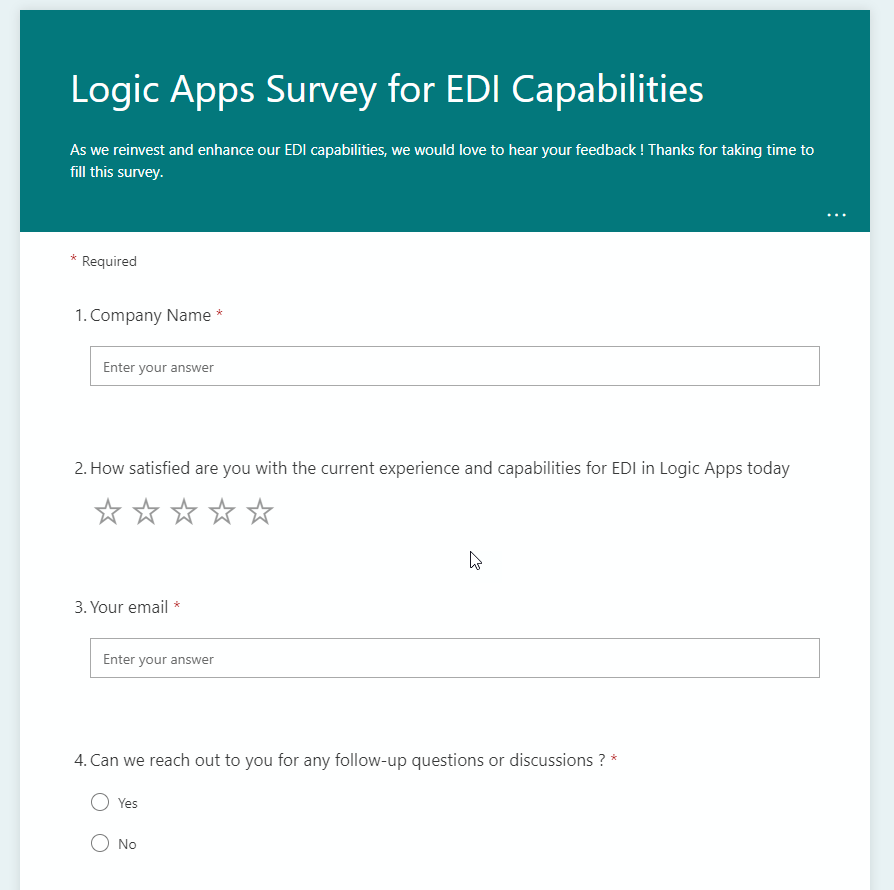
Logic Apps Survey for EDI Capabilities

Microsoft is reinvesting and enhancing our EDI capabilities, so they want to hear your feedback:

  • How satisfied are you with the current experience and capabilities for EDI in Logic Apps today?
  • What products are you using for EDI-based integrations today?
  • How satisfied are you with the current experience or capabilities for EDI in Logic Apps today?
  • In the context of EDI, how many partners are there in your organization?
  • How often (daily/weekly/monthly) do you onboard new partners?
  • On average, how many partners do you onboard at a time?
  • What are your preferred or most used methods of onboarding partners?
  • How satisfied are you with the EDI capabilities of Logic Apps?
  • How would you rate certain topics by importance for your organization for EDI-based transactions?
  • How do you find Integration Account pricing? – I know many of you complain about the cost of the integration account! This is your opportunity to provide feedback!

The survey is available here: https://aka.ms/edisurvey

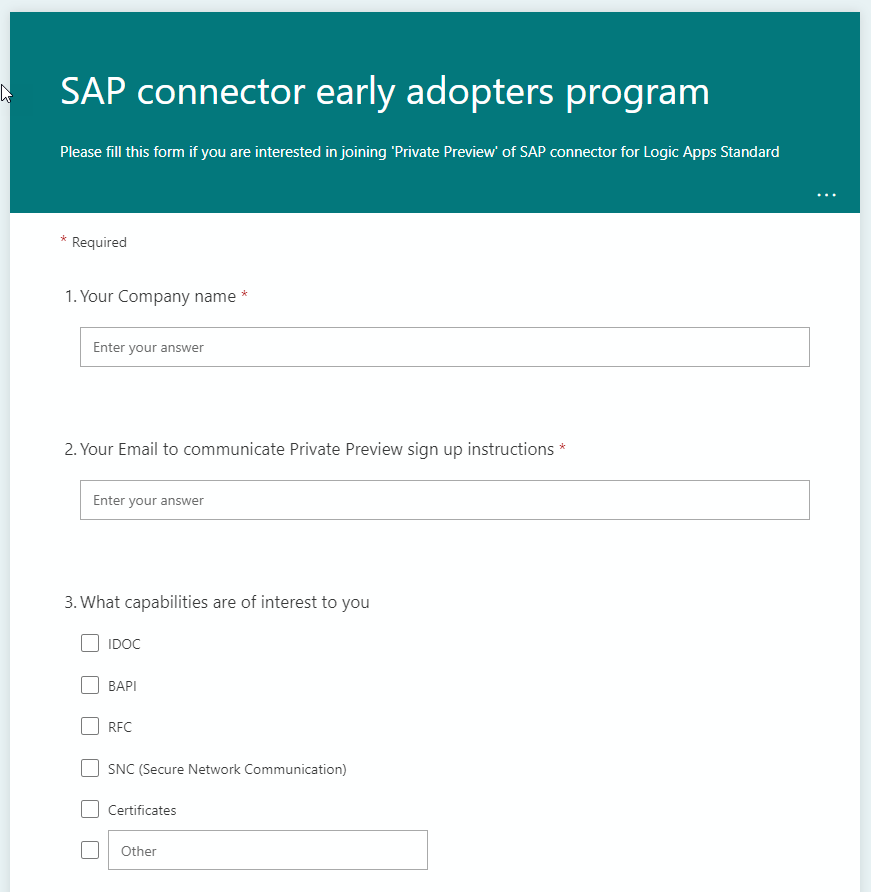
SAP connector early adopters program

Please fill out this form if you are interested in joining the ‘Private Preview’ of the SAP connector for Logic Apps Standard.

This is not a form to provide immediate feedback but you can gain access to the private preview of the SAP connector and interact with the product team providing feedback and helping outline what the next version of this feature will be.

The survey is available here: https://aka.ms/sappreview

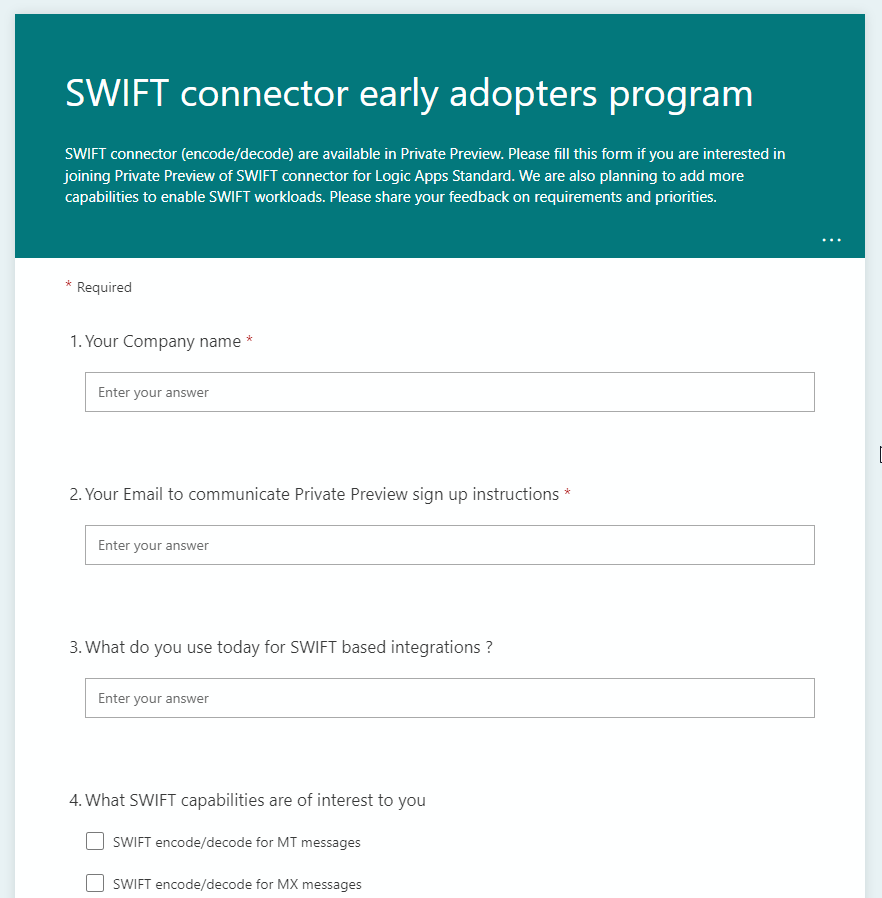
SWIFT connector early adopters program

SWIFT connector (encode/decode) are available in Private Preview. Please fill out this form if you are interested in joining the Private Preview of the SWIFT connector for Logic Apps Standard. Microsoft is also planning to add more capabilities to enable SWIFT workloads. Please share your feedback on requirements and priorities:

  • What do you use today for SWIFT-based integrations?
  • What SWIFT capabilities are of interest to you?
  • How would you rank certain capabilities?
  • Do you have any business need to make changes to the SWIFT schema/rules that are shipped with the BizTalk Message pack?
  • What are your plans to go live on ISO 20022 messages instead of MT messages to comply with SWIFT MT decommissioning announcements?

The survey is available here: https://aka.ms/swiftpreview

I did my part! Now is the time for you to do your part, otherwise don’t complain in the future about the lack of features and functionalities!

Azure Logic Apps team is interested in your feedback – BizTalk Pipeline Component Usage Survey

Azure Logic Apps team is interested in your feedback – BizTalk Pipeline Component Usage Survey

And once again, the Azure Logic Apps team is looking to learn about how are you using BizTalk Server artifacts, this time: what kind of BizTalk Server Custom Pipeline Components are you using in your Enterprise Applications to better understand how Microsoft can best address future integration needs within the Azure Integration Services platform and maybe bring identical capabilities into it.

No matter if you are considering migrating in the future to Azure Integration Services or staying on-premises for a couple of more years (or forever) this is ANOTHER great opportunity to provide feedback to the Microsoft Integration team and positively influence the outcome of new features.

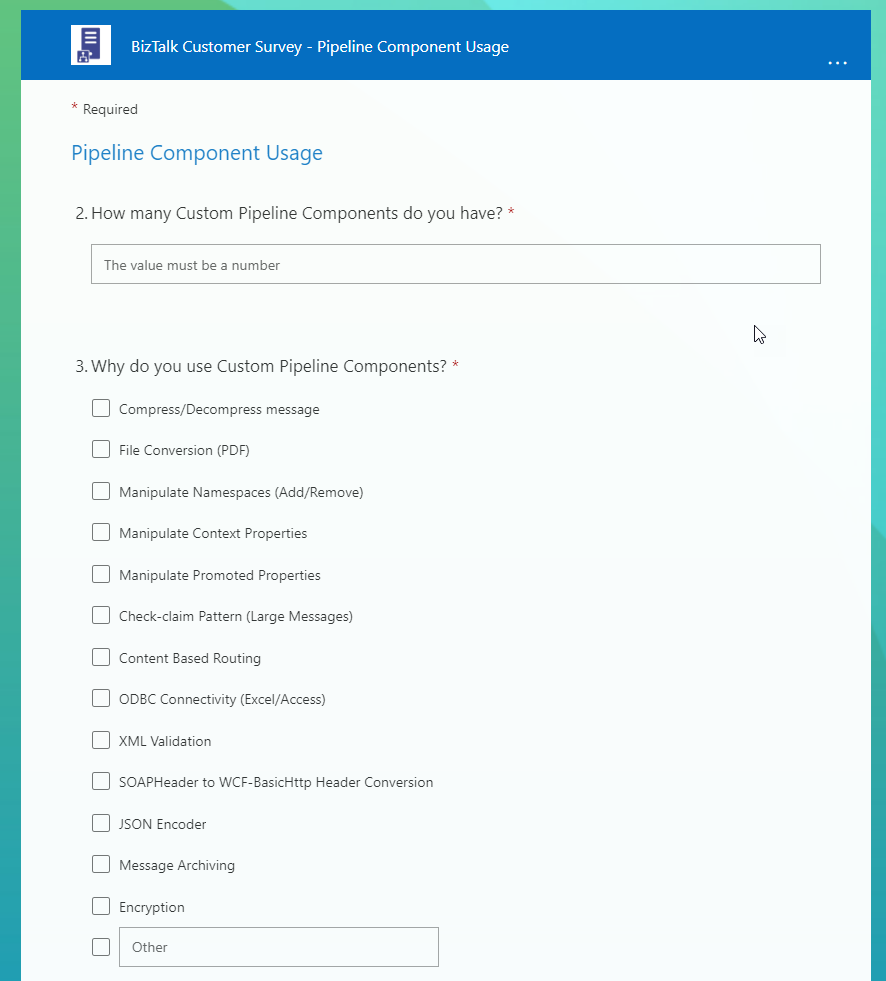
So, for customers that are using BizTalk Server or were using BizTalk Server in the past, this survey is for you! If you are a consulting company providing services to clients using BizTalk Server, this survey is also for you! The Azure Logic Apps team would love to hear from you!!! They want AGAIN to enter and poke around your brain, your world and gather all the feedback regarding BizTalk Server:

  • How many Custom Pipeline Components do you have?
  • Why do you use Custom Pipeline Components?
  • Within your Custom Pipeline Components, do you leverage message streams?
  • For messages that are processed by your Custom Pipeline Components, what is the largest file you process?
  • What is your comfort level with the Custom Pipeline Components that your organization has?
  • As we consider how to best support Custom Pipeline Component functionality (capabilities) in Azure Integration Services, is there anything that you would like us to consider?

Once again, don’t complain in the future about the lack of features that will suit you better. The team is interested in how they can best support customers transitioning integration workloads to Azure Integration Services (AIS)… you are not going to move to Azure? The survey does not take that long to respond to, so if you are using BizTalk Server try to respond nevertheless, by doing that you can help other customers on their journey.

I did my part!

Please fill out the following survey to help Azure Logic Apps: 

And ONCE AGAIN! For the bad mouths of this universe or for those who like to create rumors because they have nothing to say… this survey does not mean that BizTalk Server is dead! The goal is to help Microsoft prioritize upcoming investments in Azure Integration Services (AIS).

Thanks! Awarded as Microsoft Azure MVP 2022-2023

Thanks! Awarded as Microsoft Azure MVP 2022-2023

And the most expected email arrived, this time on 5th July! Once again, I’m delighted to share that I was renewed as a Microsoft Azure MVP (Microsoft Most Valuable Professional). I’m deeply humbled to have received this award for the 12th year in a row.

Thank you Microsoft for this outstanding award and for continuing this fantastic journey and experience in the MVP Program. For me, this journey started in 2011 as BizTalk MVP, and since then, it has given me the opportunity and still does, to travel the world for speaking engagement, sharing knowledge, and meeting the most impressive and skilled people in our industry.

This longevity in the program currently makes me the “Godfather” of the Portuguese MVPs alongside my dear friend Rodrigo Pinto (but I am a few months older :)).

Jokes apart, I want to send a big thanks to Cristina González Herrero for all the fantastic work managing the program in my region. To Microsoft Portugal and to Microsoft for empowering us to support the technical communities. To my coworkers and team at DevScope, all my blog readers, friends, and Microsoft Enterprise Integration Community members, and in special to my beautiful family – THANKS! Thanks for your support during these years.

It’s a big honor to be in the program and be one of this fantastic worldwide group of technicians and community leaders who actively share their high-quality and real-world expertise with other users and Microsoft. I’m looking forward to another great year!

Azure Logic Apps team is interested in your feedback – BizTalk Business Rules Engine Survey

Azure Logic Apps team is interested in your feedback – BizTalk Business Rules Engine Survey

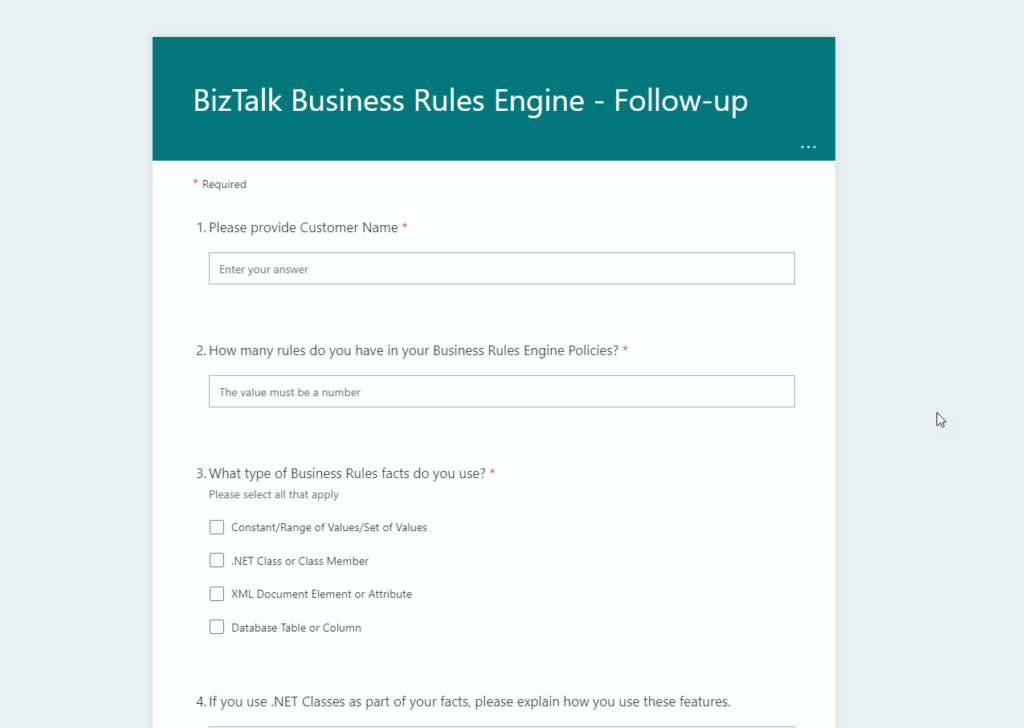
Azure Logic Apps team is looking to learn about how are you using BizTalk Server Business Rules Engine (BRE) and how often you deploy them to better understand how Microsoft can best address future integration needs within the Azure Integration Services platform and maybe bring identical capabilities into it.

No matter if you are considering migrating in the future to Azure Integration Services or staying on-premises for a couple of more years (or forever) this is ANOTHER great opportunity to provide feedback to the Microsoft Integration team and positively influence the outcome of new features.

So, for customers that are using BizTalk Server or were using BizTalk Server in the past, this survey is for you! If you are a consulting company providing services to clients using BizTalk Server, this survey is also for you! The Azure Logic Apps team would love to hear from you!!! They want AGAIN to enter and poke around your brain, your world and gather all the feedback regarding BizTalk Server BRE:

  • What type of Business Rules facts are you using?
  • Explain how you use these features
  • How frequently do you deploy new versions of your policies?
  • How important is publishing your policies outside of your integration configuration?
  • Do you need to specifically call a version of your policy or is the latest version sufficient?
  • Is using the existing BizTalk Rules Composer to create/edit rules acceptable, if your rules end up being deployed to Azure?
  • Do you use the Policy Tracking Feature?
  • Do you use the BizTalk Rules Engine from outside of BizTalk?
  • Do you have sensitive information stored in your Policies?
  • or to Briefly describe your business scenario that the Business Rules Engine addresses

Once again, don’t complain in the future about the lack of features that will suit you better. The team is interested in how they can best support customers transitioning integration workloads to Azure Integration Services (AIS)… you are not going to move to Azure? The survey does not take that long to respond to, so if you are using BizTalk Server try to respond nevertheless, by doing that you can help other customers on their journey.

And ONCE AGAIN! For the bad mouths of this universe or for those who like to create rumors because they have nothing to say… this survey does not mean that BizTalk Server is dead! The goal is to help Microsoft prioritize upcoming investments in Azure Integration Services (AIS).

I did my part!

Please fill out the following survey to help Azure Logic Apps: 

Azure Logic Apps team is interested in your feedback – BizTalk Customer Survey

Azure Logic Apps team is interested in your feedback – BizTalk Customer Survey

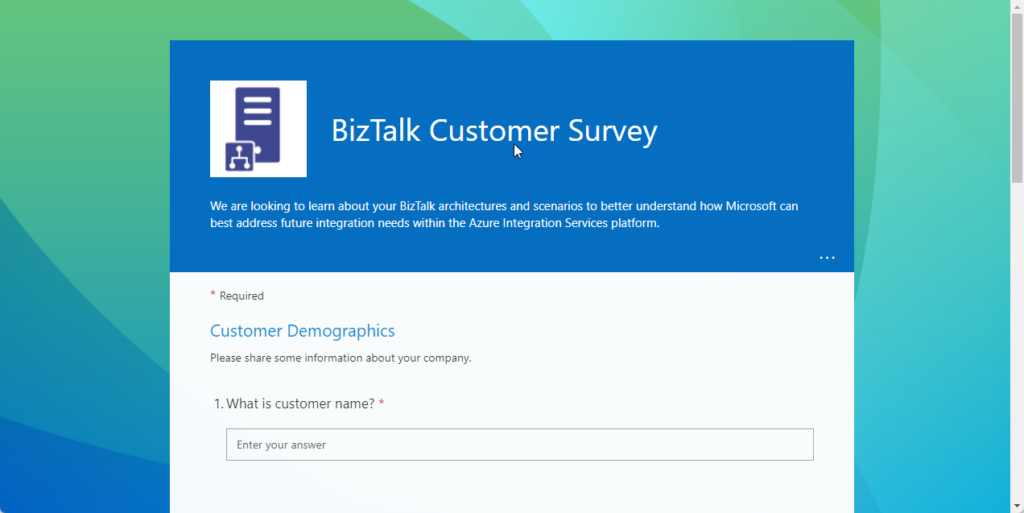
Azure Logic Apps team is looking to learn about your BizTalk architectures and scenarios to better understand how Microsoft can best address future integration needs within the Azure Integration Services platform.

No matter if you are considering migrating in the future to Azure Integration Services or staying on-premises for a couple of more years (or forever) this is a great opportunity to provide feedback to the Microsoft Integration team and positively influence the outcome of new features.

So, for customers that are using BizTalk Server or were using BizTalk Server in the past, this survey is for you! If you are a consulting company providing services to clients using BizTalk Server, this survey is also for you! The Azure Logic Apps team would love to hear from you!!! They want to enter and poke around your brain, your world and gather all the feedback regarding BizTalk Server:

  • What version you are using or were using?
  • How many applications do you have?
  • How many orchestrations, receive locations, and send ports do you have?
  • What features you are using?
    • If you are like me, all! ? depending on the client ? I even select others ?
  • Which connectors are being used in your BizTalk Server implementation?
  • Do you have any custom adapters?
  • What Integration Patterns are you currently using?
  • and many other simple questions

Don’t complain in the future about the lack of features that will suit you better. The team is interested in how they can best support customers transitioning integration workloads to Azure Integration Services (AIS)… you are not going to move to Azure? The survey does not take that long to respond to, so if you are using BizTalk Server try to respond nevertheless, by doing that you can help other customers on their journey.

For the bad mouths of this universe or for those who like to create rumors because they have nothing to say… this survey does not mean that BizTalk Server is dead! The goal is to help Microsoft prioritize upcoming investments in Azure Integration Services (AIS).

I did my part!

Please fill out the following survey to help Azure Logic Apps: https://lnkd.in/gVdSsRPt#azure#iPaaS#middleware