by Sandro Pereira | May 25, 2018 | BizTalk Community Blogs via Syndication
INTEGRATE (formerly known as BizTalk Summit) is the primary conference for professionals working in the Microsoft Integration Space and once again is back to London. From June 4 to 6, 25 speakers – 11 MVPs and 14 Microsoft PM – will address the entire Microsoft Integration Platform landscape on topics like BizTalk Server, Logic Apps, Service Bus, Event Grid, Event Hubs, Microsoft Flow, API Management, Azure Functions and many more.
And once again I will be there delivering a session – since the first BizTalk Summit event, I’m a constant presence as a speaker at these events – about BizTalk Server! And if you are wondering why I don’t speak about other integration topics the reasons are:
- The organization team specific ask me to talk about BizTalk Server…
- … and I really love to speak about BizTalk Server so I couldn’t refuse! I have plenty of other events to speak about other topics hehe
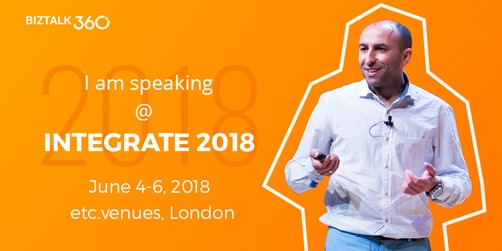
From June 4 to 6, and our MVP Sandro Pereira is one of the guest speakers for the sixth year in a row. Following the last event in Seattle, DevScope joins Integrate once again as a Silver Sponsor.
About my session
After receiving a huge amount of positive feedback regarding my previous talk last year: “BizTalk Server Fast & Loud” I fill a little pressure to continues to match the attendee expectations… almost! Because I’m confident that you will enjoy! Why wouldn’t you enjoy? In this session, I will address real cases that happen to all of us daily.
Session Name: BizTalk Server: Lessons from the Road
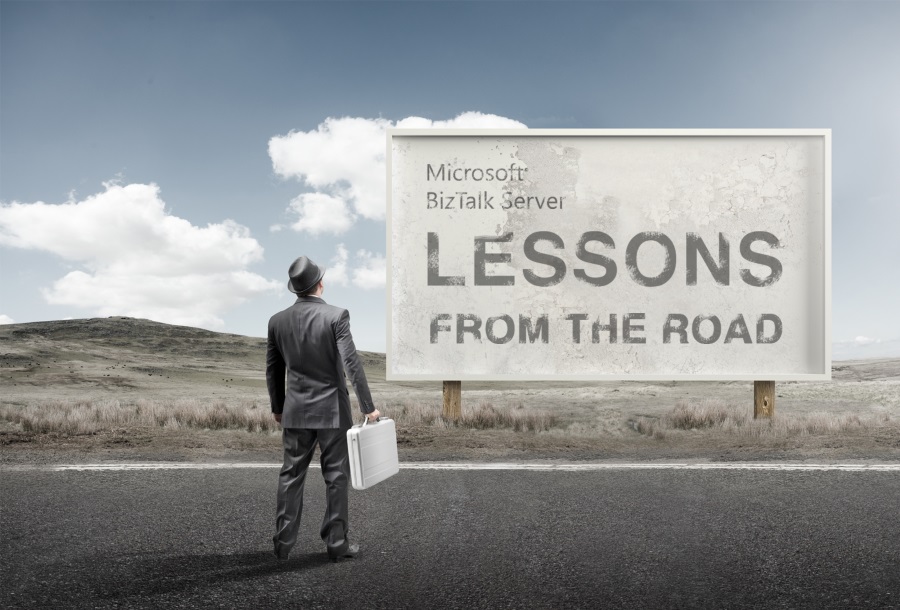
Abstract: The session will cover small pieces of stories with practical real examples from the field to address certain scenarios/requirements. See real techniques being used in some of the most important features of BizTalk Server, some of them are out-of-the-box capabilities others are custom extensions been made on the platform. Topics include BizTalk migration strategy, content-based routing techniques, Mapping, JSON support, BizTalk administration tips, extending BizTalk out-of-the-box capabilities and many more.
Content is not all you get from this event…
Content is hugely important, and as you read previously, this event will address the entire Microsoft Integration Platform landscape… but that’s not all!
This will also be an amazing opportunity to Network, Connect, and Reconnect with Colleagues. Meet some of the people you have been following on Twitter and blogs and network with them and others who are interested in the same things you are. To hang out with the smartest people you know – and I’m not talking about the speakers or Microsoft PM’s! I’m talking about you guys! – last year were 400 attendees from over 150 companies across 25+ countries attending the event, so imagine the experience that all of us have combined!
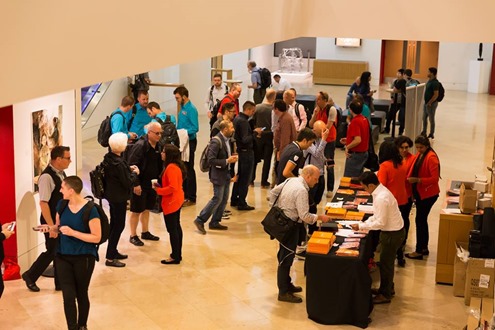
The knowledge and experience of all the attendees, speakers and product group members at these events is unreal!!! You will not find an opportunity like this every day.
So, this event is a huge opportunity for you to:
- Get insight and answers to your questions from these real-world experts: attendees, MVP’s and/or Microsoft PM’s;
- Know and became friends of people you are interested or that you follow for social media: again, maybe there are attendees, MVP’s and/or Microsoft PM’s
- I have to say that in this last 8 year I was able to meet and became good friends of several amazing people and all of that because of this type of events and all post-event activities like coffee breaks, dinner with speakers, …
- Build your personal Business Networking and it is also a good opportunity for Partnerships… and new opportunities
And finally: Refresh and recharge and have some fun!
DevScope is sponsoring INTEGRATE 2018 event
I’m extremely happy to announce that, for the second consecutive time, DevScope is also joining this event as a sponsor. The first time was in INTEGRATE 2017 USA and now it will be the first time in London event.
I’m extremely happy for that for several reasons:
- It is the only Portuguese company sponsoring the biggest Microsoft Integration focused event in the world.
- It shows the commitment that my company has in the Integration landscape.
- But we are also one of the unique partners that, not only can support you in the Integration landscape challenges but also in other Microsoft key areas like BI/Power BI, SharePoint, Dynamics and of course Azure.
- which show not only the diversity present in our team but also its quality that can be proven by the diverse certifications and distinctions attributed to our professionals
Fill free to contact DevScope at [email protected] if you want to know more about us, what we do and/or how can we help you and your business.
INTEGRATE 2018 Registration
You are still on time to register for the conference here.

Author: Sandro Pereira
Sandro Pereira lives in Portugal and works as a consultant at DevScope. In the past years, he has been working on implementing Integration scenarios both on-premises and cloud for various clients, each with different scenarios from a technical point of view, size, and criticality, using Microsoft Azure, Microsoft BizTalk Server and different technologies like AS2, EDI, RosettaNet, SAP, TIBCO etc. He is a regular blogger, international speaker, and technical reviewer of several BizTalk books all focused on Integration. He is also the author of the book “BizTalk Mapping Patterns & Best Practices”. He has been awarded MVP since 2011 for his contributions to the integration community. View all posts by Sandro Pereira
by Eldert Grootenboer | May 7, 2018 | BizTalk Community Blogs via Syndication
Recently Microsoft announced Azure Event Grid, a highly scalable serverless event driven offering allowing us to implement publish and subscribe patterns. Event driven scenarios are becoming more common by the day, which means that we see these type of integrations increasing a lot as well. A lot of times applications will define their own message formats for their events, however, with the recent announcement of native support in Azure Event Grid for CloudEvents our lives should be made a lot easier. CloudEvents is a standard for working with events accross platforms, and gives us a specification for describing event data in a common way. This will allow any platform or application which is working with events, to implement a common format, allowing easy integration and interoperability, for example between Azure, AWS and Oracle. The specification is still under active development, and Microsoft is one of the big contributors, especially Clemens Vasters, Lead Architect on Azure Messaging Services.

In this blog post we will be looking into Event Grid’s support for CloudEvents, and how to set this up. The specifications for the CloudEvents message format can be found on GitHub, and how this maps to Event Grid’s own schema can be found on Microsoft Docs. For this post we will use the application created in this bogpost, which will generate events when an order has been placed, as well as when a repair has been requested. These events will be handled by a Logic App, which will send out an email. In a real life scenario we could, for example, use this Logic App to create place the order at the ship’s supplier. And because we are using the CloudEvents format, the application can easily integrate with any system which supports this new specification, so they are not just bound to Azure.
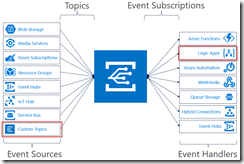
Send event from custom application to Logic Apps
Currently support for Cloud Events in Event Grid is still in preview only available in a select group of regions (West Central US, Central US and North Europe), and to use it we need to enable an extension in Azure CLI by giving the following command.
az extension add --name eventgrid
|
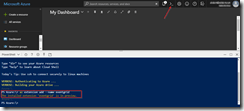
Enable Event Grid extension
We can now create our Event Grid topic, where we will receive the events. Currently this is not yet supported in the portal, so we will stay in our Azure CLI, and give the following commands.
az group create -l northeurope -n cloudEventsResourceGroup
az eventgrid topic create --name cloudevents -l northeurope -g cloudEventsResourceGroup --input-schema cloudeventv01schema
|
The first command creates the resource group, while the second command creates the Event Grid topic. Note the input-schema switch, which allows us to set the CloudEvents format.
When the topic has been created, go to the Event Grid Topics blade in the portal, open the topic we just created, and grab the Topic Endpoint, we will need this later on.
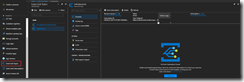
Save the topic endpoint for later use
Switch to the Access keys for the topic, and grab one of the keys, we will need this later as well.
Also save on of the keys for later use
Next we will create the application which will send the events to our custom topic which we just created. For ease of this demo, this will just be a simple console application, but in a real life solution this could be any type of system. Start by creating a new solution in Visual Studio for our application.
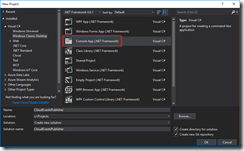
Create console app solution
Data Classes
Add the following data classes, which describe the orders and repairs, as explained in this blog post.
/// <summary>
/// Event sent for a specific ship.
/// </summary>
public class ShipEvent
{
    /// <summary>
    /// Name of the ship.
    /// </summary>
    public string Ship { get; set; }

    /// <summary>
    /// Type of event.
    /// </summary>
    public string Type { get; set; }
}
|
/// <summary>
/// Used to place an order.
/// </summary>
public class Order : ShipEvent
{
    /// <summary>
    /// Name of the product.
    /// </summary>
    public string Product { get; set; }

    /// <summary>
    /// Number of items to be ordered.
    /// </summary>
    public int Amount { get; set; }

    /// <summary>
    /// Constructor.
    /// </summary>
    public Order()
    {
        Type = "Order";
    }
}
|
/// <summary>
/// Used to request a repair.
/// </summary>
public class Repair : ShipEvent
{
    /// <summary>
    /// Device which needs to be repaired.
    /// </summary>
    public string Device { get; set; }

    /// <summary>
    /// Description of the defect.
    /// </summary>
    public string Description { get; set; }

    /// <summary>
    /// Constructor.
    /// </summary>
    public Repair()
    {
        Type = "Repair";
    }
}
|
CloudEvents class
Add the CloudEvents class, which will be used to create a CloudEvents message which we will send to our Azure Event Grid. The schema for a CloudEvents message can be found here.
/// <summary>
/// Representation of the CloudEvents specification, to be sent to Event Grid Topic.
/// </summary>
class CloudEvents
{
        /// <summary>
        /// This will be used to update the Source and Data properties.
        /// </summary>
        public ShipEvent UpdateProperties
        {
                set
                {
                        Source = $"{Program.TOPIC}#{value.Ship}/{value.Type}";
                        Data = value;
                }
        }

        /// <summary>
        /// Gets the version number of the CloudEvents specification which has been used.
        /// </summary>
        public string CloudEventsVersion { get; }

        /// <summary>
        /// Gets the registered event type for this event source.
        /// </summary>
        public string EventType { get; }

        /// <summary>
        /// Gets the The version of the eventType.
        /// </summary>
        public string EventTypeVersion { get; }

        /// <summary>
        /// Gets the event producer properties.
        /// </summary>
        public string Source { get; set; }

        /// <summary>
        /// Gets the unique identifier for the event.
        /// </summary>
        public string EventID { get; }

        /// <summary>
        /// Gets the time the event is generated based on the provider's UTC time.
        /// </summary>
        public string EventTime { get; }

        /// <summary>
        /// Gets or sets the event data specific to the resource provider.
        /// </summary>
        public ShipEvent Data { get; set; }

        /// <summary>
        /// Constructor.
        /// </summary>
        public CloudEvents()
        {
                CloudEventsVersion = "0.1";
                EventID = Guid.NewGuid().ToString();
                EventType = "shipevent";
                EventTime = DateTime.UtcNow.ToString("o");
        }
}
|
.Program Class
And finally we will update the Program class. Here we will get the input from the user, and create a CloudEvents message which will be sent to Event Grid. Make sure to update the topic endpoint and access key with the entries we retrieved from the portal in the previous step. Also update the topic property with your subscription id, and the resource group and topic name you used when creating the topic. One more thing to notice, is how we only send a single message, instead of a List of messages as we did in this blog post. Currently CloudEvents does not support batching of events, which is why we can only send a single event.
/// <summary>
/// Send CloudEvents messages to an Event Grid Topic.
/// </summary>
class Program
{
        /// <summary>
        /// Endpoint of the Event Grid Topic.
        /// Update this with your own endpoint from the Azure Portal.
        /// </summary>
        private const string TOPIC_ENDPOINT = "<your-topic-endpoint>";

        /// <summary>
        /// Key of the Event Grid Topic.
        /// Update this with your own key from the Azure Portal.
        /// </summary>
        private const string KEY = "<your-access-key>";

        /// <summary>
        /// Topic to which we will be publishing.
        /// Update the subscription id, resource group and topic name here.
        /// </summary>
        public const string TOPIC = "/subscriptions/<your-subscription-id>/resourceGroups/<your-resource-group>/providers/Microsoft.EventGrid/topics/<your-topic-name>";

        /// <summary>
        /// Main method.
        /// </summary>
        public static void Main(string[] args)
        {
                // Set default values
                var entry = string.Empty;

                // Loop until user exits
                while (entry != "e" && entry != "exit")
                {
                        // Get entry from user
                        Console.WriteLine("Do you want to send an (o)rder, request a (r)epair or (e)xit the application?");
                        entry = Console.ReadLine()?.ToLowerInvariant();

                        // Get name of the ship
                        Console.WriteLine("What is the name of the ship?");
                        var shipName = Console.ReadLine();

                        CloudEvents cloudEvents;
                        switch (entry)
                        {
                                case "e":
                                case "exit":
                                        continue;
                                case "o":
                                case "order":
                                        // Get user input
                                        Console.WriteLine("What would you like to order?");
                                        var product = Console.ReadLine();
                                        Console.WriteLine("How many would you like to order?");
                                        var amount = Convert.ToInt32(Console.ReadLine());

                                        // Create order event
                                        // Event Grid expects a list of events, even when only one event is sent
                                        cloudEvents = new CloudEvents { UpdateProperties = new Order { Ship = shipName, Product = product, Amount = amount } };
                                        break;
                                case "r":
                                case "repair":
                                        // Get user input
                                        Console.WriteLine("Which device would you like to get repaired?");
                                        var device = Console.ReadLine();
                                        Console.WriteLine("Please provide a description of the issue.");
                                        var description = Console.ReadLine();

                                        // Create repair event
                                        // Event Grid expects a list of events, even when only one event is sent
                                        cloudEvents = new CloudEvents { UpdateProperties = new Repair { Ship = shipName, Device = device, Description = description } };
                                        break;
                                default:
                                        Console.Error.WriteLine("Invalid entry received.");
                                        continue;
                        }

                        // Send to Event Grid Topic
                        SendEventsToTopic(cloudEvents).Wait();
                }
        }

        /// <summary>
        /// Send events to Event Grid Topic.
        /// </summary>
        private static async Task SendEventsToTopic(CloudEvents cloudEvents)
        {
                // Create a HTTP client which we will use to post to the Event Grid Topic
                var httpClient = new HttpClient();

                // Add key in the request headers
                httpClient.DefaultRequestHeaders.Add("aeg-sas-key", KEY);

                // Event grid expects event data as JSON
                var json = JsonConvert.SerializeObject(cloudEvents);

                // Create request which will be sent to the topic
                var content = new StringContent(json, Encoding.UTF8, "application/json");

                // Send request
                Console.WriteLine("Sending event to Event Grid...");
                var result = await httpClient.PostAsync(TOPIC_ENDPOINT, content);

                // Show result
                Console.WriteLine($"Event sent with result: {result.ReasonPhrase}");
                Console.WriteLine();
        }
}
|
The complete code for the Event Publisher application can also be found here on GitHub.
Our next step is to create the Logic App which will handle the events sent by our events publisher application.
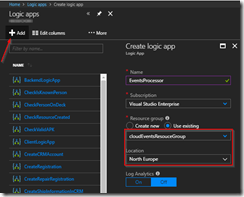
Create Logic App for processing events
Once the Logic App has been created, open the designer and create a HTTP Request trigger template.
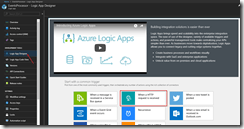
Use HTTP Request trigger
Set the Request JSON Schema to the following, which is a representation of the CloudEvents schema including the ship events.
{
    "type": "object",
    "properties": {
        "CloudEventsVersion": {
            "type": "string"
        },
        "EventType": {
            "type": "string"
        },
        "EventTypeVersion": {},
        "Source": {
            "type": "string"
        },
        "EventID": {
            "type": "string"
        },
        "EventTime": {
            "type": "string"
        },
        "Data": {
            "type": "object",
            "properties": {
                "Ship": {
                    "type": "string"
                },
                "Type": {
                    "type": "string"
                }
            }
        }
    }
}
|
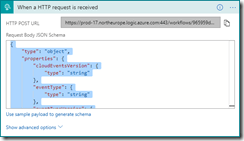
Set JSON schema for parsing the request
Add a step to send out an email, and authenticate using your Office365 account. If you don’t have an Office365 account you can also use one of the other connectors to send out an email.
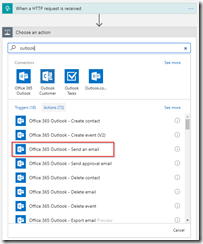
Add the Office365 Outlook connector
Set the options for the email and save the Logic App. When you save the Logic App make sure to grab the HTTP POST URL of the HTTP Request trigger, as we will need this in the next step to set up the subscription.
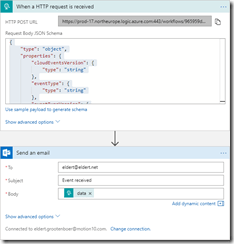
Set email properties with body to the data element
We are now going to create the Event Grid subscription, which will catch the events from our events publisher, and route them to our Logic App. We will have to do this once again from the Azure CLI, as the portal UI does not yet support the use of the CloudEvents schema. Give the following command in the Azure CLI to create the subscription which will route messages to our Logic Apps HTTP endpoint. Remember the Event Grid extension should be enabled for this.
az eventgrid event-subscription create --name shipEventsToProcessingLogicApp --topic-name cloudevents -g cloudEventsResouceGroup --endpoint '"<endpoint-for-logic-app-http-trigger>"' --event-delivery-schema cloudeventv01schema
|
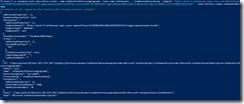
Run Azure CLI command to create subscription
Now go to the Event Grid Subscriptions blade, make sure the filters are set right, and you will find your newly created subscription.
Subscription has been created
Testing
Open the event publisher application, and send in some events.
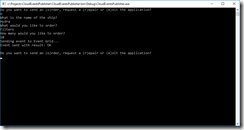
Send events from event publisher application
These events will now be received in the Event Grid topic, and routed to the subscription, which will then deliver it at the Logic App.
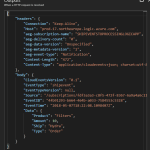
Logic App run shows we receive CloudEvents message
An email will then be sent, indicating the type of event.
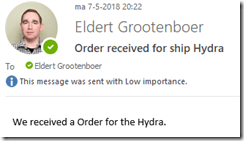
Receive email with event information

by Sandro Pereira | Apr 17, 2018 | BizTalk Community Blogs via Syndication
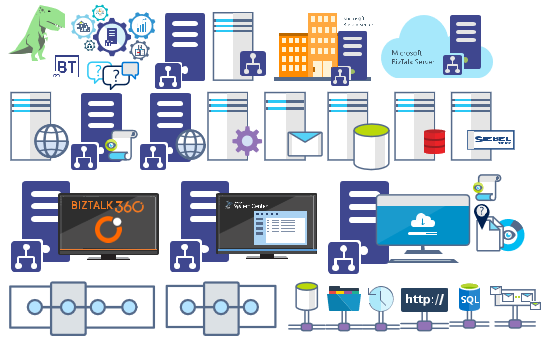
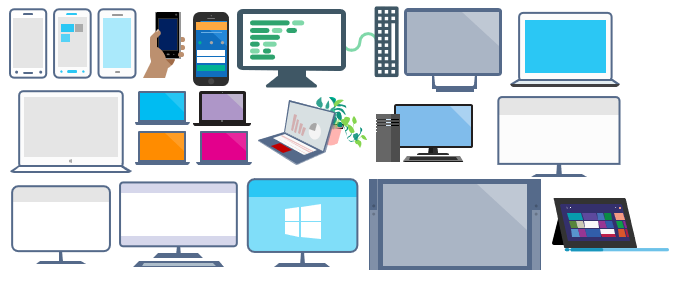
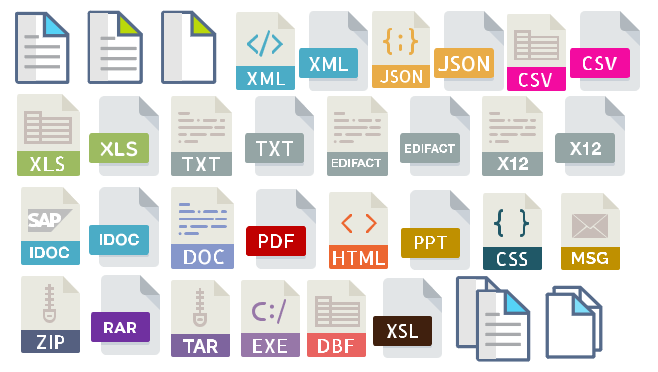
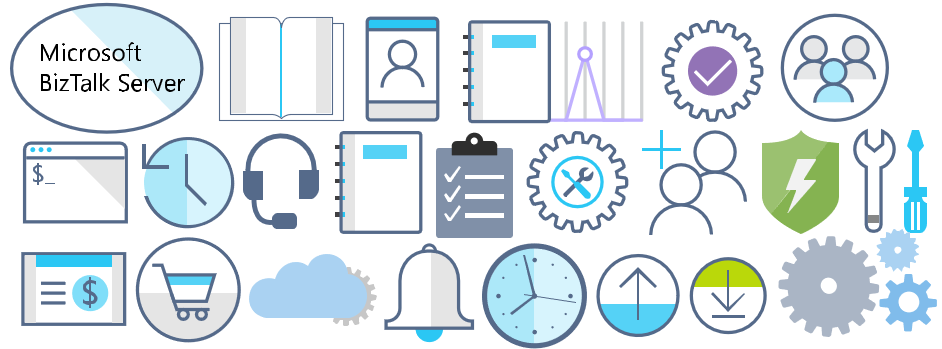
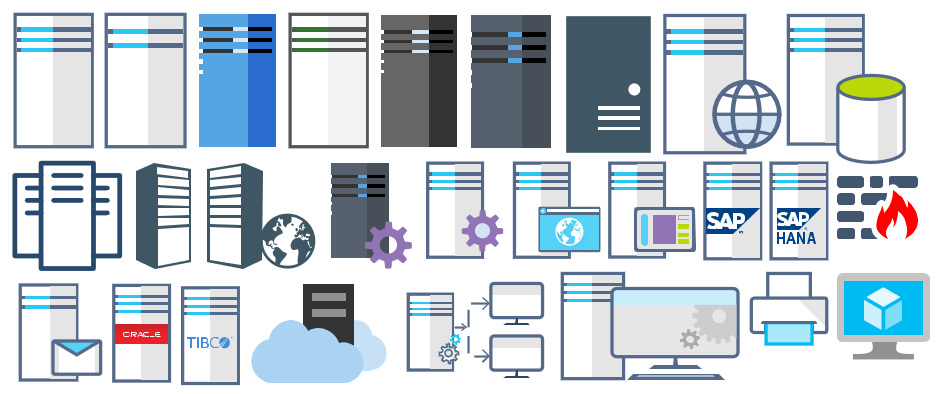
Microsoft Integration, Azure, BAPI, Office 365 and much more Stencils Pack it’s a Visio package that contains fully resizable Visio shapes (symbols/icons) that will help you to visually represent On-premise, Cloud or Hybrid Integration and Enterprise architectures scenarios (BizTalk Server, API Management, Logic Apps, Service Bus, Event Hub…), solutions diagrams and features or systems that use Microsoft Azure and related cloud and on-premises technologies in Visio 2016/2013:
- BizTalk Server
- Microsoft Azure
- Azure App Service (API Apps, Web Apps, Mobile Apps and Logic Apps)
- Event Hubs, Event Grid, Service Bus, …
- API Management, IoT, and Docker
- Machine Learning, Stream Analytics, Data Factory, Data Pipelines
- and so on
- Microsoft Flow
- PowerApps
- Power BI
- PowerShell
- Infrastructure, IaaS
- Office 365
- And many more…
What’s new in this version?
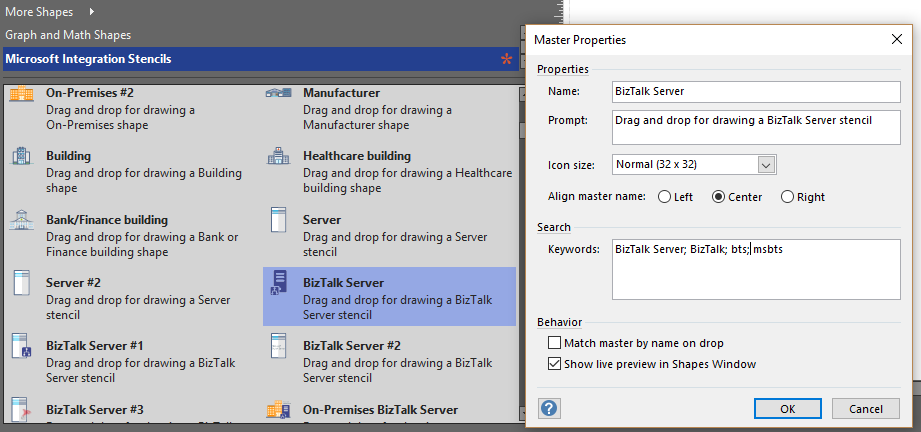
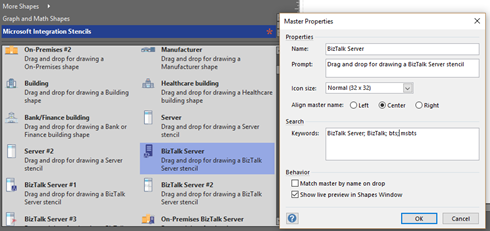
With the growing number of stencils in this package, it was becoming hard to find or look for the right shape/representation and based on some feedback I received from the community and some tips, I focused most of the work in this new version in providing search capacity to this package, but it wasn’t the only one:
- Search Capabilities: Defining the correct metadata information and keywords for all the shapes for a better search functionality.
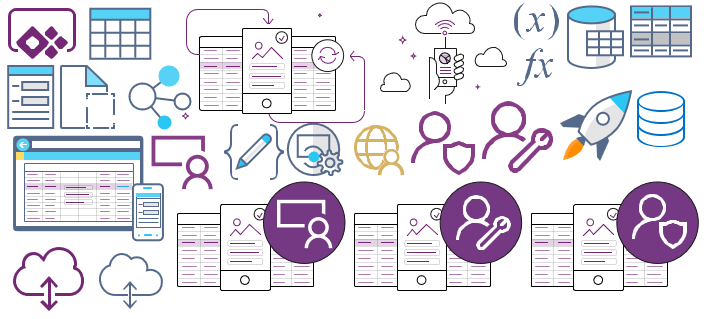
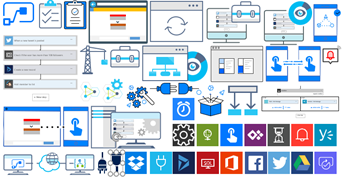
- New shapes: of course, that has happened in all other versions, new shapes were added, in particular: Generic, Microsoft Flow and PowerApps shapes

You can download Microsoft Integration, Azure, BAPI, Office 365 and much more Stencils Pack for Visio from:
 Microsoft Integration, Azure, BAPI, Office 365 and much more Stencils Pack for Visio (18,6 MB)
GitHub
Or from:
Microsoft Integration and Azure Stencils Pack for Visio 2016/2013 v3.1.0 (18,6 MB)
Microsoft | TechNet Gallery
The post New version of Microsoft Integration, Azure, BAPI, Office 365 and much more Stencils Pack for Visio is now available on GitHub appeared first on SANDRO PEREIRA BIZTALK BLOG.

by Dan Toomey | Mar 30, 2018 | BizTalk Community Blogs via Syndication
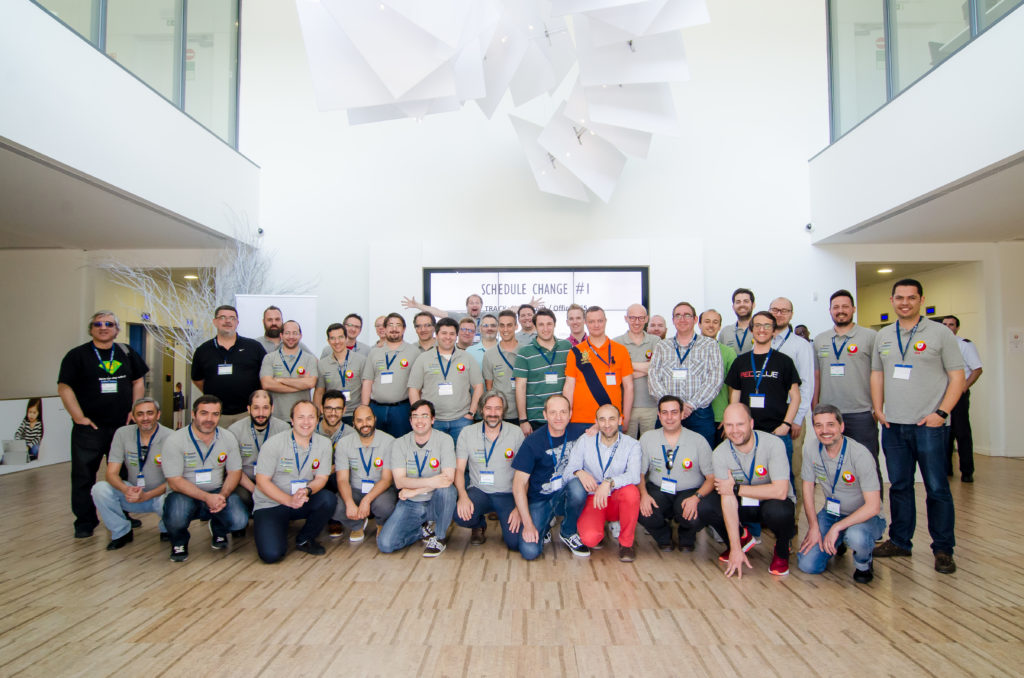
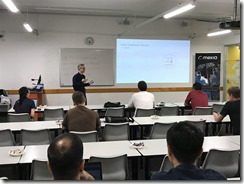 Last Saturday I had the great privilege of organising and hosting the 2nd annual Global Integration Bootcamp in Brisbane. This was a free event hosted by 15 communities around the globe, including four in Australia and one in New Zealand!
It’s a lot of work to put on these events, but it’s worth it when you see a whole bunch of dedicated professionals give up part of their weekend because they are enthusiastic to learn about Microsoft’s awesome integration capabilities.
The day’s agenda concentrated on Integration Platform as a Service (iPaaS) offerings in Microsoft Azure. It was a packed schedule with both presentations and hands-on labs:
It wasn’t all work… we had some delicious morning tea, lunch and afternoon tea catered by Artisan’s Café & Catering, and there was a bit of swag to give away as well thanks to Microsoft and also Mexia (who generously sponsored the event).
 Overall, feedback was good and most attendees were appreciative of what they learned. The slide decks for most of the presentations are available online and linked above, and the labs are available here if you would like to have a go.
I’d like to thank my colleagues Susie, Lee and Adam for stepping up into the speaker slots and giving me a couple of much needed breaks! I’d also like to thank Joern Staby for helping out with the lab proctoring and also writing an excellent post-event article.
Finally, I be remiss in not mentioning the global sponsors who were responsible for getting this world-wide event off of the ground and providing the lab materials:
- Martin Abbott
- Glenn Colpaert
- Steef-Jan Wiggers
- Tomasso Groenendijk
- Eldert Grootenboer
- Sven Van den brande
- Gijs in ‘t Veld
- Rob Fox
Really looking forward to next year’s event!
by Gautam | Feb 18, 2018 | BizTalk Community Blogs via Syndication
Do you feel difficult to keep up to date on all the frequent updates and announcements in the Microsoft Integration platform?

Integration weekly update can be your solution. It’s a weekly update on the topics related to Integration – enterprise integration, robust & scalable messaging capabilities and Citizen Integration capabilities empowered by Microsoft platform to deliver value to the business.
If you want to receive these updates weekly, then don’t forget to Subscribe!
Feedback
Hope this would be helpful. Please feel free to provide if you have any feedback on this Integration weekly series.
by Gautam | Feb 11, 2018 | BizTalk Community Blogs via Syndication
Do you feel difficult to keep up to date on all the frequent updates and announcements in the Microsoft Integration platform?
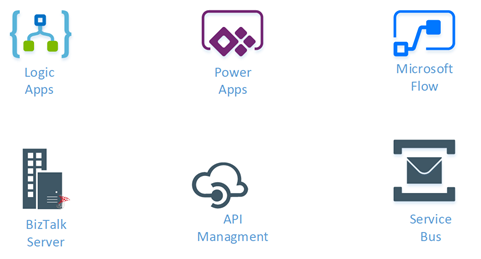
Integration weekly update can be your solution. It’s a weekly update on the topics related to Integration – enterprise integration, robust & scalable messaging capabilities and Citizen Integration capabilities empowered by Microsoft platform to deliver value to the business.
If you want to receive these updates weekly, then don’t forget to Subscribe!
Feedback
Hope this would be helpful. Please feel free to provide any feedback on this Integration weekly series.

by Sandro Pereira | Jan 19, 2018 | BizTalk Community Blogs via Syndication
Microsoft Integration (Azure and much more) Stencils Pack it’s a Visio package that contains fully resizable Visio shapes (symbols/icons) that will help you to visually represent On-premise, Cloud or Hybrid Integration and Enterprise architectures scenarios (BizTalk Server, API Management, Logic Apps, Service Bus, Event Hub…), solutions diagrams and features or systems that use Microsoft Azure and related cloud and on-premises technologies in Visio 2016/2013:
- BizTalk Server
- Microsoft Azure
- BizTalk Services
- Azure App Service (API Apps, Web Apps, Mobile Apps and Logic Apps)
- Event Hubs
- Service Bus
- API Management, IoT, and Docker
- Machine Learning, Stream Analytics, Data Factory, Data Pipelines
- and so on
- Microsoft Flow
- PowerApps
- Power BI
- PowerShell
- Infrastructure, IaaS
- And many more…
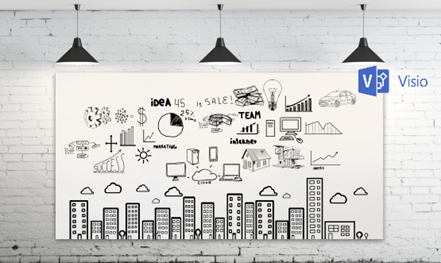
I start this project because at the time I didn’t find nice shapes – graphically beautiful and resizable shapes – to produce BizTalk Server topologies diagrams and high-level overview of integrating processes. The project grew as community member asked for new shapes and during the last few years I have been updating and publishing new shapes, particularly associated with Azure services, which has a very low release cadence.
This time I cannot say it was an update because was actually a complete makeover and the reasons behind this decision are mainly these 2:
- The Project Become Huge: more than 1000 shapes, and due to the project structure that I decide to implement at the time, it became a little difficult to maintain since even I had difficulty finding and organizing all the shapes and there were several duplicate shapes (some were purposely duplicated and still are).
- A Fresh New Look: at the time, almost all the shapes were blue – not a beautiful blue but an obsolete annoying blue – so I decide to use, in almost the cases, a monochrome approach opting for a darker color – but after all these years it was already a little worn and needing for a new modern look and this time I decided to follow the look that Microsoft is implementing in Microsoft Docs – in fact, several stencils were collect from there – a more light and multicolored approach.
- You liked the old aspect? Do not worry, I still kept the old (monochrome) shapes but moved to support files.
What’s new in this version?
Is this version all about a fresh and modern new look? No, it is not. That was indeed one of the main tasks, but in addition:
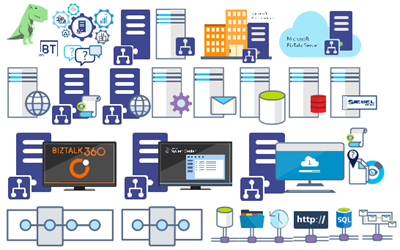
- New shapes: 571 new forms have been added – many of them are in fact a redesign of the existing features to have a modern look – but it is still an impressive number. Making a total of 1883 shapes available in this package.
- The package structure changed: It is more organized – went from 13 files to 20 – which means that more categories were created and for that reason, I think it will be easier to find the shapes you are looking for. The Microsoft Integration (Azure and much more) Stencils Pack v3.0.0 is now composed of 20 files:
-
- Microsoft Integration Stencils v3.0.0
-
- MIS Additional or Support Stencils v3.0.0
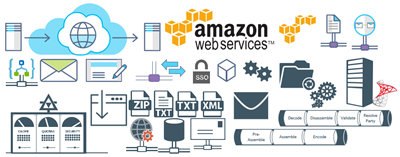
-
- MIS Apps and Systems Logo Stencils v3.0.0
-
- MIS Azure Additional or Support Stencils v3.0.0

-
- MIS Azure Others Stencils v3.0.0
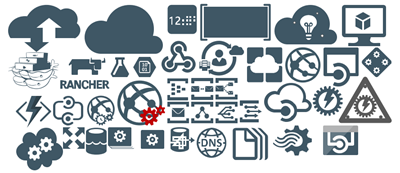
-
- MIS Azure Stencils v3.0.0
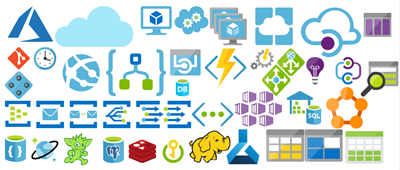
-
- MIS Buildings Stencils v3.0.0

-
- MIS Databases Stencils v3.0.0
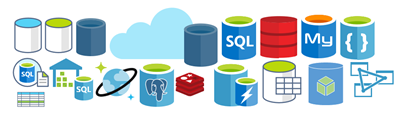
-
- MIS Deprecated Stencils v3.0.0
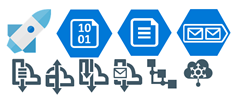
-
- MIS Developer Stencils v3.0.0
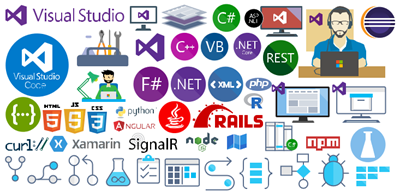
-
- MIS Devices Stencils v3.0.0
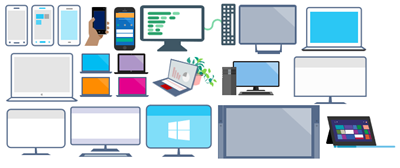
-
- MIS Files Stencils v3.0.0
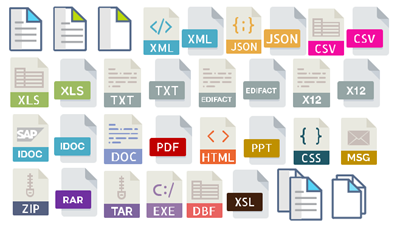
-
- MIS Generic Stencils v3.0.0
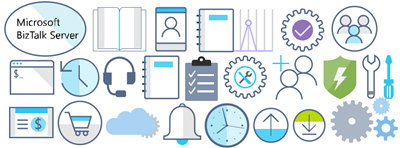
-
- MIS Infrastructure Stencils v3.0.0
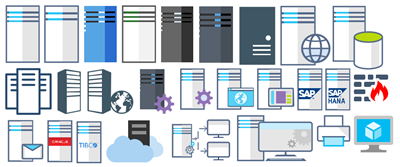
-
- MIS Integration Patterns Stencils v3.0.0
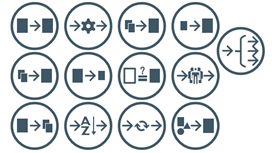
-
- MIS IoT Devices Stencils v3.0.0

-
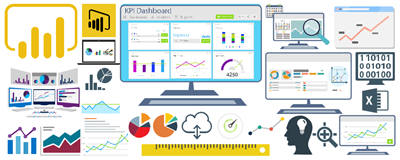
- MIS Power BI Stencils v3.0.0
-
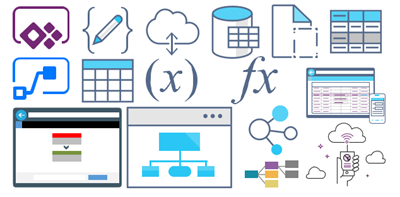
- MIS PowerApps and Flows Stencils v3.0.0
-
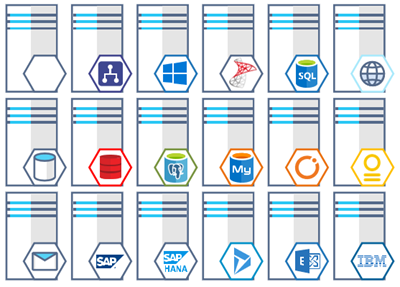
- MIS Servers (HEX) Stencils v3.0.0
-
- MIS Users and Roles Stencils v3.0.0

You can download Microsoft Integration (Azure and much more) Stencils Pack from:
Microsoft Integration Stencils Pack for Visio 2016/2013 v3.0.0 (16,6 MB)
Microsoft | TechNet Gallery
Author: Sandro Pereira
Sandro Pereira lives in Portugal and works as a consultant at DevScope. In the past years, he has been working on implementing Integration scenarios both on-premises and cloud for various clients, each with different scenarios from a technical point of view, size, and criticality, using Microsoft Azure, Microsoft BizTalk Server and different technologies like AS2, EDI, RosettaNet, SAP, TIBCO etc. He is a regular blogger, international speaker, and technical reviewer of several BizTalk books all focused on Integration. He is also the author of the book “BizTalk Mapping Patterns & Best Practices”. He has been awarded MVP since 2011 for his contributions to the integration community. View all posts by Sandro Pereira
by Lex Hegt | Jan 7, 2018 | BizTalk Community Blogs via Syndication
A new year has just began and at BizTalk360 we are excited to find out what 2018 will bring us as a company. We are delighted that we will release more versions of our flagship product BizTalk360, further evolve ServiceBus360 and bring new products like Atomic Scope and Document360.
Year in review
In this article however, we want to look back at what 2017 brought from a Microsoft Integration space perspective. Although we did not see a new version of BizTalk Server, we did see new features arrive for BizTalk Server 2016, by means of the two feature packs which have been released. Of course, we have also seen new CU’s appear for the currently supported BizTalk Server versions, which are 2013, 2013R2 and 2016.
Note however, that in case you are on BizTalk Server 2013 or 2013 R2, mainstream support will end July 10th, this year! So you should consider upgrading to BizTalk Server 2016. As migrating to another BizTalk platform is not something to take lightly, Microsoft offers the BizTalk Migration tool. Read more about this tool later in this article.
An important move Microsoft made last year, was embracing the Open Source community. Of course, also in the Logic Apps and related technologies a lot has happened. Keep on reading, when you want to read about most important developments in Microsoft Integration space.
BizTalk Server 2016 Feature Packs
The concept of Feature Packs is new to BizTalk Server. The idea of bringing Feature Packs is to bring new features once they are ready, instead of having to wait until the next major release.
For BizTalk Server, these packs can be installed on top of (only) BizTalk Server 2016 and bring new functionality, without breaking existing functionality. As far as we know, there are no plans to bring Feature Packs for other BizTalk version than 2016.
Last year Microsoft brought 2 Feature Packs for BizTalk Server 2016. Let’s have a look at both.
Feature Pack 1
This first Feature pack was released on April 26th. It could only be installed on top of the base version of BizTalk Server 2016 (3.12.774.0), so you could not install it after you have applied any CU’s for BizTalk Server 2016. This issue his been fixed on September 21st, when Microsoft released a version of FP1 which was compatible with Cumulative Update 3 (KB4039664), the most recent CU at that time.
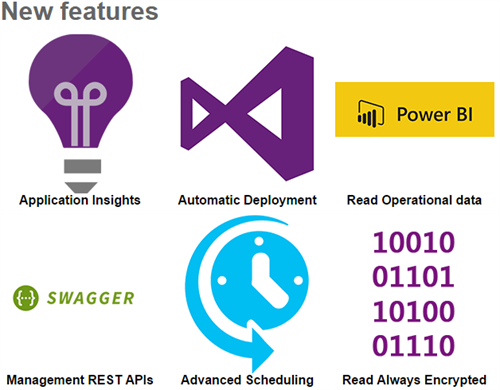
Feature Pack 1 added the following features to BizTalk Server 2016:
Deployment
- Deploy with VSTS – Enable Continuous Integration to automatically deploy and update applications using Visual Studio Team Services (VSTS)
- New management APIs – Manage your environment remotely using the new REST APIs with full Swagger support
Analytics
- Application Insights – Tap into the power of Azure for tracking valuable application performance and to better understand your workflow
- Leverage operational data – View operational data from anywhere and with any device using Power BI
Runtime
- Support for Always Encrypted – Use the WCF-SQL adapter to connect to SQL Server secure Always Encrypted columns
- Advanced Scheduling – Set up advanced schedules for Receive Locations using the new capabilities with Feature Pack 1
More information on Feature Pack 1 can be found here: https://blogs.biztalk360.com/microsoft-biztalk-server-2016-feature-pack-1/
Download Feature Pack 1 here: https://www.microsoft.com/en-us/download/details.aspx?id=55100
Feature Pack 2
This pack was released on November 21st and can be installed immediately on top of the BizTalk Server 2016 Cumulative Updates 1, 2 and 3 and Feature Pack 1.
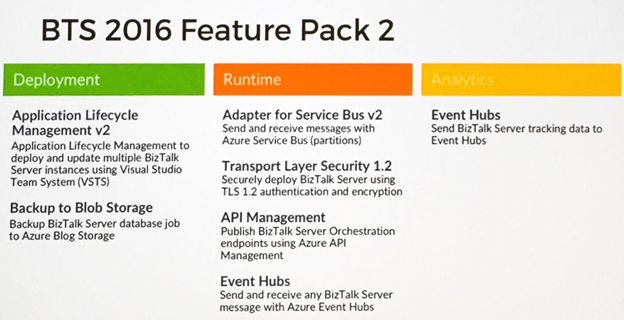
In this Feature Pack, the following features were brought:
Deployment and Administration
- Application Lifecycle Management with VSTS – Using Visual Studio Team Services, you can define multi-server deployments of BizTalk Server 2016, and then maintain those systems throughout the application lifecycle.
- Backup to Azure Blob Storage – When deploying BizTalk Server to Azure VMs, you can backup BizTalk Server databases to Azure blob storage.
Server Runtime
- Adapter for Service Bus v2 – When using the Service Bus Adapter, you can utilize Azure Service Bus Premium for enterprise-scale workloads.
- Transport Layer Security 1.2 – Securely deploy BizTalk Server using industry-standard TLS 1.2 authentication and encryption.
- API Management – Publish Orchestration endpoints using Azure API Management, enabling organizations to publish APIs to external, partner and internal developers to unlock the potential of their data and services.
- Event Hubs – Using the new Event Hub Adapter, BizTalk Server can send and receive messages with Azure Event Hubs, where BizTalk Server can function as both an event publisher and subscriber, as part of a new Azure cloud-based event-driven application.
Analytics and Reporting
- Event Hubs – Send BizTalk Server tracking data to Azure Event Hubs, a hyper-scale telemetry ingestion service that collects, transforms, and stores millions of events.
- Application Insights – When preparing BizTalk Server to send tracking data to Application Insights, released in FP1, you can use the new Azure sign-in dialog to simplify configuration and named instances of SQL Server.
More information on Feature Pack 2 can be found here: https://blogs.biztalk360.com/microsoft-biztalk-server-2016-feature-pack-2-released/
Download Feature Pack 2 here: https://www.microsoft.com/en-us/download/details.aspx?id=56262
Cumulative updates
In 2017, Microsoft also brought a number of Cumulative Updates for the different versions of BizTalk Server. See below for an overview which contains links to the download pages:
BizTalk Server 2013
NOTE: this version is going out of mainstream support July 10th, 2018
July 28th, 2017 – Cumulative Update package 6 (build 3.10.359.2) – KB4032678
BizTalk Server 2013 R2
NOTE: this version is going out of mainstream support July 10th, 2018
May 8th, 2017 – Cumulative Update package 6 (build 3.11.280.2) – KB4020020
October 12, 2017 – Cumulative Update package 7 (build 3.11.285.2) – KB4038891
BizTalk Server 2016
January 26, 2017 – Cumulative Update package 1 (build 3.12.796.2) – KB3208238
May 26, 2017 – Cumulative Update package 2 (build 3.12.807.2) – KB4021095
September 1, 2017 – Cumulative Update package 3 (build 3.12.815.2) – KB4039664
Embracing Open Source
In September Microsoft announced that BizTalk Server has joined the Open Source community. This is motivated by the increased commitment that Microsoft wants to provide a better product to their customers.
So far, Microsoft has open sourced the following:
- all schemas which are shipped with the product. These are over 3500 files, which are divided over the following standards:
- EANCOM
- EDIFACT
- HIPAA
- HIX
- X12
- the BizTalk Migration tool. This tool is developed to simplify the following migrations:
- BizTalk Server 2010 to BizTalk 2013R2
- BizTalk Server 2013R2 to BizTalk 2016For Host Integration Server
For Host Integration Server (HIS), Microsoft has provided a PowerShell script that helps creating .hidx files, which are used by the HIS runtime to communicate with the backend systems.
The repository which contains above mentioned stuff, can be found at GitHub:
https://github.com/Microsoft/Integration/
Microsoft’s intention is to continue their open source commitment. Community contributions are more than welcome and can contain artifacts like Schemas, Samples, Adapters, pipeline components or anything else you feel the community can take advantage of.
Azure Integration updates
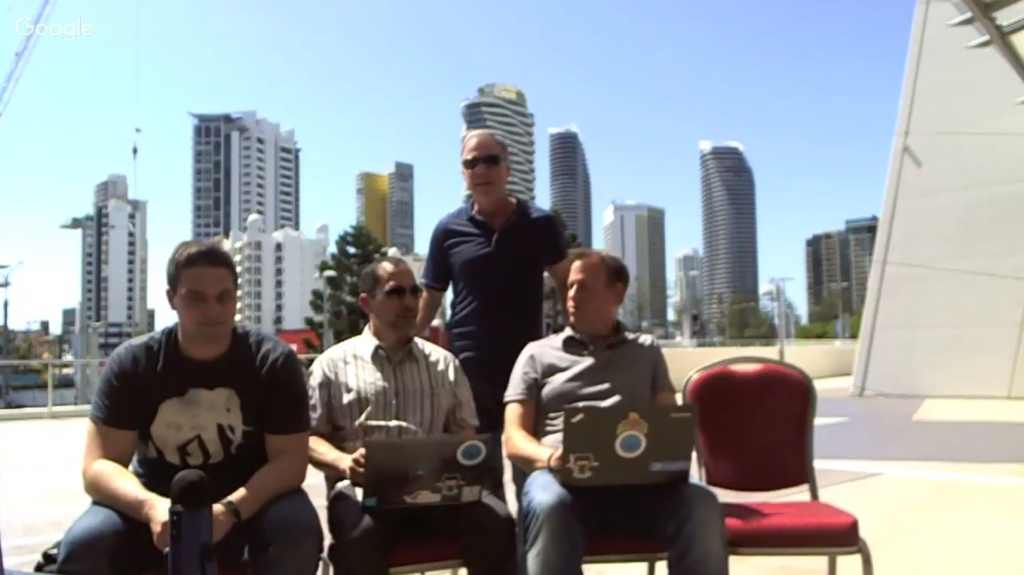
It is amazing to see what’s all happening on Azure Integration! The Logic Apps team regularly post their updates on YouTube. At our blog, we publish recaps of these updates. Below is a picture of the entire Microsoft Pro Integration team on a bright, sunny Friday morning at Gold Coast, Australia, during #MSAUIgnite.
See below, just a couple of all the developments which have taken place:
Logic App-adapter – this adapter enables you to receive or send messages from BizTalk Server 2016 to your Logic Apps, via the On-Premise Data Gateway
Numerous improvements to the Logic Apps Designer – just a few which are worth to mention: editing Azure Functions directly from Logic Apps, generating JSON schema from sample payload, Parallel creation in the designer, use of Webhooks in Foreach loops, use of variables, batch processing, advanced scheduling of Logic App execution
Cognitive Vision APIs – to be able to use the OCR capability to understand the characters and text within an image
Azure Event Grid – The newest and hottest kid in town; technical preview version was released by Microsoft on August 16th
Azure Event Grid Connectors for Logic Apps – Of course the Event Grid offering is accompanied with a connector
More than 80 new SaaS adapters – few of the added connectors are: Azure Table Storage, Cognitive Services, Outlook – webhook trigger, SQL – dynamic schema for stored procedures, Azure Container Instances , Pitney Bowes Data Validation, Log Analytics Data Collector, ServiceNow, Skype for Business, LinkedIn, Azure Security Center Trigger, MySQL (R/W)
You can follow the Logic Apps team yourself, via their YouTube channel: http://aka.ms/logicappslive
The most recent recap of the Logic Apps update can be found here:
https://blogs.biztalk360.com/azure-logic-apps-monthly-update-november-2017/
What can we expect in 2018?
Of course Microsoft will keep on bringing new and exciting features and improvements. What we currently know is that we can expect a new feature pack for BizTalk Server 2016, being Feature Pack 3. But also on the Azure side we can expect new stuff and enhancements of existing features.
BizTalk Server 2016 Feature Pack 3
During the first half year, we can expect the release of BizTalk Server 2016 Feature Pack 3. What we currently know, is that we can expect multiple Office 365 adapters, with the following capabilities:
- Send and receive messages using Office 365 e-mail
- Set and update appointments using Office 365 schedules
- Define people and groups using Office 365 contacts
Further, we can expect:
- Web authentication – authenticate with Azure Active Directory and OAuth using Microsoft Enterprise Single Sign-On
- Advanced Scheduling – Set up recurrence on BizTalk Server receive locations with greater precision using hours, minutes, second
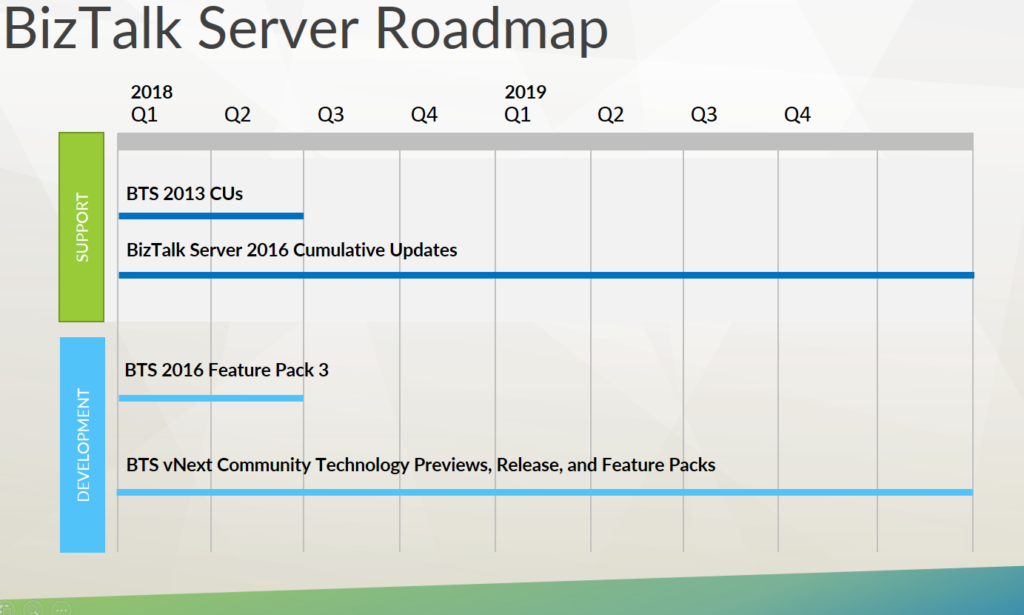
Besides that, Microsoft will keep on bringing CU’s for the supported BizTalk Server versions, including the final CU’s for BizTalk 2013 and 2013R2.
Further, Microsoft is also working on BizTalk Server vNext, so we can also expect CTP’s (Community Technology Previews), which will lead to a new release of BizTalk Server and more Feature Packs. However, a timeline towards a new release of BizTalk Server is not yet made public.
Azure Integration
In Azure, we can expect of course more adapters. The Logic Apps team has already mentioned amongst others: SOAP Passthrough, Office365 Excel, K2, Kronos, Citrix ShareFile and PostgreSQL.
We’ll also see more improvements in the designer. Features like Complex Conditions within the designer, Configurable lifetime and Degrees of parallelism for split-on and request triggers have already been mentioned by the team.
All in all, we can conclude that 2017 has been an awesome year for Microsoft Integration and we can expect that 2018 will be a fantastic year as well!
INTEGRATE 2018
You can get to know more about these updates directly from the Microsoft Product Group at INTEGRATE 2018. The dates and the venue for the event has been finalized. The website will be going live by this week. Stay tuned!
Author: Lex Hegt
Lex Hegt works in the IT sector for more than 25 years, mainly in roles as developer and administrator. He works with BizTalk since BizTalk Server 2004. Currently he is a Technical Lead at BizTalk360.
View all posts by Lex Hegt

by Steef-Jan Wiggers | Dec 22, 2017 | BizTalk Community Blogs via Syndication
The year 2017 almost has come to an end. A year I traveled a lot and spent many hours sitting in planes. In total, I have made close to 50 flights. A bonus at the end of this year is that I have reached gold status with the KLM. Thus I can enjoy the benefit sitting in the lounge like some of my friends. The places I visited in 2017 are Sydney, Auckland, Brisbane, Gold Coast, Melbourne, London, Lisbon, Porto, Olso, Stockholm, Gothenburg, Zurich, Seattle, Rotterdam, Dublin, Prague, Bellevue, Redmond, Adliswil, Ghent, Mechelen, and Montréal (France).

Public speaking in 2017
In 2017 I have spoken at various conferences in the Netherlands and abroad. The number of attendees varied from 20 to 400. My sessions were on the following topics:
– Logic Apps
– Functions
– Cosmos DB
– Azure Search
– Cognitive Services
– Power BI
– Event Grid
– Service Bus
– API Management
– Web API
Besides speaking at local user groups and conferences, I created videos, webinars, blog posts and news articles. The blog posts are available on my blog and the BizTalk360 blog. The news articles for InfoQ, for which I became an editor in November. The latter is something I consider as a great accomplishment.
Middleware Friday 2017
Together with Kent, we put out almost 50 episodes for Middleware Friday. In the beginning, Kent published various videos and later asked me to join the effort. The topics for Middleware Friday in 2017 were:
– Logic Apps
– Functions
– Microsoft Flow
– Cognitive Services: Text, Face, and BOTS
– Operation Management Suite (OMS)
– Event Grid
– Service Bus
– API Management
– Cosmos DB
– Azure Data Lake
– Azure Active Directory
– BizTalk Server
– Event Hubs
– SAP Integration
Creating episodes for Middleware Friday or vlogs was a great experience. It is different than public speaking. However, in the past and also this year I did a few Integration Monday sessions. Therefore, recording for a non-visible audience was not new for me.

Global Integration Bootcamp
Another highlight in 2017 was the first integration boot camp, which I organized with Eldert, Glenn, Sven, Rob, Martin, Gijs and Tomasso. Over 16 locations worldwide join in a full Saturday of integration joy spending time on labs and sessions. The event was a success, and we hope to repeat that in 2018.

Integrate London and US
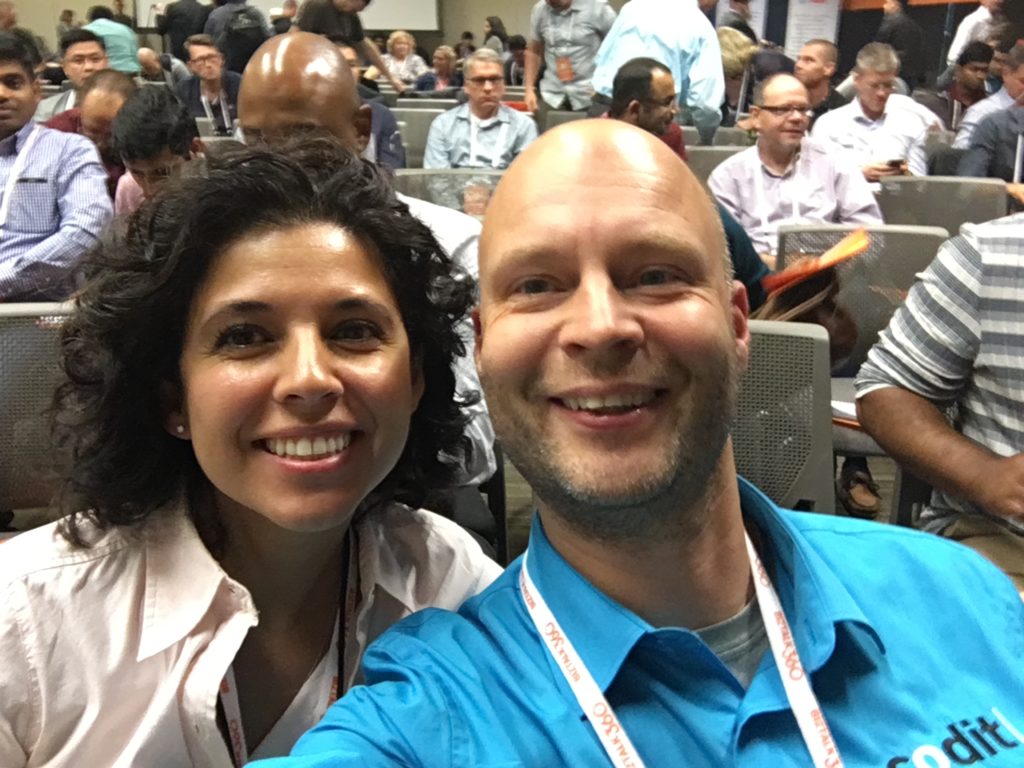
BizTalk360 organized two successful three-day integration conferences in London and Redmond. At both events, I spoke about Logic Apps discussing its value for enterprises, the developer experience, and cloud-native nature. On stage for a big audience was quite the experience, and I delivered my message.
Personal accomplishments, top five books, and music
Personally, I found 2017 an exciting year with visits to Australia and New-Zealand, completing the Rotterdam Marathon, Royal Parks Half and the many speaking opportunities. Looking forward to my next two marathons in Tokyo and Chicago in 2018 and new speaking engagements.

The top five books in 2017 are:
– The subtle art of not giving a fuck!
– Sapiens – A Brief History of Humankind
– The Gene – An Intimate History
– Blockchain Basics, a non-technical introduction in 25 steps
– The Phoenix Project
The top five metal albums are:
– Mastodon – Emporer of the Sand
– Pallbearer – Heartless
– Caligula’s Horse – In contact
– Enslaved – E
– Leprous – Malina
Thanks everyone for your support in either reading my blogs, articles and or attending my sessions and online videos. Enjoy the winter holidays and merry Christmas and happy new year!
P.S. I might have forgotten a thing or two, but that’s why I created Stef’s monthly update.
Cheers,
Steef-Jan
Author: Steef-Jan Wiggers
Steef-Jan Wiggers is all in on Microsoft Azure, Integration, and Data Science. He has over 15 years’ experience in a wide variety of scenarios such as custom .NET solution development, overseeing large enterprise integrations, building web services, managing projects, designing web services, experimenting with data, SQL Server database administration, and consulting. Steef-Jan loves challenges in the Microsoft playing field combining it with his domain knowledge in energy, utility, banking, insurance, healthcare, agriculture, (local) government, bio-sciences, retail, travel, and logistics. He is very active in the community as a blogger, TechNet Wiki author, book author, and global public speaker. For these efforts, Microsoft has recognized him a Microsoft MVP for the past 8 years.
View all posts by Steef-Jan Wiggers
by Gautam | Dec 10, 2017 | BizTalk Community Blogs via Syndication
Do you feel difficult to keep up to date on all the frequent updates and announcements in the Microsoft Integration platform?
Integration weekly update can be your solution. It’s a weekly update on the topics related to Integration – enterprise integration, robust & scalable messaging capabilities and Citizen Integration capabilities empowered by Microsoft platform to deliver value to the business.
If you want to receive these updates weekly, then don’t forget to Subscribe!
Feedback
Hope this would be helpful. Please feel free to let me know your feedback on the Integration weekly series.