
by Lex Hegt | Jun 27, 2017 | BizTalk Community Blogs via Syndication
During the second day of Integrate 2017, Jeff and Kevin did a session on DevOps for Logic Apps. They explained the available tooling in Visual Studio for that purpose:
- Hosted Logic App designer
- Cloud Explorer
- Resource Group Projects
Hosted Logic App designer – First of all, since some time it is possible to create your Logic Apps from within Visual Studio. This enables you to for example use Team Foundation Services or Visual Studio Services to check-in your Logic Apps code.
Cloud Explorer – Another feature in Visual Studio is the Cloud Explorer which, besides browse and search capabilities for your Logic Apps, the following features:
- Edits done in the designer can be published to the Azure portal
- Enable, disable and delete Logic Apps
- Run Logics Apps and view the Run History
- Download Logic App which is handy when started development in the portal
After download the Logic App, you can add the Logic App as an existing item to a Resource Group project, which we will discuss now.
Resource Group projects – Visual Studio comes with the Resource Group project type, which allows you to persist artefacts and configuration for your deployments. Amongst the features are:
- Storing/using parametrization which supports Azure Vault for safely storing credentials
- Creation of connections like you can in the Azure portal
- The configuration of your Integration accounts to easily reference schema’s, maps etc.
- Source control
After you have created such a project, the Azure Resource template contains the stuff and other stuff you need to be in the deployment. Think of for example:
- Logic Apps which need to be referenced by Id
- Parameters, for example – different environments
- Variables which actually are constants
- Any post deploy output values like the Request Trigger URL
A good starting point is the Azure Quickstart templates, which contains over 500 templates, including a number of templates for creating Logic Apps. An example of such a template is a Logic App which uses an Azure function. So the fun part of using these templates is that basically, your infrastructure and PaaS solutions can be code and be deployed with these templated.
You’ll find these templates here: https://azure.microsoft.com/en-us/resources/templates/
Related Links – Recap of Day 2 at INTEGRATE 2017
Author: Lex Hegt
Lex Hegt works in the IT sector for more than 25 years, mainly in roles as developer and administrator. He works with BizTalk since BizTalk Server 2004. Currently he is a Technical Lead at BizTalk360. View all posts by Lex Hegt

by Srinivasa Mahendrakar | Jun 22, 2017 | BizTalk Community Blogs via Syndication
I was working on a POC which involved sending a message from BizTalk send port to a logic app with message’s HTTP header enriched to have a unique tracking id. Achieving this was not straight forward. In this article, I will explain the issue I faced and resolution.
Problem explained
I have a simple logic app with an HTTP request trigger and dumps the received message into a Google drive folder.
My BizTalk application has an FTP receive port and a send port configured to use Logic Apps adapter. send port subscribes to messages from FTP receive port and sends them out to a logic app.
As we are aware logic apps provide an option to send a client tracking id in the form of a custom HTTP header x-ms-client-tracking-id. Refer the article https://docs.microsoft.com/en-us/azure/logic-apps/logic-apps-monitor-your-logic-apps to know more about monitoring and tracking in Logic apps.
The static logic app sends adapter provides an option to configure the custom HTTP headers in the port configuration as shown below.
Since I want to send a unique tracking id per message, I cannot set a static value in port configuration. Hence I did what any other BizTalk developer would do. tried to look for a property schema specific to Logic Apps adapter. However, I could not find one in the list of property schemas deployed in my BizTalk environment. This put me in a situation where I don’t have the option to send unique tracking id per message.
Solution
I started to contemplate on how a dynamic send port would send messages to logic apps without any property schema related to logic app adapter is deployed. With a little bit of research, I came to know that the Logic Apps adapter internally leverages WCF Web Http binding. This directed me toward WCF property schema.
So I wrote a HttpHeaders context property in a custom pipeline component in send port.
inMsg.Context.Write("HttpHeaders", "http://schemas.microsoft.com/BizTalk/2006/01/Adapters/WCF-properties", "x-ms-client-tracking-id: " + trackingId);
This made the trick! Now I am able to view the tracking id in my logic apps run history.
However, when I send another message, I saw that google drive connector was failing due to duplicate file name. I used the tracking Id as the file name. This means somehow tracking id which I have set is same for subsequent runs. This was again a setback for me as I was still not able to receive unique tracking id per message.
Again with a little bit of research, I understood that this is the normal behavior for a static WCF send port to cache the headers set using context properties. The option was to create a dynamic port. Since I do not want to create a dynamic port, I just tried to set a context property related to dynamic ports. So I added an additional line to my code in pipeline component.
inMsg.Context.Write("HttpHeaders", "http://schemas.microsoft.com/BizTalk/2006/01/Adapters/WCF-properties", "x-ms-client-tracking-id: " + trackingId);

inMsg.Context.Write("IsDynamicSend", "http://schemas.microsoft.com/BizTalk/2003/system-properties", true);
This solved the issue! I am now able to send a unique tracking id per message using Logic Apps adapter in BizTalk static send port.
Summary
In summary, we need to remember following points
- Logic app provides an option to send client tracking id using a custom HTTP header “x-ms-client-tracking-id”
- Logic Apps send adapter leverages WCF web HTTP binding behind the scene.
- If you want a static Logic Apps port to send the tracking id per message then you need to promote two properties HttpHeader and IsDynamicSend
Author: Srinivasa Mahendrakar
Technical Lead at BizTalk360 UK – I am an Integration consultant with more than 11 years of experience in design and development of On-premises and Cloud based EAI and B2B solutions using Microsoft Technologies. View all posts by Srinivasa Mahendrakar

by Sriram Hariharan | Jun 4, 2017 | BizTalk Community Blogs via Syndication
This blog will give you a recap of the feature content that was discussed as a part of Episode 22 of Middleware Friday. In this episode, Kent Weare discussed a small, yet very interesting feature in Azure Logic Apps – the Retry Policy.
Logic App Retry Policy
To understand the Retry Policy better, let’s assume we have an endpoint that is consumed by Logic Apps. If the endpoint has some intermittent issues, and the initial request fails to execute, the number of retries will be attempted based on the “retry count” default settings. By default, the retry action will execute 4 additional times over 20-second intervals. The retry policy applies to intermittent failure HTTP codes like 408, 429, 5xx series. You can define the retry policy as follows:
"retryPolicy" : {
     "type": "<type-of-retry-policy>",
     "interval": <retry-interval>,
     "count": <number-of-retry-attempts>
}
The maximum number of retry attempts that can be made is 4. If you try tweaking the retry count in the JSON, during the Logic App execution you will notice an exception as “The provided retry count of ‘value’ is not valid. The retry count must be a positive number no greater than ‘4’“. Similarly, the maximum delay for a retry can be set to 1 hour while the minimum delay is 5 seconds. Azure Logic Apps uses ISO 8601 standards for the above mentioned time durations and you need to define the interval in one of the following formats –
| PnYnMnDTnHnMnS |
| PnW |
| P<date>T<time> |
Demo – With Default Retry Mechanism
Kent demonstrated the Azure Logic App Retry Policy with the help of the following Logic App example –
Prerequisite: Create a Logic App before proceeding with the steps shown below
- First, let’s start with a Blank Logic App. In the Logic App designer, we will get started with creating a simple HTTP request trigger.
- Next, we will create an HTTP POST method and give a fake URL (URI) to allow the retry mechanism to kick in
- Finally, an HTTP response action with the status code of 200 to complete the Logic App
When we execute the Logic App, you will notice that the default retry mechanism (4 attempts, once every 20 seconds) will kick in.
After about 70 seconds, the fourth retry is performed.
Finally, after 80 seconds, the Logic App execution will fail and the corresponding error will be displayed in the Logic App Designer.
You can alter the retry mechanism by entering the code view and modifying the code with the values as shown previously in the blog post.
Therefore, the demo clearly shows how the retry policy works out of the box in Logic Apps and how you can customize the retry policy within its limits. You can watch the video of this session here –
Feedback Survey
If you have any specific topics of interest at Middleware Friday, you can fill in this survey. Alternatively, you can tweet at @MiddlewareFri or drop an email to [email protected] with your topics of preference.
You can watch the Middleware Friday sessions here.
Author: Sriram Hariharan
Sriram Hariharan is the Senior Technical and Content Writer at BizTalk360. He has over 9 years of experience working as documentation specialist for different products and domains. Writing is his passion and he believes in the following quote – “As wings are for an aircraft, a technical document is for a product — be it a product document, user guide, or release notes”. View all posts by Sriram Hariharan
by Gautam | May 7, 2017 | BizTalk Community Blogs via Syndication
Do you feel difficult to keep up to date on all the frequent updates and announcements in the Microsoft Integration platform?
Integration weekly update can be your solution. It’s a weekly update on the topics related to Integration – enterprise integration, robust & scalable messaging capabilities and Citizen Integration capabilities empowered by Microsoft platform to deliver value to the business.
If you want to receive these updates weekly, then don’t forget to Subscribe!
On-Premise Integration:
Cloud and Hybrid Integration:
Feedback
Hope this would be helpful. Please feel free to let me know your feedback on the Integration weekly series.
by Sriram Hariharan | May 4, 2017 | BizTalk Community Blogs via Syndication
The Azure Logic Apps team have been consistently delivering the monthly update webinars to showcase the improvements in the Azure portal. A huge shout out to the team for maintaining this consistency and at the same time delivering the improvements to the portal. The portal is definitely looking mature and with more features to come in, it’s pretty sure good times are ahead! The webcast for the month of April was held on May 2, 2017. This month’s webcast was spearheaded by Jeff Hollan, Kevin Lam and Jon Fancey from the Azure Logic Apps team. The updates from this edition of Logic Apps live are as follows .
What’s New in Azure Logic Apps?
- Visual Studio 2017 tools – Visual Studio 2017 now supports Azure Logic Apps Designer support and tooling. You can go ahead and use Visual Studio 2017 for building Logic Apps and integration related activities.
- Download from Cloud Explorer – Visual Studio 2017 now supports Cloud Explorer so that you can look at your live Logic Apps, run history directly from Visual Studio. Even if you’ve got Visual 2015/2017, this is one feature you got to know. In Cloud Explorer, if you find one of your Logic Apps that you built in the portal, you will also notice a small Download button (in Visual Studio). When you click this button, you will get a complete template version of the Logic App that you can use in your resource group project. Any Logic App that you create in the portal can be downloaded as a template from Visual Studio.
- Parallel creation in the designer – You can now add a parallel action right from the designer. You no longer need to go to the code view to perform this operation.
- Select and Join actions – You now have more actions that you can perform on arrays. Let’s say you have an array of objects with properties A, B, C. You can select A & B and get a new array of objects with A & B. Similarly, for the Join action lets you take an array of objects and then using the delimiter, you can do a join and create a string out of the entries in the array.
- Retry information in history – The Logic Apps designer will expose what actually happened in the background during a run, the number of retries that happened during the time, the number of intermediate calls.
- Service Bus Sessions – You can do correlation, sequential convoys from within Logic Apps. Check out this interesting blog post published on “In-order delivery of correlated messages in Logic Apps by using Service Bus sessions“.
- Run navigator when looking at history – When you click on an entry in the Runs history, you will see a Run Navigator pane on the right that will be very similar to the Logic App designer view. You need not switch back between multiple screens to know the status of each run history.
- B2B Disaster Recovery & B2B OMS Message Download – You can implement your own DR policies and replicate the state from one region to another. This is currently available for the AS2 and X12. Support for EDIFACT will be rolled out in the coming weeks. You can watch the short demo of these two functionalities shown by Jon Fancey in this video.
- x-ms-dynamic support (values & schema) – For your custom APIs, you can now have dynamic values.
- Variables – Set – In addition to initialize and increment (discussed in the earlier Logic Apps Live webcast), you can set a variable with any value and use that variable anywhere in your Logic App
- Release Notes on Blade
- RunAfter configuration in Designer – basically to determine when the action will run. You can have a RunAfter “success” branch and a RunAfter “failure” branch.
This edition of Logic Apps Live had some cool demos on the B2B Disaster Recovery and B2B OMS Message Download. Kevin showed an interesting demo on the “Sequential Convoy” functionality and finally Jon Fancey showed an interesting upcoming feature in the Logic Apps designer (for Service Bus Queues, Topics, and Event Hub triggers). Watch them all here in the video.
[embedded content]
New Connectors
- Azure Active Directory
- Computer Vision API
- Outlook Customer Manager
- Nexmo
- Paylocity
- Benchmark Email
- SQL Trigger (still in Preview)
What’s In Progress?
- Expression Tracing – Say, you have a condition and you want to know why the condition traversed to left (yes) or right (no). The monitoring view will now give you a full breakdown tree view of the expression and their values so that you will understand why the logic took the expected path.
- For-each nesting in Designer – You can have nested for-each in the code view. This functionality will be extended to the designer so that you can have a for-each within another for-each loop.
- Webhooks in for-each
- Navigate to for-each failures – The monitoring view will allow you to navigate directly into the next failed iteration instead of scrolling through the entire Logic App definition.
- Service Principal Authentication – Say, you have a deployment template/ARM connector or data lake that is Azure Active Directory based, instead of having to associate with user profile during sign-in, you can simply share your app id and app secret and request the system for a valid token.
- Array improvements in the designer
- Upcoming Connectors
- Azure Files
- Oracle EBS
- Schema support for Service Bus/Event Hub triggers
- ARM Invoke and Service Principal
- Planner
- Team Work
- PostgressSQL
- MQSeries Server Connections
Community Events the Logic Apps team are a part of
The Logic Apps team will be available at the following events:
- BUILD 2017 (May 10 – 12, 2017). There is also a serverless pre-day on May 9th where there will be sessions on Azure Logic Apps and Functions and some cool Hands-On Labs and Hackathon. If you are attending BUILD 2017 or Inspire [WPC], get a chance to meet the Logic Apps team.
- INTEGRATE 2017 (June 26-28, 2017) – Seats are already getting filled up for this premier integration focused event. If you haven’t registered for this event yet, hurry up.
If you are working on logic apps and have something interesting, feel free to share them with the Azure Logic Apps team via email or you can tweet to them at @logicappsio. You can also vote for features that you feel are important and that you’d like to see in logic apps here.
The Logic Apps team are currently running a survey to know how the product/features are useful for you as a user. The team would like to understand your experiences with the product. You can take the survey here.
If you ever wanted to get in touch with the Azure Logic Apps team, here’s how you do it!
Previous Updates
In case you missed the earlier updates from the Logic Apps team, take a look at our recap blogs here –
Author: Sriram Hariharan
Sriram Hariharan is the Senior Technical and Content Writer at BizTalk360. He has over 9 years of experience working as documentation specialist for different products and domains. Writing is his passion and he believes in the following quote – “As wings are for an aircraft, a technical document is for a product — be it a product document, user guide, or release notes”. View all posts by Sriram Hariharan
by Gautam | Apr 23, 2017 | BizTalk Community Blogs via Syndication
Do you feel difficult to keep up to date on all the frequent updates and announcements in the Microsoft Integration platform?
Integration weekly update can be your solution. It’s a weekly update on the topics related to Integration – enterprise integration, robust & scalable messaging capabilities and Citizen Integration capabilities empowered by Microsoft platform to deliver value to the business.
If you want to receive these updates weekly, then don’t forget to Subscribe!
On-Premise Integration:
Cloud and Hybrid Integration:
by Gautam | Apr 23, 2017 | BizTalk Community Blogs via Syndication
Do you feel difficult to keep up to date on all the frequent updates and announcements in the Microsoft Integration platform?
Integration weekly update can be your solution. It’s a weekly update on the topics related to Integration – enterprise integration, robust & scalable messaging capabilities and Citizen Integration capabilities empowered by Microsoft platform to deliver value to the business.
If you want to receive these updates weekly, then don’t forget to Subscribe!
On-Premise Integration:
Cloud and Hybrid Integration:

by Gautam | Apr 9, 2017 | BizTalk Community Blogs via Syndication
Do you feel difficult to keep up to date on all the frequent updates and announcements in the Microsoft Integration platform?
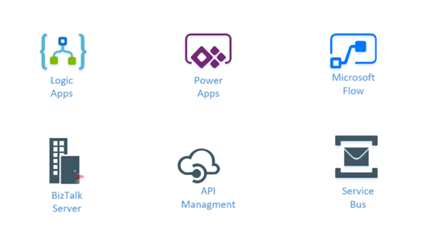
Integration weekly update can be your solution. It’s a weekly update on the topics related to Integration – enterprise integration, robust & scalable messaging capabilities and Citizen Integration capabilities empowered by Microsoft platform to deliver value to the business.
If you want to receive these updates weekly, then don’t forget to Subscribe!
On-Premise Integration:
Cloud and Hybrid Integration:
Feedback
Hope this would be helpful. Please feel free to let me know your feedback on the Integration weekly series.
by Gautam | Apr 9, 2017 | BizTalk Community Blogs via Syndication
Do you feel difficult to keep up to date on all the frequent updates and announcements in the Microsoft Integration platform?
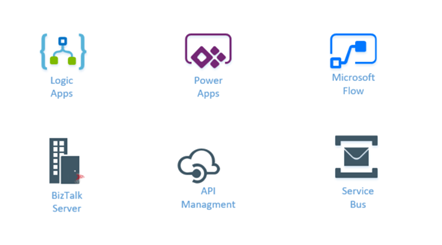
Integration weekly update can be your solution. It’s a weekly update on the topics related to Integration – enterprise integration, robust & scalable messaging capabilities and Citizen Integration capabilities empowered by Microsoft platform to deliver value to the business.
If you want to receive these updates weekly, then don’t forget to Subscribe!
On-Premise Integration:
Cloud and Hybrid Integration:
Feedback
Hope this would be helpful. Please feel free to let me know your feedback on the Integration weekly series.

by stephen-w-thomas | Apr 6, 2017 | Stephen's BizTalk and Integration Blog
I had a great time presenting at the Microsoft Technology Center a few weekends ago in Manhatten covering Azure Functions and Azure Logic Apps as part of the Global Integration Bootcamp!
We had a great group of presenters and an even better group of participants.
If you are interested in the slides and lab for the session, you can download them below. The topics covered are Azure Logic Apps, Azure Functions, and Azure Storage,
Download Slides: Logic App Cloud Adapters, Functions, and Storage
Download Lab: Lab – Logic App Cloud Adapters, Functions, and Storage
Notes for the lab: You need a hosted email account (Gmail, Outlook, Office 365, etc) and a trail Twilio account (this can be skipped if you don’t want to receive a text)



