SOA and API Management with Sentinet
Sentinet is a lightweight and scalable SOA and API management platform that helps to define, secure and evolve your API program.

Sentinet is a lightweight and scalable SOA and API management platform that helps to define, secure and evolve your API program.
This past week over 1200 attendees ascended upon San Francisco to attend Connect and APICon (a sister conference). If you are interested in checking out the company recap of Connect you can check that out here. The purpose of this post is to highlight some of my thoughts from the event.
This was my first time attending Connect and I had a great time chatting with attendees, customers and other Muleys about everything currently going on in the industry. I also had the opportunity to co-present in two sessions. Whenever I speak at a conference like this I generally provide a post conference write up and figured I would take this opportunity to share some of the details from my sessions.
The Connected Insurer
In this session I shared the stage with Aaron Landgraf (Product Marketing Manager) where we discussed some of the themes that are taking place in today’s Insurance Company.
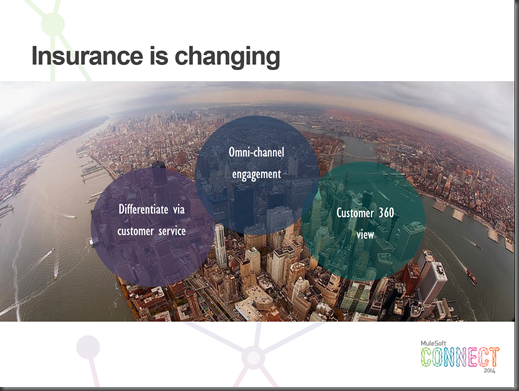
The first point is that the Insurance landscape is changing:

Another aspect of the presentation was to discuss some of the current challenges within this industry vertical.

Next I discussed a high level architecture where we can address some of these challenges by providing RESTful APIs modeled in RAML, A Service Orchestration layer hosted by Mule ESB that is capable of orchestrating back end services.

An actual implementation of this architecture can be found in the next image. More on this solution towards the bottom of the post.

Integrating the Heterogeneous Enterprise
The next session I co-presented with Ken Yagen (VP Products) where Ken walked us through some trends occurring within the industry including:
The reality of the current state that we are in is that organizations are being forced to integrate with heterogeneous environments. No longer can organizations say we are an “ABC” shop or an “XYZ” shop. While Enterprise Architectures may push for reducing technical diversity, the increasing adoption of Mobility, SaaS, Cloud and Social platforms are disrupting traditional architectures. As a result a flexible, yet comprehensive platform is required to address these needs. At MuleSoft, we feel that our AnyPoint Platform is the answer when integrating heterogeneous environments.

Demo
I put together a demo that addressees a lot of the challenges and trends that were discussed across these two presentations including:
Here are a few of the screen shots from the Windows 8 Mobile App that was built using C#/XAML.


RAML Definition

AnyPoint Studio – MuleESB solution (well part of it – didn’t fit in one screenshot)

Conclusion
Overall it was a great week with a lot of interesting sessions and conversations. Whether you attended it or were unable to attend, the good news is that the London edition of Connect is right around the corner from September 24 – 26th. You can sign up for more details here.
In a real world BizTalk server environment typically you’ll have one or more set of BizTalk applications deployed. Examples include Real Time processing, Batch Processing, SAP Integration, Oracle Integration, Legacy Integration etc. Each set of BizTalk integration scenarios will have different application monitoring requirements, even though all of them are deployed and running in the […]
The post Scenario based BizTalk Server Monitoring using BizTalk360 appeared first on BizTalk360 Blog.
Blog Post by: Saravana Kumar
Overview
To help make it abundantly clear which central admin site someone is logged into, I wanted to change the top bar text to something other than “SharePoint”. Turns out you can do that using the SuiteBarBrandingElement value on the Central Administration Web Application object from PowerShell.
Code:
Add-PSSnapin microsoft.sharepoint.powershell
$ca = Get-SPWebApplication -IncludeCentralAdministration | `
[…]
Blog Post by: Michael Gerety
With the ESB Toolkit you use Resolvers to dynamically set maps and endpoints and you get several Resolvers out of the box. The BizTalk ESB Toolkit includes the following resolvers: STATIC, UDDI, UDDI3, XPATH, BRE, BRI, ITINERARY, ITINERARY-STATIC and LDAP. When you set an endpoint in an Itinerary with the STATIC Resolver you are able to reuse Orchestration Services and Messaging Services (pipeline components) to call other web services but it’s also not ideal to store an endpoint in an itinerary because often you have other web services in your development environment than in test, acceptance and production. In that case you have to create different itineraries for all environments. In larger environments where you have a lot of services you want to have a repository to store and manage the web services. Microsoft created UDDI for that but it’s not commonly used because it’s quite complex. Microsoft partner, Nevatech offers Sentinet software product that provides SOA implementations with design-time governance and runtime management. Combined with the free Sentinet BizTalk Server Extensions you can also use it in combination with the ESB Toolkit.
Sentinet Resolver extends ESB Toolkit capabilities by offering:
The High-level diagram below shows where the Sentinet Resolver fit in the ESB Toolkit architecture.
For more information on how to install and use Sentinet BizTalk Server Extensions see:
I have made some updated to the PowerShell scripts I have for creating a new BizTalk Server 2013 Development Virtual Machine inside Microsoft Azure.
Download the files here: BizTalk Development Azure VM Creation Scripts
Important points to note:
The scripts do the following:
To run the script only 2 values need to be updated. In all four scripts (MakeVM, RemoveVM, StopVM, StartVM) update the following at the top of the file:
$baseVMName = ‘any123’ # UPDATE 1 – this needs to be globally unique, like initials and 4 random numbers
$subscriptionName = ‘MSDN Subscription’ # UPDATE 2 – this is your subscription name
Make sure you review the other variables and make any changes as needed.
I’m currently hosting some supporting files on a public azure file store. At some point I might take that down. If so, you will need to upload the files to your own queue and update the MakeVM script. I have included the 5 helper files in the Helper folder.
Full BizTalk Domain scripts are coming in a few days.
Enjoy and let me know your experience with the scripts!

Important points to note:
- This will only work for an Azure subscription linked to an MSDN account.
- You are charged money (against your MSDN allowance) when the VM is running and stopped. It needs to be Stopped – Deallocated in order to stop the billing. To do this, use the portal to shut down the VM or use StopVM PowerShell script to turn it off.
The scripts does the following:
To run the script only 2 values need to be updated. In all four scripts (MakeVM, RemoveVM, StopVM, StartVM) update the following at the top of the file:
$baseVMName = 'any123' # UPDATE 1 - this needs to be globally unique, like initials and 4 random numbers
$subscriptionName = 'MSDN Subscription' # UPDATE 2 - this is your subscription name
Make sure you review the other variables as well and make changes as needed.
I’m currently hosting some supporting files on a public azure file store. At some point I might take that down. If so, you will need to upload the files to your own queue and update the MakeVM script. I have included the 5 helper files in the Helper folder.
Microsoft released a new service to Azure, called API Management. This service was released on May the 12th 2014.
Currently the Azure API Management is still in Preview, but already it enables us to easily create an API façade over a diverse set of currently available Azure services like Cloud Services, Mobile Services, Service bus as well as on premise web-services.
Instead of listing all the features and write an extensive introduction about Azure API Management I’d rather supply you with a few links which contains more information about the Azure API Management service:
Microsoft:
http://azure.microsoft.com/en-us/services/api-management/
http://azure.microsoft.com/en-us/documentation/services/api-management/
Blogs:
http://trinityordestiny.blogspot.in/2014/05/azure-api-management.html
http://blog.codit.eu/post/2014/05/14/Microsoft-Azure-API-Management-Getting-started.aspx
As most of my day-to-day work involves around the Microsoft Integration space in which I am mainly focusing on BizTalk Server, BizTalk Services and Azure in general, I was looking to a find a scenario in which I, as an Integration person, could and would use Azure API management.
The first thing which popped in to my mind; wouldn’t it be great to virtualize my existing BizTalk Service Bridges using Azure API management. Well currently this is not possible, as the only authentication and authorization method on a BizTalk Service Bridge is ACS (Access Control Service) and this is not supported in the Azure API Management Service.
Luckily with the last feature release of BizTalk Services included support for Azure Service Bus Topics / queues as a source J and luckily for me Azure Service Bus supports SAS (Shared Access Signatures) and using such a signature I am able to generate a token and use this token in the HTTP Header – Authorization section of my http request.
Knowing the above, I should be able to define API’s which virtualize my Service bus Endpoints. Create a product combining the defined API’s and assign policies to my API operations.
Sounds easy? Doesn’t it. Well it actually is. So without further ado, let’s dive into a scenario which involves exposing an Azure Service bus Topic using Azure API Management.
Before we actually start please note that the sample data (Topic names, user-accounts, topic subscriptions, topic subscription rules etc.) I use for this ‘Step by step’ guide is meant for a future blog post 😉 extending an article I posted a while back on the TechNet Wiki
Other points you should keep in mind are
Enough set, let’s get started.
For the benefit of the reader I’ve added hyperlinks below such that you can skip those sections involved which you might already know.
Sections Involved
If you don’t already have an Azure account, you can sign up for a free trial here
Once you’ve signed up for an Azure account, login to the Azure Portal and create a new Azure Service Bus Topic by following the steps listed below.
Now that a new Service Bus Entity has been provisioned, we can proceed with creating a TOPIC within the created Service Bus entity, for this we will use the Service Bus Explorer from Paolo Salvatori. Which you can download here. Once you’ve downloaded this tool, extract it and execute the ServiceBusExplorer.exe file and follow the below mentioned steps.
Now that we have created a TOPIC it is time to add some subscriptions. The individual subscriptions we will create will contain a filter such that messages which are eventually posted to this TOPIC end up in a subscription based on values set in the HTTP header of the submitted messages. In order to set up some subscriptions follow the below mentioned steps:
At this point we have set up our Topic and added some subscriptions le viagra est il efficace. The next step consists of adding a Shared Access Policy to our topic. This policy than allows us to generate a SAS token which later on will be used to authenticate against our newly created Topic. So first things first, let’s assign a Shared Access Policy first. The next steps will guide you through this.
Once we’ve added the policies to our Topic we can generate a token. In order to generate a token, I’ve build a small forms application which uses part of the code which was originally published by Santosh Chandwani. Click the following link to start downloading the application “Sas Token Generator“. Using the SAS Token Generator application we will now generate the token signatures.
At this point we have set up our Service Bus Topic, Subscriptions and have generated our Sas Tokens we are all set to start exposing the newly created service bus topic using Azure API Management, but before we can start with this we need to create a new API Management Instance. The steps below detail how to do this.
Now that we have provisioned our Azure API management service it is time to create and configure an API which exposes the previously defined Azure Service Bus Topic such that we can send messages to it. The API which we are about to create will expose one operation pointing to the Azure Service Bus Topic and will accept both XML as JSON messages. Later on we will define a policy which will ensure that if a JSON message is received it is converted to XML and that the actual calls to the Service Bus Rest API are properly authenticated using our SAS token created earlier.
So let’s get started with the creation of our API by Clicking the Manage Icon which should be visible in the menu bar at the bottom of your window.
Once you’ve clicked the Manage icon, you should automatically be redirected to the API Management portal.
Now that you are in the Azure API Management Administration Portal you can start with creating and configuring a new API, which will virtualize your Service Bus Topic Rest Endpoints. In order to do so follow the following steps.
Now that we have defined our API we need to make it part of a Product. Within Azure API Management this concept has been introduced as a container containing one or more API definitions to which consumers (developers) can subscribe. In short if your API is not part of a product definition consumers can not subscribe to it and use it. More information regarding the ‘Product’ definition can be found here.
In order to create a new product, we need to perform the following steps:
At this point we have created a product but have not yet published it. We will publish it in a bit, but first we need to set up some policies for the API and the operation we’ve created earlier, In order to do this follow these steps
For our API operation to correctly function we are going to have to add a few policies. These policies should take care of the following functionality
General information on which policies are available to you within the Azure API Management Administration Portal and how to use them can be found here
The next few steps will show you how we can add policy statements which will ensure the above mentioned functionality is added.
Textual example:
<set-header name=”Authorization“ exists-action=”skip“>
<value><![CDATA[YOUR SAS TOKEN STRING]]></value>
</set-header>
Textual example:
<json-to-xml apply=”content-type-json“ consider-accept-header=”false“/>
A) Header name: MessageId
B) Header name: MessageAction
textual example:
<set-header name=”MessageId“ exists-action=”skip“>
<value>00000000-0000-0000-0000-000000000000</value>
</set-header>
<set-header name=”MessageAction“ exists-action=”skip“>
<value>Undefined</value>
</set-header>
Now we have created a new product and assigned policies we need to perform some group/user related actions. This way we can set up a dedicated Group of users which is allowed to use our Product and it’s containing API.
The steps below will guide you through this process
At this point you have set up your API and now you can proceed with testing it. In order to test we will use the Azure API Management Developer Portal and we will log-on to it using the user account we set up previously.
The steps below list the steps involved:
MY TEST RESULT: PASSED
MY TEST RESULT: PASSED
MY TEST RESULT: PASSED
I hope this walkthrough contributed in gaining a better understanding of how we as integrators can leverage the Azure API Management Service to expose Service Bus entities. Once you’ve grasped the concepts you could easily take it a step further and for example involve Azure BizTalk Services which would process messages from certain subscriptions, do some transformations and deliver it to for example another Azure Service Bus Topic, the topic endpoint could then be incorporated into a new API which would allow your API consumers to retrieve their processed messages.
Ah well you get the idea, the possibilities are almost endless as Azure delivers all these building-blocks (services) which enable you to create some amazing stuff for your customers.
I hope to publish a new post in the coming weeks; I’ve already worked out a scenario on paper which involves Azure API Management, Azure Service Bus, Azure BizTalk Services, Azure File Services, and an Azure Website; however implementing it and writing it down might take some time and currently my spare-time is a bit on the shallow side. Ah well, just stay tuned, check my Twitter and this blog.
Until next time!
Cheers
René
Today was the second day of the brand new Belgian conference Techorama. Some of the Codit attendees are taking a look back to the second day of the conference.
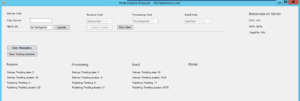
So, how often do you benchmark. We got the BizTalk Benchmark Wizard to indicate how your environment is doing. So I decided to go above and beyond and make something for you guys. But I want your input. What is the biggest struggles you have when it comes to benchmarking, and maybe I’ll implement them into the tool.
It’s currently based in Windows Form (oh how I hate windows form and C# at the moment.
I’m adding features as they come along and I hope to be able to give you a great tool soon!
Here is a little sneak peak
Let me know what you are struggling with and maybe it will be a feature. And of course the program itself will be free for all! (btw. it works with all versions of BizTalk from 2006 – 2013 (even 2013 R2))