by Sandro Pereira | Jun 5, 2017 | BizTalk Community Blogs via Syndication
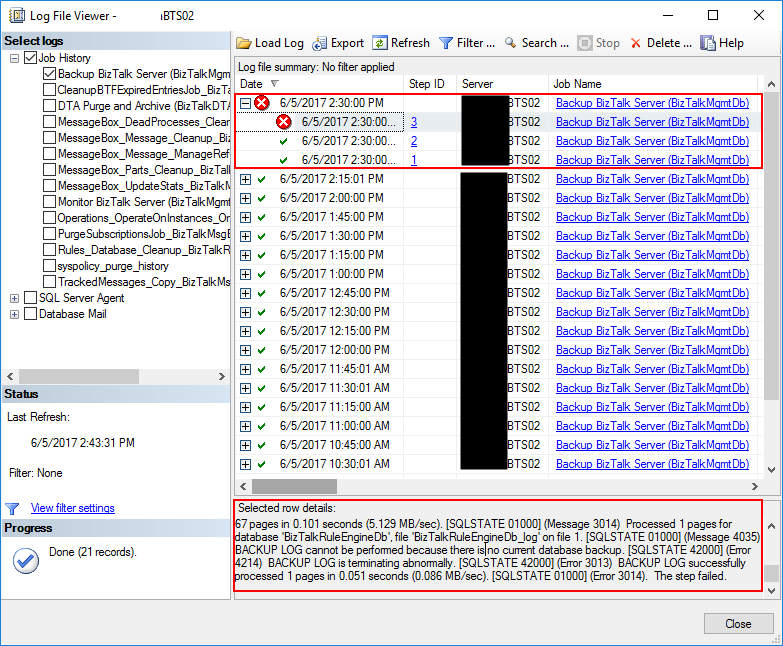
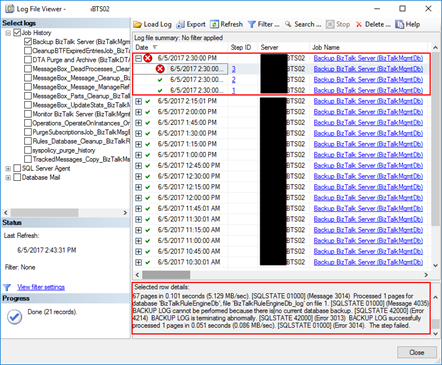
Recently, I was writing a new article “BizTalk Server Tips and Tricks: How to Backup (other) BizTalk Custom Databases” (that will be release soon as a guest post in BizTalk360 Blog) that explain you how you can configure the Backup BizTalk Server (BizTalkMgmtDb) job to back up additional BizTalk custom databases (RosettaNet, ESB Toolkit, …), when I got an error message on the job saying: BACKUP LOG cannot be performed because there is no current database backup. [SQLSTATE 42000] (Error 4214). The full error was this:
Date 6/5/2017 2:30:00 PM
Log Job History (Backup BizTalk Server (BizTalkMgmtDb))
Step ID 3
Server BTS02
Job Name Backup BizTalk Server (BizTalkMgmtDb)
Step Name MarkAndBackupLog
Duration 00:00:01
Sql Severity 16
Sql Message ID 3014
Operator Emailed
Operator Net sent
Operator Paged
Retries Attempted 0
Message
Executed as user: domain/username. Processed 1 pages for database ‘BAMPrimaryImport’, file ‘BAMPrimaryImport_log’ on file 1. [SQLSTATE 01000] (Message 4035) BACKUP LOG successfully processed 1 pages in 0.037 seconds (0.118 MB/sec). [SQLSTATE 01000] (Message 3014) Processed 12 pages for database ‘BizTalkDTADb’, file ‘BizTalkDTADb_log’ on file 1. [SQLSTATE 01000] (Message 4035) BACKUP LOG successfully processed 12 pages in 0.051 seconds (1.790 MB/sec). [SQLSTATE 01000] (Message 3014) Processed 9 pages for database ‘BizTalkMgmtDb’, file ‘BizTalkMgmtDb_log’ on file 1. [SQLSTATE 01000] (Message 4035) BACKUP LOG successfully processed 9 pages in 0.054 seconds (1.283 MB/sec). [SQLSTATE 01000] (Message 3014) Processed 67 pages for database ‘BizTalkMsgBoxDb’, file ‘BizTalkMsgBoxDb_log’ on file 1. [SQLSTATE 01000] (Message 4035) BACKUP LOG successfully processed 67 pages in 0.101 seconds (5.129 MB/sec). [SQLSTATE 01000] (Message 3014) Processed 1 pages for database ‘BizTalkRuleEngineDb’, file ‘BizTalkRuleEngineDb_log’ on file 1. [SQLSTATE 01000] (Message 4035) BACKUP LOG cannot be performed because there is no current database backup. [SQLSTATE 42000] (Error 4214) BACKUP LOG is terminating abnormally. [SQLSTATE 42000] (Error 3013) BACKUP LOG successfully processed 1 pages in 0.051 seconds (0.086 MB/sec). [SQLSTATE 01000] (Error 3014). The step failed.
Cause
If you take attention to the error message, you will notice that the job failed in the third task: MarkAndBackupLog, that is responsible for performing the backup’s the BizTalk Server databases logs.
You need to remember that by default Backup BizTalk Server (BizTalkMgmtDb) job only makes a full backup of the databases once a day and each 15 minutes a backup of the databases logs. However, to be able to perform a back up of the log from a particular database, it needs that a previous full backup has been performed and register in the “adm_BackupHistory” table in the BizTalkMgmtDb database. You can validate by executing the following script:
USE [BizTalkMgmtDb]

SELECT DISTINCT [DatabaseName]
FROM [BizTalkMgmtDb].[dbo].[adm_BackupHistory]
In my case, I was configuring an additional database to be backed up via the Backup BizTalk Server (BizTalkMgmtDb) job, and at that time, the full backup of the BizTalk Databases had already occurred.
Solution
To fix the problem of BACKUP LOG cannot be performed by the Backup BizTalk Server job, you need to:
- Execute the “sp_ForceFullBackup” stored procedure present in the BizTalkMgmtDb database.
USE [BizTalkMgmtDb]

EXEC sp_ForceFullBackup
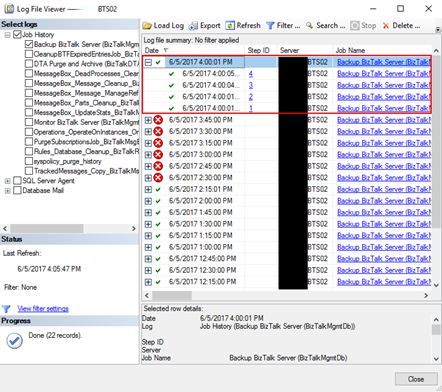
The next time you run the Backup BizTalk Server job, it will back up all BizTalk databases including all your BizTalk custom databases and it will be able them to execute the third task: MarkAndBackupLog, and therefore execute successfully the job once again.
Author: Sandro Pereira
Sandro Pereira lives in Portugal and works as a consultant at DevScope. In the past years, he has been working on implementing Integration scenarios both on-premises and cloud for various clients, each with different scenarios from a technical point of view, size, and criticality, using Microsoft Azure, Microsoft BizTalk Server and different technologies like AS2, EDI, RosettaNet, SAP, TIBCO etc. He is a regular blogger, international speaker, and technical reviewer of several BizTalk books all focused on Integration. He is also the author of the book “BizTalk Mapping Patterns & Best Practices”. He has been awarded MVP since 2011 for his contributions to the integration community. View all posts by Sandro Pereira
by Gautam | Jun 4, 2017 | BizTalk Community Blogs via Syndication
Do you feel difficult to keep up to date on all the frequent updates and announcements in the Microsoft Integration platform?
Integration weekly update can be your solution. It’s a weekly update on the topics related to Integration – enterprise integration, robust & scalable messaging capabilities and Citizen Integration capabilities empowered by Microsoft platform to deliver value to the business.
If you want to receive these updates weekly, then don’t forget to Subscribe!
On-Premise Integration:
Cloud and Hybrid Integration:
Feedback
Hope this would be helpful. Please feel free to let me know your feedback on the Integration weekly series.

by Sriram Hariharan | Jun 4, 2017 | BizTalk Community Blogs via Syndication
This blog will give you a recap of the feature content that was discussed as a part of Episode 22 of Middleware Friday. In this episode, Kent Weare discussed a small, yet very interesting feature in Azure Logic Apps – the Retry Policy.
Logic App Retry Policy
To understand the Retry Policy better, let’s assume we have an endpoint that is consumed by Logic Apps. If the endpoint has some intermittent issues, and the initial request fails to execute, the number of retries will be attempted based on the “retry count” default settings. By default, the retry action will execute 4 additional times over 20-second intervals. The retry policy applies to intermittent failure HTTP codes like 408, 429, 5xx series. You can define the retry policy as follows:
"retryPolicy" : {
     "type": "<type-of-retry-policy>",
     "interval": <retry-interval>,
     "count": <number-of-retry-attempts>
}
The maximum number of retry attempts that can be made is 4. If you try tweaking the retry count in the JSON, during the Logic App execution you will notice an exception as “The provided retry count of ‘value’ is not valid. The retry count must be a positive number no greater than ‘4’“. Similarly, the maximum delay for a retry can be set to 1 hour while the minimum delay is 5 seconds. Azure Logic Apps uses ISO 8601 standards for the above mentioned time durations and you need to define the interval in one of the following formats –
| PnYnMnDTnHnMnS |
| PnW |
| P<date>T<time> |
Demo – With Default Retry Mechanism
Kent demonstrated the Azure Logic App Retry Policy with the help of the following Logic App example –
Prerequisite: Create a Logic App before proceeding with the steps shown below
- First, let’s start with a Blank Logic App. In the Logic App designer, we will get started with creating a simple HTTP request trigger.
- Next, we will create an HTTP POST method and give a fake URL (URI) to allow the retry mechanism to kick in
- Finally, an HTTP response action with the status code of 200 to complete the Logic App
When we execute the Logic App, you will notice that the default retry mechanism (4 attempts, once every 20 seconds) will kick in.
After about 70 seconds, the fourth retry is performed.
Finally, after 80 seconds, the Logic App execution will fail and the corresponding error will be displayed in the Logic App Designer.
You can alter the retry mechanism by entering the code view and modifying the code with the values as shown previously in the blog post.
Therefore, the demo clearly shows how the retry policy works out of the box in Logic Apps and how you can customize the retry policy within its limits. You can watch the video of this session here –
Feedback Survey
If you have any specific topics of interest at Middleware Friday, you can fill in this survey. Alternatively, you can tweet at @MiddlewareFri or drop an email to [email protected] with your topics of preference.
You can watch the Middleware Friday sessions here.
Author: Sriram Hariharan
Sriram Hariharan is the Senior Technical and Content Writer at BizTalk360. He has over 9 years of experience working as documentation specialist for different products and domains. Writing is his passion and he believes in the following quote – “As wings are for an aircraft, a technical document is for a product — be it a product document, user guide, or release notes”. View all posts by Sriram Hariharan

by Rochelle Saldanha | May 30, 2017 | BizTalk Community Blogs via Syndication
At BizTalk360, we provide some essential services which benefit the customers and our partners immensely. Businesses trust and use our expertise to assist them on a wide range of projects relating to their BizTalk needs. This includes, but is not limited to:
- Setting up our monitoring product BizTalk360 and integrating their BizTalk servers.
- Advising on the best practices used in the community for monitoring.
- Helping in BizTalk migration projects via support and licensing discounts.
- In-Depth training and advice on end to end BizTalk solutions.
There are 3 types of services we offer, namely:
- Product Demos
- Best Practice and Installation service
- In-Depth Training for BizTalk360
Product Demos
Demos can turn prospects into customers. They combat client concerns and provide proof what the product can do for you (our customers). Customers often want to see it in action before they commit to a purchase. We also offer a Free Trial as well.
Free Trial of BizTalk360
It gives the customer the best opportunity to experience what it would be like to own the product
Most of the times, we are approached by the customers themselves who googled and came across our product BizTalk360 and want to know more about it.
Sometimes we are approached by consultants who say “We love your product and need your help to convince Management to get it for our company”.
We also give Demos to our Partners as well to keep them well-equipped and confident in the product.
BizTalk360 Demo – Request one today!
We avoid giving generic demos. We try to learn about our audience’s specific challenges and what they want to achieve and tailor the demo accordingly. We want customers to feel empowered and be confident of the product they are going to be purchasing. The customer should be happy that BizTalk360 is going to be a good fit for their requirements.
We have also printed some documentation which outlines all the main features of BizTalk360 – What’s the business value of using Biztalk360, which we will be giving out at our upcoming INTEGRATE 2017 event.
Best Practice installation and configuration
Customers like hearing about best practices, especially if they’re easy to implement and will result in an immediate benefit. We provide this service to help set up BizTalk360 at the customer site. While the actual setup can be quite simple and quick to setup, depending on your environment you might face some issues. We provide a 2-hour service (chargeable) where we set up the product (via a web call) and go through a few basic setup tasks
- SMTP settings – These are the first thing to setup to ensure that the notifications for any alarm are successfully sent.
- User access policy – Add user specific permissions to view different parts of the product.
- Setting up Alarms/Monitoring Dashboard – Monitoring artifacts is the core of our product. We explain the types of alarms available, which are more suited to certain scenarios. The dashboard helps you to see all the status of artifacts mapped in 1 look.
- Monitoring of SQL Servers
- Event Log setup – This will enable you to view Windows logs across multiple BizTalk servers
- Purging Policy – This will help set up purging to avoid bloating of the database.
Often a simple task can also turn out to be complex when dealing with multiple environments. A lot of our customers also take this opportunity for their BizTalk administrators to get a quick crash course in the product to see how they can utilize the product in the best way possible.
Some important troubleshooting steps during installation
- Try to run the MSI using logs, so if any issues occur they are detailed in the logs.
- Once the installation is complete successfully, if the home page is not displayed and you see any errors like Icons/images missing – Check the ‘Static content’ tickbox is activated under ‘IIS’ in Server Manager -> Add Roles & Features
- If you are Installing BizTalk360 on a complete standalone server and there is no trace of the remote BizTalk environment we are going to configure. Simply enter the corresponding values for BizTalkMgmtSqlInstanceName and BizTalkMgmtDb columns as shown below.
- If it doesn’t help, kindly run the troubleshooter tool on the machine where BizTalk360 is installed. Troubleshooter will help you to find any permissions missed.
We are soon releasing a ‘User Guide’ of around 400 pages for the basic setup tasks required when you install BizTalk360 – written by Eva De Jong and Lex Hegt. Please look out for it at our ‘INTEGRATE 2017’ event.
BizTalk360 Training
BizTalk360 has a lot of features which can be quite overwhelming for someone new. Many companies appreciate an in-depth intensive BizTalk360 training. This is an 8-hour training that we provide and is given by our BizTalk Server & BizTalk360 Product experts.
This session is covered over 4 days in 2-hour slots (or as desired by customer). The main idea is for customers to get a better understanding of how the product can help them achieve certain scenarios. Our experts interact with the audience and understand the environment and architecture and what customizations they want to achieve.
Initially, they go through the various features available in BizTalk360, then on subsequent days the trainer does a deep dive and goes through more technical complicated scenarios and how the customer can benefit from the product. Many customers use this as a training session for their technical staff. This is conducted via a remote webinar session (GoToMeeting) and is a very interactive and a good learning experience for most customers. The session is not a straightforward monologue but it provides plenty of space for the customer to pose questions regarding their own circumstances.
Exciting upcoming Services/Training
We also have a new training for ‘BizTalk Server Administrators’ run by our very own BizTalk expert Lex Hegt.
The audience would be Systems Administrators who deploy and manage (multi-server) BizTalk Server environments, SQL Server DBA’s who are responsible for maintaining the BizTalk Server databases or BizTalk Developers who need to support a BizTalk environment.
During this course, attendees will get a thorough training for everything they need to know to properly administer BizTalk Server.
Some of the course topics are:
- Installing and configuring BizTalk Groups
- Operating and monitoring BizTalk Server
- Deployment of BizTalk applications
- Periodical administrative tasks and best practices.
Keep tuned to our website for more such information or contact [email protected] to arrange the same.
by BizTalk Team | May 30, 2017 | BizTalk Community Blogs via Syndication
We are happy to announce the 2nd Cumulative updates BizTalk Server 2016.
This cumulative update package for Microsoft BizTalk Server 2016 contains hotfixes for the BizTalk Server 2016 issues that were resolved after the release of BizTalk Server 2016.
NOTE: This CU is not applicable to environment where Feature Pack 1 is installed, there will be a new Cumulative Update for BizTalk Server 2016 Feature Pack 1 coming soon.
We recommend that you test hotfixes before you deploy them in a production environment. Because the builds are cumulative, each new update release contains all the hotfixes and all the security updates that were included in the previous BizTalk Server 2016 CUs. We recommend that you consider applying the most recent BizTalk Server 2016 update release.
Cumulative update package 6 for Microsoft BizTalk Server 2016:
- BizTalk Server Adapter
- 4010116: FIX: “Unable to allocate client in pool” error in NCo in BizTalk Server
- 4013857: FIX: The WCF-SAP adapter crashes after you change the ConnectorType property to NCo in BizTalk Server
- 4011935: FIX: MQSeries receive location fails to recover after MQ server restarts
- 4012183: FIX: Error while retrieving metadata for IDOC/RFC/tRFC/BAPI operations when SAP system uses non-Unicode encoding and the connection type is NCo in BizTalk Server
- 4013857: FIX: The WCF-SAP adapter crashes after you change the ConnectorType property to NCo in BizTalk Server
- 4020011: FIX: WCF-WebHTTP Two-Way Send Response responds with an empty message and causes the JSON decoder to fail in BizTalk Server
- 4020012: FIX: MIME/SMIME decoder in the MIME decoder pipeline component selects an incorrect MIME message part in BizTalk Server
- 4020014: FIX: SAP adapter in NCo mode does not trim trailing non-printable characters in BizTalk Server
- 4020015: FIX: File receive locations with alternate credentials get stuck in a tight loop after network failure
- BizTalk Server Accelerators
- 4020010: FIX: Dynamic MLLP One-Way Send fails if you enable the “Solicit Response Enabled” property in BizTalk Server
- BizTalk Server Design Tools
- 4022593: Update for BizTalk Server adds support for the .NET Framework 4.7
- BizTalk Server Message Runtime, Pipelines, and Tracking
- 3194297: “Document type does not match any of the given schemas” error message in BizTalk Server
- 4020018: FIX: BOM isn’t removed by MIME encoder when Content-Transfer-Encoding is 8-bit in BizTalk Server
Download and read more here
by Gautam | May 28, 2017 | BizTalk Community Blogs via Syndication
Do you feel difficult to keep up to date on all the frequent updates and announcements in the Microsoft Integration platform?
Integration weekly update can be your solution. It’s a weekly update on the topics related to Integration – enterprise integration, robust & scalable messaging capabilities and Citizen Integration capabilities empowered by Microsoft platform to deliver value to the business.
If you want to receive these updates weekly, then don’t forget to Subscribe!
On-Premise Integration:
Cloud and Hybrid Integration:
Feedback
Hope this would be helpful. Please feel free to let me know your feedback on the Integration weekly series.

by Steef-Jan Wiggers | May 27, 2017 | BizTalk Community Blogs via Syndication
The month May went quicker than as I realized myself. Almost half 2017 and I must say I have enjoyed it to the fullest. Speaking, travelling, working on an interesting project with the latest Azure Services, and recording another Middleware Friday show. It was tha best, it was amazing!
Month May
In May I started off with working on a recording for Middleware Friday, I recorded a demo to show how one can distinguish Flow from Logic Apps. You can view the recording named Task Management Face off with Logic Apps and Flow.
The next thing I did was prepare myself for TUGAIT, where I had two sessions. One session on Friday in the Azure track, where I talked about Azure Functions and WebJobs.
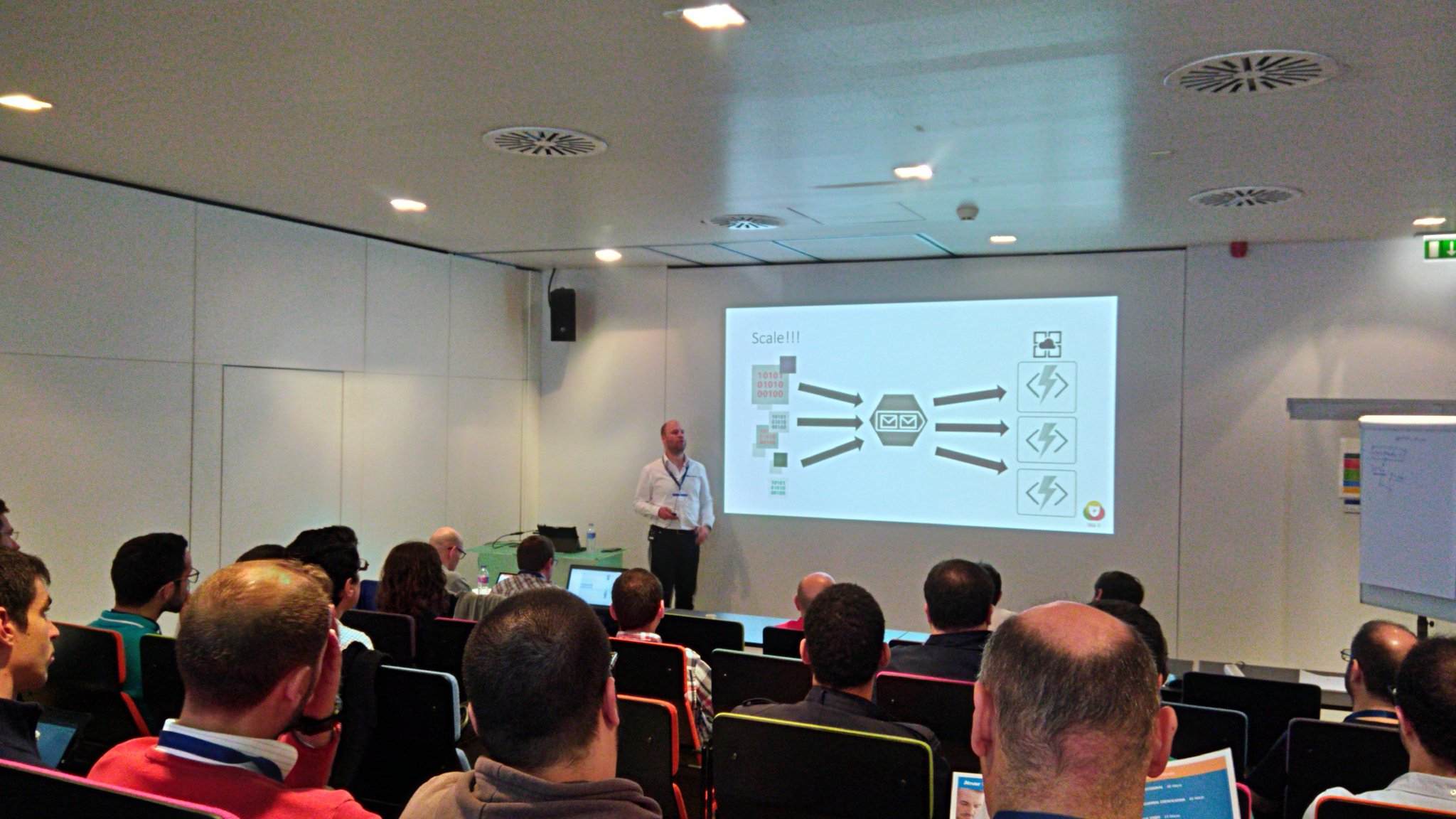
And one session on Saturday in the integration track about the number of options with integration and Azure.
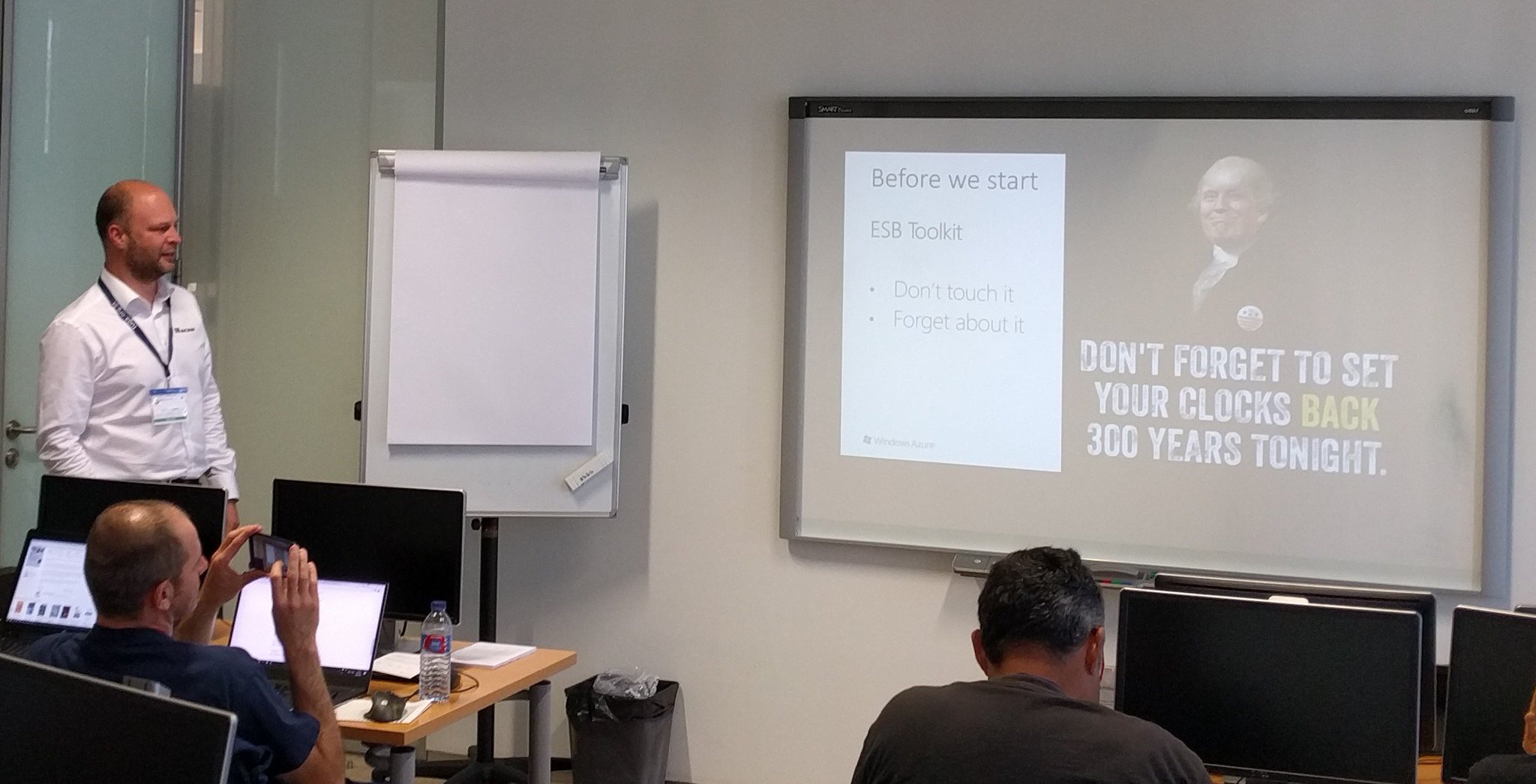
I enjoyed both and was able to crack a few jokes. Especially on Saturday, where kept using Trump and his hair as a running joke.
TUGAIT 2017 was an amazing event and I enjoyed the event, hanging out with Sandro, Nino, Eldert and Tomasso and the food!
During the TUGA event I did three new interviews for my YouTube series “Talking with Integration Pros”. And this time I interviewed:
I will continue the series next month.
Books
In May I was able to read a few books again. I started reading a book about genes. Before I started my career in IT I was a Biotech researcher and worked in the field of DNA, BioTechnology and Immunology. The book is called The Gene by Siddharta Mukherjee.

I loved the story line and went through the 500 pages pretty quick (still two weeks in the evenings). The other book I read was Sapiens by Yuval Noah Harari. And this book is a good follow up of the previous one!

The final book I read this month was about Graph databases. In my current project we have started with a proof of concept/architecture on Azure Cosmos DB, Graph and Azure Search.
The book helped me understand Graph databases better.
Music
My favorite albums that were released in May were:
- God Dethroned – The World Ablaze
- Voyager – Ghost Mile
- Sólstafir – Berdreyminn
- Avatarium – Hurricanes And Halos
- The Night Flight Orchestra – Amber Galactic

There you have it Stef’s fourth Monthly Update and I can look back again with great joy. Not much running this month as I was recovering a bit from the marathon in April. I am looking forward to June as I will be speaking at the BTUG June event in Belgium and Integrate 2017 in London.
Cheers,
Steef-Jan
Author: Steef-Jan Wiggers
Steef-Jan Wiggers is all in on Microsoft Azure, Integration, and Data Science. He has over 15 years’ experience in a wide variety of scenarios such as custom .NET solution development, overseeing large enterprise integrations, building web services, managing projects, designing web services, experimenting with data, SQL Server database administration, and consulting. Steef-Jan loves challenges in the Microsoft playing field combining it with his domain knowledge in energy, utility, banking, insurance, health care, agriculture, (local) government, bio-sciences, retail, travel and logistics. He is very active in the community as a blogger, TechNet Wiki author, book author, and global public speaker. For these efforts, Microsoft has recognized him a Microsoft MVP for the past 6 years. View all posts by Steef-Jan Wiggers

by Eldert Grootenboer | May 27, 2017 | BizTalk Community Blogs via Syndication
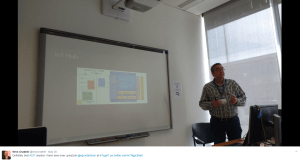
Last week I was in Lisbon for TUGA IT, one of the greatest events here in Europe. A full day of workshops, followed by two days of sessions in multiple tracks, with attendees and presenters from all around Europe. For those who missed it this year, make sure to be there next time!
On Saturday I did a session on Industrial IoT using Azure IoT Hub. The industrial space is where we will be seeing a huge growth in IoT, and I showed how we can use Azure IoT Hub to manage our devices and do bi-directional communication. Dynamics 365 was used to give a familiar and easy to use interface to work with these devices and visualize the data.
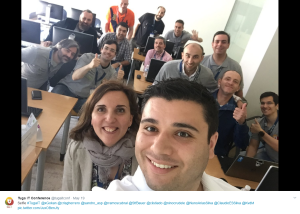
And of course, I was not alone. The other speakers in the integration track, are community heroes and my good friends, Sandro, Nino, Steef-Jan, Tomasso and Ricardo, who all did some amazing sessions as well. It is great to be able to present side-by-side with these amazing guys, to learn and discuss.
There were some other great sessions as well in the other tracks, like Karl’s session on DevOps, Kris‘ session on the Bot Framework, and many more. At an event like this it’s always so much content being presented, that you can’t always see every session you would like, but luckily the speakers are always willing to have a discussion with you outside of the sessions as well. And with 8 different tracks running side-by-side, there’s always something interesting going on.
One of the advantages of attending all these conferences, is that I get to see a lot of cities as well. This was the second time I was in Lisbon, and Sandro has showed us a lot of beautiful spots in this great city. We enjoyed traditional food and drinks, a lot of ice cream, and had a lot of fun together.



by Sandro Pereira | May 26, 2017 | BizTalk Community Blogs via Syndication
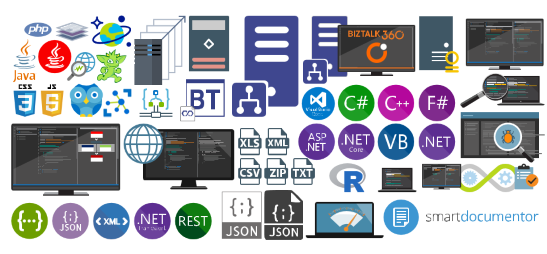
Once again, my Microsoft Integration Stencils Pack was updated with new stencils. This time I added near 193 new shapes and additional reorganization in the shapes by adding two new files/categories: MIS Power BI and MIS Developer. With these new additions, this package now contains an astounding total of ~1287 shapes (symbols/icons) that will help you visually represent Integration architectures (On-premise, Cloud or Hybrid scenarios) and Cloud solutions diagrams in Visio 2016/2013. It will provide symbols/icons to visually represent features, systems, processes and architectures that use BizTalk Server, API Management, Logic Apps, Microsoft Azure and related technologies.
- BizTalk Server
- Microsoft Azure
- BizTalk Services
- Azure App Service (API Apps, Web Apps, Mobile Apps and Logic Apps)
- API Management
- Event Hubs
- Service Bus
- Azure IoT and Docker
- Virtual Machines and Network
- SQL Server, DocumentDB, CosmosDB, MySQL, …
- Machine Learning, Stream Analytics, Data Factory, Data Pipelines
- and so on
- Microsoft Flow
- PowerApps
- Power BI
- Office365, SharePoint
- DevOpps: PowerShell, Containers
- And much more…
Microsoft Integration Stencils Pack v2.5
The Microsoft Integration Stencils Pack v2.5 is composed by 13 files:
- Microsoft Integration Stencils v2.5
- MIS Apps and Systems Logo Stencils v2.5
- MIS Azure Portal, Services and VSTS Stencils v2.5
- MIS Azure SDK and Tools Stencils v2.5
- MIS Azure Services Stencils v2.5
- MIS Deprecated Stencils v2.5
- MIS Developer v2.5 (new)
- MIS Devices Stencils v2.5
- MIS IoT Devices Stencils v2.5
- MIS Power BI v2.5 (new)
- MIS Servers and Hardware Stencils v2.5
- MIS Support Stencils v2.5
- MIS Users and Roles Stencils v2.5
These are some of the new shapes you can find in this new version:
You can download Microsoft Integration Stencils Pack for Visio 2016/2013 from:
 Microsoft Integration Stencils Pack for Visio 2016/2013 (10,1 MB)
Microsoft | TechNet Gallery
Author: Sandro Pereira
Sandro Pereira lives in Portugal and works as a consultant at DevScope. In the past years, he has been working on implementing Integration scenarios both on-premises and cloud for various clients, each with different scenarios from a technical point of view, size, and criticality, using Microsoft Azure, Microsoft BizTalk Server and different technologies like AS2, EDI, RosettaNet, SAP, TIBCO etc. He is a regular blogger, international speaker, and technical reviewer of several BizTalk books all focused on Integration. He is also the author of the book “BizTalk Mapping Patterns & Best Practices”. He has been awarded MVP since 2011 for his contributions to the integration community. View all posts by Sandro Pereira

by Srinivasa Mahendrakar | May 26, 2017 | BizTalk Community Blogs via Syndication
In my previous blog, I explained about installing BTS 2016 feature pack 1 and configuring it for Application Insights integration. In this article, I want to go a bit deeper and try to demonstrate,
- Nature of tracking data sent to Application Insights
- Structure of the data
- Querying data in Application Insights
- Some practical examples of getting sensible analytics for BizTalk interfaces.
I am hoping to give a jump start to someone who wants to use the Application Insights for BizTalk Server 2016.
Tracking data
As you know the term tracking data in BizTalk refers to different types of data emitted from different artifacts. It could be in/out events from ports and orchestrations, pipeline components, it could be system context properties, could be custom properties tracked from custom property schemas, could be message body in various artifacts, could be events fired from rule engine etc. So we would like to know, whether we will be able to get all this data in Application Insights or is it just a subset. I will try to answer this question based on the POC I have created.
POC I created is pretty simple. It has one receive port which receives an order XML file, processes that in an orchestration and send it to two different send ports. It can be pictorially represented as below.
- I have enabled pipeline tracking on XML receive and XML transport pipelines.
- Enabled track message body and analytics in Receive ports (If you want to know about Analytics option please refer to my first article.
- Enabled the Track Events, Track Message Bodies, and Analytics on orchestration.
- Enabled the Analytics on Send Port
Note: I enabled a different level of tracking at different artifacts to see if it has an impact on the analytics data sent to Application Insights. Later I realized that different tracking levels do not have any impact on the analytics data.
Analytics Data in Application Insights
I placed a single file into the receive location and started observing the events pushed to Application Insights. In general, Applications integrated with Application Insights can send data belonging to various categories, such as traces, customEvents, pageViews, requests, dependencies, exceptions, availabilityResults, customMetrics, band browserTimings. With BizTalk, I have observed that data belongs to “CustomEvents” category. Following are the custom events which are ingested from my BizTalk interface.
- There are two events for a receive port.
- There is an event for every logical port inside the orchestration. And hence we can see three events in total for orchestration.
- There are two events for each send port.
All these events can be related to events logged into “Tracked events” query results which are shown below.
Structure of a BizTalk custom event
In the previous section, we saw that our BizTalk interface emitted various custom events for ports and orchestration. In this section, we will look into the structure of data which is captured in a custom event.
Event Metadata
Event metadata is the list of values which defines an event. Following are the event metadata in one of the custom events.
Custom Dimensions
Custom dimensions consist of the service instance details and context properties promoted in the messaging instance. Hence we can observe two different kinds of data under custom dimensions.
Service instance properties: These are the values specific to service instance associated with the messaging event.
Context properties: All the context properties which are non-integer type will be listed under the custom dimensions.
Custom Measurements
As per my observation, custom measurements only contain the context properties of integer type.
Since there is no proper documentation regarding this, I tried to prove this theory by creating three custom properties in a property schema and promoted the fields in the incoming message. Following is the property schema that I defined.
I observed that PartyID and AskPrice properties which are of type string and decimal respectively are moved to Custom Dimensions section. Property Quantity which is of type integer is moved to Custom measurement.
Querying data
As discussed in above section all the BizTalk events are tracked under the customEvents category. Hence our query will start with customEvents.
Query language in Application Insights is very straightforward and yet very powerful. If you want to find out all the construct of this query language please refer this link Application Insights Analytics Reference.
In this section, I would like to cover some concepts or techniques which are relevant for querying BizTalk events.
Convert the context property values to specific types
In Application Insights, the context property values are stored as dynamic types. When you directly use them into queries especially in aggregations, you will receive a type casting exception as shown below.
To overcome this error, you will need to convert the context property to a specific type as shown below.
Easy way to bring a context property key into the query
Since context properties are a combination of namespace and property name, it will be a bit of an effort to type them in the queries that we create. To bring the context property on to the query page easily, follow steps as below.
- Query for custom events and navigate to the property you are interested in the results section.
- When you hover the mouse on the desired property, we will get two buttons. ‘+’ for inclusion and ‘-’ for exclusion.
Selecting specific fields
If you already know app insights query language, this tip is not so special. But if you are new to it and trying to find out how to select a column, you will face some difficulty as I did. The main reason for this is there is no construct called “select”. Instead, you will have to use something called “project”. Below is an example query.
Some useful sample queries.
In this section, I will try to list some queries which I found useful.
Message count by port names
query
customEvents
| where customDimensions.Direction == "Receive"
| summarize count() by tostring(customDimensions.["PortName (http_//schemas.microsoft.com/BizTalk/2003/messagetracking-properties)"])
Chart
Messaging Volume by schema
Query
customEvents
| where customDimensions.Direction == "Receive"
| summarize count() by tostring(customDimensions.["MessageType (http_//schemas.microsoft.com/BizTalk/2003/system-properties)"])
Chart
Analytics with custom context properties.
Ability to generate analytics reports based on the custom promoted properties is a very powerful feature which really makes using application insights interesting. As I explained in previous sections I have created a custom property schema to track PartId, Quantity and AskPrice fields. Now we will see some example reports based on this.
Total quantity by part id
Query
customEvents
| where customDimensions.PortType == "ReceivePort"
| where customDimensions.Direction == "Send"
|summarize sum(toint(customMeasurements.["Quantity (https_//SampleBizTalkApplication.PropertySchema)"])) by PartId = tostring(customDimensions.["PartID (https_//SampleBizTalkApplication.PropertySchema)"])
Chart
Total sales over period of time
Query
customEvents
| where customDimensions.PortType == "ReceivePort"
| where customDimensions.Direction == "Send"
| summarize sum(todouble(customDimensions.["AskPrice (https_//SampleBizTalkApplication.PropertySchema)"])) by bin( timestamp,10m)
Chart
Pinning charts to Azure dashboard
All the charts that you have created can be pinned to an Azure dashboard and you can club these charts with other application dashboards as well. My dashboard with the charts that we created looks as below.
Summary
In summary BizTalk analytics option which is introduced in BizTalk Server 2016 Feature Pack 1 is useful to get analytics out of tracking data. I would like to conclude by stating following points.
- Only the tracked messaging events, service instance information and context properties of associated service instance are sent to App iInsightsby analytics feature. Message body, pipeline events, business rule engine events etc. are not being pushed out.
- Under messaging events, I was unable to find the Transmission Failure events for send ports. This will be useful for getting metrics on failure rates. If you agree with this observation please vote here.
- The different level of tracking on ports and orchestrations does not have an impact on the data being transmitted to app insights.
- Orchestration failures/suspended events are not pushed to application insights. It would be good if Microsoft provides an extensible feature to push exceptions from orchestrations. If you agree please vote here
- There is no control on what context properties published to app insights. It is all or nothing scenario. It would be good to have control on it. Especially when you are promoting and tracking business data. If you agree please vote here.
- Ability to perform analytics based on context property values can turn out to be a powerful feature for BizTalk implementations.
Author: Srinivasa Mahendrakar
Technical Lead at BizTalk360 UK – I am an Integration consultant with more than 11 years of experience in design and development of On-premises and Cloud based EAI and B2B solutions using Microsoft Technologies. View all posts by Srinivasa Mahendrakar