by community-syndication | Nov 11, 2008 | BizTalk Community Blogs via Syndication
I wrote a short article ona possible wayto deal with base64 encoded documents in a incoming XML message. The solution works by redirectinga stream from and to fileon the right moment.A sample (with source)is included.
You can find it here.
Hope you find this useful
by community-syndication | Nov 11, 2008 | BizTalk Community Blogs via Syndication
The Windows Azure Platform and other Microsoft cloud offerings were announced at the recent Professional Developer’s Conference in Los Angeles. This talk is an introduction to Microsoft’s cloud computing platform, including Windows Azure, SQL Data Services and .NET Services. We’ll explore the various components of the cloud computing platform, and describe their relationships and architectural significance. We’ll also walk through the tools and technologies used to connect and manage the various cloud components. In addition to an architectural walkthrough, we’ll also provide a number of demos that can be executed either on local developer machines or in the cloud after receiving a cloud account.
Speaker
Mickey Williams is the director of the Center of Excellence team at Neudesic. A Visual C# MVP, he has extensive experience building mission-critical applications on a wide variety of platforms, and has authored nine books on Windows programming.
When and Where
We’ll be meeting on the 4th floor of the Microsoft La Jolla office. Pizza will be available at 6:00 PM. The meeting will start at 6:30 and end at 9 o’clock.
Technorati Tags: cloud computing,azure,soa,Oslo
by stephen-w-thomas | Nov 11, 2008 | Stephen's BizTalk and Integration Blog
What is Correlation?
Correlation is when a process sends a message out and that same process is expecting a response to be returned to the same instance of that process. The complexity rises when the messaging patterns become asynchronous or the process becomes long running. Asynchronous and long running processes are a common scenario inside business processes today.
BizTalk Server is great at correlation inside Orchestrations given the publish and subscribe architecture of BizTalk Server. BizTalk supports both system based correlation (based on a Send Port or File Name) and content based correlation using specific values inside the message. Content based correlation fits a greater number of scenarios.
Workflow 4.0 has the ability to do content based correlation and it looks and feels a lot like BizTalk (which is a good thing).
I have put together a short screencast video to walk though setting up content based correction inside Workflow 4.0. To set up content based correlation in Workflow 4.0, you first create a correlation variable of type CorrelationHandle. Then, you set this variable and xpath on the corresponding send and receive shapes. This video takes you through the process step by step.
Watch the video live via Flash or download the Windows Media version.
by community-syndication | Nov 10, 2008 | BizTalk Community Blogs via Syndication
Hi all
For those of you, who use Togi as
a Twitter client, there is now a Danish translation of it available for download…
and, as you will notice on the page, I did the Danish translation 🙂 Although…
I use the English version myself… but that is besides the point 🙂
—
eliasen
by community-syndication | Nov 10, 2008 | BizTalk Community Blogs via Syndication
Hi all
So, I finally decided to try out the FarPoint
BizTalk adapter for Excel spreadsheets. It’s always nice to have tried as many
adapters as possible, so I can use this knowledge when talking to customers.
This post is the first of a series of posts about this product. The first post is
about installation and the basic functionality. The next posts will go deeper into
separate functionality.
Let me just make one thing clear before I begin: I am not in any way affiliated with
FarPoint Technologies, nor are they paying me anything to write these posts.
So, to begin; The installation was easy. Just a next-next-finish wizard. All the information
needed from you is the product code, a serial number, and the installation folder,
if you want to change that.
After installation, I have the functionality I would expect from this kind of product:
-
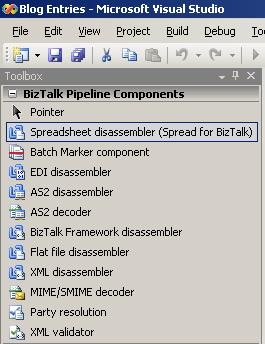
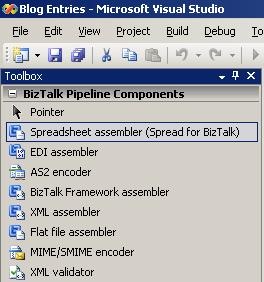
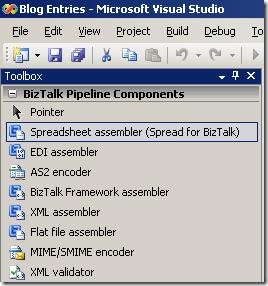
Pipeline components to use in pipelines
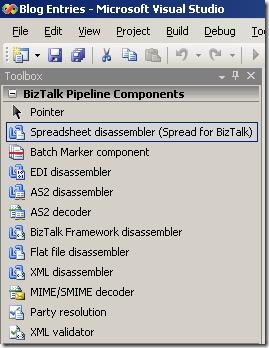
-
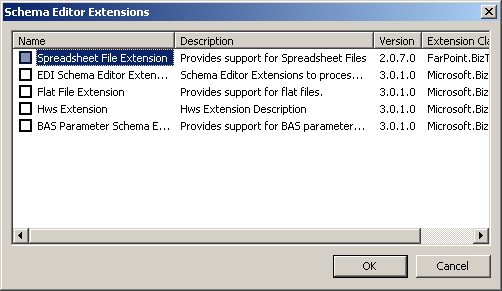
Schema extension for the schemas
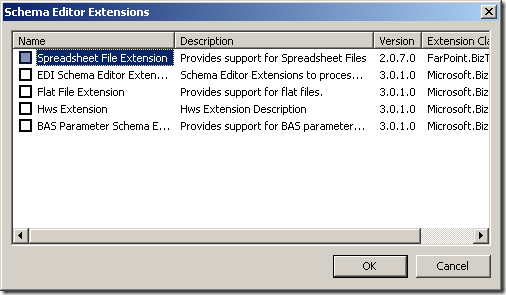
-
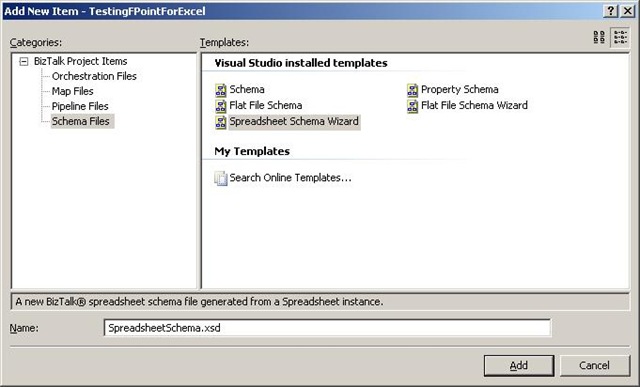
Wizard to help me create the schemas
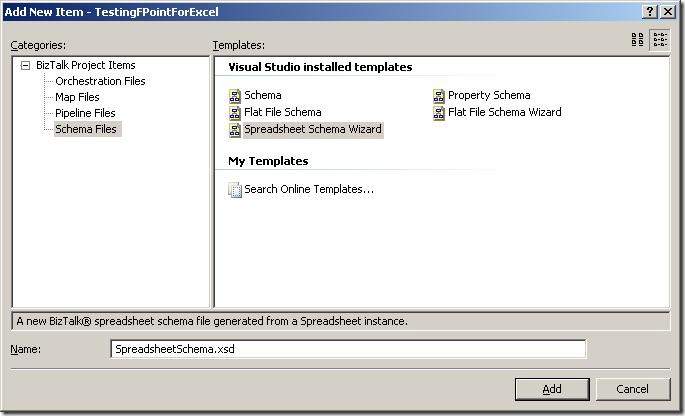
-
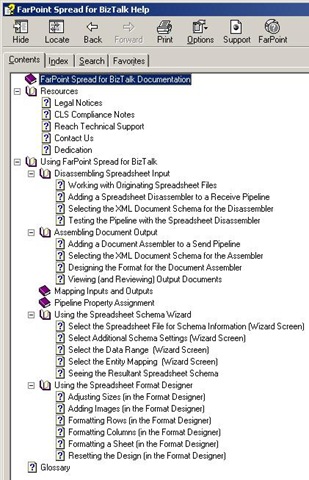
Documentation
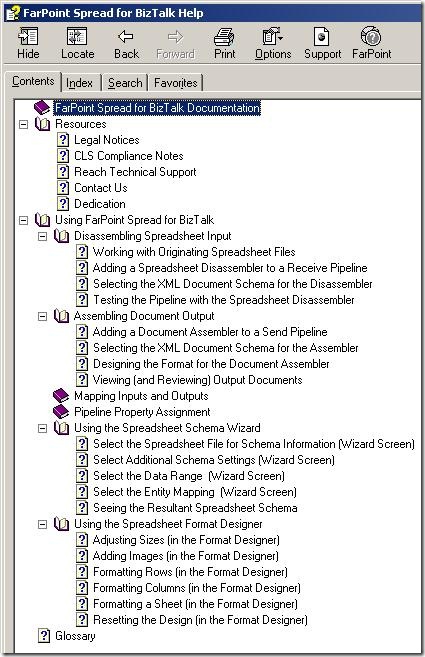
So, to sum up:
-
The installation is easy.
-
The architecture of the solution seems to be exactly what I would expect, ie. pipeline
components, schema extensions and a wizard.
My next post in the series will take a deeper look at the wizard for creating schemas
for use by the pipeline disassembler and assembler.
—
eliasen
by stephen-w-thomas | Nov 10, 2008 | Stephen's BizTalk and Integration Blog
Make sure you check out the video content on Dublin available on BizTalkGurus.com:
First Look at Windows Application Server (Dublin)
Dublin is the code name for the new Windows Application Server components. At the core, Dublin is designed to be a hosting environment for Windows Workflow and Windows Communication Foundation based applications. It integrates into IIS and provides eight new features out of the box.
If you have worked with BizTalk Server 2006 in the past, as we walk through the next few screen shots keep saying to yourself…. “this is not BizTalk this is a new Application”. The likeness to BizTalk 2006 will make adoption by fellow BizTalkers straight forward.
Setup and server configuration of Dublin is done though the Windows Application Server Configuration tool. This is seen below.
Drilling down into a specific section on the left (such as Runtime) will show the specific configuration for that item. The look and feel of this configuration is just like it is inside BizTalk Server 2006.
Once setup and configured, Dublin is currently managed though IIS. The picture below shows these eight new features. These are added under the WCF/WF Services section.
We will take a closer look at each new feature.
Application Export – This is used to export an Application. You get a nice simple interface as seen below.
Application Import – This is used to import an Application. You have the ability to configure parameters during import as seen below.
Database Configuration – This is used to configure the default Persistence and Monitoring database for this instance of Dublin.
Diagnostics – This is used to set up Tracing and Message Logging.
Persisted Instances – Clicking the Persisted Instances icon launches the window below. This is an organized view of the count and status of workflows for a given application. All the items listed are links that can be clicked on to drill down into a specific section. This view is just like the BizTalk Server Admin tool.
Services – Based on the selected scope, this will show you the Services inside the Virtual Directory.
From the Services Pane you can drill down into more detail by right-clicking and selecting Persisted Instance from the context menu (this can also be done from within Persisted Instances view above). You have the ability to Suspend, Terminate, Abort, or view Tracking Data about specific instances as seen below.
Selecting View Tracking Data will view available tracking data for this workflow, as seen below. Double clicking on a specific tracking record will give more details on that specific item.
Tracking Configuration – Tracking configuration lists the available profiles that can be applied to an application. Out of the box are three profiles, Basic, Verbose WCF, and Verbose Workflow. In the picture below, BestPetServiceTracking is a custom tracking profile used to track user specific values.
Tracking Profiles – Custom tracking is just a few clicks away inside Dublin. Once a custom tracking profile is created, it can be uploaded and made available to use for tracking. Inside the labs, Microsoft provided a Tracking Profile Editor (just like the one in BizTalk) that can easily create custom tracking profiles based on a workflow.
I hope this gives you a quick overview of Dublin, Microsoft’s new Application Server. For anyone that has worked with BizTalk in the past, working with Dublin will come naturally. Enjoy.
by community-syndication | Nov 10, 2008 | BizTalk Community Blogs via Syndication
Here is where Bill Gates states he is serious about improving the software:
http://www.microsoft.com/whdc/maintain/WERHelp.mspx
Here is how it is done:
To be honest, I am excited for the rollout of the WE-SYP Projection module (shown at the end of the video).
So don’t just quickly click thru the error report!
LOL
by community-syndication | Nov 10, 2008 | BizTalk Community Blogs via Syndication
Hi all
In almost all multiple server installations of BizTalk I have encountered, there has
been issues with MSDTC. MSDTC is Microsofts product for handling distributed transactions,
meaning transactions that span multiple servers. BizTalk uses this in high scale,
when running transactions against SQL Server, to maintain consistency in BizTalks
databases.
All issues with MSDTC are solvable – sometimes it is just hard to figure out what
is wrong.
First of all, always use the DTCTester tool at http://support.microsoft.com/kb/293799 to
test your MSDTC installation. If this tool reports no errors and you are still having
issues, then most likely, MSDTC isn’t the cause of your issues.
If something is wrong with MSDTC, I have encountered four major issues:
-
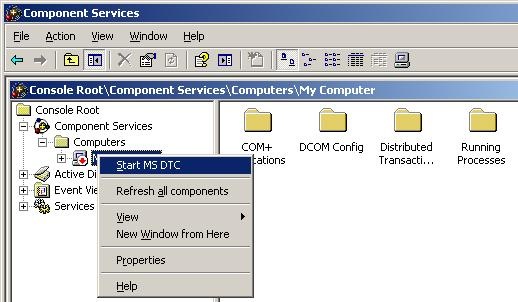
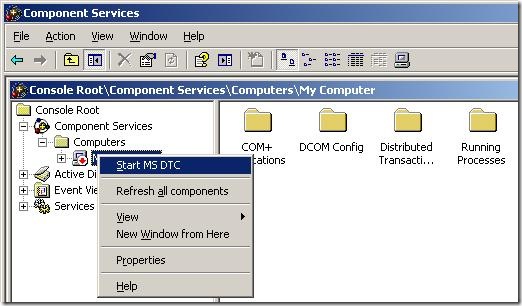
MSDTC doesn’t run on either of the server. Solve this by starting MSDTC. Steps to
start MSDTC (Note, that the MMC snapin is buggy, and it might appear that the “Component
Services” node has no children… but it does, trust me 🙂 ):
-
Go to “Administrative Tools” => “Component Services”
-
Go to “Component Services” => “Computers” => “My Computer”
-
Right click “My Computer” and choose “Start MS DTC”.
-
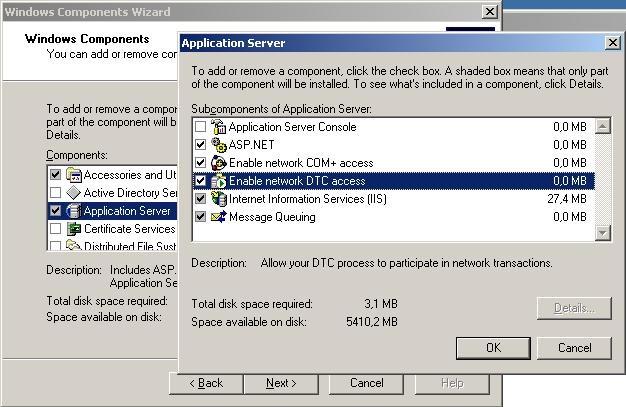
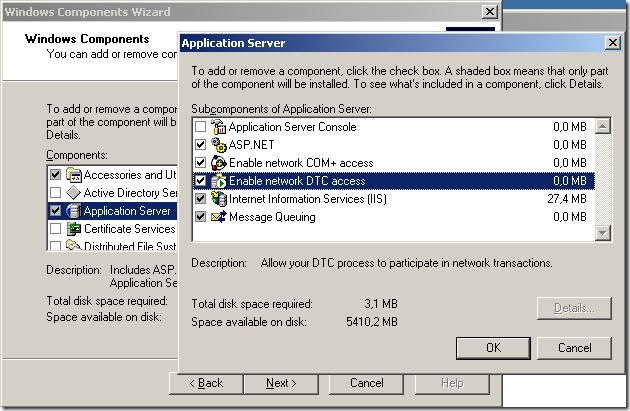
MSDTC isn’t configured for network access on both servers. Solve this in “add/remove
windows components” here:
-
The two servers have the same MS DTC ID. This ocurs if both servers are clones of
the same server or if one of the ervers is a clone of the other server. Usually, when
cloning servers, sysprep is used to clear out those errors, but in case it hasn’t
been used, here is how you fix it:
-
Run “msdtc -uninstall” from a command prompt
-
reboot
-
Run “msdtc -install” from a command prompt
-
reboot
-
You can’t ping the servers by hostname, which is required. This basically means, that
from both servers, you need to be able to ping the other server by hostname – pinging
by IP address isn’t enough. If you can’t ping by hostname, you have two options:
-
Get the network administrator to update your DNS
-
Enter new information into the hosts file in c:\windows\system32\drivers\etc
>
Hope this helps.
—
eliasen
by community-syndication | Nov 10, 2008 | BizTalk Community Blogs via Syndication
I just discovered Task Market which looks a lot like Guru, not sure how much action is going to be generated, but it is interesting none-the-less.
A couple of videos to explain how to accept jobs on the site, but the Task Market Team blog is kind of shallow.
by community-syndication | Nov 10, 2008 | BizTalk Community Blogs via Syndication
Switching MVP tracks form “BizTalk Server” to “Connected Systems” doesn’t mean I will stop working with BizTalk. BizTalk Server is still my favourite server product by a long way and, apart from the messaging and orchestration engines, my favourite feature is BAM.
Last week I taught the QuickLean “BizTalk Expert Series BAM” course for the first time in Stockholm, it was actually the first delivery ever. As usual, I have taken a couple of the demos that I run in the class, and recorded them as webcasts, they are available at BloggersGuides.net. The first one looks at creating a simple BAM activity, and viewing the data in real time using a WPF application. The second one looks at creating a view and using the BAM portal to query the business data. The sample application I use is the “Sequential Convoy Sushi Server”, which has its own webcast if you want to see how it works.
If you really want to get into BAM, you could attend the QuickLean “BizTalk Expert Series BAM” course. In the US, the best location is the QuickLean training centre in Redmond. If you are in Europe, I will be delivering the course (in English) at Informator in Stockholm in January. The course is also available for onsite deliveries.