by community-syndication | Nov 13, 2008 | BizTalk Community Blogs via Syndication
I’ve just published version 1.0 of “Bloggers Guide to Connected Systems”, which will be covering the Oslo, WCF/WF 4.0, Dublin and Azure technologies. The first version has 24 articles from some of the leading developers working with Connected Systems technologies, including members of the “Oslo” team.
It is expected that the guide will grow on a monthly basis as more people start working and blogging about the new technologies, and should be a valuable resource for newbies and experienced developers.
The bloggers that are included so far are Darren Jefford, Charles Young, Andreas Erben, Imran Shafqat, Don Box, Brian Losegen, Aaron Skonnard, Jeff “Pinkey” Pinkston and Martin Fowler. If you have been blogging about Connected Systems technologies, and would like to be included, feel free to contact me via the blog. There’s no additional work involved form your part, and all contributions are acknowledged.
by community-syndication | Nov 12, 2008 | BizTalk Community Blogs via Syndication
Hi all
I have changed the config of my blog software (dasBlog) so all comments have to be
approved by me. I hate to have to do this, but apparently, the upgrade to a newer
version has made it easy for spammers to write silly comments with links to all sorts
of weird web sites (I guess they are weird – naturally, I have never clicked on one…).
I have already delete 5 inappropriate comments to posts, and they seem to come faster
and faster.
I will ask the programmers of dasBlog to see what is happening, and then disable the
approval flow once I have it solved.
I apologize for the inconvenience.
—
eliasen
by community-syndication | Nov 12, 2008 | BizTalk Community Blogs via Syndication
Back on the old Microsoft blog, I built and demonstrated a tool that exploits the built-in (but hidden) BizTalk Business Rules Engine API for securing access to business rules.
I have a link to this Rules Authorization Manager on the downloads page of this blog, but up until now, I had only included the executable. After […]
by community-syndication | Nov 12, 2008 | BizTalk Community Blogs via Syndication
I had the pleasure of being in Barcelona this week for the TechEd Developer conference. Highlights – getting to talk to several hundred developers about WF / WCF / Dublin /Oslo. Lowlights – it’s Barcelona, what could be a lowlight? TechEd capped off the most interesting 8 weeks I’ve ever had in software. In under two months we’ve had major iterations on virtually all the technologies that we drive in CSD. It started out with a roadmap update on BizTalk Server where we provided some more detail on BTS2009 and also talked about the next two major releases.
Next, we announced major updates to WF and WCF and introduced “Dublin”. After that, I hit the road with Robert Wahbe, VP of CSD, our fearless leader. We talked to several RDs and various members of the press about Oslo – and progress we’ve made in the last year. We were getting ready to ship the Oslo CTP and wanted to give folks a sense of how it had developed and what they’d see at PDC.
Two weeks ago at PDC we made good on the promise to provide CTPs on WF, WCF, Dublin, and Oslo (including “M”, “Quadrant” and the Repository). For those scoring at home that’s a promise kept – one year from the Oslo announcement to code. For those of you who didn’t make it to the conference, take a look at Oslo at the new Dev Center or www.modelsremixed.com. Going further, we announced the Azure Services Platform and opened it up to attendees for an early CTP. As a company we’ve spent the last 20 years democratizing the desktop, we’ll spend the next 10 democratizing the cloud.
Last week we kicked off a new “Real World SOA happens {here}” theme. This features a new online video portal that will showcase the successes of our customers around the globe. This update to the web also highlights a set of events that we’re running to broadly connect with thousands of customers worldwide as part of a 20+ city road show. If you’re interested in learning more about SOA and how you can be successful – check out the new site at www.microsoft.com/soa/launch.
by community-syndication | Nov 12, 2008 | BizTalk Community Blogs via Syndication
I spent some time today looking at Microsoft’s Enterprise Service Bus (ESB) Guidance Toolkit, and this reminded me of an issue which we noticed a year ago, and did attempt to raise with Microsoft at the time, but which I never blogged about. It’s always a little uncomfortable taking the good people at Redmond to task, but, while this is hardly the most urgent problem facing today’s world, it is, nevertheless, a bit of a problem and something which should be addressed.
In the article, I discuss the problem, where the Toolkit goes wrong, how UDDI should be used, and a possible remedy. The article is at http://geekswithblogs.net/cyoung/archive/2008/11/12/126975.aspx.

by community-syndication | Nov 12, 2008 | BizTalk Community Blogs via Syndication
This has happened to me in the past – sometimes randomly, sometimes consistently. After a quick search I found that all you need to do is make sure you select “Workflow” as the type of code you want to attach to, as described nicely in this article:
How to solve Visual studio crash on attach process for debugging a sharepoint workflow


by Richard | Nov 12, 2008 | BizTalk Community Blogs via Syndication
This is a very specific problem but I’m sure some of you stumbled over it. When disassembling a XML message in a SOAP port BizTalk can’t read the message type. This causes problems when for example trying to handle an envelope message and split it to smaller independent messages in the port. It’s a known problem discussed here and here (you also find information about it in the BizTalk Developer’s Troubleshooting Guide) and the solution is to make a small change in the generated web service class. Below is a small part of he generated class.
//[cut for clarity] ...
            Microsoft.BizTalk.WebServices.ServerProxy.ParamInfo[] outParamInfos = null;
            string bodyTypeAssemblyQualifiedName = "XXX.NO.XI.CustomerPayment.Schemas.r1.CustomerPayments_v01, XXX.NO.XI.CustomerPaym" +
                "ent.Schemas.r1, Version=1.0.0.0, Culture=neutral, PublicKeyToken=ac564f277cd4488" +
                "e";
            // BizTalk invocation
            this.Invoke("SaveCustomerPayment", invokeParams, inParamInfos, outParamInfos, 0, bodyTypeAssemblyQualifiedName, inHeaders, inoutHeaders, out inoutHeaderResponses, out outHeaderResponses, null, null, null, out unknownHeaderResponses, true, false);
        }
    }
}
Basically the problem is that the generated code puts the wrong DocumentSpecName property in the message context. I’ll not dicusses the problem in detail here but Saravana Kumar does thorough dissection of the problem in his post on it.
The solution is to update the bodyTypeAssemblyQualifiedName to set a null value. That will cause the XmlDiassasemler to work as we’re used to and expect.
>
> If the value _null_ is passed instead of _bodyTypeAssemblyQualifiedName_, SOAP adapter won’t add the _DocumentSpecName_ property to the context. Now, when we configure our auto-generated SOAP_ReceiveLocation_ to use _XmlReceive_ pipeline, the _XmlDisassembler_ component inside _XmlReceive_ will go through the process of automatic dynamic schema resolution mechanism, pick up the correct schema and promotes all the required properties (distinguished and promoted) defined in the schema and it also promotes the _MessageType_ property.
>
>
>
> **From:** [http://www.digitaldeposit.net/saravana/post/2007/08/17/SOAP-Adapter-and-BizTalk-Web-Publishing-Wizard-things-you-need-to-know.aspx](http://www.digitaldeposit.net/saravana/post/2007/08/17/SOAP-Adapter-and-BizTalk-Web-Publishing-Wizard-things-you-need-to-know.aspx)
>
>
//[cut for clarity] ...
            Microsoft.BizTalk.WebServices.ServerProxy.ParamInfo[] outParamInfos = null;
            string bodyTypeAssemblyQualifiedName = null;
            // BizTalk invocation
            this.Invoke("SaveCustomerPayment", invokeParams, inParamInfos, outParamInfos, 0, bodyTypeAssemblyQualifiedName, inHeaders, inoutHeaders, out inoutHeaderResponses, out outHeaderResponses, null, null, null, out unknownHeaderResponses, true, false);
        }
    }
}
But if you have an automated deployment process you probably use MSBuild to generate your Web Services. Then is soon becomes very annoying to remember to update the .cs-file again and again for every deployment. So how can we script that update?
First we need to find a regular expression to find the right values. With some help from StackOverflow (let’s face it, there are some crazy regular expressions skills out there …) I ended up on the following.
(?<=stringsbodyTypeAssemblyQualifiedNames=s)(?s:[^;]*)(?=;)
If you’re not a RegEx ninja the line above does something like this:
-
After the string “string bodyTypeAssemblyQualifiedName = “
-
turn on single line (treat “rn” as any other character) ( this is what “(?s: )” does)
-
match every character that is not a semicolon
-
until a single semicolon is reached.
Then I used a task from the SDC Task library (you probably already use this if you’re using MSBuild and BizTalk). More specially we use the File.Replace
<Target Name="FixSOAPServiceCode">
<File.Replace
Path="$(WebSiteServicePath)CustomerPaymentServiceApp_CodeCustomerPaymentService.asmx.cs"
Force="true"
NewValue="null"
RegularExpression="(?<=stringsbodyTypeAssemblyQualifiedNames=s)(?s:[^;]*)(?=;)">
</File.Replace>
</Target>
Now this task is part of the build script and called right after the tasks that generates the web service. This saves me a lot of manual work and potential errors!
by community-syndication | Nov 12, 2008 | BizTalk Community Blogs via Syndication
This is a very specific problem but I’m sure some of you stumbled over it. When disassembling a XML message in a SOAP port BizTalk can’t read the message type. This causes problems when for example trying to handle an envelope message and split it to smaller independent messages in the port. It’s a known […]
by community-syndication | Nov 12, 2008 | BizTalk Community Blogs via Syndication
Ever wondered how you might implement “Hello World” in a non-domain
specific language such as in the roots of Oslo looks like………(I found a snippet
from one of the PDC Webcasts….)
(This is written in a tool/shell that ships as part of the Oslo SDK – Intellipad)
The left hand side is the instance document; the middle is the grammar or transformation;
and the right is the Output Graph.
This is a pretty specific sample – as in fact its very specific and only takes one
input – “Hello World” (as dictated on the syntax line)
What’s so special about all of this?? I hear you ask…..
There’s a huge amount of power in being able to ‘model’ your world/data and relationships.
Today we’re pretty comfortable with XML but we also have to tolerate
things like parsing ‘<‘ or attributes etc. Or if you’ve ever been given a schema
full 100s of fields when you needed to use just 5. XML is not perfect, but it certainly
has its need.
Storing this sort of XML in the DB I think is painful at best, while SQL 2005/2008
goes part way towards helping us, there’s still a bunch of specifics that the DB needs
to know about the XML and if that Schema changes, then that change goes all the way
to the DB….otherwise the alternative is Tables/Rows/Columns + invest in Stored Procs
to manipulate the data.
Enter the Modeling Language -M
We can basically define our world – if you’re dealing with a customer with 5 attributes,
that’s all you specify. You could take your V1.0 representation of a Customer and
extend it etc etc.
Deploying the model is deployed straight to the Database (known as a Repository) –
the deployment step actually creates one or more tables, and corresponding Views.
Access is never granted to the raw table, only to the View. That way when you extend
or upgrade your models, existing clients see just their original ‘View’ keeping the
new attributes separate.
So in terms of building a model of the information your systems are utilising ->
‘M’ is a very rich language, which decorates and defines a whole bunch of metadata
around your needed entities.
Digging a little deeper into M…. we have 3 main defining components:
1. M-Schema – defines the entities + metadata (e.g. unique values/ids
etc)
2. M-Grammar – defines the ‘Transformation’. How to transform the
source into the output. You could loosely look at this as: Y=fn(M) “Y
equals some Function of M”
3. M-Graph – a directed graph that defines the output (they use directed
graph to indicate through lexical parses, that something has a start and
definitely finishes.This is a check the compiler will do)
You’ll notice at the top of this shot, there are DSLs – these are Domain
Specific Languages. e.g. a language full of terms and expressions to define
for e.g How to work with You local surf clubs competitions; another
could be How to Manage and describe Santa’s Wish list.
You might be thinking….I go pretty well in C#, why should I look into M?? C#
is obviously a highly functional language that when you start coding you’ve got all
the language constructs and notation under the sun at your disposal – decorations
are done through attributes on methods/classes etc…..but modeling something still
in done in a pretty bland way e.g. structs, classes, datasets, typed datasets etc.
You’re starting with a wide open language that really without you creating a bunch
of classes/code doesn’t have methods like Club.StartCarnival…..
M – take what you’re describing, a carnival and model it. What entities are in a Carnival
(people, lifesavers, boats etc) – model this – give us a picture of what they look
like (data you’d like to hold and the relation ship), define a grammar (words, constructs
and operations) on how we can work with these entities – we now have a Surf
DSL (that of course can be extended to V2.0….)
Developing solutions against the Surf DSL – the compiler knows all the defined commands,
constructs and schemas (cause we defined them in our DSL). They’re the only operands
that you can use as a developer – this simplifies the picture immensely.
The beauty about M is that the DSL is simply deployed to a Repository (which at this
stage is SQL Server, but could be any DB as we get access to the TSQL behind the scenes)
As I dig a little deeper I’ll be illustrating with some samples going forward
– hope you enjoyed this post….for now 🙂
Lastly – it’s amazing that way back at Uni, I studied a subject called ‘The
Natural Language-L’ (and it was one of those things where I thought – I’d
never use this again….well guess what 15 years on….M is looking very close. How
I even remember this is even scarier!!!) – the subject was language agnostic and dealt
with what was required to create/specify a language that could be learnt, written
and interpreted.
Cheers…’L’
by community-syndication | Nov 11, 2008 | BizTalk Community Blogs via Syndication
Hi all
So, it is time for the second part of the series about using the FarPoint
BizTalk adapter for Excel spreadsheets. You can find my first post in the series,
which was about the installation of the component here.
So, this post is about the wizard that guides you through creating a schema for an
Excel spreadsheet.
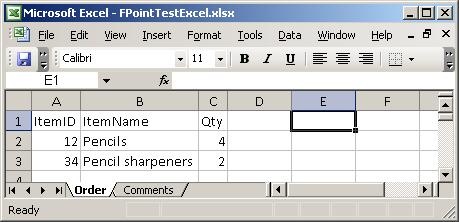
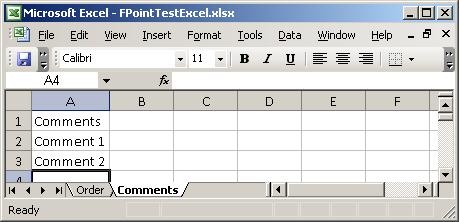
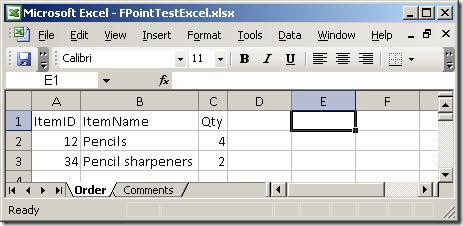
I created a simple spreadsheet to test with. It has two sheets, which you can see
here:
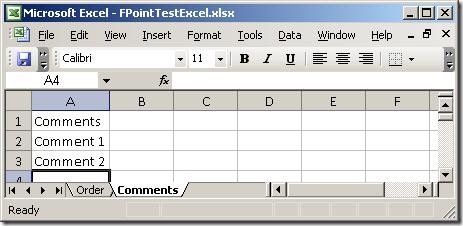
Basically, two sheets – one with order lines and one with comments. So, firing up
the wizard:
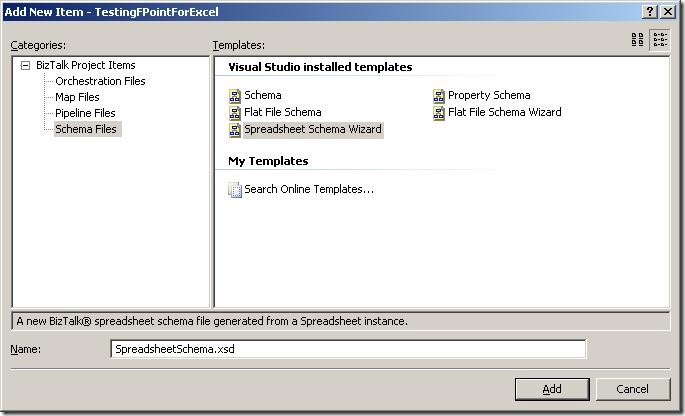
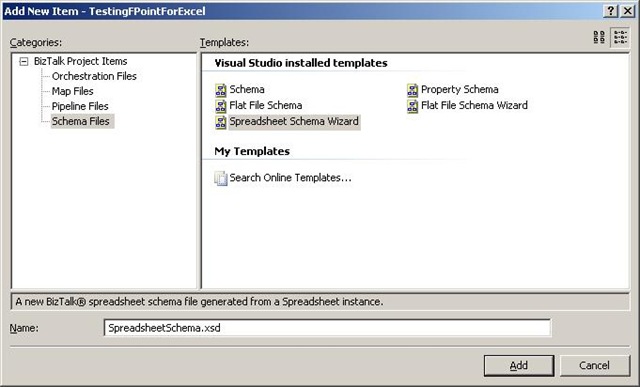
The first thing to do is to add a new item to your project, and choose the new schema
type “Spreadsheet Schema Wizard”. The wizard fires up automatically, when you click
“Add”.
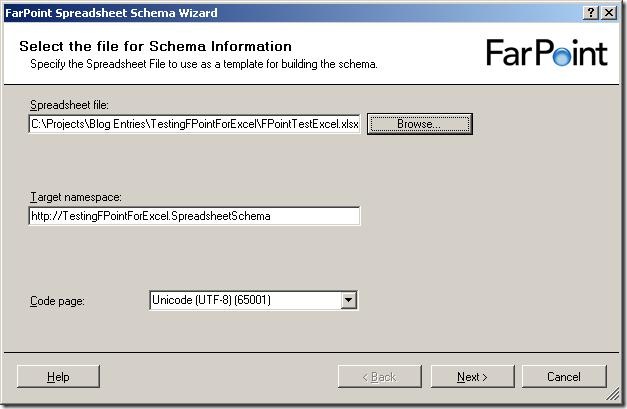
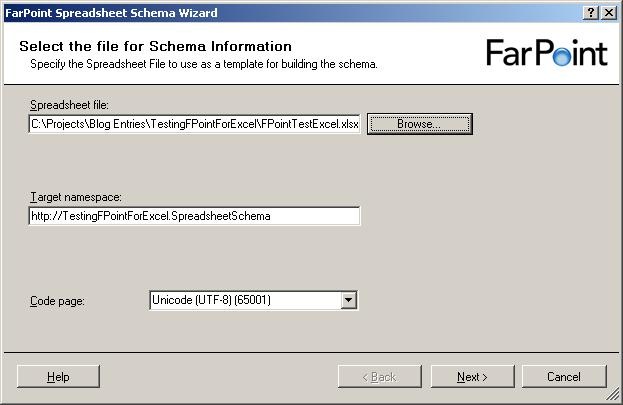
The first screen of the wizard isn’t really a surprise 🙂 It wants to you tell it
which file to use as a base for the schema, and give a target namespace and inform
it about what code page to use.
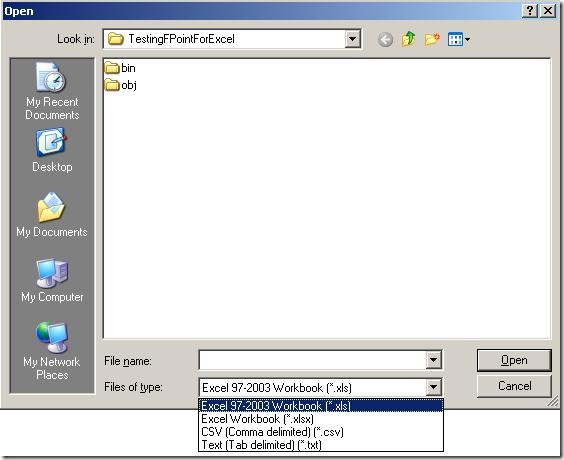
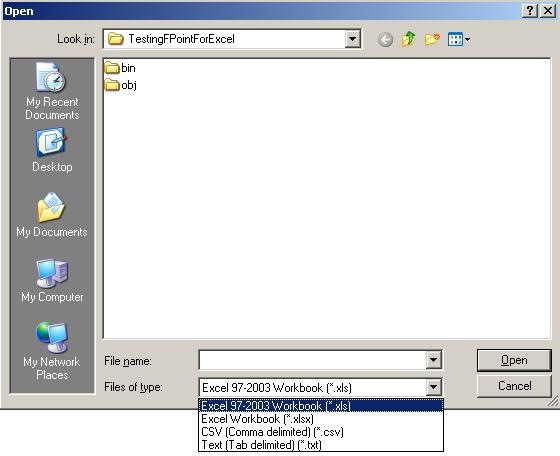
When browsing for files, I noticed that the components apparently not only deals with
spreadsheets (Excel 97-2003 as well as 2007) but also delimited files. So note to
my self: Look at that functionality later on – maybe it is better than BizTalks built-in
support for that, or perhaps more suitable in some situations. Maybe that’s a blog
post that will appear at some point 🙂
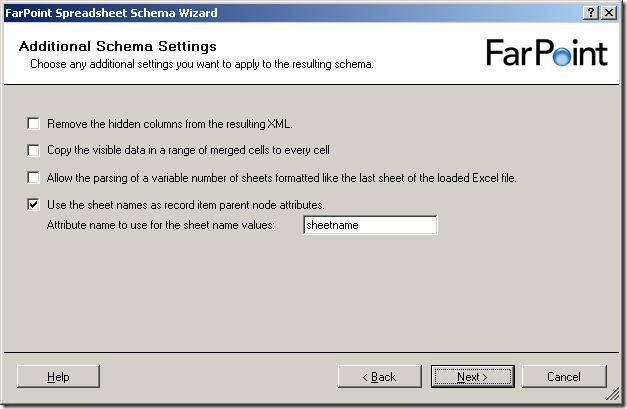
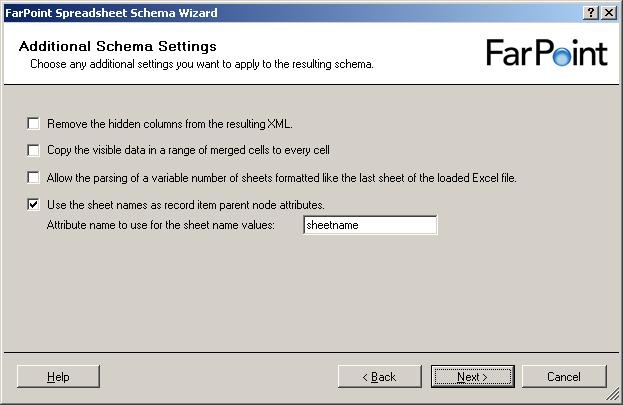
So, a few more settings to set, all of which are described in the documentation.
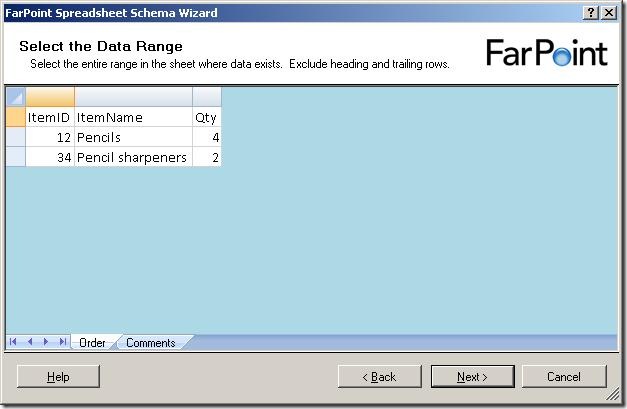
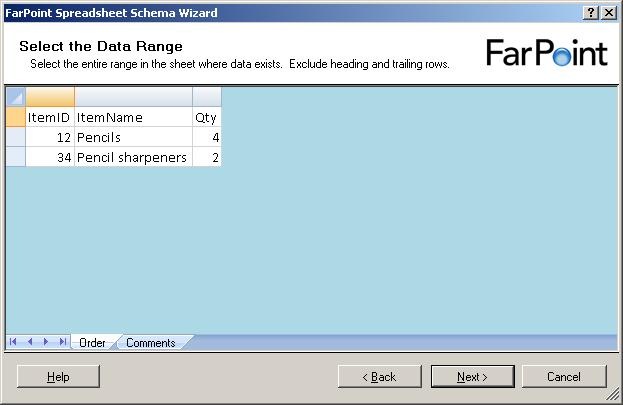
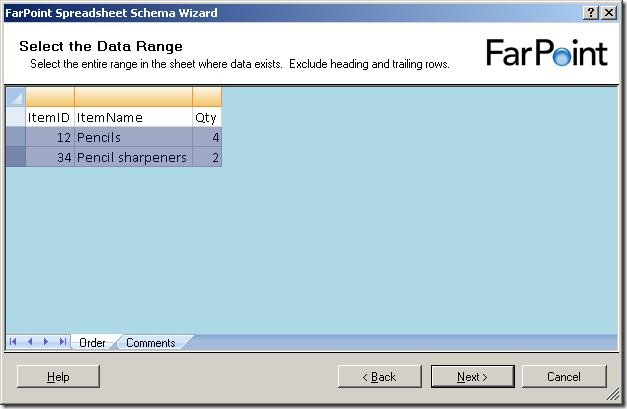
Now, it shows me the data in the first sheet of the spreadsheet. It has removed all
cells that it has decided are not used for data. Now, I need to select the cells with
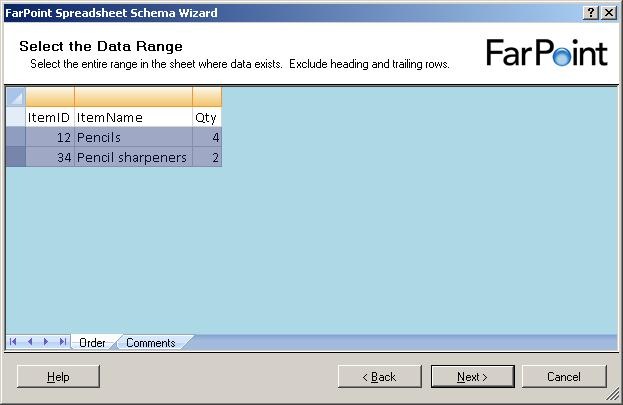
data in them, like this:
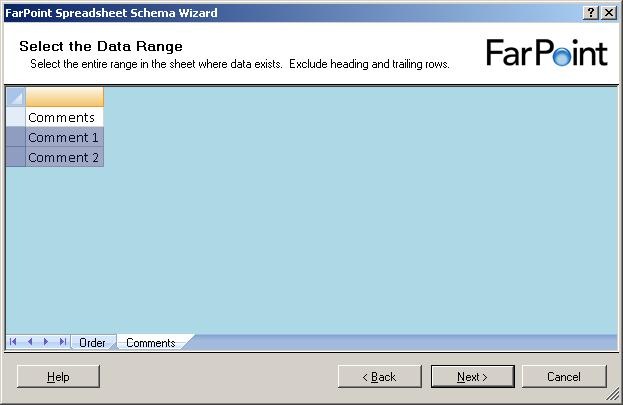
and when I click on the next sheet (Comments), I get to select data from that sheet
as well:
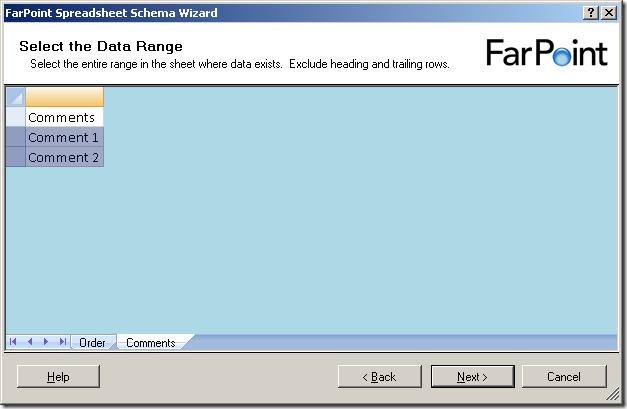
Notice, that I can only select rows – I can not select single cells or leave some
columns out.
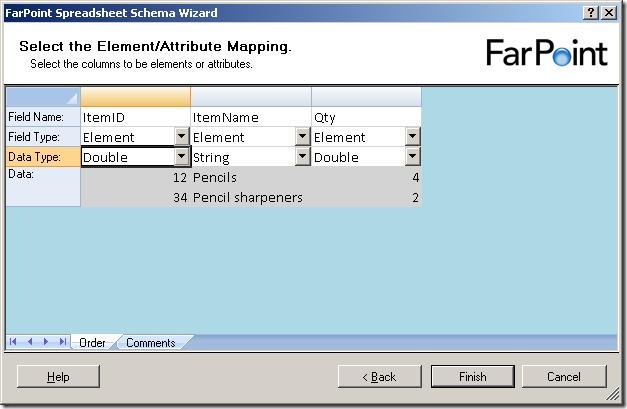
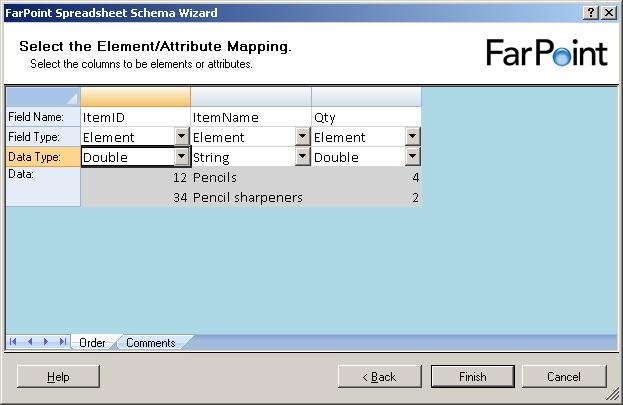
The next step is to select names for the columns, choose whether they should be elements
or attributes and also the data type of the columns.
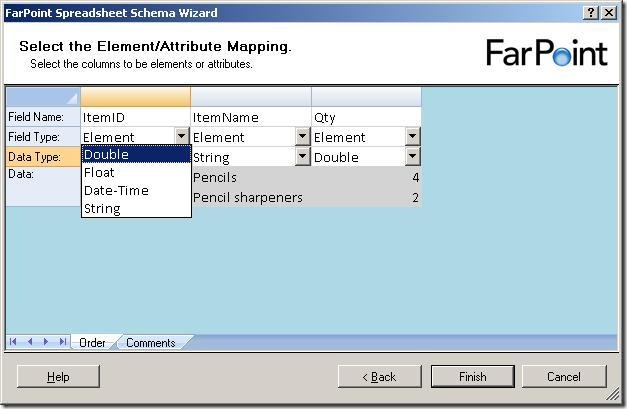
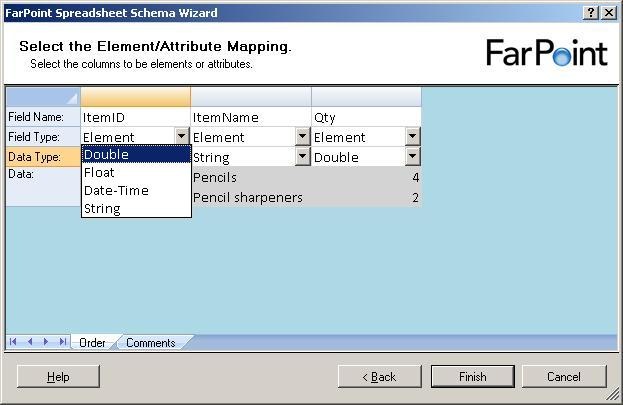
There are four data types available, double, float, datetime and string.
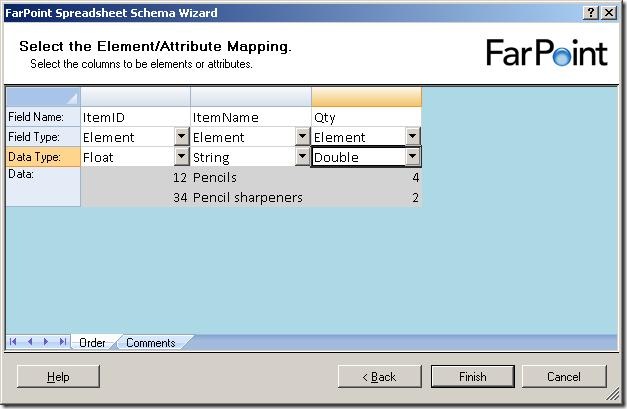
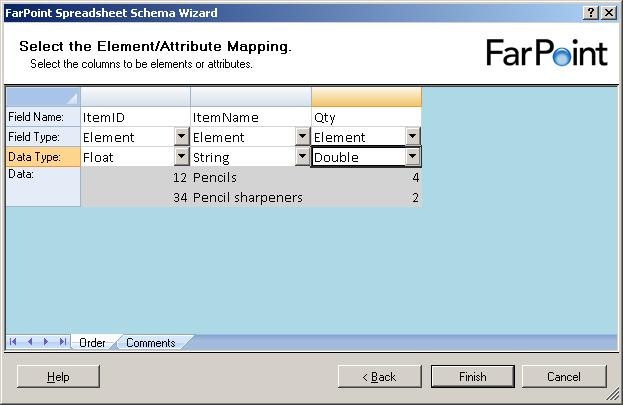
Just to find the difference between the float and double, I chose one of each in my
example and clicked “Finish”.
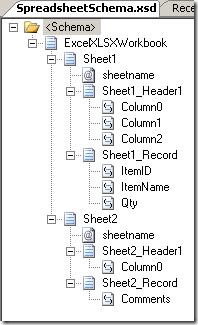
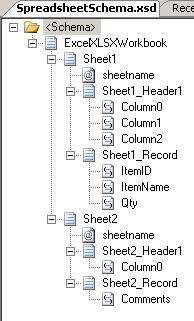
The resulting schema looks like the one above. For each sheet, there is a sheetname
attribute, a header record and a record for the data, which is reoccurring. The double
and float elements were translated into the xs:float and xs:double types… not really
surprising, you might say 🙂
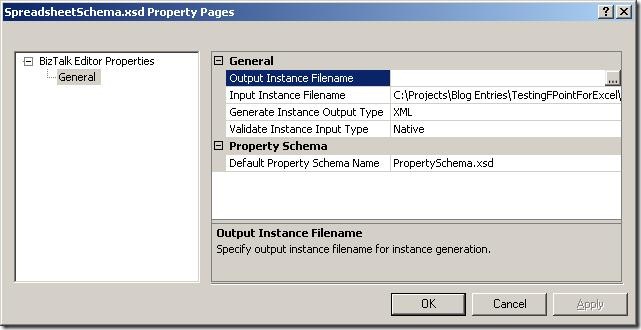
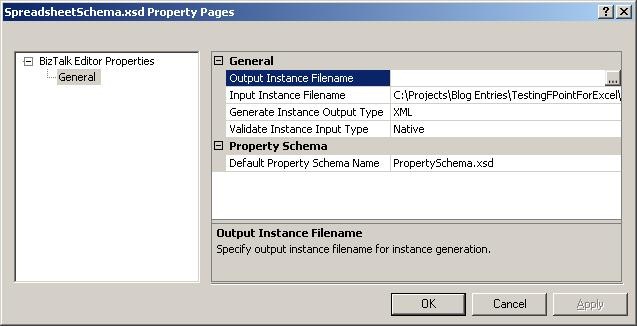
Looking at the properties of the schema, the path to the base spreadsheet has been
pre filled for you in the “Input Instance Filename” and the type is set to “Native”.
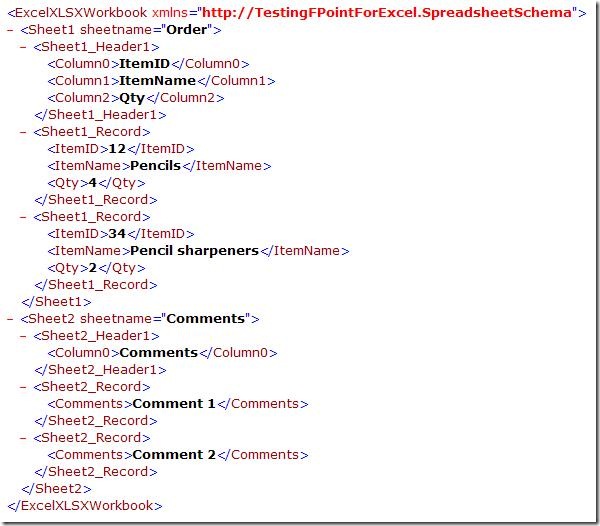
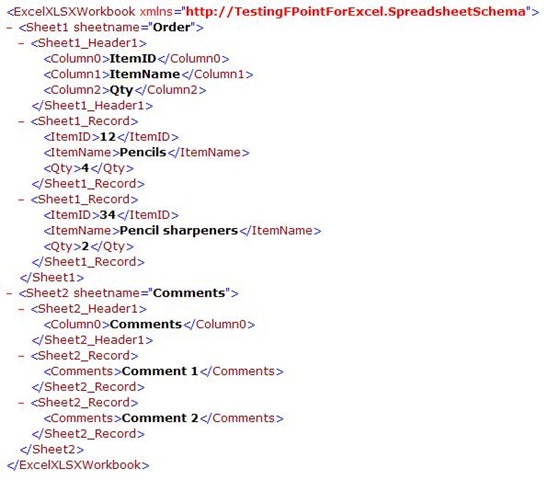
When validating the instance, I get this XML, which looks like I expected it to.
So, to sum up, the wizard is really simple to use and it takes basically no time to
create the schema.
The major thing I would like to see improved is that I can only have one type of data
in one sheet, meaning that the data in all rows must be for instance order lines,
inventory items, or something like that. I can’t have an order header and the order
lines in the same sheet, and I can’t have a sheet with an order header which spans
multiple lines. This really restricts the spreadsheets that can be parsed.
My next post in the series will be about the runtime, where I will setup a running
instance of my project and see how it functions at runtime.
You can dowload my project here.
—
eliasen