by community-syndication | Nov 15, 2008 | BizTalk Community Blogs via Syndication
I’ve just published a couple of webcasts looking at Workflow Foundation 4.0.
WF 4.0 Sequential Workflow Designer
This webcast takes a look at the new designer in WF 4.0 and features simple workflows to input and output data. It also focuses on the new DbUpdate activity and shows how it can be used to insert data to a SQL database (modelled in “M” of course 🙂 from a workflow.
Building Custom Activities in WF 4.0
This webcasts focuses on developing custom activities for WF 4.0 and also at using the new WPF activity designer. We start off with a simple WriteLine activity, then add aWPF based designer to allow properties to be edited in the workflow designer. We then look at creating a custom While activity that can be used to create a loop in a workflow (actually quite useful as there is no while activity in the toolbox at present.
by community-syndication | Nov 15, 2008 | BizTalk Community Blogs via Syndication
Hi all
On October 29’th I did a BizTalk presentation for the Aalborg
.NET User Group. It was the first in AANUG, so it makes sense that the topic should
be the best topic ever 🙂
Those who were present will remember that I completely broke the time frame I was
bound by, and didn’t even make it all the way through my presentation.
Weird, how I always get side tracked when I talk about something I am good at and/or
like 🙂
Anyway, this blog post has two purposes:
-
Just a little more advertising for Aalborg
.NET User Group. If you live close by, sign up and come to our meetings
-
To make the slides available.
Only in Danish, I am afraid.
—
eliasen
by community-syndication | Nov 14, 2008 | BizTalk Community Blogs via Syndication
Moving a directory that is already under SVN using Tortoise SVN isn’t as straightforward as this question and answer on Stackoverflow.com appears to suggest – the SVN Move versioned files here option isn’t always available…
So how do you move versioned directories to another location in the repository?
Create the new directory and add that directory to […]
by community-syndication | Nov 14, 2008 | BizTalk Community Blogs via Syndication
Finally!! We now have an end-to-end walk-through published on Code Gallery. According to Jean-Marc Prieur, the author of the lab,
“The idea is that, if you complete this Lab until the end, you’ll be able to create your own modeling graphical designers using the DSL Tools technology, and the code generator that will generate code, documentation, […]
by community-syndication | Nov 14, 2008 | BizTalk Community Blogs via Syndication
Hi all
So, I have just added one more functoid to the collection of functoids. This time,
I have added a string replace functoid, as I think that is really missing from the
standard functoids that BizTalk supplies.
You can get version 3 of my functoid collection here: http://www.eliasen.eu/DownloadSoftware.aspx
And for those of you that are not bothered to read further on the download page than
the download section, let me just repeat some text from the download page:
— BEGIN QUOTE
As you can probably see from my extremely lousy icons, layouts, and so on, graphics
really isn’t one of my strong sides. So if you are good at creating icons and so on,
and would like to help me with this part, please contact me.
— END QUOTE
—
eliasen
by community-syndication | Nov 14, 2008 | BizTalk Community Blogs via Syndication
In a previous post, I called out the fact that the GAT technology is now evolving into its next version, Blueprints, and also shared why I think this is a great idea and how Blueprints makes up for deficiencies in GAT. In this series, my aim is to learn this technology and share it with […]
by community-syndication | Nov 14, 2008 | BizTalk Community Blogs via Syndication
Silverlight 2 provides a rich platform for building cross-browser/cross-platform RIA applications.
One of the things that makes Silverlight so powerful is the ease with which developers and designers can collaborate together on projects. Developers can use Visual Studio to open and edit Silverlight 2 projects and get a powerful code-focused .NET development environment, and designers can use Expression Blend 2 SP1 to open and edit the exact same project and use a creative tool to sculpt and create optimal user experience designs.
The WPF UI framework shipped in Silverlight further enables a great designer/developer workflow by supporting concepts like layout management, controls, styles, templates, and resources – which help avoid scenarios where designers and developers end up tripping over each other when integrating functionality, behavior and expressive design.
Silverlight 2 Twitter Sample
Last month I posted an in-depth blog tutorial on how to build a Silverlight 2 Digg application which you can read here. This tutorial was aimed primarily at developers, and focused on introducing the fundamental programming concepts involved when building a Silverlight 2 application.
Today Celso Gomes and Peter Blois posted a cool 10 minute video tutorial that shows off using Expression Blend to stylize a Silverlight 2 Twitter Messenger application. You can watch the video here. You can download the source code for the completed Silverlight Twitter application here.
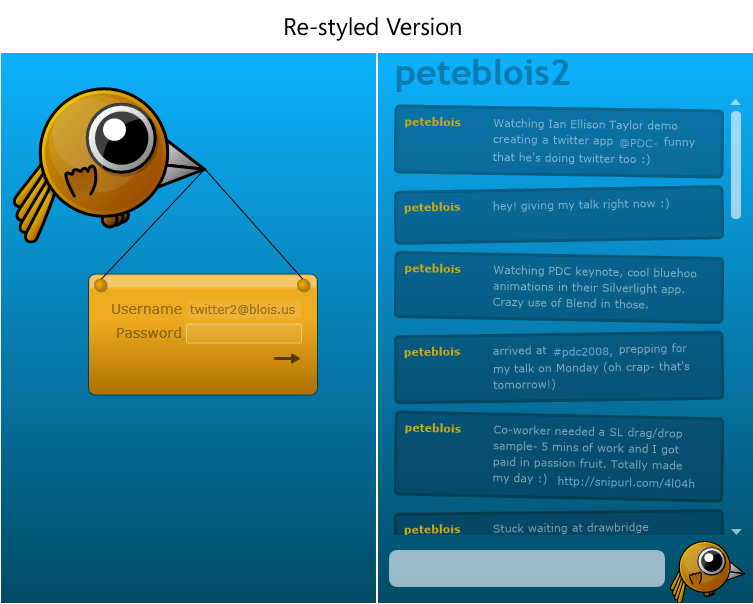
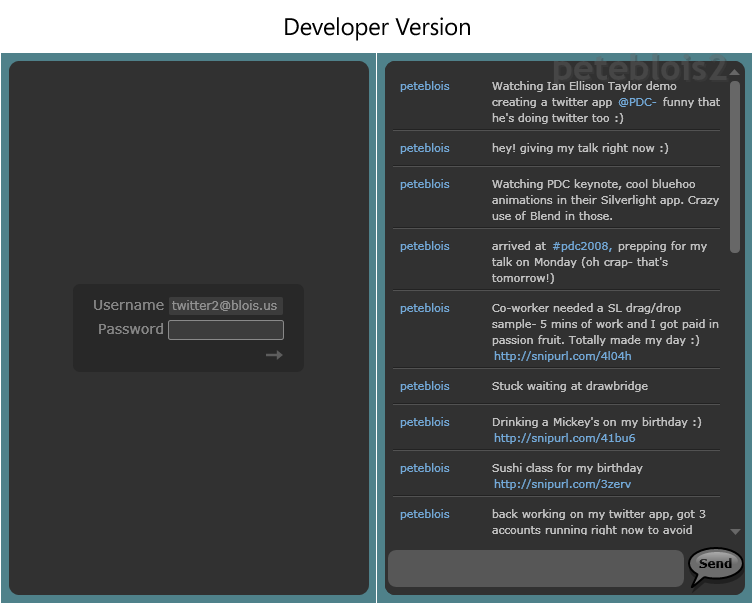
The video does a nice job demonstrating how designers can re-style a Silverlight application without having to mess with the code behind it. In the process it shows some of the power and capability that Expression Blend 2 provides to build really rich user experiences. Celso starts with a developer version of the application, and then customizes and sculpts the UI to have a fun twitter character theme:
The Application Model
The Silverlight Twitter client is hosted within an ASP.NET server application that exposes a web service that enables the Silverlight Twitter application to communicate to the Twitter service (since Twitter does not allow direct access from client applications). Communication between the Silverlight client and the ASP.NET web server is done using Windows Communication Foundation (WCF).
The client application uses a Model-View-Presenter (MVP) pattern (also known as the Model-View-ViewModel pattern) which is commonly used in large WPF applications. Even though this is a fairly simple application they wanted to take advantage of the flexibility that MVP allows and allow room for future growth.
Maintaining the separation between the visuals and the application logic also enables designers to make fairly complex visual changes without impacting the basic application flow. The video goes through some examples of the styling flexibility this architecture facilitates.
The Styling Process
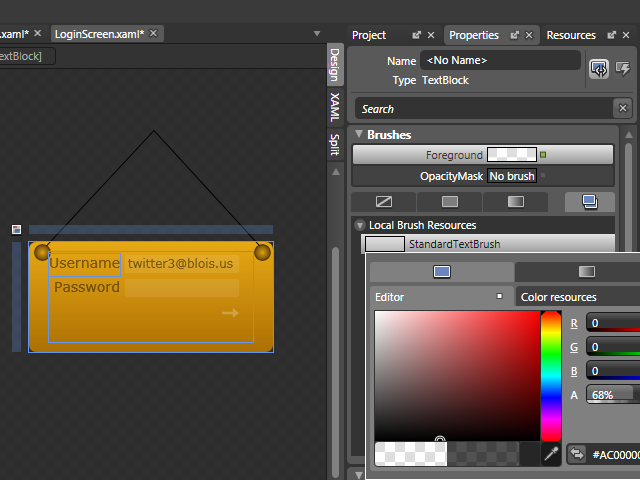
In the video, Celso highlights how Resources can help designers quickly change colors. A common Brush Resource, for example, can be used to change the color of all the text elements in the application:
Celso shows how easy is to create new User Controls from graphics using Expression Blend 2 SP1 (just select multiple elements in the designer, right-click, and choose the "Make Control" menu option):
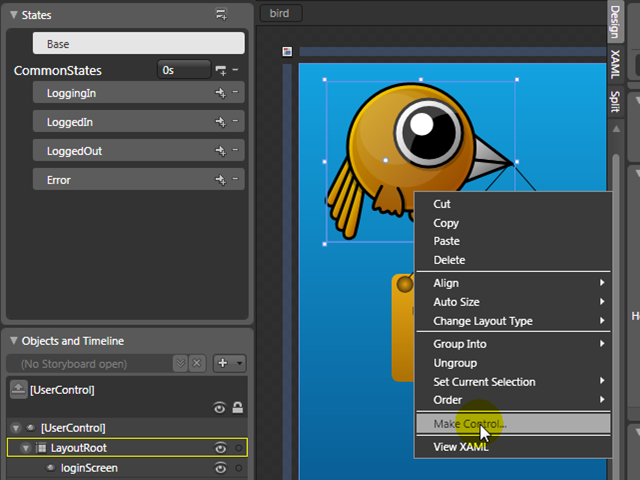
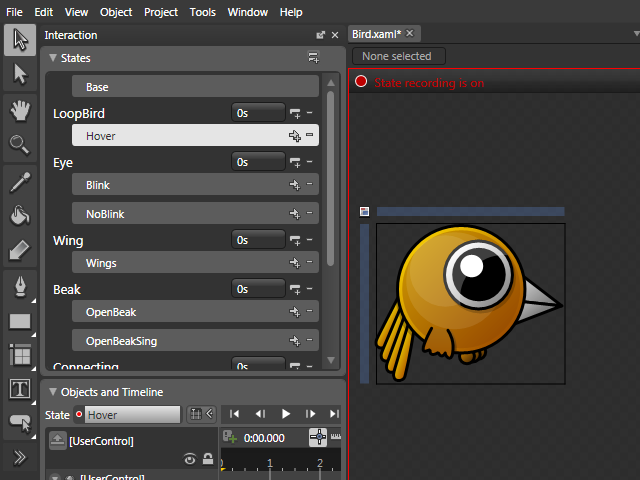
And also how to create new states inside this new User Control (using the Visual State Manager feature – which is also now supported with WPF), to animate the bird (fly, blink, etc…)
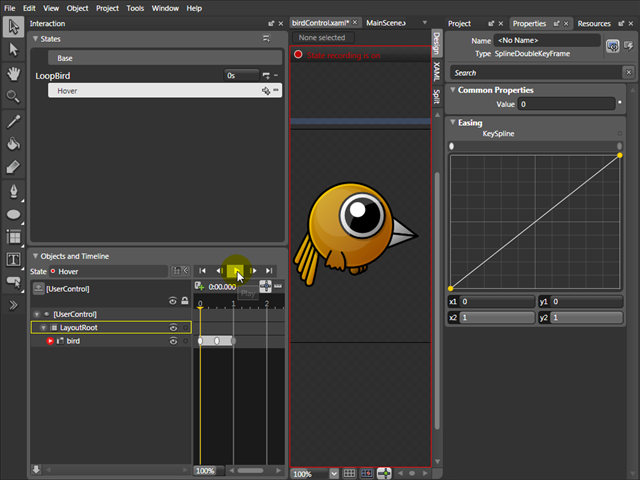
Celso also shows how to create animations for each state, changing advanced properties like Key Spline curves, and Repeat Behavior:
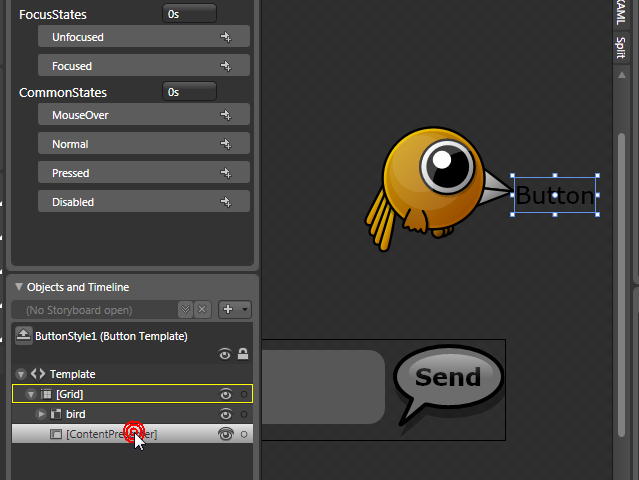
He also shows how to create custom buttons from drawings (which can come from XAML or any other design tool like Photoshop or Illustrator). All the states of a Button Control are available out of the box.
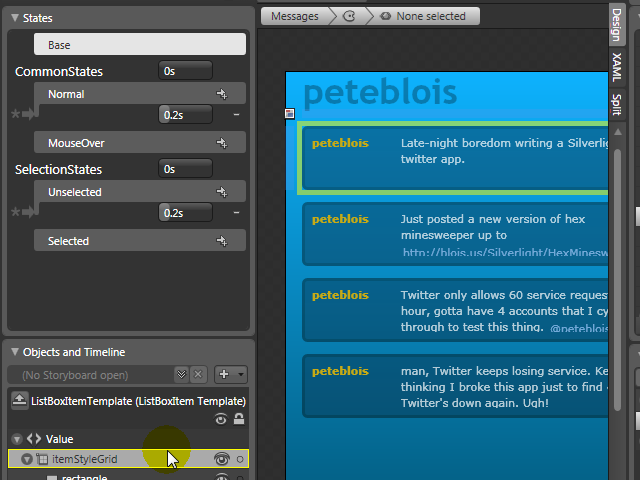
Expression Blend also enables you to easily change complex controls like List Boxes. Designers have access to all Styles, Templates, and states – and can completely customize all the parts of a List Box without having to write any code:
You can watch the video and download the code to check out the above Twitter application.
To learn more about Expression Blend, I also recommend watching the Expression Blend: Tips and Tricks presentation from the PDC conference two weeks ago.
Update: Also check out Shawn Wildermuth’s Deep Control Skinning with Styles webcast.
Hope this helps,
Scott
by community-syndication | Nov 13, 2008 | BizTalk Community Blogs via Syndication
Hi all
I have had on my to do list for ages, that I should start developing some functoids
that might be nice to have.
Well, finally I have started, and my first functoid can be downloaded from http://www.eliasen.eu/DownloadSoftware.aspx.
Note, that the eliasen.eu domain has just been moved from one hosting company to another,
which means that the link might not work for another day or so.
Comments, bug reports, suggestions, and so on are very welcome.
—
eliasen
