by Sandro Pereira | Apr 27, 2017 | BizTalk Community Blogs via Syndication
We are used to having Service Pack (I think the last one was in 2006 R2) and Cumulative Updates for BizTalk Server (see the full list here) that basically brings hotfixes for BizTalk Server and adapter pack issues that were resolved after the release of that specific BizTalk Server version. Now Microsoft introduces a new concept in BizTalk Server 2016: Feature Packs.
BizTalk Server 2016 will use feature pack approach to providing new functionalities to the product at a faster pace. Now new features (or at least non-breaking features) will be delivered when they’re ready we no longer need to wait 2 years for the next major release of the product to have new features!
BizTalk Server uses the feature pack to provide improvements, features, and closer integration with Azure. Feature Pack 1 extends functionality in key areas, such as deployment, analytics, and runtime. – https://msdn.microsoft.com/en-us/library/mt800834.aspx
Feature Pack’s will be available for Software Assurance customers running BizTalk Server 2016 Developer and Enterprise editions or customers running BizTalk Server 2016 in Azure under an Enterprise Agreement
Should we expect new BizTalk Server Cumulative Updates?
Yes, Microsoft will continue to release CU to provide hotfixes for issues that were resolved in the same cadence as they have done in the past
Microsoft BizTalk Server 2016 Feature Pack 1: System Requirements
BizTalk Server 2016 Feature Pack 1 requirements:
- Microsoft BizTalk Server 2016 Enterprise Edition
- Microsoft BizTalk Server 2016 Developer Edition
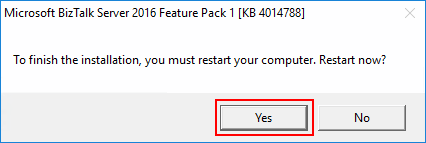
Important note: is required to restart BizTalk Server machine to finish the FP1 installation process.
Note: Feature Packs are not supported in BizTalk Server 2016 Standard Edition.
Microsoft BizTalk Server 2016 Feature Pack 1: Step-by-step Installation Instructions
After you download the Microsoft BizTalk Server 2016 Feature Pack 1 You should:
- Run the downloaded .EXE file – BTS2016-KB4014788-ENU.exe – from your hard drive.
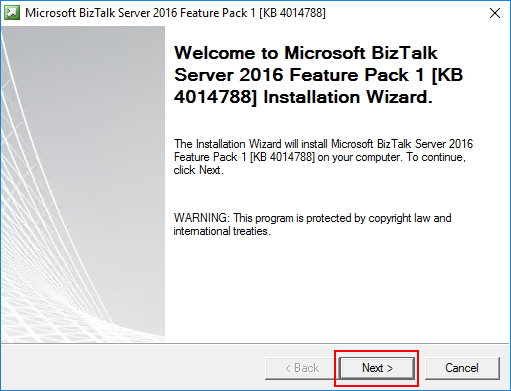
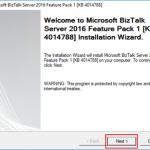
- In the “Welcome to Microsoft BizTalk Server Feature Pack 1 Installation Wizard” screen, click “Next”
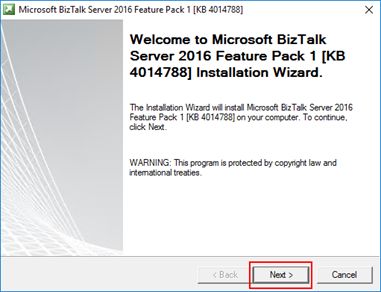
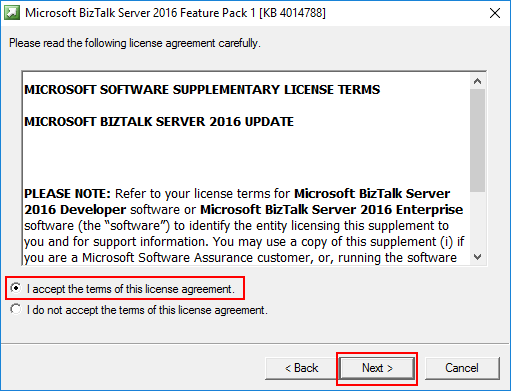
- In the “License agreement” screen, select the option “I accept the terms of this license agreement” and then click “Next”
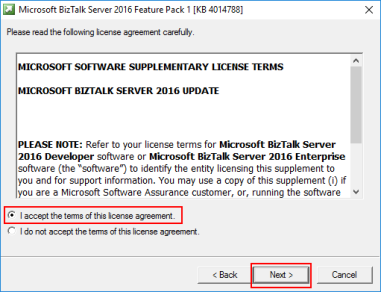
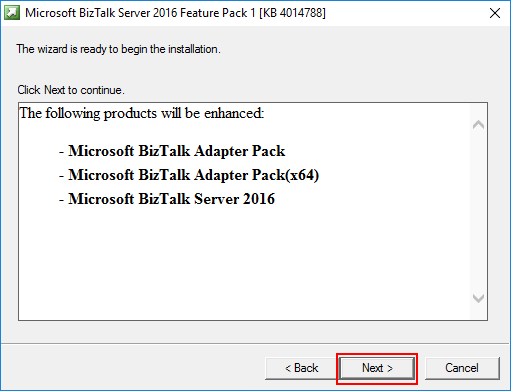
- In the “Ready to Install”, it will be provided a list of products that will be enhanced, you should click “Next” to continue with the installation.
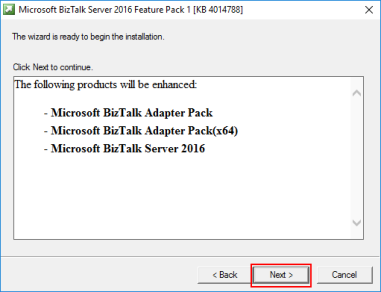
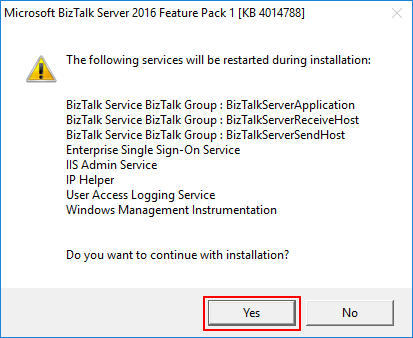
- The FP1 installation will prompt a window with the list of services that will be restarted during the installation process, click “Yes” to continue with the installation.
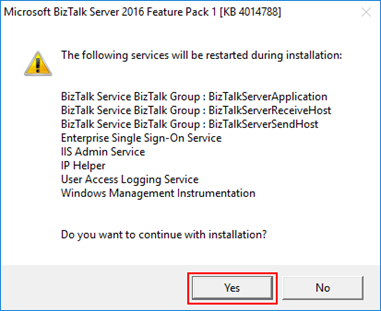
- The installation process may take some minutes to complete, and you probably see some “background” windows to appear and to be completed, you should wait until the “Installation Wizard has completed” screen to appear
- In the “Installation Wizard has completed” screen, click “Finish”
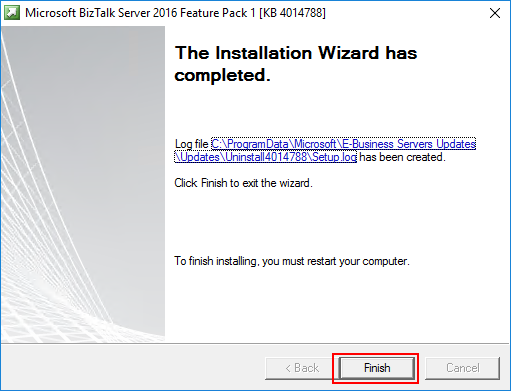
-
- Note: that you must restart BizTalk Server machine to finish the FP1 installation process. Click “Yes” to restart the server.
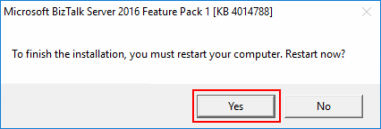
Once the restart is complete, you will be able to see and use the new following features:
- Deployment:
- Deploy with VSTS – Enable Continuous Integration to automatically deploy and update applications using Visual Studio Team Services (VSTS)
- New management APIs – Manage your environment remotely using the new REST APIs with full Swagger support
- Analytics:
- Application Insights – Tap into the power of Azure for tracking valuable application performance and to better understand your workflow
- Leverage operational data – View operational data from anywhere and with any device using Power BI
- Runtime:
- Support for Always Encrypted – Use the WCF-SQL adapter to connect to SQL Server secure Always Encrypted columns
- Advanced Scheduling – Set up advanced schedules using the new capabilities with Feature Pack 1
Author: Sandro Pereira
Sandro Pereira lives in Portugal and works as a consultant at DevScope. In the past years, he has been working on implementing Integration scenarios both on-premises and cloud for various clients, each with different scenarios from a technical point of view, size, and criticality, using Microsoft Azure, Microsoft BizTalk Server and different technologies like AS2, EDI, RosettaNet, SAP, TIBCO etc. He is a regular blogger, international speaker, and technical reviewer of several BizTalk books all focused on Integration. He is also the author of the book “BizTalk Mapping Patterns & Best Practices”. He has been awarded MVP since 2011 for his contributions to the integration community. View all posts by Sandro Pereira
by Sandro Pereira | Apr 21, 2017 | BizTalk Community Blogs via Syndication
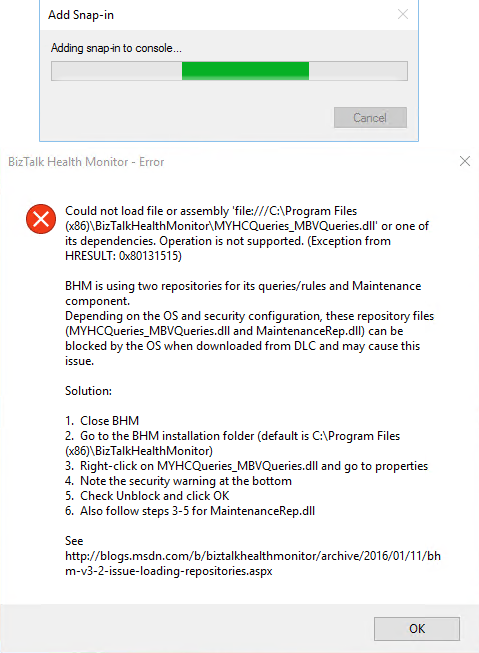
This BHM load error regarding to MYHCQueries_MBVQueries.dll, that can may also occurs with MaintenanceRep.dll, is a very well-known problem/annoying issue that occurs after we install BizTalk Health Monitor or update it to a new version that will apply in all BizTalk versions (BizTalk Server 2016, 2013 R2, 2013 or 2010) and SO (Windows 10, Windows Server 2016, 2012 R2, 2012 and so on):
Could not load assembly file ‘file:///C:Program files (x86)BizTalkHealthMonitorMYHCQueries_MBVQueries.dll’ or one of its dependencies. Operation is not supported. (Exception from HRESULT: 0x80131515)
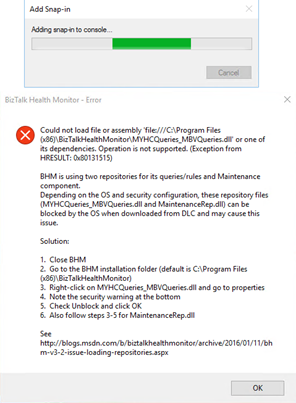
CAUSE
That is one of that times that BizTalk Server team did a great job. Not only throw the error but they also explain the problem and the solution to solve it.
This error when BHM tries to load the repository files downloaded from the Microsoft Download Center (DLC). BHM is using two repositories for this configuration, these repository files (MYHCQueries_MBVQueries.dll and MaintenanceRep.dll) can be blocked by OS when downloading from DLC and may cause this issue.
Solution
Again, the solution to this problem is also explained in the error window:
- Close BHM
- Go to BHM installation folder
- The default path is C:Program files (x86)BizTalkHealthMonitor
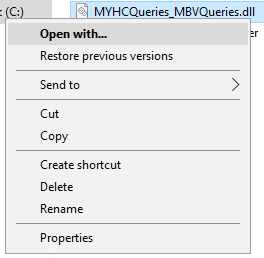
- Right-click in MYHCQueries_MBVQueries.dll and select “Properties” option
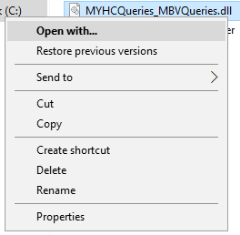
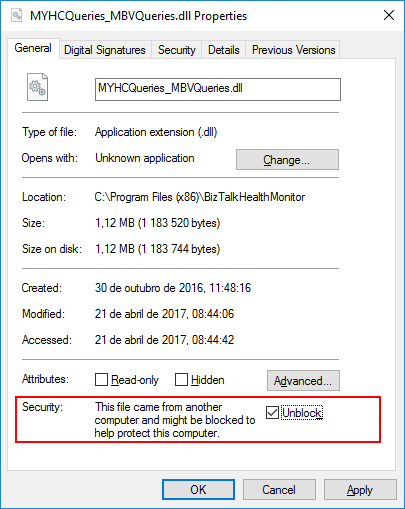
- You may see that the security warning at the bottom of the windows saying: “The file came from another computer and might be blocked to help protect this computer”
- Check “Unblock” option and click “OK”

- Do the same steps for “MaintenanceRep.dll”
Once you have unblocked both files, you should no longer see the security warning when you go back into their properties and if you try to execute BHM again all the above-mentioned errors related to loading repositories should be resolved.
You may also find more details about this issue directly from BizTalk Health Monitor blog: BHM v3.2 – Errors While Loading Repositories.
Note:
- If you have not yet installed BHM, you can also follow the above steps on the unzipped package prior to installing BHM.
Author: Sandro Pereira
Sandro Pereira lives in Portugal and works as a consultant at DevScope. In the past years, he has been working on implementing Integration scenarios both on-premises and cloud for various clients, each with different scenarios from a technical point of view, size, and criticality, using Microsoft Azure, Microsoft BizTalk Server and different technologies like AS2, EDI, RosettaNet, SAP, TIBCO etc. He is a regular blogger, international speaker, and technical reviewer of several BizTalk books all focused on Integration. He is also the author of the book “BizTalk Mapping Patterns & Best Practices”. He has been awarded MVP since 2011 for his contributions to the integration community. View all posts by Sandro Pereira

by Sandro Pereira | Apr 5, 2017 | BizTalk Community Blogs via Syndication
Well, Empowering Hybrid Integration segment is online since January 30, 2017, but only now I realize that… During the MVP Global Summit, and taking the opportunity of having most of the Integration MVPs gathered at the event, Microsoft Pro Integration team tends to invite the MVPs to create short videos – 8 to 10 minutes videos – about Integration (on-premise or in the cloud). It happened in previous editions of the Summit and it happened in the last edition in which they invite us to talk about Hybrid Integration that includes BizTalk Server, Azure Logic Apps, Azure API Management and Azure Service Bus.
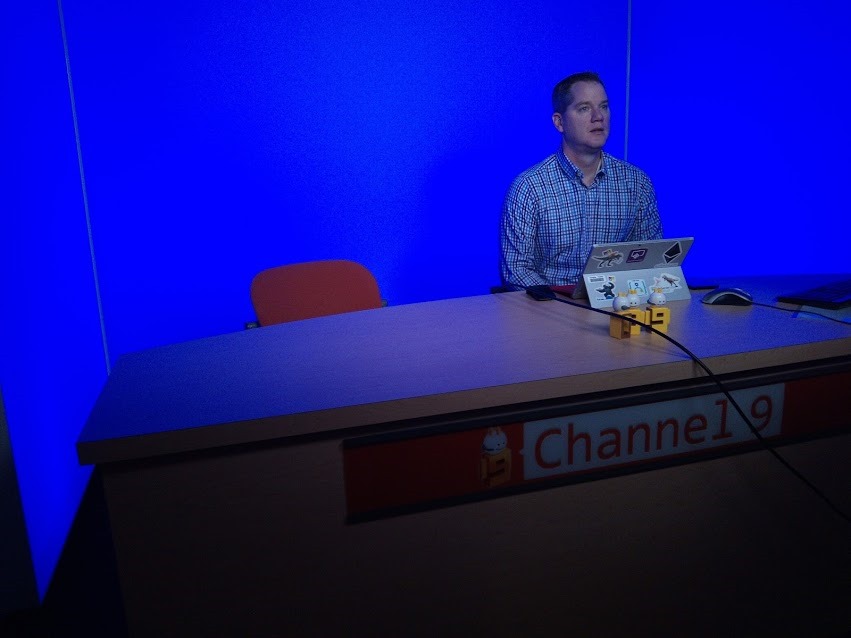
For several reasons, I never had the chance to accept the challenge in the past, but last year I was able to accept the invitation to speak and record at the “famous” Microsoft Building 20, building that is the home of Channel 9 studio …


… and make a short talk about Hybrid Integration using Service Bus Queues, BizTalk Server, Dynamic CRM, SQL Server, Logic Apps and File.
Has I told in a previous post of my blog, that was my first experience, and I have to confess, I was a little nervous to be recording in a small professional studio, so as expected after seeing the record in its raw state, the end result could have been better, but, fortunately for you guys I was able to edit the video and remove some breaks/delays between switching from my presentation slides to my screen. Nevertheless, for a first experience, it went pretty well and I am happy with the result. The important for me is to face new challenges, different situations, leave my comfort zone and improve to be better next time.
The result is this 8 minutes video on Empowering Hybrid Integration where you can learn how you can create powerful hybrid integration solutions using existing on-premises and cloud based solutions.
Fortunately, I had the company of my good friend Kent Weare in this small “adventure”:

You can also watch his session about “Protecting Azure Logic Apps using Azure API Management”. In this video, you can learn how to use Azure API Management to protect your Logic Apps.
You can watch more sessions regarding Microsoft’s Hybrid Integration Platform on Channel 9 here.
Author: Sandro Pereira
Sandro Pereira lives in Portugal and works as a consultant at DevScope. In the past years, he has been working on implementing Integration scenarios both on-premises and cloud for various clients, each with different scenarios from a technical point of view, size, and criticality, using Microsoft Azure, Microsoft BizTalk Server and different technologies like AS2, EDI, RosettaNet, SAP, TIBCO etc. He is a regular blogger, international speaker, and technical reviewer of several BizTalk books all focused on Integration. He is also the author of the book “BizTalk Mapping Patterns & Best Practices”. He has been awarded MVP since 2011 for his contributions to the integration community. View all posts by Sandro Pereira
by Sandro Pereira | Mar 30, 2017 | BizTalk Community Blogs via Syndication
Finally, BizTalk Server Databases: Disaster Recovery, Troubleshooting and Best Practices whitepaper is published! I think this was my crazy project ever because I started during an MVP Summit, probably in 2013 with a very basic whitepaper of 7 pages about Disaster Recovery and my initial reviewer was Tord Glad Nordahl… for some reason I never finished or published the content and last year again during the MVP Summit I revived this idea and basically annoyed all the MVPs that were next to me that day to review the initial document again… bad idea for me because, probably to get revenge on me, they were the most demanding reviewers that I ever had, always asking for more content making, therefore, the whitepaper more complete. So, what was a 7-pages whitepaper becomes a 34-pages whitepaper.
What to expect about BizTalk Server Databases: Disaster Recovery, Troubleshooting and Best Practices whitepaper
Microsoft BizTalk Server databases and the health of the databases are very important for a successful BizTalk Server messaging environment. BizTalk Server is an extremely database-intensive platform, persisting data to disk with high frequency, and one of the main reasons for that is because one of the primary design goals of BizTalk Server is to ensure that no messages are lost. Therefore, database performance is paramount to the overall performance of any BizTalk Server solution.
There are many factors that you need to take into consideration towards troubleshooting, maintaining, monitoring or recovering from disasters. This paper will provide you some important aspects to consider when working with BizTalk Server databases and addressing the most common and important aspects:
- Size of databases and tables: performance degrades on High Size of BizTalk databases
- Important consideration to avoid large BizTalk Databases
- Separation of data files and log files (SQL Server disk I/O contention)
- Important consideration BizTalk SQL Settings
- Available tools for monitoring and troubleshooting
- Recovering from disasters situations (Clean up your BizTalk databases)
However, the content is very valuable with regards to even preventing a disaster or limit the probability of it. After reading this paper you should be prepared for any disaster but also to preventing for happening because be able to prevent is better than resolving.
Where I can download it
You can download the whitepaper here:
 BizTalk Server Databases: Disaster Recovery, Troubleshooting and Best Practices (1.14 MB)
BizTalk360
I would like to take this opportunity also to say thanks to my amazing reviewers: Steef-Jan Wiggers, Nino Crudele, Kent Weare, Mikael Hakansson and Salvatore Pellitteri for taking the time to review this whitepaper. And other people that were involved in making this “project” came true like Tord Glad Nordahl, Lex Hegt, Saravana Kumar and Sriram Hariharan.
I hope you enjoy reading this paper and any comments or suggestions are welcome.
Author: Sandro Pereira
Sandro Pereira lives in Portugal and works as a consultant at DevScope. In the past years, he has been working on implementing Integration scenarios both on-premises and cloud for various clients, each with different scenarios from a technical point of view, size, and criticality, using Microsoft Azure, Microsoft BizTalk Server and different technologies like AS2, EDI, RosettaNet, SAP, TIBCO etc. He is a regular blogger, international speaker, and technical reviewer of several BizTalk books all focused on Integration. He is also the author of the book “BizTalk Mapping Patterns & Best Practices”. He has been awarded MVP since 2011 for his contributions to the integration community. View all posts by Sandro Pereira

by Nick Hauenstein | Mar 28, 2017 | BizTalk Community Blogs via Syndication
The Global Integration Bootcamp was held for the first time this last week, events spanning 12 countries, 16 locations, with over 650 attendees. If you went to either the Seattle, WA location (here at QuickLearn Training’s headquarters), or the New York location, then you may have even ran into one of our instructors!

In the weeks leading up to the day of the bootcamp, Tom Canter with Phidiax arranged a speaker line-up, refreshments, and got the word-out about the event; while over here at QuickLearn Training, we prepared to transform our classrooms into an event space. When the day arrived, all were in good spirits and ready to share knowledge, and get deep into real-world possibilities for hybrid cloud integrations using BizTalk Server and Logic Apps.

Tom kicked off the event with a keynote and introductions, and got everyone primed and excited for the day. Next up was Tord showing off some of the latest greatest features in BizTalk Server 2016 when used in concert with API Management along with a few surprises . I’m not sure what I’m allowed to share and what I’m not, so I will just leave that short, sweet, and to the point.
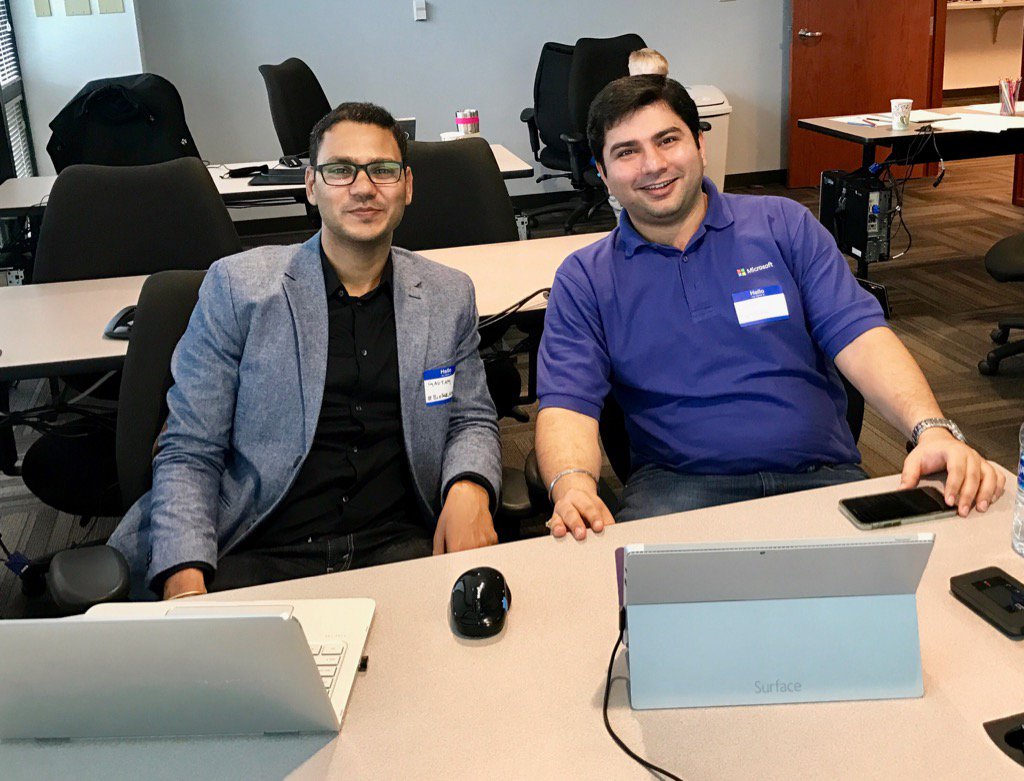
Gyanendra Gautam teamed up with Ashish Bhambhani (co-authors of the freshly published Robust Cloud Integration with Azure) to show some really slick B2B scenarios with Logic Apps and the Enterprise Integration Pack. Trading Partner and Agreement configuration were shown, along with a special surprise that no one had ever seen before – the world’s smallest X12 834 interchange! It was both a fun and informative session, and if you haven’t at the very least experimented with EDI in Logic Apps – do it. You’ll find your BizTalk Server experience in the same will serve you quite well.
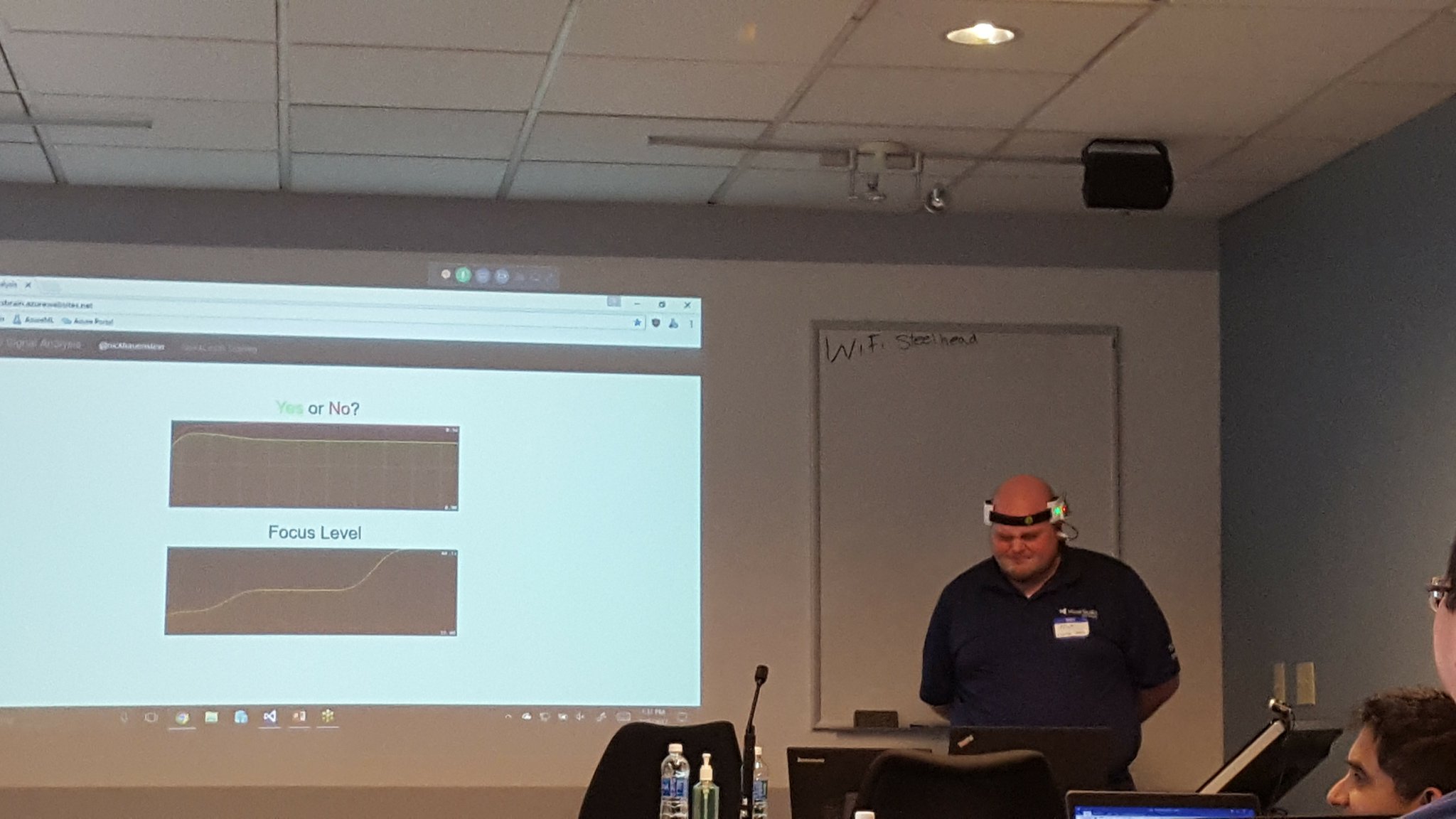
I was up next, wearing a contraption to be explained at a later date. The focus of my talk was to demystify machine learning – and to demonstrate that it’s not just for the sexy applications (e.g., self-driving cars, HoloLens, whatever it is that I’m wearing, etc…). I spent the bulk of my session walking through a simple Hello Azure ML world demo that showed how one could train, operationalize, and then call Azure ML models from within Azure Logic Apps. It is my intention to further refine the models used in this talk and share the full talk, sample code, hardware diagrams, etc. in the summer of 2017.
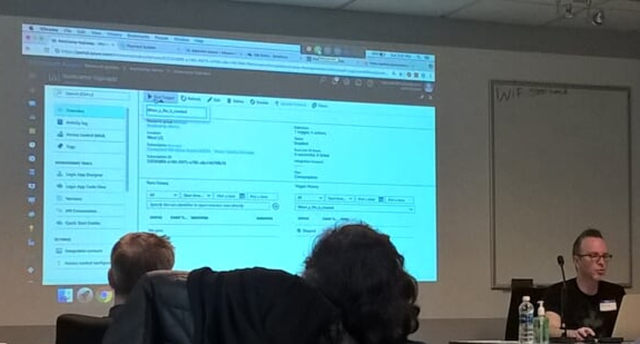
After I was carted away in a straight jacket, Richard Seroter gave a really cool talk on the intersection between microservices and messaging – and how when using both, one can realize seamless multi-cloud scenarios. It was a very well executed talk with fairly complex demos involving node.js services, java services (built using Spring Boot), and Logic Apps.
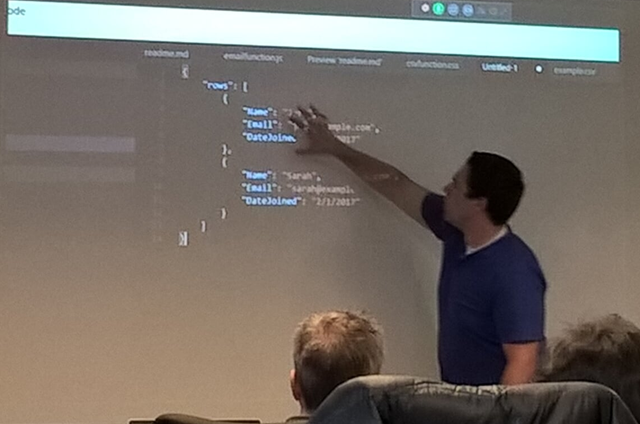
Undeterred by a ruthless cold that had claimed his voice, Jeff Hollan gave an excellent talk on the concept of serverless applications. He opened with an analogy comparing owning/renting/hiring a car with the equivalent on the server-side. He then looked to where serverless would lead the development of applications (i.e., API composition).
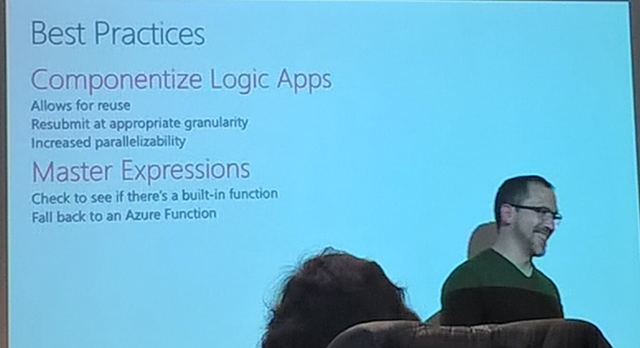
Kevin Lam wrapped up the day by going through a list of Enterprise Integration Patterns and the implementation required to make it happen on the Logic Apps side. He also addressed how to increase throughput for Service Bus connections, how to control parallelism, advanced scheduling and other fun goodies that I will likely put to quick use (and maybe follow-up with some blog posts on later). One thing did come as quite the surprise though – Sequential Convoys!
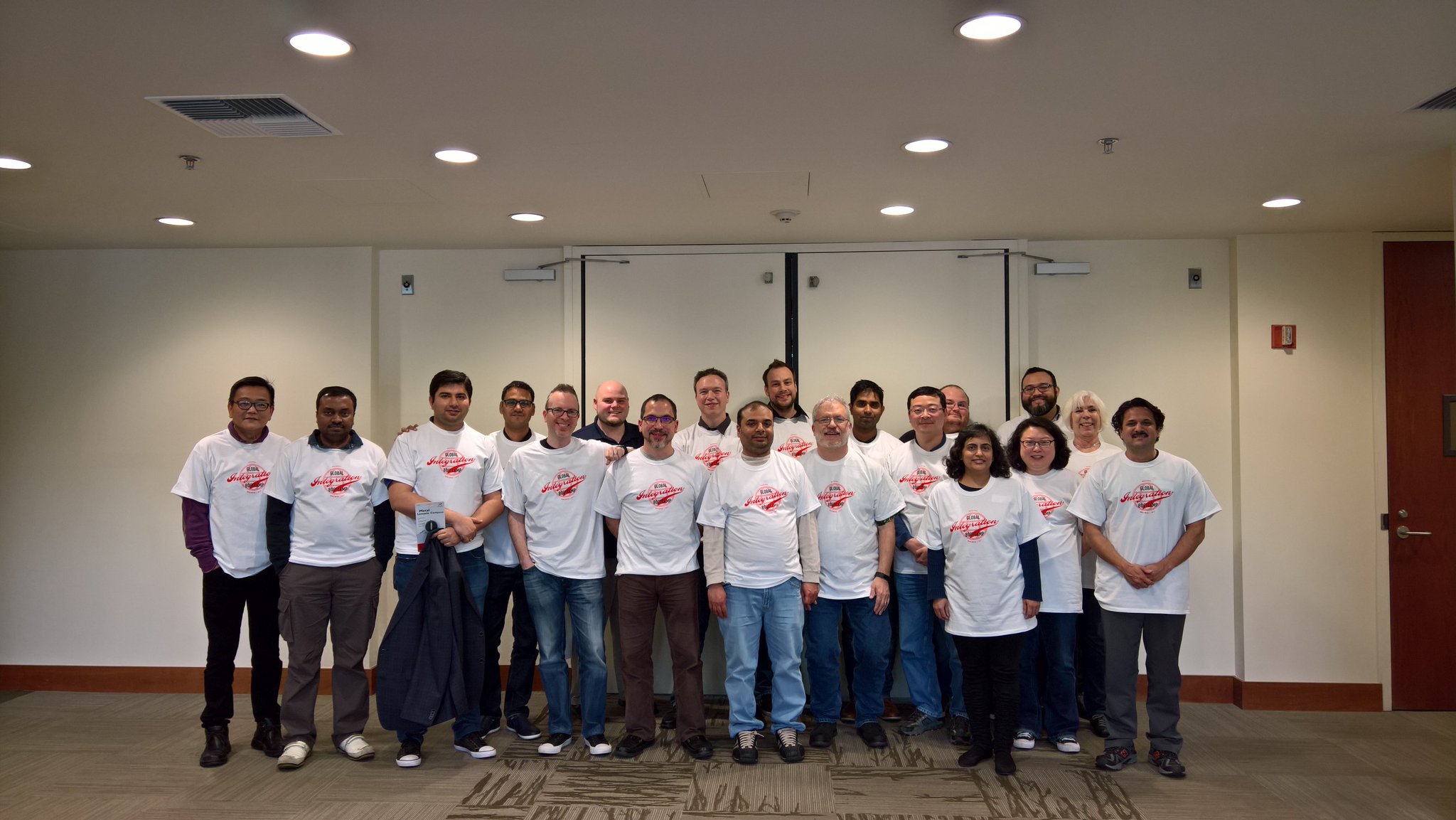
It was a great time, and I hope to be able to share more when I can. Thanks to everyone who attended, and I really hope you all had as great of a time as we did.
QuickLearn Training’s offices were just one of many locations for the event. Below is a short gallery of photos gathered from Twitter of other venues.
Belgium

Brisbane
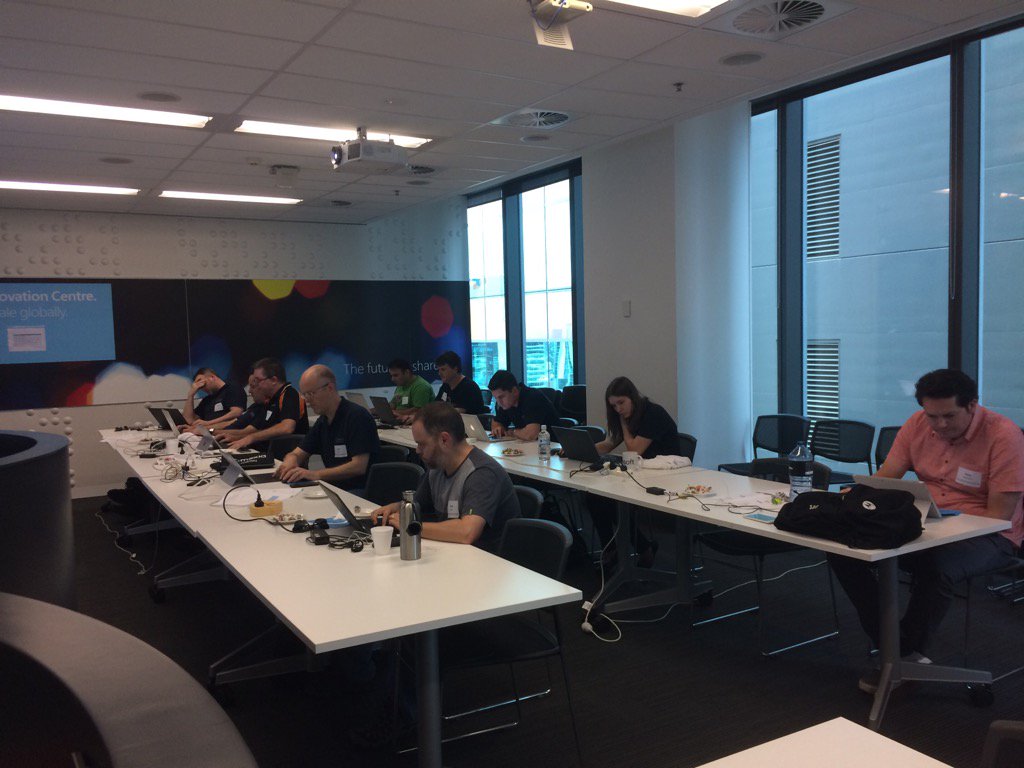
Chicago
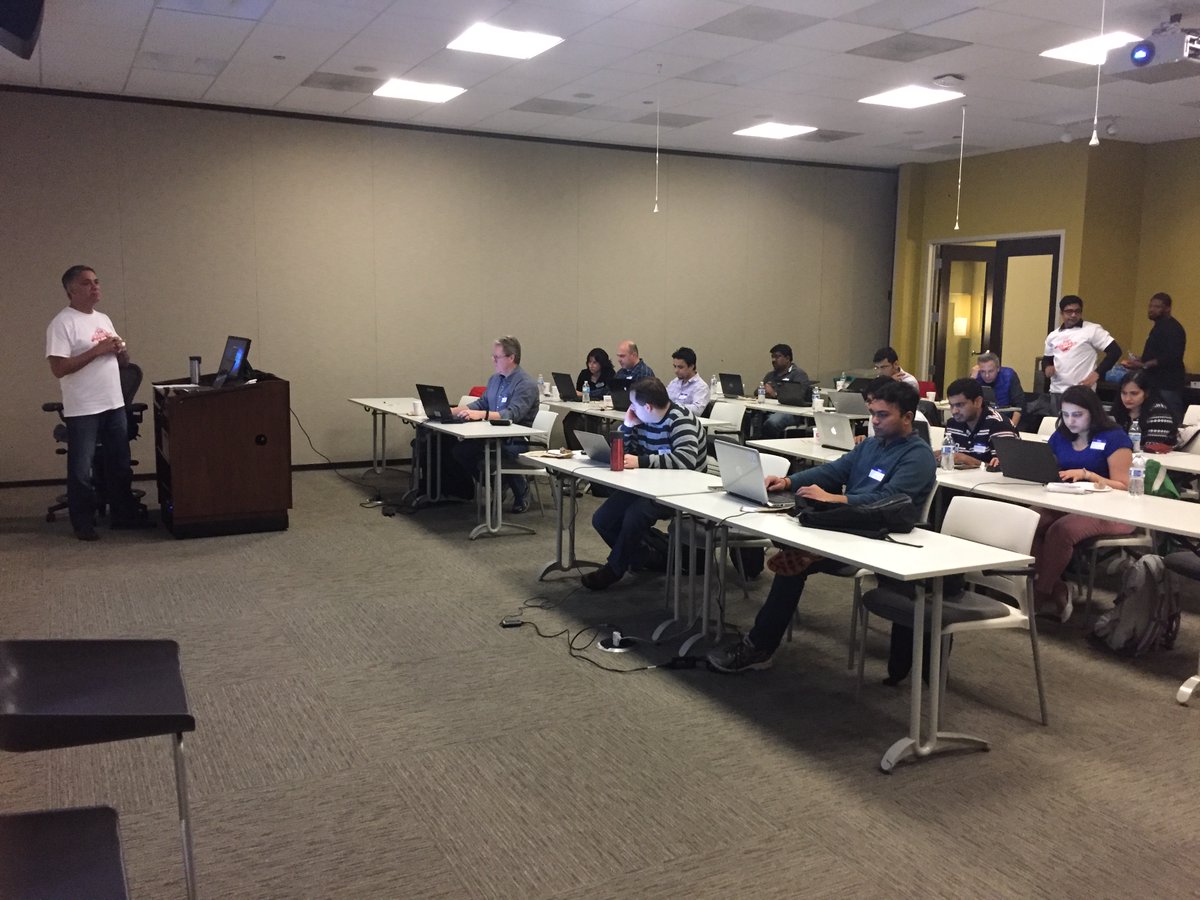
Finland
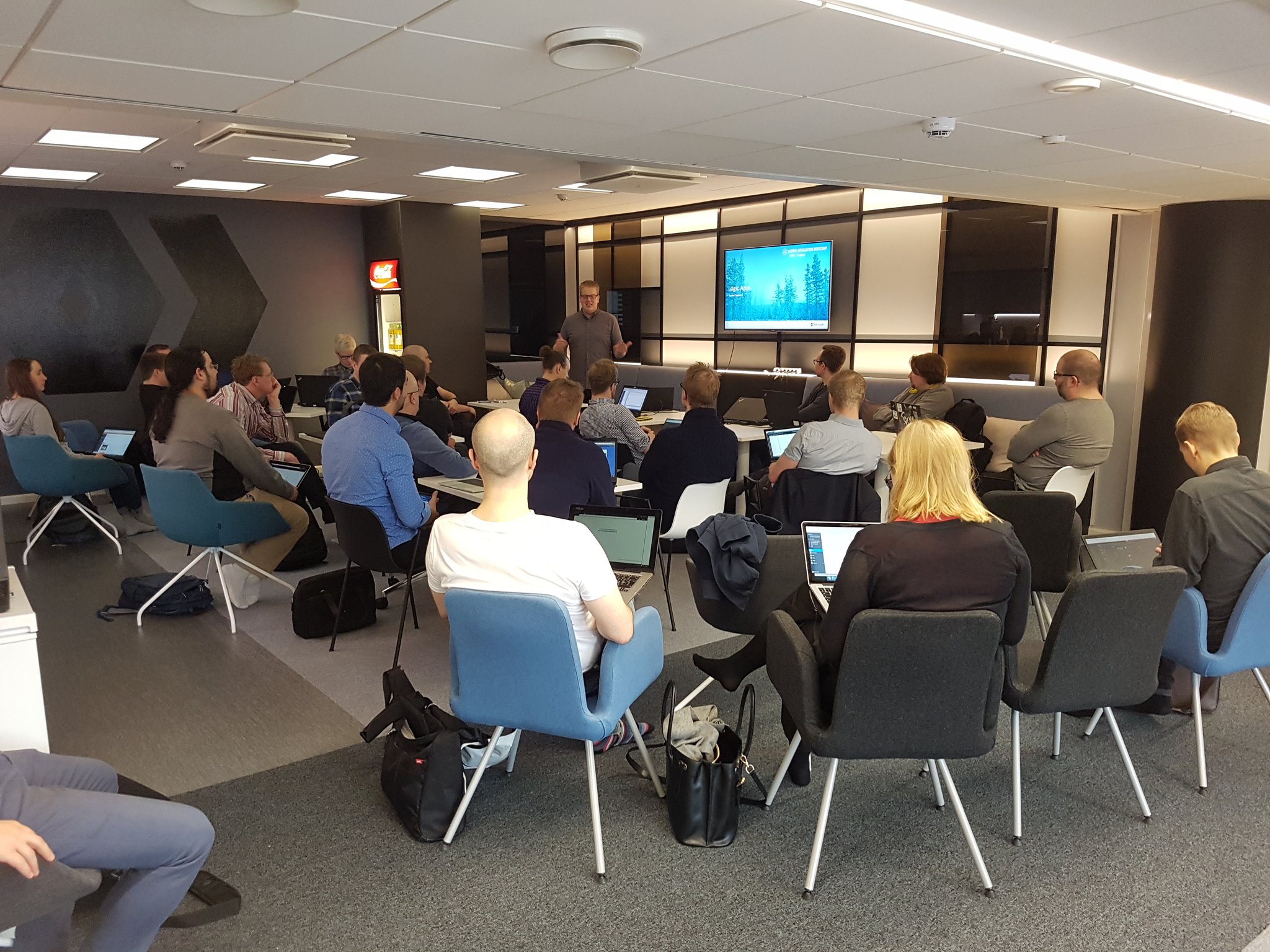
London

Melbourne
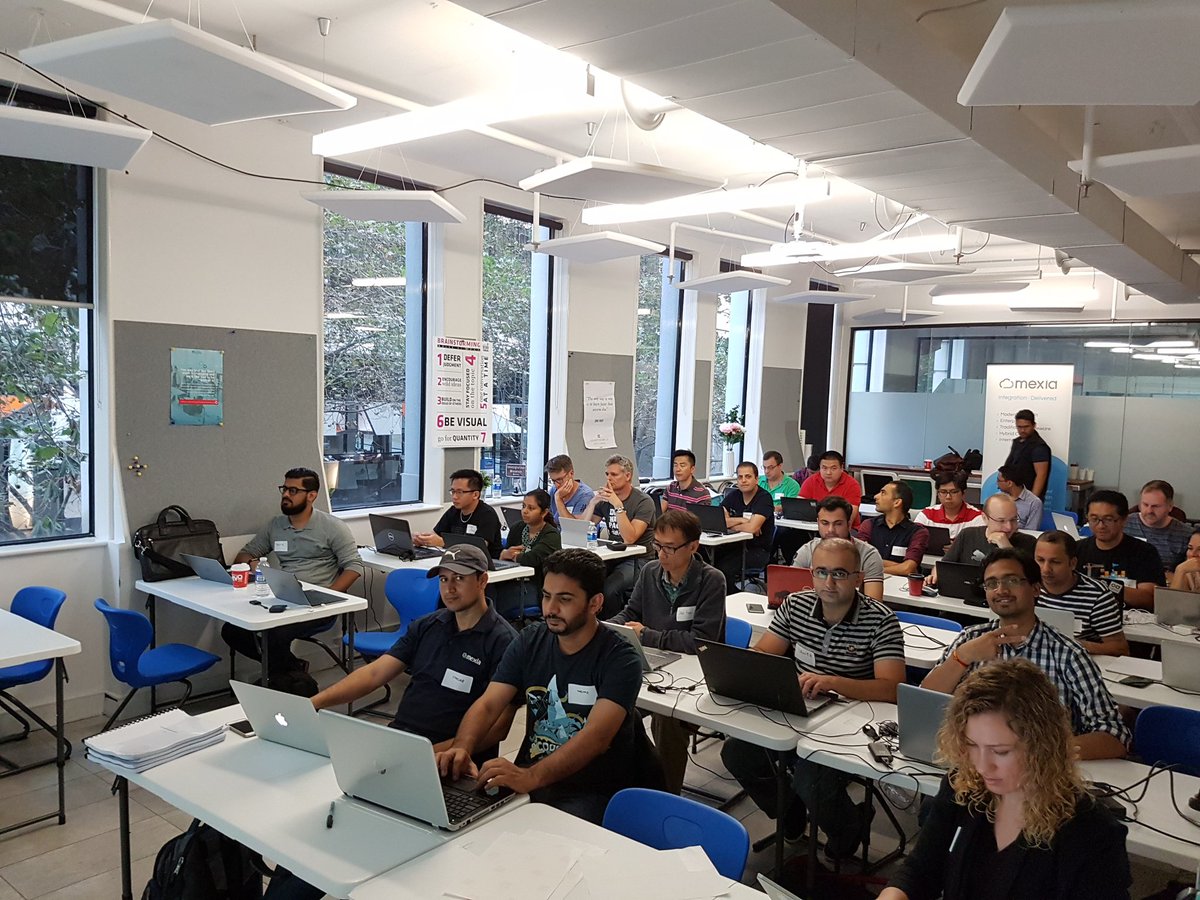
New York
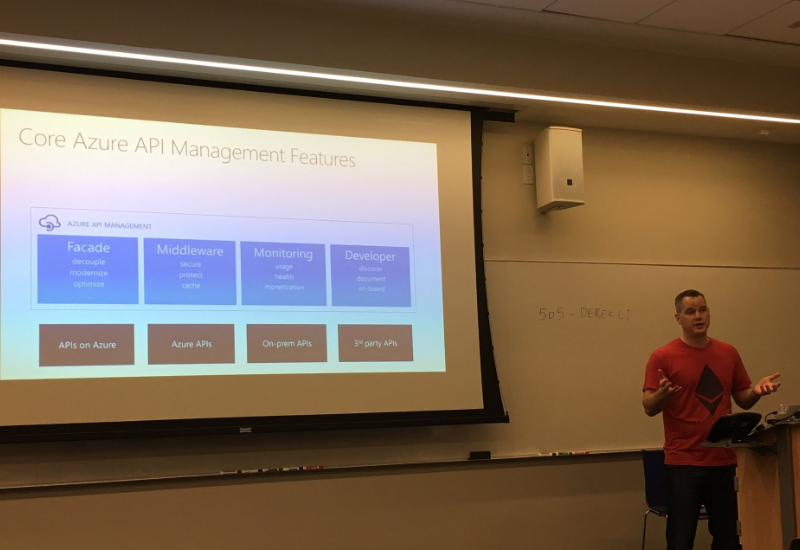
(I haven’t been able to find a picture with the camera pointed the other way, but I get it, @wearsy is a model now after all).
New Zealand

Oslo

Portugal
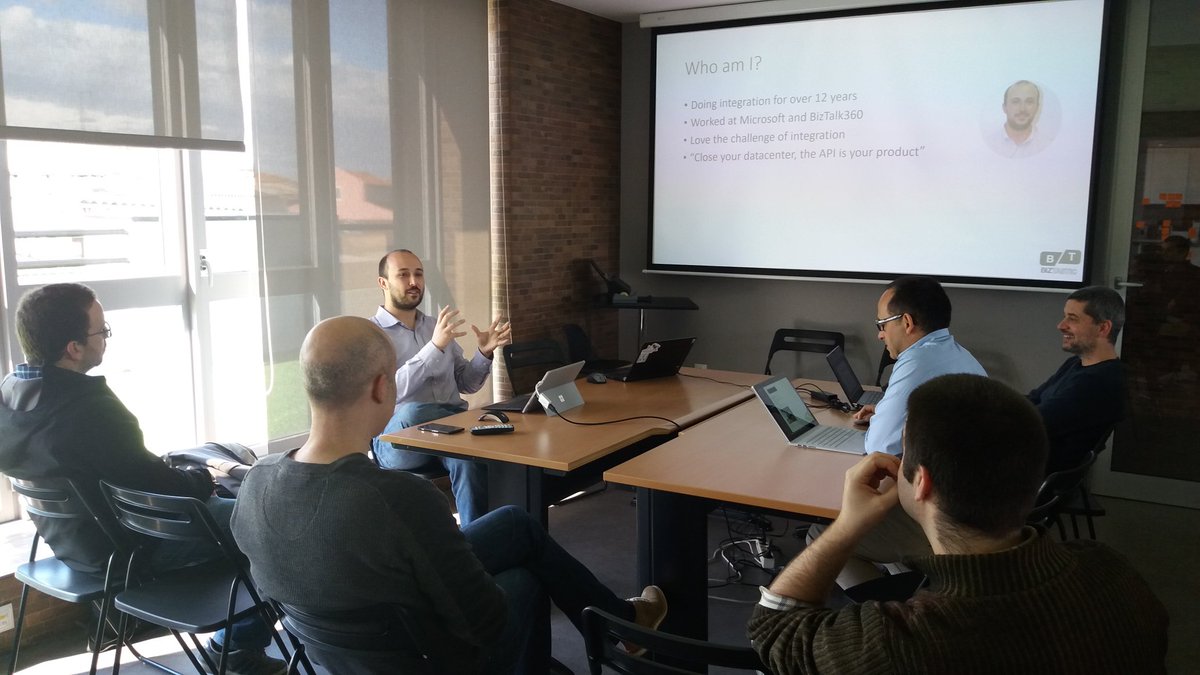
Rotterdam

Sweden

by Saravana Kumar | Mar 28, 2017 | BizTalk Community Blogs via Syndication
BizTalk Server 2016 was released recently and one of the biggest questions a lot of existing BizTalk Server customers have is whether to upgrade/migrate to 2016 or stay in the current version. The answer to this question will depend on various factors, let’s try to understand the scenarios that can potentially require or force you to do the upgrade.
Before going into the details let’s take a look at 2 important pieces of information, the history of last few versions of BizTalk Server and what’s new in BizTalk Server 2016. Because these two factors are very important before we make the decision of whether to upgrade to latest version
BizTalk Server history
BizTalk Server is one of the most matured Enterprise Integration Product in the market with over 16 years continuous development and innovation.
- BizTalk Server 2000
- BizTalk Server 2002
- BizTalk Server 2004
- BizTalk Server 2006
- BizTalk Server 2006 R2
- BizTalk Server 2009
- BizTalk Server 2010
- BizTalk Server 2013
- BizTalk Server 2013 R2
- BizTalk Server 2016
What’s new in BizTalk Server 2016
At a very high level, these are the key features that are added in this release.
- Support for Windows Server 2016, SQL Server 2016, Visual Studio 2015
- Support for Host Integration Server 2016
- Support for SQL Server AlwaysOn
- Support for hosting production workloads in Azure IaaS VM’s
- SHA2 Native Support
- New Adapters (Azure Logic Apps)
- Adapter Improvements (SAP Connector, File, FTP, SFTP, Ordered Delivery for Dynamic Send Port)
- Shared Access Signature support for WCF adapters
- Import/Exports – Parties, Tracking Settings
- Simultaneous Multiple artifacts configuration in BizTalk Admin Console
For the complete information please refer to Microsoft release notes. Technically you can migrate to BizTalk Server 2016 seamlessly if you are in the last 2 versions of BizTalk (2013 or 2013 R2), but the decision to upgrade is not always made purely based on technical reasons. Let’s see some scenarios.
Scenario #1: Upgrade based on your platform requirements
This scenario is something you cannot avoid and will force you to upgrade to BizTalk Server 2016. Every enterprise will have an internal platform upgrade story both for Windows Server and SQL Server. The organisation may be currently running on Windows Server 2012 and every 5 years once they might have a platform upgrade across the company. When such things happen they will create a dependency matrix and if they identify any product that can be moved to latest platform, then they will ask the relevant teams to start the initiative. If such scenario happens then you’ll be forced to migrate to BizTalk Server 2016. A similar story can happen for SQL server upgrade across the company.
Scenario #2: Upgrade based on your current version
Based on the current version of BizTalk server you are running in your organisation, you may be forced or it may be a good idea to upgrade to BizTalk Server 2016. The below table gives the BizTalk Server product support lifecycle information with dates for the end of both mainstream and extended support. As you can see 2006, 2006 R2, 2009 and 2010 versions are already out of mainstream support
| BizTalk Version |
Support End (Mainstream) |
Support End (Extended) |
| BizTalk Server 2006 |
7/12/2011 |
7/12/2016 |
| BizTalk Server 2006 R2 |
7/12/2011 |
7/12/2016 |
| BizTalk Server 2009 |
7/08/2014 |
7/09/2019 |
| BizTalk Server 2010 |
1/12/2016 |
1/12/2021 |
| BizTalk Server 2013 |
7/10/2018 |
7/11/2023 |
| BizTalk Server 2013 R2 |
7/10/2018 |
7/11/2023 |
| BizTalk Server 2016 |
1/11/2022 |
1/11/2027 |
There are lot of disadvantages being in extended support,
- Non-Security hotfix support will require extended hotfix agreement, purchased within 90 days of mainstream support ending
- You incident support will be chargeable
- You cannot make warranty claims
- You cannot request design changes and feature requests
You probably do not want to run your business on limited support, so it’s better to upgrade if your current version is already in extended support or your mainstream support is coming.
Scenario #3: Upgrade based on new features
There may be some features released in BizTalk Server 2016 that might demand an upgrade. Example: SQL AlwaysOn, traditionally companies struggle to set up log shipping for DR and in many instances, they never had any DR setup that could be resolved by using SQL Always on. In a similar way, there may be other features like SAP connector, Ordered Delivery on dynamic send ports etc can all be interesting for certain scenarios.
Scenario #4: Upgrade based on your current projects
Most of the time the cost of migrating from one version of BizTalk server to another is not the BizTalk server software cost, because typically you’ll be either covered with annual support assurance (SA) or you’ll have enterprise agreement package (EAP), which will allow you to upgrade and do a true-up cost at end of the period.
The biggest cost factor is your functional testing efforts. Even though Microsoft (or any software vendor for that matter) will claim the upgrade will be seamless and will not affect anything. Chances are, something will get broken. If you look at the stack, you are upgrading a lot of things Windows, SQL, .NET, BizTalk etc. at one go and you need to be super careful.
The best situation for you to plan for your upgrade and reduce the cost is to do it along with your project plans. If you have a big release coming, and if you are already planning for a lot of functional testing, use that as an opportunity to migrate to the new version.
If somebody claims their software/tool will magically help you on the upgrade process be cautious. There is no magic bullet here, no one will understand the complexities of the legacy systems you are connecting and their underlying limitations. Only your QA team can warrant that after verifying their test cases.
Scenario #5: What if we are in the process of buying BizTalk Server
In this case, it’s kind of a no-brainer decision, you just buy the latest version of the product i.e BizTalk Server 2016. Having said that we have seen companies using the policy of always using “Latest Version – 1” formula. They don’t want to risk with some unknown potential problems and wanted to stay with the version that’s in the market for a while. If you are in that situation, it’s perfectly fine to go with BizTalk Server 2013 R2. But keep in mind BizTalk Server 2013 R2 will not run (or supported) in Windows Server 2016 and SQL Server 2016.
Please leave your comments if you have any other reasons.
The post Top reasons to upgrade to BizTalk Server 2016 appeared first on BizTalk360.
by Sandro Pereira | Mar 27, 2017 | BizTalk Community Blogs via Syndication
Being an MVP, and a community leader, one of my roles is to motivate others members to start contributing to the community and at DevScope we have great new technicians that sometimes only need to be pushed and motivated… this time I challenged my coworker Rui Silva to collaborate with me on this small project and the result is here: BizTalk MapperExtensions Functoid Wizard for BizTalk Server 2016.
BizTalk MapperExtensions Functoid Wizard is a Custom Functoid Project Wizard for Visual Studio 2015. It allows you to create a new Functoid project for BizTalk Server 2016 without having to create manually the project, in other words, having to manually create:
- A new class library project in Visual Studio 2015;
- Add a reference to the Microsoft.BizTalk.BaseFunctoids assembly;
- Add New Class and having to code the entire class;
This Wizard will do this process automatically, and used in conjunction with BizTalk Server: Custom BizTalk Functoid item template for Visual Studio 2015 will facilitate and significantly expedite the development process of our projects. The only thing you will need to do is create a new Custom Functoid Project and a wizard will pop-up, fill in the required fields and when you finish the process a new Custom Functoid project is built. Just change the execution method with your own algorithms, build your project and it’s done. You’ll see your new Functoid in BizTalk Server 2015 Mapper once you import it to Visual Studio Toolbox.
BizTalk MapperExtensions Functoid Wizard Installation
To use this project template download the executable files available on “Installation Files” folder and run the setup file.
Once you run the setup file follow these steps:
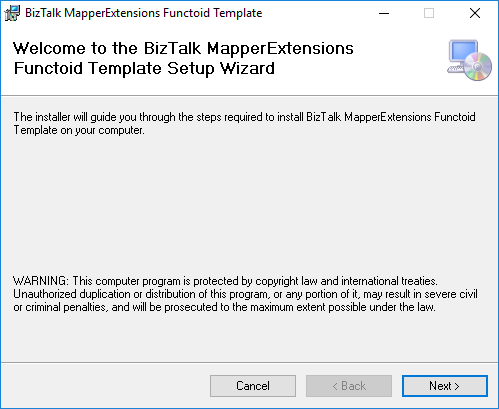
- On the “Welcome to the BizTalk MapperExtensions Functoid Template Setup Wizard” screen, click “Next”.
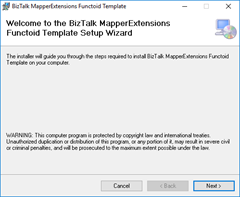
- On the “Select Installation Folder” screen, select the folder where you want to install the Wizard and select the option “Everyone”. Click “Next” to continue.
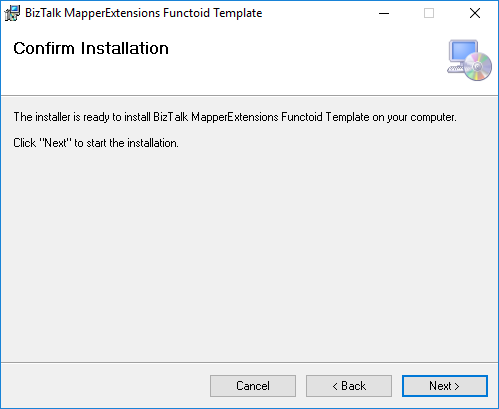
- On the “Confirm Installation” screen, confirm your intent to install by clicking “Next”
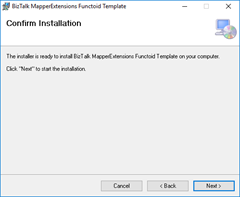
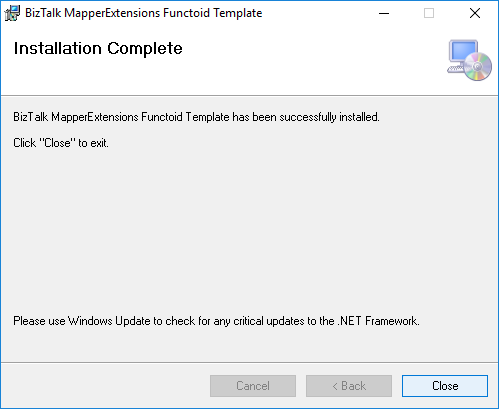
- On the “Installation Complete” screen, click close and the installation is complete
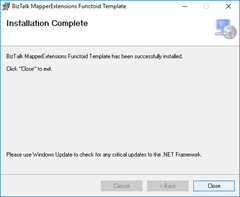
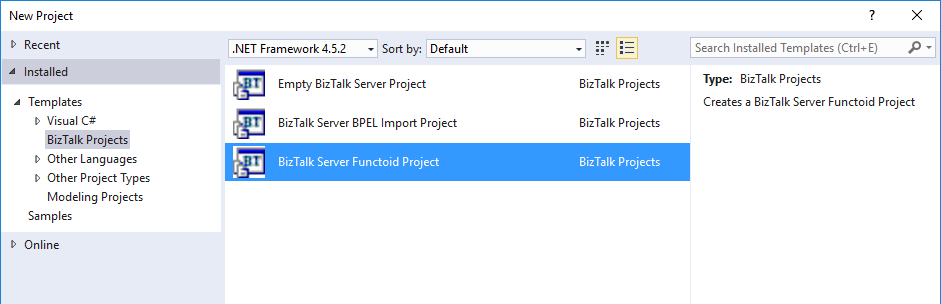
Now you can see a new BizTalk project template option under “BizTalk projects” in your Visual Studio 2015.
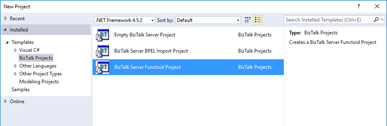
Create New Functoid Project
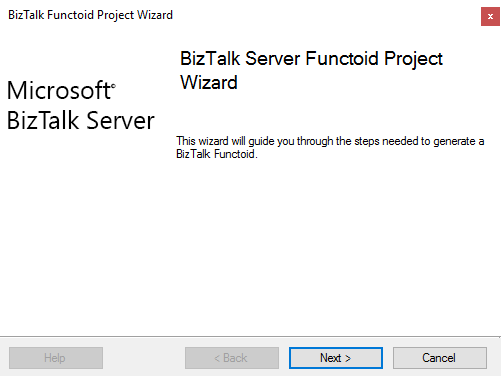
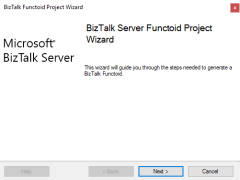
To create a new functoid using this project template choose the option “BizTalk Server Functoid Project” in Visual Studio 2015 and a Wizard will pop-up. Follow the requirements of this wizard to create the Functoid.
- In the “Start” screen, click “Next” to continue
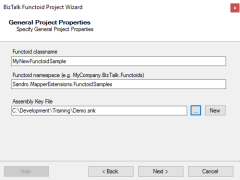
- In the “General Project Properties” screen, fill the Functoid class name, namespace and create or select a new Strong Key (you can use an existing one). Click “Next” to continue.
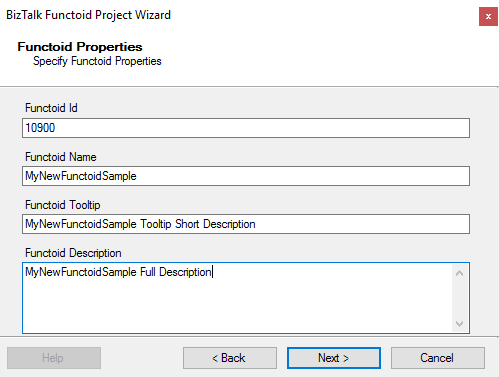
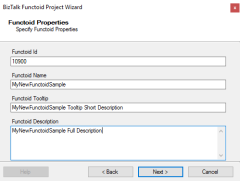
- In the “Functoid Properties” screen, define the Functoid ID (must be greater than 10000), the functoid name, the tooltip (short description) and description (full description). Click “Next” to continue.
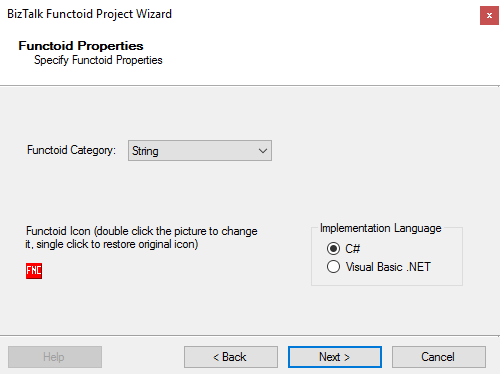
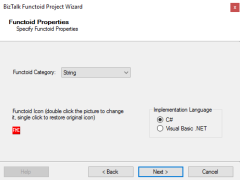
- In the second “Functoid Properties” screen, choose the functoid category and the implementation language (the language in which you want to implement your functoid behavior code): C# or VB.NET. Click “Next” to continue.
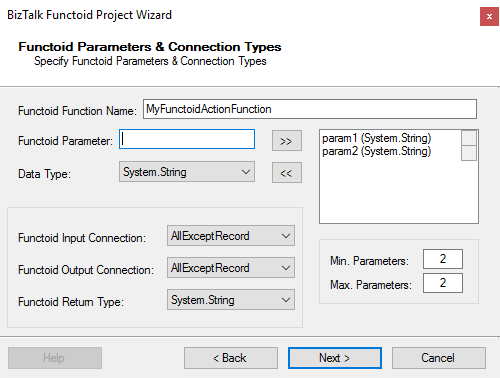
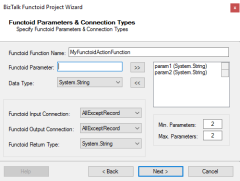
- In the “Functoid Parameters and Connection Types” screen, define the functoid function name, function inputs and types and output and types. Click “Next” to continue.
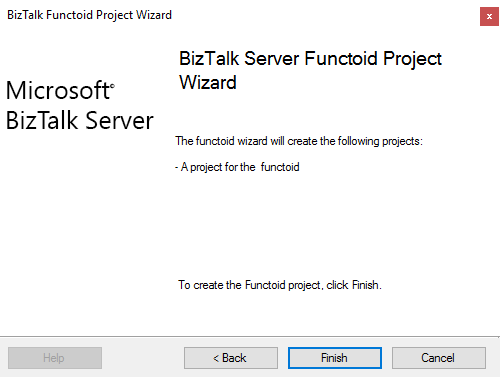
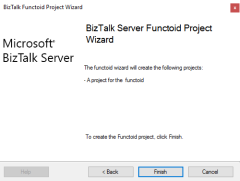
- On the final screen, click “Finish” to create the Visual Studio project.
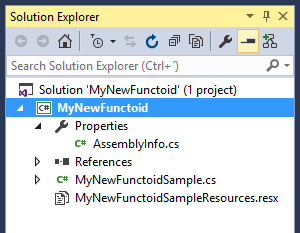
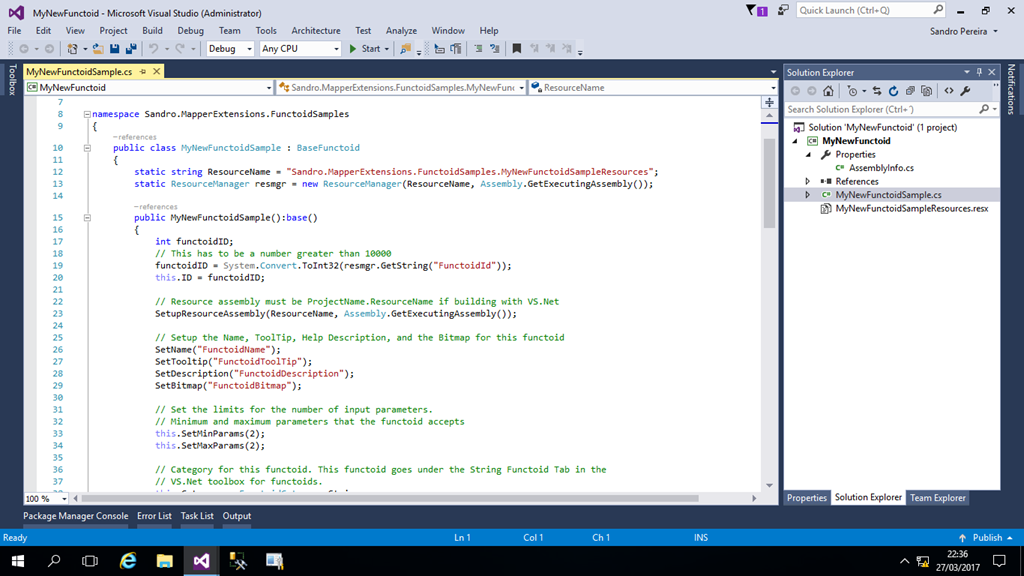
Visual Studio will create a new Project based on your implementation language and definitions provided in the Wizard.
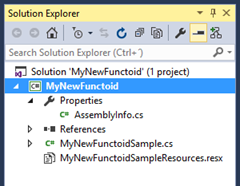
- Open the generated class and implement your code
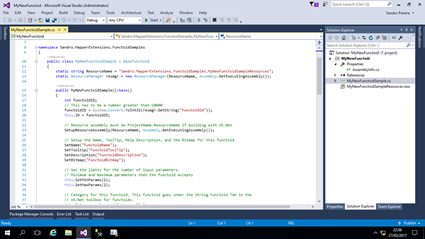
Once again, special thanks to Rui Silva who accepted the challenge and collaborated with me in order to finalize this project.
You can download the Source Code or contribute to the project here:
BizTalk.MapperExtensions.Functoid.Wizard
GitHub
You can download the installation files (only executables) here:
BizTalk MapperExtensions Functoid Wizard: BizTalk Server 2016 Installation files (1.1 MB)
Microsoft | TechNet Gallery
Author: Sandro Pereira
Sandro Pereira lives in Portugal and works as a consultant at DevScope. In the past years, he has been working on implementing Integration scenarios both on-premises and cloud for various clients, each with different scenarios from a technical point of view, size, and criticality, using Microsoft Azure, Microsoft BizTalk Server and different technologies like AS2, EDI, RosettaNet, SAP, TIBCO etc. He is a regular blogger, international speaker, and technical reviewer of several BizTalk books all focused on Integration. He is also the author of the book “BizTalk Mapping Patterns & Best Practices”. He has been awarded MVP since 2011 for his contributions to the integration community. View all posts by Sandro Pereira

by Steef-Jan Wiggers | Mar 14, 2017 | BizTalk Community Blogs via Syndication
Thanks team BizTalk360. Welcome to my new blog. Yes I have a new blog or better yet it has been styled and created for me. Just before I embarked on my trip down under Saravana gave me an offer to revamp my blog. Happily, I accepted his kind offer to create a new blog for me. And to migrate my content from my old blog to this new amazing blog.
Hard working team
The BizTalk360 team took over my blog and started working hard to get this blog up and running. They migrated the content, build the about me page and resources. Great work guys!!!
The old blog
The Azure Thoughts, EAI Challenges blog, I have is over 10 years old. I started this on the blogger.com and the style changed a few times in the past until it reached its current state. Saravana gave me the offer to have a complete new type of blog similar to BizTalk360 blog, Sandro’s and Nino’s new blogs. They all look amazing to me and that’s what I wanted too. A professional looking blog!
Not an UI/UX guy
My expertise is as many of you know Microsoft Integration, Azure and Data Science and I am not a UI/UX guy nor a designer. To have a cool looking blog has been a long time wish and now it was handed to me.
Thank you all!
Thanks, Saravana and the BizTalk360 team for this tremendous effort and work. The blog at WordPress.com is a new experience for me and I love the extra capabilities of this platform that exceeds the previous one I worked on. I hope that you my readers will enjoy this new and more professional layout, which I hope will more appealing you and that it will provide a great user experience. Looking forward to create some new content on this blog.
Cheers,
Steef-Jan
Author: Steef-Jan Wiggers
Steef-Jan Wiggers is all in on Microsoft Azure, Integration, and Data Science. He has over 15 years’ experience in a wide variety of scenarios such as custom .NET solution development, overseeing large enterprise integrations, building web services, managing projects, designing web services, experimenting with data, SQL Server database administration, and consulting. Steef-Jan loves challenges in the Microsoft playing field combining it with his domain knowledge in energy, utility, banking, insurance, health care, agriculture, (local) government, bio-sciences, retail, travel and logistics. He is very active in the community as a blogger, TechNet Wiki author, book author, and global public speaker. For these efforts, Microsoft has recognized him a Microsoft MVP for the past 6 years. View all posts by Steef-Jan Wiggers

by Sandro Pereira | Mar 13, 2017 | BizTalk Community Blogs via Syndication
I am really excited to announce that all the arrangements for first Oporto Global Integration Bootcamp are almost finalized and I can now release 90% of the event agenda. This event will be held at DevScope offices in Oporto on March 25, 2017, between 09:00 – 17:00.

What is Global Integration Bootcamp?

This is a free, event driven by user groups and communities around the world, backed by Microsoft, for anyone who wants to learn more about Microsoft’s integration story. In this full-day boot camp, we will deep-dive into Microsoft’s integration stack with hands-on sessions and labs, delivered to you by the experts and community leaders. In this Boot Camp, we will focus on:
- BizTalk Server 2016: BizTalk Server 2016, what’s new, and using the new Logic Apps adapter.
- Logic Apps: Creating Logic Apps using commonly-used connectors.
- Service Bus: Build reliable and scalable cloud messaging and hybrid integration solution
- Enterprise Integration Pack: Using the Enterprise Integration Pack (EIP) with Logic Apps
- API Management: How does API management help you organize your APIs and how does it increase security?
- On-Premise Gateway: Connecting to on-prem resources using the On-Premise Gateway
- Hybrid Integration: Hybrid integrations using BizTalk Server and Logic Apps
- Microsoft Flow: Learn to compose flows with Microsoft Flow
But much more. Porto will be joining locations all over the globe holding this event on the same day. Check out the global website for information about the global organizers and other locations, or follow the Twitter hashtag #integrationbootcamp.
Oporto Global Integration Bootcamp Agenda
09:00 Registration opens and welcome
10:00 BIZTALK 2016 IN A HYBRID WORLD
The integration landscape has definitely evolved to be a hybrid, significant on-premise investment has been accumulated over the years while at the same time cloud computing brought new challenges and new ways of implementing integration. Let’s navigate through the innovations in both worlds and how BizTalk and the cloud currently live together. – Ricardo Torre
11:00 BIZTALK OCTOPUS DEPLOY
How to deploy BizTalk solutions with Octopus – José António Silva & Pedro Sousa, DevScope
11:30 Coffee-break
11:45 UNLEASH THE POWER OF IOT WITH SHAREPOINT
SharePoint is becoming modern, there are modern sites ready for mobile, a modern framework to develop web parts, but what about embracing modern concepts?
Internet of things will be everywhere in a blink of an eye and probably you are already dealing with it every day without even knowing.
In this session, we will explain how to collect data from sensors, send it to SharePoint and how to display it in a modern dashboard using modern SharePoint sites.
The possibilities are endless, from temperature sensors to access control devices you can have all this data inside your SharePoint Intranet with a modern look and feel. – João Ferreira, BindTuning
12:45 THE SPEAKER NIGHTMARE: Eval Forms & OCR & Logic Apps & Power BI
In this session, I will show and explain a real live demo on how we can easily build a robust solution for process evaluation forms, using an OCR software and easily integrate them with Power BI to present the results in an interactive and beautiful way. But most important: How you can educate your enterprise Developers and IT pros users to easily extend capabilities for power users, who understand their business challenges the best, and allowing them to use their familiar tools like: OCR software to process Evaluation forms and quickly build and deliver Power BI solutions to build Interactive Data dashboards. And at the same time integrate these tools, platforms or systems and a very quick and robust way using integrate feature on Azure, like, Logic Apps, API Apps and Azure Functions. How to start from a simple solution and evolve them enabling new functionalities. – Sandro Pereira, Microsoft Integration MVP
13:15 Lunch and Networking
Register
The agenda is not completely defined, you see that there are some sessions to be announced and can be subject to changes in terms of order of the sessions.
Thanks to sponsorship from DevScope, this event will be free of charge, including the catering, however, capacity will be limited in the venue so don’t delay and reserve your ticket at https://www.eventbrite.com/e/oporto-global-integration-bootcamp-tickets-31508629158. I’m looking forward to welcoming you to the Oporto Global Integration Bootcamp on March 25, 2017!
Author: Sandro Pereira
Sandro Pereira lives in Portugal and works as a consultant at DevScope. In the past years, he has been working on implementing Integration scenarios both on-premises and cloud for various clients, each with different scenarios from a technical point of view, size, and criticality, using Microsoft Azure, Microsoft BizTalk Server and different technologies like AS2, EDI, RosettaNet, SAP, TIBCO etc. He is a regular blogger, international speaker, and technical reviewer of several BizTalk books all focused on Integration. He is also the author of the book “BizTalk Mapping Patterns & Best Practices”. He has been awarded MVP since 2011 for his contributions to the integration community. View all posts by Sandro Pereira
by Sivaramakrishnan Arumugam | Mar 9, 2017 | BizTalk Community Blogs via Syndication
In BizTalk360 support, we often face a lot of interesting issues and we thought we would bring out a series to discuss the different cases that come our way and how we dealt with them. A previous blog by my colleague spoke on the Culture variant issue, a very unique case. Recently we came across a very interesting support case.
The customer was not able to view BizTalk applications due to the reason that BizTalk admin group name present in BizTalk360 License information did not match with the customer’s domain BizTalk Administrator’s group.
What happens during the activation of License in BizTalk360?
During the activation of an environment in BizTalk360, BizTalk360 License will fetch the information about BizTalk Admin Group, BizTalk server Management SQL Instance, Management Database name and BizTalk version information from customer’s environment. These details are stored into BizTalk360 license database and are embedded with the License after activation. If anything has changed at the BizTalk environment level, it will reflect in BizTalk360 UI or in performance.
Say for example: BizTalk servers were removed/added, changing BizTalk Admin Group name, BizTalk Server Management SQL Instance name, Management Database name, upgrading BizTalk server in one machine in multi-server environment., these changes will not be reflected with the BizTalk360 License information that is stored in the License database and hence it will display an exception message in BizTalk360 UI.
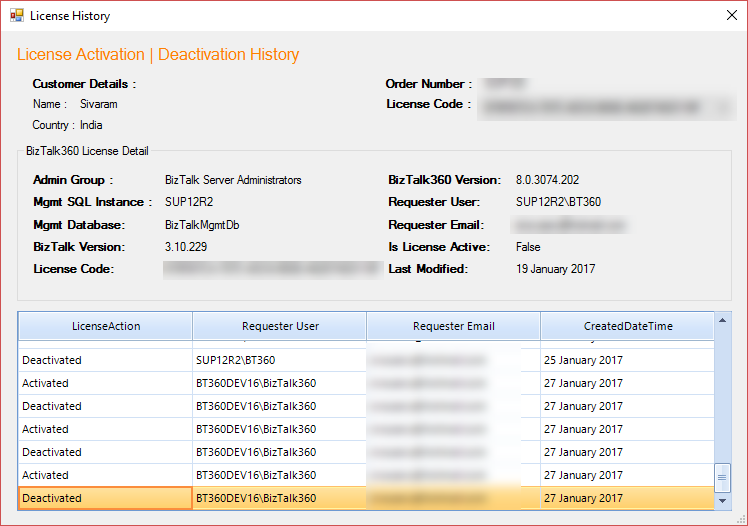
Screenshot of License history from BizTalk360 License application manager
It is always recommended that before making any environment related changes, you need to perform the license deactivation or else to contact our BizTalk360 support team for updating the changes into the License information and also for any guidance required.
Say for example: If the customer was not sure about moving the BizTalk360 database from one server to another server as a part of migration, we request our customers to contact our support team for the guidance.
Prologue to this story
From the BizTalk360 version 8.0 onwards, you will not be allowed to perform any action in BizTalk360 UI without activating the License.
The problem faced by the customer was that the name of the BizTalk Administrator group didn’t match with the information in the license.
- BizTalk Environment Domain: BT360BizTalk360-SG-Kovai-Biztalk Administrators-Dev,
- License Key Domain: BT360BizTalk360-SG-?Kovai-Biztalk Administrators-Dev
BizTalk Administrators group has the least privileges necessary to perform most administrative tasks. Members of that group can perform administrative tasks through the BizTalk Administration console or directly using the WMI provider and can deploy solutions, manage applications, and resolve message processing issues. Users will be added into the BizTalk Administrator’s group so that they can perform these administrative tasks.
Customer can change the name of the BizTalk Administrators group from BT360BizTalk360-SG-Kovai-Biztalk Administrators-Dev to BT360BizTalk360-SG-?Kovai-Biztalk Administrators-Dev which may resolve their problem. But, if they make any changes in BizTalk Administrators group, it may affect the BizTalk server process via the users who are added to that group to perform any operations.
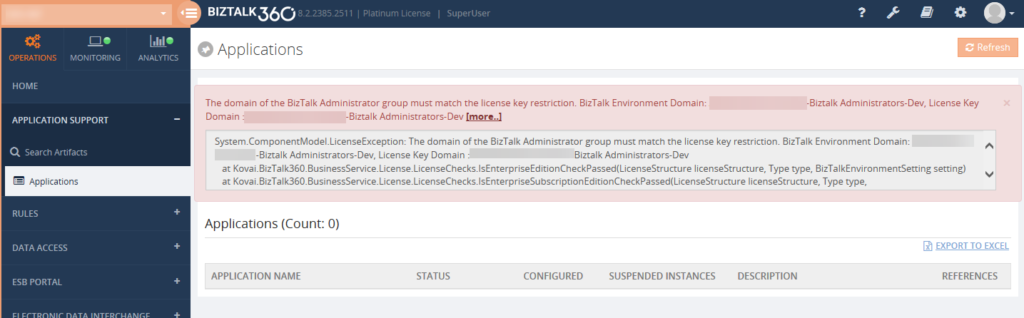
Screenshot of the exception from BizTalk360 UI
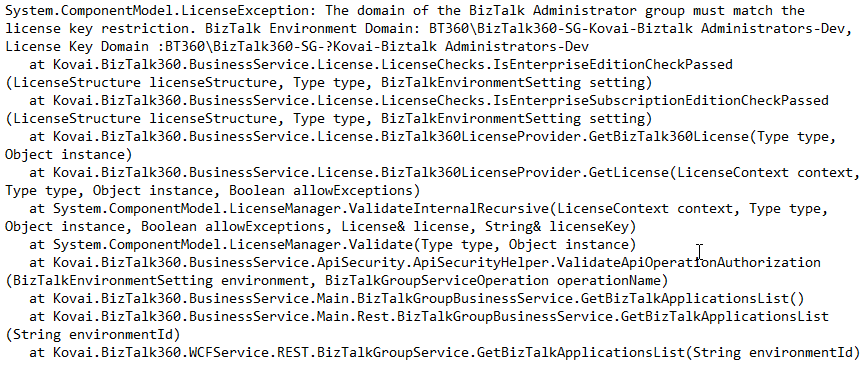
The exception what the customer exactly faced
We noticed that there was a question mark added in between the domain name and the BizTalk Administrator’s group (Domain: BT360BizTalk360-SG-? -Biztalk Administrators-Dev). The customer conveyed that they worked with the domain admin team and removed the question mark symbol. But we are very sure windows server/operating system doesn’t allow to create a name with ‘?’ question mark while creating the group or a user.
We wanted to investigate within customer environment and so we requested a screen sharing session to see what’s happening and from where the name was taken from. Before going to any customer call, we would prepare a list of questions related to the necessary information we wanted from the customer end and where all we want to check. Also, we will try to reproduce the same at our end.
How did we back track the case?
During the testing, we tried to replicate the same. So we just copied the same BizTalk Administrator’s group ‘BT360BizTalk360-SG- Kovai-Biztalk Administrators-Dev’ name from the exception and created a group in our test machine and we added to BizTalk360. Once after adding as a NT Group in BizTalk360 we found a strange thing it got created with a special character ‘?’ question mark BT360BizTalk360-SG-?Kovai-Biztalk Administrators-Dev. Then we checked by using PowerShell command, found a special character added which was like a mobile phone character.
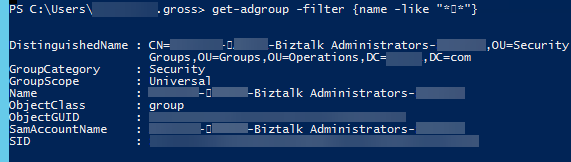
Screenshot of the BizTalk Admin group by using PowerShell
We asked the customer to change the Group name manually in all places in the database and in Windows Groups as well. But, it still showed the same exception even after the changes made by the customer. We requested for the desktop sharing session and checked all the places where the fault might be. But, we did not get any clue.
The idea was to verify the group name by editing and checking each and every individual character in the name by moving the cursor (that’s how we found special character during the testing). But we were not able to find the special character in the database and in Windows Groups.
Finally, in the properties of BizTalk Groups at BizTalk server we checked the BizTalk Administrator Group by each individual character by moving the cursor and we found the special character was still persisting. We asked the customer to remove the special character. They contacted their admin to change/modify the name, after which the exception was gone. BizTalk360 started working and the customer was able to view the applications without any problem.
What needs to be avoided?
We should try to avoid copy/paste while creating the group/user names most of the time instead type the name manually. Sometimes, while copying from a clipboard and pasting it in a password field may show some mismatch error due to the addition of special characters.
This was a good experience as a support engineer and had a different experience to learn as well.
The post Challenges in BizTalk360 Licensing after Environment Changes appeared first on BizTalk360.