by community-syndication | Jun 14, 2009 | BizTalk Community Blogs via Syndication
Microsoft .NET 4.0, and WCF 4 and WF 4 are all comming….. VS 2010 is availbe for beta 1 download…..
Now you need to get up to speed…. have a look at the training…
WCF / WF 4 Training Kit: http://code.msdn.microsoft.com/wcfwf4/Release/ProjectReleases.aspx?ReleaseId=2698
by community-syndication | Jun 13, 2009 | BizTalk Community Blogs via Syndication
Hi all
I have received numeral questions from people getting a compile time error when compiling
an orchestration that assigns a distinguished field of type xs:integer to a variable
of type int32. Without looking into anything, you would expect this would work.
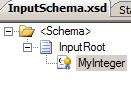
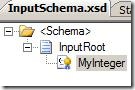
So lets say that we have a schema like this:
with this XSD:
<?xml version="1.0" encoding="utf-16"?>
<xs:schema xmlns:b="http://schemas.microsoft.com/BizTalk/2003" xmlns="http://IntegerDecimal.InputSchema" targetNamespace="http://IntegerDecimal.InputSchema" xmlns:xs="http://www.w3.org/2001/XMLSchema">
<xs:element name="InputRoot">
<xs:annotation>
<xs:appinfo>
<b:properties>
<b:property distinguished="true"
xpath="/*[local-name()=’InputRoot’ and namespace-uri()=’http://IntegerDecimal.InputSchema’]/*[local-name()=’MyInteger’ and
namespace-uri()=”]" />
</b:properties>
</xs:appinfo>
</xs:annotation>
<xs:complexType>
<xs:sequence>
<xs:element name="MyInteger"
type="xs:integer" />
</xs:sequence>
</xs:complexType>
</xs:element>
</xs:schema>
As you can see, it is a simple schema and the “MyInteger” field is of type xs:integer
and it is marked as a distinguished field.
In my orchestration, I have a variable of type int32 called “MyInt” and in an expression
shape I do this:
MyInt = InputMessage.MyInteger;
and it fails, which is quite surprising at first glance. At compile time I just get
this: "The expression that you have entered is not valid.". That doesn’t
help, so looking at my expression shape and reading the mouse over on the error in
the expression shape I get this: “cannot implicitly convert type ’System.Decimal’
to ’System.Int32’”. Changing the line in the expression shape to this:
MyInt = System.Convert.ToInt32(InputMessage.MyInteger);
will make it work, because now you are explicitly casting the value to an integer.
The first times I saw this error, I thought that the compiler had an error, because
I thought I was assigning an integer the value of another integer. It turns out, though,
that I wasn’t really – only sort of
If you look here: http://www.w3.org/TR/xmlschema-2/#integer you
can see that the xs:integer type is actually a decimal type restricted to whole numbers.
So the compiler actually thinks the field is a decimal and not an integer.
This is kind of silly, since the data type IS restricted to whole numbers. The actual
error should be that the xs:integer can contain the number 4567234987623409763546387623476149823497862354845
which really is way to large for an int variable in an orchestration.
Anyway, the way to handle this is, naturally, to avoid the xs:integer type if possible
and use the xs:int (or variants of this) instead. Sometimes it is needed, though,
and in that case you just need to declare your variables of a type that will be able
to contain all the possible values you receive. This can be an Int16 sometimes, if
the people who have created the schema just didn’t know what the xs:integer type is.
Sometimes the values received will be too large even for an Int64 variable, then consider
using a decimal, a string or some other data type.
—
eliasen
by community-syndication | Jun 13, 2009 | BizTalk Community Blogs via Syndication
Perhaps you are restarting a host instance, maybe you are deploying, whatever, it takes forever. The problem is really that there is a spike in CPU usage.
The hot fix can be downloaded here:
http://support.microsoft.com/kb/943165
FIX: A CPU usage spike occurs on all the BizTalk hosts after you install security bulletin MS07-040 on a server that is running Microsoft BizTalk Server 2006 or Microsoft BizTalk Server 2006 R2
by community-syndication | Jun 13, 2009 | BizTalk Community Blogs via Syndication
Don’t ever set port authentication if you are doing AS2, for your love that is all holy.
Event Type: Error
Event Source: BizTalk Server 2006
Event Category: BizTalk Server 2006
Event ID: 5719
Date: 6/13/2009
Time: 12:54:19 AM
User: N/A
Computer:
Description:
There was a failure executing the receive pipeline: “Microsoft.BizTalk.EdiInt.DefaultPipelines.AS2EdiReceive, Microsoft.BizTalk.Edi.EdiIntPipelines, Version=3.0.1.0, Culture=neutral, PublicKeyToken=31bf3856ad364e35” Source: “Pipeline ” Receive Port: “AS2Receive” URI: “/BTSHTTPReceive.dll” Reason: The party corresponding to the inbound message cannot be identified.
For more information, see Help and Support Center at http://go.microsoft.com/fwlink/events.asp.
The fix is to set the receive port to No Authentication
by community-syndication | Jun 12, 2009 | BizTalk Community Blogs via Syndication
You need to create a 32 bit host and its subsequent host instance, otherwise you will get the following error.
Event Type: Error
Event Source: BizTalk Server 2006
Event Category: BizTalk Server 2006
Event ID: 5754
Date: 6/12/2009
Time: 7:37:50 PM
User: N/A
Computer: HAL64
Description:
A message sent to adapter “HTTP” on send port “SendPort4” with URI http://server/BTSHTTPReceive.dll is suspended.
Error details: There was a failure executing the send pipeline: “Microsoft.BizTalk.EdiInt.DefaultPipelines.AS2Send, Microsoft.BizTalk.Edi.EdiIntPipelines, Version=3.0.1.0, Culture=neutral, PublicKeyToken=31bf3856ad364e35” Source: “Unknown ” Send Port: “SendPort4” URI: http://server/BTSHTTPReceive.dll Reason: Retrieving the COM class factory for component with CLSID {254B4003-2AA7-4C82-BB2E-18BA7F22DCD2} failed due to the following error: 80040154.
MessageId: {9B3DB552-386E-4C46-859F-732AC39E1281}
InstanceID: {24442524-9A98-4778-A29A-93FA21AFC92B}
For more information, see Help and Support Center at http://go.microsoft.com/fwlink/events.asp.
by community-syndication | Jun 12, 2009 | BizTalk Community Blogs via Syndication
So the ESB Toolkit is no longer going to be release through codeplex. So where do you register bugs and discuss issues? We have created a couple of new sites for this
You can register bugs on the Connect site at https://connect.microsoft.com/site/sitehome.aspx?SiteID=886&wa=wsignin1.0
There is also a new dedicate forum available at http://social.msdn.microsoft.com/Forums/en-US/biztalkesb/threads these are great for posting issues since this is a monitored forum.
Cheers and keep on BizTalking…
Peter
by community-syndication | Jun 12, 2009 | BizTalk Community Blogs via Syndication
Hi everyone, it was quite a long time since I posted the first “How-to” video (found here), but I have finally completed the second one. In this demo, I show you how to do a number of new things
- to create an itinerary that compose three services together into a single composite service
- How to setup your BizTalk environment to support this type of itinerary. Including how to create the send ports required for a composite service itinerary
- How to retrieve information from a UDDI v3 server from within your itinerary
- How to test resolvers inside visual studio using the resolver web service
- How to implement dynamic mapping and dynamic routing inside an itinerary
Based on feedback from my last video I understood that the AVI format I used sucked and that you didn’t want to have to download multiple ZIP archives just to watch a short video. Therefore, I’ve found a better recording tool that creates WMV files. Therefore this video is only 13 megs in size. Hopefully that is more convenient for everyone.
If you happen to hear a baby crying at the end, I apologize, that is my new daughter trying to make her first appearance on my blog 🙂
This video covers a lot of ground and I show a lot of things. So if I have gone too fast over something, or some element isn’t clear, let me know and I’ll post a follow up video.
Here’s the link to the video
Cheers and keep on BizTalking…
Peter
by community-syndication | Jun 12, 2009 | BizTalk Community Blogs via Syndication
I am sure y’all know (yes, I can say that, I am in Texas) that on the send side, there is a new advanced property. I discovered the following new line the administration console:
After looking into it further, there is a new feature in the advanced options called Schedule
I am not sure however, if there is a a way in which you can use this setting dynamically though.
by community-syndication | Jun 12, 2009 | BizTalk Community Blogs via Syndication
WF 4 ships with an activity palette that consists of many activities – some of these are control flow activities that represent the different modeling styles developers can use to model their business process. Sequence and Flowchart are a couple of modeling styles we ship in WF 4. In this post, we will present these modeling styles, learn what they are, when to use what, and highlight the main differences between them.
Sequential modeling style
A sequential workflow executes a set of contained activities in sequential order. The Sequence activity in WF 4 allows you to model workflows in the sequential modeling style. A Sequence contains a collection of activities that are scheduled in the order in which they have been added to the collection. Hence, the order of execution of the activities is predictable.
You can add any activity to a Sequence – control flow procedural constructs like ForEach, If, Switch, While, DoWhile; or parallel constructs like Parallel and ParallelForEach to model parallel execution of logic; or any other activity we provide in the WF 4 activity palette (or your own custom activity or a third party activity).
The next figure shows a Vacation Approval workflow modeled as a sequential workflow using the Sequence activity and other activities. In this workflow, we first check if the employee has enough available days, wait for his manager approval, and finally update his vacation information in the company’s HR database. The activity highlighted in the orange box (Get Manager Approval) is actually a While activity (collapsed in the main Sequence) that executes another Sequence of activities (AskForApproval) while the approvedByManager variable value is False.
Workflows modeled using the sequential modeling style are easy to understand and author. They can be used to model simple to moderately complex processes. Since procedural activities have strong parity with procedural statements in imperative programming languages, you can use this type of workflows to model almost any type of process. Sequential workflows are also a good fit to model simple processes with no human interactions (e.g. services).
As the complexity of the process increases, the workflow will become more complex. In comparison to code, with workflows, you will get the benefit of visually looking at your process and visual debugging, however, you may want to factor out the logic into re-usable custom activities to improve the readability of large workflows.
Sequential Modeling Style and Sequence Activity
Sequence is not a requirement to create workflows that use the sequential modeling style. As we will explain later in this post, any activity in WF 4 can be the root of a workflow. Therefore, we can create a workflow that does not contain a Sequence but still uses the sequential modeling style and procedural activities. In the figure below, we have a workflow that has as a ForEach as root activity that prints all the items in a list of strings with a length higher than 5.
Flowchart
Flowchart is a well known and intuitive paradigm to visually represent business processes. Business Analysts, Architects and Developers use often flowcharts as common language to express process definitions and flow of logic.
Since the release of WF 3, customers have given us feedback about what they like and don’t like. One common point of feedback from customers using WF3 was that “we want the simplicity of Sequence, Parallel, etc. but the flexibility of StateMachine.” When we dug deeper to get at the scenario behind this sentiment, we found that customers have a process (or a portion of a process) that is often quite sequential in nature but which requires “loopbacks” under certain circumstances (for some customers the circumstances are “exceptional” in nature while for other customers they are “expected” but it really doesn’t matter to this discussion). The FlowChart activity is new in WF 4 and it squarely addresses this (rather large) class of scenarios. Flowchart is a very powerful construct since it provides the simplicity of sequence plus the ability of looping back to a previous point of execution, which is quite common in real life business processes to simulate re-try of logic when handling external input.
A Flowchart contains a set of nodes and arcs. The nodes are FlowNodes – which contain activities or special common constructs such as a 2-way decision or a multi-way switch. The arcs describe potential execution paths through the nodes. The WF 4 Flowchart has a single path of execution; that is, it does not support split/join semantics that would enable multiple interleaved paths of execution.
The next figure shows a simplified recruiting process modeled using a Flowchart. In this case after a r%u00e9sum%u00e9 is received, references are checked. If references are good, the process continues, otherwise the r%u00e9sum%u00e9 is rejected. The next step verifies that the candidate skills are a good match for the position offered. If the candidate is a good match, then she will be offered a position. If she is not a good match for this position but interesting for future opportunities, the resume is saved in a database and a rejection letter is sent. Finally, if the candidate is not a good match, she is sent a rejection letter.
Flowchart modeling style is great to represent processes that are sequential in nature (with a single path of execution), but have loops to previous states. They use a very well known approach for modeling processes (based on “boxes and arrows”) and allow representing processes in a very visual manner. Control of flow is dominated by the transitions between the nodes and by two first-class branching activities (FlowDecision and FlowSwitch). Flowchart is a good fit to model processes with human interactions (e.g. human workflows).
Using Sequence and Flowchart together
WF 3 had a notion of a root activity. Only root activities could be used as the top level activity in a WF 3 workflow. WF 4 does not have a similar restriction. There is no notion of a root activity any more. Any activity can be the root of a workflow.
Let me explain this in more detail Activities are a unit of work in WF. Activities can be composed together into larger Activities. When an Activity is used as a top-level entry point, we call it a "Workflow", just like Main is simply another function that represents a top level entry point to CLR programs. Hence, there is nothing special about using Sequence or Flowchart as the top level activity; and they can be composed at will.
The next figure shows a Flowchart inside a Sequence. The workflow below has three activities: a composite activity that does some work, a Flowchart (highlighted in green) and finally another composite activity that does some more work.
The same can be also done in a Flowchart. The next figure shows a Flowchart that has a Sequence (highlighted in green), a FlowDecision, and then two WriteLine activities for the True and False paths of the decision.
Beyond Sequence and Flowchart
WF 4 simplified activity authoring story makes easier writing your own custom composite activities to model any control of flow approach of your choice. In future posts, we will show how to write your own custom activities and designers.
Conclusion
In this post we have presented the Sequential and Flowchart modeling styles. We learned that Sequence is used for modeling sequential behavior and that Flowchart is used to model processes with a single path of execution and loops to previous states. We also learned that Sequence and Flowchart can be combined and used together as any other existing activity.
The following table shows the main differences between Sequence and Flowchart.
|
Sequence
|
Flowchart
|
|
Order of execution is explicit, close to imperative/code
|
Order of execution expressed as a graph with nodes and arcs
|
|
Loopbacks are represented combining control of flow activities (e.g. While + If)
|
First class modeling of loopbacks
|
|
Parity with imperative / procedural
|
Parity with boxes and arrows diagrams
|
|
Activities are executed in sequential order
|
Activities are executed in the order dictated by the arrows between them
|
|
Simple process / no human interaction (e.g. services)
|
Complex processes / human interactions (e.g. human workflows / state machine scenarios)
|
|
The flow of the process is not visually obvious
|
Control of flow is visual, dominated by Boolean decisions (FlowDecision) or Switch (FlowSwitch)
|
by community-syndication | Jun 12, 2009 | BizTalk Community Blogs via Syndication
As you might be aware, Tellago (my new venture ) has been steadily growing during last year. We are still looking for talented architects that would like to join our team. Specifically, we are have a few openings for BizTalk Architects and developers…(read more)