
by community-syndication | Jun 16, 2009 | BizTalk Community Blogs via Syndication
I knew of three techniques for creating generic service on-ramps into BizTalk, but last night learned of a fourth.
So what if you want to create an untyped web service endpoint that can accept any valid XML message? I previously knew of three choices:
Orchestration with XmlDocument message type. Here you create a throw-away orchestration which takes […]
by community-syndication | Jun 16, 2009 | BizTalk Community Blogs via Syndication
For customers currently using the Microsoft BizTalk Adapters for Enterprise Applications (aka the LOB adapters) and willing to migrate their existing projects to the WCF-based LOB adapters, here’s a tool that will help you migrate your projects to work with BizTalk Adapter Pack 2.0.
Before we start talking about the tool and the adapter projects it can be used against, let us set the ground by laying the rules for the naming convention that we will be using here:
What does the tool do?
The migration tool accepts BizTalk project/Solution files containing schemas generated by non-WCF LOB adapters and generates corresponding new BizTalk project/solution files having schemas corresponding to the WCF-based LOB adapters, with the maps and orchestrations modified accordingly. This tool helps you to migrate the projects for the following adapters:
Where to get the tool from?
You can download the tool from http://go.microsoft.com/fwlink/?LinkID=153328. The tool also includes a migration guide that describes:
by Richard | Jun 16, 2009 | BizTalk Community Blogs via Syndication
Traditional SOAP Web Services might feel kind of old as more and more people move over to WCF. But a lot of integration projects still relay heavily on old fashion SOAP Web Services.
Using BizTalk generated Web Services however has a few issues and one needs to add a few extra steps and procedures to make them effective and easy to work with. This post aims to collect, link and discuss all those issues and solutions.
1. Building and deploying
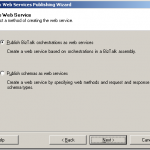
BizTalk Server includes the “BizTalk Web Services Publishing Wizard” tool that integrates with Visual Studio. This is basically a tool to generate a DSL based script for generating web services.
The wizard collects information about what schema or a orchestration to expose, namespaces, names of service and method, where on IIS to publish the service etc, etc.
The output of the tool is then a xml file (a “WebServiceDescription” file) that has all the collected values in it.
As a final step Visual Studio uses the newly created description file as input to a class called WebServiceBuilder in the .NET Framework. It is this class that is responsible for interpreting the description, configure and generate the service.
A common procedure is to use the wizard and click thru it and input values for every single deployment. This is of course slow, error prone and stupid.
What is much better is to take a copy of the generated “WebServiceDescription” file, save it to your source control system and then programmatically pass the file to the WebServiceBuilder class as part of your deployment process. Possible changes to the details of the service can then be done directly in the description file.
I have seen this approach save lots of time and problems related to deployment.
-
Paul Petrov has a great post on how to call the “WebServiceBuilder” class and pass the description file using C#.
http://geekswithblogs.net/paulp/archive/2006/05/22/79282.aspx
-
Michael Stephenson has a good post on how to used the “WebServiceBuilder” class via MSBuild.
http://geekswithblogs.net/michaelstephenson/archive/2006/09/16/91369.aspx
2. Fixing namespace
Another annoying problem (I’d would actually go so far as calling it a bug) is the problem with the bodyTypeAssemblyQualifiedName value in the generated Web Service class.
This causes BizTalk to skip looking up the actual message type for the incoming message. As no message type exists for the message is in BizTalk mapping and routing on message types etc will fail. It is a know problem and there are solutions to it. I would also recommend take the extra time need to make this small “post process step” be part of your deployment process (see how here).
3. Pre-compiling
By default the “WebServiceBuilder” class generates a web service without pre-compiling it. Usually this is not a problem. But in some cases were one really on the web service being online and give a quick response-message the performance problems in this approach can be a huge problem.
When generating the web service without pre-compiling it IIS has to compile the service and then keep the compiled service in memory. That means that when IIS releases the service from memory there is a latency before IIS re-compiled the service, loaded it into memory and executed it. This is a known problem and I have seen this “slow first hit” issue been a frequent question the different forums.
The solution is to use the aspnet_compiler.exe tool and pre-compile the service and the use those pre-compiled dlls as the service. IIS then never has to recompile it and will serve initial hits much faster.
Here is an example of how we defined a target to do this as part of our deployment process using MSBuild.
-
Pre-compile the service into a new folder
-
Clean out the “old” not compile service folder.
-
Copy the pre-complied service into the service folder
<Folder.CleanFolder Path="$(WebSiteServicePath)$(WebServiceName)"/>

<Folder.CopyFolder
            Source="$(WebSiteServicePath)$(WebServiceName)Compiled"
            Destination="$(WebSiteServicePath)$(WebServiceName)" />
-
Paul Petrov has two different articles here describing the process and also a different way that above on how to include the pre-compilation in you build process.
http://geekswithblogs.net/paulp/archive/2006/03/30/73900.aspx, http://geekswithblogs.net/paulp/archive/2006/04/19/75633.aspx

by community-syndication | Jun 16, 2009 | BizTalk Community Blogs via Syndication
Every BizTalk administrator has probably already received complaints from BizTalk operators that operators can see the number of suspended messages but can’t view the message itself. Another common remark might be that the operators cannot use the Orchestration debugger. Debugging in production is not advised but with the debugger you can at least verify where […]
by community-syndication | Jun 16, 2009 | BizTalk Community Blogs via Syndication
Traditional SOAP Web Services might feel kind of old as more and more people move over to WCF. But a lot of integration projects still relay heavily on old fashion SOAP Web Services.
Using BizTalk generated Web Services however has a few issues and one needs to add a few extra steps and procedures to […]
by community-syndication | Jun 15, 2009 | BizTalk Community Blogs via Syndication
Those of you that know me – know how much I enjoy the round ball game 🙂 Whilst not strictly related to my MS role – please bring the FIFA world cup to Australia!
http://www.australia2018-2022.com.au/

by community-syndication | Jun 15, 2009 | BizTalk Community Blogs via Syndication
Ever wanted to know in a send pipeline if a property was promoted before? The BizTalk API comes with an object called ‘ContextPropertyType’ which you can use for this purpose.
I have a very simple schema and corresponding instance:
Above message travels through BizTalk using the following path:
receive port -> orchestration -> send port
I defined the ‘Firstname’ […]
by community-syndication | Jun 15, 2009 | BizTalk Community Blogs via Syndication
Hi folks
Here’s video #3 in my “ESB Toolkit How To” series. In the last video (found here) we built out a complex itinerary that implemented dynamic mapping and dynamic routing. We also saw how to use the resolver mechanism to retrieve service information from a UDDI version 3.0 server. At the end of that video we used the Itinerary Test Client (which ships with the toolkit) to test our itinerary. When I show this demo in person, I’m always asked the same question. “Does the client always have to submit the itinerary along with the message when they call the ESB?” In version 1.0 of the ESB Toolkit, the was “Yes”. The ESB did require the client to provide the itinerary along with the message. This was of course an issue for many of the architects I spoke to. Most people wanted the ESB to be responsible for figuring out what itinerary was needed for an incoming message. Ideally, the client should just have to submit their message into the ESB and the bus would figure everything else out for them. Requiring the client to create, manage and submit an itinerary is just not a solid architectural pattern.
Fortunately, in the ESB Toolkit 2.0, this is no longer a problem. We now have a great new feature called Itinerary Resolution that allows the ESB to figure out what itinerary a message should have. Additionally, version 2.0 of the toolkit, gives us the new “ESB Itinerary Database”. This DB gives us a central location to store our itineraries in and the Itinerary Resolution component is actually able to dynamically retrieve messages from this central database. These two new features allow us to implement a solution where a client no longer has to have any knowledge of itineraries. Now, they simply have to pass in their message to the ESB where it will dynamically figure out what itinerary is needed and it will load that itinerary from the database.
In this video, I’ll show you how to implement this feature. To demo this feature, I use an InfoPath form which sends data to a generic OnRamp which uses the Itinerary Resolver. I’ll walk you through the process of storing your itinerary into the database, creating the new generic OnRamp that will use the itinerary resolution feature and I’ll show you how to configure the Itinerary resolver to retrieve the itinerary from the database.
Here’s the link to the video.
As always, I try to show as much detail as possible in these videos. If you feel that I have skimmed over something too quickly, or if some element is unclear, please let me know and I’ll post a follow up video.
Cheers and keep on BizTalking…
Peter
by community-syndication | Jun 14, 2009 | BizTalk Community Blogs via Syndication
Some time ago I’ve got an Amazon Flip camera. I loved it, but one thing did not worked well: I’ve got the basic one and it did not had the jack for a tripod. Not good… The answer happened to be simpler than I expected. You may want to watch this video if you have this camera. You’ll enjoy it a lot more afterward. I do now.
by community-syndication | Jun 14, 2009 | BizTalk Community Blogs via Syndication
I’ve been extending my Flow Control Classifier sample extension for Visual Studio 2010, and based on the new features, I decided to rename it to KeywordClassifier instead. I’ve renamed the GitHub repository as well, so make sure you’re heading to the new one.
I will continue playing with this, but besides a significant refactoring of the […]
