Logic App teams are being very active in gathering feedback from all of us: partners, clients, developers, and so on in order to improve the overall experience in the existing Enterprise Integration features available on Azure Integration Services as well as knowing how to decide which and how the next features will be. So once again, the Azure Logic Apps team is looking to learn about how are you using certain B2B capabilities in Azure in three (3) different surveys.
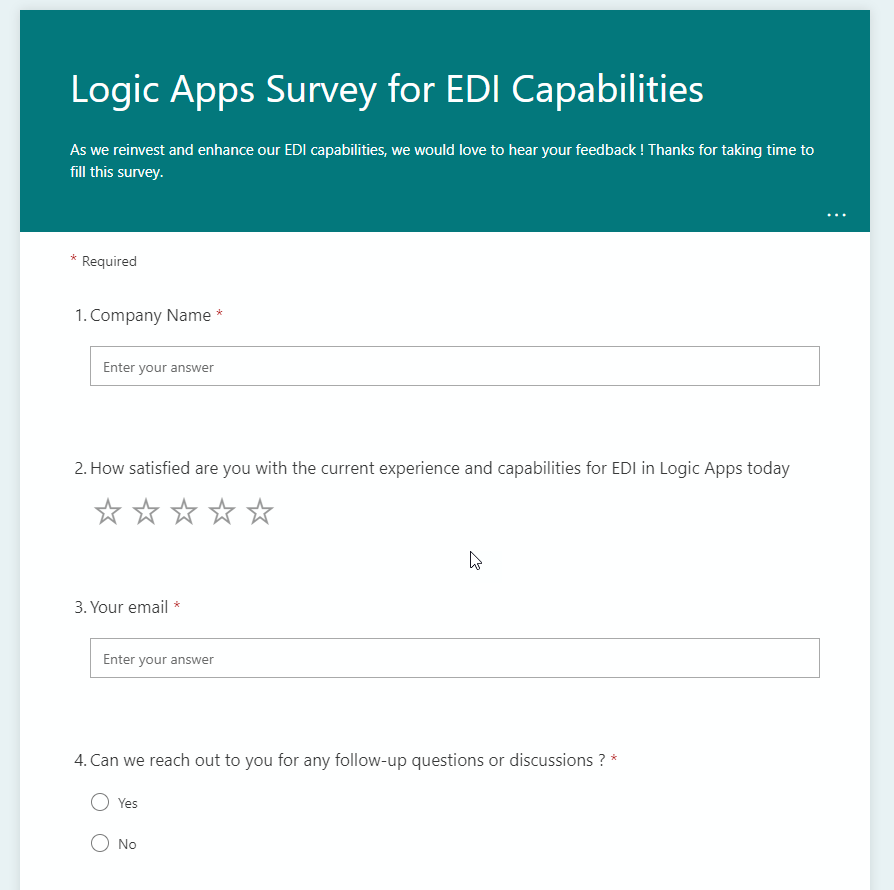
Logic Apps Survey for EDI Capabilities
Microsoft is reinvesting and enhancing our EDI capabilities, so they want to hear your feedback:
How satisfied are you with the current experience and capabilities for EDI in Logic Apps today?
What products are you using for EDI-based integrations today?
How satisfied are you with the current experience or capabilities for EDI in Logic Apps today?
In the context of EDI, how many partners are there in your organization?
How often (daily/weekly/monthly) do you onboard new partners?
On average, how many partners do you onboard at a time?
What are your preferred or most used methods of onboarding partners?
How satisfied are you with the EDI capabilities of Logic Apps?
How would you rate certain topics by importance for your organization for EDI-based transactions?
How do you find Integration Account pricing? – I know many of you complain about the cost of the integration account! This is your opportunity to provide feedback!
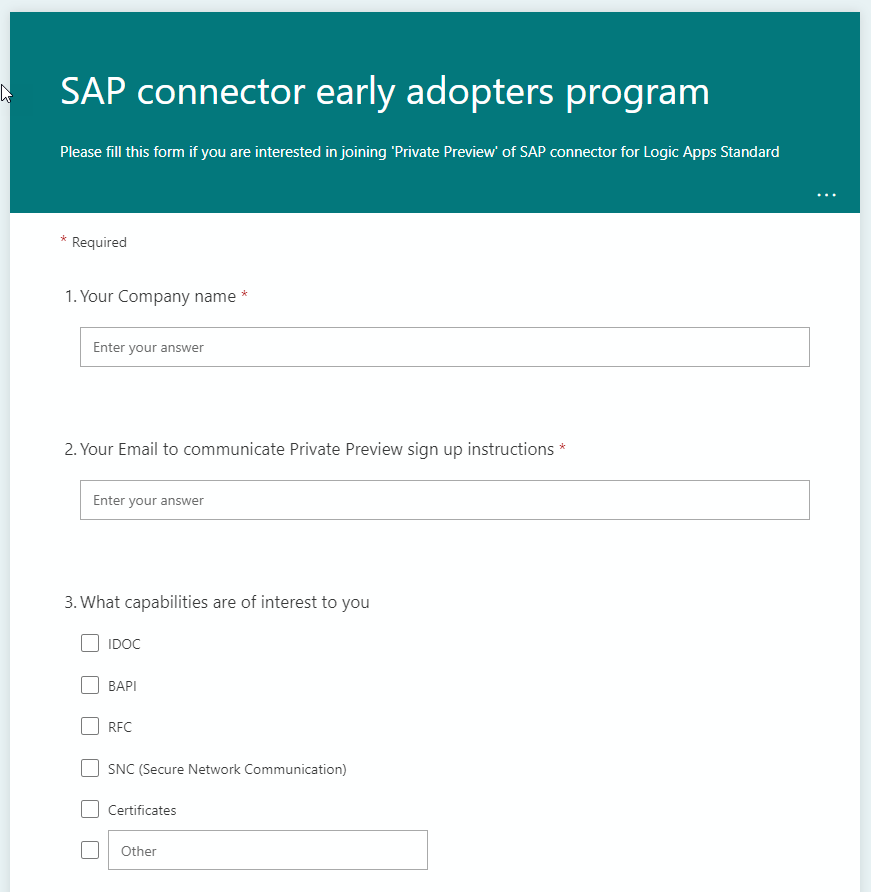
Please fill out this form if you are interested in joining the ‘Private Preview’ of the SAP connector for Logic Apps Standard.
This is not a form to provide immediate feedback but you can gain access to the private preview of the SAP connector and interact with the product team providing feedback and helping outline what the next version of this feature will be.
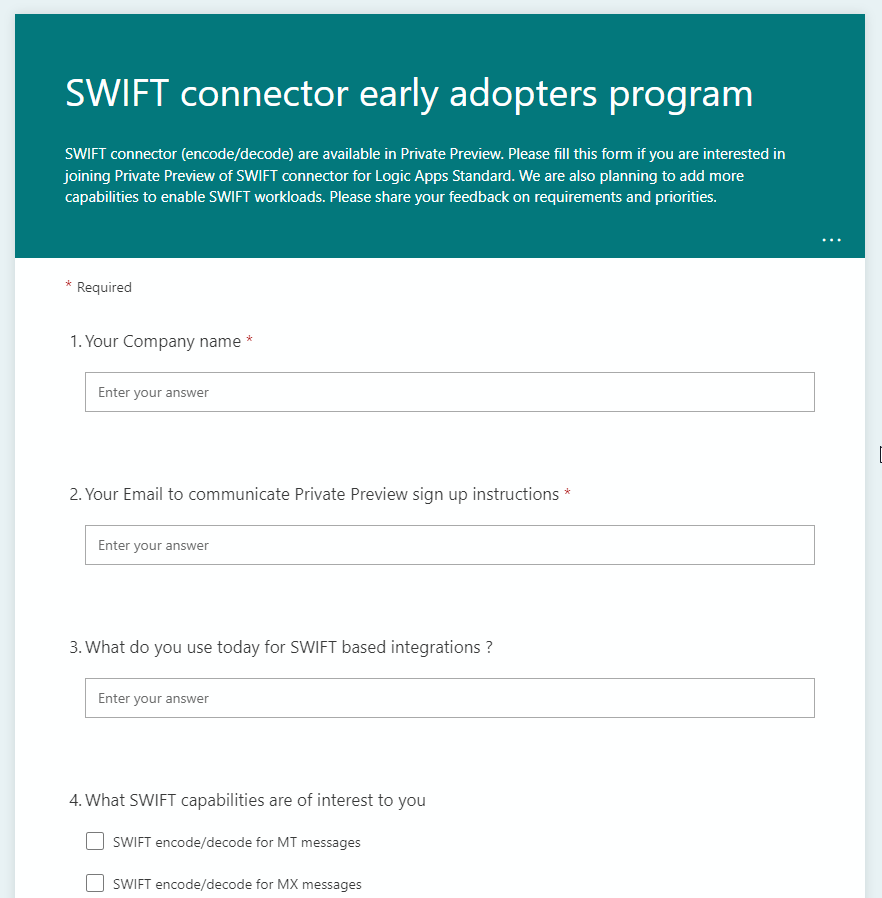
SWIFT connector (encode/decode) are available in Private Preview. Please fill out this form if you are interested in joining the Private Preview of the SWIFT connector for Logic Apps Standard. Microsoft is also planning to add more capabilities to enable SWIFT workloads. Please share your feedback on requirements and priorities:
What do you use today for SWIFT-based integrations?
What SWIFT capabilities are of interest to you?
How would you rank certain capabilities?
Do you have any business need to make changes to the SWIFT schema/rules that are shipped with the BizTalk Message pack?
What are your plans to go live on ISO 20022 messages instead of MT messages to comply with SWIFT MT decommissioning announcements?
And once again, the Azure Logic Apps team is looking to learn about how are you using BizTalk Server artifacts, this time: what kind of BizTalk Server Custom Pipeline Components are you using in your Enterprise Applications to better understand how Microsoft can best address future integration needs within the Azure Integration Services platform and maybe bring identical capabilities into it.
No matter if you are considering migrating in the future to Azure Integration Services or staying on-premises for a couple of more years (or forever) this is ANOTHER great opportunity to provide feedback to the Microsoft Integration team and positively influence the outcome of new features.
So, for customers that are using BizTalk Server or were using BizTalk Server in the past, this survey is for you! If you are a consulting company providing services to clients using BizTalk Server, this surveyis also for you! The Azure Logic Apps team would love to hear from you!!! They want AGAIN to enter and poke around your brain, your world and gather all the feedback regarding BizTalk Server:
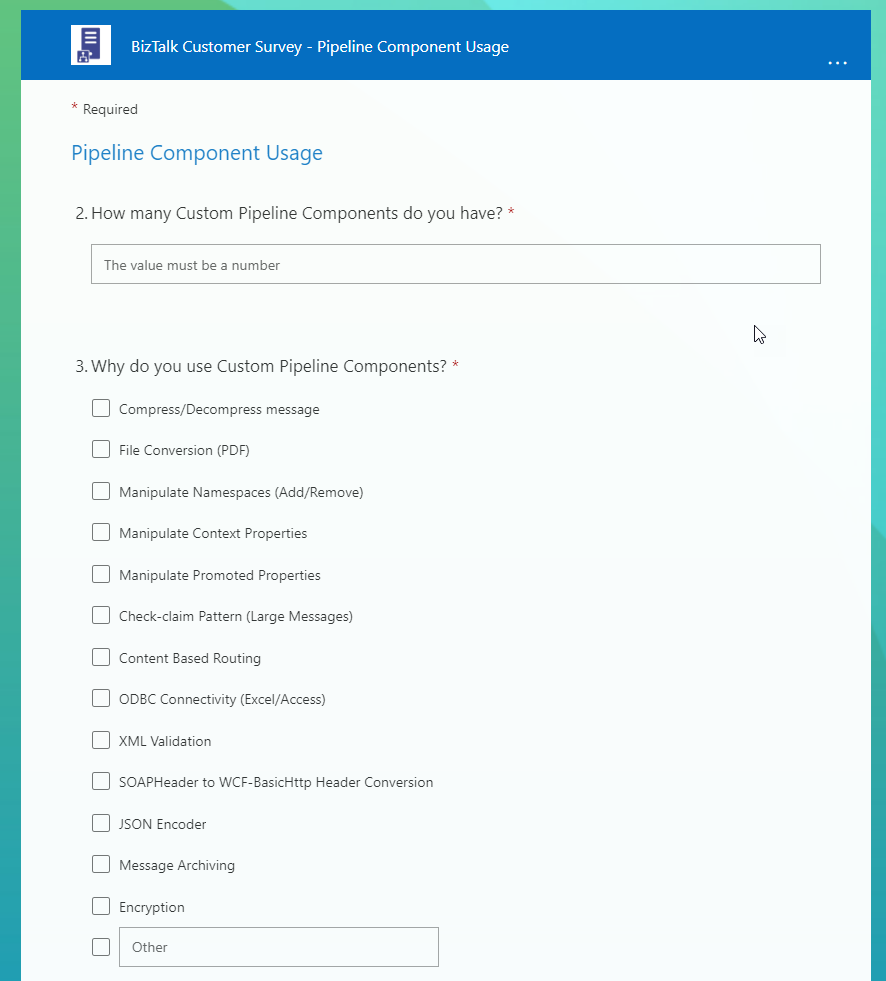
How many Custom Pipeline Components do you have?
Why do you use Custom Pipeline Components?
Within your Custom Pipeline Components, do you leverage message streams?
For messages that are processed by your Custom Pipeline Components, what is the largest file you process?
What is your comfort level with the Custom Pipeline Components that your organization has?
As we consider how to best support Custom Pipeline Component functionality (capabilities) in Azure Integration Services, is there anything that you would like us to consider?
Once again, don’t complain in the future about the lack of features that will suit you better. The team is interested in how they can best support customers transitioning integration workloads to Azure Integration Services (AIS)… you are not going to move to Azure? The survey does not take that long to respond to, so if you are using BizTalk Server try to respond nevertheless, by doing that you can help other customers on their journey.
I did my part!
Please fill out the following survey to help Azure Logic Apps:
And ONCE AGAIN! For the bad mouths of this universe or for those who like to create rumors because they have nothing to say… this survey does not mean that BizTalk Server is dead! The goal is to help Microsoft prioritize upcoming investments in Azure Integration Services (AIS).
And the most expected email arrived, this time on 5th July! Once again, I’m delighted to share that I was renewed as a Microsoft Azure MVP (Microsoft Most Valuable Professional). I’m deeply humbled to have received this award for the 12th year in a row.
Thank you Microsoft for this outstanding award and for continuing this fantastic journey and experience in the MVP Program. For me, this journey started in 2011 as BizTalk MVP, and since then, it has given me the opportunity and still does, to travel the world for speaking engagement, sharing knowledge, and meeting the most impressive and skilled people in our industry.
This longevity in the program currently makes me the “Godfather” of the Portuguese MVPs alongside my dear friend Rodrigo Pinto (but I am a few months older :)).
Jokes apart, I want to send a big thanks to Cristina González Herrero for all the fantastic work managing the program in my region. To Microsoft Portugal and to Microsoft for empowering us to support the technical communities. To my coworkers and team at DevScope, all my blog readers, friends, and Microsoft Enterprise Integration Community members, and in special to my beautiful family – THANKS! Thanks for your support during these years.
It’s a big honor to be in the program and be one of this fantastic worldwide group of technicians and community leaders who actively share their high-quality and real-world expertise with other users and Microsoft. I’m looking forward to another great year!
Long time since I played with PowerShell and BizTalk Server, but today I had a request from one of my clients who want to restart to SAP receive locations on a scheduled base. So, while helping them, I decided to publicly publish a series of resources related to this:
How to restart a BizTalk Server Receive Location with PowerShell/BizTalk360 – will be soon published on the BizTalk360 blog
How to restart a BizTalk Server Send Port with PowerShell/BizTalk360 – will be soon published on the BizTalk360 blog
How to restart a BizTalk Server Send Group with PowerShell/BizTalk360 – will be soon published on my blog
and this one of course.
There may be several reasons we want to stop and start BizTalk Server applications. One of the reasons is for planned external or internal systems interventions. For example, we know that our external system is down for maintenance on the first day or the last day of each month. There are several ways to do this, Stopping only the send ports or the receive location or entirely stopping the application.
You can do this by using BizTalk360, and many customers are actively using it, but that doesn’t mean that you cannot use this PowerShell script. Actually, BizTalk360 allows you to extend its out-of-the-box capabilities by allowing you to integrate PowerShell scripts with BizTalk360.
Of course, to use this script on a scheduled basis, you need to use it inside BizTalk360, or you can create a Task Scheduler on the BizTalk Server machine or any other machine with access to BizTalk Server.
PowerShell to Stop and Start a BizTalk Server Application
With this script, we can accomplish exactly that: Stop or/and Start a BizTalk Application by using PowerShell.
The function below accepts the BizTalk Application name and guarantees that a full stop is made.
function stop-bts-application (
    [string]$appName,
    [Microsoft.BizTalk.ExplorerOM.BtsCatalogExplorer]$btsCataloglog)
{
    # Get the BizTalk Application
    $application = $Catalog.Applications[$appName]

    # Going to check if the application status is stopped or not
    if ($application.Status -ne "Stopped")
    {
         # Force a full stop to the application
         $application.Stop("StopAll")
         $btsCataloglog.SaveChanges()
    }
}
The function below accepts the BizTalk Application name and guarantees that a full start is made.
function start-bts-application (
    [string]$appName,
    [Microsoft.BizTalk.ExplorerOM.BtsCatalogExplorer]$btsCataloglog)
{
    # Get the BizTalk Application
    $application = $Catalog.Applications[$appName]

    # Going to check if the application status is stopped or not
    if ($application.Status -ne "Started")
    {
         # Force a full stop to the application
         $application.Start("StartAll")
         $btsCataloglog.SaveChanges()
    }
}
THESE POWERSHELL SCRIPTS ARE PROVIDED “AS IS”, WITHOUT WARRANTY OF ANY KIND.
Download
You can download PowerShell to Stop and Start a BizTalk Server Application from GitHub here:
Use BizTalk360 to Start and Stop a BizTalk Application
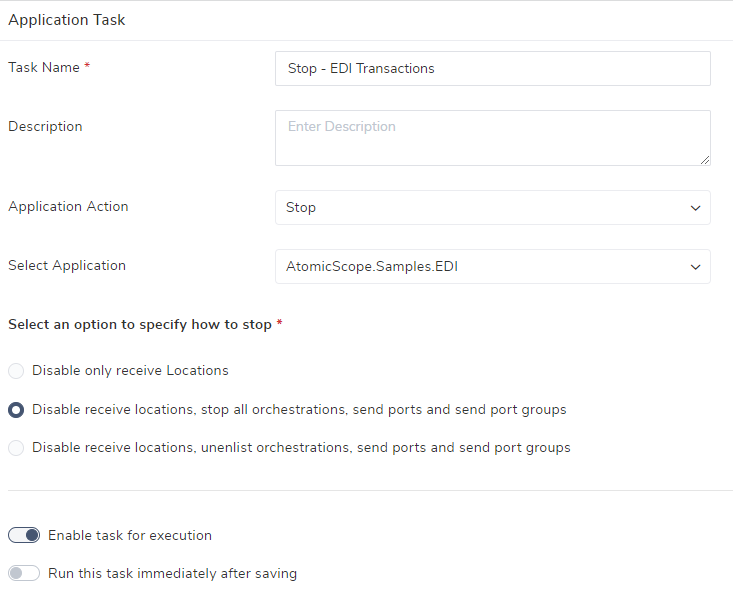
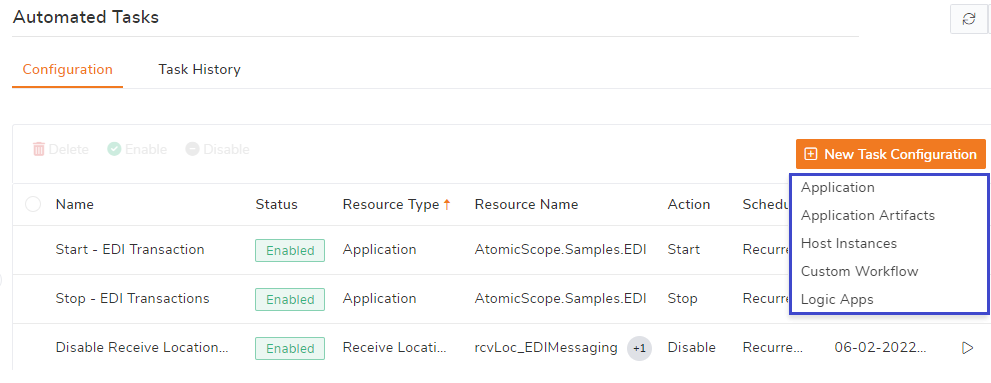
At the time of writing, the BizTalk360 team is working on v10.3. An important feature of that release will be the Automated Task feature. This will allow you to stop/start/restart ports, orchestrations, host instances, and logic apps on a scheduled basis.
See below, a couple of screenshots of the feature. Be aware, that the feature has not been released, so the screenshots are subject to change.
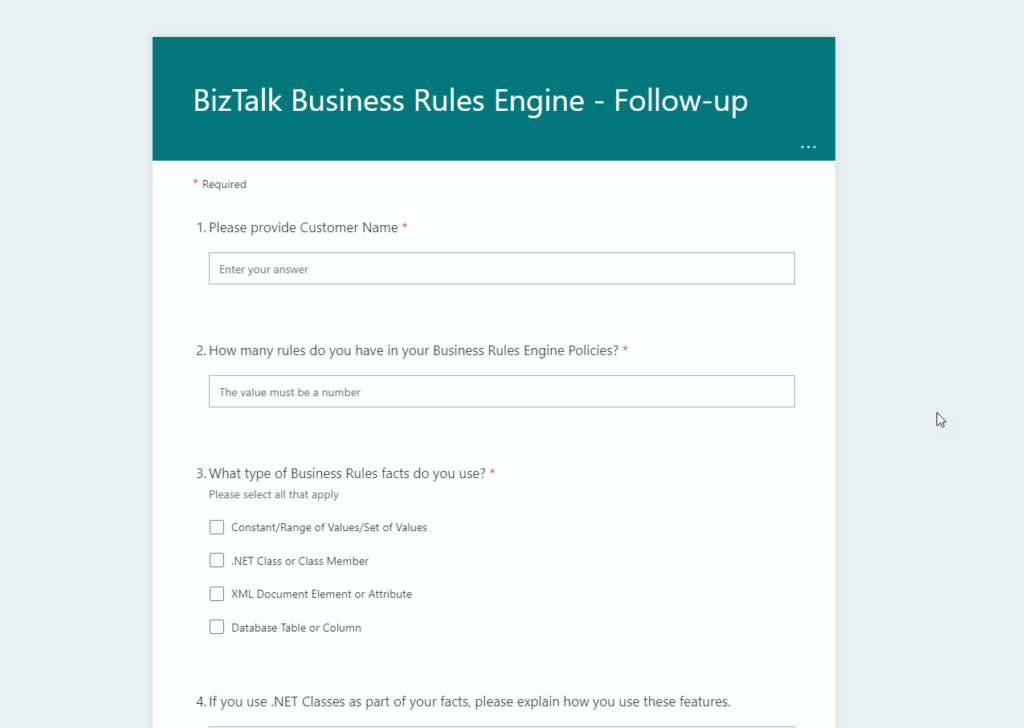
Azure Logic Apps team is looking to learn about how are you using BizTalk Server Business Rules Engine (BRE) and how often you deploy them to better understand how Microsoft can best address future integration needs within the Azure Integration Services platform and maybe bring identical capabilities into it.
No matter if you are considering migrating in the future to Azure Integration Services or staying on-premises for a couple of more years (or forever) this is ANOTHER great opportunity to provide feedback to the Microsoft Integration team and positively influence the outcome of new features.
So, for customers that are using BizTalk Server or were using BizTalk Server in the past, this survey is for you! If you are a consulting company providing services to clients using BizTalk Server, this surveyis also for you! The Azure Logic Apps team would love to hear from you!!! They want AGAIN to enter and poke around your brain, your world and gather all the feedback regarding BizTalk Server BRE:
What type of Business Rules facts are you using?
Explain how you use these features
How frequently do you deploy new versions of your policies?
How important is publishing your policies outside of your integration configuration?
Do you need to specifically call a version of your policy or is the latest version sufficient?
Is using the existing BizTalk Rules Composer to create/edit rules acceptable, if your rules end up being deployed to Azure?
Do you use the Policy Tracking Feature?
Do you use the BizTalk Rules Engine from outside of BizTalk?
Do you have sensitive information stored in your Policies?
or to Briefly describe your business scenario that the Business Rules Engine addresses
Once again, don’t complain in the future about the lack of features that will suit you better. The team is interested in how they can best support customers transitioning integration workloads to Azure Integration Services (AIS)… you are not going to move to Azure? The survey does not take that long to respond to, so if you are using BizTalk Server try to respond nevertheless, by doing that you can help other customers on their journey.
And ONCE AGAIN! For the bad mouths of this universe or for those who like to create rumors because they have nothing to say… this survey does not mean that BizTalk Server is dead! The goal is to help Microsoft prioritize upcoming investments in Azure Integration Services (AIS).
I did my part!
Please fill out the following survey to help Azure Logic Apps:
As you most likely are aware, when a document is received by a BizTalk Server adapter, the adapter creates a BizTalk message for the document. The BizTalk message contains the document that was received as well as a message context. The message context is a container for various properties that are used by BizTalk Server when processing the document. Each property in the Message Context is composed of three things, a name, a namespace, and a value.
Message context properties are added to the message context throughout the lifetime of the message as it passes through the BizTalk Server. These properties:
Are either extracted from the message itself, for example, order id or shipment number
Or added by pipelines and adapters at the receive location, for example, transport name or receive port name
There are mainly two benefits of this context:
The first is to provide the various components of BizTalk, an easy access to these properties, without having to parse the message
The second is to support content-based routing.
There are two different types of message context properties used by BizTalk as described below:
Distinguished Fields
Property Fields.
In this whitepaper, you will learn the key differences between Distinguished and Property Fields but most importantly you will have access to a complete list of known property schema and properties used internally by the BizTalk Server out-of-the-box components.
What’s in store for you?
This whitepaper will give you a detailed understanding of the following:
BizTalk Message Context Properties
What are Property fields and how to promote properties?
What are distinguished fields and how to create a distinguished field?
Summary of differences between Property Fields and Distinguished Fields
System property schema and properties
Error Report property schema and properties
Legacy schema and properties
Microsoft BizTalk XLANGs BTXEngine schema and properties
Message Tracking schema and properties
BizTalk Framework Schema and Properties
MIME-SMIME Property Schema and Properties
XML and Flat File Property Schema and Properties
File adapter property schema and properties
FTP Adapter Property Schema and Properties
HTTP Adapter Property Schema and Properties
MQSeries Adapter Property Schema and Properties
MSMQ Adapter Property Schema and Properties
POP3 Adapter Property Schema and Properties
SMTP Adapter Property Schema and Properties
SFTP Adapter Property Schema and Properties
SOAP Adapter Property Schema and Properties
SQL Adapter Property Schema and Properties
WCF Adapters Property Schema and Properties
Windows SharePoint Services Adapter Property Schema and Properties
Azure Service Bus Adapter Property Schema and Properties
Azure Blob storage Adapter Property Schema and Properties
Azure Event Hubs Adapter Property Schema and Properties
Office 365 Outlook Calendar Adapter Property Schema and Properties
Office 365 Outlook Contact Adapter Property Schema and Properties
Office 365 Outlook Email Adapter Property Schema and Properties
SharePoint Online Adapter Property Schema and Properties
Microsoft BizTalk Accelerator for HL7 (BTAHL7) Property Schema and Properties
How to write or promote properties in the context of a messages through the BizTalk API
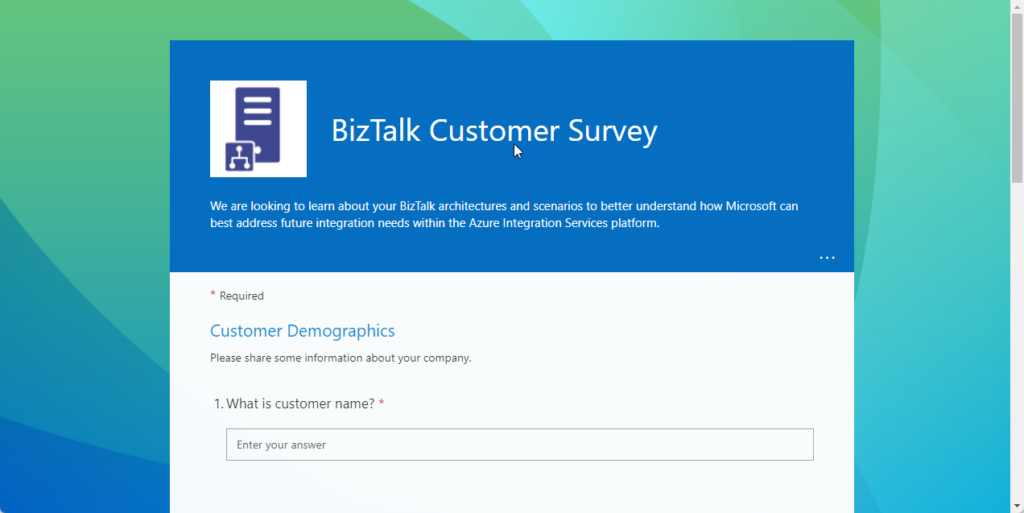
Azure Logic Apps team is looking to learn about your BizTalk architectures and scenarios to better understand how Microsoft can best address future integration needs within the Azure Integration Services platform.
No matter if you are considering migrating in the future to Azure Integration Services or staying on-premises for a couple of more years (or forever) this is a great opportunity to provide feedback to the Microsoft Integration team and positively influence the outcome of new features.
So, for customers that are using BizTalk Server or were using BizTalk Server in the past, this survey is for you! If you are a consulting company providing services to clients using BizTalk Server, this survey is also for you! The Azure Logic Apps team would love to hear from you!!! They want to enter and poke around your brain, your world and gather all the feedback regarding BizTalk Server:
What version you are using or were using?
How many applications do you have?
How many orchestrations, receive locations, and send ports do you have?
What features you are using?
If you are like me, all! depending on the client I even select others
Which connectors are being used in your BizTalk Server implementation?
Do you have any custom adapters?
What Integration Patterns are you currently using?
and many other simple questions
Don’t complain in the future about the lack of features that will suit you better. The team is interested in how they can best support customers transitioning integration workloads to Azure Integration Services (AIS)… you are not going to move to Azure? The survey does not take that long to respond to, so if you are using BizTalk Server try to respond nevertheless, by doing that you can help other customers on their journey.
For the bad mouths of this universe or for those who like to create rumors because they have nothing to say… this survey does not mean that BizTalk Server is dead! The goal is to help Microsoft prioritize upcoming investments in Azure Integration Services (AIS).
Historically, deploying BizTalk Server solutions across environments is or can be a complicated process depending on how complex is your solution. There are many ways to deploy BizTalk artifacts for example:
Importing them as part of an application by using the Deployment Wizard (from a .msi file), importing them using BTSTask.exe – this is the default way to deploy across environments.
You can replace and use allow BTSTask, and PowerShell scripts.
Or deploy them from Visual Studio – this is the default way to deploy to your development environment.
Throughout the years, the BizTalk Server Community created an open-source deployment framework called Deployment Framework for BizTalk (BTDF) – https://github.com/BTDF/DeploymentFramework. The Deployment Framework for BizTalk is an easy-to-use toolkit for deploying and configuring your BizTalk solutions. In reality, BTDF is an MSBuild project with custom MSBuild tasks and it can be customizable according to customer BizTalk project needs, it is also extensible. This framework brings new capabilities and advantages to deploying BizTalk Server solutions, but it also has limitations or disadvantages.
Microsoft has introduced automated deployment of BizTalk Applications in BizTalk Server 2016 Feature Packs using Azure DevOps (previously called Visual Studio Team Services – VSTS). In BizTalk Server 2016 Feature Pack 1, automatic deployment and application lifecycle management (ALM) experience was introduced. The automatic deployment process has been improved with the release of BizTalk Server 2016 Feature Pack 2. These features were only available on the Enterprise edition of BizTalk Server 2016.
BizTalk Server 2020 brings all these functionalities out-of-the-box across all editions: Enterprise, Standard, Development, or Branch.
To accomplish this, we need basically 3 main steps:
BizTalk Server: Add a BizTalk Server Application project to your Visual Studio solution.
DevOps: Create a build agent.
DevOps: Create a Build and release Azure Pipeline.
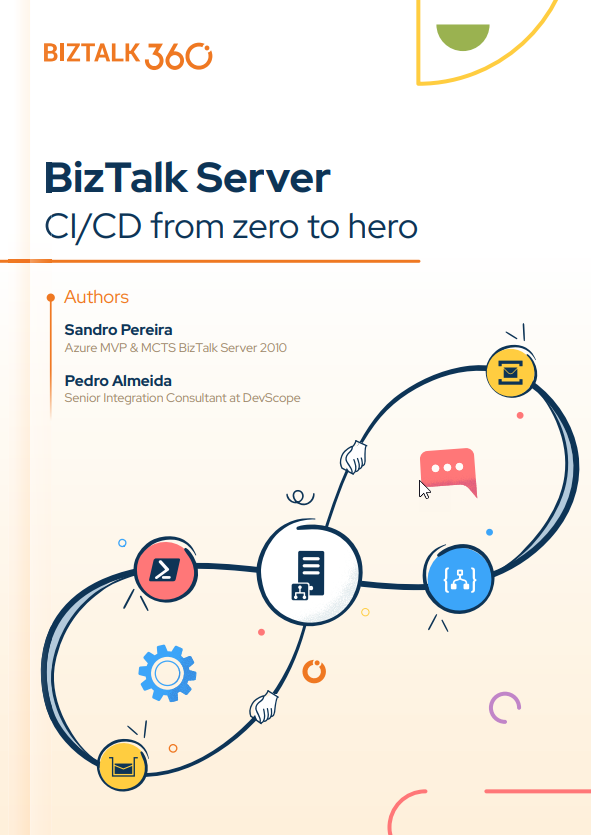
This whitepaper will address and explain how you can implement CI/CD oriented to BizTalk Server using Azure DevOps Pipelines.
In this whitepaper, Pedro Almeida and I will provide a detailed introduction to CI/CD. It teaches how to Create a project collection. Learn how to prepare the visual studio for projects end to end. A well-defined pipeline. Helps you understand how to save development time by thinking long-term since it is a low-cost, high-return scenario.
What’s in store for you?
This whitepaper will give you a detailed understanding of the following:
An introduction to:
What is a CI/CD Pipeline?
What are CI/CD Pipelines?
What is Azure DevOps?
Create an organization or project collection in Azure DevOps
Create a project in Azure DevOps
Preparing your Visual Studio BizTalk Server project for CI/CD
Creating a BizTalk Server Deployment Project
Add the application project
Making your Bindings dynamic for deployment
Configure the BizTalkServerInventory JSON template
Continuous Integration and Continuous Deployment (CI/CD) is a practice that has become an essential aspect of Azure development. Although it is possible to execute each of the CI/CD pipeline steps manually, the actual value can be achieved only through automation.
And to improve software delivery using CI/CD pipelines, either a DevOps or a Site Reliability Engineering (SRE) approach is highly recommended.
In this whitepaper, Pedro Almeida and I will demonstrate how you can use Azure DevOps Pipelines to implement CI/CD based on Logic Apps (consumption).
We will explain it all in detail, from creating a project in Azure DevOps, and provisioning a Logic App Consumption to configuring the built Logic App for CI/CD.
What’s in store for you?
This whitepaper will give you a detailed understanding of the following:
An introduction to:
What is a CI/CD Pipeline?
What are CI/CD Pipelines?
What is Azure DevOps?
Create an organization or project collection in Azure DevOps
Create a project in Azure DevOps
Building a Logic App (Consumption) from scratch
Setting up the Visual Studio Logic App (Consumption) project for CI/CD
A step-by-step approach to building Azure Pipelines
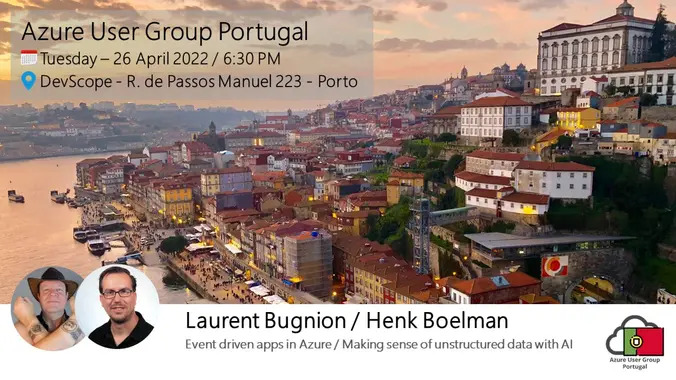
We are thrilled to be back doing a presential event on our Azure User Group Portugal! It has been so long! And even happier to be in Porto City.
Azure User Group Portugal is a user group for anyone interested in Cloud Computing with a great focus on Microsoft Azure. If you work with or have an interest in the Microsoft Cloud this is the user group to attend and follow our events. Join our group to keep posted about all the new meetings. Looking forward to having you as a member.
In this April 2022 edition, we will be having two distinguished speakers: Laurent Bugnion (Principal Cloud Developer Advocate at Microsoft) and Henk Boelman (Cloud Advocate at Microsoft) in two sessions about:
Event-driven apps in Azure Using Azure, it is easier than ever to build event-driven web applications, for example using Azure Functions and the Azure SignalR service. Laurent Bugnion, a Cloud Advocate for Microsoft, will show you how he implemented such a solution to solve a real-world problem. This presentation will dive into a production application called Timekeeper, that Microsoft uses to run some of its live TV shows such as the Hello World daily show. More information about Timekeeper is at http://timekeeper.cloud
Making sense of unstructured data with AI Do you have a lot of data in unreadable formats such as PDFs, images, and audio files and want the ability to extract this rich information, analyze it, and act on it? In this session, you’ll learn how to combine a set of Cognitive Services like Azure Cognitive Search to make sense of this data in a short amount of time. We’ll discuss AI concepts, like the ingest-enrich-explore pattern, skillsets, leveraging cognitive services, knowledge bases, and connecting all these elements together to build an intelligent search experience into an application.
Event Details and Agenda
The event will start at 6:30 PM (GMT) at the headquarters of DevScope at Rua de Passos Manuel, 223 – 4º Floor – 4000-385 Porto, Portugal.
Agenda:
Session 1: Event-driven apps in Azure
Session 2: Making sense of unstructured data with AI
Speakers: Laurent Bugnion and Henk Boelman Event Language: English




 depending on the client