by Saravana Kumar | Jan 22, 2018 | BizTalk Community Blogs via Syndication

This blog is a part of the series of blog articles we are publishing on the topic “Why we built XYZ feature in BizTalk360”. Read the main article here.
Why do we need this feature?
Being a middleware product, BizTalk Server is often going to sit right in the center of the organisation. All your critical backend systems like SAP, CRM, Oracle, SQL, and so on are connected to each other via BizTalk Server. So in theory, if someone has full access to your middleware platform like BizTalk Server, technically they can also get access to any of the underlying systems.
When it comes to security or performance, it is determined by the weakest point in the link chain. You might have created a highly protective security wall for each one of those critical backend systems, but when there is a punch whole for an external system (BizTalk Server) to get through, it’s important to protect the security of that external system to the same strength as your backend system.
We felt the current Administrative Security capabilities of BizTalk Server is very limited (will see in detail) and hence the birth of Advanced User Access Policy & BizTalk Server Security feature in BizTalk360.
What is the current limitation in BizTalk Server?
When it comes to day-to-day BizTalk Server Administration and Security, currently the scenario is like this. The Administrator will access the BizTalk Environment using the BizTalk Admin Console, depending on whether he/she belongs to either “BizTalk Server Administrators” or “BizTalk Server Operators” Window NT Group. Certain features will be enabled or disabled in BizTalk Admin Console based on these user roles.
There are few challenges in this approach. If you are a member of the BizTalk Server Administrators group, you have all the access required wide open. However, if you are a member of the BizTalk Server Operators group, your options are limited and the rules are hard coded by Microsoft in terms of what you can and cannot do.
The table below shows the actions that can and cannot be performed by members of BizTalk Operators Group
| Can Do |
Cannot Do |
| View service state and message flow |
Modify the configuration for BizTalk Server. |
| Start or stop applications (Send Ports, Send Port Groups, Orchestrations, Receive Locations) |
View message context properties classified as Personally Identifiable Information (PII) or message bodies. |
| Terminate/Resume Service Instances |
Modify the course of message routing, such as removing or adding new subscriptions to the running system, including the ability to publish messages into the BizTalk Server runtime. |
In pretty much every case, those rules are not practical for the day-to-day administrative work and pretty much within days every single person supporting/administering the BizTalk Server environment will be working with Administrative privileges.
Common challenges in BizTalk Server security
Let’s highlight some of the common day-to-day challenges that are not addressed by the out of the box BizTalk Server security mechanism.
Application Level Security: Your BizTalk Server environment will be a shared environment in many organisations. For various practical and cost reasons, you are not going to have many BizTalk Server environments. However, many business units in the organisation will be deploying their integration solutions into the platform. In such scenarios, for example Team A might need access to Applications A,B,C and Team B might need access to Applications X, Y, Z. You cannot set this level of Application isolation security using the standard BizTalk Server security mechanism.
Read Only Access: In some cases, you might want to give read-only access to your BizTalk Server environments. Example: It’s very common to allow few developers who worked on the project to have access to production environments. You wanted to make sure developers do not modify or deploy anything without change control. This is not possible with the standard BizTalk Server security mechanism.
Mixed Privilege Scenario: For practical reasons, there will be scenarios where you wanted the support person to have some level of mixed privilege. Example: They might need to start and stop the BizTalk Host Instances periodically, they may need to turn on/off tracking settings, or you may NOT want them to terminate or resume service instances etc. If you want to achieve this, there is no other option than making that person (or team) part of BizTalk Server Administrators group. This basically results in no security. As you can see, hard coded rules are not practical and it results in elevated privilege. Sadly this is the scenario with most organisations.
Security for different tools: The default security mechanism only covers the BizTalk Admin console and WMI access. However, when you are working with BizTalk Server, there are at least 5-8 other tools you’ll be using such as BAM Portal, ESB Portal, Event Viewers, Azure Services etc. Currently they all need their own security mechanisms, making it super complex and often vulnerable.
Multiple BizTalk Environments: Typically, organisations will have 2-3 BizTalk Server environments. Example: Production, DR, QA (System Integration, User Acceptance) etc. You can simply multiply the above mentioned problems by number of BizTalk Server environments you have.
How does BizTalk360 solves these problems?
From the above points discussed, it is pretty clear and obvious that a better security mechanism is required when it comes to day-to-day BizTalk Server Administration and Operations. Let’s take a quick look at how BizTalk360 addresses the challenges in a seamless way.
The below screenshot shows how you can add BizTalk Administrator/Operator to your BizTalk environment. There are few things to note — in the first place, BizTalk360 supports multiple BizTalk Server environment management from a single console; so you can set up security and access rights from a single place. You can either configure security for individuals or as team (ex: Create an NT Group called “BizTalk Production Support”)
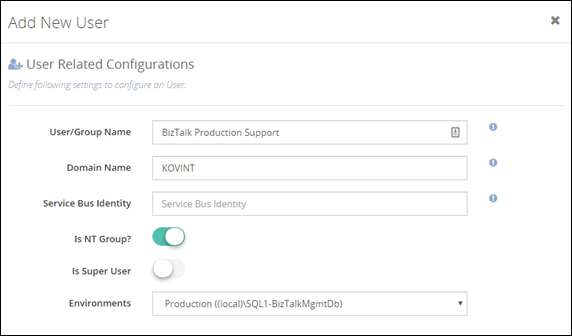
In the second screenshot below, you can see that you do not need to give access for the administrator to complete BizTalk Server environment. You can carefully choose required BizTalk Applications for which a BizTalk Server administrator requires access. The entire BizTalk360 application is context aware, for example, if you have given permission for Application A,B,C and they depend on specific Host and Host Instance, only those related host/host instances will be visible for the user.
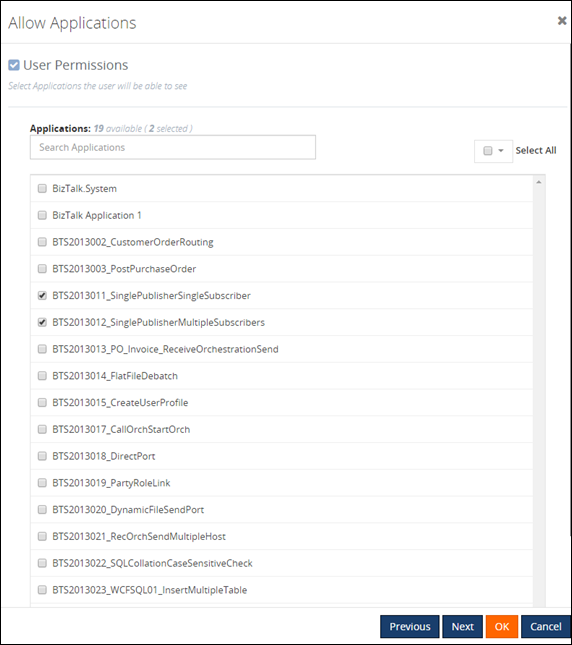
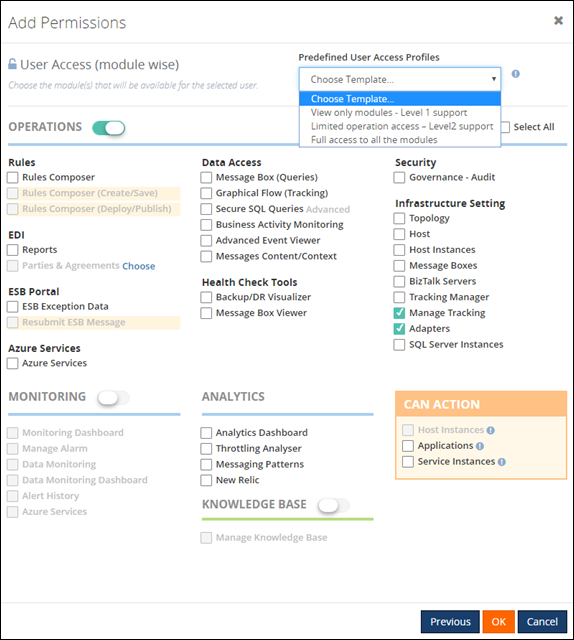
In the final screenshot, you can see how BizTalk360 provides full flexibility in terms of what level of permission you wanted to assign for the user. There are no hard coded rules; this makes it practical to give the correct level of permission to BizTalk Administrators/support people. BizTalk360 also comes with pre-defined security templates which you can apply as shown below. The “Can Action” section basically allows users to take some actions in the BizTalk Server environment, for example, if you do not want the user to terminate/resume service instances you can simply uncheck the check box “Service Instances”.
What is the Business Benefit?
Every business likes to run their systems in a secure way. You do not want your critical business systems like BizTalk Server to run with security challenges. This particular feature in BizTalk360 was one of the first key feature built in the product after the original web based BizTalk Admin Console functionality is completed.
Get started with a Free Trial today!
If you are not using BizTalk360, it is pretty clear that you are compromising on certain Administrative security aspects in your BizTalk Environment. So, why don’t you download and try BizTalk360 on your own environment. We provide 30 days free trial of the fully functional product.

Author: Saravana Kumar
Saravana Kumar is the Founder and CTO of BizTalk360, an enterprise software that acts as an all-in-one solution for better administration, operation, support and monitoring of Microsoft BizTalk Server environments. View all posts by Saravana Kumar
by Gautam | Jan 21, 2018 | BizTalk Community Blogs via Syndication
Do you feel difficult to keep up to date on all the frequent updates and announcements in the Microsoft Integration platform?
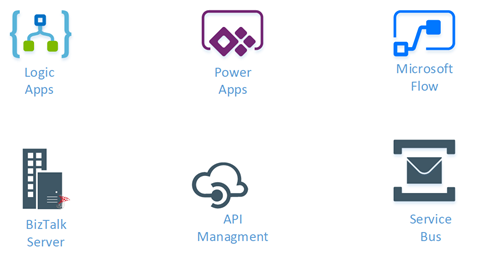
Integration weekly update can be your solution. It’s a weekly update on the topics related to Integration – enterprise integration, robust & scalable messaging capabilities and Citizen Integration capabilities empowered by Microsoft platform to deliver value to the business.
If you want to receive these updates weekly, then don’t forget to Subscribe!
Feedback
Hope this would be helpful. Please feel free to provide any feedback on the Integration weekly series.

by Sandro Pereira | Jan 19, 2018 | BizTalk Community Blogs via Syndication
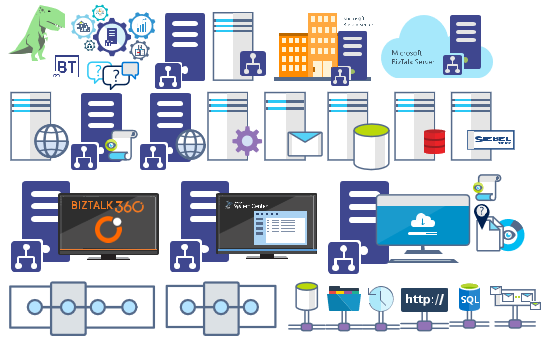
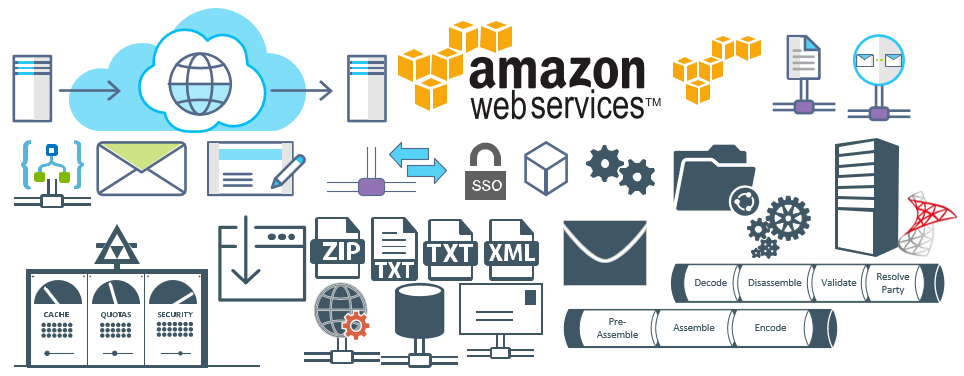
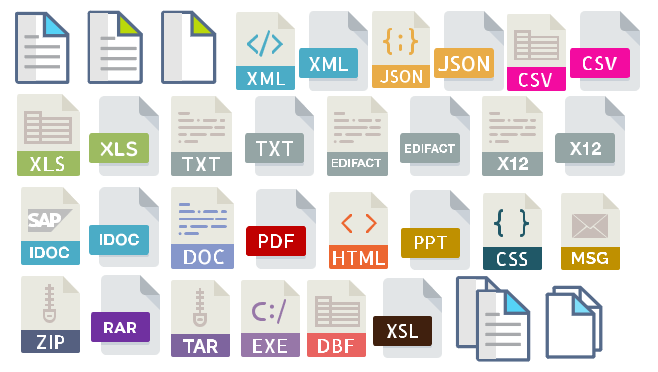
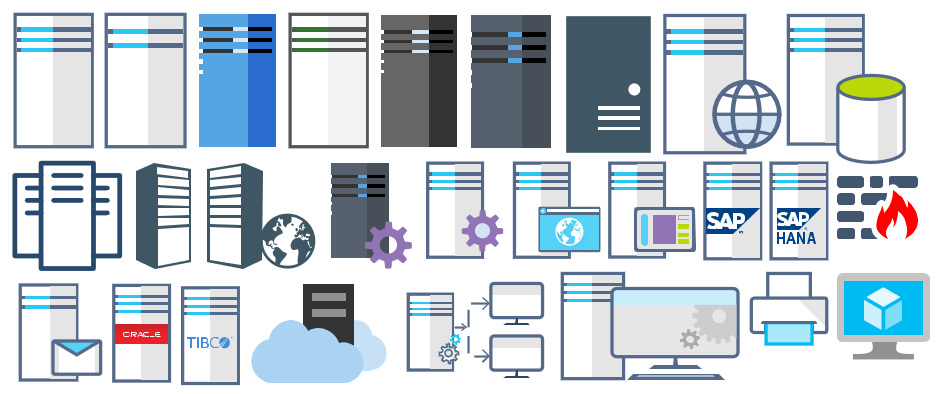
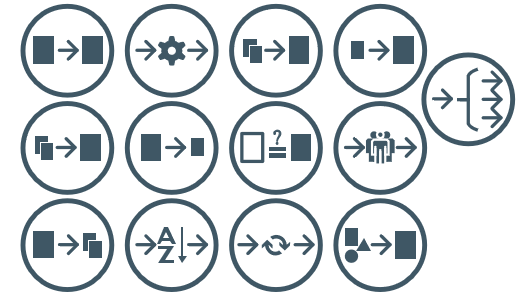
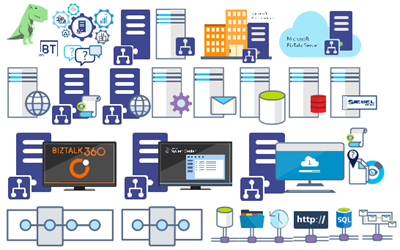
Microsoft Integration (Azure and much more) Stencils Pack it’s a Visio package that contains fully resizable Visio shapes (symbols/icons) that will help you to visually represent On-premise, Cloud or Hybrid Integration and Enterprise architectures scenarios (BizTalk Server, API Management, Logic Apps, Service Bus, Event Hub…), solutions diagrams and features or systems that use Microsoft Azure and related cloud and on-premises technologies in Visio 2016/2013:
- BizTalk Server
- Microsoft Azure
- BizTalk Services
- Azure App Service (API Apps, Web Apps, Mobile Apps and Logic Apps)
- Event Hubs
- Service Bus
- API Management, IoT, and Docker
- Machine Learning, Stream Analytics, Data Factory, Data Pipelines
- and so on
- Microsoft Flow
- PowerApps
- Power BI
- PowerShell
- Infrastructure, IaaS
- And many more…

I start this project because at the time I didn’t find nice shapes – graphically beautiful and resizable shapes – to produce BizTalk Server topologies diagrams and high-level overview of integrating processes. The project grew as community member asked for new shapes and during the last few years I have been updating and publishing new shapes, particularly associated with Azure services, which has a very low release cadence.
This time I cannot say it was an update because was actually a complete makeover and the reasons behind this decision are mainly these 2:
- The Project Become Huge: more than 1000 shapes, and due to the project structure that I decide to implement at the time, it became a little difficult to maintain since even I had difficulty finding and organizing all the shapes and there were several duplicate shapes (some were purposely duplicated and still are).
- A Fresh New Look: at the time, almost all the shapes were blue – not a beautiful blue but an obsolete annoying blue – so I decide to use, in almost the cases, a monochrome approach opting for a darker color – but after all these years it was already a little worn and needing for a new modern look and this time I decided to follow the look that Microsoft is implementing in Microsoft Docs – in fact, several stencils were collect from there – a more light and multicolored approach.
- You liked the old aspect? Do not worry, I still kept the old (monochrome) shapes but moved to support files.
What’s new in this version?
Is this version all about a fresh and modern new look? No, it is not. That was indeed one of the main tasks, but in addition:
- New shapes: 571 new forms have been added – many of them are in fact a redesign of the existing features to have a modern look – but it is still an impressive number. Making a total of 1883 shapes available in this package.
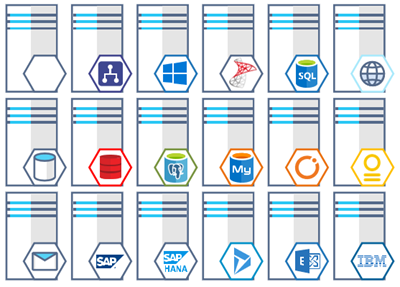
- The package structure changed: It is more organized – went from 13 files to 20 – which means that more categories were created and for that reason, I think it will be easier to find the shapes you are looking for. The Microsoft Integration (Azure and much more) Stencils Pack v3.0.0 is now composed of 20 files:
-
- Microsoft Integration Stencils v3.0.0
-
- MIS Additional or Support Stencils v3.0.0

-
- MIS Apps and Systems Logo Stencils v3.0.0

-
- MIS Azure Additional or Support Stencils v3.0.0

-
- MIS Azure Others Stencils v3.0.0

-
- MIS Azure Stencils v3.0.0

-
- MIS Buildings Stencils v3.0.0

-
- MIS Databases Stencils v3.0.0

-
- MIS Deprecated Stencils v3.0.0

-
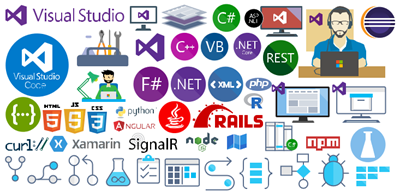
- MIS Developer Stencils v3.0.0
-
- MIS Devices Stencils v3.0.0

-
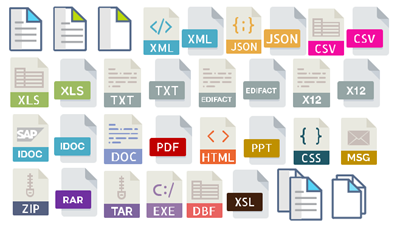
- MIS Files Stencils v3.0.0
-
- MIS Generic Stencils v3.0.0

-
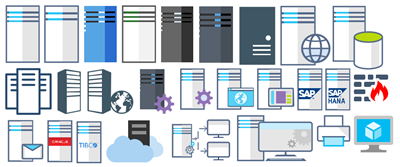
- MIS Infrastructure Stencils v3.0.0
-
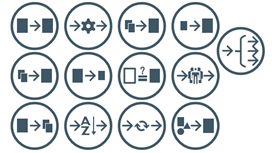
- MIS Integration Patterns Stencils v3.0.0
-
- MIS IoT Devices Stencils v3.0.0

-
- MIS Power BI Stencils v3.0.0

-
- MIS PowerApps and Flows Stencils v3.0.0

-
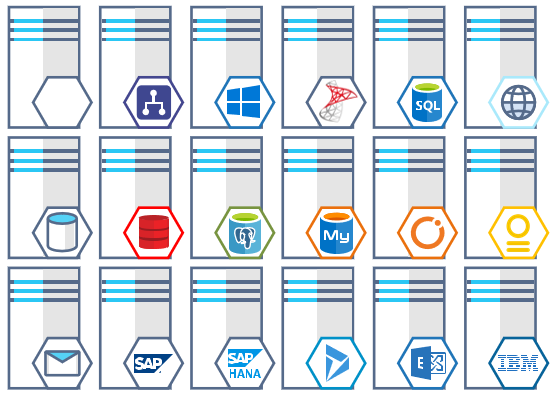
- MIS Servers (HEX) Stencils v3.0.0
-
- MIS Users and Roles Stencils v3.0.0

You can download Microsoft Integration (Azure and much more) Stencils Pack from:
 Microsoft Integration Stencils Pack for Visio 2016/2013 v3.0.0 (16,6 MB)
Microsoft | TechNet Gallery
Author: Sandro Pereira
Sandro Pereira lives in Portugal and works as a consultant at DevScope. In the past years, he has been working on implementing Integration scenarios both on-premises and cloud for various clients, each with different scenarios from a technical point of view, size, and criticality, using Microsoft Azure, Microsoft BizTalk Server and different technologies like AS2, EDI, RosettaNet, SAP, TIBCO etc. He is a regular blogger, international speaker, and technical reviewer of several BizTalk books all focused on Integration. He is also the author of the book “BizTalk Mapping Patterns & Best Practices”. He has been awarded MVP since 2011 for his contributions to the integration community. View all posts by Sandro Pereira

by Saravana Kumar | Jan 19, 2018 | BizTalk Community Blogs via Syndication
This blog is a part of the series of blog articles we are publishing on the topic “Why we built XYZ feature in BizTalk360”. Read the main article here.
Why do we need this feature?
BizTalk Server being a Middleware product connected to various legacy backend systems, it needs to make sure the entire ecosystem can work in an optimal way. If one of the legacy system connected to BizTalk is slow for any reason, then BizTalk Server needs to act sensibly and not to overload that system with messages more than what it can handle. In such scenarios, BizTalk Server will throttle itself (slow down itself) and make sure the messages are delivered to the backend in an optimal rate.
BizTalk Server achieves this capability by continuously monitoring various performance counters (memory footprint, thread count, message publishing rates, database size etc.) and self tuning itself. There are over 50 performance counters related to throttling in BizTalk Server which monitors both inbound and outbound traffic.
So it’s important to understand whether your BizTalk Environment is working correctly or under throttling condition.
What are the current challenges?
BizTalk Expert Required: If you wanted to analyse and detect a throttling condition in your BizTalk Environment, an experienced BizTalk person is required. There are no out of the box tooling from Microsoft to understand throttling conditions. The person should configure all the required Perfmon counters, collect data, analyse it and predict any throttling condition.
Time Consuming: Even if you have an experience person, setting up Perfmon counters, data collection and analysis is time consuming process. In our experience, it takes anywhere from a day to a week to fine tune Throttling in BizTalk Environment.
No Monitoring: There are no out of the box monitoring solution for BizTalk Throttling conditions.
How BizTalk360 Solves the problem?
BizTalk360 addresses this problem by introducing two important features called BizTalk360 Throttling Analyser and BizTalk Host Throttling Monitor.
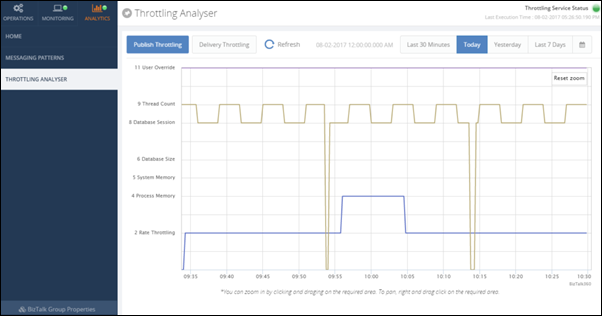
Throttling Analyser periodically collects all the required Performance Counters relevant to throttling and stores the values in a SQL database, so there is no necessity for setting up Perfmon as and when required. Once the data is collected, it presents the status in a very interactive graphical dashboard. The BizTalk Administrators can easily visualize the throttling condition and take appropriate action. The throttling data is kept for last 7 days, so you can login to BizTalk360 anytime and see historic throttling condition as well.
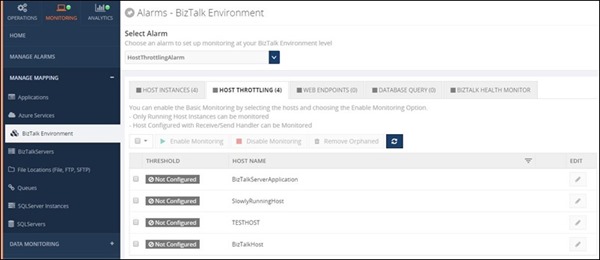
Throttling Monitoring is the new addition to the product where the Administrator can enable BizTalk Host Monitoring in almost a single click or fine tune it according their requirements. Once configured, BizTalk360 will periodically check for any throttling condition violations and alert appropriate users via various notification channels like Email, SMS, Slack, etc.
Interested to try this feature?
Download and try BizTalk360 on your own environments free for 30 days. The installation will not take more than 5-10 minutes.

Author: Saravana Kumar
Saravana Kumar is the Founder and CTO of BizTalk360, an enterprise software that acts as an all-in-one solution for better administration, operation, support and monitoring of Microsoft BizTalk Server environments. View all posts by Saravana Kumar

by Lex Hegt | Jan 18, 2018 | BizTalk Community Blogs via Syndication

This blog is a part of the series of blog articles we are publishing on the topic “Why we built XYZ feature in BizTalk360”. Read the main article here.
Why do we need this feature?
As a BizTalk Administrator, it is critical to constantly have a good overview of the health of the BizTalk environments for which the BizTalk Administrator is responsible. To be able to consider the health of BizTalk Groups, it does not stop by knowing whether all ports and orchestrations are started. There are so many other aspects which are relevant to get the full picture of the health. Think of, for example, the state of the Host Instances and SQL Server jobs, the number of suspended service instances, all kind of Windows services, ESB Exceptions, EDI transactions, etc.
It would take BizTalk Administrators a lot of their precious time to constantly check the actual health status of all these different artifacts.
What are the current challenges?
One of the main challenges with the out-of-the-box tooling of BizTalk Server is that it is not possible to have the needed information available in one view. To get that overview you need to look into multiple screens and browse through multiple applications. For example, multiple screens of the BizTalk Server Administration console, SQL Server Management Studio, the portal of the ESB toolkit, Remote Desktop sessions to access the Windows server, etc.
At BizTalk360, we think this is far from efficient as it would take the BizTalk Administrators too much time just to get the overview information. In our opinion, BizTalk Administrator should spend his time on better things, than constantly going from one console to another, just to find out the current health of the system.
How BizTalk360 solves this problem?
BizTalk360 has the concept of Dashboards. These highly customizable Dashboards can show different types of data. Amongst these dashboards are:
- The Operations Dashboard
- The ESB Dashboard
- The EDI Dashboard
- The Monitoring Dashboard
- The Data Monitoring Dashboard
- The Analytics Dashboard
On a number of dashboards, you can add widgets from the collection of widgets that are provided by BizTalk360, or you can create your own widgets and add them to the dashboards. In certain cases, certain data can be viewed from different kinds of dashboards. For example, the EDI and ESB dashboards contain widgets which can be shown on their own dashboard, but also on the Operations Dashboard.
In most cases, the Operations Dashboard will be the first screen a BizTalk Administrator will see, after he has opened BizTalk360.
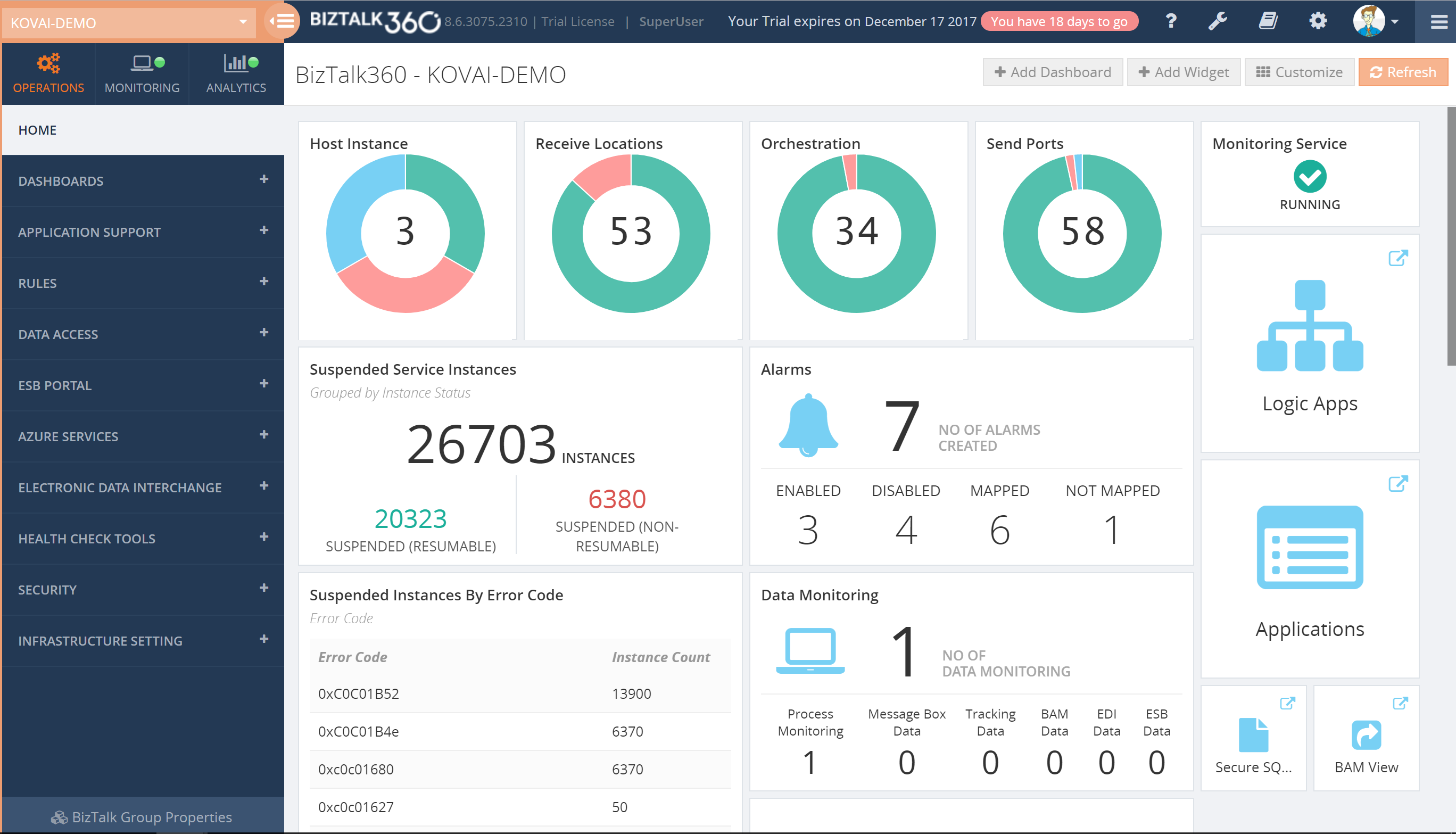
The Operations Dashboard, by default, already shows a number of widgets, but BizTalk Administrators can completely modify the layout of that dashboard to suit their needs. If the collection of widgets, which comes out of the box, is not enough, BizTalk360 allows administrators to create Custom widgets and add them to your dashboard. Besides the widgets, the Operations Dashboard can also contain pinpoints which are like shortcuts and provide you with easy access to all the different screens of the application.
Additionally, you can also create multiple dashboards if you like, to fit multiple purposes. For example, say, you can have Dashboards for particular interfaces or setting them up for different kind of roles.
Download and Try BizTalk360 Free for 30 days today!
Download and try BizTalk360 on your own environments free for 30 days. Installation will not take more than 5-10 minutes.

Author: Lex Hegt
Lex Hegt works in the IT sector for more than 25 years, mainly in roles as developer and administrator. He works with BizTalk since BizTalk Server 2004. Currently he is a Technical Lead at BizTalk360. View all posts by Lex Hegt

by Saravana Kumar | Jan 17, 2018 | BizTalk Community Blogs via Syndication
This blog is a part of the series of blog articles we are publishing on the topic “Why we built XYZ feature in BizTalk360”. Read the main article here.
BizTalk and Queuing Platforms
In any Enterprise integration scenario, message queuing technologies like IBM MQ, MSMQ, Azure Service Bus Queues etc., play a significant role. Message Queuing provides the solution to some critical business scenarios like the store and forward, first in first out, batch processing and so on.
Often times, queuing platform works more or less like a database — it accumulates the messages that was received from the source systems. The real power of the platform is realized when messages are pulled and utilized by the downstream systems like order processing, shipping etc.
BizTalk Server comes with native adapters for IBM MQ, MSMQ, Service Bus making it a powerful platform when your integration solution needs to communicate to Queuing endpoints.
Why do we need this feature?
Given the above scenario, the importance of a queuing platform in an Enterprise integration solution is pretty clear. In an integration scenario, it’s important to make sure both the BizTalk Server platform as well as the systems to which it is connected are all working seamlessly without any downtime. If an order receiving IBM MQ is down, then the entire integration journey of end-to-end order processing is also down. Hence it’s pretty important, you monitor those external queuing systems in addition to your BizTalk Server platform.
What are the current challenges?
No Monitoring: There is no out of the box monitoring solution that comes with BizTalk Server to monitor either BizTalk Server platform or the external sources like IBM MQ, MSMQ, Azure Service Bus Queue etc.
Custom Solutions: Often, developers write some C# or PowerShell scripts to monitor the external Queues which is hard to maintain, which will not have a good configuration experience, and will go out of sync over a period of time. Even though at the face it will look like few lines of code, real implementation will require correct type of client libraries, handling SSL certificates etc.,
Limited 3rd party solutions: There are third party options available to monitor the queues, however, they come with limited functionality. It’s not tightly integrated with your BizTalk Solution and the configuration is not seamless.
How BizTalk360 solves this problem?
The monitoring for Queuing technologies that work with BizTalk Server is built from the ground up in BizTalk360. The user experience of configuring the monitoring for Queues is seamless. If your environment uses any Queue based BizTalk Receive Port/adapter or Send Port/adapter, BizTalk360 picks up all the configuration from them. You only need to specify the conditions you are interested in monitoring.
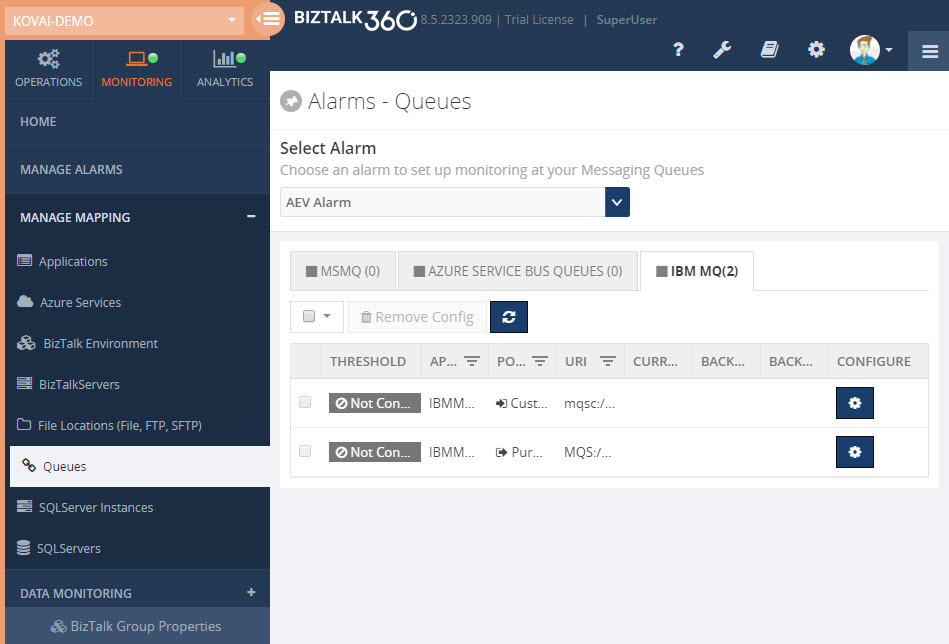
Here is the list of supported thresholds for different Queuing technologies that comes along with BizTalk360
IBM MQ:
- Current Queue Depth
- Current Queue Usage %
- Backout Queue Depth
- Backout Queue Usage %
MSMQ:
- Queue Size
- Active Message Count
- Journal Message Count
- Dead Letter Message Count
Azure Service Bus Queue:
- Queue Status
- Active Message Count
- Dead Letter Message Count
- Transfer Message Count
- Queue Size
- Message Count
- Transfer Dead Letter Message Count
- Scheduled Message Count
- Queue Size
You can combine multiple check conditions using a logical AND/OR as shown in below, this makes it extremely powerful
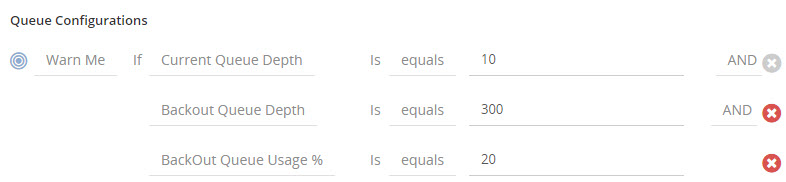
General Monitoring Benefits
BizTalk360 monitoring comes with a set of standard features that’s applicable to all monitoring plugins. The Queue monitoring can also take advantage of the following capabilities.
Import/Export: The import/export function allows you to move your monitoring configuration from one environment to another. Example: From your UAT/Staging environment to Production.
Notification Channel: BizTalk360 comes with a list of Notification Channels like email, SMS, slack, HP Operations Manager etc., making it powerful to notify administrators as soon as something goes wrong.
Monitoring Dashboard: BizTalk360 comes with rich monitoring dashboard that visualizes the system health in a graphical way.
Notification History: You can also keep track of all the notification history that’s been sent to the support people.
Author: Saravana Kumar
Saravana Kumar is the Founder and CTO of BizTalk360, an enterprise software that acts as an all-in-one solution for better administration, operation, support and monitoring of Microsoft BizTalk Server environments. View all posts by Saravana Kumar

by Saravana Kumar | Jan 16, 2018 | BizTalk Community Blogs via Syndication
Back in 2010, the original idea of BizTalk360 was very simple — to create a web based version of the BizTalk Admin Console (BAC). However, over the years, the product has evolved into a full blown Operations, Monitoring and Analytics solution for Microsoft BizTalk Server; thanks to constant customer and community feedback.
This blog is a part of the series of blog articles we are publishing on the topic “Why we built XYZ feature in BizTalk360”. Read the main article here.
History of BizTalk Server and Admin tools
If you look at the history of BizTalk Server, the first version was released in 2000 and then an updated version was released in 2002. Both these initial versions were very preliminary. They used Visio as the Orchestration designer, had the concept of channels, worker queues etc., and the standard MMC snap (like any other Microsoft Product).
In 2004, Microsoft released BizTalk Server 2004 — one of the major step forward in the history of BizTalk Server. The product was developed from scratch using .NET technologies since the previous two versions (BizTalk Server 2000 and BizTalk Server 2002) were built on top of COM/COM+ technology (most of the young generations now probably won’t know much about it).
BizTalk Server 2004 came with the integrated Orchestration and Map designer within Visual Studio and also introduced some major new concepts like Business Activity Monitoring, Enterprise Single Sign on, Business Activity Services, Business Rules Engine so on. It also came with a management tool called “Health and Activity Tracker (HAT)”. HAT was the only tool available for BizTalk Administrators/Support people to run the day-to-day operations of your BizTalk Environment.
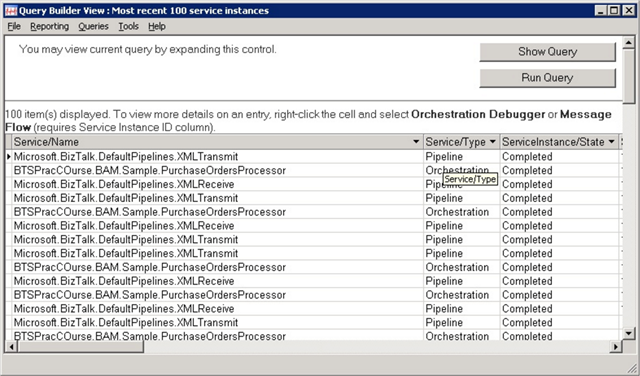
In BizTalk Server 2004, there was no concept of BizTalk Applications (to group/segregate things together). You simply deploy your solutions containing schemas, maps, orchestrations etc., to the environment and soon the environment became too complex.
Two years later, Microsoft released BizTalk Server 2006. One of the major update to this edition of BizTalk Server was the new architecture when compared to BizTalk 2004. Microsoft addressed some of the shortcomings in the previous version of the product. One of the major functionality of BizTalk Server 2006 was the introduction of “BizTalk Admin Console” and the concept of Applications where you can group related artifacts like Schemas, Maps, Orchestrations, .NET dlls, batch files, Rules Policies etc., together. This version also introduced the ability to package applications into MSI’s for easy deployment.
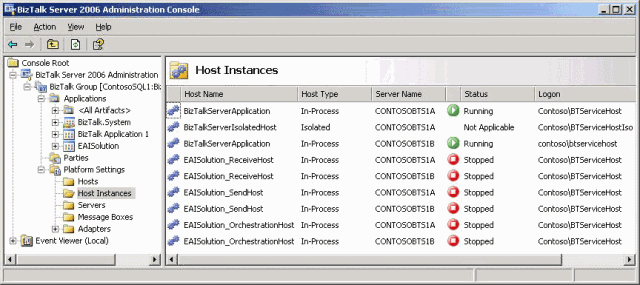
Why did we build a web based BizTalk Admin Console?
After 2006, Microsoft constantly released new versions of BizTalk Server pretty much every 2 years once. BizTalk Server 2006 R2, BizTalk Server 2009 and BizTalk Server 2010. However, there was no major improvement that was made on the BizTalk Admin Console.
Being active in the BizTalk community, we constantly started to hear people’s frustration of both not modernizing the BizTalk Admin Console to a web based console and a lot of missing capabilities when it comes to Enterprise requirements like enhanced security, auditing, governance etc.
This is when we realized there is a clear need for an Enterprise Grade Web Based BizTalk Admin console to help and support the thousands of BizTalk Server Enterprise customers out there.
Having worked with Microsoft for nearly 2 decades, we pretty much knew how the company operates. We understood that Microsoft will not invest their valuable time in creating a web based management solution. Microsoft is always focused on creating a scalable/robust platform and it always embraces the partner ecosystem to build tooling around it. If you look at other popular products in Microsoft stack like SQL Server, IIS, Active Directory Manager, Windows Event Log etc, the default tooling will be pretty basic, none of them have a web based solution.
Birth of BizTalk360
In 2010, for all the above mentioned reasons, we took the big bet on building a complete web based BizTalk Admin console i.e the birth of BizTalk360. The below screen shot shows how BizTalk360 is simply a web based BizTalk Admin Console.
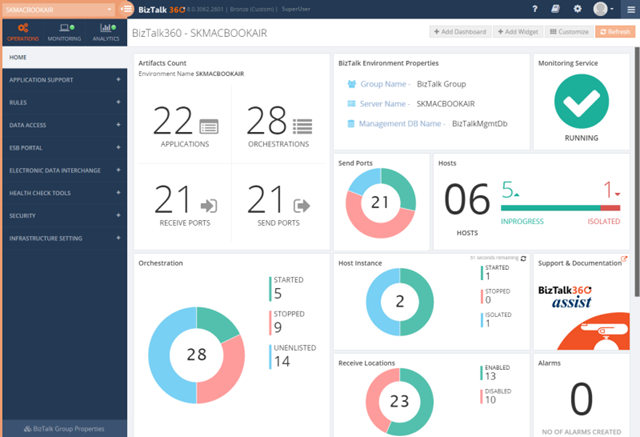
Like any software product, BizTalk360 has evolved and matured in the past 6 years. Even though the original idea was to build just a web based BizTalk Admin Console, over the years, more and more features were added to the product and today BizTalk360 has become a single operations, monitoring and analytics solution for Microsoft BizTalk Server.
As a mid sized company (around 50 people), it’s super important for us to carefully select the features we wanted to build. We cannot afford to build features that no-one wants. In the series of blog articles over the new few weeks, we’ll reveal similar stories of why we built specific features and what’s the reasoning behind each one of them.
As you can see, if you are still using only the standard BizTalk Admin Console for your day-to-day operations, then you are at least 10 years behind in terms of tooling.
Download and Try BizTalk360 Free for 30 days today!
Download and try BizTalk360 on your own environments free for 30 days. Installation will not take more than 5-10 minutes.

Author: Saravana Kumar
Saravana Kumar is the Founder and CTO of BizTalk360, an enterprise software that acts as an all-in-one solution for better administration, operation, support and monitoring of Microsoft BizTalk Server environments.
View all posts by Saravana Kumar

by Saravana Kumar | Jan 15, 2018 | BizTalk Community Blogs via Syndication
BizTalk360 is pretty much a matured product now from its inception back in May 2011. Every year, we consistently released between 5 to 10 releases. In each release, we target anywhere from 3-5 good (useful) features and constant improvements, bug fixes, and usability enhancements. Over the last 6 years, we made 2 major/complete user interface revamp to give the product a face-lift in terms of user experience. First, when we moved the platform from Microsoft SilverLight to HTML5 (version 7.0) and the second when we revamped the complete user interface (version 8.0) to categorize the UI clearly into BizTalk Server Operations, Monitoring and Analytics sections.
Every feature we add to the product is carefully selected. We have clear objectives for each one of them. Before starting to work on a new feature, we ask the following questions like why are we building a particular feature, what problem we are trying to solve, and whether we can make BizTalk Server operations more streamlined/productive/secure.
In this new blog series “Why did we build XYZ feature in BizTalk360”, I wanted to explain clearly the reasoning behind each one of the core feature in the product, why we built it, what business problem it solves when it comes to running your BizTalk environment smoothly.
Here is the list of topics we are going to cover in this series. You can book mark this article, we will add links to each article as and when we publish the blog.
Operations
- Why did we build a web-based BizTalk Admin Console?
- Why did we build User Access Policy?
- Why did we build Auditing & Governance?
- Why did we build Advanced Event Viewer?
- Why did we build Custom SQL Queries?
- Why did we build Team Knowledgebase?
- Why did we build Operations Dashboard?
- Why did we build Search and Action on BizTalk Artifacts?
- Why did we build Advanced Tracking Manager?
- Why did we build Business Rules Composer?
- Why did we build ESB Management Portal?
- Why did we build EDI Dashboard?
- Why did we build Message Box Queries (MBV)/ BizTalk Health Monitor (BHM) Integration?
- Why did we build Graphical Message Flow viewer?
- Why did we build dedicated dashboard pages for BizTalk and SQL Servers?
- Why did we expose all of our internal REST API’s?
General BizTalk Server Monitoring
- Why did we build FTP/SFTP Monitoring?
- Why did we build MSMQ, IBM MQ, Azure Service Bus Queue Monitoring?
- Why did we build Web Endpoints Monitoring?
- Why did we build Database SQL Queries Monitoring?
- Why did we build Message Box Queries (MBV)/ BizTalk Health Monitor (BHM) Monitoring?
- Why did we build Azure Logic Apps Monitoring?
- Why did we build Azure API Apps Monitoring?
- Why did we build Receive Locations, Send Ports and Orchestrations Monitoring?
- Why did we build CPU, Memory and Disk Monitoring on BizTalk and SQL Servers?
- Why did we build BizTalk Host Instances Monitoring?
- Why did we build Auto Healing capability in Monitoring?
- Why did we build Windows Event Log Monitoring?
- Why did we build Window NT Service Monitoring?
- Why did we build Export and Import capability for Monitoring Configuration?
- Why did we build SQL Jobs Monitoring?
- Why did we build Notification History capability for BizTalk Monitoring?
- Why did we build Custom Notification Channels in Monitoring?
- Why did we build Webhook Channel out of the box?
- Why did we build ServiceNow Integration out of the box?
- Why did we build Slack Integration out of the box?
Data/Transaction Monitoring in BizTalk Server
- Why did we build Data Monitoring for Receive Locations and Send Ports?
- Why did we build Data Monitoring for BizTalk Message Box Data?
- Why did we build Data Monitoring for BizTalk Tracking Data?
- Why did we build Data Monitoring for BizTalk EDI Data?
- Why did we build Data Monitoring for BizTalk Business Activity Monitoring Data?
- Why did we build Data Monitoring for Azure Logic Apps Data?
- Why did we build a dedicated Transaction/Process Monitoring Dashboard?
Analytics
- Why did we build Analytics Dashboard?
- Why did we build Messaging Patterns Visualizer?
- Why did we build Throttling Analyser?
- Why did we build New Relic Integration?
Author: Saravana Kumar
Saravana Kumar is the Founder and CTO of BizTalk360, an enterprise software that acts as an all-in-one solution for better administration, operation, support and monitoring of Microsoft BizTalk Server environments.
View all posts by Saravana Kumar
by Gautam | Jan 15, 2018 | BizTalk Community Blogs via Syndication
Do you feel difficult to keep up to date on all the frequent updates and announcements in the Microsoft Integration platform?
Integration weekly update can be your solution. It’s a weekly update on the topics related to Integration – enterprise integration, robust & scalable messaging capabilities and Citizen Integration capabilities empowered by Microsoft platform to deliver value to the business.
If you want to receive these updates weekly, then don’t forget to Subscribe!
Feedback
Hope this would be helpful. Please feel free to let me know your feedback on the Integration weekly series.
by Saravana Kumar | Jan 10, 2018 | BizTalk Community Blogs via Syndication
Artificial Intelligence (AI), Machine Learning (ML), Big Data, and BlockChain are some of the buzz words we hear more and more in recent times.
As a technology enthusiast, I’m personally fascinated by some of the technology advances that are happening in these areas and it’s mind-blowing to see the pace at which they are advancing. At the same time, it becomes almost a commodity these days and is available for everyone to take advantage of it with a fraction of the cost — thanks to all the public cloud providers like Microsoft, Amazon, Google, and IBM.
Can AI & ML be used for BizTalk Server Monitoring?
These days customers expect every software product to have some level of AI & ML. In this article, let’s take a closer look at whether AI & ML can be used for BizTalk Server Monitoring and what are the practical challenges.
About a year ago, we looked into what AI & ML can do for BizTalk Server Monitoring in BizTalk360. I was not completely convinced that we can magically solve the BizTalk Server Monitoring problems using machine learning alone at that stage. Here are some of the scenarios that strike me and the answer to these challenges are not straightforward.
I don’t want to sound too negative about using AI and ML for the monitoring solution. There are certain use cases where AI and ML based solution will be far superior to manual solutions (check out the last section of this article). However, I just wanted to highlight some real-world challenges from my 15+ years of experience working with BizTalk Server.
What is Machine Learning?
Let’s first understand the basics. Machine learning is a class of algorithms that can learn from and make predictions on data. Generally speaking, the more data you have, the better the outcome for machine learning techniques. Machine learning doesn’t require users to set explicit rules like “if this, then that.” It will make that determination on its own, based on the data and algorithms. There are three things here, the data, compute power and types of algorithms (models) which helps you to predict the outcome.
Data is the King
The quality of data you have determines the quality of judgment in machine learning. So typically, you’ll start collecting all the available data metrics over a period of time to plot a predictive graph. You will start having a baseline (higher and lower bound for a period) as acceptable values for each measurable metric.
If there is any drastic change in the underlying conditions, then the whole algorithm needs to relearn.
Is time factor vs. message volume a business reality?
Let’s start with an example. In BizTalk (or Middleware world), the volume of messages passing through the system is crucial and one of the important things to monitor. We encounter the following scenario quite often. If you are using an AI based system, the period marked in red (in the below image) will be triggered as a violation and you’ll get alerted since it’s deviating from the baseline significantly.
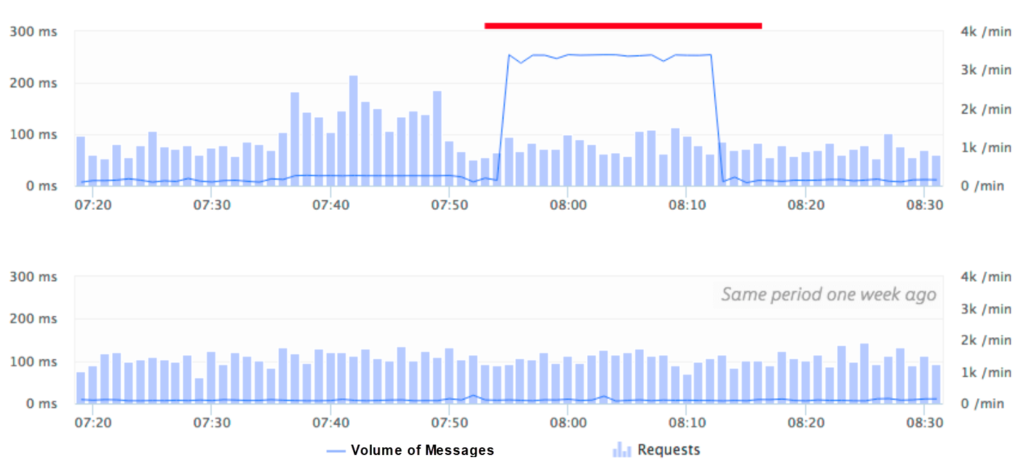
The system basically works on the intelligence of the data it collected over the past weeks/months and blindly assumes that the volume of messages is getting deviated from the baseline volume.
In theory, this looks fantastic. However, in reality, this could be a big problem in a middleware solution. Situations like this where the volume of messages are either higher than normal or lower than normal are common on a middleware platform and we call this a “floodgate or drain scenario“.
We can probably keep training the system saying this is a known volume, but how often can you do it. So, you’ll get the false alert first, the admin person needs to teach the system that it is the expected volume, the system understands it next time. However, what happens if the floodgate happens in another time instance, again the system admin needs to correct it.
In case your business has unpredictable burst scenarios frequently, the AI system will struggle to cope. It’s one of those things, like a demo scenario where everything runs smoothly, the system performs fantastic, but the real world is far from the demo scenario.
How about changes in hardware configuration?
I mentioned in the beginning “data is the king” in an AI based system. It’s like teaching a child — the child keeps learning every day based on what they see, what they hear, what they experience and so on. In a similar way, the AI system (if implemented well) will keep learning all the new patterns that emerge in the system, keep learning and tune itself. But, there is a challenge when the underlying platform changes dramatically then all the old learning might be completely invalid.
Let’s take an example! The production BizTalk Environment was set up and tuned for six months or so, there were a lot of manual override corrections for AI learning and everything is working fine. Suddenly, there is a business requirement saying they are expecting a huge increase in the volume of transactions and they wanted to increase the hardware capacity. This could simply be adding more servers to the BizTalk group (BizTalk or SQL Servers), increasing the processor capacity like higher performing CPU’s, more memory on BizTalk or SQL servers, changing the SAN disks and so on.
Now all the learning and tuning you have done for the last 6 months is completely wasted and the system has to be re-trained for a period of another 6 months to get to the same level with all human intensive manual tuning.
No one can simply judge what level of performance the new system configuration is going to provide; it can only be learned gradually.
How about BizTalk Server upgrade scenarios?
Another common and unavoidable scenario is the BizTalk Server upgrade. Example: Moving from BizTalk Server 2013 or 2013 R2 to BizTalk Server 2016. In fact, this is something that will be forced on you, since the mainstream support for every version will elapse after 5 years (10 years extended support).
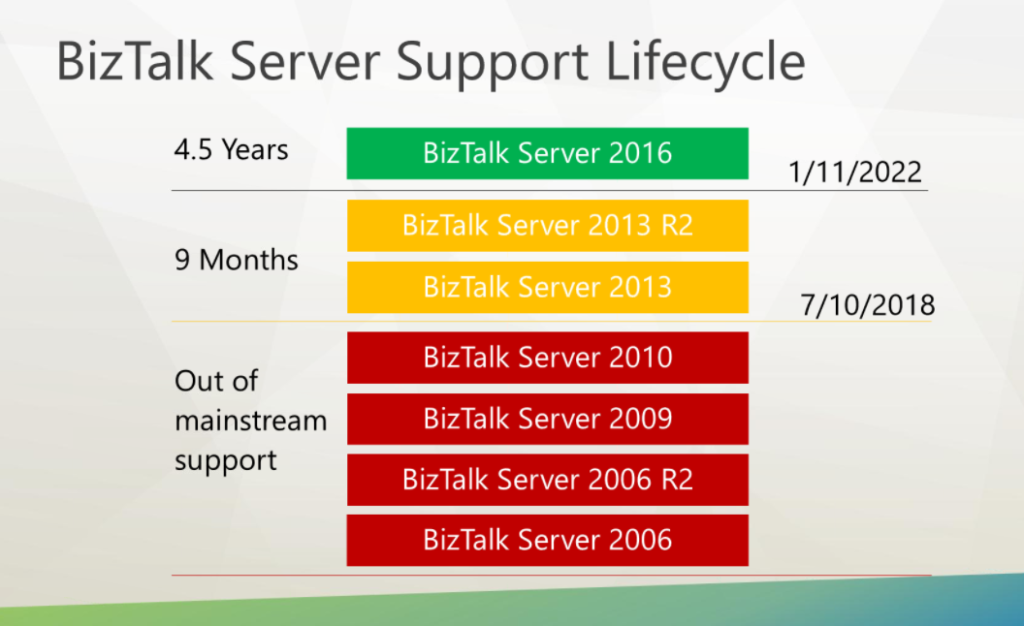
Let’s say you are using BizTalk Server 2013 and depending on an AI powered monitoring solution. You are using the platform for 4 years and then decided to migrate to BizTalk Server 2016. In most of the cases, you will not just migrate your BizTalk Server; you’ll also migrate the OS and database from Windows Server from 2012 to 2016, SQL Server from 2012 to 2016.
This will change the complete underlying platform and make all of your AI learning so far for 4+ years completely invalid and you need to start from scratch. Can you afford it? By the time the team who had put together and tuned the solution in the first place might have left the company.
How about Christmas and Black Friday?
Pretty much every business has a special seasonal period in a year where things go upside down. In retail industries, it’s Black Friday and Christmas period and in Financial services industries, it’s typically month-end or year-end closing dates. Typically, most of these high-end businesses will have a system frozen/lock-down period where no changes are allowed.
When I used to work for a financial services client, the whole of March is locked down for 5th April, the year-end deadline in the UK. Almost 50-60% of the personal investments will be made during this period since everyone wants to take advantage of their personal tax allowances and customers typically leave it until the last minute.
How will an AI based monitoring system work under these circumstances? I can see there are only 2 choices — one, you educate the system saying it’s a special period, for this, it must have seen the scenarios earlier i.e at least one or two years period. In the first year it would have raised a false alarm all over the place, someone might have tuned it saying this is the expected behavior and in the second year, it will validate the condition and finally you might have a system that understands this unusual period and load provided nothing changed (like our hardware change) during this period.
The second option is simple — you simply turn off the monitoring for this period to avoid getting flooded with alarms.
How about manual intervention and performance tuning?
A platform like BizTalk Environment is never a “set once and run it forever” platform. It will require regular manual interventions either for performance tuning or for operational reasons. Example: for performance reasons, you may be re-configuring the SQL Server database Auto-growth parameter, SAN configuration, purging and archiving settings for tracking and BAM databases and so on.
In a similar way, for operations reasons you may be periodically turning on and off certain things like BizTalk Send Ports, Receive Locations, Orchestrations, BizTalk Host instances etc for various reasons. A more concrete example, let’s say one of your external partners’ FTP server is down for maintenance. You will turn off the FTP/SFTP Send Port or Receive Location to that partner for time until the problem gets resolved.
In situations like these, what will happen to the AI based monitoring system? As I mentioned before “data is the king”, any changes to the system will have an impact on the AI interpretation of past data and it will start sensing wrong thresholds. The AI system needs to forget the past learning and relearn the new configuration (for few weeks/months), or someone needs to manually overwrite.
How about fine control on monitoring metrics?
In a platform like BizTalk Server, monitoring just the high-level metrics like CPU%, Memory, Message Volume, Event Log error counts etc may not be sufficient. Let’s take an example scenario. You are integrating a bunch of external REST/HTTP or SOAP based web services with your BizTalk Orchestration. It’s important for you to keep an eye on the health of those external web endpoints like return status codes, response times, looking for specific value in the response JSON/XML content, you might need to verify multiple conditions in the response, you may need to wait for x-seconds/minutes before marking the system as down and so on.
Let’s take one more example. You may want to watch the growth of certain tables in SQL Server. Example: “select count(*) from spool” in the BizTalk MessageBox database. This is very specific and only a human BizTalk admin will know the importance of such custom metric.
This level of fine control on certain systems/metric will be challenging to achieve using an AI based monitoring system, since AI systems work on the volume of data and predictability. It might predict that the external system is down and responding slower, but it cannot have the granularity of control required as explained here.
Where is your data?
Now comes the million-dollar question — where is my data going to reside? As I mentioned repeatedly, “data is the king” in any AI based system to deliver the promises. It needs to understand various patterns that emerge out of historical data to apply its intelligent algorithms. So where is the BizTalk Server metrics data going to reside, is it on-premise or in the cloud?
Even though it’s technically possible to collect and keep the data on-premise and use the AI system on-premise, most of the AI based systems are well suited for the cloud. Mainly because of the three important factors, requires huge data store, requires scalable compute power and finally, the algorithms will require constant tweaking and tuning.
If the data is hosted on-premise, then maintaining such a system with constantly updating algorithms become even challenging.
If the data is hosted in the cloud, it introduces regulatory challenges in industries like Healthcare, Financial Services etc. even though the AI based providers can claim only metadata information gets transmitted, how confident the customers will be.
Why Microsoft does not have an AI powered Monitoring offering?
It is surprising to see a company like Microsoft who are market leaders in machine learning and artificial intelligence not having any AI powered monitoring solutions. None of their monitoring products like Azure OMS (Operations Management Suite), Azure Log Analytics, Azure Application Insight, SCOM (System Center Operations Manager) etc., claim they can automatically detect and fix the problem using AI.
I highlighted Microsoft here, however, it’s true for other big players like Google, Amazon, and IBM (Watson) as well. They have an AI platform, but none of them focus on AI powered monitoring solution.
I’m sure it’s just a matter of time before these platforms get matured and we will see AI powered offering (there are already few bits and pieces), but it’s not going to be 100% fully automated replacement anytime soon. Still, you need that product and business knowledge to have a solid monitoring solution.
Is it all negative with AI and BizTalk Server Monitoring?
No, not at all. It’s important to embrace new technologies and move things forward. However, it’s also important to understand the limitations of such systems from a practical business point of view. There are some scenarios well suited for AI based predictive analysis and notification like identifying security vulnerabilities, unusual threat analysis like DOS attack, face & voice recognition, some element of monitoring which are static like general message volume, response times and so on.
Another area where I can see a real use case of an AI based solution is when it’s working on top of your business data. Example: volume of purchase orders you receive from various vendors over various periods. The AI system can learn about the volume and are not impacted by underlying platform changes (and keep re-learning).
In case of BizTalk Server Monitoring, I don’t see a clear answer to the challenges I highlighted above. If your platform is stable, nothing changes (like no hardware changes, no tuning, no new deployments, no burst scenarios), then AI will have a good chance of base lining your platform and detect and notify variations from baseline. But again, this is not practical for a live BizTalk Server Environment.
How does BizTalk360 solve these problems?
Being a market leader for the past 7 years in BizTalk Server Monitoring space, we consistently improve the product and add value to our customers. We invested heavily in a lot of areas which are practical and usable for enterprise BizTalk customers TODAY. We focused primarily on customer feedback (check out our BizTalk360 feedback portal) and most of our feature offering were customer driven.
I’ve written an article explaining how BizTalk360 addresses the challenges highlighted in this article to provide a robust monitoring solution for your BizTalk Server environments. You can download it here.

Author: Saravana Kumar
Saravana Kumar is the Founder and CTO of BizTalk360, an enterprise software that acts as an all-in-one solution for better administration, operation, support and monitoring of Microsoft BizTalk Server environments.
View all posts by Saravana Kumar