by community-syndication | Feb 24, 2011 | BizTalk Community Blogs via Syndication
Ideally we should have proper monitoring solution in place for any BizTalk projects. But the reality is always different, even in big enterprises monitoring solutions are not adequate due to various internal political reasons.
In this article I’m going to show how you can take advantage of the new Event Viewer functionalities that comes as part of Windows to get some basic monitoring. The new event viewer that comes as part of Windows Vista, 7 and 2008 are fully reengineered with the event tracking and logging architecture. Some of the core enhancements include
- Ability to create custom queries so you can essentially tweak Event Viewer to show you just the things you are interested in (see Figure below)
- You can associate a task to particular events, example: send you an e-mail, run a program, and display a message.
- You can collect events from multiple systems and forward it to one system, allowing you to centralize event logs (thanks to WS-Management implementation underneath).
- Now event viewer reports its data in XML.
- You can import and export custom view
- Above all the main difference is all the changes you make are persistent; it won?t disappear when you close the event viewer.
Categorise Events using Custom Views:
One of the challenges of current event viewer is the volume of information you receive on the default Application log. There were few filtering options, like you can create a New Log and tweak some parameters to get to the events you are interested in. But that?s very basic and one of the biggest issue was the filter setup was not persisted and you lose it once you close the event viewer.
But the new EV allows you to create various custom views and categories them in a nice folder structure. As shown in the above figure, I’ve created a typical structure for BizTalk monitoring separating events relevant to SSO, BAM, Orchestration, Core Messaging etc
The below figure shows the Create Custom View window, which allows you create a sophisticated filter and save it in a desired folder.
This way you can put critical and high severity error events in a separate custom view and other less important information messages in a separate view. Later in the article, we?ll see how you can attach tasks/alerts to the views and get automatic notification.
The other important aspect here is, you don?t need to use the UI to create the desired view, you can create define them as xml and import it using the event viewer console. The xml looks as shown below, utilizing XPATH statements for filtering. The below xml snippet shows the same thing we configured earlier, event ids between 5640 and 5650.
Note: Creating folder structure is not very neat; you can only create a new folder when you are saving or importing the custom view.
Create a range of Event Id for your application and monitor it
The “Create custom view” window allows you to mix and match various filter options to get to what you want. One of the powerful options is specifying the event id in various combinations
- Comma separated values
- Specify a negative sign to exclude them, and
- Specify a range as shown below
Specifying a range will be a very useful option if you have designed your custom solution in a way it emits a range of event ids.
Create actions for critical events
One of the crucial advantages of monitoring systems like SCOM and HP Open view is their ability to send alerts based on the event. Event viewer’s functionality may not be like for like match with commercial products, but it definitely provides you the basic alerting functionality in conjunction with the “Task Scheduler” that comes with Windows. Both the products are nicely integrated, as soon as you create a task in Event Viewer; it automatically creates a scheduled task in the background. You can change the properties later if you wish.
Three different types of task can be configured, you can start any program, you can send an email and you can display a message in the console.
Start a program is a powerful option, which allows you to start any application. For example you could have scripter certain activities and configured it run every time a particular event occurs.
Send an email, is other useful function, you can configure to send an email whenever there is an event within a particular custom view. The functionality itself is very basic,
Example: It doesn’t attach the original event message, there is no way to consolidate event etc. But you can structure the custom views in a way, so that only high severity incidents send notification.
Creating the task in event viewer quietly creates the task in Windows Task Scheduler as shown in the below picture
Once you have created the task, you can modify it later either in the Task Scheduler or Event Viewer.
The email notifications:
Forward events from all BizTalk/SQL (within a group) servers to central place:
The new event viewer got the ability to forward or subscribe events between computers. This is a very powerful for distributed applications that are built on top of BizTalk. A typical BizTalk environment will have one or more host servers and one or more SQL servers acting as a group. Setting up a central event collection for monitoring will be very useful. You can extend this event forwarding to all the dependant applications like your web services, front ends, etc to consolidate all the events in a central location.
The new event viewers completely redesigned event tracing and logging architecture based on WS-management brings this capability. There are set of command line event viewer/ WS-RM (remote management) utility tools that enables your to set up event forwarding. There are tons of resources out there explaining how you can setup this, so I?m not going to get into details in this article.
Example: By executing the following command in a server will allow remote access to that machine for management.
winrm quickconfig
The Windows Remote Management Tool will respond like so:
WinRM is not set up to allow remote access to this machine for management.
The following changes must be made:
Set the WinRM service type to delayed auto start.
Start the WinRM service.
Create a WinRM listener on HTTP://* to accept WS-Man requests to any IP on this
machine.
Enable the WinRM firewall exception.
Make these changes [y/n]?
Summary:
Even though the concept explained here are not ideal for an enterprise solution, it gives some basic monitoring capabilities for free. There is no cost involved here, as long as you are running your solution on the latest Windows OS, you get these functionalities for free. Ideally you should have invested in a proper monitoring solution like SCOM or HP Openview, depending on the importance of your BizTalk solution.
Nandri
Saravana
by community-syndication | Feb 22, 2011 | BizTalk Community Blogs via Syndication
Windows 7 SP1 was released yesterday and after a 1.9GB download I was ready
to install.
Or so I thought…
Ran the Upgrade from within my version of Windows 7 x64 on my Fujitsu laptop
After the installation and upon rebooting several times….the upgrade process was
at the step of ‘starting windows for the first time….’ (not quite as this was an
upgrade, but if we were installing from scratch that would be it).
I was lovingly greeted by a BSOD STOP 0x0000007B!!!
Going no further – message.
So I downloaded and burnt ‘Win7 with SP1’ and tried the whole fresh install again
– same again. STOP ERROR
Alas….I’m writing this message while I’m re-installing just Win7 x64 without a hitch
Mick is avoiding SP1 like the plague right now!
I’m sure its been tested on a machine with SATA drives 🙂
by community-syndication | Feb 22, 2011 | BizTalk Community Blogs via Syndication
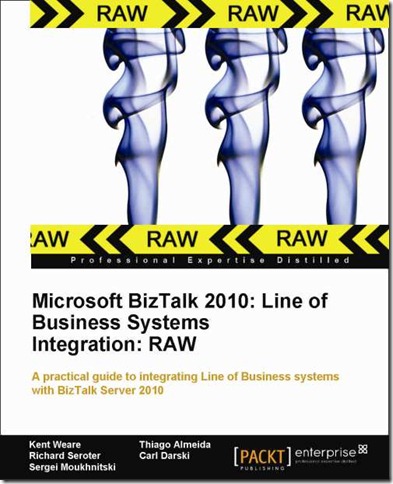
Received news this morning that the book that I have been working on for the past 7 months has now reached “RAW” status. What is RAW you ask? RAW stands for “Read As we Write”. The idea is to get the book, in soft copy format, into the hands of readers early. The goal is to get early feedback from readers with the possibility of incorporating this feedback before the book is published. This is a relatively new program from Packt but when it was presented to us we decided to get the book into the community sooner than later. I must caution that the book, in this format, is not the final version. Think of it as a CTP (Community Technical Preview) with the polished version of the book set for the end of April timeframe.
What is the book about?
The book primarily deals with Line of Business integration with popular LOB systems like SAP, Dynamics CRM, SalesForce.com, Dynamics AX, Oracle, SQL Server and SharePoint. In addition to these chapters we also introduce the Line of Business Adapters Fundamentals and connecting to the AppFabric Service bus.
Why write another BizTalk book?
As experienced developers we understand the nuts and bolts of BizTalk. We can create Schemas, Ports, Maps and understand various BizTalk patterns. The challenge is often understanding the systems that we are integrating with. When integrating with commercial products like SAP and Dynamics there is always some pre-requisite knowledge required to effectively integrate with it. The goal of this book is to expose some of this pre-requisite knowledge so that an experienced BizTalk developer can get up to speed quickly with the technology that they need to integrate with.
Who are the authors?
I have yet to meet a person who was an expert in each of these technology areas. With this in mind a talented team of BizTalk specialists was assembled to take on this adventure including:
Technical Reviewers
Anyone who has written a book can appreciate the “unsung heroes” of a published book. The unsung heroes of this book are our Packt publishing team and Technical Reviewers. We have an outstanding roster that includes the following people:
Packt
- Kerry George
- Alina Lewis
- Zainab Bagasrawala
Technical Reviewers
I can say, without any hesitation, that their efforts have significantly increased the quality of the book.
For more details on the RAW program, I encourage you to visit the PACKT website.
Stay tuned for more information as the actual published date nears.



