by community-syndication | Jul 18, 2008 | BizTalk Community Blogs via Syndication
Looks like a silly question, but recently I struggled to find the installed hot fixes on our server. We install certain hotfixes on all of our BizTalk server. One of the critical ones is http://support.microsoft.com/?kbid=943165 to solve the high CPU usage on a 64 bit machine. Like any other normal person I opened the “Control Panel\Add Remove Programs” and to my surprise I didn’t see any entry about the hotfixes (I can see one or two .NET framework related hot fixes, which caused the confusion). It looked as shown below.
Then you started thinking like a geek and start to dig the registry to find those entries. But there is a much simpler solution, just go and enable the “Show Updates” check box in the Add Remove Program window. Once you enable it, then you’ll see all the installed hot fixes nicely tucked inside the main installation.
As I mentioned earlier, its something very silly but hope will be useful for few out there 🙂
Nandri!
Saravana

by community-syndication | Jul 17, 2008 | BizTalk Community Blogs via Syndication
Hi,
I just uploaded a build 9.23.42 with some new features and two small fixes and among the new features I included two queries getting high fragmentation info for DTA and MSGBOX dbs. Behind this query is a SQL script which is available only for 2K5 SQL Servers which get list of indexes where fragmentation percentage > 30, so these two queries won’t execute on a BizTalk 2K4 Group for example.The tool however keep the old Detailed Fragmentation queries.
You have to keep in mind that the SQL query getting this Index fragmentation info can be long to execute so it is possible that the query will timeout after the default Query Timeout of the tool which is 30 secs. If output of these two queries is important for you, then you just have to increase the Query Timeout in the tool (avail in the Console version also); as the opposite, If you can avoid the result of this query, well..just unselect them in the list of GUI tool as they are both optional !
Note that when you increase the Query Timeout, it will impact so all other quereies as all the queries use the same global Query Timeout. Indeed, I did not implement Query timeout per query (maybe in a next version if there is really a need)
Let me know your feedbacks on that
thanks !
JP

by community-syndication | Jul 16, 2008 | BizTalk Community Blogs via Syndication
CSD have just announced Release 12 (R12) of Codename BizTalk Services, Clemens has a good low-down on what’s new here. Remember BizTalk Services != BizTalk. BizTalk isn’t used in the cloud or the client – it’s just a branding thing.
The Connectivity service (relay) is an amazing piece of technology breaking down corporate boundaries and enabling true communication between organisations and people despite all of the firewalls and proxies put in place. It’s been available for a while but I’ll do a blog post on my take soon in case you haven’t seen it in action.
The big news in this release is the addition of cloud based Workflows, we are now hosting Windows Workflow in our datacenter which can run your own Sequential Workflows. You can’t use the full toolbox of usual WF activities though but a cut-down selection that the team have supplied.
These workflows as Clemens discusses on his blog are aimed towards the “service orchestration”, so a business process that you have can be modelled using a workflow and invoke any number of Internet Service Bus (ISB) services and also perform HTTP requests, workflows can also be communicated with using HTTP.
The current list of cloud activities are as follows
%u00b7 CloudHttpSend
%u00b7 CloudHttpReceive
%u00b7 CloudIfElse
%u00b7 CloudSequence
%u00b7 CloudServiceBusSend
%u00b7 CloudDelay
%u00b7 CloudWhile
Only XOML workflows are allowed (so no code behinds here!) and if you need to do any coding you must push this into a Service that your workflow can invoke using the CloudServiceBusSend or Http activities.
You must copy/paste the XOML from Visual Studio into a HTTP form available when you sign into www.biztalk.net, clunky but effective for now!
Workflows can’t be activated through say an HTTP post but instead an instance has to be first created and then started before any activities will be executed, so if you had a workflow with a CloudHttpReceive activity at the top you would have to follow those previous steps before you can send an HTTP post to it.
There is a handy WorkflowClient class provided that means you can automate the creation and starting of a workflow instance, I’ve got a unit test that does this before communicating with the created workflow instance.
I’ll post a little sample shortly to get you going straight away but in the meantime check out the samples provided in the BizTalk Services SDK.
by community-syndication | Jul 16, 2008 | BizTalk Community Blogs via Syndication
Yes, It’s been quite a while since my last blog post! A lot has been happening internally including a job move for me to the Solution Architecture team in MCS as a Solution Architect from the fantastic Application Development Consulting (ADC) team.
I still retain my strong technical focus you’ll be pleased to know and I don’t think I’ll be getting away from BizTalk anytime soon J
I’ve been doing a lot of work in the “fluffy cloud” space in recent months and will be presenting a rather complex session at our internal technical event later this month.
This work has included pulling together a fictional scenario which demonstrates stitching together SQL Server Data Services (SSDS), Cloud Services (Connectivity, Identify and Workflow) and good old BizTalk to address challenges with “today’s” technologies and enable new possibilities.
It’s been an interesting experience, not everything can be done right now as both SSDS and the Cloud Services are still in the CTP phase and missing certain features but the future looks very interesting.
More on this over the next few days and weeks plus after my presentation and demo is over I’ll post the code and more details on my fictional scenario so you can take a look and see what I’ve been tinkering with.
My other pet project has been a BizUnit DSL tool to enable graphical visualization and editing of BizUnit tests, again more soon hopefully
by Richard | Jul 16, 2008 | BizTalk Community Blogs via Syndication
I’ve seen people struggle both on the forums and while doing consulting when in it comes to finding an good way of grouping and transforming content in file before debatching it. Say for example we have a text file like the example below.
0001;Test row, id 0001, category 10;10
0002;Test row, id 0002, category 10;10
0003;Test row, id 0003, category 10;10
0004;Test row, id 0004, category 20;20
0005;Test row, id 0005, category 20;20
0006;Test row, id 0006, category 20;20
0007;Test row, id 0007, category 20;20
0008;Test row, id 0008, category 10;10
0009;Test row, id 0009, category 10;10
0010;Test row, id 0010, category 30;30
Notice how the the ten rows belong to three different categories (10,20 and 30). These kind of export are in my experience quite common batch export from legacy systems and they usually aren’t ten rows (in my last project the sizes ranged from 5 MB to 25 MB) …
The problem
The problem is that the receiving system expects the data to be in separate groups, grouped by the categories the rows belong to. The expected message might look something like the below for category 10 (notice how all rows within the group are from category 10)
<ns1:Group numberOfRows="5" xmlns:ns1="http://Blah/Group">
  <Row>
    <Id>0001</Id>
    <Text>Test row, id 0001, category 10</Text>
    <Category>10</Category>
  </Row>
  <Row>
    <Id>0002</Id>
    <Text>Test row, id 0002, category 10</Text>
    <Category>10</Category>
  </Row>
  <Row>
    <Id>0003</Id>
    <Text>Test row, id 0003, category 10</Text>
    <Category>10</Category>
  </Row>
  <Row>
    <Id>0008</Id>
    <Text>Test row, id 0008, category 10</Text>
    <Category>10</Category>
  </Row>
  <Row>
    <Id>0009</Id>
    <Text>Test row, id 0009, category 10</Text>
    <Category>10</Category>
  </Row>
</ns1:Group>
The problem is now that we need to find a efficient way of first grouping the incoming flat file based message and then to debatch it using those groups. Our ultimate goal is to have separate messages that groups all rows that belongs to the same category and then send these messages to the receiving system. How would you solve this?
I’ve seen loads of different solution involving orchestrations, databases etc, but the main problem they all had in common is that they’ve loaded up to much of the message in memory and finally hit an OutOfMemoryException.
The solution
The way to solve this is to use pure messaging as one of the new features in BizTalk 2006 is the new large messages transformation engine.
>
> **Large message transformation.** In previous versions of BizTalk Server, mapping of documents always occurred in-memory. While in-memory mapping provides the best performance, it can quickly consume resources when large documents are mapped. In BizTalk Server 2006, large messages will be mapped by the new large message transformation engine, which buffers message data to the file system, keeping the memory consumption flat.
>
>
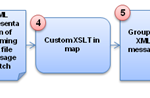
So the idea is the to read the incoming flat file, use the Flat File Disassembler to transform the message to it’s XML representation (step 1,2 and in the figure below) and the to use XSLT to transform in to groups (step 4 and 5). We will then use the XML Disassembler to split those groups into separate messages containing all the rows within a category (step 6 and 7).
Step 1, 2 and 3 are straight forward and pure configuration. Step 4 and 5 will require some custom XSLT and I’ll describe that in more detail in the section below. Step 6 and 7 will be discussed in the last section of the post.
Grouping
Let’s start by looking at a way to group the message. I will use some custom XSLT and a technique called the Muenchian method. A segment from the XML representation of the flat file message could look something like this.
<Rows xmlns="http://Blah/Incoming_FF">
    <Row xmlns="">
        <ID>0001</ID>
        <Text>Test row, id 0001, category 10</Text>
        <Category>10</Category>
    </Row>
    <Row xmlns="">
        <ID>0002</ID>
        <Text>Test row, id 0002, category 10</Text>
        <Category>10</Category>
    </Row>
...
[message cut for readability]
The XSLT will use could look something like the below. It’s kind of straight forward and I’ve tried commenting the important parts of in the actual script. Basically it will use keys to fins the unique categories and then (again using keys) selecting those rows within the category to loop and write to a group.
<?xml version="1.0" encoding="utf-8"?>

<xsl:stylesheet version="1.0"
                xmlns:xsl="http://www.w3.org/1999/XSL/Transform"
                xmlns:ns1="http://GroupAndDebatch.Schemas.Incoming_FF"
                xmlns:ns2="http://GroupAndDebatch.Schemas.Grouped"
                >
    <!--Defining the key we're gonna use-->
    <xsl:key name="rows-by-category" match="Row" use="Category" />

    <xsl:template match="/ns1:Rows">
        <ns2:Groups>

        <!--Looping the unique categories to get a group for-->
        <xsl:for-each select="Row[count(. | key('rows-by-category', Category)[1]) = 1]">

            <!--Creating a new group and set the numberOfRows-->
            <Group numberOfRows="{count(key('rows-by-category', Category))}">

            <!--Loop all the rows within the specific category we're on-->
            <xsl:for-each select="key('rows-by-category', Category)">
                <Row>
                    <ID>
                        <xsl:value-of select="ID"/>
                    </ID>
                    <Text>
                        <xsl:value-of select="Text"/>
                    </Text>
                    <Category>
                        <xsl:value-of select="Category"/>
                    </Category>
                </Row>
            </xsl:for-each>
            </Group>
        </xsl:for-each>
        </ns2:Groups>
    </xsl:template>

</xsl:stylesheet>
>
> [](../assets/2008/07/windowslivewriterefficientgroupingandsplittingofbigfiles-8295note-2.gif)You have found all the [XSLT and XML related features](http://msdn.microsoft.com/en-us/library/aa302298.aspx) in Visual Studio – right?
>
>
Ok, so the above XSLT will give us a XML structure that looks some like this.
<?xml version="1.0" encoding="utf-8"?>
<ns2:Groups xmlns:ns2="http://Blah/Groups" xmlns:ns1="http://Blah/Group">
    <ns1:Group numberOfRows="5">
        <Row>
            <ID>0001</ID>
            <Text>Test row, id 0001, category 10</Text>
            <Category>10</Category>
        </Row>
        <Row>
            <ID>0002</ID>
            <Text>Test row, id 0002, category 10</Text>
            <Category>10</Category>
        </Row>
        <Row>
            <ID>0003</ID>
            <Text>Test row, id 0003, category 10</Text>
            <Category>10</Category>
        </Row>
        <Row>
            <ID>0008</ID>
            <Text>Test row, id 0008, category 10</Text>
            <Category>10</Category>
        </Row>
        <Row>
            <ID>0009</ID>
            <Text>Test row, id 0009, category 10</Text>
            <Category>10</Category>
        </Row>
    </ns1:Group>
    <ns1:Group numberOfRows="4">
        <Row>
            <ID>0004</ID>
            <Text>Test row, id 0004, category 20</Text>
            <Category>20</Category>
        </Row>
...
[message cut for readability]
Finally! This we can debatch!
Debatching
Debatch the Groups message above is also rather straight forward and I won’t spend much time on in this post. The best way to learn more about it is to have a look ate the EnvelopeProcessing sample in the BizTalk SDK.
And the end result of the debatching are single messages within a unique category, just as the receiving system expects! Problem solved.
Issue #1 – slow transformations
The first time I’ve put a solution like this in test and started testing with some real sized messages (> 1 MB) I really panicked, the mapping took forever. And I really mean forever, I sat there waiting for 2-3 hours (!) for a single file getting transformed. When I had tested the same XML based file in Visual Studio the transformation took about 10 seconds so I knew that wasn’t it. With some digging here I found the TransformThreshold parameter.
TransformThreshold decides how big a message can be in memory before BizTalk start buffering it to disk. The default value is 1 MB and one really has to be careful when changing this. Make sure you thought hard about your solution and situation before changing the value – how much traffic do you receive and how much of that can you afford reading in to memory?
In my case I received a couple of big files spread out over a night so setting parameter with a large amount wasn’t really a problem and that really solved the problem. The mapping finished in below 10 minutes as I now allow a much bigger message to be read into memory and executed in memory before switching over to the large message transformation engine and start buffering to disk (which is always much slower).
Problem #2 – forced to temp storage
Looking at the model of the data flow again you probably see that I’m using the XML Disassembler to split the grouped files (step 5 to step 6).
The only way I’ve found this to work is actually to write the Grouped XML message to file and the to read that file in to BizTalk again and in that receive pipeline debatch the message. Not the most elegant solution, but there really isn’t a another out-of-the-box way of debatching messages (the XML Assembler can’t do it) and I don’t want to use an orchestration to execute the a pipeline as I want to keep the solution pure messaging for simplicity and performance reasons.
Finishing up
Have you solved similar cases differently? I’d be very interested in your experience! I also have a sample solution of this – just send me an email and make sure you’ll get it.
Update
Also don’t miss this issue (pdf) of BizTalk Hotrod magazine. There is an article on “Muenchian Grouping and Sorting using Xslt” describing exactly the problem discussed above.

by community-syndication | Jul 15, 2008 | BizTalk Community Blogs via Syndication
The DocumentSpec class
in the Microsoft.BizTalk.Component.Interop namespace of the Microsoft.BizTalk.Pipelines
assembly is commonly used in custom pipeline components (particularly assemblers in
disassemblers) to represent a compiled BizTalk schema (a document specification).
This class has one interesting method: CreateXmlInstance(),
which can generate an sample instance XML based on the associated schema [1]. Recently
I saw a question in the BizTalkGurus forum
about how to use this functionality if you had a schema definition with multiple potential
root elements.
Turns out its pretty easy, once you understand how DocumentSpec works and how Schemas
are compiled into BizTalk assemblies.
The constructor for the DocumentSpec class takes two arguments: The docSpecName
(schema name) and the name of the assembly it is defined in.
The clue to support multi-root schemas is that the docSpecName is, in reality, the
namespace + type name of the class generated by the compiler when you compile the
Schema into the BizTalk assembly. Each schema becomes one class in the generated code.
If the schema has a single root, that’s the end of it; All you need to know is that docSpecName
== Namespace.ClassName. If the schema has multiple roots, however, each root
becomes a nested class within the schema class.
The way to select which root element to use for the sample instance generation, then,
is to provide the type name of the root element nested class as to the DocumentSpec
constructor instead of the name of the schema class. In other words, in this case docSpecName
== Namespace.SchemaClass+RootClass.
[1] One annoyance of this method is that it takes a TextWriter argument
but doesn’t actually write the generated XML into it; instead it returns a Stream
you need to read!

BizTalk
Server 2006
