by community-syndication | Oct 3, 2007 | BizTalk Community Blogs via Syndication
As you know, in our recent release of BizTalk Server 2006 R2, we provide a scalable and extensible platform for development, deployment, and management of rich RFID and sensor solutions.
We have a new video with Anush Kumar on the use of RFID in the restaurant industry to better manage the business and improve customer experience. You’ll enjoy this fun video!
Regards,
Marjan Kalantar
by community-syndication | Oct 3, 2007 | BizTalk Community Blogs via Syndication
As you are probably aware, United States Daylight Savings Time (DST) started earlier and will end later this year than in the past. In February, Microsoft issued a patch to handle the change-one for BizTalk Server 2004 and one for BTS 2006. If you have already installed the appropriate patch, you’re all set for this fall’s time change. If you have not, please install the patch from the following locations:
For BizTalk Server 2004: http://support.microsoft.com/default.aspx?scid=kb;EN-US;931960
For BizTalk Server 2006: http://support.microsoft.com/default.aspx?scid=kb;EN-US;931961
This patch fixes an issue with how BizTalk handles a system time change. The fix is not specific to the US time change and should be applied to any BizTalk installation in a region that experiences a seasonal time shift.
Please note that BizTalk Server 2006 R2 which was recently released already includes this fix and does not require a patch for the time change.
Regards,
Marjan Kalantar
by community-syndication | Oct 3, 2007 | BizTalk Community Blogs via Syndication
It’s been a little while since we’ve got together with TechEd, APEC + the launch of
R2…but I’m pretty certain we’re all in a great space going forward J
The launch of BizTalk 2006 R2 was a pretty special event. – What’s
new in R2 (ms technet article) for more info.
Big thanks to those of you that came along, hope you got alot out of it (not to mention
a copy of Vista Ultimate).
What was the best part for you? For me personally was the fact that so much of the
BizTalk product team made the trip across and was there. There to talk to and listen.
Hope you had an opportunity to make the most of that.
What’s cooking this month for the group?
You may remember before the launch I had lined up a session on Designing and
Building a Reusable BizTalk Framework.
I also want to kick some tyres with you guys and hear how things are progressing along
your BizTalk (+ related) journey
Main Event on the night:
– Designing and Building a reusable BizTalk Framework(in R2)
BizTalk 2006 R2 is almost upon us, so this month we’re going to cover a couple
of important areas:
1. Designing and develop a reusable BizTalk Framework. This approach will allow
you to leverage previous investments within your company’s BizTalk implementations.
There are huge benefits in being able to re-apply existing BizTalk applications that
have been tested and are known quantities within your solution. The solution we will
examine together will leverage EDI/AS2 document processing as well as XML Messaging
solutions involving various Messaging Patterns (e.g. Request/Response).
This solution is based on a ’Process Manager’ Pattern and it’s something I’ve
refined over the last 2 years of experience on the coal face.
Meeting details:
When: Oct 31, Food at 6pm, kick off 6.30pm. Finish up around 8pm.
Where: Microsoft
1 Epping Road
Riverside Corporate Park
North Ryde NSW 2113 Australia. (parking available)
Speaker: Mick Badran (your trusty User Group Host)
Add to your calendar from HERE
Reusable
Framework Focus Details:
Come
and see how to ’dynamically’ wire your BizTalk Solutions based on message content,
rules or specific environmental properties. Being able to accept a wide array of message
types is another key element in making these solutions successful.
What’s happening in the BizTalk
Community:
BrizTalk.Org –
the Brisbane BizTalk user group is always full of new ideas – Dan up there is always
doing a great job.
MelBiz.Org –
the Melbourne BizTalk user group run by Bill Chesnut (fellow BizTalk MVP) is always
doing great things down there.
If you’re in their areas you’re always welcome to pop along.
Share the User Group Soap Box:
I
always welcome a new voice and ideas at our group –
if you want to share your experiences, thoughts, “I wish I can do….. for my solution…”.
Then contact me and I’ll be more than happy to slot you in.
Q.
Do you need to have presentation skills: No
(just look at me) – can you tell a story in the office or at the pub? Or at a 3 yr
old b.day party? – then I want you.
Q.
Do I need a PowerPoint Slide Deck? – no!!!
*death
by powerpoint*
is a painful way to go……
Q.
Can you capture my ’best’ side? We
take you whichever way you are. J
We’re
up for a great night –
come along and learn how to make your BizTalk solutions go a long way.
(p.s. Warning: If you’re a *consultant*
this session may reduce you to tears J)
See
you there and let me know your coming
Mick (mb: 0404 842 833)
http://sydbiz.org
by community-syndication | Oct 3, 2007 | BizTalk Community Blogs via Syndication
A new book on WHS was published last month (September 13): Microsoft Windows Home Server Unleashed by Paul McFedries. Very thick, 912 pages.
What’s interesting is that the author not merely pointed out which buttons to press — that’s something we tried to make evident without books — but also described some non-trivial hacks including meddling with registry settings, home network diagnostics and installing Sharepoint Server on WHS. While I cannot officially endorse using undocumented features, it’s an impressive investigative work.
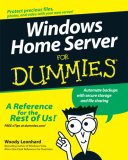
And that’s not all. The next book Windows Home Server For Dummies by Woody Leonhard comes out in November. This one is more compact, 382 pages. I still did not see it, but according to the Amazon’s description, it’s purely a user-level book without much complexities or technicalities. Which, considering the target audience for Windows Home Server, is likely to be the right level useful for real users of WHS.
Pardon for using images with ad links — that was the only way to show the covers legitimately, without violating the copyrigts. Anyway, feels great that they are coming. It’s a really pleasant sensation when people start to write books about something that you created 🙂 Thanks to the authors for their great work!
by community-syndication | Oct 3, 2007 | BizTalk Community Blogs via Syndication
A new book on WHS was published last month (September 13): Microsoft Windows Home Server Unleashed by Paul McFedries. Very thick, 912 pages.
What’s interesting is that the author not merely pointed out which buttons to press — that’s something we tried to make evident without books — but also described some non-trivial hacks including meddling with registry settings, home network diagnostics and installing Sharepoint Server on WHS. While I cannot officially endorse using undocumented features, it’s an impressive investigative work.
And that’s not all. The next book Windows Home Server For Dummies by Woody Leonhard comes out in November. This one is more compact, 382 pages. I still did not see it, but according to the Amazon’s description, it’s purely a user-level book without much complexities or technicalities. Which, considering the target audience for Windows Home Server, is likely to be the right level useful for real users of WHS.
Pardon for using images with ad links — that was the only way to show the covers legitimately, without violating the copyrigts. Anyway, feels great that they are coming. It’s a really pleasant sensation when people start to write books about something that you created 🙂 Thanks to the authors for their great work!
by community-syndication | Oct 3, 2007 | BizTalk Community Blogs via Syndication
Interesting new white paper from Microsoft on maintaining ordered delivery across concurrent orchestrations (read online or download here).
Specifically, this paper identifies an architecture where you receive messages in order, stamp them with a sequence number in a receive pipeline, process them through many parallel orchestration instances, and then ensure resequencing prior to final transmission. […]
by stephen-w-thomas | Oct 3, 2007 | Downloads
These are the slides and demos from my Session at the SOA and BPM Conference in Redmond in October, 2007.
The demos show Dynamic Mapping, Self-Correlation Ports, Untyped Messages, and Convoys. These demos are “as is” and may need some configuration changes to work on your system.
PowerPoint 2007 is required to view the slides.
Session Abstract:
“Business processes are a required component in most Enterprise Integration solutions today. Business processes are modeled, designed, and built inside BizTalk Server using Orchestrations. Orchestration can range from a few simple shapes to a complex multi Orchestration, Transactional process. This session focuses on highlighting Advanced Orchestration features and best practices that can be used to shorten development time and increase overall Business Process reusability. Topics covers are: Untyped Messages, Dynamic Transforms, Starting Orchestration, Passing Port Parameters, and Convoys.”
by community-syndication | Oct 2, 2007 | BizTalk Community Blogs via Syndication
Today I was taught an immensely important lesson by WCF. It actually has nothing
to do with WCF except that because of the size of the schema I’m working with that
is where I encountered it.
I do a lot of work in the healthcare industry, and that industry, by government mandate,
works with a message format called the 837 (properly the X12 4010A1 837 either I,
P or D). The 837 has three flavors, and is absolutely huge. I was crafting
a service which had to accept an XML representation of this data. How did I create
the XML? BizTalk Server 2006 R2’s new HIPAA support of course. When
I made the call to service from my unit tests I first received a Fault indicating
that exception details could not be returned because of configuration. No problem,
obviously I’ve seen this before and so I added the following to my app.Config for
the Host executable:
              <

              behaviors

              >
              <

              serviceBehaviors

              >
              <

              behavior

              name

              ="EnableDebugging"

              >
              <

              serviceDebug

              includeExceptionDetailInFaults

              ="true"

              />
              </

              behavior

              >
              </

              serviceBehaviors

              >
              </

              behaviors

              >
Now that I’ve enabled debugging, surely now I’ll see some sort of clear reason by
this occurred. Nope! I was presented with the following:
TheCompany.Services.Tests.ClaimsService.GetListOfClaimsByStatus : System.ServiceModel.FaultException`1[System.ServiceModel.ExceptionDetail]
: Error in deserializing body of request message for operation ‘GetClaimListByStatus’.
Well isn’t that terribly useful. Fortunately, this did give me the single most
important piece of information “deserializing”. So off I go to Google my brain,
because I’d
written a post before on how to debug the XmlSerializer (and I was using the XmlSerializer
in this case because the DataContractSerializer could not work with my schema).
As that post will tell you, there is a switch that can be set in the app.Config which
will enable you to debug the code generated by the XmlSerializer. So now we
add the following to my app.Config:
              <

              system.diagnostics

              >
              <

              switches

              >
              <

              add

              name

              ="XmlSerialization.Compilation"

              value

              ="1"

              />
              </

              switches

              >
              </

              system.diagnostics

              >
And we follow that by running the unit tests again, that results in something that
is actively useful:
For those reading along at home and wanting the full text that says:
The maximum nametable character count quota (10000) has been exceeded while reading
XML data. The nametable is a data structure used to store strings encountered during
XML processing – long XML documents with non-repeating element names, attribute names
and attribute values may trigger this quota. This quota may be increased by changing
the MaxNameTableCharCount property on the XmlDictionaryReaderQuotas object used when
creating the XML reader.
Now that is useful, it tells me exactly how to correct the problem and the size of
the quota currently. The only problem is that I didn’t create this XmlReader
object, I didn’t even create the XmlSerializer which created this XmlReader.
The only thing which I create was a ServiceHost, how can I change that setting?
Enter Google again.
As it happens, Windows Communication Foundation does include an ability to override
that value, it is stored in the Binding Configuration in your … you guessed it …
app.Config! Add the following snippet (assuming you’re using Basic Http Binding
(it exists for all bindings though) and you’ll be good to go:
              <

              bindings

              >
              <

              basicHttpBinding

              >
              <

              binding

              name

              ="BasicHttpBinding"

              >
              <

              readerQuotas

              maxNameTableCharCount

              ="100000"

              />
              </

              binding

              >
              </

              basicHttpBinding

              >
              </

              bindings

              >
Now, surely I’m done, and things will work. Actually, no it took mea few
times to find a value that would work for that quota. Once I did though I finally
hit my breakpoint inside the service and was able to send back a response, where upon
I got this message:
TheCompany.Services.Tests.ClaimsService.GetListOfClaimsByStatus : System.ServiceModel.CommunicationException
: Error in deserializing body of reply message for operation ‘GetClaimListByStatus’.
—-> System.InvalidOperationException : There is an error in XML document
(1, 252).
—-> System.Xml.XmlException : The maximum nametable character count quota
(10000) has been exceeded while reading XML data. The nametable is a data structure
used to store strings encountered during XML processing – long XML documents with
non-repeating element names, attribute names and attribute values may trigger this
quota. This quota may be increased by changing the MaxNameTableCharCount property
on the XmlDictionaryReaderQuotas object used when creating the XML reader. Line 1,
position 252.
At least when the error occurs on the client side you get the full details to start
with! Make the same modification above to your configuration on the client side
and you’re good to go.


 .
.