In my previous update, I discussed my intention to release a new major version of my stencils. However, I’ve opted for a gradual approach, releasing minor updates along the way. This way, it becomes easier for me because I don’t need to spend long periods allocated to this task, and at the same time, all of you can start enjoying these new icons.
Keeping my promise, I’m presenting another update. I hope it meets your expectations! If you have any specific requests, don’t hesitate to share them with me.
What’s new in this version? (for now)
The main goal of this release was to provide the new icons present in the Azure Portal, on the Power Platform, and new existing Services. In this version, the changes and additions are:
New stencil packages: Additional stencil packages were incorporated into this project to enhance the discoverability of shapes:
MIS Azure Integration Services: this file contains shapes related to Azure Integration Service and messaging.
MIS Microsoft Fabric: this file contains shapes related to Microsoft Fabric – This was actually a request made by a community member. And credits to Sam Debruyn for these Microsoft SVG files. I only had the work to “convert” them into proper Visio stencils.
Move some shapes: I reorganized and relocated certain shapes to other files within this package.
SVG Files: Add new SVG files;
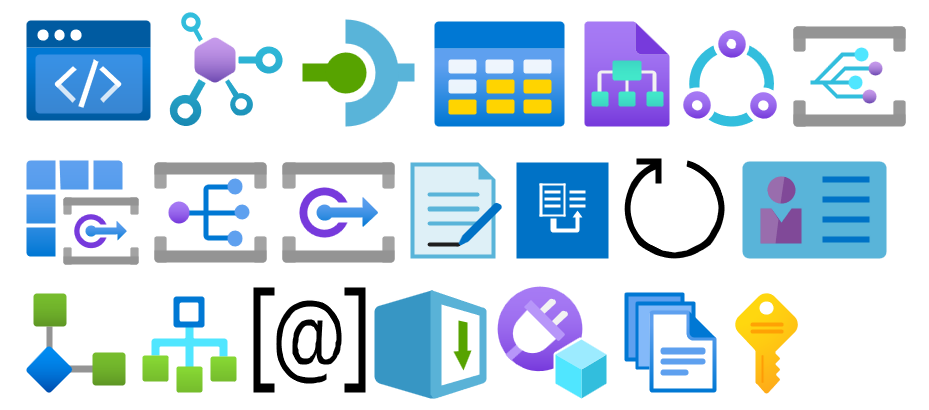
Special Highlights: API Center, Policy fragments, Event Grid, Event Grid: Namespace, Partner namespaces and Partner registrations or APIM Schemas
Microsoft Integration, Azure, Power Platform, Office 365, and much more Stencils Pack
Microsoft Integration, Azure, Power Platform, Office 365, and much more Stencils Pack it’s a Visio package that contains fully resizable Visio shapes (symbols/icons) that will help you to visually represent On-premise, Cloud or Hybrid Integration and Enterprise architectures scenarios (BizTalk Server, API Management, Logic Apps, Service Bus, Event Hub…), solutions diagrams and features or systems that use Microsoft Azure and related cloud and on-premises technologies in Visio 2016/2013:
BizTalk Server
Microsoft Azure
Integration
Integration Service Environments (ISE)
Logic Apps and Azure App Service in general (API Apps, Web Apps, and Mobile Apps)
Azure API Management
Messaging: Event Hubs, Event Grid, Service Bus, …
Azure IoT and Docker
AI, Machine Learning, Stream Analytics, Data Factory, Data Pipelines
SQL Server, DocumentDB, CosmosDB, MySQL, …
and so on
Microsoft Power Platform
Microsoft Flow
PowerApps
Power BI
Office365, SharePoint,…
DevOps and PowerShell
Security and Governance
And much more…
… and now non-related Microsoft technologies like:
SAP Stencils
The Microsoft Integration Stencils Pack is composed of 29 files:
Microsoft Integration Stencils
MIS Additional or Support Stencils
MIS AI and Machine Learning Stencils
MIS Apps and Systems Logo Stencils
MIS Azure Additional or Support Stencils
MIS Azure Integration Services
MIS Azure Mono Color
MIS Azure Old Versions
MIS Azure Others Stencils
MIS Azure Stencils
MIS Buildings Stencils
MIS Databases and Analytics Stencils
MIS Deprecated Stencils
MIS Developer Stencils
MIS Devices Stencils
MIS Files Stencils
MIS Generic Stencils
MIS Infrastructure Stencils
MIS Integration Fun
MIS Integration Patterns Stencils
MIS IoT Devices Stencils
MIS Microsoft Fabric
MIS Office365
MIS Power BI Stencils
MIS PowerApps and Flows Stencils
MIS SAP Stencils
MIS Security and Governance
MIS Servers (HEX) Stencils
MIS Users and Roles Stencils
You can use and resize without losing quality.
Download
You can download Microsoft Integration, Azure, BAPI, Office 365, and much more Stencils Pack for Visio from GitHub here:
Hope you find this helpful! So, if you liked the content or found it helpful and want to help me write more content, you can buy (or help buy) my son a Star Wars Lego!
Author: Sandro Pereira
Sandro Pereira lives in Portugal and works as a consultant at DevScope. In the past years, he has been working on implementing Integration scenarios both on-premises and cloud for various clients, each with different scenarios from a technical point of view, size, and criticality, using Microsoft Azure, Microsoft BizTalk Server and different technologies like AS2, EDI, RosettaNet, SAP, TIBCO etc.
He is a regular blogger, international speaker, and technical reviewer of several BizTalk books all focused on Integration. He is also the author of the book “BizTalk Mapping Patterns & Best Practices”. He has been awarded MVP since 2011 for his contributions to the integration community.
View all posts by Sandro Pereira
I always love Microsoft Visio to create my Enterprise Integration documentation. That passion led me to create the Microsoft Integration and Azure Stencils Pack for Visio – a Visio package that contains fully resizable Visio shapes (symbols/icons) that will help you to visually represent On-premise, Cloud or Hybrid Integration and Enterprise architectures scenarios (BizTalk Server, API Management, Logic Apps, Service Bus, Event Hub…), solutions diagrams and features or systems that use Microsoft Azure and related cloud and on-premises technologies in Visio. Most of you may know me for being a Microsoft Azure MVP, where my focus is Enterprise Integration, but I’m also a former Visio MVP. All of this just to say that I had expectations high for this book!
To be honest, based on the title of this book: Visualize Complex Processes with Microsoft Visio, I was expecting different content with more real cases and complex scenarios explained in detail, different implementation strategies, and advanced designing tips. But I soon realized that the book would guide me differently. Did I get disappointed with the book? No. I choose the book by the name without reading the description and table of content. And I cannot criticize a book just for its title or for my mistakes. In fact, I was surprised by how many small things I have learned from this book.
For me, this book is an excellent guide for professionals seeking to learn or enhance their Visio skills, not to design complex processes. Nevertheless, the authors will give you some best practices to archive that. The book will guide you to the different types of diagrams and different types of Visio versions. Of course, how to work with Visio and how you can manually create your flow diagrams. How to utilize data sources, share (security include) or collaborate, and integrate Visio with Microsoft Apps or /and BPMN.
In resume, I enjoyed the book, and I will recommend it to anyone seeking to learn or enhance their Visio skills.
Visualize Complex Processes with Microsoft Visio Book Description
Every business has process flows, but not all of them are fully described to or verified for accuracy with each stakeholder. This not only presents a risk for business continuity but also removes the ability to make insightful improvements. To make these complex interactions easy to grasp, it’s important to describe these processes visually using symbology that everybody understands. Different parts of these flows should be collaboratively developed and stored securely as commercial collateral.
Visualize Complex Processes with Microsoft Visio helps you understand why it is crucial to use a common, systematic approach to document the steps needed to meet each business requirement. This book explores the various process flow templates available in each edition of Microsoft Visio, including BPMN. It also shows you how to use them effectively with the help of tips and techniques and examples to reduce the time required for creating them, as well as how you can improve their integration and presentation.
By the end of this book, you’ll have mastered the skills needed to create data-integrated business flowcharts with Microsoft Visio, learned how to effectively use these diagrams collaboratively, but securely, and understood how to integrate them with other M365 apps, including Excel, Word, PowerPoint, and Power Automate.
What you will learn
Choose an appropriate flowchart diagram type to describe the process steps.
Develop the skills to efficiently use Visio to draw process flowcharts.
Discover how to create process flows diagrams to meet the BPMN standard.
Find out how to synchronize Excel tables with Visio process flowcharts.
Store flowcharts that can also be used for collaboration securely.
Understand how to export flowcharts and data to other M365 apps.
Discover how Visio ShapeSheet functions can increase productivity.
Who is this book for
Suppose you’re a manager, analyst, or designer of business processes. In that case, this book will help you create professional process diagrams effectively and consistently to improve the accuracy of communication and facilitate impactful insights. This book will also be helpful for beginners or power users seeking tips and techniques to capture process flows from context and customize diagrams to meet academic and corporate standards.
Author: Sandro Pereira
Sandro Pereira lives in Portugal and works as a consultant at DevScope. In the past years, he has been working on implementing Integration scenarios both on-premises and cloud for various clients, each with different scenarios from a technical point of view, size, and criticality, using Microsoft Azure, Microsoft BizTalk Server and different technologies like AS2, EDI, RosettaNet, SAP, TIBCO etc.
He is a regular blogger, international speaker, and technical reviewer of several BizTalk books all focused on Integration. He is also the author of the book “BizTalk Mapping Patterns & Best Practices”. He has been awarded MVP since 2011 for his contributions to the integration community.
View all posts by Sandro Pereira
The last time I released a new version of my stencil, it was on January 26 of 2022. A long time ago indeed, so it is fair to say that I do need to release a new major version of my stencils, and that will be a long work and process. However, I decided to do this task progressively and release minor updates during this “journey”. This way, it becomes easier for me because I don’t need to spend long periods allocated to this task, and at the same time, all of you can start enjoying these new icons.
What’s new in this version? (for now)
The main goal of this release was to provide the new icons present in the Azure Portal, on the Power Platform, and new existing Services. In this version, the changes and additions are:
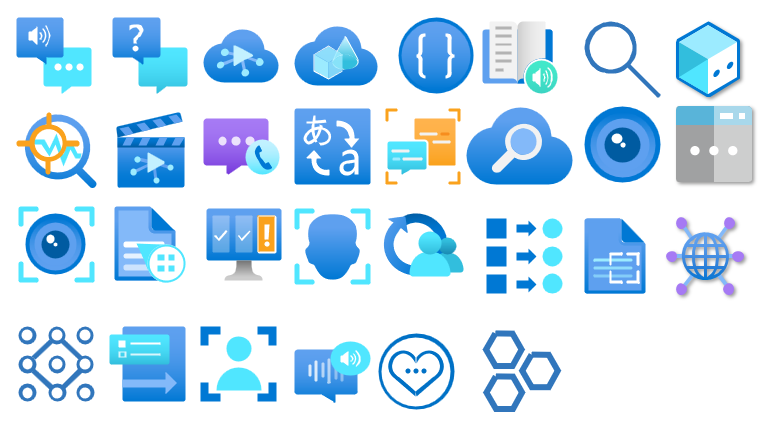
New shapes: New shapes added on MIS Databases and Analytics Stencils, MIS Azure Additional or Support Stencils, Microsoft Integration Stencils, MIS Azure Stencils, and MIS Power Platform Stencils;
SVG Files: Add new SVG files;
Special Highlights: Microsoft Fabric and the new Logic App Data Mapper
Microsoft Integration, Azure, Power Platform, Office 365, and much more Stencils Pack
Microsoft Integration, Azure, Power Platform, Office 365, and much more Stencils Pack it’s a Visio package that contains fully resizable Visio shapes (symbols/icons) that will help you to visually represent On-premise, Cloud or Hybrid Integration and Enterprise architectures scenarios (BizTalk Server, API Management, Logic Apps, Service Bus, Event Hub…), solutions diagrams and features or systems that use Microsoft Azure and related cloud and on-premises technologies in Visio 2016/2013:
BizTalk Server
Microsoft Azure
Integration
Integration Service Environments (ISE)
Logic Apps and Azure App Service in general (API Apps, Web Apps, and Mobile Apps)
Azure API Management
Messaging: Event Hubs, Event Grid, Service Bus, …
Azure IoT and Docker
AI, Machine Learning, Stream Analytics, Data Factory, Data Pipelines
SQL Server, DocumentDB, CosmosDB, MySQL, …
and so on
Microsoft Power Platform
Microsoft Flow
PowerApps
Power BI
Office365, SharePoint,…
DevOps and PowerShell
Security and Governance
And much more…
… and now non-related Microsoft technologies like:
SAP Stencils
The Microsoft Integration Stencils Pack is composed of 27 files:
Microsoft Integration Stencils
MIS Additional or Support Stencils
MIS AI and Machine Learning Stencils
MIS Apps and Systems Logo Stencils
MIS Azure Additional or Support Stencils
MIS Azure Mono Color
MIS Azure Old Versions
MIS Azure Others Stencils
MIS Azure Stencils
MIS Buildings Stencils
MIS Databases and Analytics Stencils
MIS Deprecated Stencils
MIS Developer Stencils
MIS Devices Stencils
MIS Files Stencils
MIS Generic Stencils
MIS Infrastructure Stencils
MIS Integration Fun
MIS Integration Patterns Stencils
MIS IoT Devices Stencils
MIS Office365
MIS Power BI Stencils
MIS PowerApps and Flows Stencils
MIS SAP Stencils
MIS Security and Governance
MIS Servers (HEX) Stencils
MIS Users and Roles Stencils
That you can use and resize without losing quality, in particular, the new shapes.
Download
You can download Microsoft Integration, Azure, BAPI, Office 365, and much more Stencils Pack for Visio from GitHub here:
Hope you find this helpful! So, if you liked the content or found it helpful and want to help me write more content, you can buy (or help buy) my son a Star Wars Lego!
Author: Sandro Pereira
Sandro Pereira lives in Portugal and works as a consultant at DevScope. In the past years, he has been working on implementing Integration scenarios both on-premises and cloud for various clients, each with different scenarios from a technical point of view, size, and criticality, using Microsoft Azure, Microsoft BizTalk Server and different technologies like AS2, EDI, RosettaNet, SAP, TIBCO etc.
He is a regular blogger, international speaker, and technical reviewer of several BizTalk books all focused on Integration. He is also the author of the book “BizTalk Mapping Patterns & Best Practices”. He has been awarded MVP since 2011 for his contributions to the integration community.
View all posts by Sandro Pereira
The full 7.3 version is complete with the release of v.7.3.1. This was a massive work of adding new shapes of new services that appear on Azure and changing the existing one with the new version of the shapes. Work is done and I hope you enjoy it!
What’s new in this version?
This is the list of changes and additions present in this release:
New shapes on MIS Azure Stencils, MIS Azure Additional or Support Stencils, MIS Developer Stencils, and MIS Security and Governance packages: add a considerable amount of new shapes of new services that appear on Azure has both changing the existing one with their new layout.
Move old versions of the shape layout to MIS Azure Old Versions package.
New shapes on MIS AI and Machine Learning Stencils: several new shapes add it to this package with several Cognitive Services.
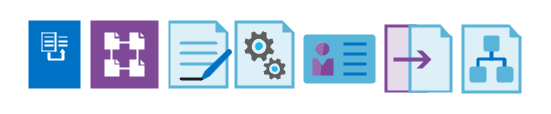
New shapes on Microsoft Integration Stencils: some new shapes add it to this package describing Schemas, Maps, Aggrements, Partners, Assemblies and so on.
Lock the aspect ratio of the new stencil icons: This was a requested made that can be very handly to protects against accidental resizing with another shape aspect.
SVG files: new SVG files added.
Microsoft Integration, Azure, Power Platform, Office 365 and much more Stencils Pack
Microsoft Integration, Azure, Power Platform, Office 365 and much more Stencils Pack it’s a Visio package that contains fully resizable Visio shapes (symbols/icons) that will help you to visually represent On-premise, Cloud or Hybrid Integration and Enterprise architectures scenarios (BizTalk Server, API Management, Logic Apps, Service Bus, Event Hub…), solutions diagrams and features or systems that use Microsoft Azure and related cloud and on-premises technologies in Visio 2016/2013:
BizTalk Server
Microsoft Azure
Integration
Integration Service Environments (ISE)
Logic Apps and Azure App Service in general (API Apps, Web Apps, and Mobile Apps)
Azure API Management
Messaging: Event Hubs, Event Grid, Service Bus, …
Azure IoT and Docker
AI, Machine Learning, Stream Analytics, Data Factory, Data Pipelines
SQL Server, DocumentDB, CosmosDB, MySQL, …
and so on
Microsoft Power Platform
Microsoft Flow
PowerApps
Power BI
Office365, SharePoint,…
DevOps and PowerShell
Security and Governance
And much more…
… and now non-related Microsoft technologies like:
SAP Stencils
The Microsoft Integration Stencils Pack is composed of 28 files:
Microsoft Integration Stencils
MIS Additional or Support Stencils
MIS AI and Machine Learning Stencils
MIS Apps and Systems Logo Stencils
MIS Azure Additional or Support Stencils
MIS Azure Black and Gray
MIS Azure Old Versions
MIS Azure Stencils
MIS Black and Cyan
MIS Buildings Stencils
MIS Databases and Analytics Stencils
MIS Deprecated Stencils
MIS Developer Stencils
MIS Devices Stencils
MIS Files and Message Types Stencils
MIS Generic Stencils
MIS Infrastructure and Networking Stencils
MIS Integration Fun
MIS Integration Patterns Stencils
MIS IoT Stencils
MIS Office, Office 365 and Dynamics 365
MIS Power BI Stencils
MIS Power Platform Stencils
MIS SAP Stencils
MIS Security and Governance
MIS Servers (Hexagonal) Stencils
MIS Users and Roles Stencils
MIS API Connectors
Organisational Stencils
That you can use and resize without losing quality, in particular, the new shapes.
Download
You can download Microsoft Integration, Azure, BAPI, Office 365 and much more Stencils Pack for Visio from GitHub Here:
The full 7.3.0 version is not yet complete, but I decided to release it in small pieces instead of taking a long time to make all the planned changes and being the Azure part that will require the most work.
What’s new in this version?
This is the list of changes and additions present in this release:
New shapes on MIS: Office, Office 365 and Dynamics 365 package: add some new Dynamic 365 shapes like Dataverse, SCM Warehousing, Project Timesheet, Return To School orReturn To Work, and several new Office/Office 365 shapes.
Remove API Connectors shapes from MIS: Power Platform package: there goal was to simplify this package and migrate that stencils to a dedicated package, since there are more then 600 connectors. Also these connectores are common to Power Automate, Power Apps and Logic Apps.
Create a new package MIS: API Connectors: This package will provide stencils to all connectors currently provided for Microsoft Power Automate, Microsoft Power Apps, and Azure Logic Apps.
Lock the aspect ratio of the new stencil icons: This was a requested made that can be very handly to protects against accidental resizing with another shape aspect.
SVG files: new SVG files added.
Microsoft Integration, Azure, Power Platform, Office 365 and much more Stencils Pack
Microsoft Integration, Azure, Power Platform, Office 365 and much more Stencils Pack it’s a Visio package that contains fully resizable Visio shapes (symbols/icons) that will help you to visually represent On-premise, Cloud or Hybrid Integration and Enterprise architectures scenarios (BizTalk Server, API Management, Logic Apps, Service Bus, Event Hub…), solutions diagrams and features or systems that use Microsoft Azure and related cloud and on-premises technologies in Visio 2016/2013:
BizTalk Server
Microsoft Azure
Integration
Integration Service Environments (ISE)
Logic Apps and Azure App Service in general (API Apps, Web Apps, and Mobile Apps)
Azure API Management
Messaging: Event Hubs, Event Grid, Service Bus, …
Azure IoT and Docker
AI, Machine Learning, Stream Analytics, Data Factory, Data Pipelines
SQL Server, DocumentDB, CosmosDB, MySQL, …
and so on
Microsoft Power Platform
Microsoft Flow
PowerApps
Power BI
Office365, SharePoint,…
DevOps and PowerShell
Security and Governance
And much more…
… and now non-related Microsoft technologies like:
SAP Stencils
The Microsoft Integration Stencils Pack is composed of 27 files:
Microsoft Integration Stencils
MIS Additional or Support Stencils
MIS AI and Machine Learning Stencils
MIS Apps and Systems Logo Stencils
MIS Azure Additional or Support Stencils
MIS Azure Black and Gray
MIS Azure Old Versions
MIS Azure Stencils
MIS Black and Cyan
MIS Buildings Stencils
MIS Databases and Analytics Stencils
MIS Deprecated Stencils
MIS Developer Stencils
MIS Devices Stencils
MIS Files and Message Types Stencils
MIS Generic Stencils
MIS Infrastructure and Networking Stencils
MIS Integration Fun
MIS Integration Patterns Stencils
MIS IoT Stencils
MIS Office, Office 365 and Dynamics 365
MIS Power BI Stencils
MIS Power Platform Stencils
MIS SAP Stencils
MIS Security and Governance
MIS Servers (Hexagonal) Stencils
MIS Users and Roles Stencils
Organisational Stencils
That you can use and resize without losing quality, in particular, the new shapes.
Download
You can download Microsoft Integration, Azure, BAPI, Office 365 and much more Stencils Pack for Visio from GitHub Here:
I’m not a Dynamics 265 expert, and Dynamics 365 is not my focus area. Nevertheless, I couldn’t ignore the flood of requests to add the new Dynamics 365 logos, especially the App icons. It took a while, but they are finally here.
What’s new in this version?
These are the list of changes and additions present in this major release:
New shapes: There are new shapes on the following Visio Stencils files (.vssx):
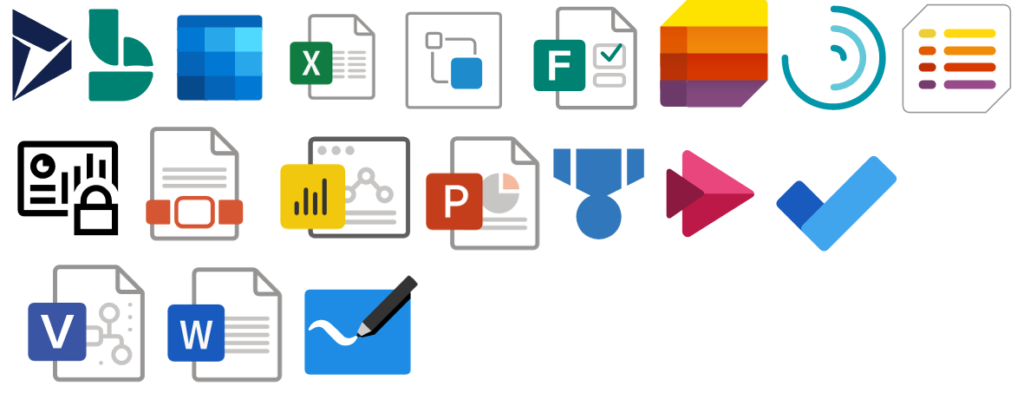
MIS Office, Office 365 and Dynamics 365: add the new Dynamic 265 logo, Dynamics 365 App Icons, and Dynamics 365 Mixed Reality Icons.
MIS Azure Stencils and MIS Azure Additional or Support Stencils: there were a few new icons add to the stencils, most of them related to new preview features and integration services like the new Logic App icon.
SVG files: new SVG files added.
Microsoft Integration, Azure, Power Platform, Office 365 and much more Stencils Pack
Microsoft Integration, Azure, Power Platform, Office 365 and much more Stencils Pack it’s a Visio package that contains fully resizable Visio shapes (symbols/icons) that will help you to visually represent On-premise, Cloud or Hybrid Integration and Enterprise architectures scenarios (BizTalk Server, API Management, Logic Apps, Service Bus, Event Hub…), solutions diagrams and features or systems that use Microsoft Azure and related cloud and on-premises technologies in Visio 2016/2013:
BizTalk Server
Microsoft Azure
Integration
Integration Service Environments (ISE)
Logic Apps and Azure App Service in general (API Apps, Web Apps, and Mobile Apps)
Azure API Management
Messaging: Event Hubs, Event Grid, Service Bus, …
Azure IoT and Docker
AI, Machine Learning, Stream Analytics, Data Factory, Data Pipelines
SQL Server, DocumentDB, CosmosDB, MySQL, …
and so on
Microsoft Power Platform
Microsoft Flow
PowerApps
Power BI
Office365, SharePoint,…
DevOps and PowerShell
Security and Governance
And much more…
… and now non-related Microsoft technologies like:
SAP Stencils
The Microsoft Integration Stencils Pack is composed of 27 files:
Microsoft Integration Stencils
MIS Additional or Support Stencils
MIS AI and Machine Learning Stencils
MIS Apps and Systems Logo Stencils
MIS Azure Additional or Support Stencils
MIS Azure Black and Gray
MIS Azure Old Versions
MIS Azure Stencils
MIS Black and Cyan
MIS Buildings Stencils
MIS Databases and Analytics Stencils
MIS Deprecated Stencils
MIS Developer Stencils
MIS Devices Stencils
MIS Files and Message Types Stencils
MIS Generic Stencils
MIS Infrastructure and Networking Stencils
MIS Integration Fun
MIS Integration Patterns Stencils
MIS IoT Stencils
MIS Office, Office 365 and Dynamics 365
MIS Power BI Stencils
MIS Power Platform Stencils
MIS SAP Stencils
MIS Security and Governance
MIS Servers (Hexagonal) Stencils
MIS Users and Roles Stencils
Organisational Stencils
That you can use and resize without losing quality, in particular, the new shapes.
Download
You can download Microsoft Integration, Azure, BAPI, Office 365 and much more Stencils Pack for Visio from GitHub Here:
There was a big buzz this weekend regarding the release of a new Azure Logo by Microsoft. The new Azure icon represents the unity of Azure within the larger Microsoft family of product icons. It’s part of Microsoft’s Fluent Design System, carefully crafted to produce icons that look familiar to what customers know and love, while representing the agile future of our business.
I usually don’t update my stencils only because of a new icon. Still, this time I made an exception, and I updated my package with this new Azure icon (thanks, Tiago Costa, for providing me the resource). I also toked this opportunity to add also a previous request: the new Dataverse icon.
What’s new in this version?
These are the list of changes and additions present in this major release:
New shapes: There are new shapes on the following Visio Stencils files (.vssx):
MIS Power Platform Stencils: the new logo of Dataverse was added.
MIS Azure Stencils: the new logo of Azure was added.
SVG files: new SVG files added.
Microsoft Integration, Azure, Power Platform, Office 365 and much more Stencils Pack
Microsoft Integration, Azure, Power Platform, Office 365 and much more Stencils Pack it’s a Visio package that contains fully resizable Visio shapes (symbols/icons) that will help you to visually represent On-premise, Cloud or Hybrid Integration and Enterprise architectures scenarios (BizTalk Server, API Management, Logic Apps, Service Bus, Event Hub…), solutions diagrams and features or systems that use Microsoft Azure and related cloud and on-premises technologies in Visio 2016/2013:
BizTalk Server
Microsoft Azure
Integration
Integration Service Environments (ISE)
Logic Apps and Azure App Service in general (API Apps, Web Apps, and Mobile Apps)
Azure API Management
Messaging: Event Hubs, Event Grid, Service Bus, …
Azure IoT and Docker
AI, Machine Learning, Stream Analytics, Data Factory, Data Pipelines
SQL Server, DocumentDB, CosmosDB, MySQL, …
and so on
Microsoft Power Platform
Microsoft Flow
PowerApps
Power BI
Office365, SharePoint,…
DevOps and PowerShell
Security and Governance
And much more…
… and now non-related Microsoft technologies like:
SAP Stencils
The Microsoft Integration Stencils Pack is composed of 27 files:
Microsoft Integration Stencils
MIS Additional or Support Stencils
MIS AI and Machine Learning Stencils
MIS Apps and Systems Logo Stencils
MIS Azure Additional or Support Stencils
MIS Azure Black and Gray
MIS Azure Old Versions
MIS Azure Stencils
MIS Black and Cyan
MIS Buildings Stencils
MIS Databases and Analytics Stencils
MIS Deprecated Stencils
MIS Developer Stencils
MIS Devices Stencils
MIS Files and Message Types Stencils
MIS Generic Stencils
MIS Infrastructure and Networking Stencils
MIS Integration Fun
MIS Integration Patterns Stencils
MIS IoT Stencils
MIS Office, Office 365 and Dynamics 365
MIS Power BI Stencils
MIS Power Platform Stencils
MIS SAP Stencils
MIS Security and Governance
MIS Servers (Hexagonal) Stencils
MIS Users and Roles Stencils
Organisational Stencils
That you can use and resize without losing quality, in particular, the new shapes.
It was only 3 days ago that I released a major version. Still, with all of this new stuff and announcements on Ignite 2020, I just decide to make a minor update to my stencil package, especially because all the logos of Power Platform components have changed.
What’s new in this version?
These are the list of changes and additions present in this major release:
New shapes: There are new shapes on the following Visio Stencils files (.vssx):
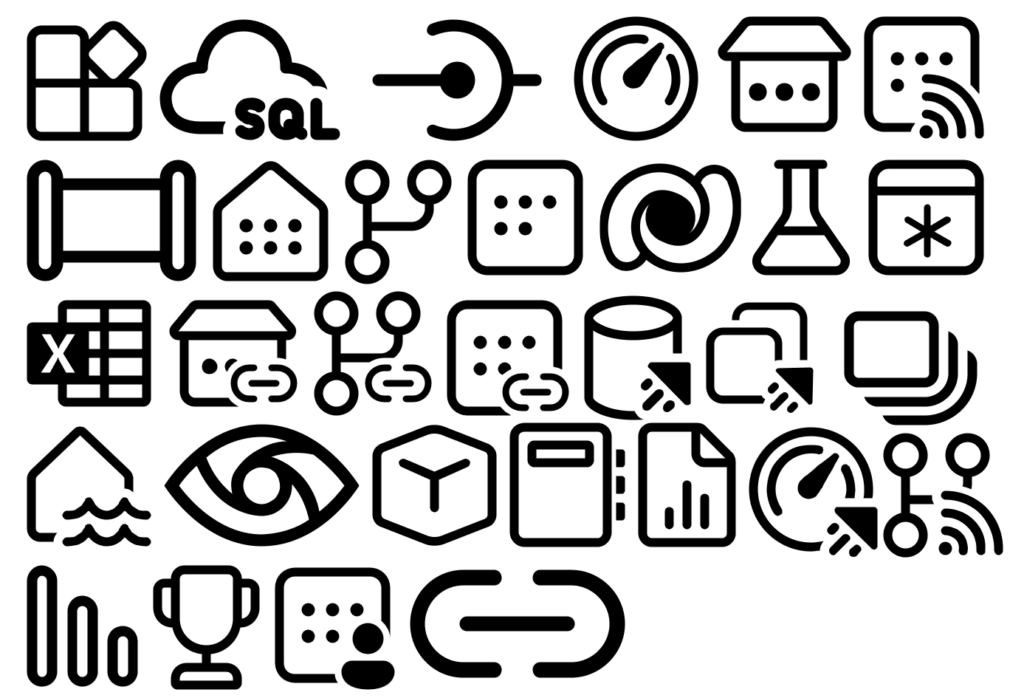
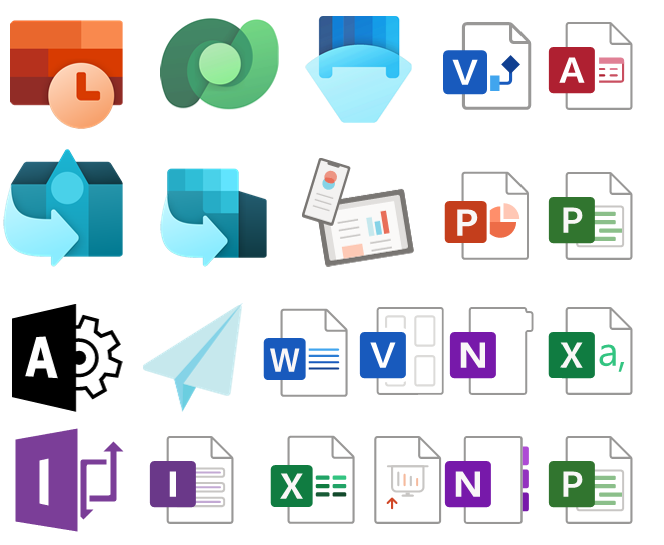
MIS Power Platform Stencils: the picture above is presenting the new logo icons of Power BI, Power Apps, Power Automate, and Power Virtual Agents.
MIS Azure Stencils and MIS Azure Additional or Support Stencils: there were a few new icons add to the stencils, most of them related to Azure Arc and Storage Account and some icon updates.
MIS Office, Office 365, and Dynamics 365: New shapes added to this stencil with more Office 365 products.
Automation: minor fixes on the automation scripts
SVG files: new SVG files added.
Microsoft Integration, Azure, Power Platform, Office 365 and much more Stencils Pack
Microsoft Integration, Azure, Power Platform, Office 365 and much more Stencils Pack it’s a Visio package that contains fully resizable Visio shapes (symbols/icons) that will help you to visually represent On-premise, Cloud or Hybrid Integration and Enterprise architectures scenarios (BizTalk Server, API Management, Logic Apps, Service Bus, Event Hub…), solutions diagrams and features or systems that use Microsoft Azure and related cloud and on-premises technologies in Visio 2016/2013:
BizTalk Server
Microsoft Azure
Integration
Integration Service Environments (ISE)
Logic Apps and Azure App Service in general (API Apps, Web Apps, and Mobile Apps)
Azure API Management
Messaging: Event Hubs, Event Grid, Service Bus, …
Azure IoT and Docker
AI, Machine Learning, Stream Analytics, Data Factory, Data Pipelines
SQL Server, DocumentDB, CosmosDB, MySQL, …
and so on
Microsoft Power Platform
Microsoft Flow
PowerApps
Power BI
Office365, SharePoint,…
DevOps and PowerShell
Security and Governance
And much more…
… and now non-related Microsoft technologies like:
SAP Stencils
The Microsoft Integration Stencils Pack is composed of 27 files:
Microsoft Integration Stencils
MIS Additional or Support Stencils
MIS AI and Machine Learning Stencils
MIS Apps and Systems Logo Stencils
MIS Azure Additional or Support Stencils
MIS Azure Black and Gray
MIS Azure Old Versions
MIS Azure Stencils
MIS Black and Cyan
MIS Buildings Stencils
MIS Databases and Analytics Stencils
MIS Deprecated Stencils
MIS Developer Stencils
MIS Devices Stencils
MIS Files and Message Types Stencils
MIS Generic Stencils
MIS Infrastructure and Networking Stencils
MIS Integration Fun
MIS Integration Patterns Stencils
MIS IoT Stencils
MIS Office, Office 365 and Dynamics 365
MIS Power BI Stencils
MIS Power Platform Stencils
MIS SAP Stencils
MIS Security and Governance
MIS Servers (Hexagonal) Stencils
MIS Users and Roles Stencils
Organisational Stencils
That you can use and resize without losing quality, in particular, the new shapes.
Well, the thing is, you cannot say to me, “…these stencils look fantastic, but are currently unusable or worthless because…” my brain enters in a crazy mode, and I can only free myself when all the work is finished successfully and that these resources are handy :).
Jokes apart, I use these resources for a long time, I create these for myself, but I knew that they were not perfects. The major problem was that fixing that amount of icons was a time-consuming task. However, with the number of people using these stencils increasing and reporting those problems, I decided to resolve them once and for all.
Today I can announce that I close all the open issues reported on the git repository of this package.
What’s new in this version?
These are the list of changes and additions present in this major release:
Restructure of Visio Stencils files (.vssx) names: the package is now composed of 26 Visio Stencils files.
Some of them were renamed: PowerApps and Flow is now Power Platform; Files is now Files and Message Types Stencils, …
Some were merged: Power BI was merged in the new Power Platform Visio Stencil file; Azure Others was merged in the Azure Additional or Support Stencils, Office365 is now Office, Office 365 and Dynamics 365…
New Visio Stencils files: MIS Black and Cyan and MIS Azure Black and Gray;
New Organisational Stencils file add by Jacob Mansfield;
New shapes: New shapes were added on the majority of the Visio Stencils files (.vssx). Probably the one that was most affected was Azure Stencils and Office, Office 365 and Dynamics 365;
Text annotationsand connector points: The issues regarding text annotations (legend appear in the center of the icon instead of bellow) and connector points (lack of proper connect points) are now solved in all the Visio Stencils files (.vssx). This was a massive work!
Order of the icons: all the icons appear in alphabetic order inside the Visio Stencil file, with the exception in some cases of the first ones that in some case contains the main shape of the context, like in Microsoft Integration Stencils, the first icon is BizTalk Server Logo.
Automation: add 3 PowerShell script to this package for you to:
Standardize all SVG filenames available in all subfolders by:
Not using spaces. Some software will not recognize file names with spaces, and file names with spaces must be enclosed in quotes when using the command line. Having spaces in URL’s are also not a good experience and should be avoided. For all these reasons I decided to remove all spaces and replace it will ‘-‘ (dash);
Names are in Camel case, where the first letter of each section of text is capitalized (of course respecting the line above), e.g., File-Name.svg
Having extension in lowercase, e.g., *.svg
List all the detected duplicate files.
Automatically install (configure) all the Visio files (*.vssx), so that next time you open Visio, they will be there available;
And also the possibility to download the most recent version from GitHub and install it locally;
Standardize shape sizes: standardize the shapes sizes in all to be more or less all of the same sizes Visio Stencils files.
Fixed some minor stencils layouts;
SVG files: new SVG files added.
These changes were a massive job that stole all my free time apart from my work and family time, from the past three weeks! So I hope you appreciate it!
Microsoft Integration, Azure, Power Platform, Office 365 and much more Stencils Pack
Microsoft Integration, Azure, Power Platform, Office 365 and much more Stencils Pack it’s a Visio package that contains fully resizable Visio shapes (symbols/icons) that will help you to visually represent On-premise, Cloud or Hybrid Integration and Enterprise architectures scenarios (BizTalk Server, API Management, Logic Apps, Service Bus, Event Hub…), solutions diagrams and features or systems that use Microsoft Azure and related cloud and on-premises technologies in Visio 2016/2013:
BizTalk Server
Microsoft Azure
Integration
Integration Service Environments (ISE)
Logic Apps and Azure App Service in general (API Apps, Web Apps, and Mobile Apps)
Azure API Management
Messaging: Event Hubs, Event Grid, Service Bus, …
Azure IoT and Docker
AI, Machine Learning, Stream Analytics, Data Factory, Data Pipelines
SQL Server, DocumentDB, CosmosDB, MySQL, …
and so on
Microsoft Power Platform
Microsoft Flow
PowerApps
Power BI
Office365, SharePoint,…
DevOps and PowerShell
Security and Governance
And much more…
… and now non-related Microsoft technologies like:
SAP Stencils
The Microsoft Integration Stencils Pack is composed of 27 files:
Microsoft Integration Stencils
MIS Additional or Support Stencils
MIS AI and Machine Learning Stencils
MIS Apps and Systems Logo Stencils
MIS Azure Additional or Support Stencils
MIS Azure Black and Gray
MIS Azure Old Versions
MIS Azure Stencils
MIS Black and Cyan
MIS Buildings Stencils
MIS Databases and Analytics Stencils
MIS Deprecated Stencils
MIS Developer Stencils
MIS Devices Stencils
MIS Files and Message Types Stencils
MIS Generic Stencils
MIS Infrastructure and Networking Stencils
MIS Integration Fun
MIS Integration Patterns Stencils
MIS IoT Stencils
MIS Office, Office 365 and Dynamics 365
MIS Power BI Stencils
MIS Power Platform Stencils
MIS SAP Stencils
MIS Security and Governance
MIS Servers (Hexagonal) Stencils
MIS Users and Roles Stencils
Organisational Stencils
That you can use and resize without losing quality, in particular, the new shapes.
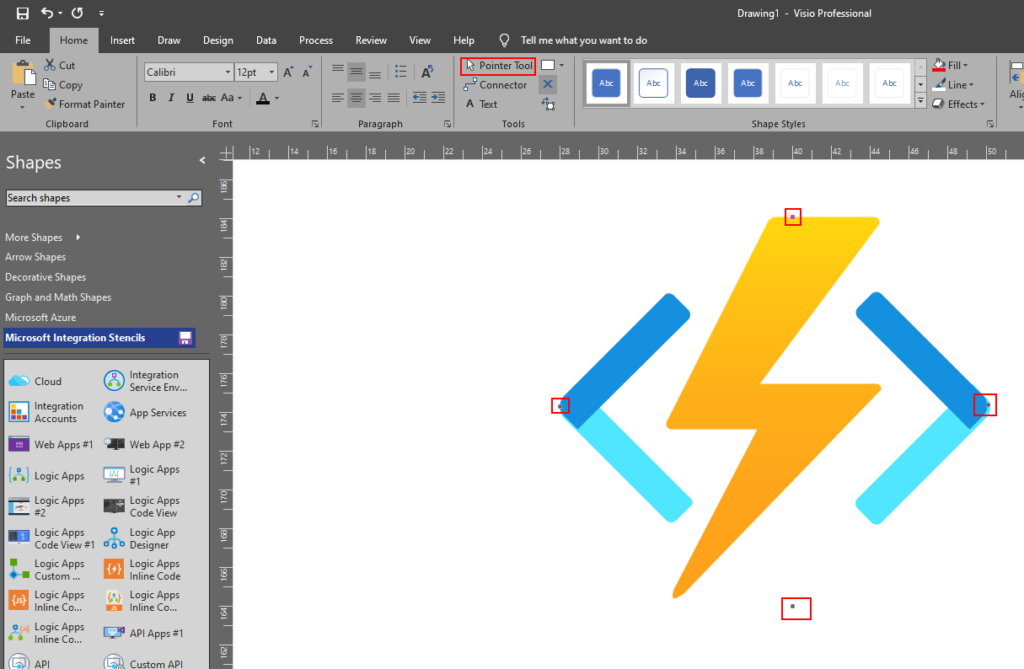
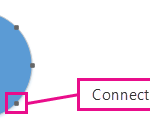
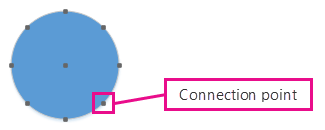
A connection point is a special point on a shape that you can “glue” connectors and other shapes to. When you glue a connector or shape to a connection point, they stay connected, even if one of the shapes is moved.
Connection points become visible when you try to connect one shape to another. You see a shape’s connection points when you hover near the shape with the Connector Tool or drag the endpoint of any connector or line near a shape that has connection points.
Add a connection points on Visio Stencils
if the shape you want to glue a connector to does not have a connection point where you want it, you can add one.
Select the shape.
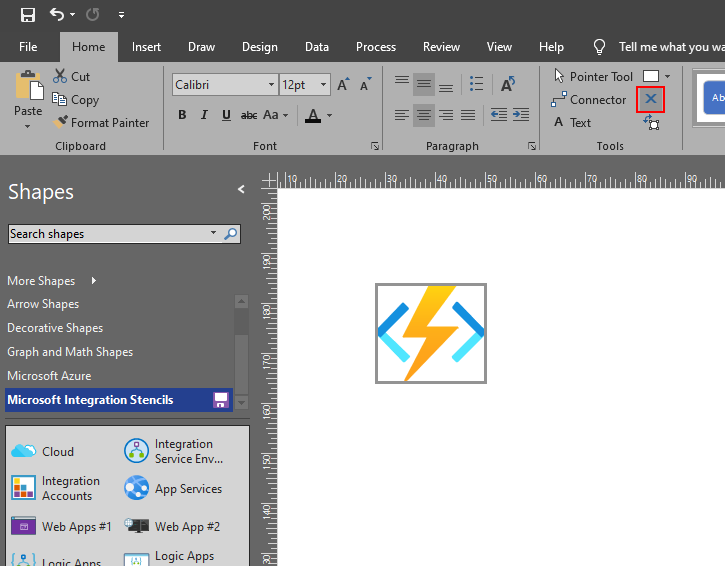
On the Home tab, in the Tools group, click the Connection Point tool .
If connection points are not visible, on the View tab, in the Visual Aids group, select the Connection Points checkbox.
Press Ctrl and click where you want to add a connection point. The new connection point is automatically selected after you place it.
On the Home tab, in the Tools group, click Pointer Tool to resume normal editing.
Tips and Tricks – Fix or Add connector points on Visio Stencils (Video)

















 .
.
 to resume normal editing.