by Bill Chesnut | Jan 22, 2018 | BizTalk Community Blogs via Syndication
Martin Abbott, Dan Toomey, Wagner Silveira, Rene Brauwers and myself have decide we need a Australian/New Zealand time zone Integration focused webcast similar to Integration Mondays from the UK.
Out 1st webcast will be February 8th at 8pm ADST to register – https://register.gotowebinar.com/register/4469184202097473281
Thanks to SixPivot for providing the GoToWebinar
We will spend some time introducing the leaders of the group and then each person will present a short presentation
Bill Chesnut – API Management REST to SOAP
Martin Abbott – In this session, Martin will walk through the new visual tooling available in Azure Data Factory v2. He’ll look at what you can do, set up source control, install an Integration Runtime for on premises fun, and do a simple data copy to give a flavour of how quick and easy it is to get going.
Wagner Silveira – A Lap around Azure Functions Proxy, Azure Functions Proxy is a simple API Toolkit embedded in Azure Functions, enable quick composition of APIs from various sources. In this lightning talk, Wagner Silveira will show the main features and how to quickly compose an API from various sources.
Dan Toomey – Microsoft recently released the public preview of Azure Event Grid – a hyper-scalable serverless platform for routing events with intelligent filtering. No more polling for events – Event Grid is a reactive programming platform for pushing events out to interested subscribers. Support for massive scalability and minimal latency makes this an ideal solution for a number of scenarios, including monitoring, governance, IoT, or general integration. This talk will demonstrate how easy it is to configure the capture of events with Azure Event Grid.
Rene Brauwers – a reactive integration primer

by Sandro Pereira | Jan 19, 2018 | BizTalk Community Blogs via Syndication
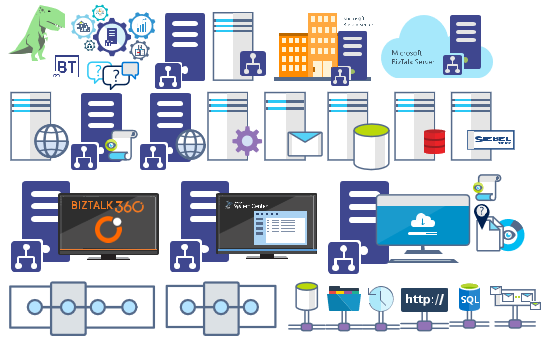
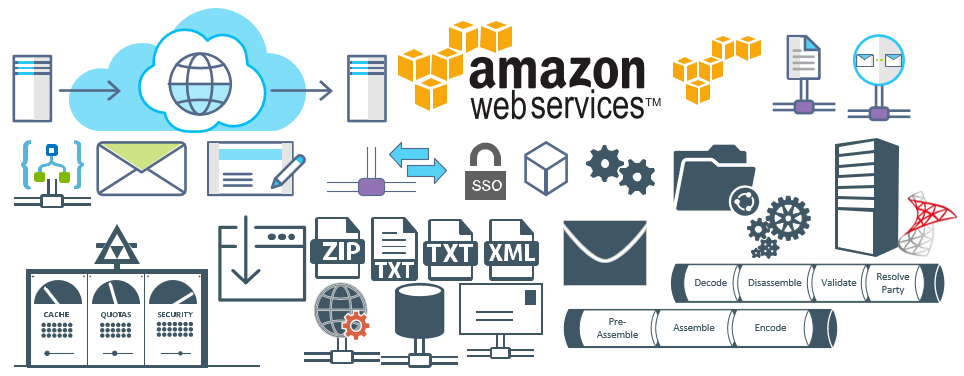
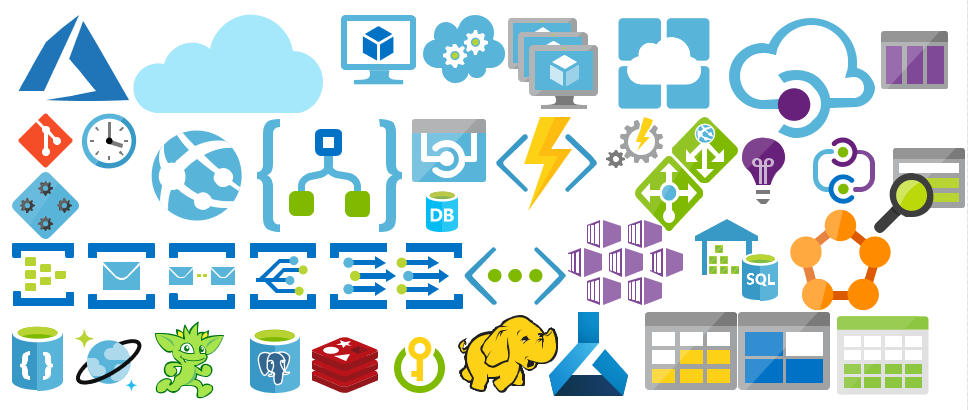
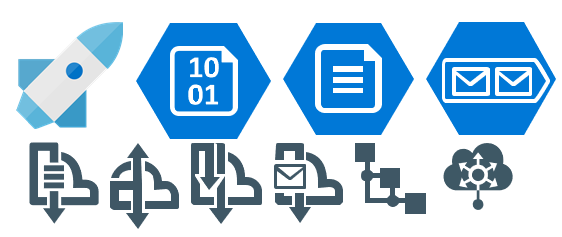
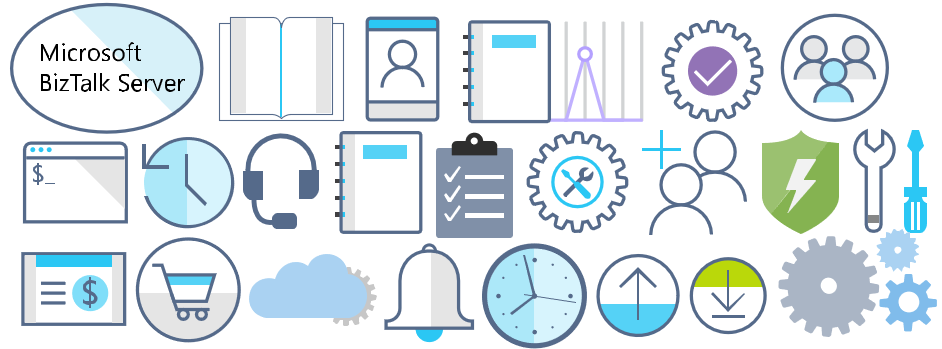
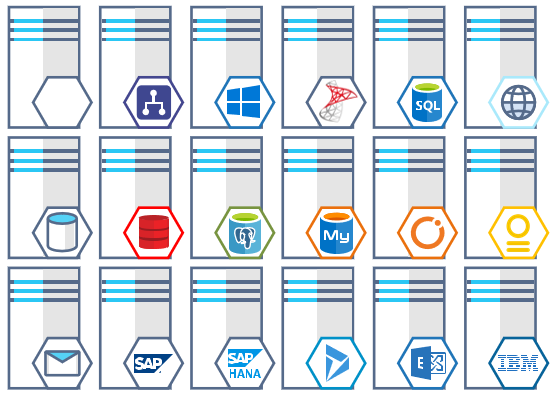
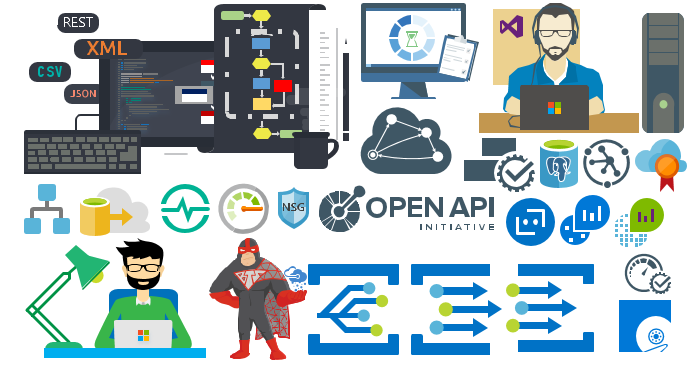
Microsoft Integration (Azure and much more) Stencils Pack it’s a Visio package that contains fully resizable Visio shapes (symbols/icons) that will help you to visually represent On-premise, Cloud or Hybrid Integration and Enterprise architectures scenarios (BizTalk Server, API Management, Logic Apps, Service Bus, Event Hub…), solutions diagrams and features or systems that use Microsoft Azure and related cloud and on-premises technologies in Visio 2016/2013:
- BizTalk Server
- Microsoft Azure
- BizTalk Services
- Azure App Service (API Apps, Web Apps, Mobile Apps and Logic Apps)
- Event Hubs
- Service Bus
- API Management, IoT, and Docker
- Machine Learning, Stream Analytics, Data Factory, Data Pipelines
- and so on
- Microsoft Flow
- PowerApps
- Power BI
- PowerShell
- Infrastructure, IaaS
- And many more…

I start this project because at the time I didn’t find nice shapes – graphically beautiful and resizable shapes – to produce BizTalk Server topologies diagrams and high-level overview of integrating processes. The project grew as community member asked for new shapes and during the last few years I have been updating and publishing new shapes, particularly associated with Azure services, which has a very low release cadence.
This time I cannot say it was an update because was actually a complete makeover and the reasons behind this decision are mainly these 2:
- The Project Become Huge: more than 1000 shapes, and due to the project structure that I decide to implement at the time, it became a little difficult to maintain since even I had difficulty finding and organizing all the shapes and there were several duplicate shapes (some were purposely duplicated and still are).
- A Fresh New Look: at the time, almost all the shapes were blue – not a beautiful blue but an obsolete annoying blue – so I decide to use, in almost the cases, a monochrome approach opting for a darker color – but after all these years it was already a little worn and needing for a new modern look and this time I decided to follow the look that Microsoft is implementing in Microsoft Docs – in fact, several stencils were collect from there – a more light and multicolored approach.
- You liked the old aspect? Do not worry, I still kept the old (monochrome) shapes but moved to support files.
What’s new in this version?
Is this version all about a fresh and modern new look? No, it is not. That was indeed one of the main tasks, but in addition:
- New shapes: 571 new forms have been added – many of them are in fact a redesign of the existing features to have a modern look – but it is still an impressive number. Making a total of 1883 shapes available in this package.
- The package structure changed: It is more organized – went from 13 files to 20 – which means that more categories were created and for that reason, I think it will be easier to find the shapes you are looking for. The Microsoft Integration (Azure and much more) Stencils Pack v3.0.0 is now composed of 20 files:
-
- Microsoft Integration Stencils v3.0.0

-
- MIS Additional or Support Stencils v3.0.0
-
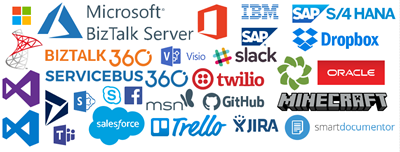
- MIS Apps and Systems Logo Stencils v3.0.0
-
- MIS Azure Additional or Support Stencils v3.0.0

-
- MIS Azure Others Stencils v3.0.0

-
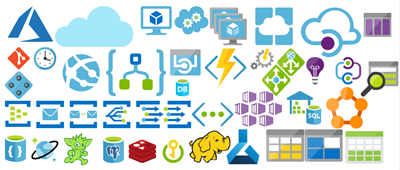
- MIS Azure Stencils v3.0.0
-
- MIS Buildings Stencils v3.0.0

-
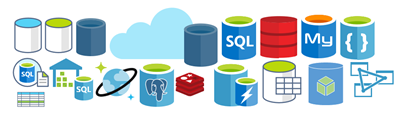
- MIS Databases Stencils v3.0.0
-
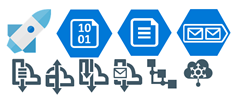
- MIS Deprecated Stencils v3.0.0
-
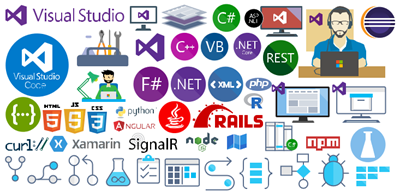
- MIS Developer Stencils v3.0.0
-
- MIS Devices Stencils v3.0.0

-
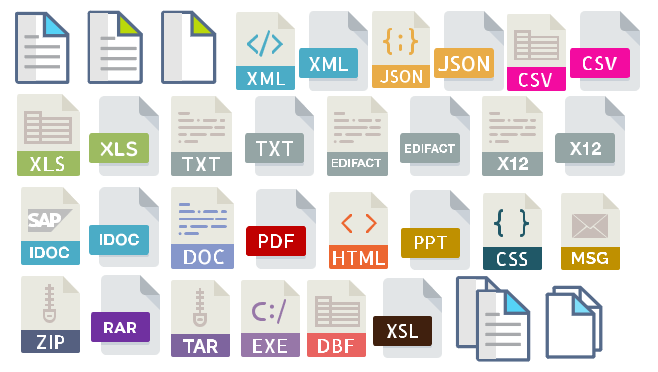
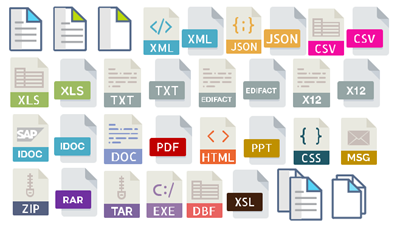
- MIS Files Stencils v3.0.0
-
- MIS Generic Stencils v3.0.0

-
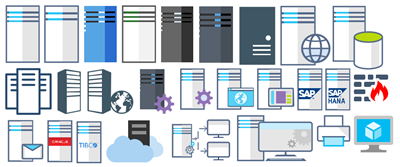
- MIS Infrastructure Stencils v3.0.0
-
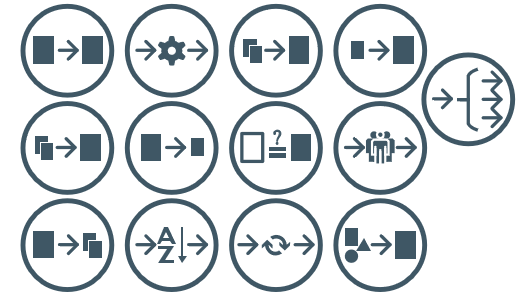
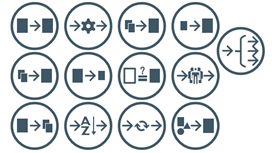
- MIS Integration Patterns Stencils v3.0.0
-
- MIS IoT Devices Stencils v3.0.0

-
- MIS Power BI Stencils v3.0.0

-
- MIS PowerApps and Flows Stencils v3.0.0

-
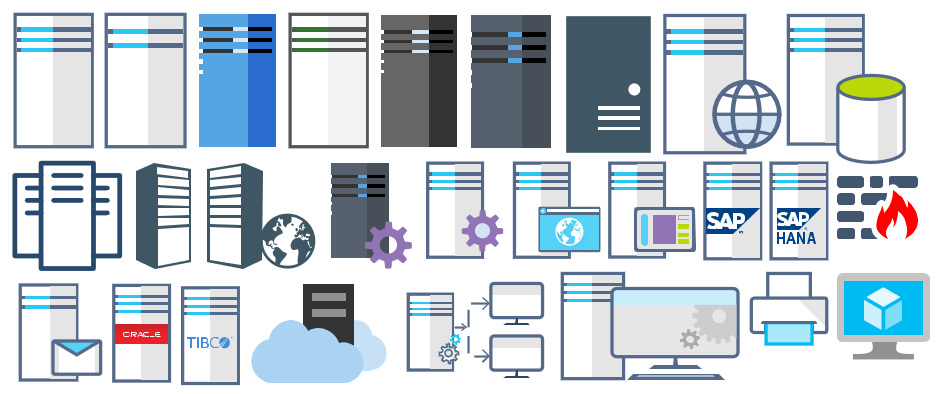
- MIS Servers (HEX) Stencils v3.0.0
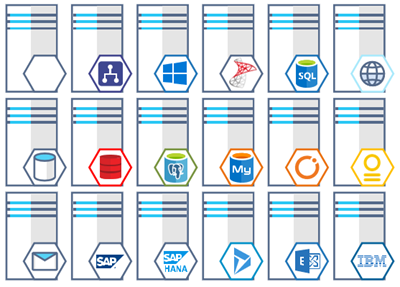
-
- MIS Users and Roles Stencils v3.0.0

You can download Microsoft Integration (Azure and much more) Stencils Pack from:
 Microsoft Integration Stencils Pack for Visio 2016/2013 v3.0.0 (16,6 MB)
Microsoft | TechNet Gallery
Author: Sandro Pereira
Sandro Pereira lives in Portugal and works as a consultant at DevScope. In the past years, he has been working on implementing Integration scenarios both on-premises and cloud for various clients, each with different scenarios from a technical point of view, size, and criticality, using Microsoft Azure, Microsoft BizTalk Server and different technologies like AS2, EDI, RosettaNet, SAP, TIBCO etc. He is a regular blogger, international speaker, and technical reviewer of several BizTalk books all focused on Integration. He is also the author of the book “BizTalk Mapping Patterns & Best Practices”. He has been awarded MVP since 2011 for his contributions to the integration community. View all posts by Sandro Pereira

by Sandro Pereira | Sep 29, 2017 | BizTalk Community Blogs via Syndication
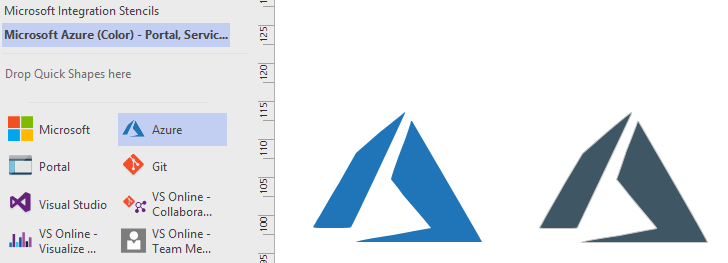
This is probably the quickest and smallest update that I made in my Microsoft Integration (Azure and much more) Stencils Pack: only 1 new stencil and I only do it for its importance, since it is definitely one of Microsoft’s fastest growing business these days, and the Ignite context: the new Azure logo.
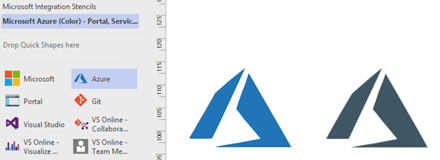
This will be probably the first Visio pack containing this shape.
The Microsoft Integration (Azure and much more) Stencils Pack v2.6.1 is composed by 13 files:
- Microsoft Integration Stencils v2.6.1
- MIS Apps and Systems Logo Stencils v2.6.1
- MIS Azure Portal, Services and VSTS Stencils v2.6.1
- MIS Azure SDK and Tools Stencils v2.6.1
- MIS Azure Services Stencils v2.6.1
- MIS Deprecated Stencils v2.6.1
- MIS Developer v2.6.1
- MIS Devices Stencils v2.6.1
- MIS IoT Devices Stencils v2.6.1
- MIS Power BI v2.6.1
- MIS Servers and Hardware Stencils v2.6.1
- MIS Support Stencils v2.6.1
- MIS Users and Roles Stencils v2.6.1
That will help you visually represent Integration architectures (On-premise, Cloud or Hybrid scenarios) and Cloud solutions diagrams in Visio 2016/2013. It will provide symbols/icons to visually represent features, systems, processes and architectures that use BizTalk Server, API Management, Logic Apps, Microsoft Azure and related technologies.
- BizTalk Server
- Microsoft Azure
- · Azure App Service (API Apps, Web Apps, Mobile Apps and Logic Apps)
- API Management
- Event Hubs
- Service Bus
- Azure IoT and Docker
- SQL Server, DocumentDB, CosmosDB, MySQL, …
- Machine Learning, Stream Analytics, Data Factory, Data Pipelines
- and so on
- Microsoft Flow
- PowerApps
- Power BI
- Office365, SharePoint
- DevOpps: PowerShell, Containers
- And many more…
You can download Microsoft Integration (Azure and much more) Stencils Pack from:
Microsoft Integration Stencils Pack for Visio 2016/2013 (11,4 MB)
Microsoft | TechNet Galler
Author: Sandro Pereira
Sandro Pereira lives in Portugal and works as a consultant at DevScope. In the past years, he has been working on implementing Integration scenarios both on-premises and cloud for various clients, each with different scenarios from a technical point of view, size, and criticality, using Microsoft Azure, Microsoft BizTalk Server and different technologies like AS2, EDI, RosettaNet, SAP, TIBCO etc. He is a regular blogger, international speaker, and technical reviewer of several BizTalk books all focused on Integration. He is also the author of the book “BizTalk Mapping Patterns & Best Practices”. He has been awarded MVP since 2011 for his contributions to the integration community. View all posts by Sandro Pereira
by Sandro Pereira | Sep 19, 2017 | BizTalk Community Blogs via Syndication
I decided to update my Microsoft Integration (Azure and much more) Stencils Pack with a set of 24 new shapes (maybe the smallest update I ever did to this package) mainly to add the Azure Event Grid shapes.
One of the main reasons for me to initially create the package was to have a nice set of Integration (Messaging) shapes that I could use in my diagrams, and during the time it scaled to a lot of other things.
With these new additions, this package now contains an astounding total of ~1311 shapes (symbols/icons) that will help you visually represent Integration architectures (On-premise, Cloud or Hybrid scenarios) and Cloud solutions diagrams in Visio 2016/2013. It will provide symbols/icons to visually represent features, systems, processes, and architectures that use BizTalk Server, API Management, Logic Apps, Microsoft Azure and related technologies.
- BizTalk Server
- Microsoft Azure
- Azure App Service (API Apps, Web Apps, Mobile Apps and Logic Apps)
- API Management
- Event Hubs & Event Grid
- Service Bus
- Azure IoT and Docker
- SQL Server, DocumentDB, CosmosDB, MySQL, …
- Machine Learning, Stream Analytics, Data Factory, Data Pipelines
- and so on
- Microsoft Flow
- PowerApps
- Power BI
- Office365, SharePoint
- DevOpps: PowerShell, Containers
- And much more…
The Microsoft Integration (Azure and much more) Stencils Pack v2.6 is composed by 13 files:
- Microsoft Integration Stencils v2.6
- MIS Apps and Systems Logo Stencils v2.6
- MIS Azure Portal, Services and VSTS Stencils v2.6
- MIS Azure SDK and Tools Stencils v2.6
- MIS Azure Services Stencils v2.6
- MIS Deprecated Stencils v2.6
- MIS Developer v2.6
- MIS Devices Stencils v2.6
- MIS IoT Devices Stencils v2.6
- MIS Power BI v2.6
- MIS Servers and Hardware Stencils v2.6
- MIS Support Stencils v2.6
- MIS Users and Roles Stencils v2.6
These are some of the new shapes you can find in this new version:
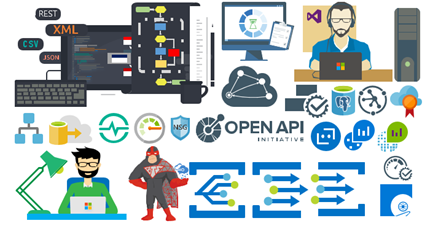
- Azure Event Grid
- Azure Event Subscriptions
- Azure Event Topics
- BizMan
- Integration Developer
- OpenAPI
- APIMATIC
- Load Testing
- API Testing
- Performance Testing
- Bot Services
- Azure Advisor
- Azure Monitoring
- Azure IoT Hub Device Provisioning Service
- Azure Time Series Insights
- And much more
You can download Microsoft Integration (Azure and much more) Stencils Pack from:
Microsoft Integration Stencils Pack for Visio 2016/2013 (11,4 MB)
Microsoft | TechNet Gallery
Author: Sandro Pereira
Sandro Pereira lives in Portugal and works as a consultant at DevScope. In the past years, he has been working on implementing Integration scenarios both on-premises and cloud for various clients, each with different scenarios from a technical point of view, size, and criticality, using Microsoft Azure, Microsoft BizTalk Server and different technologies like AS2, EDI, RosettaNet, SAP, TIBCO etc. He is a regular blogger, international speaker, and technical reviewer of several BizTalk books all focused on Integration. He is also the author of the book “BizTalk Mapping Patterns & Best Practices”. He has been awarded MVP since 2011 for his contributions to the integration community. View all posts by Sandro Pereira
by Bill Chesnut | Sep 11, 2017 | BizTalk Community Blogs via Syndication
Currently BizTalk Server 2016 has support for REST, but the support is fairly limited and is missing some feature that most developer expect from REST services.
To overcome these missing feature for companies that are exposing these services to their consumers/partner over the internet, I will show you have to use Azure API Management to publish SOAP services from BizTalk as REST.
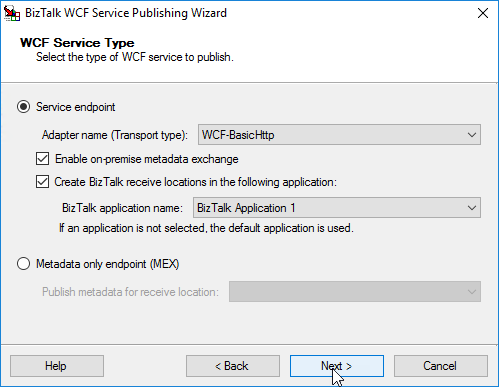
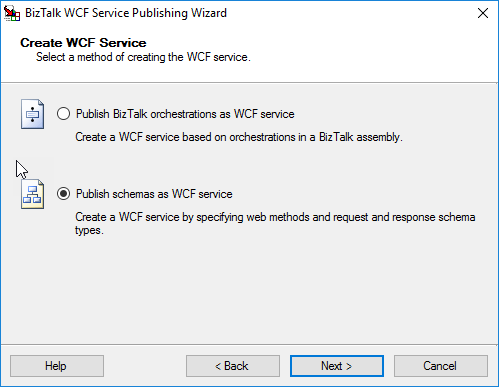
For this blog post I took the Hello World example from the BizTalk SDK samples and converted it to a Request/Response orchestration and used the WCF publishing wizard to publish
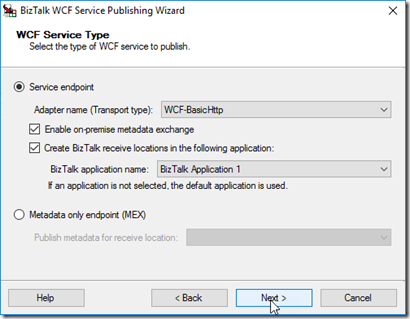
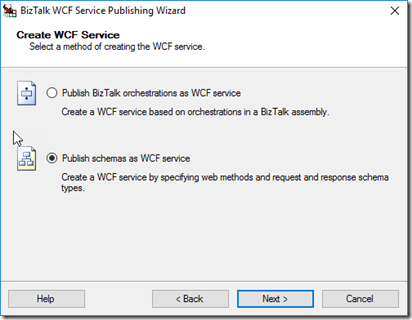
Publish schema as WCF service (this allows better control over the URL)
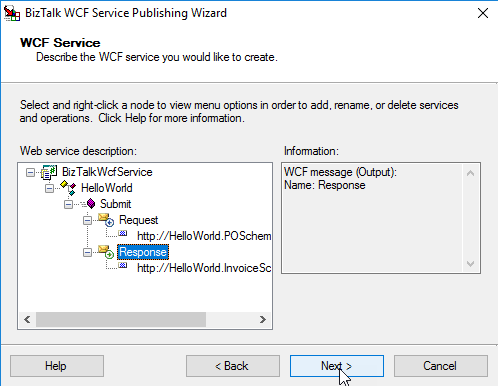
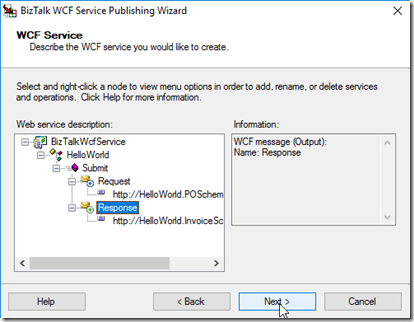
Rename the Service and Operation, Select Schemas
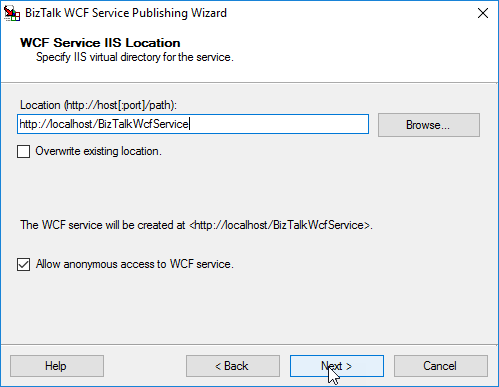
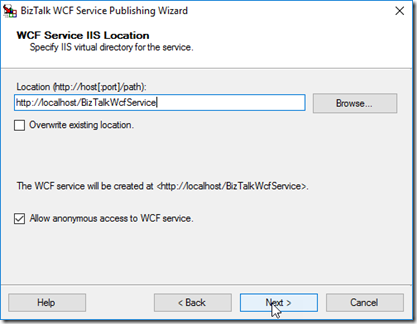
Select the location to publish to and I am allowing Anonymous for my example
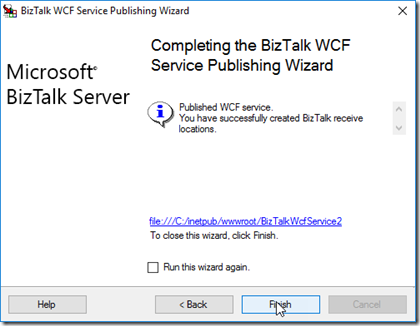
Note: I ended up using BizTalkWcfService2 as the URL, because an issue I am working with the API Management group
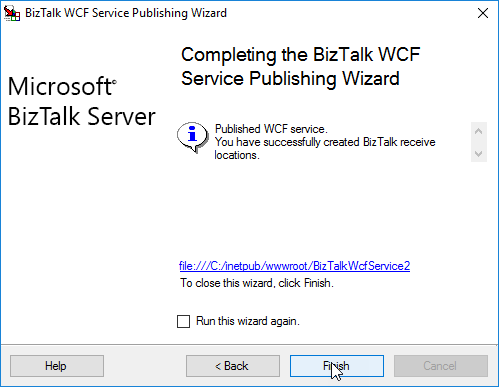
Publish Service
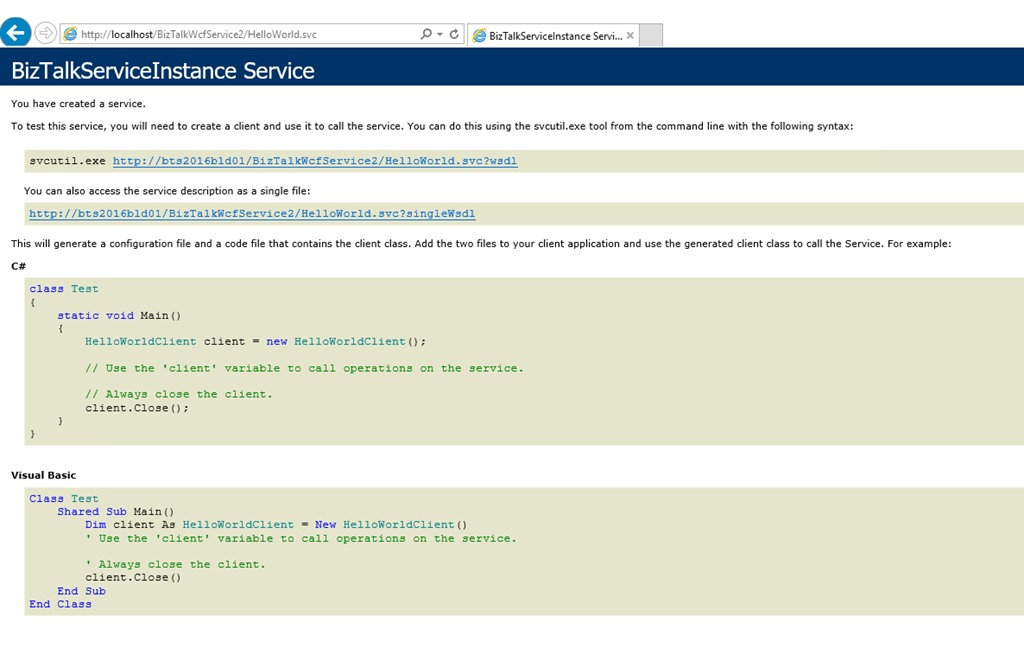
Now you need to setup the App Pool and make sure you can get the WDSL, for this example, We also need to update the WSDL to have the internet name for the server, by default the WSDL is going to be generated with the local server name
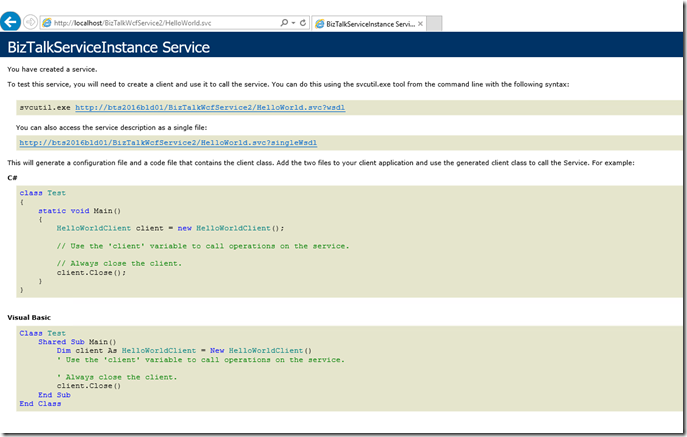
I downloaded the WSDL file and changed the server name
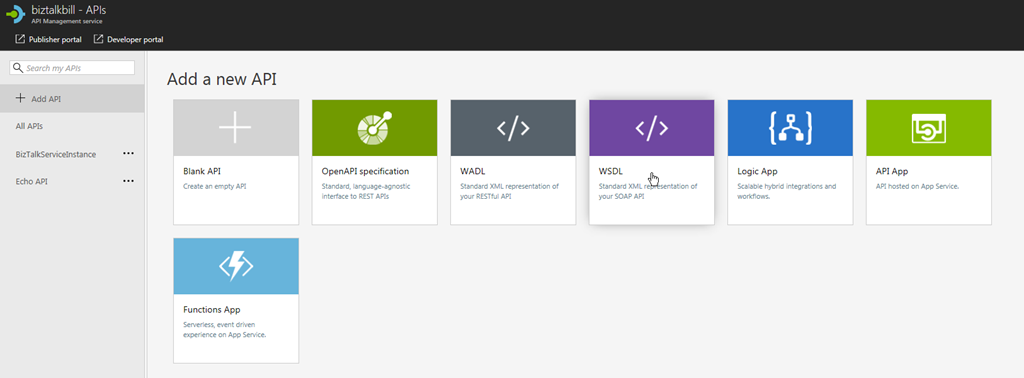
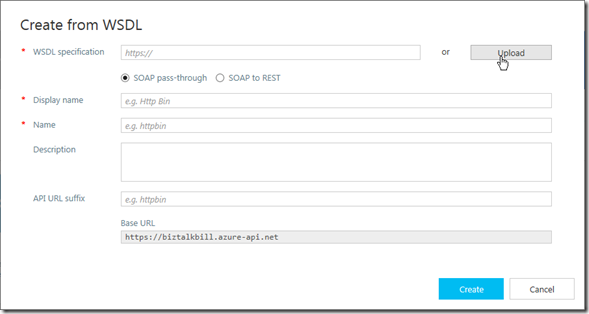
Open your Azure API Management Instance and go to the Add a new API blade
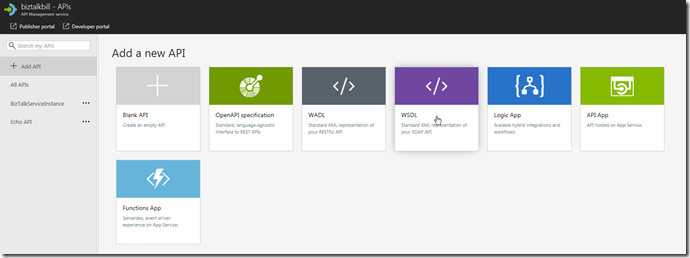
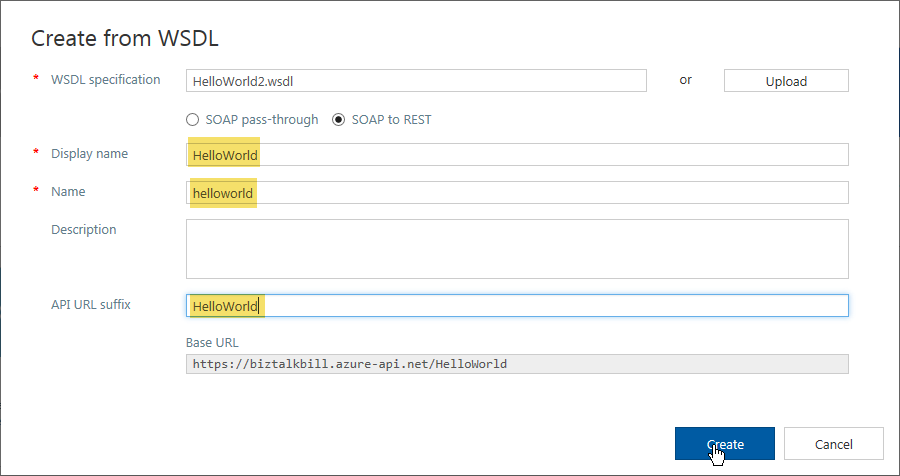
Click Upload to upload the WSDL file, if it was not necessary to change the WSDL file you could use the URL instead
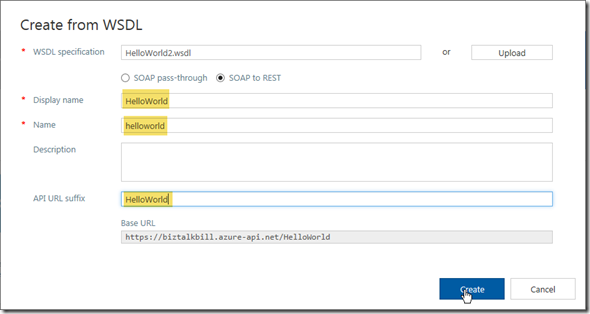
Update the highlighted fields with your values, Click “Create”
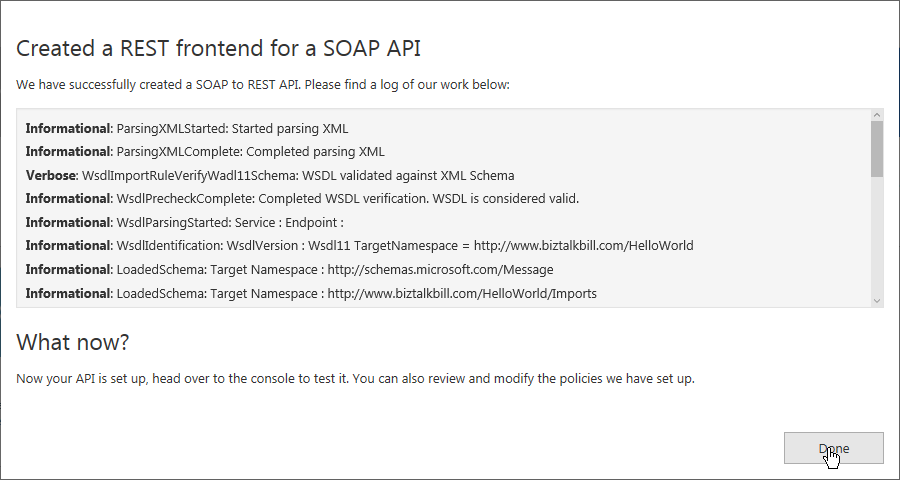
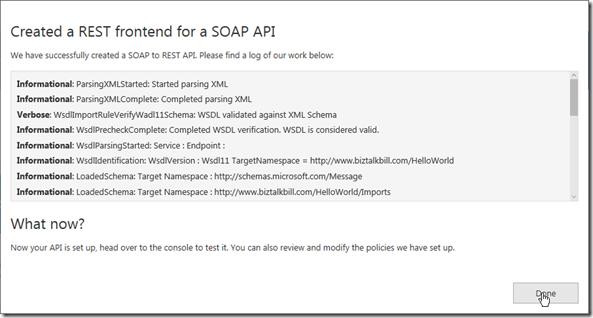
Wait for the create to complete, Click “Done”
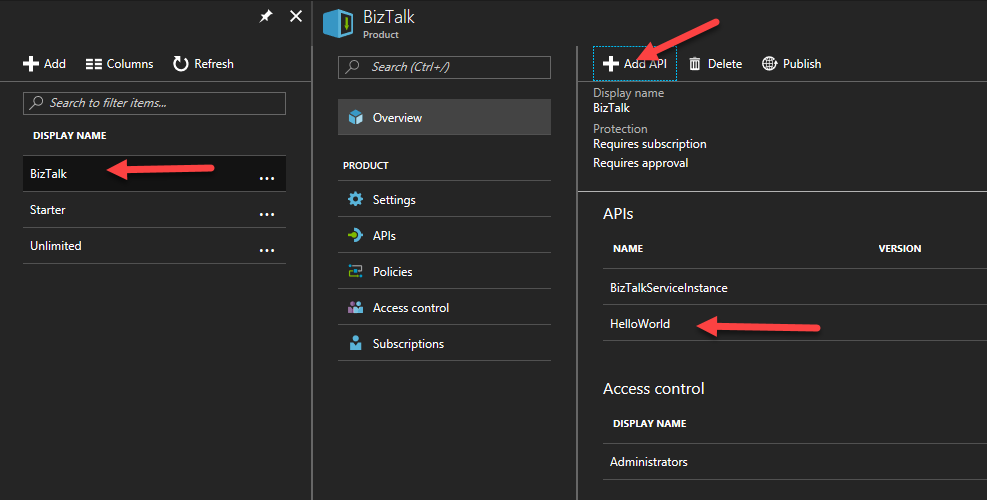
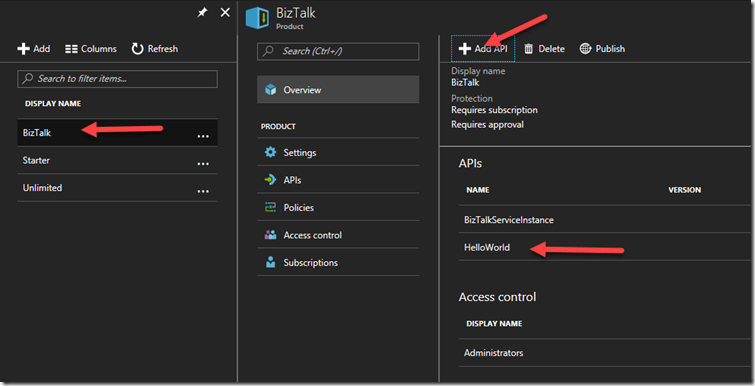
Now before we can use our newly imported SOAP service exposed as REST, we need to add it to a Product to allow users to call it.
I am using a Product Named BizTalk, you can create and use any Product Name you like
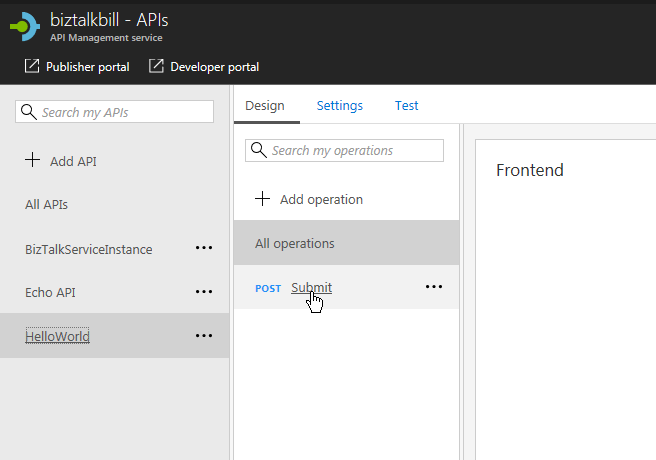
Now I go back to the API Definition, Click on our “submit” operation
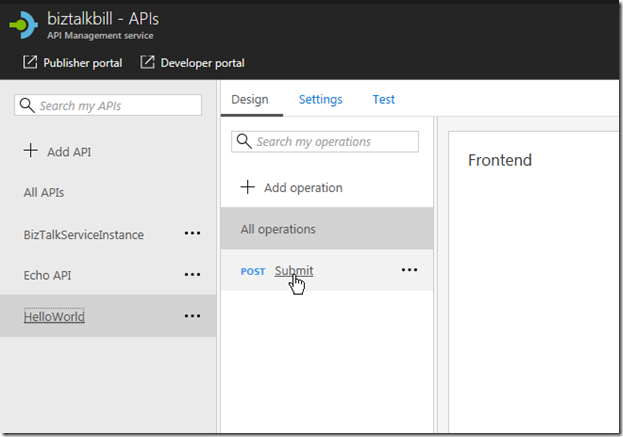
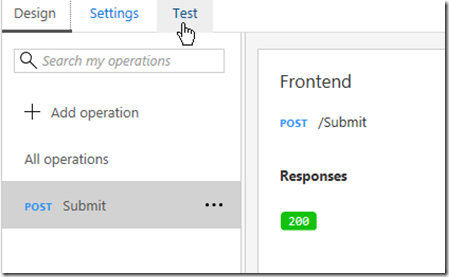
Then Click on the “Test” Tab
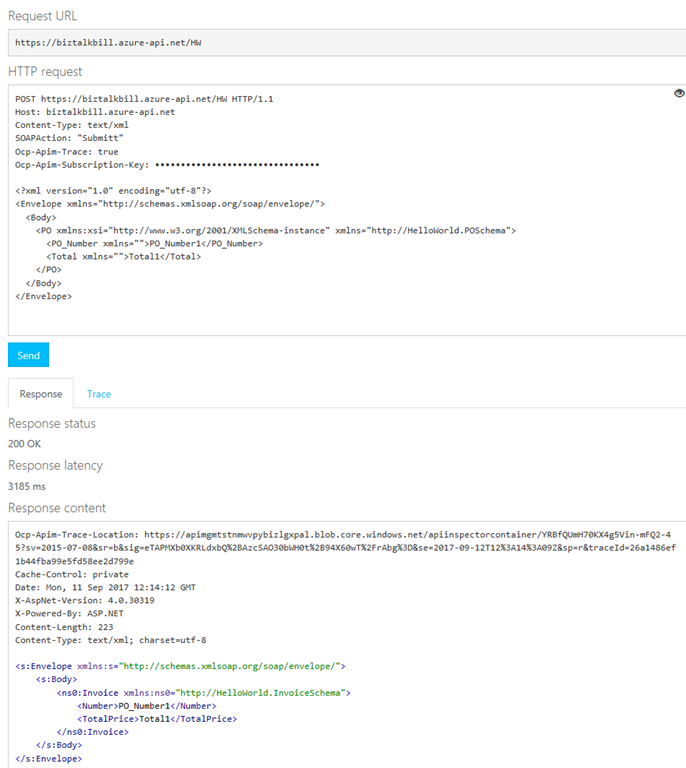
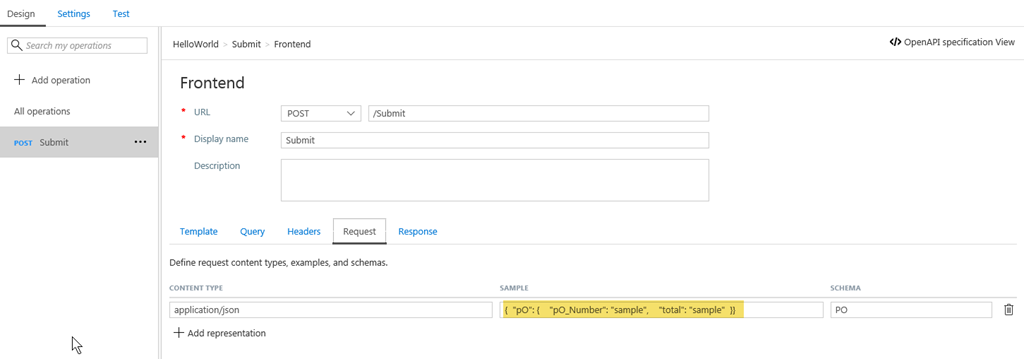
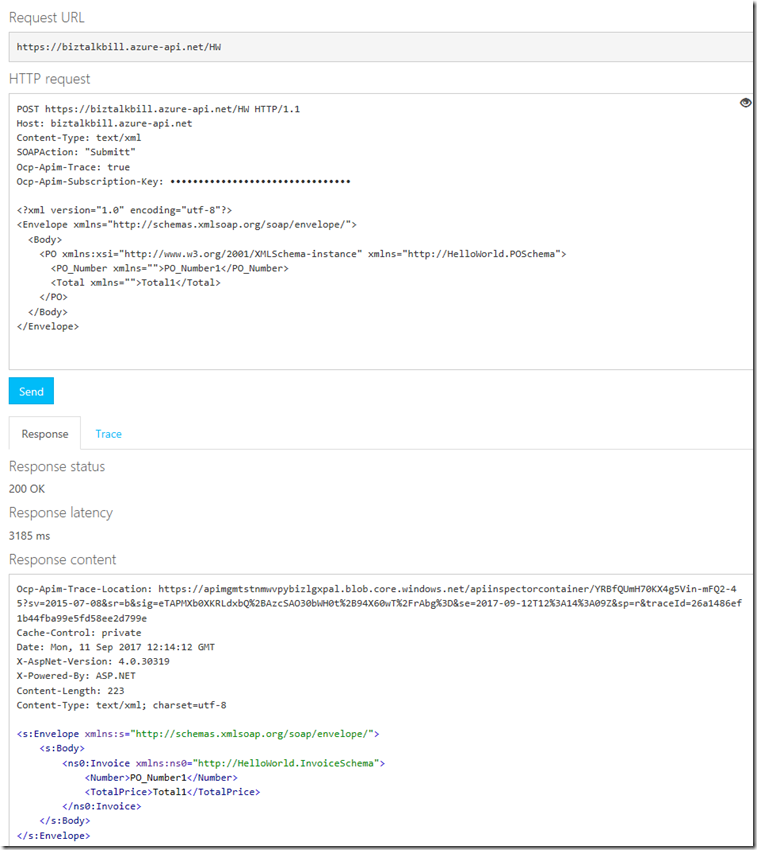
This is the Test blade, notice that API Management has supplied the API Management Subscription Key (necessary to call API Management, this is based on the product we put our API in), the Sample JSON Document and a “Send” button to test with. Click the “Send” button
View the results of the call
You will notice that the send and receive bodies are JSON, but we are calling a SOAP Service, this is what the SOAP call would look like
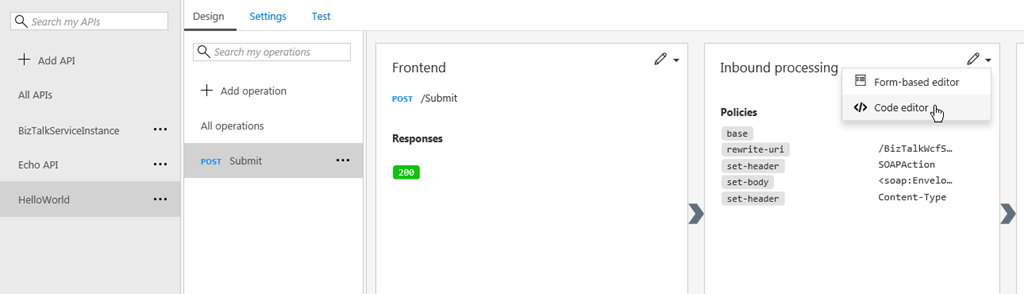
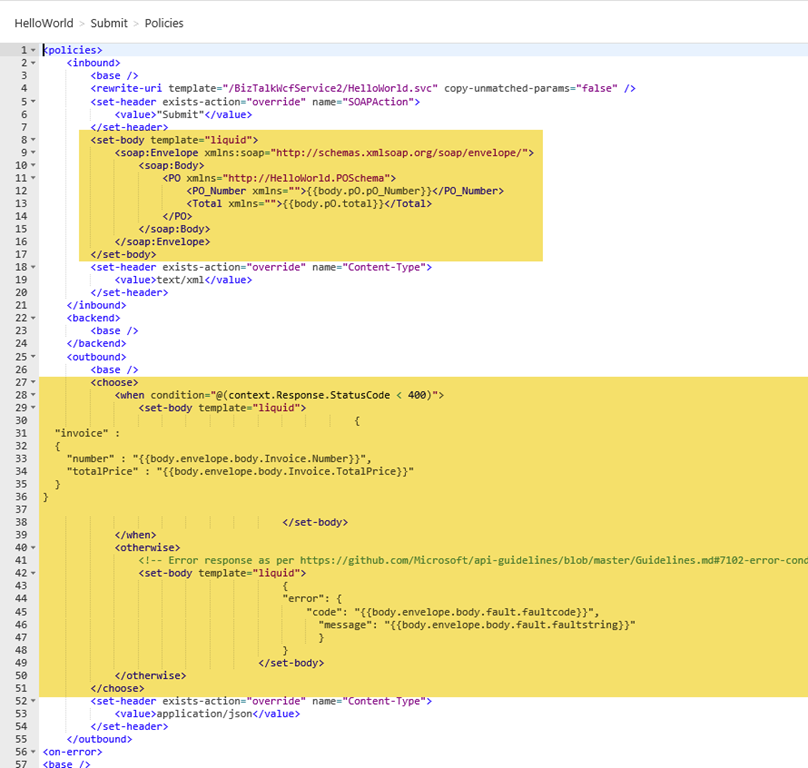
Lets now examine how API Management published our SOAP Service as REST, on the API tab, Click the “View Code”
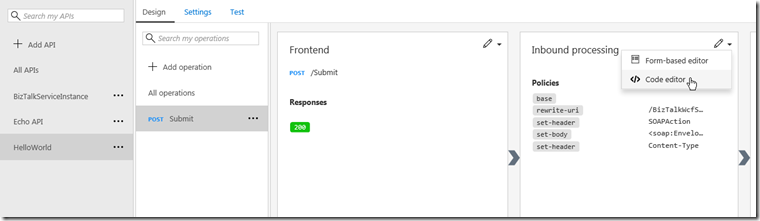
The API Management use a policy to do the inbound and outbound transformation, the policy uses the liquid language to do the translation from JSON to XML and them XML to JSON and include error handling
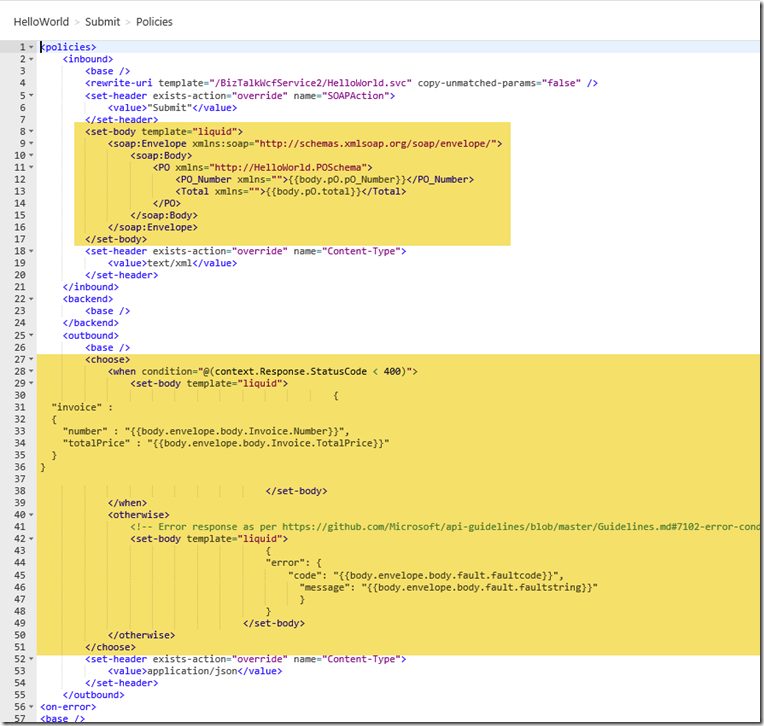
The process of importing our WSDL as REST to SOAP automatically created the policy that does the transformations and also created the inbound and outbound JSON schemas
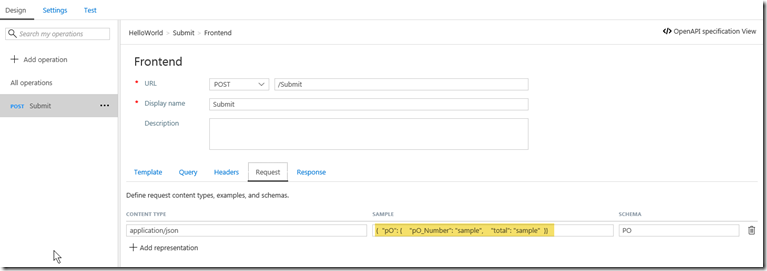
In a later blog post I will talk about how you can modify the schemas and the transformation.
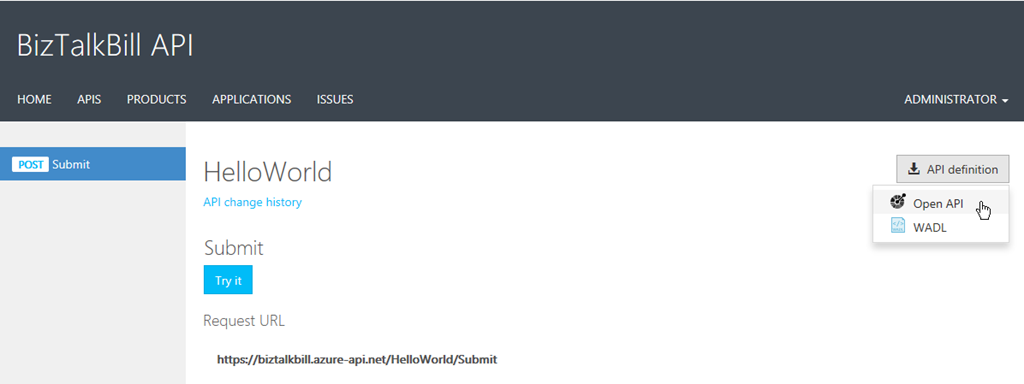
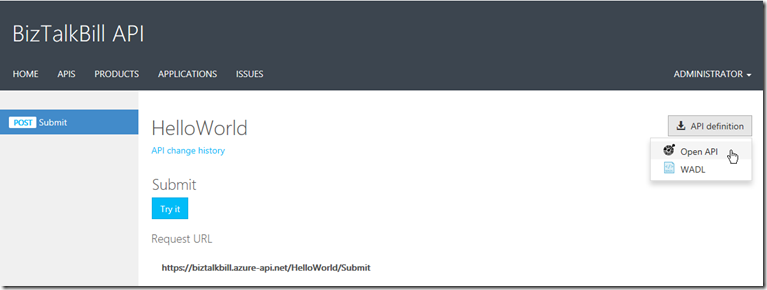
One of the main features that BizTalk is missing with its REST adapter is the ability to provide the definition of the API for the clients to use to generate the code to call our REST services, in the Developer Portal, API Management provides either Open API (swagger) or WADL for our clients to use.
I hope this blog post helped you understand how you can use Azure API Management to publish your BizTalk SOAP Services as REST
by Sandro Pereira | Sep 6, 2017 | BizTalk Community Blogs via Syndication
Sometimes the best option to create a REST API and provide something for to the partners to try it out (documentation or starting to developer their side), especially if the requirements are not completely defined, is not to start coding your backend API, which takes more time to develop and which sometimes will be subjected to constant changes, becoming in many cases an inglorious work and a complete waste of time (… sometimes) but instead to prototype your API in your frontend system. So in this post, I will address the question: How to mock responses in API Management?
API Management provides different, powerful and easy ways to mock your API’s to return static or dynamic sample responses even when there is no functional backends service capable of providing them. Mocking can be very useful in several scenarios like:
- Create proof of concepts or demos
- Test Driven Development approach: when the API façade is designed first and the backend implementation comes later or is worked upon in parallel.
- When the backend is temporarily not operational.
- When a specific operation is not yet implemented.
- And so on…
Despite being pretty simple to set up a mock, at the moment there are several ways to archive this in API Management, some of them more simple and static and others more complex and dynamic. So, let’s see all the options.
Options 1) Using the return-response policy in the “old” Publisher portal
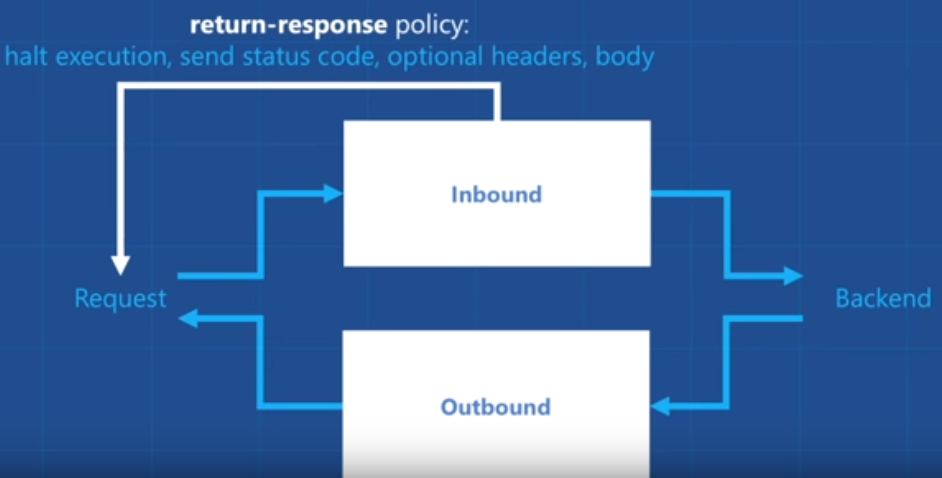
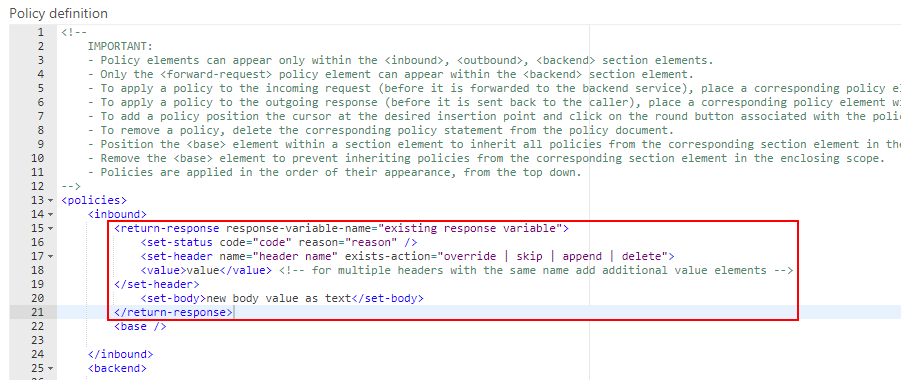
Using the return-response policy, it would halt the execution of the API pipeline (… if it exists) and return a response code as specified. You can also send an optional set of headers and a body to the caller.
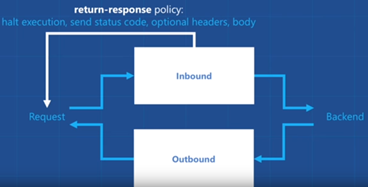
(Picture from https://www.youtube.com/watch?v=SDyUw93hx1w)
Note: One of the beautiful things on using this policy, comparing with the mock-response policy that we will describe in option 3, is that the mock can be implemented in a very dynamic way if you combine this policy with expressions.
To accomplish that we need to:
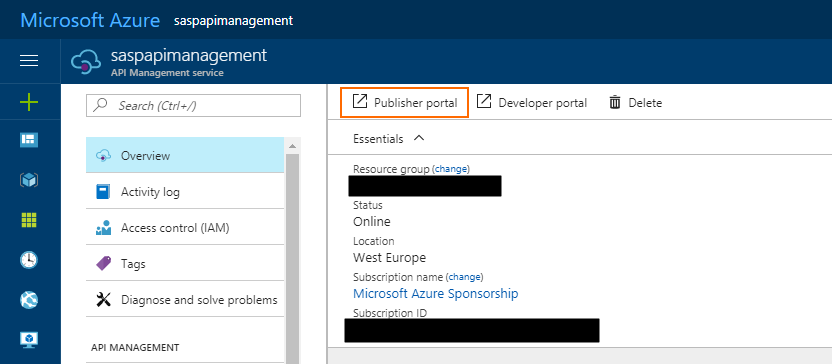
- Access to the “old” Publisher portal, by accessing you API Management resource in Azure Portal and then click “Publisher portal” button
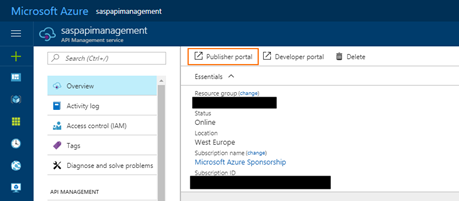
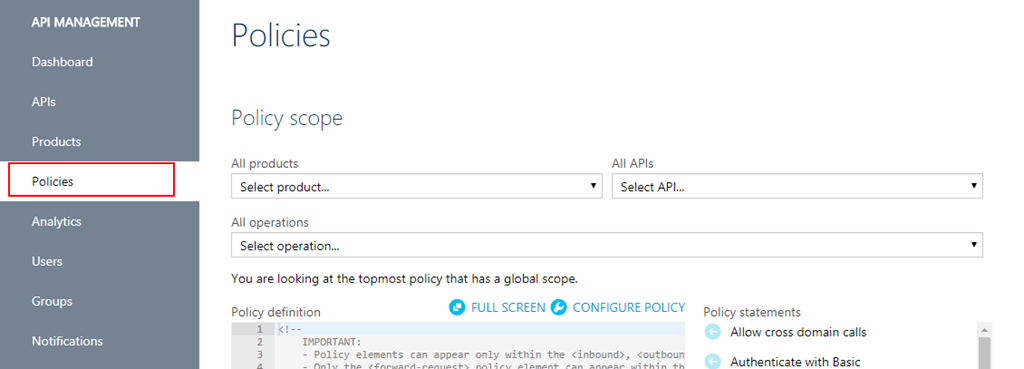
- On the Publisher portal, select the option “Policies” from the left menu
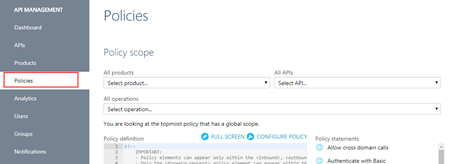
-
- Note: Policies can be configured globally or at the scope of a Product, API or Operation.
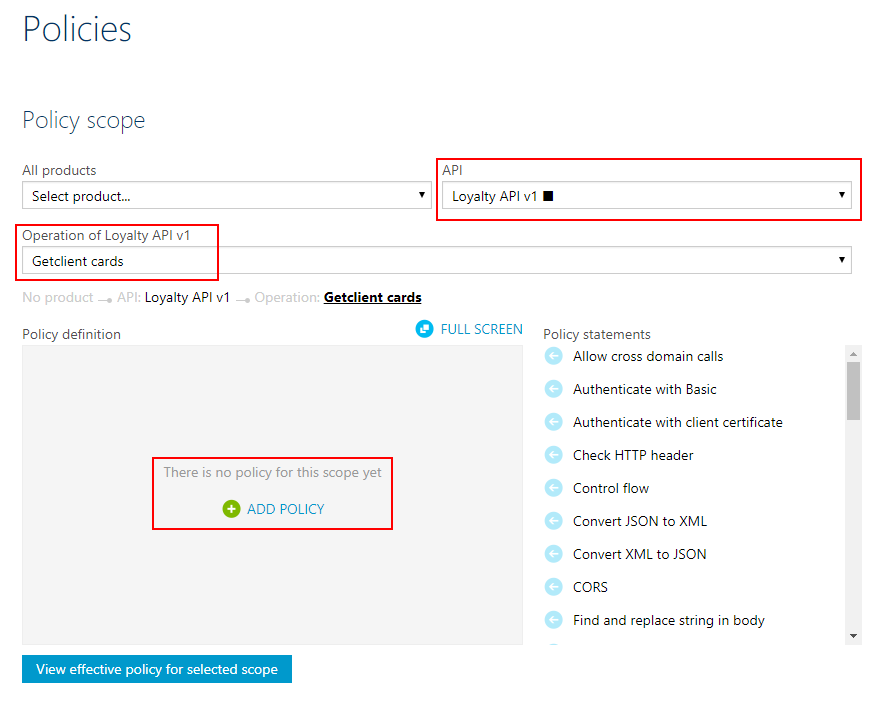
- The next step is to define the scope of the policy, in our sample, we will be selecting a particular operation. To do that you need to select you API from the “API” drop box and then the specific operation from the “Operation” drop box.
- And then on the “Policy definition” click “ADD POLICY”
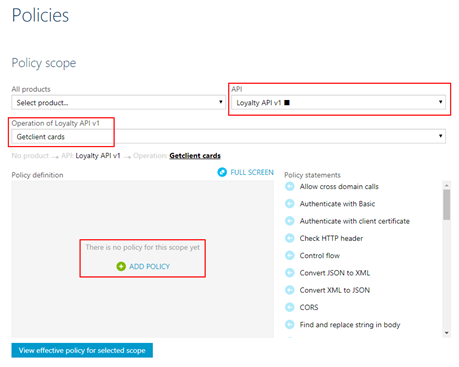
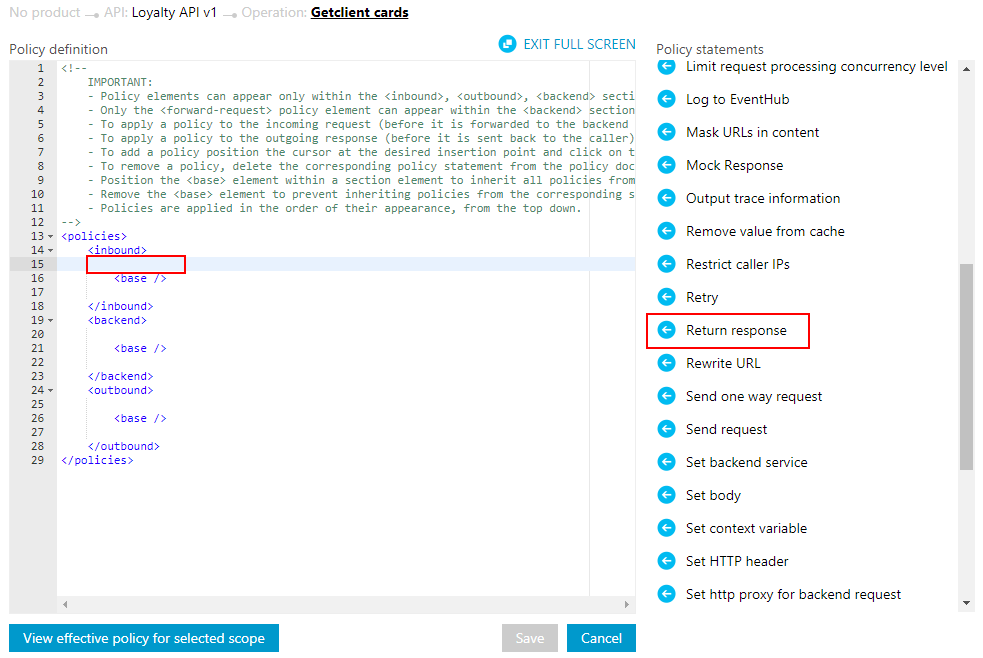
- Add a return-response policy in the inbound section by:
- Focus the cursor in the inbound section and then from the Policy statements toolbox click in the option
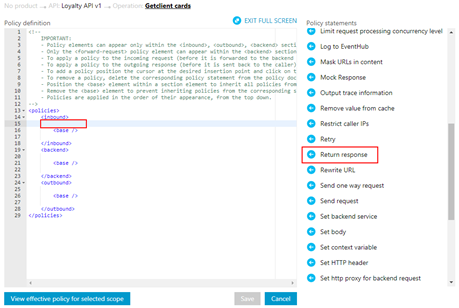
-
- TIP: When mocking, the policy should always be used in the inbound section to prevent an unnecessary call to the backend.
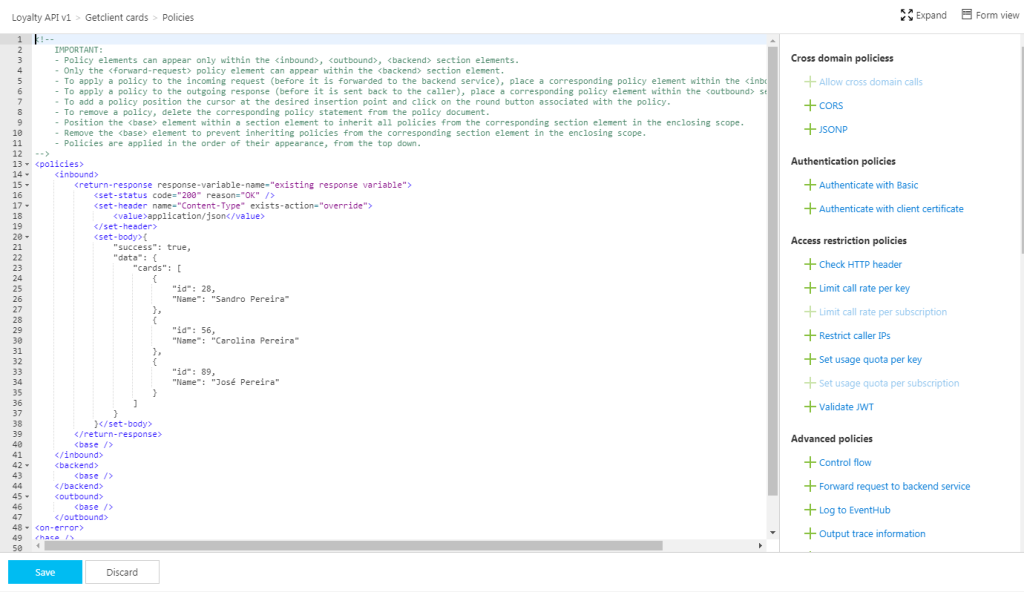
- This will add the default template format of the policy to the policy definition, that you will need to set up according to your needs:
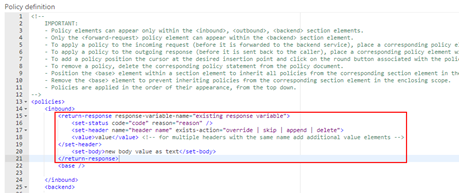
- To simplify our case, we just need to return a 200-status code with a static JSON response and for that, we need to apply the following policy:
<return-response response-variable-name="existing response variable">
     <set-status code="200" reason="OK" />
     <set-header name="Content-Type" exists-action="override">
         <value>application/json</value>
     </set-header>
     <set-body>{
                 "success": true,
                 "data": {
                    "cards": [
                       {
                          "id": 28,
                          "Name": "Sandro Pereira"
                       },
                       {
                          "id": 56,
                          "Name": "Carolina Pereira"
                       },
                       {
                          "id": 89,
                          "Name": "José Pereira"
                       }
                    ]
                 }
     }</set-body>
</return-response>
- Save the policy to take effect next time a call is made to the operation.
Of course, this policy can be used in many different ways, for example, if you only want to return a 200 OK without body response, you can use an abbreviated version of the policy that will be represented like this:
<return-response/>
But as I told you earlier that this also can be very dynamic as you can see in the “Mocking response in Azure API Management” tutorial provided by Microsoft where they are mocking an “Add two integers” operation in which the policy will look like this:
<return-response response-variable-name="existing response variable">
     <set-status code="200" reason="OK" />
     <set-header name="Content-Type" exists-action="override">
         <value>application/json</value>
     </set-header>
     <set-body>{
          "success": true,
          "data": "@((Convert.ToInt32(context.Request.Url.Query.GetValueOrDefault("a", "0")) + Convert.ToInt32(context.Request.Url.Query.GetValueOrDefault("b", "0"))).ToString())"
     }</set-body>
</return-response>
Here, I am taking the actual query parameters provided in the request and implementing the all the operation logic of my backend API dynamically inside my policy… pretty cool!
Options 2) Using the return-response policy in the Azure Portal.
This second option is exactly the same as the previous one, but instead of doing in the “old” Publisher portal, we will accomplish the same goal using the “new” API Management capabilities/functionalities embedded in the Azure portal.
To accomplish that you need to:
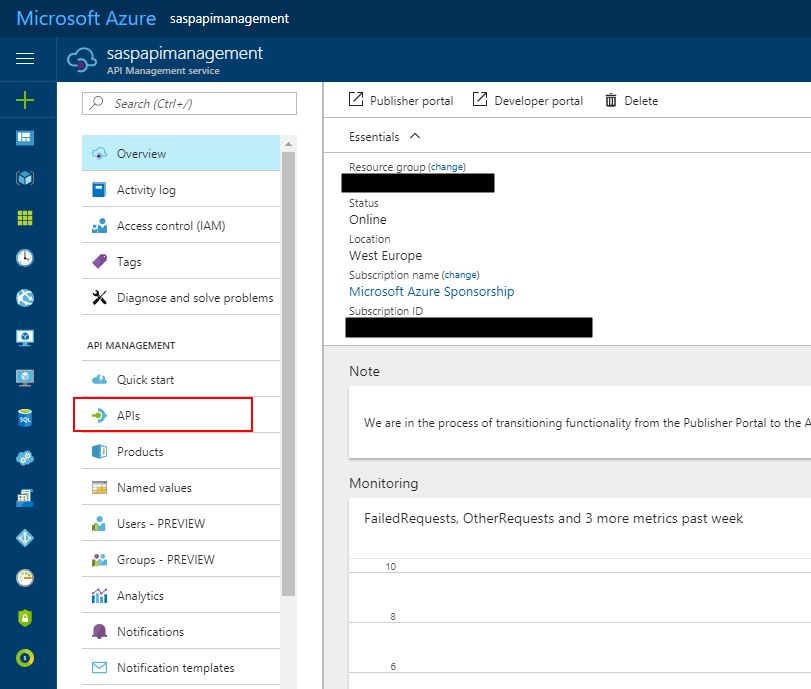
- Access your API Management resource in Azure Portal and then click “APIs” option under “API Management” section from the left menu
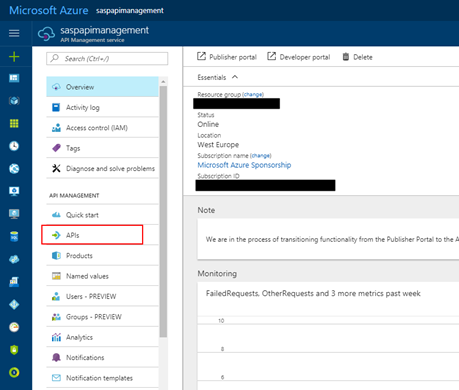
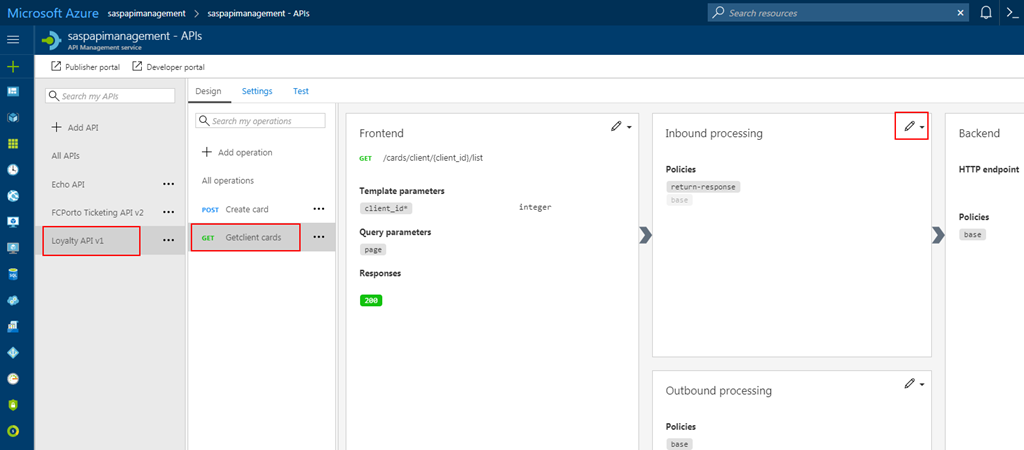
- Select the API from the API list, then from the operation list select the correct operation and then click the edit button on the “Inbound processing” policies
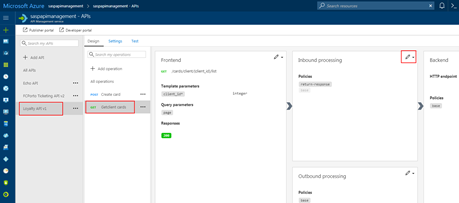
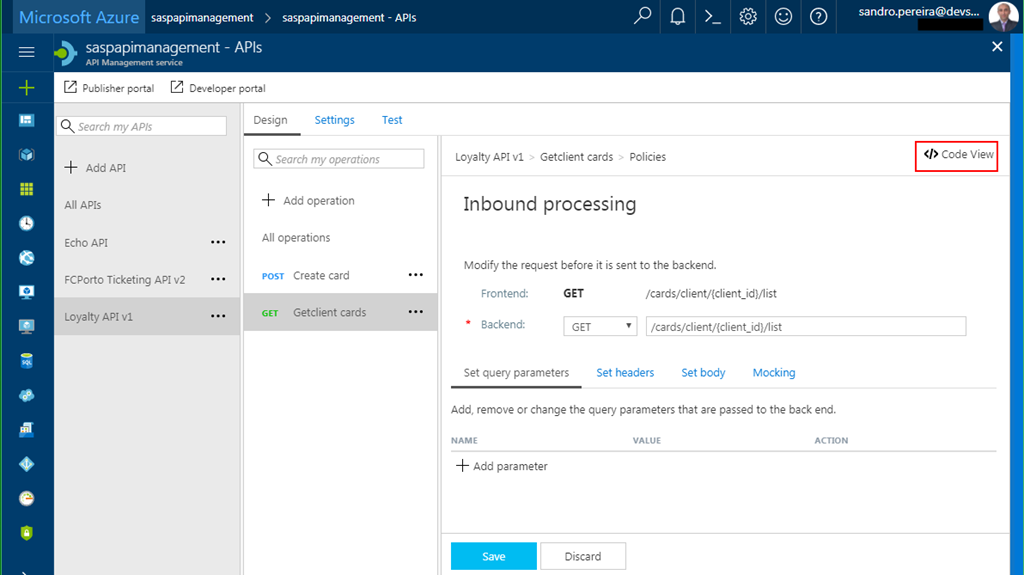
- Click in “</> Code View” to view or edit your policies as explained earlier in the first option
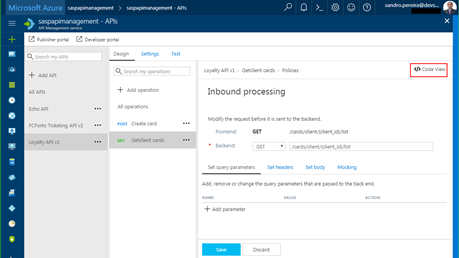
- You will find the same experience as the “old” Publisher portal while editing the rules
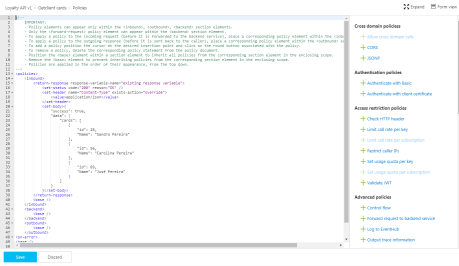
Both option 1 and 2 are the same, the only difference between them is that in the first option we are using the Publisher portal (this portal still exists because not all functionalities have yet been migrated for the Azure Portal) and in the second we are using the Azure Portal UI.
Options 3) Using the Mock-Response policy
The first two options, that in fact use the same rule are very useful in several distinct scenarios, especially if you want to implement some intelligence (dynamic responses) in you mock.
But what if you want to combine your mocking cases against our API specifications that we used while creating our operations? Fortunately for us, Microsoft released a few months ago a new policy to perform this task in an easier way and you can now use the Mock-Response policy to achieve this effect and it is fully supported through the UI in the Azure Portal.
Note: this policy can also be used in the “old” Publisher portal but I will not address that.
TIP: Once again, you can apply this policy to every section, but its typical usage scenario is on the inbound path to provide a response instead of the backend service and also to prevent unnecessary calls to the backend.
To configure this policy from the Azure Portal you need to:
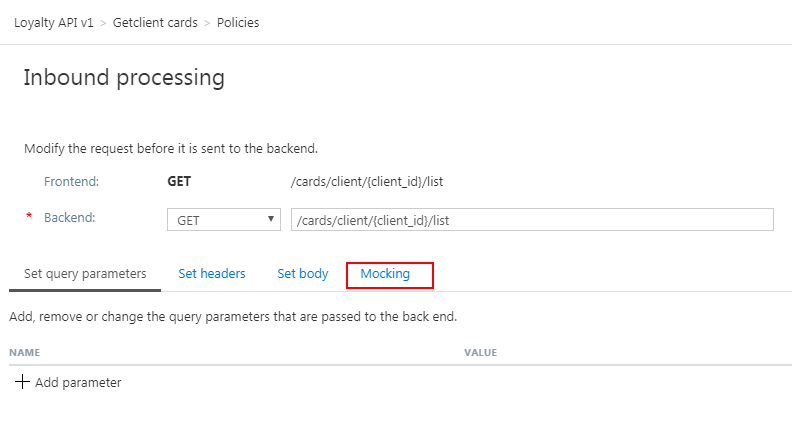
- Access your API Management instance, under “API Management” section click “APIs”, select the API from the API list, then from the operation list select the correct operation and then click the edit button on the “Inbound processing” policies to open the Inbound processing editor
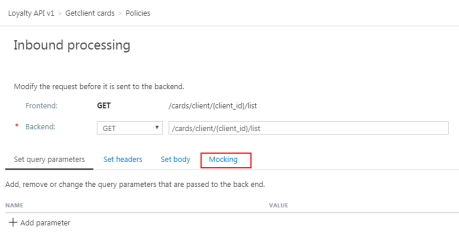
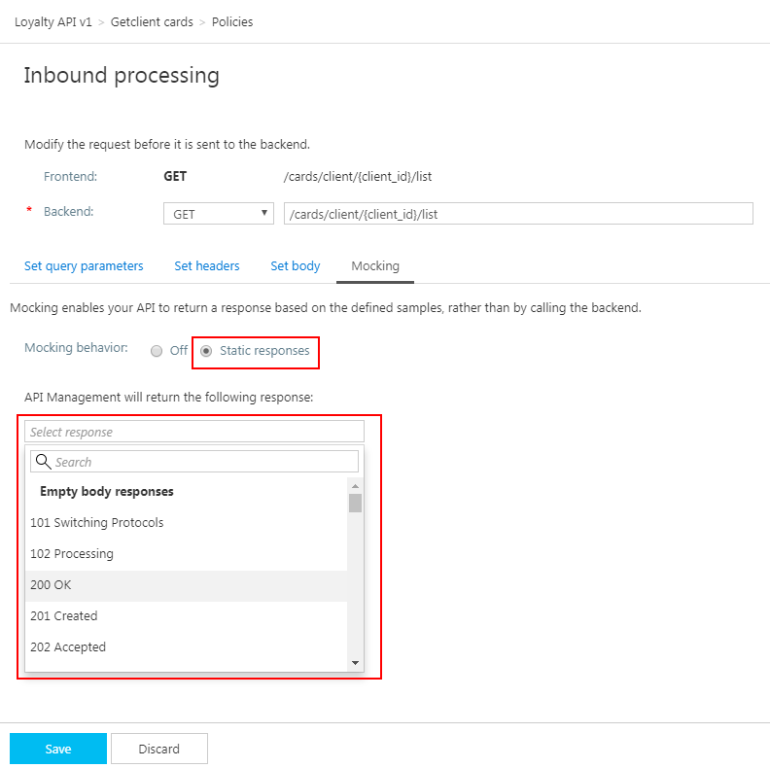
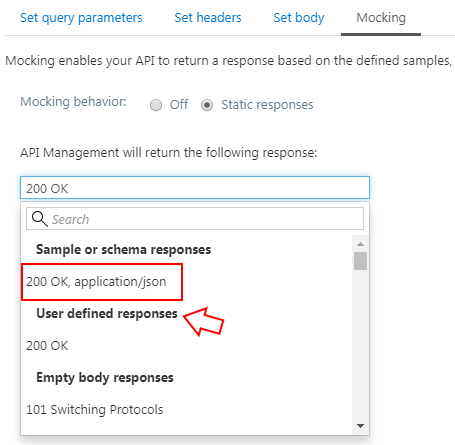
- You will now notice that a tab titled “Mocking” is available, in which you can configure the desired static response back to your caller by:
- Selecting the “Static responses” option
- And what response status should be returned by configuring the “API Management will return the following response” drop box
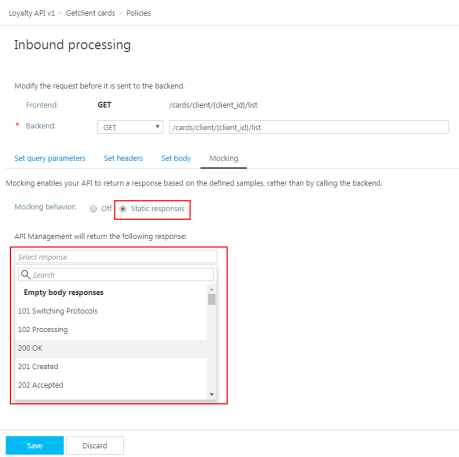
Are you wondering where you can define the response?
If you look at the description of this policy in the documentation it says: “… as the name implies, is used to mock APIs and operations. It aborts normal pipeline execution and returns a mocked response to the caller. The policy always tries to return responses of highest fidelity. It prefers response content examples, whenever available. It generates sample responses from schemas, when schemas are provided and examples are not. If neither examples or schemas are found, responses with no content are returned.”
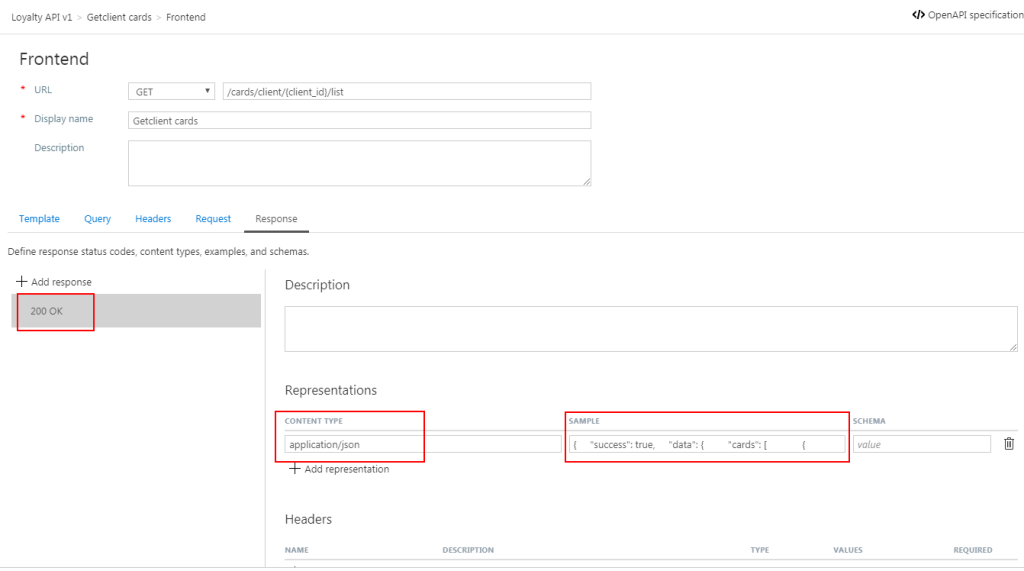
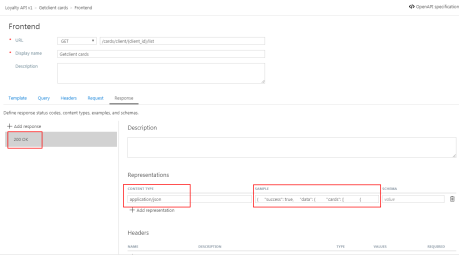
So, in other words, when designing the operation specification:
- if you provide expected response types and samples:
-
- The mock-response policy will take this sample response that you defined as the response to be delivered to the caller
Note: If there are already response status codes, with or without content types, examples and schemas defined, configured on that particular operation (as shown in the figure above), these HTTP status codes will be listed at the top of the “API Management will return the following response” drop box on the mocking section.
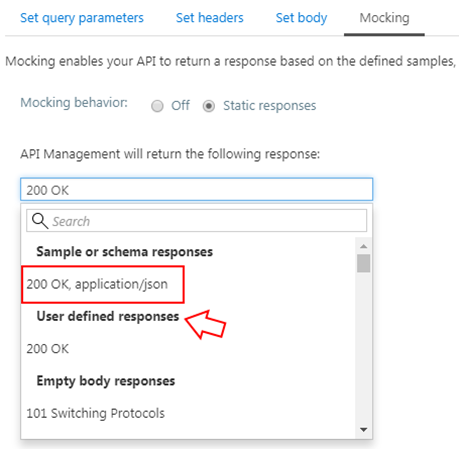
- if you instead provide a response schema instead of samples, the mock-response policy will generate a sample response from the schema provided
- If you don’t define samples or schemas, the policy will return a 200 OK response with no content return.
Normally, the policy template (or signature) is:
<mock-response status-code="code" content-type="media type"/>
However, as similar with the return-response policy, you can use an abbreviated version of the policy that looks like this:
<mock-response/>
And again, it will return a 200 OK status code and the response body will be based on an example or schema, if provided for this status code. The first content type found will be used and if no example or schema is found, a response with no content will be returned.
Conclusion
Both mock-response and return-response policies can be used on API Management for prototyping your API frontend. Although at first glance they may have similar behaviors, both policies have advantages and disadvantages and can be used in different scenarios/context.
But I will probably say for mocking propose I will use or advice to use the mock-response policy just because it is simpler and will take advantage from the API specification to generate the mock response which also “force” the developers (or admins in charge of your frontend) to properly document the APIs.
Author: Sandro Pereira
Sandro Pereira lives in Portugal and works as a consultant at DevScope. In the past years, he has been working on implementing Integration scenarios both on-premises and cloud for various clients, each with different scenarios from a technical point of view, size, and criticality, using Microsoft Azure, Microsoft BizTalk Server and different technologies like AS2, EDI, RosettaNet, SAP, TIBCO etc. He is a regular blogger, international speaker, and technical reviewer of several BizTalk books all focused on Integration. He is also the author of the book “BizTalk Mapping Patterns & Best Practices”. He has been awarded MVP since 2011 for his contributions to the integration community. View all posts by Sandro Pereira
by Sandro Pereira | Aug 28, 2017 | BizTalk Community Blogs via Syndication
I have been working with API Management (APIM) for a long time, not only playing around with POC and testing new features but actually working and implementing real solutions for clients. I also delivered several API Management talks here in Portugal but I realize that I never wrote a blog post about this topic. That will change today hehe.
OpenAPI Specification (formerly Swagger Specification) is an API description format for REST APIs. An OpenAPI file allows you to describe your entire API, including:
- Available endpoints (/users) and operations on each endpoint (GET /users, POST /users)
- Operation parameters Input and output for each operation
- Authentication methods
- Contact information, license, terms of use and other information.
API specifications can be written in YAML or JSON. The format is easy to learn and is both human-readable and machine-readable.
This specification is widely used these days, especially in the Microsoft community, but unfortunately, not all of them use it and there are still quite a few APIs that do not expose any kind of specification/documentation like Swagger, WADL or even WSDL (this last for web services).
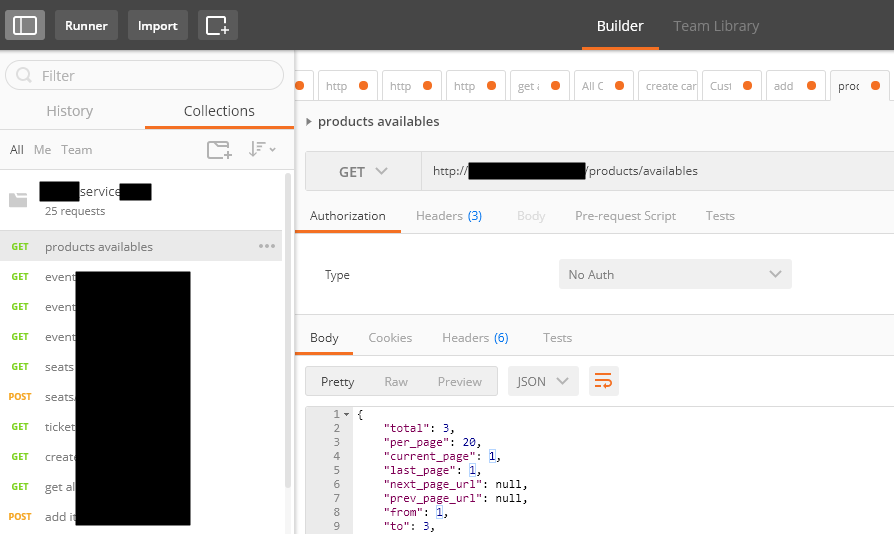
For REST APIs, I have seen several suppliers/partners use Postman Collections to easily test their APIs by emulating request but also to document the APIs by adding a name and descriptions to requests, sample requests, headers, and other metadata. Performing unit tests in all the operations and sharing them inside their teams.
Postman Collections are groups of requests that can be run together as a series of requests, against a corresponding environment. Using scripts, you can build integration test suites, pass data between API requests, and build workflows that mirror your actual use case of APIs.
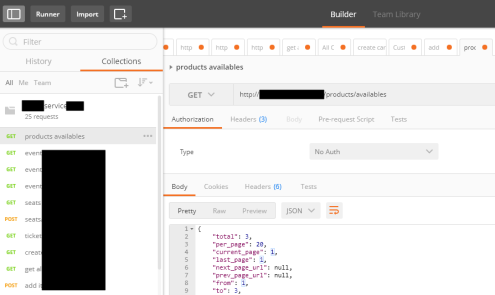
See how to create a Postman Collection here: Creating collections
I have to say, I love Postman but I never used it for that propose, although it is an excellent tool, in my opinion, I believe that to document an API it has some limitations.
And in one of my recent projects the partner delivered me a Postman Collection as a way of documenting their REST API which led me to a “small” problem:
- I didn’t want to replicate or manually expose the API inside the API Management…
- and the API Management by default doesn’t allow me to import a Postman Collection
So, how can I import a Postman collection into my Azure API Management?
Fortunately for us, there are several free tools that allow you to convert (or transform) a postman collection (1.0 – 2.0) to formats of your choice that in our case Swagger. And one of these tools is APIMATIC.
For that you just need to:
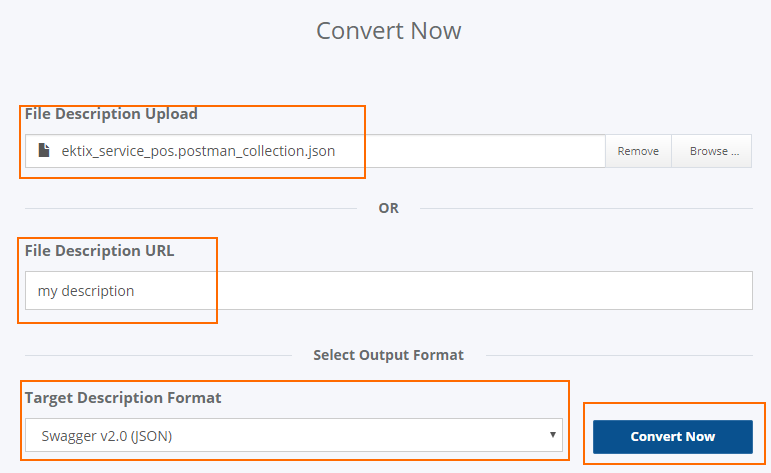
- Access APIMATIC API Transformer page: https://apimatic.io/transformer
- Upload your Postman collection file description
- Provide a File Description URL
- And select the desired output format, in our case we selected “Swagger v2.0 (JSON)”
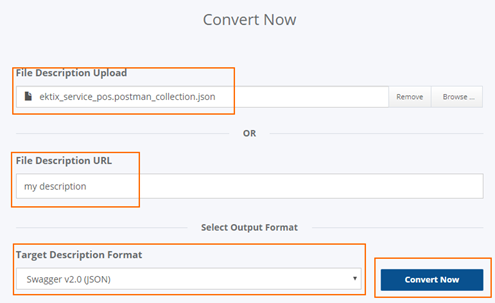
- And finally, click “Convert Now”
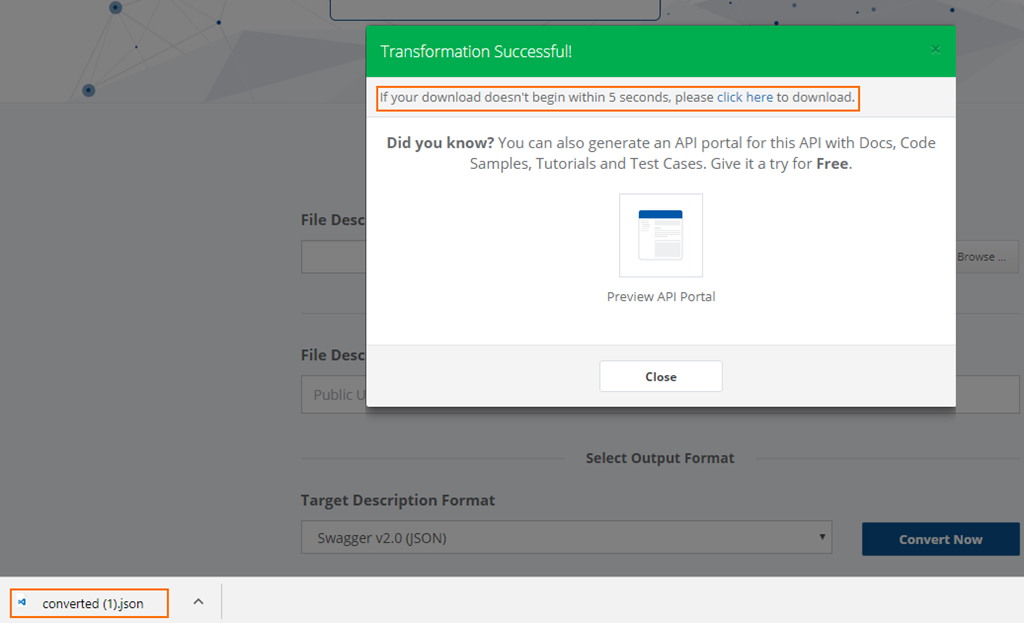
The output file will be automatically downloaded into your machine.
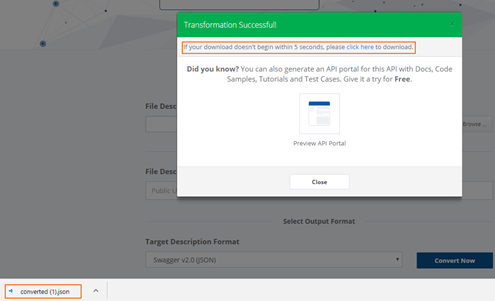
Now that I have my swagger file, I can now access my API Management in the Azure Portal and then:
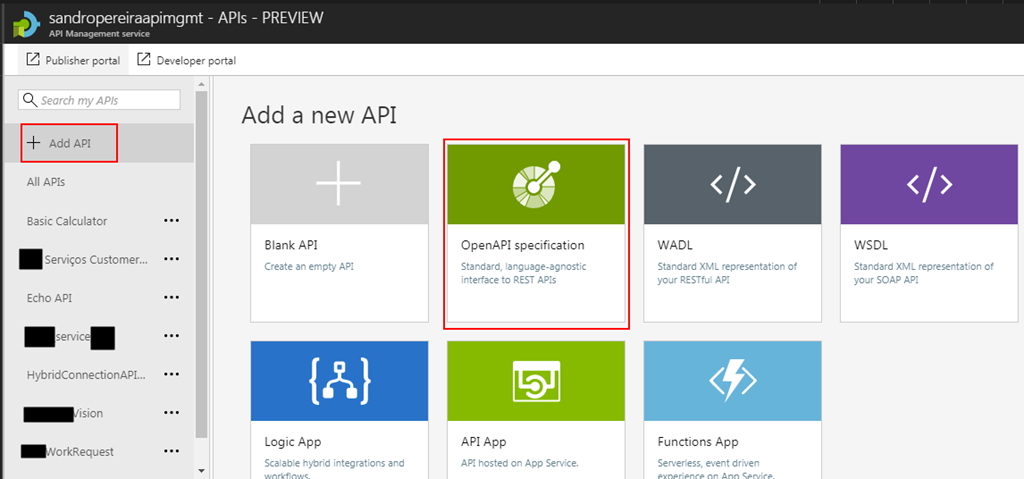
- From the left pane, select “Add API” and then select “OpenAPI specification” option
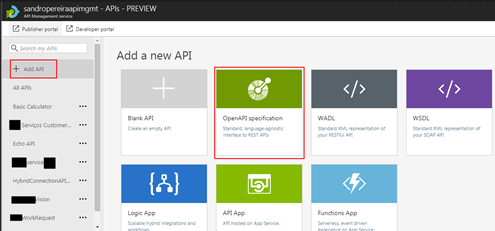
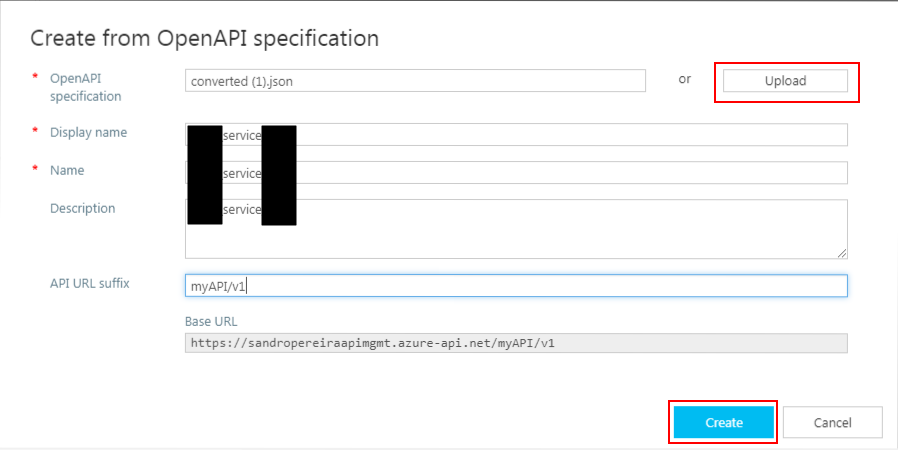
- Import the file I had created previously in the APIMATIC web tool and click “Create”
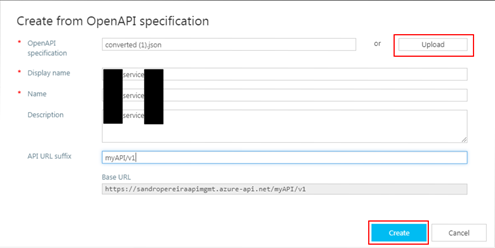
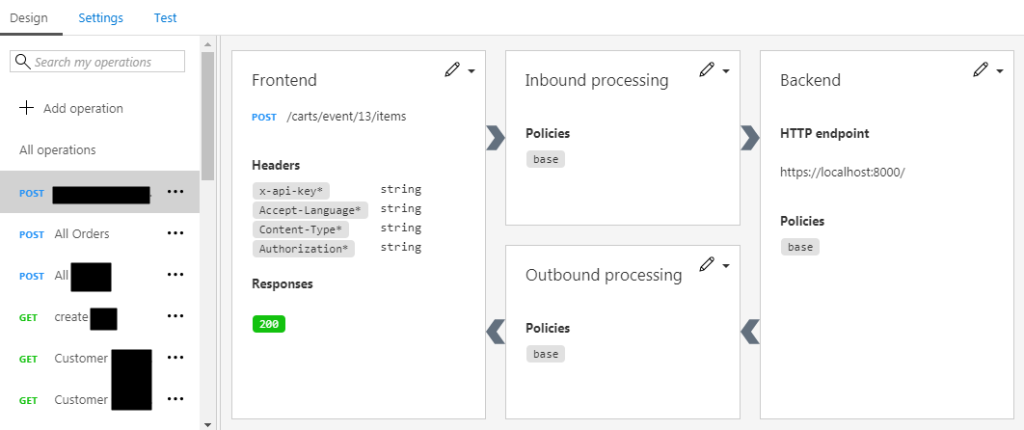
It probably doesn’t do everything for you, you may need to optimize the query parameters or the URL template parameters, but at least this approach will do 90% of the work for you:
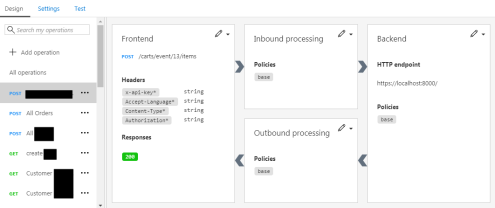
This approach saved me several working hours on the task of exposing the Partner API in my API Management Portal.
Author: Sandro Pereira
Sandro Pereira lives in Portugal and works as a consultant at DevScope. In the past years, he has been working on implementing Integration scenarios both on-premises and cloud for various clients, each with different scenarios from a technical point of view, size, and criticality, using Microsoft Azure, Microsoft BizTalk Server and different technologies like AS2, EDI, RosettaNet, SAP, TIBCO etc. He is a regular blogger, international speaker, and technical reviewer of several BizTalk books all focused on Integration. He is also the author of the book “BizTalk Mapping Patterns & Best Practices”. He has been awarded MVP since 2011 for his contributions to the integration community. View all posts by Sandro Pereira

by Steef-Jan Wiggers | Jul 3, 2017 | BizTalk Community Blogs via Syndication
It has been an amazing month, June 2017, with Integrate2017 and the momentum towards it. Team BizTalk360 and Saravana did an excellent job. Bhavana Nambiar wrote a great post about it.
Month June
In this month I did two talks one for the BizTalk UserGroup in Belgium, and Integrate 2017. For the BTUG.be session in Ghent at Codit I did a Logic App session.
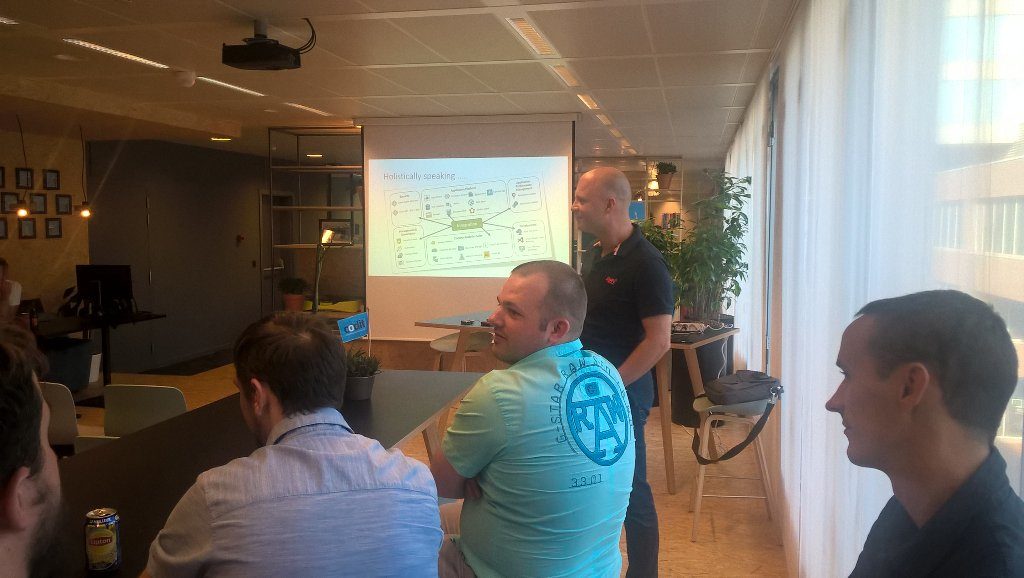
During the month I prepared my session for integrate 2017 and executed on the 2nd day of the event. It was focussed on the end user/consumer of Logic Apps i.e. business. And I interviewed 30 people around the world to share their views with me.
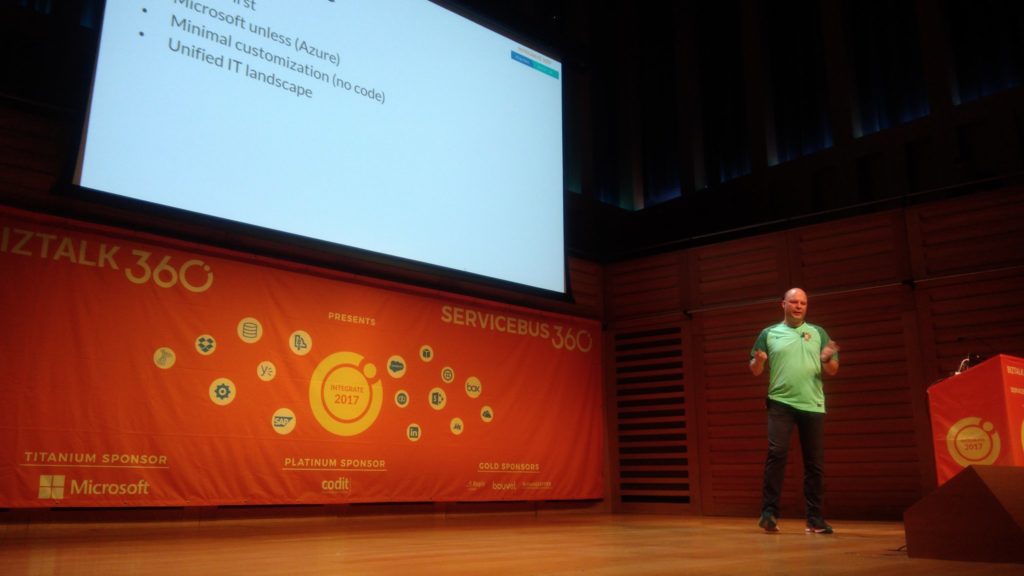
The event was in my view a huge success. The Pro-Integration team, Service Bus Team and MVP’s were present to give an awesome show!
Around Integrate 2017 and BTUG be I interviewed several people for my talking with integration pro youtube movies:
Music
My favorite albums in June were:
- Elder – Reflections Of A Floating World
- SikTh – The Future In Whose Eyes?
- Anathema – The Optimist
- Iced Earth – Incorruptible
- Vintersorg – Till Fjälls Del II

Dublin
After Integrate I went with Kent and Melissa to Dublin. We had to unwind a bit from all the excitement in London.

That’s all folks for this month. Next month I will be on holiday to Portugal (visiting Sandro) and France!
Cheers,
Steef-Jan
Author: Steef-Jan Wiggers
Steef-Jan Wiggers is all in on Microsoft Azure, Integration, and Data Science. He has over 15 years’ experience in a wide variety of scenarios such as custom .NET solution development, overseeing large enterprise integrations, building web services, managing projects, designing web services, experimenting with data, SQL Server database administration, and consulting. Steef-Jan loves challenges in the Microsoft playing field combining it with his domain knowledge in energy, utility, banking, insurance, health care, agriculture, (local) government, bio-sciences, retail, travel and logistics. He is very active in the community as a blogger, TechNet Wiki author, book author, and global public speaker. For these efforts, Microsoft has recognized him a Microsoft MVP for the past 6 years. View all posts by Steef-Jan Wiggers
by Sandro Pereira | May 26, 2017 | BizTalk Community Blogs via Syndication
Once again, my Microsoft Integration Stencils Pack was updated with new stencils. This time I added near 193 new shapes and additional reorganization in the shapes by adding two new files/categories: MIS Power BI and MIS Developer. With these new additions, this package now contains an astounding total of ~1287 shapes (symbols/icons) that will help you visually represent Integration architectures (On-premise, Cloud or Hybrid scenarios) and Cloud solutions diagrams in Visio 2016/2013. It will provide symbols/icons to visually represent features, systems, processes and architectures that use BizTalk Server, API Management, Logic Apps, Microsoft Azure and related technologies.
- BizTalk Server
- Microsoft Azure
- BizTalk Services
- Azure App Service (API Apps, Web Apps, Mobile Apps and Logic Apps)
- API Management
- Event Hubs
- Service Bus
- Azure IoT and Docker
- Virtual Machines and Network
- SQL Server, DocumentDB, CosmosDB, MySQL, …
- Machine Learning, Stream Analytics, Data Factory, Data Pipelines
- and so on
- Microsoft Flow
- PowerApps
- Power BI
- Office365, SharePoint
- DevOpps: PowerShell, Containers
- And much more…
Microsoft Integration Stencils Pack v2.5
The Microsoft Integration Stencils Pack v2.5 is composed by 13 files:
- Microsoft Integration Stencils v2.5
- MIS Apps and Systems Logo Stencils v2.5
- MIS Azure Portal, Services and VSTS Stencils v2.5
- MIS Azure SDK and Tools Stencils v2.5
- MIS Azure Services Stencils v2.5
- MIS Deprecated Stencils v2.5
- MIS Developer v2.5 (new)
- MIS Devices Stencils v2.5
- MIS IoT Devices Stencils v2.5
- MIS Power BI v2.5 (new)
- MIS Servers and Hardware Stencils v2.5
- MIS Support Stencils v2.5
- MIS Users and Roles Stencils v2.5
These are some of the new shapes you can find in this new version:
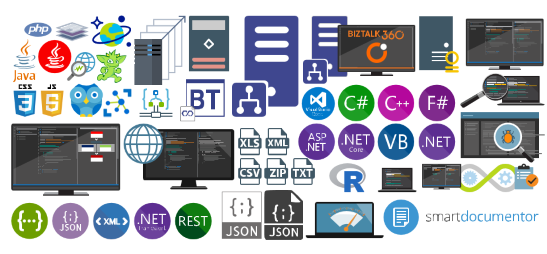
You can download Microsoft Integration Stencils Pack for Visio 2016/2013 from:
Microsoft Integration Stencils Pack for Visio 2016/2013 (10,1 MB)
Microsoft | TechNet Gallery
Author: Sandro Pereira
Sandro Pereira lives in Portugal and works as a consultant at DevScope. In the past years, he has been working on implementing Integration scenarios both on-premises and cloud for various clients, each with different scenarios from a technical point of view, size, and criticality, using Microsoft Azure, Microsoft BizTalk Server and different technologies like AS2, EDI, RosettaNet, SAP, TIBCO etc. He is a regular blogger, international speaker, and technical reviewer of several BizTalk books all focused on Integration. He is also the author of the book “BizTalk Mapping Patterns & Best Practices”. He has been awarded MVP since 2011 for his contributions to the integration community. View all posts by Sandro Pereira

by Steef-Jan Wiggers | Mar 26, 2017 | BizTalk Community Blogs via Syndication
Success has many fathers and with the Global Integration Bootcamp that is a fact. Organizers, speakers, companies hosting the event, the Microsoft Pro-Integration Team, and above all the attendees. This global event showed how passionate, strong and active this integration community is!
The Event
During the Global Integration Bootcamp at the Dutch location at motion10 in Rotterdam I did a few interviews with fellow organizers of this amazing event:
The motion10 has an amazing view over Rotterdam, which you can see in two of the video interviews.

In case you like to learn more about the history and how this great event came its tremedous success do read these two excellent posts:
Start of the day
In holland we kicked of at motion10 HQ at the same time as some of the other locations in Europe. Our friends in New Zealand, Australia and India just completed there day.
Sessions
At motion10 Gijs kick off the day followed by Tomasso presenting on API Management.
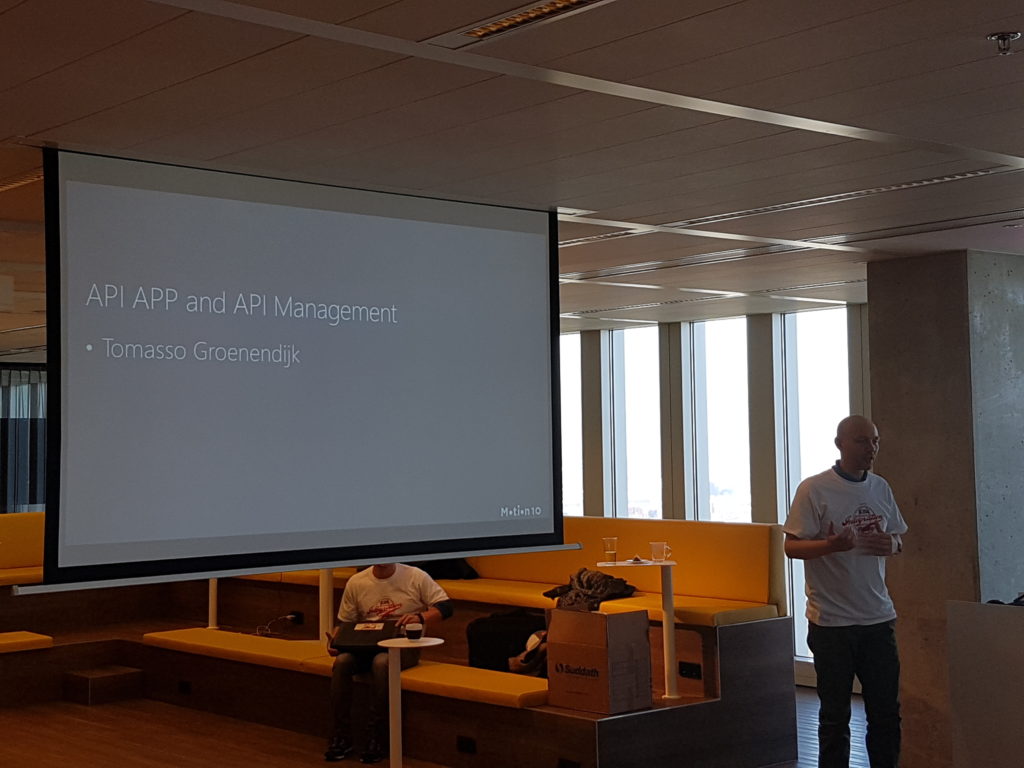
After Tomasso session the attendees dive into the first lab. The requirements to do the labs yourself can be found here and the labs will be published soon in an eBook by BizTalk360.

The second session was done by Rob Fox on Hybrid Integration including working with the on-premise gateway.
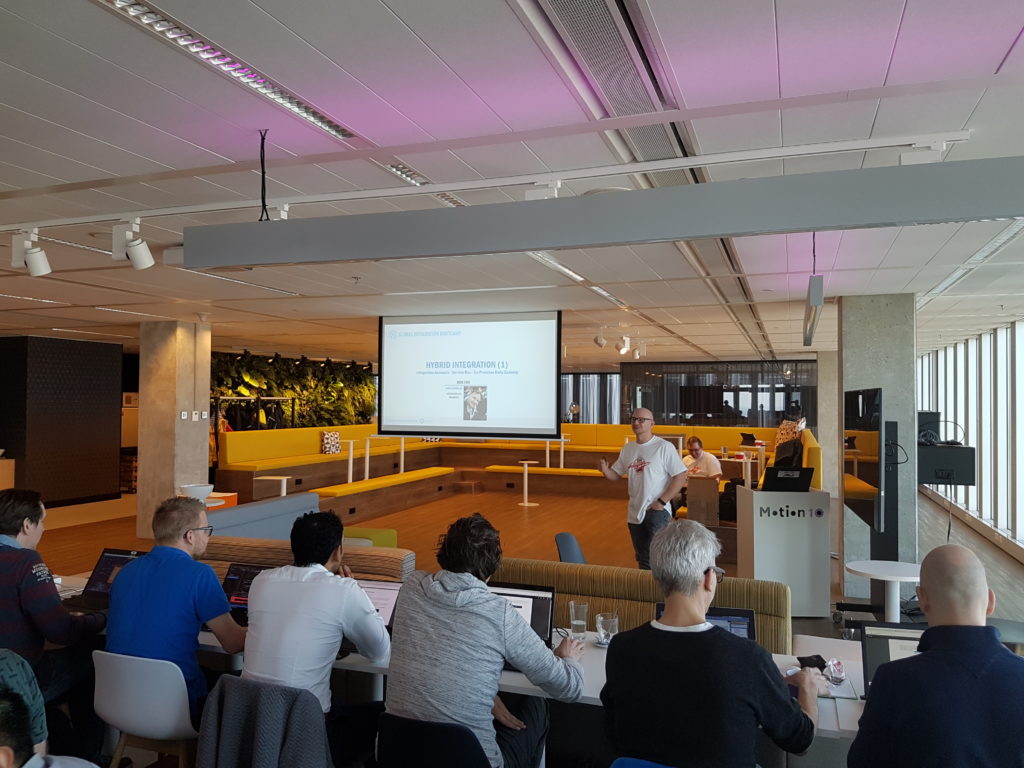
During the lunch people continued with their labs, followed by the third talk by Eldert, who continued with the hybrid integration story. This story included the connectivity through Logic Apps with on-premise BizTalk Server.
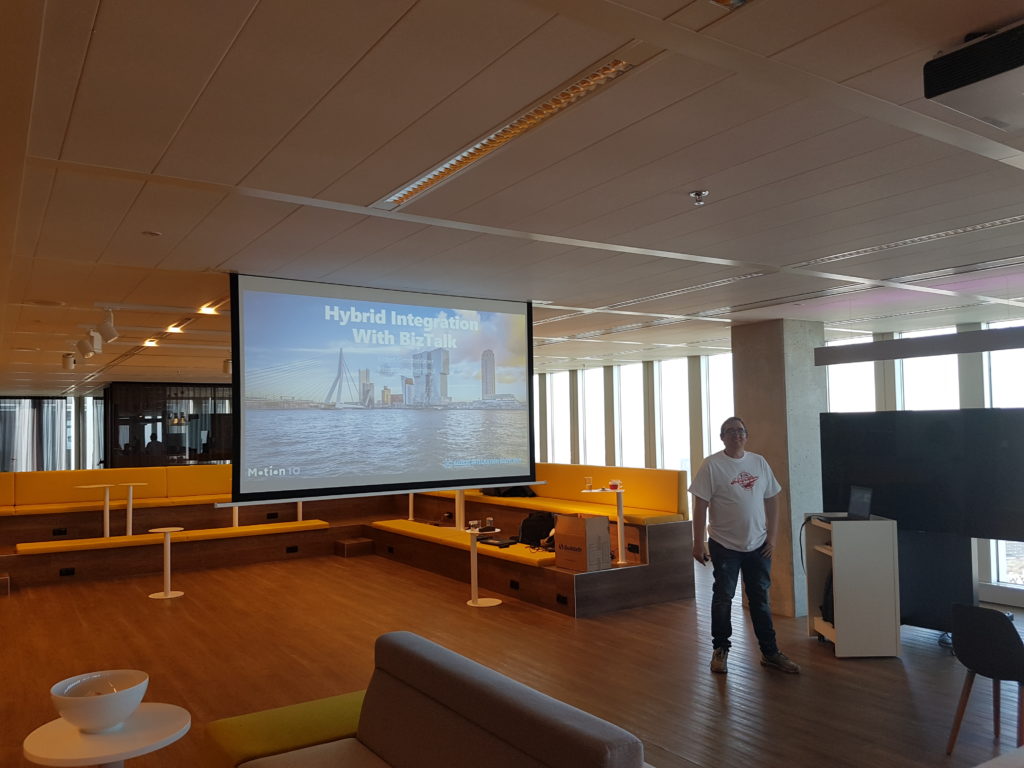
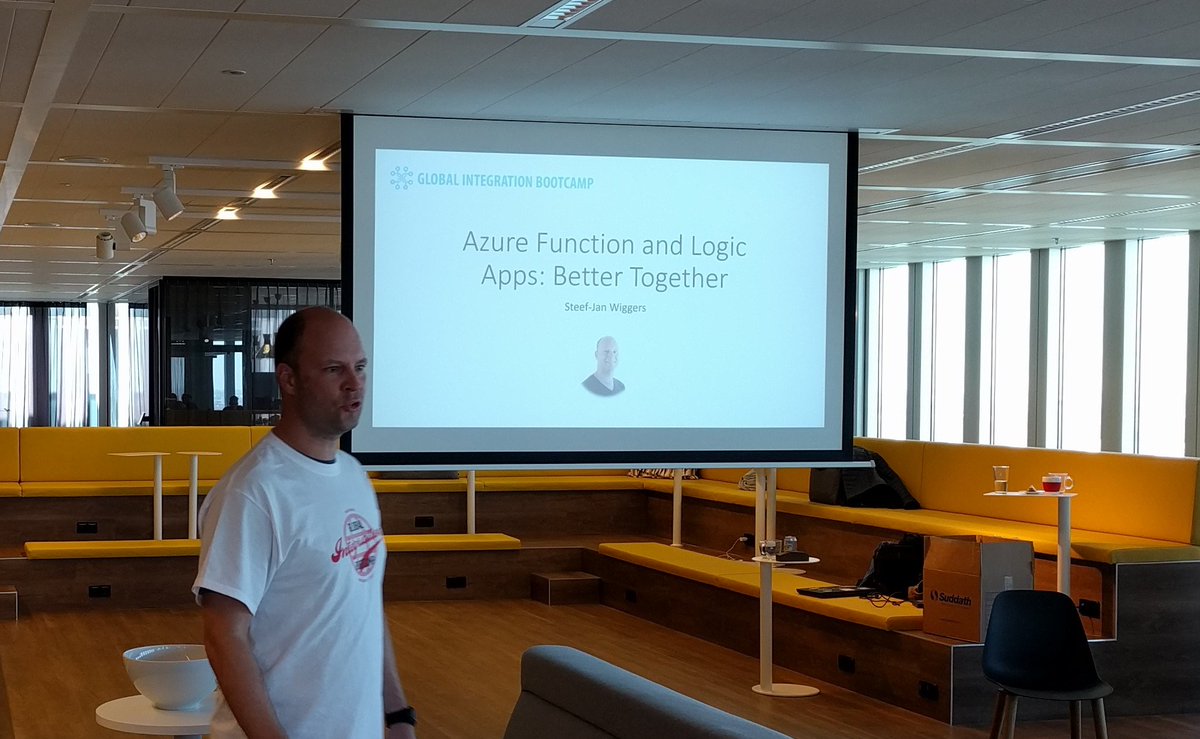
My session, number four, was to showcase some great Azure services like Logic Apps and Azure Functions. It was fun to do as I was able to show my trumpizer demo again.
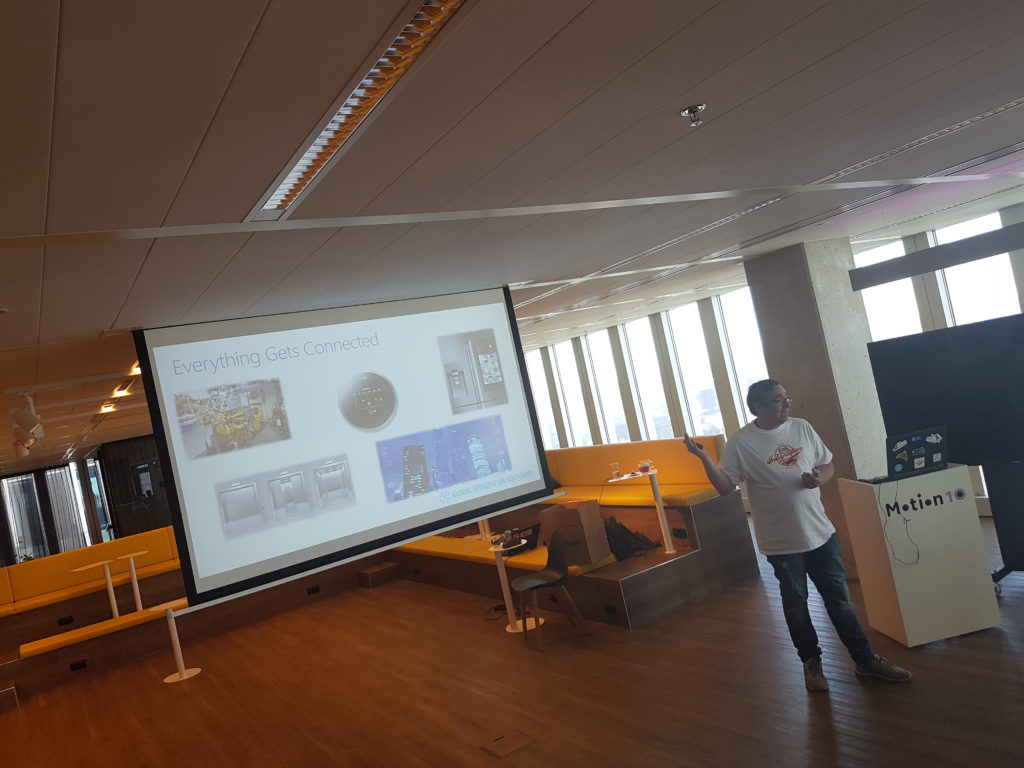
The final session of the day was about IoT and done by Eldert again.
Acknowledgements
I am proud to be able to be part of this great event and journey to it. Loved the close collaboration with Eldert, who has been a key factor in organizing this event. His passion and drive is amazing and his recent MVP award is well deserved as it is a crown of his dedicated work for the community. And this something that I like to point out as his mentor. Well done buddy!

Thanks from the Dutch speakers #gib2017 and see you next year at #gib2018!
Cheers,
Steef-Jan
Author: Steef-Jan Wiggers
Steef-Jan Wiggers is all in on Microsoft Azure, Integration, and Data Science. He has over 15 years’ experience in a wide variety of scenarios such as custom .NET solution development, overseeing large enterprise integrations, building web services, managing projects, designing web services, experimenting with data, SQL Server database administration, and consulting. Steef-Jan loves challenges in the Microsoft playing field combining it with his domain knowledge in energy, utility, banking, insurance, health care, agriculture, (local) government, bio-sciences, retail, travel and logistics. He is very active in the community as a blogger, TechNet Wiki author, book author, and global public speaker. For these efforts, Microsoft has recognized him a Microsoft MVP for the past 6 years. View all posts by Steef-Jan Wiggers