RESTFull.Net on Bokus
For those of you in Sweden, who has been waiting for RESTFull .NET by Jon Flanders; The book has now been released on Bokus.com:

For those of you in Sweden, who has been waiting for RESTFull .NET by Jon Flanders; The book has now been released on Bokus.com:
Was trolling CodePlex today and noticed that those Patterns and Practices cats just released a neat little set of short architecture guides that cover a few specific architectural areas including the Agile architecture method, web application architecture, mobile architecture, rich Internet application (RIA) architecture, rich client architecture, and finally, service architecture.
The service guide is a […]
There are a lot of aspects that needs to be combined in order to architect robust RESTful services to go beyond the typical HTTP verb and URI modeling. Capabilities such as Low-Hi REST, Error Handling or Caching are fundamental elements of real world…(read more)
I’ve done some experimentation around this as a proof of concept a while ago. With all the hundreds of posts on Dublin and Oslo and .NET 4.0 there’s nothing better than to relax with a bit of BizTalk
To ensure ordered delivery between a one way http receive location and a SQL send port […]
You can find it at http://www.rest-ful.net/book/default.aspx .
My plan is to have more REST and WCF content up on that site soon – but at least the
code files for the book are there.
Watch out for the code from Chapter 10 (consuming REST services) – I created
some code to use SQL Server Data Services – I haven’t had time to see if it still
works, but I will be updating it soon.
Check out my new book on REST.
Mike Lehman has posted a set of screen-casts on Channel 9 that explain the process of authoring and composing blueprints, including how to use the WF process workflow, creating custom extensions, using T4 etc. Here is the list of videos and a short summary (the C9 abstract) of each and my comments wherever applicable. I […]
James, a student of mine this week pointed me to a great tool that ‘optimises’ your
SharePoint site (as well as websites in general).
Runtime Peformance
Optimisation (RPO) is the place where it’s all at. You basically plug your URL
in and it sends you a report on how it can be optimised.
(I’m yet to check this out) James mentioned that it operates off a DLL that you include
as part of your swag in the \bin folder (or GAC) and it requires the DLL for runtime
operations.
Here’s the process…..
1. click on the ‘Try now button’
2. Plug the values in for your site..
3. Then peruse over the emailed results at your leisure…..
It does things like Image optimisation, file compressions and even gives you the results
in cold and warm boot times!
Very very very nice!
Looks like I’ll be talking to Santa this Christmas!!! 🙂

Microsoft recently released a cool new ASP.NET server control – <asp:chart /> – that can be used for free with ASP.NET 3.5 to enable rich browser-based charting scenarios:
Once installed the <asp:chart/> control shows up under the "Data" tab on the Toolbox, and can be easily declared on any ASP.NET page as a standard server control:
<asp:chart /> supports a rich assortment of chart options – including pie, area, range, point, circular, accumulation, data distribution, ajax interactive, doughnut, and more. You can statically declare chart data within the control declaration, or alternatively use data-binding to populate it dynamically. At runtime the server control generates an image (for example a .PNG file) that is referenced from the client HTML of the page using a <img/> element output by the <asp:chart/> control. The server control supports the ability to cache the chart image, as well as save it on disk for persistent scenarios. It does not require any other server software to be installed, and will work with any standard ASP.NET page.
To get a sense of how to use the <asp:chart /> control I recommend downloading the Microsoft Chart Controls Sample Project. This includes over 200 ASP.NET sample pages that you can run locally. Just open the web project in VS 2008 and hit run to see them in action – you can then open the .aspx source of each to see how they are implemented.
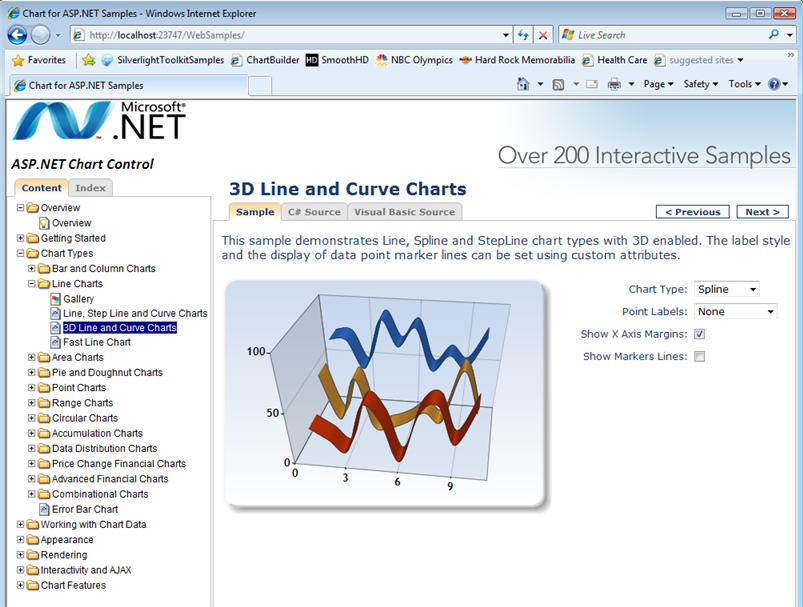
The below example (under Chart Types->Line Charts->3D Line and Curve Charts) demonstrates how to perform Line, Spline and StepLine charting:
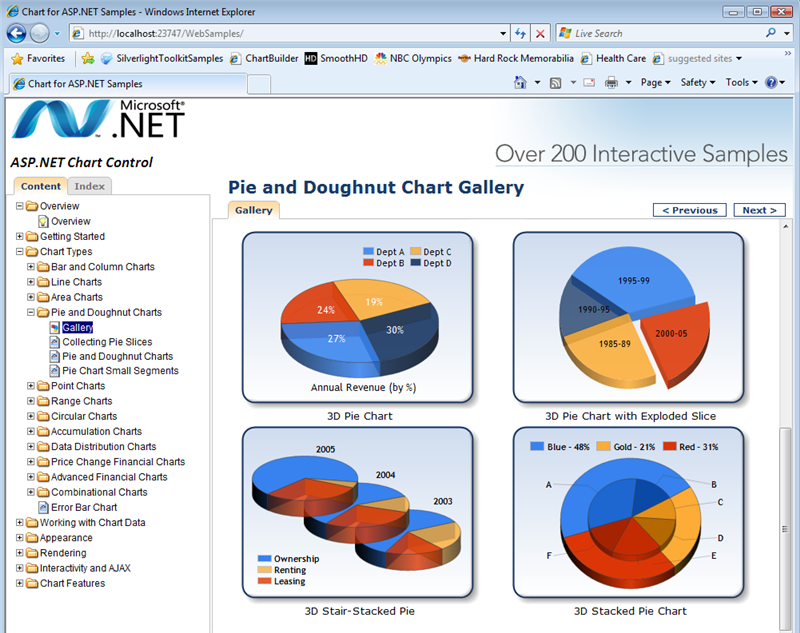
The below example (under Chart Types->Pie and Doughnut Charts) demonstrates a variety of pie and 3D doughnut options:
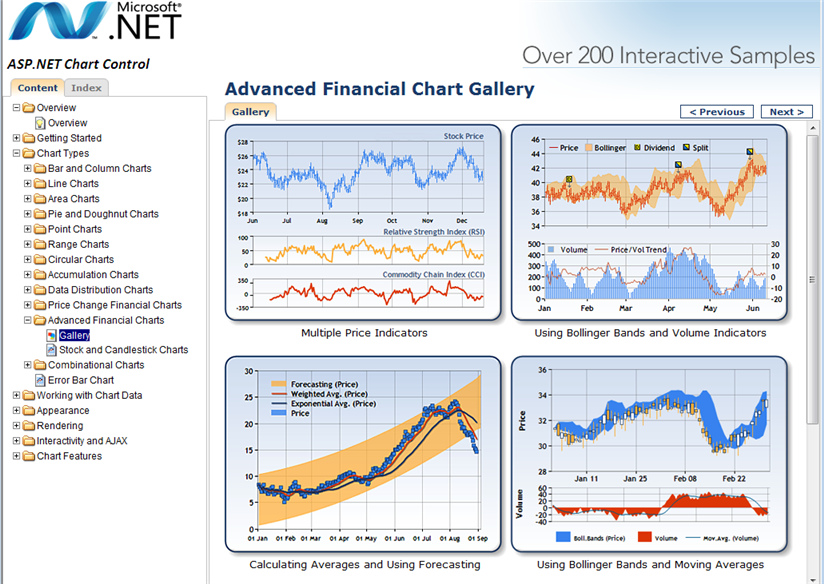
The below example (under Chart Types->Advanced Financial Charts) demonstrates some graph charts:
In addition to the above samples, you can download the Microsoft Chart Control Documentation or ask questions on the Chart Controls Forum to learn more.
This should provide a useful (and free) addition to your standard ASP.NET toolkit of functionality, and enable you to easily add richer visualization and data workflow scenarios to your ASP.NET applications.
Hope this helps,
Scott
I have just received word that the 005010 HIPAA schemas will not be supported in R2 but will only be available and supported in BizTalk 2009!
I am VERY surprised that Microsoft would decide that, given the somewhat slow accepting of new products in the Healthcare market. I am aware of many Payors and Providers that are using BizTalk for their HIPAA processing, and are either still using the Covast HIPAA accelerator or have barely started using the new R2 EDI components!
Does anyone know why the decision was made not to provide 005010 schemas for use in the HIPAA transactions in R2, is it simply a sales gimmick?
Jon Flanders has been a thought leader in the area of doing REST in .NET. His new RESTful .NET book is now available for purchase. He goes into the motivation and background for REST and then shows how to consume and expose RESTful web services with WCF 3.5. Very few people can make low-level technical details as accessible as Jon. Definitely one to have in the library.