
by community-syndication | May 29, 2009 | BizTalk Community Blogs via Syndication
Architecture reviews at my company are brutal. Not brutal in a bad way, per se, but in the sense that if you are not completely prepared and organized, you’ll leave with a slight limp and self doubt that you know anything about anything at any time, ever.
So what should an architect do when preparing to […]

by community-syndication | May 29, 2009 | BizTalk Community Blogs via Syndication
Thanks to all who attended my talk on migrating from WF 3.x to WF 4 at Dev Days. I’ve posted my slides and demos which you can download for review. Thanks for a great show, and look for me to post some screencasts of several examples in the coming weeks.


by community-syndication | May 29, 2009 | BizTalk Community Blogs via Syndication
For those of you who attended my talk at Dev Days 2009, I’ve posted the slides and my demo code for the custom activities talk. I’ve included the activities, the designers and the designer rehosting code along with some sample workflows using the activities.
Also, look for some screencasts that I’ll be doing showing these activities; it will be like watching the demos all over again.

by community-syndication | May 28, 2009 | BizTalk Community Blogs via Syndication
WF4 beta 1 ships with a comprehensive set of activities (more than 35) that you can use to author your workflows or to create your own custom activities. This post will give you a quick tour through the activity palette and introduce you to the key characteristics of the out of the box activities.
Activities are the unit of work in a workflow program. Activities in WF4 have a signature and body. The signature of an activity is defined in terms of its public arguments. These public arguments define the data flow into and out of an activity. The body of an activity is a chunk of execution logic that may execute over multiple pulses of work. This logic can be expressed declaratively in terms of other activities or with imperative code.
Quick note: As you may have noticed, the activities in the toolbox are not sorted alphabetically. This is something that we are aware of and that will be fixed in the next Beta. For Beta1, if this bothers you, you can simply right-click in the toolbox and choose "Sort Items Alphabetically" and it will sort the items for you for easy discoverability.
Procedural
Procedural activities provide a mechanism to model sequential control flow using concepts you know from standard procedural languages like C# or VB like if, assign, while, etc. Procedural activities include the basic building blocks to represent sequential behavior, including control of flow, method invocation on CLR objects, collection manipulation, and error handling. It also covers advanced scenarios like parallel activities, transaction management, compensation, cancellation, and persistence. The table below contains all the activities in the procedural category. The words in bold in the description of each activity represent its most important arguments.
|
Activity
|
Description
|
Designer
|
|
Collection Management
|
|
AddToCollection<T>
|
Adds an Item to a Collection.
|
|
|
RemoveFromCollection<T>
|
Removes an Item from a Collection.
|
|
|
ClearCollection<T>
|
Clears a Collection, removing all items stored in it.
|
|
|
ExistsInCollection
|
Verifies if an Item exists in a Collection. If the item exists, its Result argument will yield True.
|
|
|
Control of Flow
|
|
If
|
The If activity selects a child activity for execution based on the value of a Boolean expression.
If the Boolean expression Condition yields True (and “Then” activity is configured), the “Then” activity is scheduled. If the expressions yields False (and “Else” activity is set), the “Else” expression is scheduled.
|
|
|
DoWhile
|
Executes its Body until the Condition evaluates to True. The Body will be executed at least once.
|
|
|
ForEach / ForEach<T>
|
ForEach activity contains a list of Values and a Body. At runtime, the list is iterated and the body is executed for each value in the list.
|
|
|
Pick
|
The Pick Activity provides event-based control flow modeling in WF. The only valid children for a Pick activity are PickBranches.
At the beginning of a Pick execution, all the Trigger activities from all its Branches are scheduled. When the first Trigger completes its corresponding Action activity is scheduled, and all other Trigger activities are canceled.
|
|
|
PickBranch
|
PickBranch represents a branch in a Pick. It consists of a Trigger and Action. PickBranch can only be added to a Pick activity.
|
|
|
Sequence
|
The Sequence activity allows for the execution of one or more Activities in order.
|
|
|
Switch<T>
|
Switch activity is similar to switch statement in C#. It contains an Expression and a set of Cases (each case has a key and an activity). After the expression is evaluated, the Switch activity looks for a Case with a key that matches the result of the expression and if found, it schedules the activity associated with that Case.
|
|
|
While
|
The While activity executes it’s Body while a Boolean Condition is True.
|
|
|
Parallel Execution
|
|
Parallel
|
Parallel activity allows parallel execution of its children. It operates by scheduling each WorkflowElement in its Branches collection at the beginning of its execution. It completes when all of its Branches complete or when its CompletionCondition property evaluates to true.
|
|
|
ParallelForEach / ParallelForEach<T>
|
The ParallelForEach activity enumerates the elements of a collection(Values) and executes an Activity for each element of the collection, in a similar way than the ForEach activity does. The main difference is that the embedded statement is executed in a parallel fashion.
Just like the Parallel Activity, ParallelForEach has a CompletionCondition, so that the ParallelForEach activity could complete early if the evaluation of the CompletionCondition returns true. The CompletionCondition is evaluated after each iteration is completed.
|
|
|
Error Handling
|
|
TryCatch
|
TryCatch activity is similar to the try..catch construct in C#: all activities in the Try block are executed and if an exception occurs, it will schedule the Catch block that best matches that exception (if no matching catch is found, the workflow is aborted). All Catch blocks are contained in a collection called Catches.
TryCatch activity also has a Finally block that is executed after the Try (and any eventual Catch).
A note on unhandled exceptions:
TryCatch provides exception handling at the workflow level. When an unhandled exception is thrown, the workflow is aborted and therefore the Finally block won’t be executed. This behavior is consistent with C#.
|
|
|
Catch<T>
|
Represents one catch block to be used in a TryCatch activity. If an exception is thrown within a Try Element, the TryCatch will attempt to find a matching Catch element based on the type of the thrown exception.
Catch<T> can only be used inside a TryCatch activity
|
|
|
Throw
|
Throw activity throws an exception within a workflow. Throw activity has an Exception property that contains the exception that will be thrown at execution time.
|
|
|
Utilities
|
|
Assign
|
The Assign activity assigns the value of its Value argument to its To argument.
The types of both arguments must be compatible. This compatibility is verified at runtime.
|
|
|
Delay
|
Delay Activity, as its name suggests, will block the current workflow execution path for a Duration specified by user. After the duration expires, the workflow continues execution as expected. The duration of the delay is set using a TimeSpan.
|
|
|
InvokeMethod / InvokeMethod<T>
|
InvokeMethod is the activity that allows you to call an existing CLR instance or static method. To invoke a method all you need to do is provide the owner of the method (TargetType for static methods, TargetObject for instance methods), the MethodName, and its Parameters.
InvokeMethod supports the following method invocation scenarios:
%u00b7 Public instance and static methods
%u00b7 Parameter passing by value and by reference
%u00b7 Support for parameter arrays
%u00b7 Support for generic parameters
%u00b7 Asynchronous method invocation
|
|
|
WriteLine
|
Writes text to the configured output console.
Writing beyond the System.Console
WriteLine has a TextWriter argument can be configured to write to different outputs. For example, we can configure the TextWriter property to send the text to an ASP.NET page. If the TextWriter is not set, it will be set by default to the System Console.
|
|
|
Advanced (Cancellation, Compensation, Transactions, and Persistence)
|
|
CancellationScope
|
The CancellationScope activity consists of two main parts, the Body and the CancelHandler. The body is the code path that normally executes. If the activity gets canceled, then the cancel handler is called.
|
|
|
CompensatableActivity
|
CompensableActivity is used to define a potentially long running activity with accompanying Compensation and Confirmation logic.
Compensation allows the user to specify corrective action to be taken on an activity based upon activity which occurs after the successful completion of the Body of the activity.
|
|
|
Compensate
|
Compensate is used to explicitly invoke the compensation handler of a CompensableActivity.
|
|
|
Confirm
|
Confirm is used to explicitly invoke the confirmation handler of a CompensableActivity.
|
|
|
Persist
|
Persists the workflow instance. Persistence will be done using the configuration of the WorkflowInstance that is being executed (this activity doesn’t have any arguments).
|
|
|
TransactionScopeActivity
|
The TransactionScopeActivity provides the mechanism for initializing a new transaction, making the transaction handle ambient (a workflow execution property) and calling complete on the transaction once the Body of the TransactionScope activity has completed.
TransactionScopeActivity supports “Requires” semantics. If there is already an ambient transaction it is used, else a new one is created.
Nested transaction scopes:
TransactionScopeActivity can be nested in another TransactionScopeActivity. A TransactionScopeActivity nested in another TransactionScopeActivity will use the existing transaction.
|
|
Flowchart
Flowchart is a new modeling style that we have introduced in WF4. Flowchart is a well known and intuitive paradigm to visually represent business processes. Business Analysts, Architects and Developers use often flowcharts as common language to express processes.
Flowchart is a very powerful construct since it provides the simplicity of sequence plus the ability of looping back to a previous point of execution. All this is conveyed using a very well known conceptual paradigm that is common across several disciplines beyond computer science!
|
Activity
|
Description
|
Designer
|
|
Flowchart
|
This is the root for a Flowchart. Since Flowchart is an activity like any other, it can be composed inside any container activity.
For example, we can add a Flowchart inside of a Sequence or a Flowchart inside another Flowchart.
The green ball in the image at the right represents the start node of the Flowchart.
|
|
|
FlowDecision
|
FlowDecision models conditional forks within a Flowchart. It can be seen as the equivalent of the procedural If activity in the Flowchart world.
This activity contains a Boolean expression Condition. If the expression evaluates to “True”, the true path is executed (otherwise, the false path is scheduled).
|
|
|
FlowSwitch
|
FlowSwitch activity selects a next node depending on the value of an expression. FlowSwitch can be seen as the equivalent of the procedural Switch activity in the Flowchart world.
|
|
Messaging
The WF4 Messaging Activities are designed to support message-oriented workflows and provide better integration of messaging into workflows. They enable workflows to send data out to other systems and receive data from other systems. These activities can be composed together and along with correlation can model many complex Message Exchange Patterns.
|
Activity
|
Description
|
Designer
|
|
Receive
|
Models one way receive of a message. It can receive data of the following types: Message, DataContract types, XmlSerializable types, and MessageContracts.
|
|
|
ReceiveAndSendReply
|
This activity template represents a correlated Receive activity and SendReply activity.
By using this template you can wait for an incoming message and then send a reply to the sender.
Since the Receive and the SendReply are inside a sequence, you can add any activity between them.
|
|
|
Send
|
Models one way send of a message. It can receive data of the following types: Message, DataContract types, XmlSerializable types, and MessageContracts.
This activity can be used in two ways:
1. Client: this activity can be used to send a request to a service. This is equivalent to a WCF client calling a service operation. No contract inference is performed on the client side.
2. On the server side the Send activity can be used to send a reply to a previous Receive. In this case the Send and Receive activities must have the same OperationName, Action and CorrelationHandle.
|
|
|
SendAndReceiveReply
|
This activity template represents a correlated Send activity and ReceiveReply activity.
By using this template you can send a message and then wait for a reply from the destination.
Since the Send and the ReceiveReply activities are inside a sequence, you can add any activity between them.
|
|
PowerShell
PowerShell activities, as their name imply, allow invoking PowerShell cmdlets (commandlets) and scripts from WF programs.
Please note that while these activities are included by default in the Beta1 toolbox, they will not be available in the final RTM bits when we release. This is because .NET Framework does not allow taking a dependency on a technology that does not ship in the framework. We’re working on a longer term strategy here since many customers have requested PowerShell activities. For RTM, you will find these activities in the SDK samples instead.
|
Activity
|
Description
|
Designer
|
|
InvokePowerShell
|
Invokes a PowerShell cmdlet that does not have a return value. InvokePowerShell can be used to invoke simple cmdlets and scripts. We can also pass parameters and input objects to the cmdlet. After execution, the activity provides a set of errors (if any occurred).
|
|
|
InvokePowerShell<T>
|
An activity that invokes and retrieves the resultant output from a PowerShell cmdlet. This flavor of the activity has all the same arguments than the non-generic version plus an InitializationAction.
The InitializationAction is used to map the results of the execution of the cmdlet to variables in our workflows.
|
|
Migration
WF 3.x and 4.0 can exist side by side, but you can also use WF 3.x activities in WF4 workflows using the Interop activity.
|
Activity
|
Description
|
Designer
|
|
Interop
|
The Interop activity is a WF4 activity that wraps a WF3 activity (a non-abstract CLR type that derives from System.Workflow.ComponentModel.Activity) thus allowing the WF3 activity to be used in WF4 workflows. Note that the WF3 activity can be a single leaf activity, or an entire compiled workflow (tree of activities).
The Interop activity bridges the WF4 and WF3 activity execution models, facilitates data flow across the interop boundary, and enables persistence and tracking of WF3 activity instances within WF4 workflow instances.
The Interop activity allows WF developers to move to the WF4 model in an incremental fashion:
%u00b7 Quickly experiment with WF4 using existing WF3 activity artifacts
%u00b7 Wrap WF3 activities the developer isn’t ready to redesign on the WF4 model
%u00b7 Wrap WF3 activities for which the developer doesn’t own or possess the source code (e.g. they purchased the activity from a third party)
|
|
Wrapping up
It’s been a long tour, hasn’t it? And this is just the beginning! There are a lot of new exciting features in WF4 and we are eager to share them with you in future posts.
This post is an introduction to the activities that we are shipping in the activities toolbox. If you want to see these activities in action, please check our WF samples. A good starting point are the samples under the folder %SamplesRoot%\WF\Built-InActivities.
We are keenly interested in understanding your scenarios and ideas, and helping you accomplish your goals on WF4. We’d appreciate your feedback (both positive and critical), and we look forward to continued dialogue about the activities that you would like to see in WF toolbox. We look forward to hearing from you!
by community-syndication | May 28, 2009 | BizTalk Community Blogs via Syndication
|
From my MSDN subscriber blast.
Dear MSDN subscribers,
|
|
|
End of Financial Year Special
45% off on Team Suite Upgrade
Conditions Apply
|
|
|
|
Update: Team Suite is cheaper in June*
Benefit from a 45% discount* if you purchase a Step up license from Visual Studio Team Edition (Developer, Tester, Architect or Database) to Visual Studio Team Suite.
*Only available in Open Value, Select and Enterprise Agreement. Existing promotion scheduled to End 30th June, 2009.
How to use the current visual Studio Team System promotions*
Step 1: you are already using part of the Team System solution and you are thinking to use more. Jump to Team Suite now using the 45% discount*.
Visual Studio Team Suite is the full set that contains the 4 team roles editions and will help you to cover most of your needs around quality checks and testing tools. With Team Suite, you will be able to
%u00b7 Control you code quality (with unit test, code coverage, profiling, code analysis..)
%u00b7 Control and manage your database (schema & data versioning and reverse engineering, store procedure unit testing …)
%u00b7 Build and automate tests (functional testing, load testing, regression testing, campaigns attached to the build …)
%u00b7 Use the benefit of Visual Studio Team System 2010 with no additional cost
o UML modelling, UI testing (client and web), Lab management …
Step 2: if you are still using Visual Studio professional, get 30% off and step-up to Visual Studio Team System 2008 Development Edition (or any other Team System Edition) with MSDN Premium.
Please visit our website at http://msdn.microsoft.com/en-au/aa700832.aspx
Or contact the Microsoft developer team directly
|
|
| |
by community-syndication | May 28, 2009 | BizTalk Community Blogs via Syndication
Today I tried to start a sample program which contains a connection string like this:
const string connectionString = @”Data Source=.\SQLEXPRESS; AttachDbFilename=|DataDirectory|\SampleInstanceStore.mdf; Integrated Security=True;Asynchronous Processing=True”;
I got the following error message:
System.Data.SqlClient.SqlException: An attempt to attach an auto-named database for file C:\Users\Martin\Some more subfolders\SampleInstanceStore.mdf failed. A database with the […]
by Richard | May 28, 2009 | BizTalk Community Blogs via Syndication
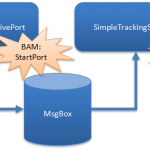
There are integrations which only purpose is to move a file just as it is. No advanced routing. No orchestration processing. No transformation. Just a simple port-to-port messaging scenario.
It is however still a good idea to monitor these just as one would monitor a more complicated integration. We use BAM to monitor all our integrations and to measure how many messages that has been processed in a integration. Using BAM monitoring in a simple solution as the above however has its issues …
Setting up a simple test solution
-
The solution will move a XML file between two port called “SimpleTrackingReceivePort” and “SimpleTrackingSendPort”.
-
Both port have PassThru pipelines configured.
-
The XML file does not have a installed schema. Remember we are just moving the file not actually doing anything with it.
-
A BAM tracking definition with one milestone called “StartPort” will be used. This will be mapped to the “PortStartTime” property on both the receiving and sending port .
Our tracking profile configuration will like below. Dead simple.
So – what’s the problem?
Let us drop a XML message looking some like this.
<?xml version="1.0" encoding="UTF-16"?>
<SimpleTest>
    <SimpleContent Text="This is a test" />
</SimpleTest>
Remember that there is not a schema installed so we do not really have to worry about the structure of the file. It should just be “a file” to BizTalk and everything should be transferred between the ports. Even if we drop a executable or whatever – it should just be transferred. Nothing should read or examine the file as it’s just a pass thru!
As soon as BAM tracking is configured on a port that is however not the case. Lets take a look at the file we receive on the other end of our integration.
<SimpleTest>
    <SimpleContent Text="This is a test" />
</SimpleTest>
BizTalk now removed our XML declaration! Basically it treated the message as a XML message and parsed the message as such while tracking it. It’ will also add the dreaded Byte-Order-Mark and fail any non-valid XML messages. The problem is that this is not the behavior what one expects and causes receiving systems that rely on the XML declaration to fail!
As we also don’t have a installed schema it is not possible to use a XMLTransmit pipeline to add the XML declaration and remove the BOM.
What to do?
If you’d like to track a XML based message using BAM make sure you have the schema installed … Even if you are just using PassThru.
Is it a bug or just something one should expect? In my opinion it is at least very annoying!

by community-syndication | May 28, 2009 | BizTalk Community Blogs via Syndication
When optimizing a BizTalk environment one thing you can do is change the value for the ‘maxConnections’ setting. As stated onthe MSDN site (http://msdn.microsoft.com/en-us/library/aa561380.aspx) this setting determines how many connections can be made to a specific IP address. The same article on MSDN alsocontainsthe following text:
”If the BizTalk Server computer is running ASP.NET 2.0 or […]
by community-syndication | May 28, 2009 | BizTalk Community Blogs via Syndication
There are integrations which only purpose is to move a file just as it is. No advanced routing. No orchestration processing. No transformation. Just a simple port-to-port messaging scenario.
It is however still a good idea to monitor these just as one would monitor a more complicated integration. We use BAM to monitor all our […]
by community-syndication | May 27, 2009 | BizTalk Community Blogs via Syndication
Thursday the 28th of May. I’ll be presenting at the DevDays 2009 The Netherlands.
I’m going to talk about using BizTalk 2009 & ESB Guidance(Toolkit) 2.0 in a Event Driven Architecture.
The presentation is about Event Driven Architecture and I’ll give an insight to the ESB Guidance(Toolkit) 2.0.
Hope to see you there.
