by community-syndication | Jan 31, 2010 | BizTalk Community Blogs via Syndication
I am deeply engrossed at present in a new book, published at the beginning of this year, called ‘Intelligent Systems – Principles, Paradigms and Pragmatics’ by Robert Schalkoff, and published by Jones & Bartlett. Rather strangely, I note the copyright year is 2011, so I guess it fell through some kind of wormhole from the future. I don’t think I have enjoyed reading an IT book as much in the last 20 years.
The book is a modern introduction to the whole field of ‘intelligent systems’ (IS) which is broadly what we used to call AI before the term fell out of favour. It is very much an introduction “suitable for a first course in IS…anywhere from the junior level undergraduate to first year graduate level”. It is 700+ pages of excellence.I’m glad to say that I’m fairly familiar with the ground covered in the first few chapters, despite the absence of a degree in Computer Science. What I really like about it, though, is that it covers a wide range of subjects, is grounded in practical use of freely available tools (Protege, CLIPS, Soar, etc.,) and is written by someone who clearly understands what it is like to be unfamiliar with the subject and the kind of questions that beginners ask. It doesn’t drown you with algebra, but uses enough to illustrate the points being made. It concentrates almost more on worked examples of CSPs, rule sets, blackboards, decision trees, fuzzy logic and all kinds of other stuff than it does on maths. An hey, Microsoft’s BRE even gets a mention in dispatches on page 171 🙂 I’m happy! I have some way to travel yet before I get to the chapters on neural networks, learning systems, genetic algorithms and the like, but I will enjoy the road.
I strongly recommend this book for anyone who is looking for a comprehensive and highly readable introductory overview of IS.
by community-syndication | Jan 31, 2010 | BizTalk Community Blogs via Syndication
I’ve added the first two of a series of webcasts looking at creating custom activities in WF 4.0. The first one looks at deriving from the CodeActivity class to create simple activities, and the second looks at deriving from the AsyncCodeActivity (and being more friendly to the workflow runtime).
WF 4.0 Custom Activities Part 1 Code Activity
WF 4 Custom Activities Part 2 Asynchronous Code Activity

by community-syndication | Jan 31, 2010 | BizTalk Community Blogs via Syndication
As promised, you can download the slides and demos from my presentations today here. Enjoy.
Pluralsight was happy to sponsor the event this year – look for us at the next Code Camp!

by community-syndication | Jan 30, 2010 | BizTalk Community Blogs via Syndication
So there I am doing what a geek does best – sitting in Cafe Nero on Tottenham Court Road in the centre of London on a Saturday afternoon, killing timewhile waiting to meet up with my daughter, and doing a little coding to pass the time when someone (his name turned out to be Jim) asks me “so what do you think of the Visual Studio 2010 beta?”
Me> It’s OK; its stable and functional, and the UI performs quite well, which is good because it uses WPF.
Jim> Yes I know, I’m working on it.
Me> (slightly confused, and thinking he means he is working with WPF) Oh, that’s interesting. So what kind of code do you write?
Jim> I’m working on Visual Studio.
Me> Yes, I realise, but what are you using WPF for?
Jim> No, I mean I work for Microsoft. I’m in the Visual Studio team over in Redmond. I work on Visual Studio. Always good to get feedback!
Beats an MSDN survey any day of the week!
by community-syndication | Jan 29, 2010 | BizTalk Community Blogs via Syndication
|
Folks I admit that I’ve blatantly copied this from the BizTalk Server Team Blog. Just trying to spread to the word 🙂
<Plagiarism>
Microsoft BizTalk Server 2006 R2 Service Pack 1 (SP1) is now available. This service pack is an update for BizTalk Server 2006 R2 and includes a roll-up of hot fixes from the BizTalk Server 2006 and 2006 R2 releases, some hot fixes from the BizTalk Server 2009 release, as well as some additional enhancements.
Important Links:
- Location: Download Location
- Detailed Article: KB Article
- BizTalk Server Roadmap: http://www.microsoft.com/biztalk/en/us/roadmap.aspx
Additional Details
Microsoft BizTalk Server 2006 R2 Service Pack 1 (SP1) is an update for BizTalk Server 2006 R2. The SP1 installation program offers a unified installation experience: It will automatically detect and update all of the BizTalk Server components that are currently installed. It will also detect all BizTalk Server hotfixes currently installed, and will distinguish between hotfixes that predate this service pack, and those which were issued after this service pack was released.
SP1 includes a roll-up of hotfixes from the BizTalk Server 2006 and 2006 R2 releases, some hotfixes from the BizTalk Server 2009 release, as well as some additional enhancements. Some of the key fixes and enhancements in this service pack are the following:
New Features
- For WCF-Custom and WCF-CustomIsolated Adapters, the ability to look up custom bindings from locations other than machine.config.
- Support for using multiple certificates to sign outgoing AS2 messages
Better reliability, performance, and scale for the following key features
- Throttling and dehydration of orchestrations.
- Archiving and purging operations.
- BAM alerts and archiving.
- HIPAA.
- Reduced memory consumption in scenarios using scripting functoids.
- Improvement in the bts_FindSubscription stored proc, resulting in faster execution and lower CPU utilization.
Better management and deployment experiences
- Performance and user experience improvements of key scenarios.
- WCF configuration management.
- Significant improvement in deployment time for send ports using a map.
Improved support
- X12 and EDIFACT updates.
- Increased footprint of supported FTP servers and locale.
- XMLDocument message types in orchestrations.
- Configurable timeout for Basic HTTP.
- WCF adaptor now suspends messages instead of terminating when the host instance is stopped.
- Configurable transaction timeout for WCF Adaptors.
- Mapping of inline schema for SQL Adaptor now allows for using $ characters as part of the updategram.
- The SQL Adaptor now supports calling from a BizTalk Server dynamic send port. The following properties can be set on the call to the dynamic port:
Connection string (all the SQL connection properties)
Document Target Namespace
Response Document Root Element
- Ability to disable generation of Routing Failure Report.
- Fixes to some issues that used to cause high CPU usage by BizTalk Server hosts due to certain .NET updates.
- Ability to use multiple certificates for signing outbound messages.
- Message Pack 2009.
- Message property tracking with BAM for all messages in the interchange, irrespective of the usage of pipeline or mapping.
Integrated tracing to help in debugging EDI specific issues. This improvement is aimed at reducing the time taken for diagnosing and isolating an EDI problem.
</Plagiarism>
Cheers and keep on BizTalking
Peter
|
by community-syndication | Jan 29, 2010 | BizTalk Community Blogs via Syndication
The HIPAA 5010 Support KB Article 973415 explains the new ability within BizTalk to support the next version of HIPAA standards for EDI data interchange.
Note: as noted in the Applies To section at the bottom of the article, this only works with BizTalk 2009, sorry BizTalk 2006 R2 users, looks like you will be migrating to 2009 sooner than you thought.
by community-syndication | Jan 29, 2010 | BizTalk Community Blogs via Syndication
Microsoft BizTalk Server 2006 R2 Service Pack 1 (SP1) is now available. This service pack is an update for BizTalk Server 2006 R2 and includes a roll-up of hot fixes from the BizTalk Server 2006 and 2006 R2 releases, some hot fixes from the BizTalk Server 2009 release, as well as some additional enhancements.
Important Links:
- Location: Download Location
- Detailed Article: KB Article
- BizTalk Server Roadmap: http://www.microsoft.com/biztalk/en/us/roadmap.aspx
Additional Details
Microsoft BizTalk Server 2006 R2 Service Pack 1 (SP1) is an update for BizTalk Server 2006 R2. The SP1 installation program offers a unified installation experience: It will automatically detect and update all of the BizTalk Server components that are currently installed. It will also detect all BizTalk Server hotfixes currently installed, and will distinguish between hotfixes that predate this service pack, and those which were issued after this service pack was released.
SP1 includes a roll-up of hotfixes from the BizTalk Server 2006 and 2006 R2 releases, some hotfixes from the BizTalk Server 2009 release, as well as some additional enhancements. Some of the key fixes and enhancements in this service pack are the following:
New Features
- For WCF-Custom and WCF-CustomIsolated Adapters, the ability to look up custom bindings from locations other than machine.config.
- Support for using multiple certificates to sign outgoing AS2 messages
Better reliability, performance, and scale for the following key features
- Throttling and dehydration of orchestrations.
- Archiving and purging operations.
- BAM alerts and archiving.
- HIPAA.
- Reduced memory consumption in scenarios using scripting functoids.
- Improvement in the bts_FindSubscription stored proc, resulting in faster execution and lower CPU utilization.
Better management and deployment experiences
- Performance and user experience improvements of key scenarios.
- WCF configuration management.
- Significant improvement in deployment time for send ports using a map.
Improved support
- X12 and EDIFACT updates.
- Increased footprint of supported FTP servers and locale.
- XMLDocument message types in orchestrations.
- Configurable timeout for Basic HTTP.
- WCF adaptor now suspends messages instead of terminating when the host instance is stopped.
- Configurable transaction timeout for WCF Adaptors.
- Mapping of inline schema for SQL Adaptor now allows for using $ characters as part of the updategram.
- The SQL Adaptor now supports calling from a BizTalk Server dynamic send port. The following properties can be set on the call to the dynamic port:
Connection string (all the SQL connection properties)
Document Target Namespace
Response Document Root Element
- Ability to disable generation of Routing Failure Report.
- Fixes to some issues that used to cause high CPU usage by BizTalk Server hosts due to certain .NET updates.
- Ability to use multiple certificates for signing outbound messages.
- Message Pack 2009.
- Message property tracking with BAM for all messages in the interchange, irrespective of the usage of pipeline or mapping.
Integrated tracing to help in debugging EDI specific issues. This improvement is aimed at reducing the time taken for diagnosing and isolating an EDI problem.

by community-syndication | Jan 29, 2010 | BizTalk Community Blogs via Syndication
My colleague Gijs (BizTalk MVP) pointed me towards benchmark tool for BizTalk. This wizard checks the performance of your BizTalk Server installation using pre-existing scenarios and validates it against some known results. I thought I will give it a spin on my VPC (sandbox BizTalk 2009 environment with SQL Server 2008 Enterprise and Windows 2008 Enterprise). Installation process is describe on this blogpost. Run script:
If follow up the rest of process and you have your Benchmark tool set to go. Start Wizard, give correct database name, let check prerequisites and select a scenario:
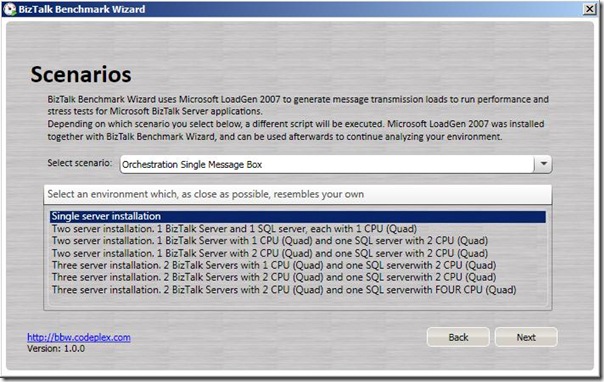
In this case a Single Server Installation with orchestration with singel messagebox.

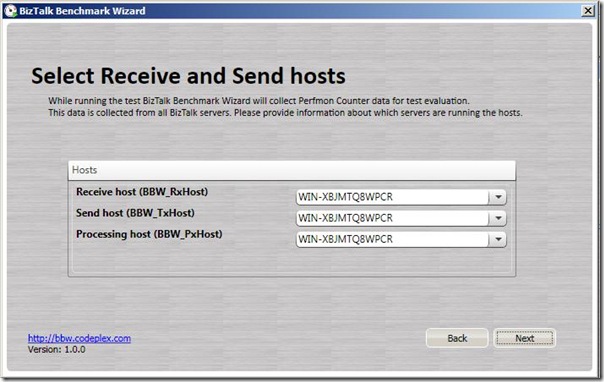
Fill in details (server name, test duration), start Indigo service.
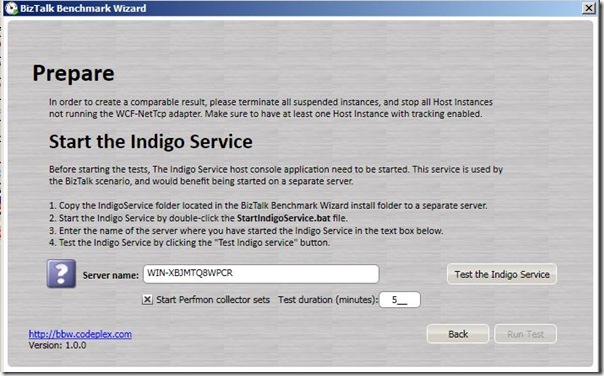
Test service:
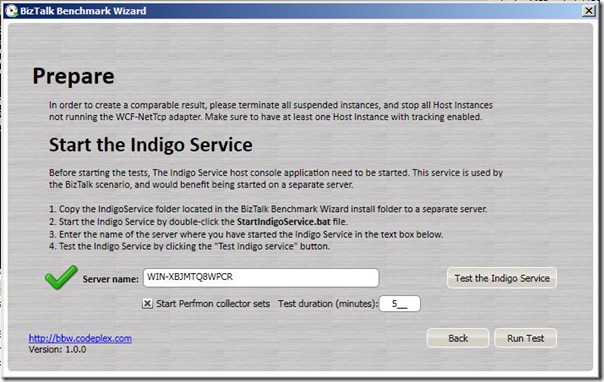
Run the test:
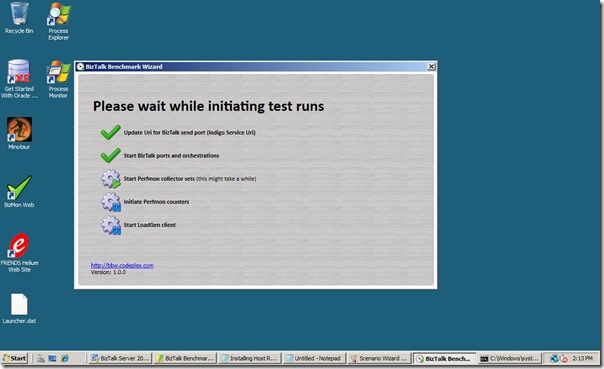
and then finally the results as test is running:
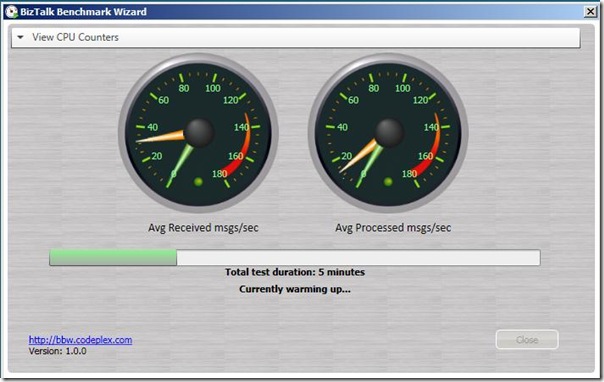
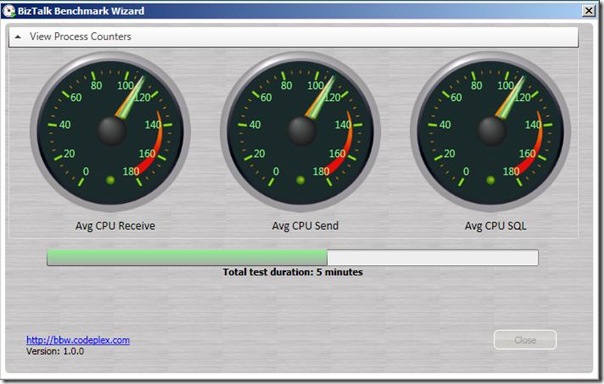
This test runned inside my VPC, with 1024 Mb memory and 1 CPU (Centrino Vpro Dual Core). Test did succeed completly:
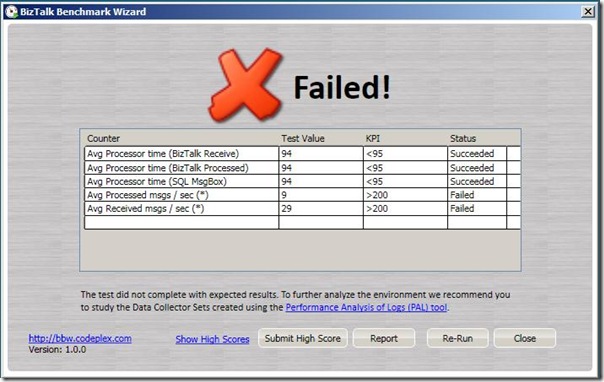
I finished with report that creates PDF for you. I must say I am very pleased with this tool, easy to install and to setup tests via a scenario. Of course this is just a single machine and representative for a real scenario (i.e. High availability). I will use it again soon when I am going to set a high available environment (clustered SQL 2008, two BizTalk instances).
Technorati: BizTalk BizTalk Server 2009
by community-syndication | Jan 28, 2010 | BizTalk Community Blogs via Syndication
[In addition to blogging, I am also now using Twitter for quick updates and to share links. Follow me at: twitter.com/scottgu]
I’ve been working on a series of blog posts the last few months that cover some of the new features coming with .NET 4 and VS 2010.
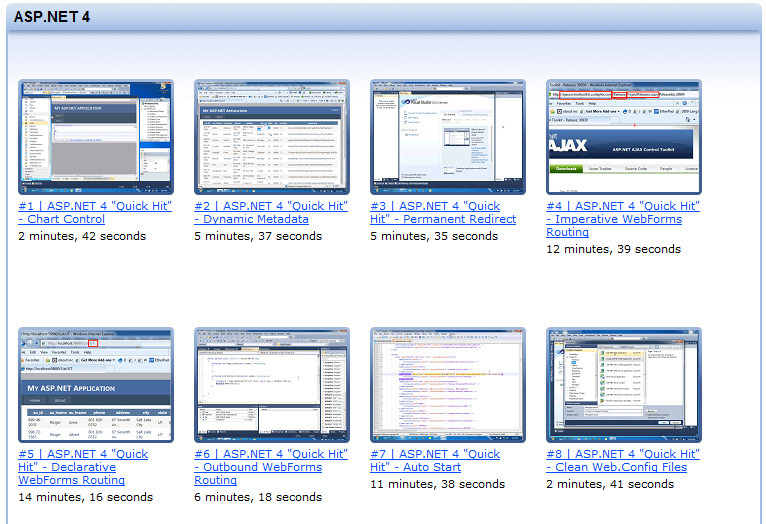
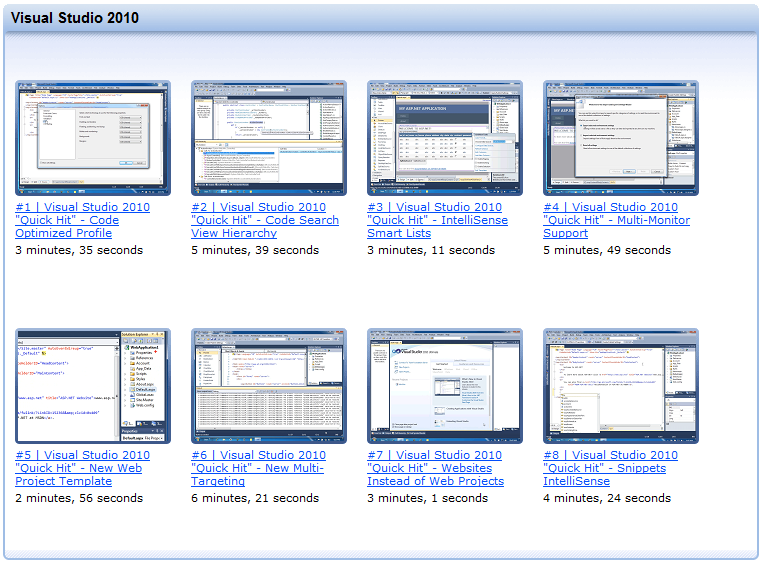
Earlier today someone pointed me at some nice “quick hit” videos that have been published that also provide quick first looks at some of the new features coming with ASP.NET 4 and VS 2010. These videos aren’t an exhaustive list of everything new – but do provide a great way to quickly learn about many of the cool new things coming with the release.
ASP.NET 4 Videos
You can learn more about some of the new ASP.NET 4 features by watching these 22 ASP.NET Quick Hit Videos.
VS 2010 Videos
You can learn more about a few of the new VS 2010 features by watching these 8 VS 2010 Quick Hit Videos.
ASP.NET Team Member Interviews
In addition to the feature demo videos above, you can also watch these ASP.NET team member interviews done by Scott Hanselman. In them various ASP.NET team members talk about a few of the new features they’ve worked on.

There are a lot more features coming with .NET 4 and VS 2010 not covered by all of these videos. But hopefully the above clips provide a good way to quickly get a sense of some of the new capabilities.
Hope this helps,
Scott
by community-syndication | Jan 28, 2010 | BizTalk Community Blogs via Syndication
Jeffrey Knight was kind enough to point out a small missing thing in the expressions for built-in variables in my modified syntax file for PowerShell scripts for Vim. I’ve now updated the syntax file in my github repository following Jeffrey’s suggestion and also fixed another related issue while at it.
Thanks Jeffrey!



