by community-syndication | Apr 5, 2010 | BizTalk Community Blogs via Syndication
Hi all
At times you may run into this error at compile time: “an atomic scope may not contain
a receive with a correlation filtration initialized in the same scope”. Not very many
posts exist on this topic so I thought I’d just share some thoughts on it.
First of all, the error occurs because you have a Receive shape inside an atomic scope
and this Receive shape follows a correlation set that is initialized within the same
scope. This is not allowed, as explained here: http://msdn.microsoft.com/en-us/library/aa560115(BTS.10).aspx.
The reason for this limitation is, that everything that happens inside the Atomic
scope is not committed until the Scope shape finishes processing. If you at some point
initialize a correlation set inside the Atomic scope, then the subscriptions for any
Receive shapes that follow this correlation set cannot match the properties from the
correlation type because the routing engine cannot know about the values until the
Atomic transaction is committed.
If you actually could follow a correlation set that is initialized within the same
Atomic scope you would end up in a deadlock because:
-
The instance subscription is not created until the transaction commits
-
The transaction does not commit until the Receive shape has its message
So as you can see, the Receive shape would never get a message and therefore the transaction
would never commit.
Hope this helps someone out there.
—
eliasen
by community-syndication | Apr 5, 2010 | BizTalk Community Blogs via Syndication
Hi all
When I run into some issues on web pages and report them, one of the things that almost
always happens is that they won’t deal with your request until you have deleted all
cookies and tried again. The support guys have some steps to guide the user through
before they can send anything on to the second level support. And this usually includes
getting the users to delete all cookies.
Now, this is bad! IF there is an issue with the cookie for a particular web site,
then
-
Deal with it in your server side code
-
Don’t ask me to delete ALL cookies, but instruct me to delete the one that is the
right one for your web site.
Deleting all cookies will make me start over entering usernames and passwords for
lots of web sites that are really not in any way impacted by the ongoing issue the
support guys are trying to solve. It may solve the problem, sure but it sure isn’t
the RIGHT way to solve the issue. The right way would be to
-
Make sure the cookie doesn’t get corrupted
-
Handle the corrupt cookie in the server side code
-
Only delete the necessary cookies and not all cookies.
Asking customers to delete all cookies is just plain lazy.
I have seen this from several web sites, and lately I actually got it from the mcp
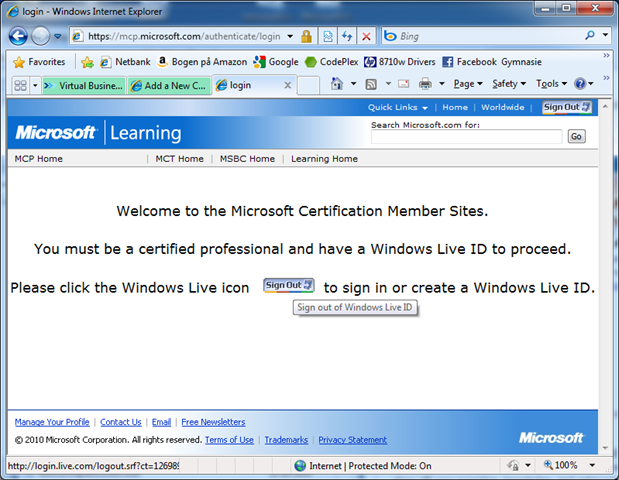
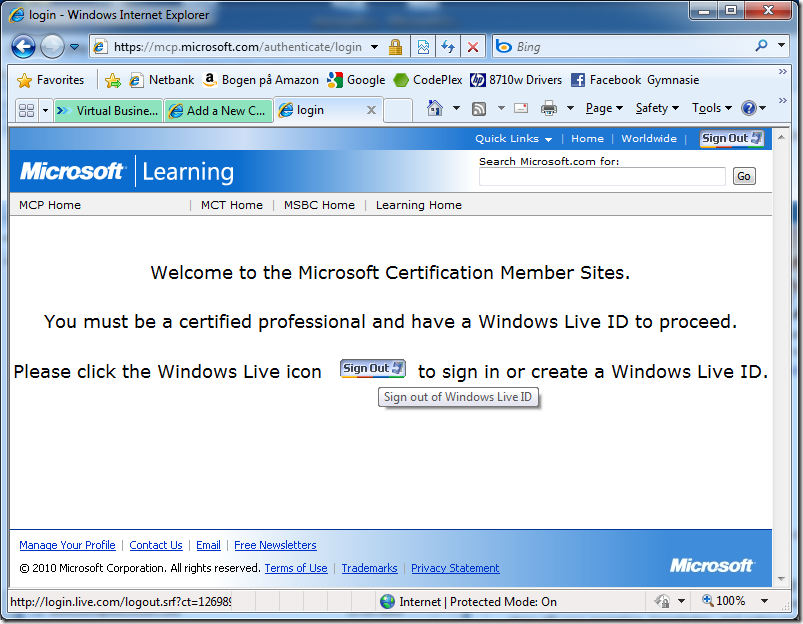
support team. I emailed them that I get this screen frequently:
As you can see, the web page instructs me to click an icon to sign in, but the icon
is for signing out (Clicking it actually signs me out). Now, to me, this means that
the server side code is faulty. The code generates a page that at the same time instructs
me to sign in and to sign out. But, the reply from the mcp support team was that I
was told to delete all cookies and try again. I have emailed them that I don’t think
that is the right way to go about it and they have replied that deleting all cookies
won’t do my system any harm and I should do it and get back to them. Sure it won’t
harm my system, but it will for sure harm my user experience on all the web sites,
whose cookies have now disappeared.
This is the way it always goes – not just with the mcp support team I tell them it
is the wrong solution and they instruct me to do it anyway.
Sigh
—
eliasen
by community-syndication | Apr 5, 2010 | BizTalk Community Blogs via Syndication
Hi all
I am trying out BizTalk 2010 beta, and just discovered a small glitch, will I will
describe here and then email a link to the blog post to Microsoft to let them know
about it.
I have a very simple solution:
I have a C# project which is a helper class, which I will be using from my orchestration
in another project.
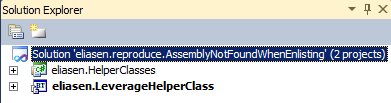
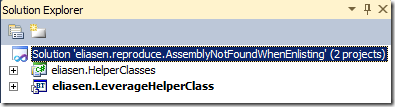
The project structure is as you can see here:
The helper class only has one class with one method which looks like this:
 1: private const string XPATH
= "Some XPath expression";
 2: public static void ChangeXmlDocument(XmlDocument
xmldoc)
3: {
 4: xmldoc.SelectSingleNode(XPATH).InnerText
= "New value!";
5: }
So it just changes the value of an element in the XML that is given to it as a parameter.
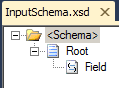
The second project only contains a schema:
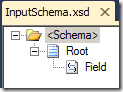
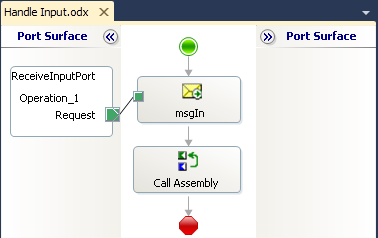
and an orchestration:
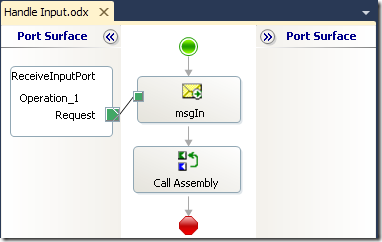
The orchestration just picks up a message and then calls the helper class with the
message as a parameter.
So, the deployment properties are set on the BizTalk project, so I right click it
and choose to deploy it. It deploys fine.
I then entered BizTalk Server Administration, and created a new receive port and a
receive location for it. I enabled the receive location and I bind the receive port
to the Orchestrations receive port.
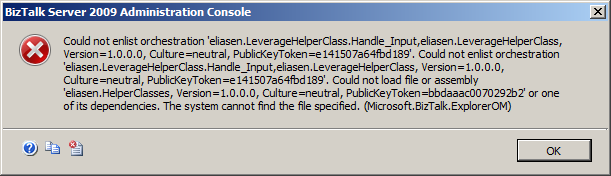
When enlisting the orchestration, I get this error:
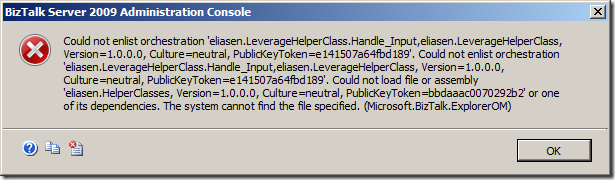
Error message (For the benefit of search engines):
Could not enlist orchestration ’strong name of orchestration’. Could not load file
or assembly ’Strong name of helper class’ or one of its dependencies. The system
cannot find the file specified. (Microsoft.BizTalk.ExplorerOM)
So I am thinking that the error is because I forgot to GAC the helper class and the
administration console wants to alert me to this. Not sure I like that, but ok – I’ll
GAC it. That didn’t help, though.
So I thought: Maybe a refresh of the administration console, so I right clicked on
the application with the orchestration and chose “Refresh”. That didn’t help.
Then I thought: I’ll right click the “Applications” node in Administration console
and chose “Refresh”. That didn’t help either.
Then I tried to chose “Refresh” on the BizTalk Group node in Administration Console.
That didn’t help either.
So, as it turns out, there are two options to fix this error.
-
Restart BizTalk Server Administration Console
-
Add the helper class as a resource in Administration Console
Neither should be necessary, I think
Hope this helps someone.
You can find my solution here:
>
—
eliasen
by community-syndication | Apr 2, 2010 | BizTalk Community Blogs via Syndication
BizTalk User Group Sweden has so far, published all recorded sessions on Channel9, so that these could later be viewed by those who could not attend.
As different user groups over the world have chosen to publish their videos on different sites, it has become somewhat difficult to find them. Some of these groups have therefor, together decided to move all content to the BizTalk DevCenter, as it becomes much easier to access and publish new material.
Sessions published on BizTalk DevCenter:
For complete list of all webcasts: http://msdn.microsoft.com/en-us/biztalk/dd849956.aspx
by community-syndication | Apr 2, 2010 | BizTalk Community Blogs via Syndication
For us as developers it’s important to log errors that occur on a website. We do this in ASP.NET and EPiServer through either debugging during the development phase, or implementning log…
Daniel Berg’s blog about ASP.NET, EPiServer, SharePoint, BizTalk

by community-syndication | Apr 2, 2010 | BizTalk Community Blogs via Syndication
A new Architecture power tool, the Feature Builder has been announced. This is the outcome of the earlier Blueprints project. As I had written earlier, in many ways Blueprints was the successor to GAT/GAX in terms of a platform for providing executable guidance inside Visual Studio and in its first incarnation was very much an […]

by community-syndication | Apr 2, 2010 | BizTalk Community Blogs via Syndication
[In addition to blogging, I am also now using Twitter for quick updates and to share links. Follow me at: twitter.com/scottgu]
This is the seventeenth in a series of blog posts I’m doing on the upcoming VS 2010 and .NET 4 release.
Today’s post covers two new language feature being added to C# 4.0 – optional parameters and named arguments – as well as a cool way you can take advantage of optional parameters (both in VB and C#) with ASP.NET MVC 2.
Optional Parameters in C# 4.0
C# 4.0 now supports using optional parameters with methods, constructors, and indexers (note: VB has supported optional parameters for awhile).
Parameters are optional when a default value is specified as part of a declaration. For example, the method below takes two parameters – a “category” string parameter, and a “pageIndex” integer parameter. The “pageIndex” parameter has a default value of 0, and as such is an optional parameter:
When calling the above method we can explicitly pass two parameters to it:

Or we can omit passing the second optional parameter – in which case the default value of 0 will be passed:

Note that VS 2010’s Intellisense indicates when a parameter is optional, as well as what its default value is when statement completion is displayed:

Named Arguments and Optional Parameters in C# 4.0
C# 4.0 also now supports the concept of “named arguments”. This allows you to explicitly name an argument you are passing to a method – instead of just identifying it by argument position.
For example, I could write the code below to explicitly identify the second argument passed to the GetProductsByCategory method by name (making its usage a little more explicit):

Named arguments come in very useful when a method supports multiple optional parameters, and you want to specify which arguments you are passing. For example, below we have a method DoSomething that takes two optional parameters:

We could use named arguments to call the above method in any of the below ways:

Because both parameters are optional, in cases where only one (or zero) parameters is specified then the default value for any non-specified arguments is passed.
ASP.NET MVC 2 and Optional Parameters
One nice usage scenario where we can now take advantage of the optional parameter support of VB and C# is with ASP.NET MVC 2’s input binding support to Action methods on Controller classes.
For example, consider a scenario where we want to map URLs like “Products/Browse/Beverages” or “Products/Browse/Deserts” to a controller action method. We could do this by writing a URL routing rule that maps the URLs to a method like so:

We could then optionally use a “page” querystring value to indicate whether or not the results displayed by the Browse method should be paged – and if so which page of the results should be displayed. For example: /Products/Browse/Beverages?page=2.
With ASP.NET MVC 1 you would typically handle this scenario by adding a “page” parameter to the action method and make it a nullable int (which means it will be null if the “page” querystring value is not present). You could then write code like below to convert the nullable int to an int – and assign it a default value if it was not present in the querystring:

With ASP.NET MVC 2 you can now take advantage of the optional parameter support in VB and C# to express this behavior more concisely and clearly. Simply declare the action method parameter as an optional parameter with a default value:
C#

VB

If the “page” value is present in the querystring (e.g. /Products/Browse/Beverages?page=22) then it will be passed to the action method as an integer. If the “page” value is not in the querystring (e.g. /Products/Browse/Beverages) then the default value of 0 will be passed to the action method. This makes the code a little more concise and readable.
Summary
There are a bunch of great new language features coming to both C# and VB with VS 2010. The above two features (optional parameters and named parameters) are but two of them. I’ll blog about more in the weeks and months ahead.
If you are looking for a good book that summarizes all the language features in C# (including C# 4.0), as well provides a nice summary of the core .NET class libraries, you might also want to check out the newly released C# 4.0 in a Nutshell book from O’Reilly:

It does a very nice job of packing a lot of content in an easy to search and find samples format.
Hope this helps,
Scott

by community-syndication | Apr 1, 2010 | BizTalk Community Blogs via Syndication
In the ASMX world, handling WSDL (for the purposes of say, generating code or custom documentation etc) is pretty straightforward. If you are given a .asmx?wsdl endpoint (or even a local WSDL file), all you need to do is instantiate a System.Web.Services.Description.ServiceDescription over it and that will give you access into all the objects that […]
by community-syndication | Apr 1, 2010 | BizTalk Community Blogs via Syndication
Danny Garber and I were interviewed for Endpoint.TV on Windows Server AppFabric and our upcoming book.
The interview has been published and is now available. Check it out at http://channel9.msdn.com/shows/Endpoint/endpointtv-Pro-Windows-Server-AppFabric/

by community-syndication | Apr 1, 2010 | BizTalk Community Blogs via Syndication
Welcome to the 19th interview in my series of chats with thought leaders in the “connected technologies” space. This month we have the pleasure of chatting with Udi Dahan. Udi is a well-known consultant, blogger, Microsoft MVP, author, trainer and lead developer of the nServiceBus product. You’ll find Udi’s articles all over the web in […]