Problem while adding custom database to the BizTalk Backup Job
BizTalk provides out-of-the-box functionality to include your custom BizTalk database in the standard backup procedure. Lately, I’ve encountered an issue with this setup.

BizTalk provides out-of-the-box functionality to include your custom BizTalk database in the standard backup procedure. Lately, I’ve encountered an issue with this setup.
Last week Microsoft announced the release of BizTalk Server 2013 RTM, there are enough materials out there showcasing the new capabilities that’s been added to the product. We blogged in detail about the core licensing changes here. This is the 8th (2000, 2002, 2004, 2006, 2006 R2, 2009, 2010, 2013) major release of BizTalk Server. […]
The post The Evolution of BizTalk Server appeared first on BizTalk360 Blog.
Blog Post by: Saravana Kumar

This is amazing, now we don’t need to de-batch the incoming messages to insert into database tables. The single multi-record message send to the send port can be inserted into database using “CompositeOperation” in WCF-SQL adapter soap action header tab. This is know as Single file method. Create schema with the below structure. Transaction […]
Blog Post by: shadabanwer
With the launch of BizTalk 2013 coming to a city near you from next month, Breeze is across all the new features and has the expertise to get it done right – the first time.
(Watch this space – we will be announcing the launch ‘party’ shortly)
This is the 8th release of BizTalk and Breeze has been there as a TAP partner, early
adopter etc. for ALL 8 releases (even before BizTalk…but that scares even me). We’ve
provided feedback and suggestions on the current release and Breeze has the ability
to contact the Product team and raise an issue should the need arise.
BizTalk 2013 is also targeted for the cloud and will be offered as Platform as a Service(PaaS)
and Infrastructure as a Service(IaaS), so keep an eye out in the Azure image galleries
for this.
I’m pleased to announce that our current set of products have been updated and tested
to work with BizTalk 2013 environments, such as:
– Breeze Monitor – centralised monitoring based dashboard that gives you comfort
at night knowing your solutions are being looked after.
– Breeze Integration Framework – integration should be easy, this does
exactly that. We have put many new capabilities and items here for the BizTalk 2013
version.
For the on-premises BizTalk Server 2013 release, the following themes are important:
In terms of features, this translates to
There is also a change in the licensing approach, where BizTalk is now moving to
a per-core licensing model. If you need more information on this, drop us
a line.
Happy BizTalking.. 🙂
Blog Post by: Mick Badran
The BizTalk community is awesome. I get to spend time with many of them during my travels abroad when speaking to them. A week ago I had the opportunity to speak in Porto during the Oporto BizTalk Innovation event. My upcoming next BizTalk events in Italy (June) and Norway (September) are planned and its preparations have already started.
BizTalk Server 2013 will soon be generally available as

Note this is not the official Licensing document for BizTalk Server! Please consult Microsoft before making any purchase decisions. Overview With the BizTalk 2013(english locale)SKUs hitting the Microsoft sites for purchase in April. It is important to note an important change Microsoft have made to the BizTalk 2013 licensing model. Up till now (i.e. BizTalk […]
Blog Post by: DipeshA
Microsoft has reached another important milestone with the release of their 8th version of BizTalk. This is the 8th release in 13 years!!! No major product in Microsoft has shipped that often so my congratulations goes out to the team that shipped this release. Microsoft made this announcement on Thursday, March 21 on the BizTalk Server Team Blog. Many other members within the BizTalk community have also shared this news via their blogs, Twitter and Facebook. Here are a few examples:
Since many of these blogs, and especially the Product group blog, get into the actual features I will not re-post those since you have likely already read it. What I did want to get into is why someone should make the jump to this version whether you are a new BizTalk customer or a customer looking to upgrade.
Back in December 2012 I started working with a new organization who was just getting started with using integration platforms to solve their integration requirements. The green light was given to proceed with implementing BizTalk. The next question was which version do we go with? BizTalk 2010 was very mature at this point and was the version that I was using at my previous employer. On the flip side BizTalk 2013 had been in CTP since July 2012 and a subsequent Beta was released in early November. I spent a lot of time with these versions(see my blog posts from this timeframe) and after speaking with the product group at the BizTalk Summit in December we all agreed that BizTalk 2013 was the way to go.
With the help of the product group, we were able to get this organization, that I am working for, into the TAP program. The TAP program gave me access to early bits and allowed me to start building out the various Dev, Test and Prod environments. It also gave me access to Product Group members like Guru, Rajesh and Michael who ensured I had what I needed to make the progress required to hit my project’s deadline. Thanks Guys 🙂
My environments are now up, I have the new SCOM management pack installed and we are just finishing up User Acceptance Testing (UAT) before we are officially live. Going live will occur in mid-April.
If I look at the drivers for going with BizTalk 2013, here are a few of them:
Conclusion
There are a lot more features that are included in this BizTalk 2013 release than I have described here. I thought it would be interesting to describe some of my thought process when going through the BizTalk 2010 vs BizTalk 2013 decision. Now that BizTalk 2013 has RTM’d this decision gets even easier. I am very glad that I did proceed down the 2013 route as otherwise I would be missing out on a lot of great features.
Also, stay tuned for some more announcements from the BizTalk team. They are working on something BIG that fits into the Platform as a Service (PaaS) space. Hint – it is related to this. Once again having options is good and the service that will be offered provides customers more options when it comes to cloud integration. BizTalk developers will be happy as a lot of their existing skillset can be leveraged while building out some new capabilities using this upcoming platform. Stay tuned – it is worth it.
As most of you, I downloaded the final pieces of BizTalk Server 2013 as soon as it was available on MSDN. Once I downloaded it, I decided to setup a clean BizTalk 2013 Development Machine. This post will highlight the… Read more ›
Blog Post by: Ren%u00e9 Brauwers
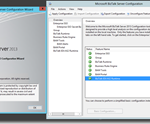
As most of you, I downloaded the final pieces of BizTalk Server 2013 as soon as it was available on MSDN. Once I downloaded it, I decided to setup a clean BizTalk 2013 Development Machine. This post will highlight the issues I encountered during installation and configuration and how I resolved them.
First of a brief highlight of my machine (Single-Server) configuration
* Windows Server 2012
* SQL Server 2013
* One instance for BizTalk MessageBoxDb
* One instance for all other BizTalk databases
* Visual Studio 2012
* BizTalk Server 2013
* Server Memory 8GB
* Disk Space 40Gb
Below the issues I encountered and how I resolved them.
Error encountered: Missing file ‘MSVCP100.dll’
Error encountered: Could not install BAM Tools
Error encountered: Could not install BAM Portal -> error with regards to “BAM Management Web Service User”
Error thrown: “Attempted to read or write protected memory. This is often an indication that other memory is corrupt.”
Actual exception: Log indicated ‘Cannot alter the role ‘NSSubscriberAdmin’, because it does not exist or you do not have permission.’
Well this was a quick post, but I hope that it might help you out; if you encounter the same issues
Cheers
René

The latest full version of BizTalk was released yesterday to MSDN. Here is the official announcement: http://blogs.msdn.com/b/biztalk_server_team_blog/archive/2013/03/21/biztalk-server-2013-is-now-rtm.aspx. General availability is coming up soon. I downloaded the Standard edition from MSDN yesterday but the Developer edition has not made it to MSDN yet. There are many new and improved features but the ones I am most […]
Blog Post by: clineer