by ShaheerA | Jun 29, 2015 | BizTalk Community Blogs via Syndication
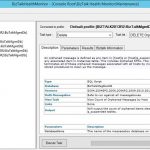
I just wanted to let everyone know that BizTalk Terminator is now also available as a part of BizTalk Health Monitor (BHM) – the new BizTalk tool that integrates MBV and Terminator functionality into an MMC Snap-In that you can run as a part of your BizTalk Admin Console.
Update: Final version of standalone Terminator released.
More info here – including a comparison of the 2 versions of Terminator.
Terminator functionality can be found in BHM’s Maintenance node:
- You must be on BHM v3 or above to get the Terminator functionality
- Get BHM from https://www.microsoft.com/en-us/download/details.aspx?id=43716
- See here for a walkthrough of BHM v3 functionality – including Terminator integration.
- See the BHM blog at http://blogs.msdn.com/b/biztalkhealthmonitor for more information on BHM.
- So far, I’ve included the most popular Terminator tasks in BHM and plan to add more over time
- BHM officially supports BizTalk 2010, 2013, 2013R2, and 2016.
I’m going to continue updating standalone Terminator for now and it is still available here. At some point, I’ll probably end up creating a final build of the standalone version and move all new development to BHM. I’ll update this blog once that decision is made.- Standalone Terminator tool is no longer being updated. The final version of standalone Terminator is v2.5. All new development (including BTS2016 support) is happening in BHM Terminator.
- MBV is no longer being updated and the last update to it was in July 2014. To make sure you are using the latest MBV repository with the latest rules/queries, be sure to move to BHM.

by community-syndication | Jun 28, 2015 | BizTalk Community Blogs via Syndication
Disclaimer – Shameless (but hopefully informational) plug follows 🙂 Close to a year ago myself and my colleagues Mark, Mahindra, and Colin were approached by Packt Publishing to update Richard Seroter’s “SOA Patterns with BizTalk Server 2009” book for BizTalk Server 2013. We considered this a great honour seeing as the base material in the […]
Blog Post by: Johann

by community-syndication | Jun 28, 2015 | BizTalk Community Blogs via Syndication
I have just released v1.6.0 of the BRE Pipeline Framework to the CodePlex project page. The framework is now mature enough that it’s core has not changed much this time around, but there are still tons of new features and optimizations to be found in this version. For a recap on what the framework is […]
Blog Post by: Johann
by community-syndication | Jun 25, 2015 | BizTalk Community Blogs via Syndication
So the App Service product group did a Google Hangout today (basically a live YouTube stream) and gave some updates on Logic Apps, along with some demos on chaining Logic Apps, calling a Logic App from another Logic App etc…
Blog Post by: Daniel Probert

by community-syndication | Jun 24, 2015 | BizTalk Community Blogs via Syndication
Today, Pluralsight released my 12th course. I’ve spent the last few months putting together a fun deep dive into three major database technologies from AWS: Amazon RDS (relational database), DynamoDB (NoSQL database), and Redshift (data warehouse). This 5+ hour course… Read More ›
Blog Post by: Richard Seroter

by community-syndication | Jun 24, 2015 | BizTalk Community Blogs via Syndication
One of the key areas to focus on when using Service Bus Relays to expose on premise BizTalk hosted WCF services externally without making any firewall changes is availability. Service Bus Relay endpoints in Azure will only be enlisted upon initialization of your on premise service. NOT when your application pool starts, NOT when you […]
Blog Post by: Johann

by community-syndication | Jun 24, 2015 | BizTalk Community Blogs via Syndication
While working on a project using the WCF webHttpRelayBinding binding with SAS based authentication over transport security, I found that my services were taking a very long time to spin up (30-60 seconds) and that my runtime performance was a bit less than optimal in terms of latency (and I had proven that the latency […]
Blog Post by: Johann

by community-syndication | Jun 20, 2015 | BizTalk Community Blogs via Syndication
In a recent post I mentioned how you could dynamically set HTTP headers on a WCF-WebHttp send port. This post will take this a bit further and discuss how you can dynamically set the target endpoint address as well as the HTTP method. First things first, just as I mentioned in the post about HTTP […]
Blog Post by: Johann
by community-syndication | Jun 17, 2015 | BizTalk Community Blogs via Syndication
Have you ever received a call in the middle of the night, your monitoring system alerting for an issue in your BizTalk environment that was simply resolved by enabling your “BizTalk Receive Location(s)”? Wouldn’t it be nice if your monitoring system can detect threshold violation conditions and auto recover automatically? That’s exactly the functionality we […]
The post Introducing Auto Healing For BizTalk Environment appeared first on BizTalk360 Blog.
Blog Post by: Saravana Kumar

by community-syndication | Jun 15, 2015 | BizTalk Community Blogs via Syndication
When trying to deploy BAM definition by: Open a command prompt as follows: Click Start, click Run, type cmd, and then click OK. Navigate to the tracking folder by typing “C:\Program Files (x86)\Microsoft BizTalk Server <version>\Tracking” at the command prompt. Press ENTER. Type “bm deploy-all -DefinitionFile:<BAM definition file>” Press ENTER. I got the following error: […]
Blog Post by: Sandro Pereira
