by Daniel probert | Jan 7, 2016 | BizTalk Community Blogs via Syndication
Recently I was asked by a client: how do I deploy an API App or a Logic App to a Virtual Network (VNet)?
If you’ve ever used BizTalk Services (MABS) then you’ll know one of the biggest limitations with MABS was that it didn’t support VNets: a lot of companies create VNets, and hook them up to their on-premises network, so that their Azure environment becomes a secure extension of their on-premises network.
VNets can also be set to only allow trusted connections from external users through the use of firewalls, network appliances or network configuration.
At the date of writing, there is currently no support for running Logic Apps in a VNet (yet, but watch this space) but there is for the other parts of Azure App Service (AAS): the problem is solved through the use of App Service Environments (ASEs).
Introduction to App Service Environments (ASEs)
ASEs have been around for a while (they previewed in April 2015, just after AAS went into preview, and Logic Apps/API Apps were announced) but there hasn’t been too much coverage of them, hence my client’s question. ASEs are part of Azure App Service.
An ASE is effectively a private deployment of all the VMs and services needed to run your AAS apps. Instead of running on either shared VMs (Free and Standard Plans) or dedicated VMs in the public portions of your subscription, ASEs give an entire deployment of everything needed to host AAS apps but in a VNet – with the added benefit that you get a lot of control over the scale up/scale out options.
When you create an ASE it *has* to exist in a VNet: you can’t create one outside of a VNet. The VNet is either created for you (with default values) or you can select a pre-existing VNet when you create the ASE.
Configuration of an ASE can look a bit daunting, but it becomes easier if you think of it as your own set of virtual servers, with a set of front-end servers and 3 groups of processing servers running in your VNet. All of the supported AAS goodies (web apps, api apps, etc.) are deployed onto these servers, and you get to control the number of servers available to handle load.
Servers are grouped into either Front-End, Worker Pool 1, Worker Pool 2, or Worker Pool 3.
You can set the number of instances per group – so the default is for a front-end group with 2 servers, and single worker pool group with 2 servers, plus one allocated IP address. Note that these aren’t the actual number of instances assigned to your API App (or Web or Mobile) when you deploy it – this is the just the number of instances that exist in the group that can be used. When you deploy your AAS app, you choose which group it uses.
In ASE terminology, each group is known as a pool, and the servers as instances: so if you want two servers running on a worker process group, you’d have two worker pool instances running in your worker pool.
Technically, each pool instance is a compute resource: you can have a maximum of 55 compute resources spread across your front-end pool and worker pools, and a maximum of 10 IP addresses e.g. 5 front-end instances, and 2 worker pools each with 25 instances (the Azure portal has some pretty nifty code in it which adjusts the ratio on the sliders as you adjust the numbers!).
ASEs are part of the Premium tier, which means they can get expensive: even at the default settings the per hour cost is reasonably high, even with nothing running in the ASE and no storage. As you add more instances, or more pools, the price per day increases.
How to create an ASE
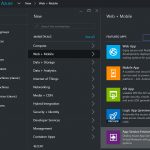
The option to create an ASE can be found under Web + Mobile, right under the Logic App item, when you click New in the Azure portal:
When you select App Service Environment you’ll be given the option to give it a name, select or create the Resource Group the ASE will belong to, select or create a VNet, and choose scaling options:
On this screen you specify:
-
Your ASE name – note that your ASE is given a name on the domain p.azurewebsites.net – you’ll have to make your ASE name unique amongst all other ASE names.
-
The subscription your ASE will be created in.
-
The Resource group your ASE will belong to (this can be a new one or an existing one).
-
The Virtual Network/Location for your ASE (by default a new VNet is created for you, but you either choose an existing VNet, or change the options of the default VNet that is created).
-
Scalability i.e. how many pools and pool instances you want.
Note the information box that indicates it will take a minimum of 2 hours to create your ASE – this is accurate, as I’ve found from experience.
Selecting the Scale option shows this screen:
Here you can specify what pricing tier you want to use for your pools (each pool can be set to a different pricing tier, although the Front End Pool must be at P2 at minimum).
After this, you can set the number of instances in each pool, and how many IP Addresses you need.
If you select one of the tier options for a pool, you’ll see a screen like this:
What this lets you do is set the number of cores available for each of your instances i.e. the number of cores for each of your virtual servers.
Looking at those numbers, and knowing the defaults for an ASE, you can see that the default settings will cost you a minimum of £272.70/month (about US$400/mo), and that’s without any additional storage or traffic charges.
Note: ASEs can be expensive, but they’re in the Premium tier for a reason: they’re designed to handle very high load (if necessary) for customers that need an isolated environment within a virtual network e.g. 50 8-core virtual servers. Plus, there’s one thing you can do with ASEs that is difficult to do otherwise: you can provide automated geographic redundancy (more on this later).
After you click the Create button, Azure goes off and creates your ASE – this will take a minimum of 2 hours.
How to deploy an API App to an ASE
OK, so now you have your shiny new ASE – how do we deploy an API App to it? Well this is the really easy part: Your ASE will show up in your list of Locations when you create your API App (as long as you select the correct subscription).
For example, if I create an instance of the BizTalk Flat File Encoder, my location happens to automatically default to the ASE I created earlier:
Note that we now have a new option available – Worker Pool Size. This lets us select the worker pool to use with the API App (remember setting up Worker Pools when you created the ASE?). You use this to select which worker pool you want to use (i.e. Worker Pool 1, Worker Pool 2, etc.).
Also, I note that you can select an existing resource group, or create a new one, although the facility to choose an existing one wasn’t working correctly at the time of this post.
If we select the Location option, we can see that the ASE appears in the list of locations:
Benefits of deploying API Apps or Logic Apps to an ASE
The two main benefits of an ASE are these:
-
Ability to deploy to a VNet.
-
Ability to scale worker instances beyond that which is available in AAS outside on an ASE.
The VNet argument should be easy: if you have an on-premises network which you are connecting to Azure (either by VPN or ExpressRoute or similar), then an ASE allows you to both access your AAS apps from your on-premises servers as well as allowing your AAS apps to access on-premises server – no hybrid connectivity or service bus relay needed! Plus you can use network security groups to restrict traffic access to your AAS apps on an IP level.
The ability to scale is essential if your workload is going to go beyond the capabilities offered by vanilla AAS: up to 55 dedicated compute resources, each with up to 8 cores. The ability for your ASE to autoscale as demand requires it is also essential for enterprise apps.
Why can’t we add Logic Apps to an ASE?
When ASEs first came out, there was a bit of confusion about whether Logic Apps and API apps were supported: the initial announcements indicated they were, but there appeared to be no way of adding API Apps and Logic Apps to ASEs. That has changed, with the official guidance now updated to indicate that Web Apps, Mobile Apps, and API apps are all supported, but not Logic Apps.
Given that Logic Apps are still in preview, this is perhaps not surprising – and I wouldn’t be surprised if we find Logic Apps gaining ASE support before the GA of Logic Apps next year (perhaps even during one of the earlier updates mentioned in the Logic Apps Roadmap).
Further Resources
There’s a wealth of information from Microsoft on ASEs – here’s a partial list, including a very cool use of geographic scaling using multiple ASEs:
by community-syndication | Jan 1, 2016 | BizTalk Community Blogs via Syndication
Feels like I was writing my 2014 Year in Review just last week. Astonishing how time flies when you are busy having fun.
Learning
In the technology industry, if you are not learning you are dying. Having spent a lot of time in the Architecture space there is not much that frustrates more than Ivory Tower Architects. For me, I need to touch a technology to really understand it. Reading about it doesn’t give me enough insight to set direction for its usage in a company.
In 2015, one of my goals was to really dive into API Management platforms and more specifically Azure API Management. I started hearing about API Management platforms when I was working at Mulesoft. While I never had any engagements that required their APIM platform, I knew enough about it to know that API Management, as a domain, will be big.
When trying to balance work and speaking opportunities/obligations, I try to ’kill two birds with one stone’. As you will find in the next section of this blog, I had the opportunity to speak about Azure API Management on several occasions. It was signing up for these sessions that motivated me to do a good job researching the technology.
Probably one of the most rewarding moments was taking all of this research and speaking and turning it into a tangible solution at work. We had a requirement come up in a project where we needed to do some trading partner integration using a RESTful API. As a result of all the ’homework’ I was doing, I was able to spin up and API Management and supporting APIs all within two weeks that addressed a project requirement and gave the organization flexibility. We have had approximately 15 million calls to this API in the last 6 months which has been very rewarding.
Another area of learning for me was around SaaS connectivity and more specifically ServiceNow. ServiceNow is an IT Service Management tool. This was a tool that our organization was implementing and was given some warning that some integration with this tool was bound to happen.
Since there was no Azure API App (connector) available for ServiceNow, this allowed me to create my own. This provided me with another learning opportunity where I got to dive into all of the recent investments that Microsoft was making in Integration Platform as a Service (IPaaS)
Speaking
Being in the MVP program has created many opportunities for me to speak all over the world. For that I am grateful to fellow MVPs, BizTalk360 and Microsoft for creating those opportunities.
This year was another busy year speaking. I spent more time speaking in my home town (Calgary) than ever before which is encouraging to see as it shows there is more appetite for cloud integration.
.Net Usergroup I was a last minute addition to the MVPs putting on an Azure Cloud day. In this session I was able to talk about Azure Service BUs messaging. For many in attendance they were familiar with MSMQ but never heard of Azure Service Bus. It is always fun to demo ServiceBus as people feel there is a little bit of magic whenever you start showing the Relay Service.
#IntegrationMonday – The brainchild of Michael Stephenson and Saravana Kumar has brought together a world-wide Microsoft Integration community on a weekly basis. I had the opportunity to speak twice (link, link). Thanks Mike and Saravana for giving me the opportunity.
BizTalk Summit (London) – This was my second time speaking in London and have to thank Saravana and his team for the opportunity. This was probably the largest audiences that I have spoken in front of with more than 350 people in attendance. In my session I talked about an Introduction to Azure API Management. I think this is an untapped discipline amongst BizTalk resources so it was a good opportunity to introduce many people to the subject.
Following this event my wife and I went to Portugal to visit Sandro and SteefJan. Sandro took great care of us and showed us all around his hometown of Porto. It was an amazing trip so thanks Sandro!
BizTalk Booktcamp (Charlotte) – Mandi Ohlinger, from Microsoft, was hosting another edition of the BizTalk Bootcamp. I had the opportunity to speak at this event in 2013 and was happy to return. I had two sessions at this event. The first was a replay of my BizTalk Summit API Management session and my next session was a live Lab walkthrough. I had some tremendous feedback after this event. I had people who had never heard of API Management, provision their own API Management instance, manage a set of APIs, call it from Postman all within an hour. They could not believe how far they were able to go within 1 hour. While I appreciated the feedback, it is also a testament to that Azure API Management platform as well as it is a simple but powerful tool.
MVPDays – I was approached by a local MVP Dave Kawula to speak at his upcoming MVPDays event in Calgary. It was more of a Cloud Infrastructure event, but I appreciated the opportunity to introduce API Management and SaaS connectivity to a new audiance.
Azure Hybrid Integration Day – This time it was my turn to host some of my European MVP buddies and put on an event in Calgary. With the help and support of my Canadian MVP Lead Sim Chaudhry, support from Microsoft Canada employees such as Darren King and BizTalk360 we were able to pull of an entire day focused on Microsoft Integration. My session focused on Azure App Service and SaaS Connectivity using Microsoft’s latest bits.
After the event was over we had the opportunity to take in a football game (with tailgate) and cheer for the Saskatchewan Roughriders (event though they lost).
MVP Summit Videos – For the second straight year Microsoft arranged for Integration MVPs to enter the Channel 9 studios to record some short sessions. I want to thank Jon Fancey and Mark Mortimore for co-ordinating this. My session focused on some of my demos from the Azure Hybrid Integration Day.
InfoQ
Around the August timeframe I had the opportunity to start writing for InfoQ. For those of you who are not familiar with InfoQ, it is an online media outlet that focuses on Technology News and also hosts many conferences called QCon. The organization is pretty impressive. They have assembled a distributed team of technologists who also have a passion for writing. Their goal is not necessarily to break news but to provide some technical substance to the happenings in the industry.
I am part of Richard Seroter’s Cloud Editorial team. Richard and I co-authored a book several years ago and we continue to be good friends. Richard is also one of those people that I regularly say “how does he do it” as he always has a million things on the go and the quality never suffers. The opportunity to work along side him in this domain was too good to pass up and appreciate the opportunity he gave me.
The best part about writing for InfoQ is all of the ’forced learning’ that occurs. While I pride myself on staying up to date it can become difficult especially when you consider all of the platforms out there. As you probably know, I spend a lot of time in the Microsoft eco-system which is obviously one I enjoy. Previously I was not very focused on what some of the big cloud players like Amazon, Salesforce and Google were up to. As a result of covering these companies I now have a new perspective about what these companies are doing right and where Microsoft may have room for improvement. Ultimately, I think this helps me do my day job better as I have a good appreciation of where the industry is headed.
Since September, I have had the opportunity to write approximately 17 articles. I figured it would be fun to list my 5 favourite articles (in no particular order).
- Salesforce Enters IOT Platform– This provided me with one of those ’ah ha’ moments. I think Salesforce is onto something with this platform. If you think about tying customer events into a customer engagement platform, I think Salesforce will have a lot of opportunities in this space.
- PowerApps – I was sitting beside Richard at the MVP Summit where the team is talking about PowerApps. Richard gave me a nudge and said – “hey you should break this story when it is no longer NDA”. After the session I reached out to Wade Wagner from the product group who put me in touch with some marketing folks at Microsoft who ensured I had all of the information I required in order to launch a detailed article as soon as the embargo was lifted. It was neat to be part of launching a story like this.
- Microsoft’s Integration Roadmap – While I did write about this on my blog, I was deliberate to provide my personal opinions on the matter. The goal of the InfoQ article was to remain objective and speak to the facts. Regardless, It was fun to write about this topic from that perspective and in that outlet.
- Amazon IOT Beta– Once again, having not been familiar with what Amazon was doing with IOT, this gave me the opportunity to compare and contrast Amazon’s vision against Salesforce and Microsoft.
- Event Hubs surpasses 1 Trillion messages in a month – This was my very first article and also gave me an opporunity to interview Dan Rosanova. You can always get a good sound bite out of Dan. It was really neat to see where Dan, Clemens and ther rest of the team have been able to take this service.
Looking ahead
2016 should be another very interesting year in the area of Microsoft Integration. We will see a new version of BizTalk Server, Logic Apps Updates, PowerApps Updates and also another Integrate event in Q2.
It is also off to a good start with my MVP being renewed. All Integration MVPs have been moved into the Azure discipline. I believe this is my 9th year in the program. I know someday it will end but until that time I am happy to continue to contribute to this excellent community.



