We live in the age of fast digital transformation. Different emerging services appear extremely fast which results in a more heterogeneous IT architecture. However, when we have this heterogeneous landscape compose of different legacy and modern systems, a major problem that may arise is how can we put all of these systems to interact with each other to create the concept of a single production system.
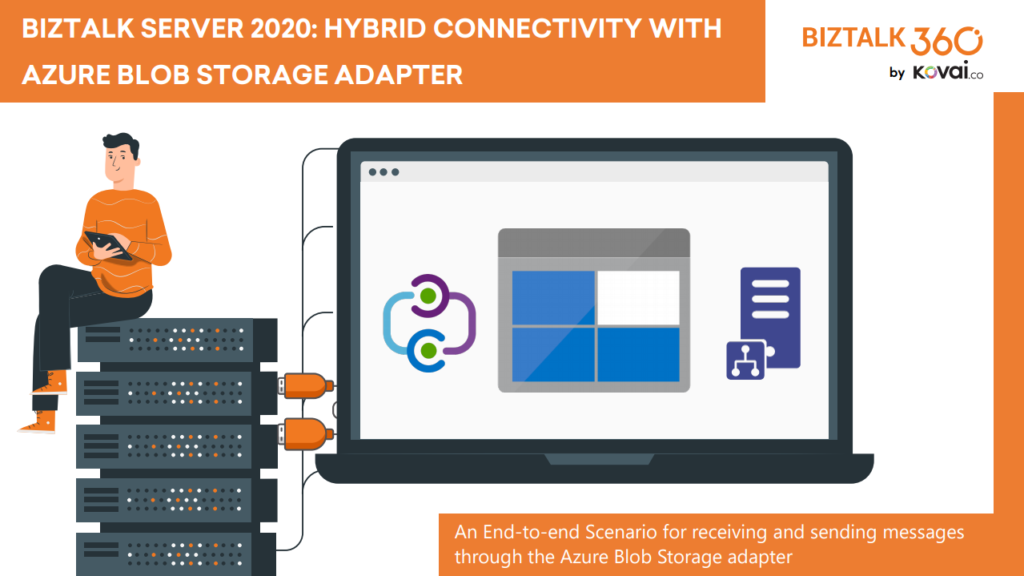
BizTalk Server 2020 is undoubtedly the best-suited integration for the On-Premises integration platform and IaaS (Infrastructure as Service). This whitepaper is intended to show you the complete process of receiving and sending messages through the newly introduced Azure Blob Storage adapter.
This whitepaper will give you a detailed understanding of the following:
Creating Azure Blob storage
Sending messages from BizTalk Server to Blob Storage using the Blob Storage adapter
Receiving messages to BizTalk Server from Blob Storage using the Blob Storage adapter
Where I can download it
You can download the whitepaper here:
You can also find, download and enjoy several other free whitepapers of my own here:
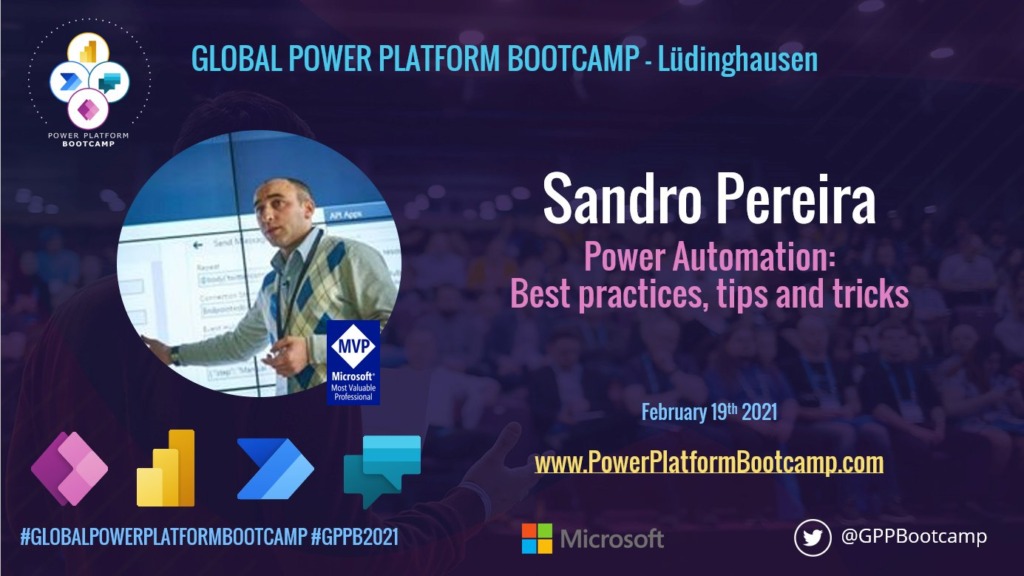
As part of the Global Power Platform Bootcamp, the Lüdinghausen / PASS RG Münsterland, Deutschland is organizing a virtual event that runs from 9:00 a.m. to 5:00 p.m. Lectures and workshops are about Microsoft Power Platform (Power BI, Power Automate, Power Apps, and Power Virtual Agents). This is basically two days of Power Platform Festival – free events that are driven by user groups and communities around the world, for anyone who wants to learn more about Microsoft’s Power Platform that you can know more bout it here: Global Power Platform Bootcamp.
I choose to submit a session to the Lüdinghausen / PASS RG Münsterland, Deutschland community and I’m honored to be accepted as a guest speaker on a session about Power Automation: Best practices, tips and tricks. My session will take place at 12:00 am according to GMT+1.
Power Automation: Best practices, tips and tricks
As I mentioned before, my session will be all about best practices and small tips and tricks that we can apply to our Power Automate flows. For those reasons, I would like to invite you to join me at the Global Power Platform Bootcamp – Lüdinghausen / PASS RG Münsterland, Deutschland virtual event on Friday, February 19, 2021.
Session name: Power Automation: Best practices, tips and tricks
Abstract: In this session, we will do a reflection to your existing Power Automation flows and when thru a list of must-have best practices, tips, and tricks that will allow you to build more reliable and effective flows. At the same time, these will allow you to be more productive and document your flow’s from the beginning. I will be sharing 10 tips that you should know for being more productive and build epic flows!
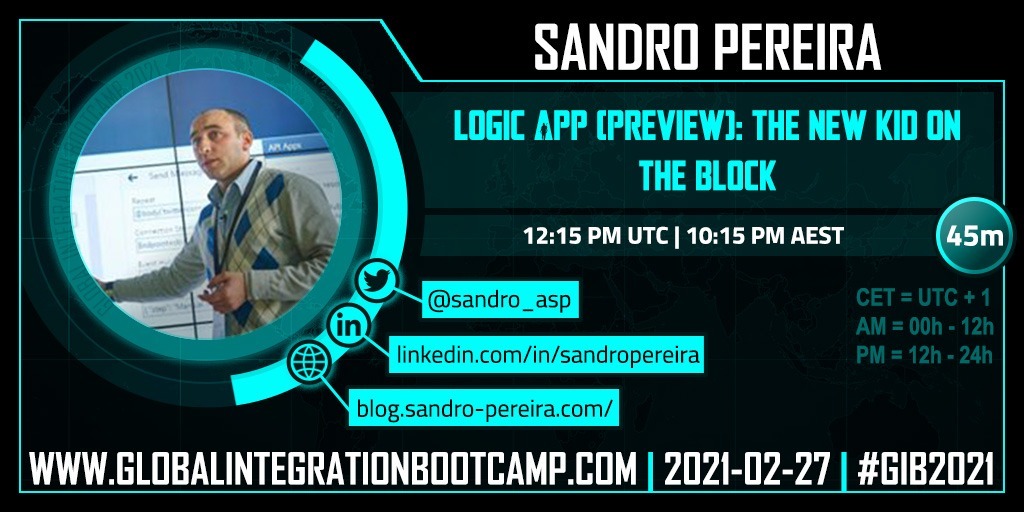
Happy to announce that I will be present and deliver a session at Global Integration Bootcamp 2021. This year we will have a single virtual event instead of several local virtual events. My talk will be about Logic App (Preview)
Logic App (Preview): The new kid on the block
Session Name: Logic App (Preview): The new kid on the block
Abstract: In this session, we will dive into the Public Preview for the new Logic Apps powered by the Azure Functions containerized runtime, letting you run Logic Apps locally, on-premises, or wherever you need to. Showing some of the most important features and explain the differences between the new and the existing Logic App.
My session will be Saturday, February 27 at 1:00 PM UTC+1. Join us and reserve your presence at the Global Integration Bootcamp 2021 virtual event, it is free!
Sometimes we want to bypass the adapters and perform the communication thru .NET code. Sometimes we want to access multiple values, or recursive values, of a message inside a helper class that supports an orchestration. Sometimes we want to perform a complex transformation or construct a message thru .NET code instead of a BizTalk Server map.
And for each of these circumstances, we can have several approaches, one that is simple, effective, and transversal to all of them is to use the XML Schema to generate a .NET class. This way, you have a quick and straightforward way to represent the messages you get from your BizTalk processes into a .NET class.
The easy way to generate classes that conform to a specific schema is to use the need to use the XML Schema Definition tool (Xsd.exe). You can do that by:
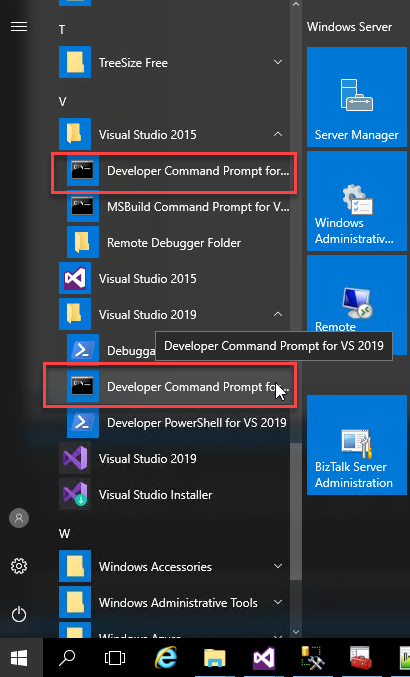
Open a Developer Command Prompt for VS <edition>
On the command prompt, navigate to the Schema folder and type
xsd /classes /language:CS Schema1.xsd
For complex schemas that import or include other schemas you need to provide all the dependencies, for example:
xsd /classes /language:CS Schema1.xsdSchema2.xsd
Now you will be able to import the C# class generated by the tool to your helper project and the rest is simple!
On the Orchestration you can create a variable that represents that class:
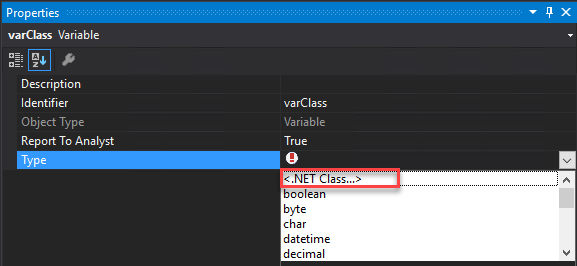
On property Type select <.NET Class…> and select the class that you created previously
From the Browse and Select .Net Type to reference, you need to select the proper assembly and the Type.
Then by using C# code inside Message Assign or Expression Shape you can serialize or deserialize XML document into C# and vice versa in a simple and straightforward way
//CONVERT MESSAGE INTO C# OBJECT
varPersonMsg = msgInput;
//CONVERT C# OBJECT INTO BIZTALK MESSAGE
msgOutput4 = varPersonMsg;
or if we have a function in a helper class like:
public static XmlDocument MapPersons(Person person)
{
...
}
we can directly pass the message to the function without the need to create a variable:
I previously wrote several posts about how you can Check/Get a list of BizTalk Server Cumulative Updates installed in your machines for previous versions of the product:
Now it is time to update this script to BizTalk Server 2020.
Checking what CU is installed is not a difficult task to do, but without a doubt, it is one of the most annoying tasks to do as an administrator because, and once again:
you can do it manually by checking “Control PanelProgramsPrograms and Features” and then view the “Installed Updates”, try to find them in the list can be sometimes very confusing because they are not organized in a category BizTalk;
Or rely on tools like BizTalk MsgBoxViewer, which sometimes are not up to date, to check and provide that information;
Probably there are other ways, nevertheless, this simple task should be simple, extremely easy and fast to do, what you really want to know is what are the BizTalk Cumulative Updates installed like:
This is the list of BizTalk Server Cumulative Updates installed in this machine: BTS2020LAB01
- Microsoft BizTalk Server 2020 Cumulative Update 1
To check if the last Cumulative is installed or not.
PowerShell script overview
So how can we easily automate tasks? and reuse them whenever necessary and at the same time saving significant time for other tasks?
Using PowerShell is a good option. Windows PowerShell is a Windows command-line shell designed especially for system administrators and can be used by BizTalk administrators to help them in automating repetitive tasks or tasks that are time-consuming to perform manually.
This is a simple script that allows you to configure the template name of the cumulative updates, that will change from version to version, and will give you the list of all BizTalk Server 2016 cumulative updates installed on your server:
3th Edition of 101 Talk Arena is here and now I’m joining forces with Nino Crudele to interview the one and the only Michael Stephenson!
Michael Stephenson is a highly experienced Cloud Architect who has many years working with large enterprise customers delivering integration solutions with Microsoft technologies on-premise, in the cloud, and with hybrid technologies. Not only he is a brilliant mind, and an unstoppable researcher, he is also a regular blogger and host of Integration Monday!
He is a good friend, and it will be an honor to have him with us on February 18th, 2021, at 2 PMUTC. Once again this will be an open conversation about Integration and Azure:
Cloud automation
Serverless patterns and practices
Today Integration landscape
BizTalk migration
and many more topics
I will invite all of you to join us it is free. This is a one to one talk without filters, no marketing, nothing planned, and where people can also jump in with any question.
Last February 4, the roles were reversed, and I had the pleasure to interview Nino Crudele on our series 101 Talk Arena on a talk about Azure Nightmares without any filters, and it was a blast!
Now I’m happy to announce that the record of the second edition of 101 Talk Arena is online and available for all of you to watch on youtube were address topics like Azure Subscription strategies, costs and security.
Implementation of Microsoft 365 went rocket high when Covid19 disrupted the entire world. People are more social through technology due to worldwide lockdowns. As we take advantage of new technology, the addons that follow can help grow your business, expand the capabilities, improve the processes and make your workers more efficient.
Webinar: PowerTalk by Atea is an event that will go through the tools Power Automate and Power Apps included in Microsoft365. From the basics to the more advanced scenarios. How to ensure that governance and security are taken into consideration and amended to create a secure way for your employees to become more digital and efficient.
I’m honored to be a guest speaker at this event on a session about Power Automation: Best practices, tips and tricks. My session will take place at 10:00 am according to GMT+1.
Power Automation: Best practices, tips and tricks
As I mentioned before, my session will be all about best practices and small tips and tricks that we can apply to our Power Automate flows. For those reasons, I would like to invite you to join me at the Webinar: PowerTalk by Atea virtual event on Thursday, February 25, 2021.
Session name: Power Automation: Best practices, tips and tricks
Abstract: In this session, we will do a reflection to your existing Power Automation flows and when thru a list of must-have best practices, tips, and tricks that will allow you to build more reliable and effective flows. At the same time, these will allow you to be more productive and document your flow’s from the beginning. I will be sharing 10 tips that you should know for being more productive and build epic flows!
It has been a long time since I go off-topic on my main blog topic: Enterprise Integration. Nevertheless, everything that I wrote is somehow related to my daily job, and if you keep an eye on my blog, you will know that I like using PowerShell for scripting and automate several tasks.
Today while I was implementing a PowerShell script that I use in several clients I was surprised by this error: Invoke-Sqlcmd : The term ‘Invoke-Sqlcmd’ is not recognized as the name of a cmdlet, function, script file, or operable program.
The full warning message would be:
Invoke-Sqlcmd : The term ‘Invoke-Sqlcmd’ is not recognized as the name of a cmdlet, function, script file, or operable program. Check the spelling of the name, or if a path was included, verify that the path is correct and try again. At C:pathpowershellscript.ps1:7 char:14
The error message is very clear, and the problem is quite simple to solve… except if your machine doesn’t have connectivity to the internet. But let’s first explain the issue.
Cause
As I told you before, The error message is very clear, and the problem is quite simple to solve, the SQL Server PowerShell module is not installed on the machine.
Many may think that SQL Server Management Studio is a requirement or by installing it may solve this problem, but that is not true. In fact, SQL Server Management Studio (SSMS), doesn’t install the PowerShell module.
Solution 1: System with access to the Internet
If the machine where this issue is happening has access to the internet, then you just need to install the SQL Server PowerShell module by executing the following script:
Import-Module sqlserver

Note: You should run PowerShell as an Administrator
Solution 2: System without access to the Internet
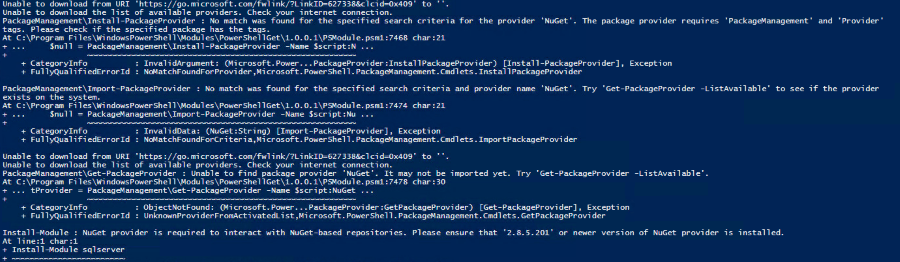
However, if your machine doesn’t have access to the internet you will get the folowing error idf you try to execute the above script:

Unable to download from URI ‘https://go.microsoft.com/fwlink/?LinkID=627338&clcid=0x409’ to ”.
Unable to download the list of available providers. Check your internet connection.
PackageManagementInstall-PackageProvider : No match was found for the specified search criteria for the provider ‘NuGet’. The package provider requires ‘PackageManagement’ and ‘Provider’
tags. Please check if the specified package has the tags.
At C:Program FilesWindowsPowerShellModulesPowerShellGet1.0.0.1PSModule.psm1:7468 char:21
+ …     $null = PackageManagementInstall-PackageProvider -Name $script:N …
+                 ~~~~~~~~~~~~~~~~~~~~~~~~~~~~~~~~~~~~~~~~~~~~~~~~~~~~~~~~~
    + CategoryInfo          : InvalidArgument: (Microsoft.Power…PackageProvider:InstallPackageProvider) [Install-PackageProvider], Exception
    + FullyQualifiedErrorId : NoMatchFoundForProvider,Microsoft.PowerShell.PackageManagement.Cmdlets.InstallPackageProvider
PackageManagementImport-PackageProvider : No match was found for the specified search criteria and provider name ‘NuGet’. Try ‘Get-PackageProvider -ListAvailable’ to see if the provider exists on the system.
At C:Program FilesWindowsPowerShellModulesPowerShellGet1.0.0.1PSModule.psm1:7474 char:21
+ …     $null = PackageManagementImport-PackageProvider -Name $script:Nu …
+                 ~~~~~~~~~~~~~~~~~~~~~~~~~~~~~~~~~~~~~~~~~~~~~~~~~~~~~~~~~
    + CategoryInfo          : InvalidData: (NuGet:String) [Import-PackageProvider], Exception
    + FullyQualifiedErrorId : NoMatchFoundForCriteria,Microsoft.PowerShell.PackageManagement.Cmdlets.ImportPackageProvider
Unable to download from URI ‘https://go.microsoft.com/fwlink/?LinkID=627338&clcid=0x409’ to ”.
Unable to download the list of available providers. Check your internet connection.
PackageManagementGet-PackageProvider : Unable to find package provider ‘NuGet’. It may not be imported yet. Try ‘Get-PackageProvider -ListAvailable’.
At C:Program FilesWindowsPowerShellModulesPowerShellGet1.0.0.1PSModule.psm1:7478 char:30
+ … tProvider = PackageManagementGet-PackageProvider -Name $script:NuGet …
+                 ~~~~~~~~~~~~~~~~~~~~~~~~~~~~~~~~~~~~~~~~~~~~~~~~~~~~~~~~~
    + CategoryInfo          : ObjectNotFound: (Microsoft.Power…PackageProvider:GetPackageProvider) [Get-PackageProvider], Exception
    + FullyQualifiedErrorId : UnknownProviderFromActivatedList,Microsoft.PowerShell.PackageManagement.Cmdlets.GetPackageProvider


To solve this issue you need to:
From an Internet-connected computer, execute the following script
Save-Module sqlserver -path c:temp

Note: You can set a different path to save the module.
The above command will save the SQL Server PowerShell module to the directory you set on a folder called SqlServer
In my case, c:tempSqlServer
Then, copy that whole directory to your target computer(s) to the following folder:
C:Program FilesWindowsPowerShellModules
By coping to this folder it will make the module available to all users.
If you are not sure about the path, you can always check the paths by exxecuting the following script:
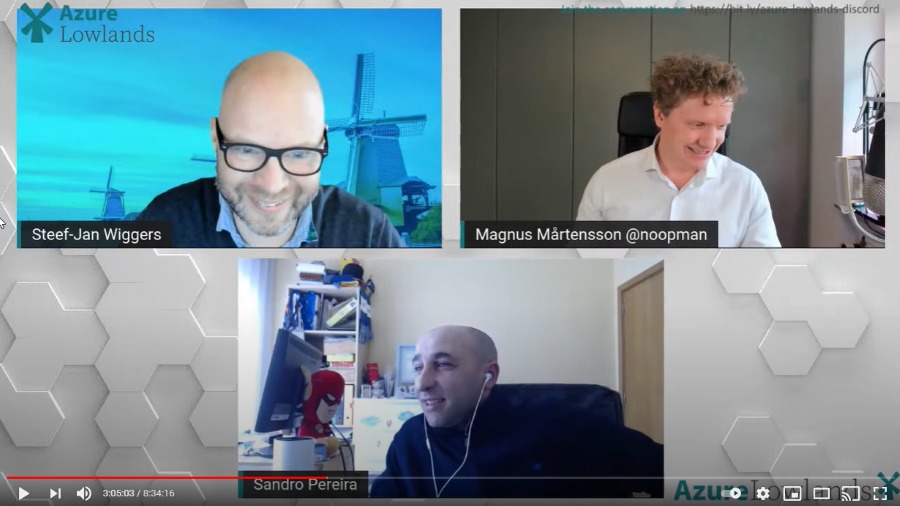
It was with great pleasure that I presented for the first time on January 29, 2020, a session at the Azure Lowlands event, this time about How to create robust monitor solutions with PowerShell, Azure Functions, and Logic Apps.
First of all, I want to congratulate the organizers on a very well organized event!
About the session
Session name: How to create robust monitor solutions with PowerShell, Azure Functions and Logic Apps
Abstract: Monitoring your systems or platforms is a crucial aspect of any organization. Based on my experience, all your clients will tell you that all the platforms or applications are being monitoring by external partners or internally. Nevertheless, when disasters occur or are in the process of happening, guess what? Your team will be the last to know. This session will address and present how you can easily and quickly create a robust monitoring solution on your platforms using PowerShell, Functions app, and Logic Apps or Power Automate Flows.
How to create robust monitor solutions with PowerShell, Azure Functions and Logic App Slides
How to create robust monitor solutions with PowerShell, Azure Functions and Logic App Video
For any reason, you could not be present at this online event, or if you want to review it again, you can now do it here: https://youtu.be/vf9cmfEb3Z8?t=10886