by community-syndication | Nov 12, 2008 | BizTalk Community Blogs via Syndication
Ever wondered how you might implement “Hello World” in a non-domain
specific language such as in the roots of Oslo looks like………(I found a snippet
from one of the PDC Webcasts….)
(This is written in a tool/shell that ships as part of the Oslo SDK – Intellipad)
The left hand side is the instance document; the middle is the grammar or transformation;
and the right is the Output Graph.
This is a pretty specific sample – as in fact its very specific and only takes one
input – “Hello World” (as dictated on the syntax line)
What’s so special about all of this?? I hear you ask…..
There’s a huge amount of power in being able to ‘model’ your world/data and relationships.
Today we’re pretty comfortable with XML but we also have to tolerate
things like parsing ‘<‘ or attributes etc. Or if you’ve ever been given a schema
full 100s of fields when you needed to use just 5. XML is not perfect, but it certainly
has its need.
Storing this sort of XML in the DB I think is painful at best, while SQL 2005/2008
goes part way towards helping us, there’s still a bunch of specifics that the DB needs
to know about the XML and if that Schema changes, then that change goes all the way
to the DB….otherwise the alternative is Tables/Rows/Columns + invest in Stored Procs
to manipulate the data.
Enter the Modeling Language -M
We can basically define our world – if you’re dealing with a customer with 5 attributes,
that’s all you specify. You could take your V1.0 representation of a Customer and
extend it etc etc.
Deploying the model is deployed straight to the Database (known as a Repository) –
the deployment step actually creates one or more tables, and corresponding Views.
Access is never granted to the raw table, only to the View. That way when you extend
or upgrade your models, existing clients see just their original ‘View’ keeping the
new attributes separate.
So in terms of building a model of the information your systems are utilising ->
‘M’ is a very rich language, which decorates and defines a whole bunch of metadata
around your needed entities.
Digging a little deeper into M…. we have 3 main defining components:
1. M-Schema – defines the entities + metadata (e.g. unique values/ids
etc)
2. M-Grammar – defines the ‘Transformation’. How to transform the
source into the output. You could loosely look at this as: Y=fn(M) “Y
equals some Function of M”
3. M-Graph – a directed graph that defines the output (they use directed
graph to indicate through lexical parses, that something has a start and
definitely finishes.This is a check the compiler will do)
You’ll notice at the top of this shot, there are DSLs – these are Domain
Specific Languages. e.g. a language full of terms and expressions to define
for e.g How to work with You local surf clubs competitions; another
could be How to Manage and describe Santa’s Wish list.
You might be thinking….I go pretty well in C#, why should I look into M?? C#
is obviously a highly functional language that when you start coding you’ve got all
the language constructs and notation under the sun at your disposal – decorations
are done through attributes on methods/classes etc…..but modeling something still
in done in a pretty bland way e.g. structs, classes, datasets, typed datasets etc.
You’re starting with a wide open language that really without you creating a bunch
of classes/code doesn’t have methods like Club.StartCarnival…..
M – take what you’re describing, a carnival and model it. What entities are in a Carnival
(people, lifesavers, boats etc) – model this – give us a picture of what they look
like (data you’d like to hold and the relation ship), define a grammar (words, constructs
and operations) on how we can work with these entities – we now have a Surf
DSL (that of course can be extended to V2.0….)
Developing solutions against the Surf DSL – the compiler knows all the defined commands,
constructs and schemas (cause we defined them in our DSL). They’re the only operands
that you can use as a developer – this simplifies the picture immensely.
The beauty about M is that the DSL is simply deployed to a Repository (which at this
stage is SQL Server, but could be any DB as we get access to the TSQL behind the scenes)
As I dig a little deeper I’ll be illustrating with some samples going forward
– hope you enjoyed this post….for now 🙂
Lastly – it’s amazing that way back at Uni, I studied a subject called ‘The
Natural Language-L’ (and it was one of those things where I thought – I’d
never use this again….well guess what 15 years on….M is looking very close. How
I even remember this is even scarier!!!) – the subject was language agnostic and dealt
with what was required to create/specify a language that could be learnt, written
and interpreted.
Cheers…’L’
by community-syndication | Nov 11, 2008 | BizTalk Community Blogs via Syndication
Hi all
So, it is time for the second part of the series about using the FarPoint
BizTalk adapter for Excel spreadsheets. You can find my first post in the series,
which was about the installation of the component here.
So, this post is about the wizard that guides you through creating a schema for an
Excel spreadsheet.
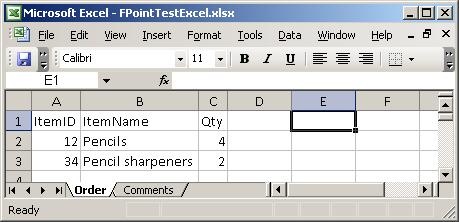
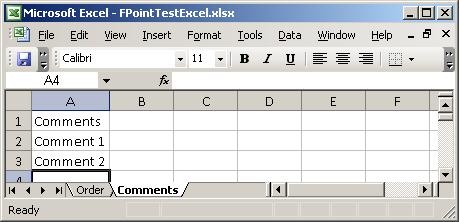
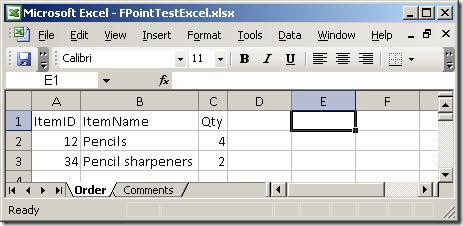
I created a simple spreadsheet to test with. It has two sheets, which you can see
here:
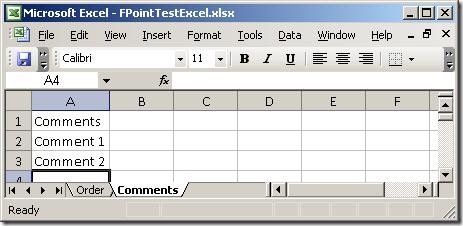
Basically, two sheets – one with order lines and one with comments. So, firing up
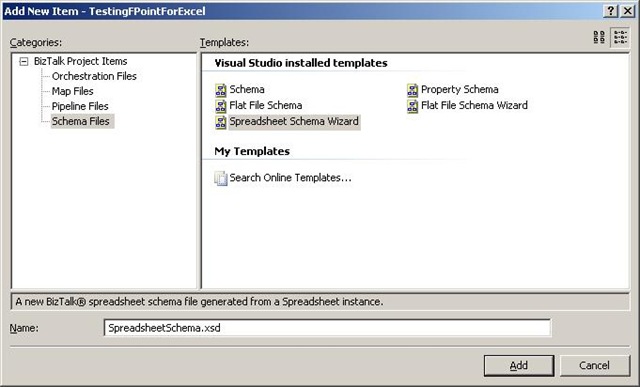
the wizard:
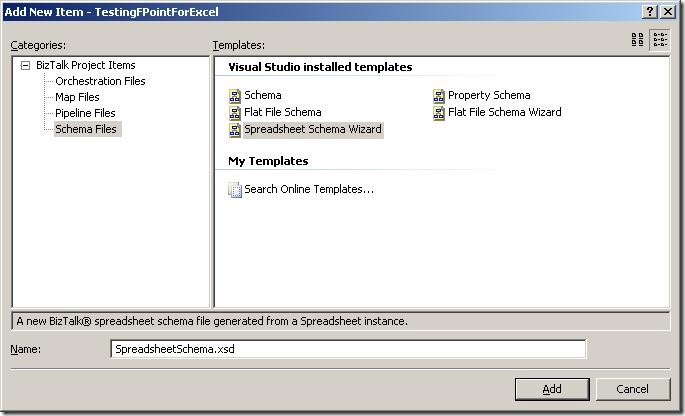
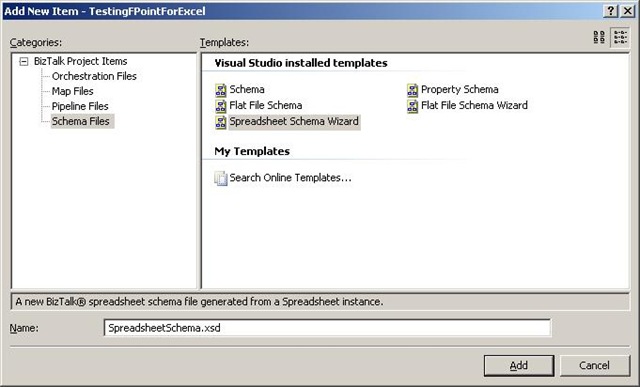
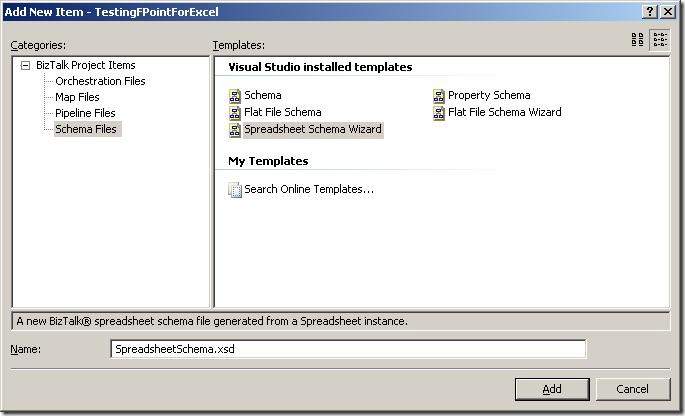
The first thing to do is to add a new item to your project, and choose the new schema
type “Spreadsheet Schema Wizard”. The wizard fires up automatically, when you click
“Add”.
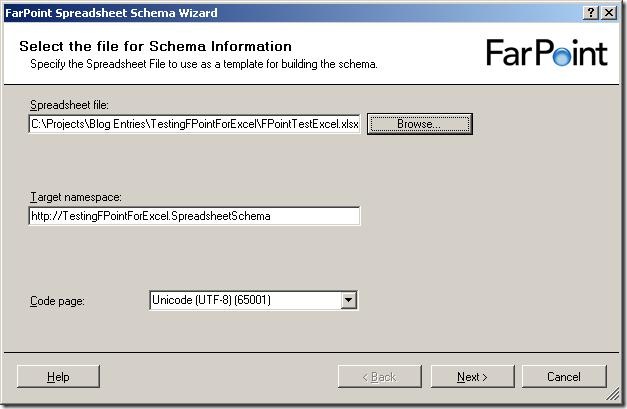
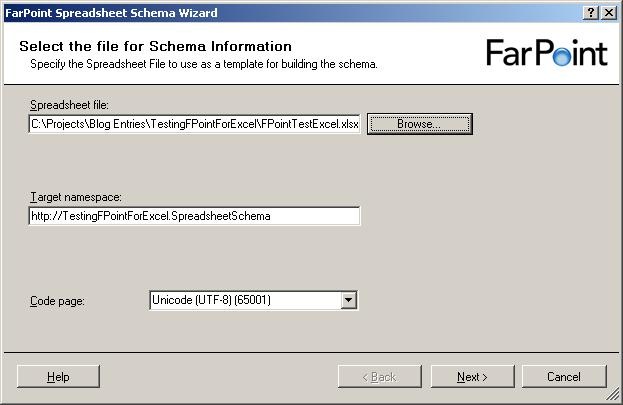
The first screen of the wizard isn’t really a surprise 🙂 It wants to you tell it
which file to use as a base for the schema, and give a target namespace and inform
it about what code page to use.
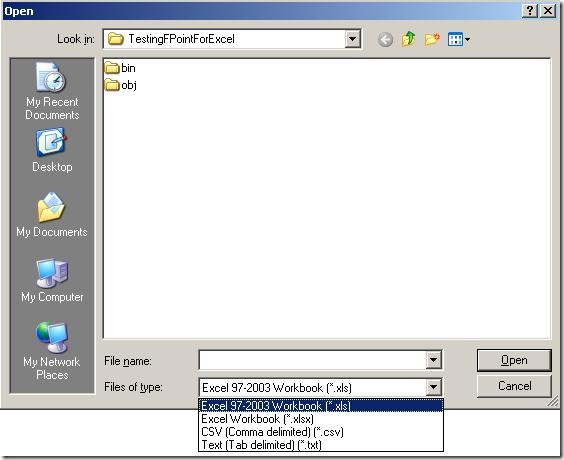
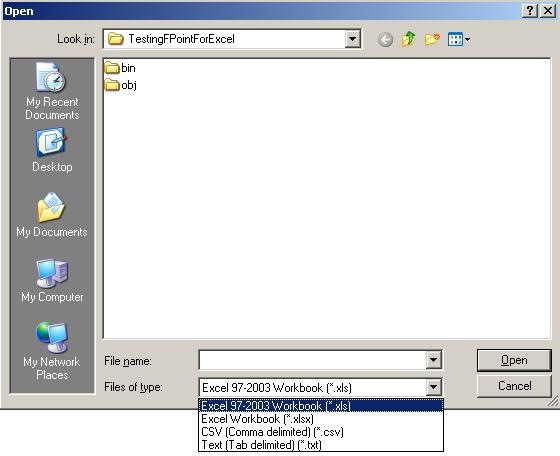
When browsing for files, I noticed that the components apparently not only deals with
spreadsheets (Excel 97-2003 as well as 2007) but also delimited files. So note to
my self: Look at that functionality later on – maybe it is better than BizTalks built-in
support for that, or perhaps more suitable in some situations. Maybe that’s a blog
post that will appear at some point 🙂
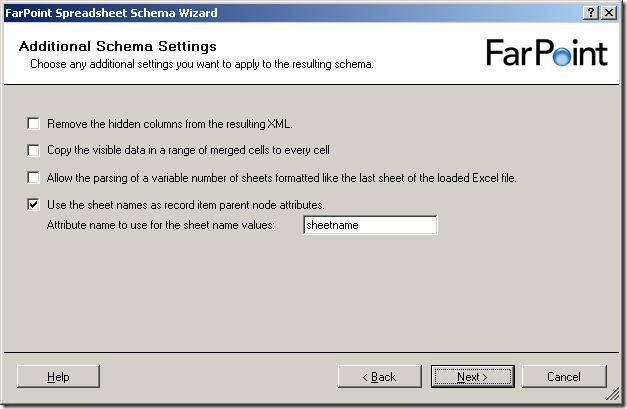
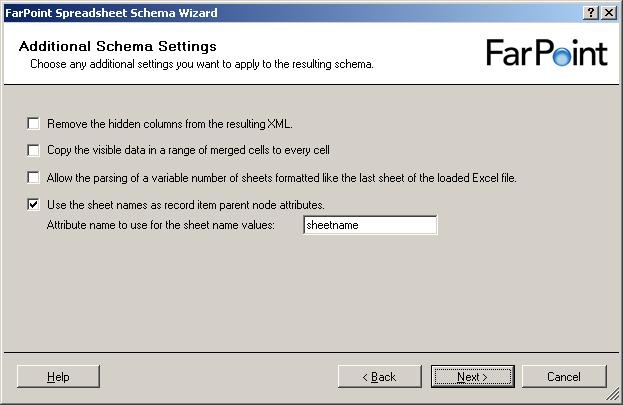
So, a few more settings to set, all of which are described in the documentation.
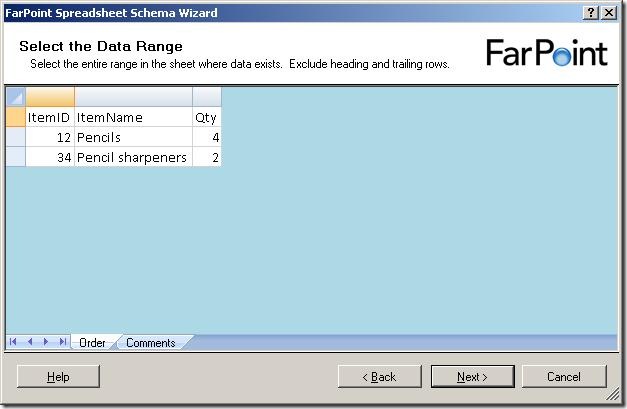
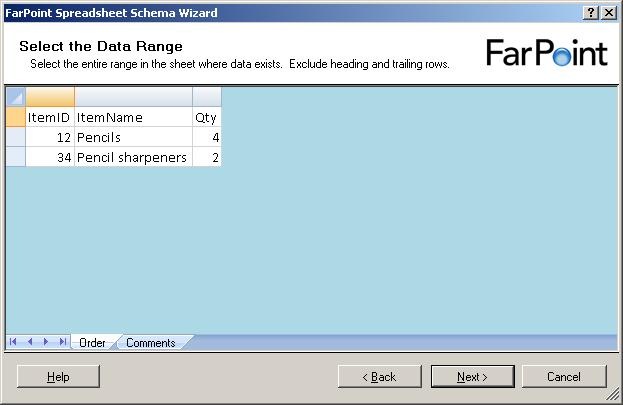
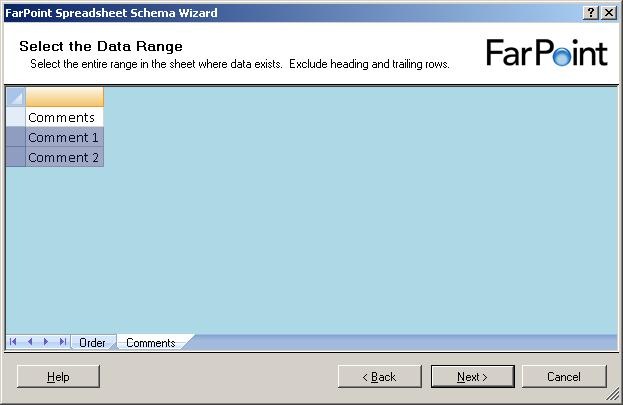
Now, it shows me the data in the first sheet of the spreadsheet. It has removed all
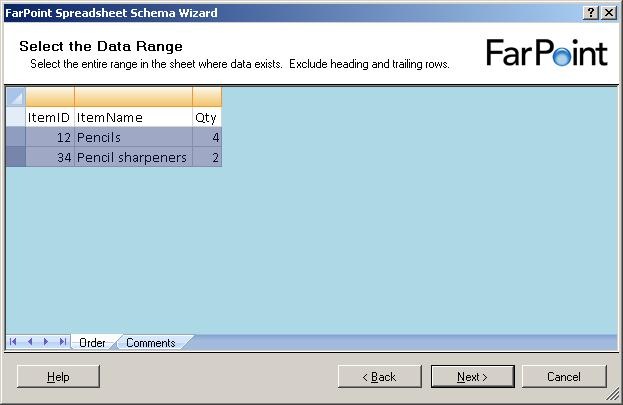
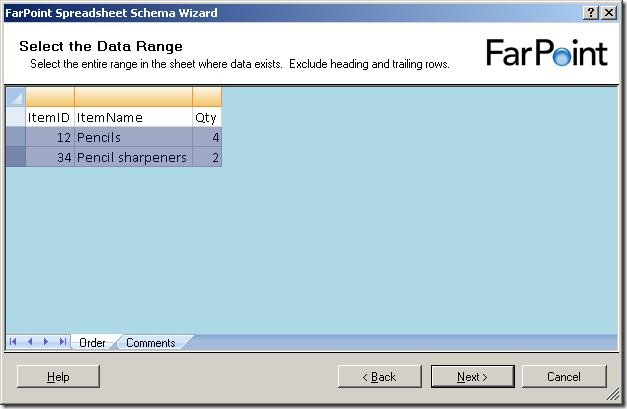
cells that it has decided are not used for data. Now, I need to select the cells with
data in them, like this:
and when I click on the next sheet (Comments), I get to select data from that sheet
as well:
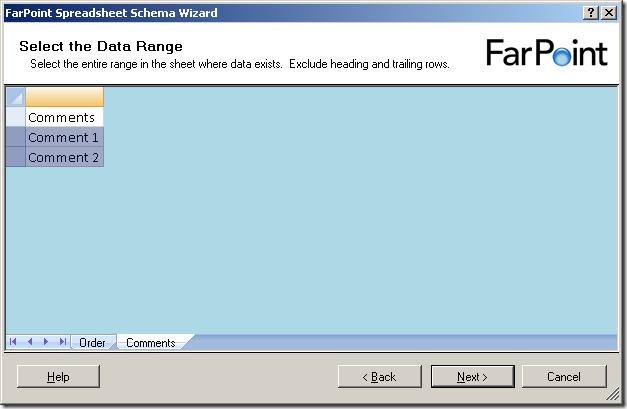
Notice, that I can only select rows – I can not select single cells or leave some
columns out.
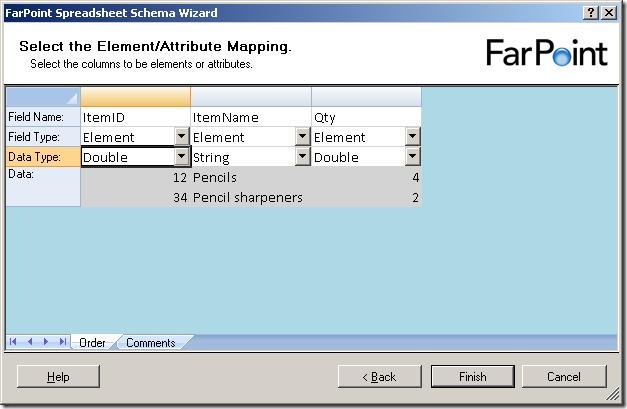
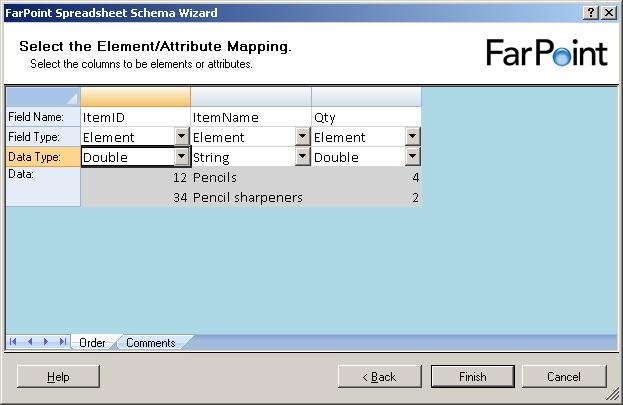
The next step is to select names for the columns, choose whether they should be elements
or attributes and also the data type of the columns.
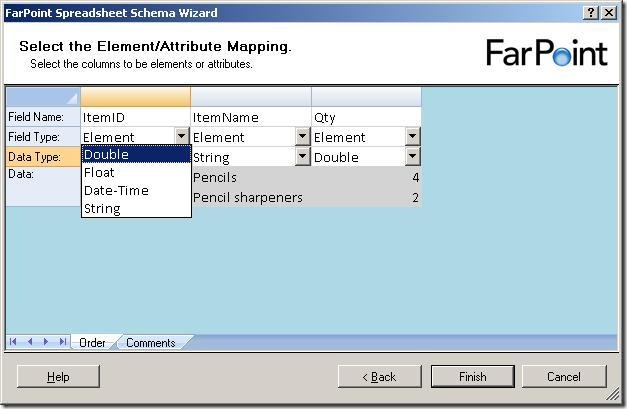
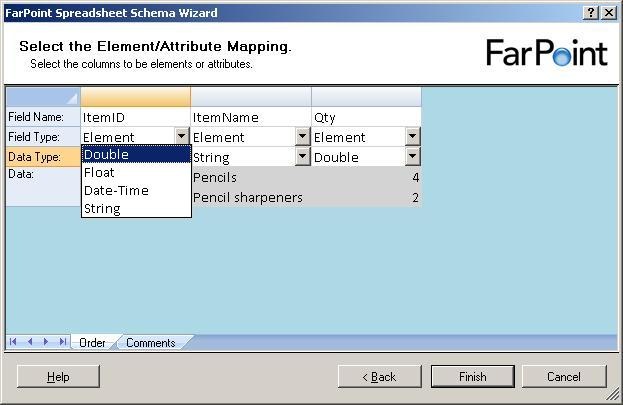
There are four data types available, double, float, datetime and string.
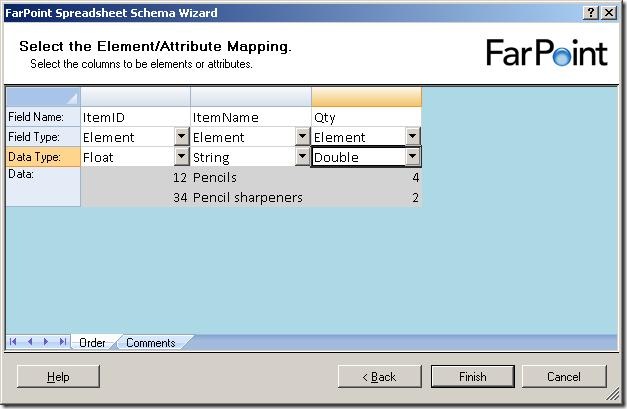
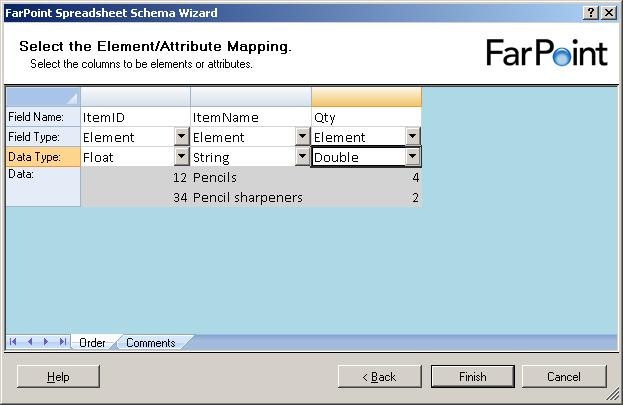
Just to find the difference between the float and double, I chose one of each in my
example and clicked “Finish”.
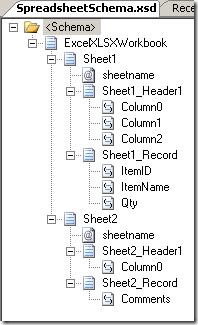
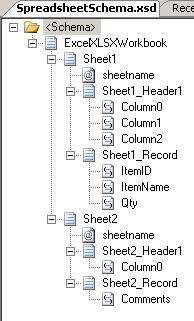
The resulting schema looks like the one above. For each sheet, there is a sheetname
attribute, a header record and a record for the data, which is reoccurring. The double
and float elements were translated into the xs:float and xs:double types… not really
surprising, you might say 🙂
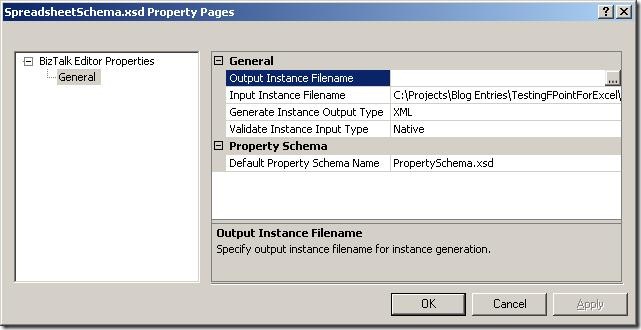
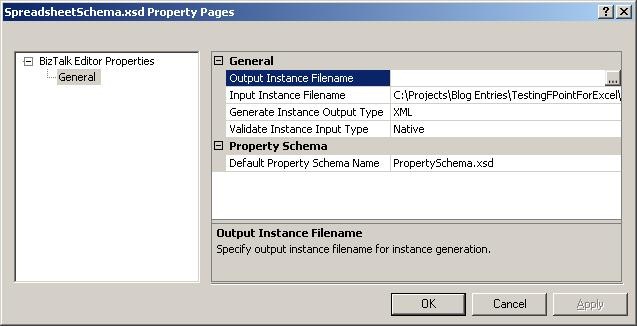
Looking at the properties of the schema, the path to the base spreadsheet has been
pre filled for you in the “Input Instance Filename” and the type is set to “Native”.
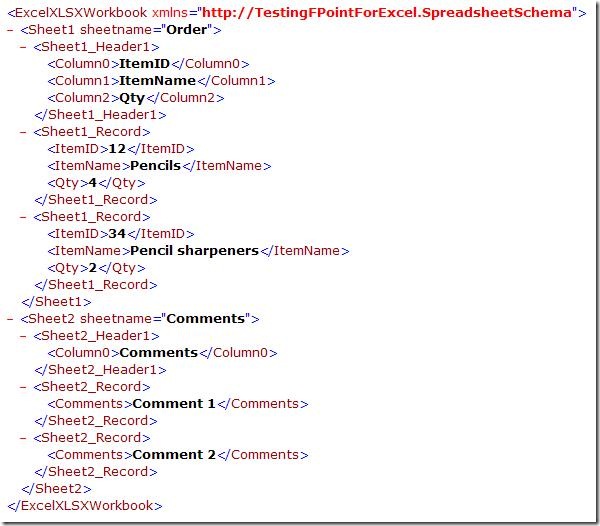
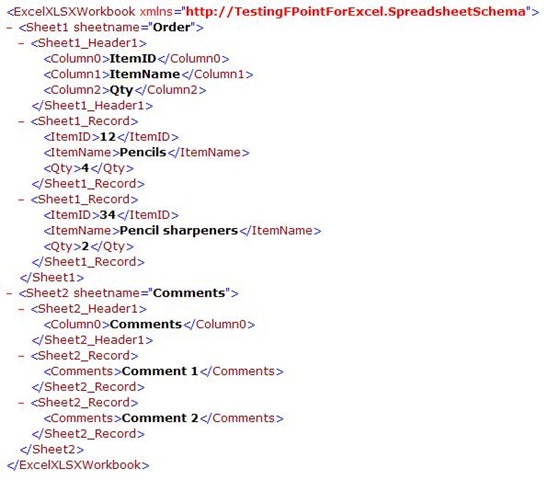
When validating the instance, I get this XML, which looks like I expected it to.
So, to sum up, the wizard is really simple to use and it takes basically no time to
create the schema.
The major thing I would like to see improved is that I can only have one type of data
in one sheet, meaning that the data in all rows must be for instance order lines,
inventory items, or something like that. I can’t have an order header and the order
lines in the same sheet, and I can’t have a sheet with an order header which spans
multiple lines. This really restricts the spreadsheets that can be parsed.
My next post in the series will be about the runtime, where I will setup a running
instance of my project and see how it functions at runtime.
You can dowload my project here.
—
eliasen
by community-syndication | Nov 11, 2008 | BizTalk Community Blogs via Syndication
I wrote a short article ona possible wayto deal with base64 encoded documents in a incoming XML message. The solution works by redirectinga stream from and to fileon the right moment.A sample (with source)is included.
You can find it here.
Hope you find this useful
by community-syndication | Nov 11, 2008 | BizTalk Community Blogs via Syndication
The Windows Azure Platform and other Microsoft cloud offerings were announced at the recent Professional Developer’s Conference in Los Angeles. This talk is an introduction to Microsoft’s cloud computing platform, including Windows Azure, SQL Data Services and .NET Services. We’ll explore the various components of the cloud computing platform, and describe their relationships and architectural significance. We’ll also walk through the tools and technologies used to connect and manage the various cloud components. In addition to an architectural walkthrough, we’ll also provide a number of demos that can be executed either on local developer machines or in the cloud after receiving a cloud account.
Speaker
Mickey Williams is the director of the Center of Excellence team at Neudesic. A Visual C# MVP, he has extensive experience building mission-critical applications on a wide variety of platforms, and has authored nine books on Windows programming.
When and Where
We’ll be meeting on the 4th floor of the Microsoft La Jolla office. Pizza will be available at 6:00 PM. The meeting will start at 6:30 and end at 9 o’clock.
Technorati Tags: cloud computing,azure,soa,Oslo
by community-syndication | Nov 10, 2008 | BizTalk Community Blogs via Syndication
Hi all
For those of you, who use Togi as
a Twitter client, there is now a Danish translation of it available for download…
and, as you will notice on the page, I did the Danish translation 🙂 Although…
I use the English version myself… but that is besides the point 🙂
—
eliasen
by community-syndication | Nov 10, 2008 | BizTalk Community Blogs via Syndication
Hi all
So, I finally decided to try out the FarPoint
BizTalk adapter for Excel spreadsheets. It’s always nice to have tried as many
adapters as possible, so I can use this knowledge when talking to customers.
This post is the first of a series of posts about this product. The first post is
about installation and the basic functionality. The next posts will go deeper into
separate functionality.
Let me just make one thing clear before I begin: I am not in any way affiliated with
FarPoint Technologies, nor are they paying me anything to write these posts.
So, to begin; The installation was easy. Just a next-next-finish wizard. All the information
needed from you is the product code, a serial number, and the installation folder,
if you want to change that.
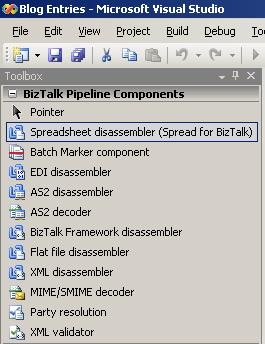
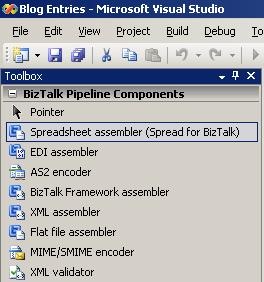
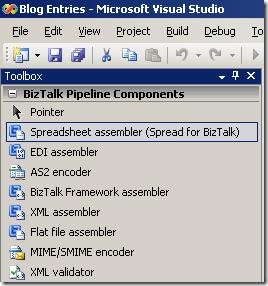
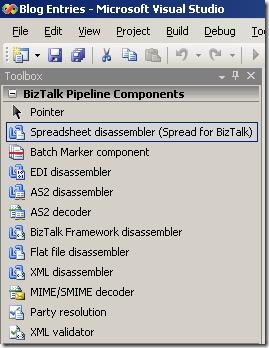
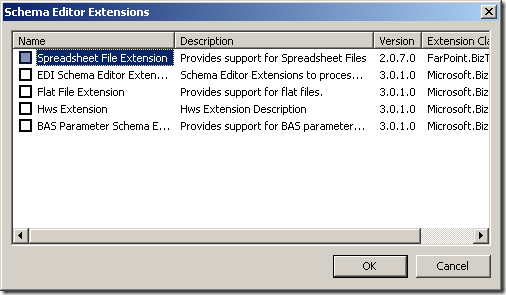
After installation, I have the functionality I would expect from this kind of product:
-
Pipeline components to use in pipelines
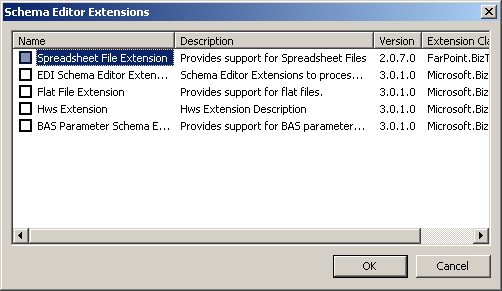
-
Schema extension for the schemas
-
Wizard to help me create the schemas
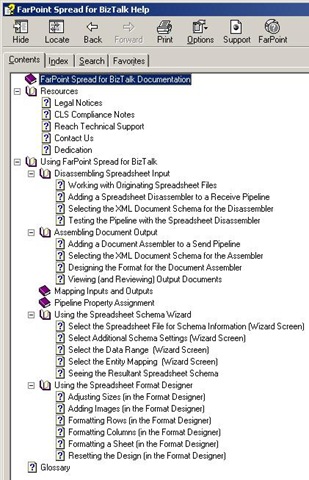
-
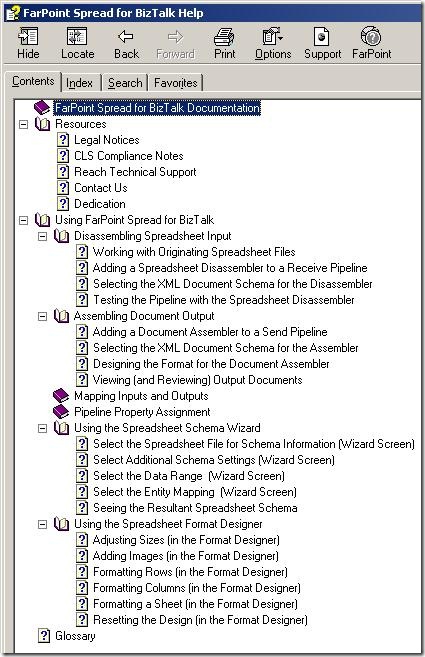
Documentation
So, to sum up:
-
The installation is easy.
-
The architecture of the solution seems to be exactly what I would expect, ie. pipeline
components, schema extensions and a wizard.
My next post in the series will take a deeper look at the wizard for creating schemas
for use by the pipeline disassembler and assembler.
—
eliasen
by community-syndication | Nov 10, 2008 | BizTalk Community Blogs via Syndication
Here is where Bill Gates states he is serious about improving the software:
http://www.microsoft.com/whdc/maintain/WERHelp.mspx
Here is how it is done:
To be honest, I am excited for the rollout of the WE-SYP Projection module (shown at the end of the video).
So don’t just quickly click thru the error report!
LOL
by community-syndication | Nov 10, 2008 | BizTalk Community Blogs via Syndication
Hi all
In almost all multiple server installations of BizTalk I have encountered, there has
been issues with MSDTC. MSDTC is Microsofts product for handling distributed transactions,
meaning transactions that span multiple servers. BizTalk uses this in high scale,
when running transactions against SQL Server, to maintain consistency in BizTalks
databases.
All issues with MSDTC are solvable – sometimes it is just hard to figure out what
is wrong.
First of all, always use the DTCTester tool at http://support.microsoft.com/kb/293799 to
test your MSDTC installation. If this tool reports no errors and you are still having
issues, then most likely, MSDTC isn’t the cause of your issues.
If something is wrong with MSDTC, I have encountered four major issues:
-
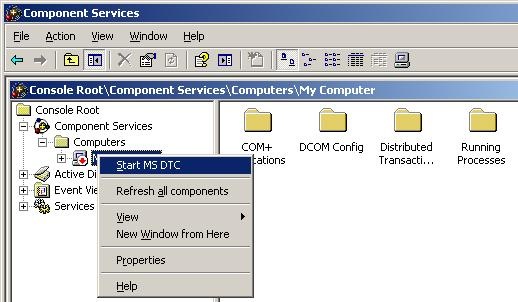
MSDTC doesn’t run on either of the server. Solve this by starting MSDTC. Steps to
start MSDTC (Note, that the MMC snapin is buggy, and it might appear that the “Component
Services” node has no children… but it does, trust me 🙂 ):
-
Go to “Administrative Tools” => “Component Services”
-
Go to “Component Services” => “Computers” => “My Computer”
-
Right click “My Computer” and choose “Start MS DTC”.
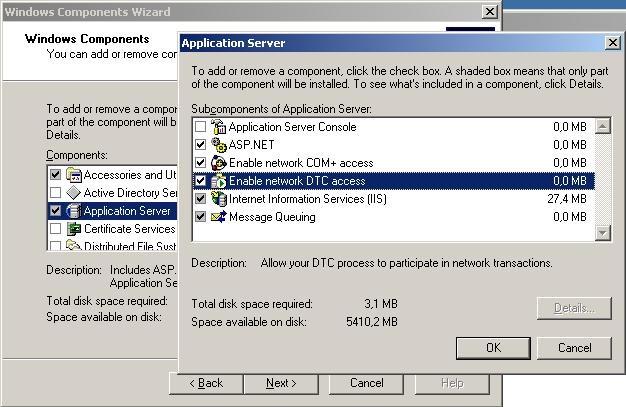
-
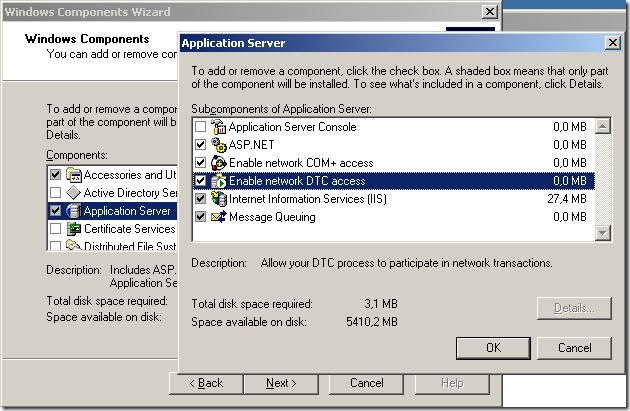
MSDTC isn’t configured for network access on both servers. Solve this in “add/remove
windows components” here:
-
The two servers have the same MS DTC ID. This ocurs if both servers are clones of
the same server or if one of the ervers is a clone of the other server. Usually, when
cloning servers, sysprep is used to clear out those errors, but in case it hasn’t
been used, here is how you fix it:
-
Run “msdtc -uninstall” from a command prompt
-
reboot
-
Run “msdtc -install” from a command prompt
-
reboot
-
You can’t ping the servers by hostname, which is required. This basically means, that
from both servers, you need to be able to ping the other server by hostname – pinging
by IP address isn’t enough. If you can’t ping by hostname, you have two options:
-
Get the network administrator to update your DNS
-
Enter new information into the hosts file in c:\windows\system32\drivers\etc
>
Hope this helps.
—
eliasen
by community-syndication | Nov 10, 2008 | BizTalk Community Blogs via Syndication
I just discovered Task Market which looks a lot like Guru, not sure how much action is going to be generated, but it is interesting none-the-less.
A couple of videos to explain how to accept jobs on the site, but the Task Market Team blog is kind of shallow.
by community-syndication | Nov 10, 2008 | BizTalk Community Blogs via Syndication
Switching MVP tracks form “BizTalk Server” to “Connected Systems” doesn’t mean I will stop working with BizTalk. BizTalk Server is still my favourite server product by a long way and, apart from the messaging and orchestration engines, my favourite feature is BAM.
Last week I taught the QuickLean “BizTalk Expert Series BAM” course for the first time in Stockholm, it was actually the first delivery ever. As usual, I have taken a couple of the demos that I run in the class, and recorded them as webcasts, they are available at BloggersGuides.net. The first one looks at creating a simple BAM activity, and viewing the data in real time using a WPF application. The second one looks at creating a view and using the BAM portal to query the business data. The sample application I use is the “Sequential Convoy Sushi Server”, which has its own webcast if you want to see how it works.
If you really want to get into BAM, you could attend the QuickLean “BizTalk Expert Series BAM” course. In the US, the best location is the QuickLean training centre in Redmond. If you are in Europe, I will be delivering the course (in English) at Informator in Stockholm in January. The course is also available for onsite deliveries.