by community-syndication | Jun 1, 2014 | BizTalk Community Blogs via Syndication
This past week over 1200 attendees ascended upon San Francisco to attend Connect and APICon (a sister conference). If you are interested in checking out the company recap of Connect you can check that out here. The purpose of this post is to highlight some of my thoughts from the event.
This was my first time attending Connect and I had a great time chatting with attendees, customers and other Muleys about everything currently going on in the industry. I also had the opportunity to co-present in two sessions. Whenever I speak at a conference like this I generally provide a post conference write up and figured I would take this opportunity to share some of the details from my sessions.
The Connected Insurer
In this session I shared the stage with Aaron Landgraf (Product Marketing Manager) where we discussed some of the themes that are taking place in today’s Insurance Company.
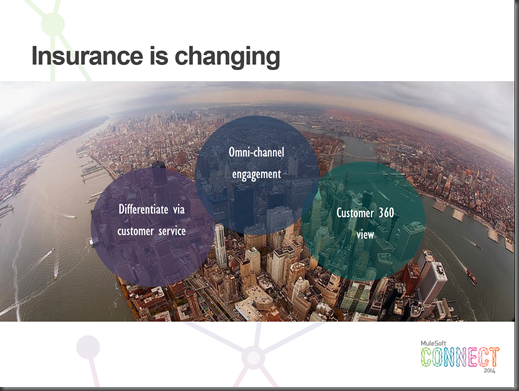
The first point is that the Insurance landscape is changing:
- Organizations are trying to differentiate themselves via Customer Service. This may include the ability for customer self service via the Web or Mobile.
- Omni (or multi) Channel engagements. No longer are customer interactions going to occur within one particular channel but may start over social media, continue over email and conclude through the web.
- Lastly there should be one view (or 360 degree) view of the customer. Regardless of the system that is being used to service the customer, all contextual information needs to be made available within that view. This information may be pulled from a variety of systems in real time and aggregated while setting the appropriate context.
Another aspect of the presentation was to discuss some of the current challenges within this industry vertical.
- Customers are looking for improved customer service while organizations are trying to reduce costs.
- Any new solution will likely need to interface with existing (or legacy) assets.
- Delivering solutions needs to be done in a very timely manner.
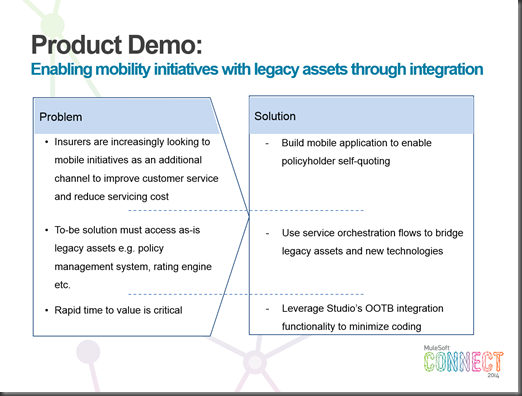
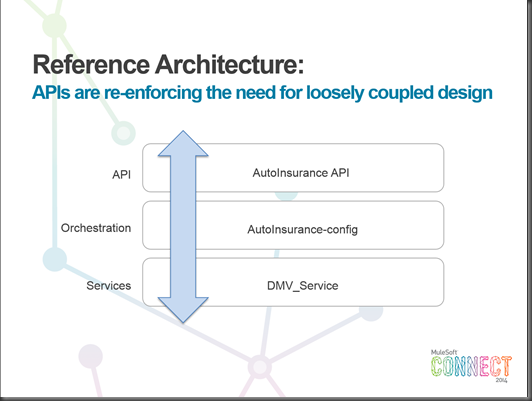
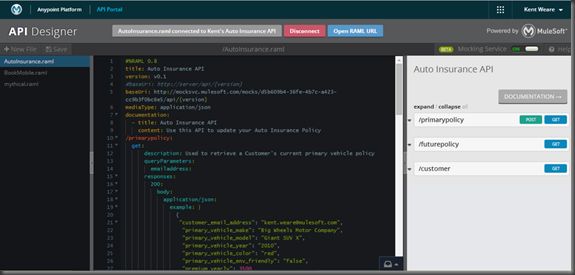
Next I discussed a high level architecture where we can address some of these challenges by providing RESTful APIs modeled in RAML, A Service Orchestration layer hosted by Mule ESB that is capable of orchestrating back end services.
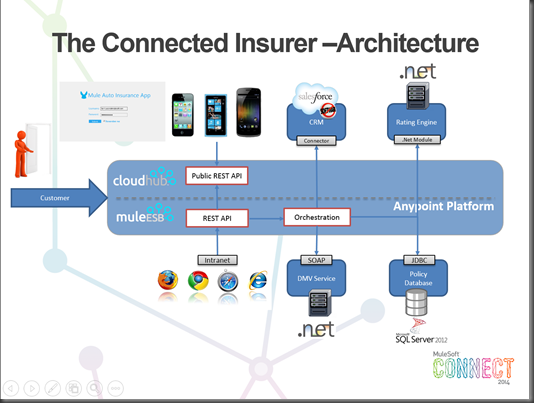
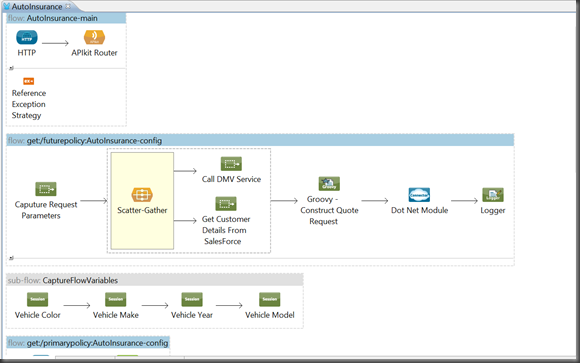
An actual implementation of this architecture can be found in the next image. More on this solution towards the bottom of the post.
Integrating the Heterogeneous Enterprise
The next session I co-presented with Ken Yagen (VP Products) where Ken walked us through some trends occurring within the industry including:
- 36% of IT’s time is spent maintaining legacy systems and 67% of global execs said IT will spend the same or more time on these systems.
- Cloud Services are used to augment current services. 65% of CIOs have deployed cloud solutions as a way to bolster existing services.
- Enterprise Mobility: 45% of organizations will spend at least 500K on mobility projects over the next 12 to 18 months.
The reality of the current state that we are in is that organizations are being forced to integrate with heterogeneous environments. No longer can organizations say we are an “ABC” shop or an “XYZ” shop. While Enterprise Architectures may push for reducing technical diversity, the increasing adoption of Mobility, SaaS, Cloud and Social platforms are disrupting traditional architectures. As a result a flexible, yet comprehensive platform is required to address these needs. At MuleSoft, we feel that our AnyPoint Platform is the answer when integrating heterogeneous environments.
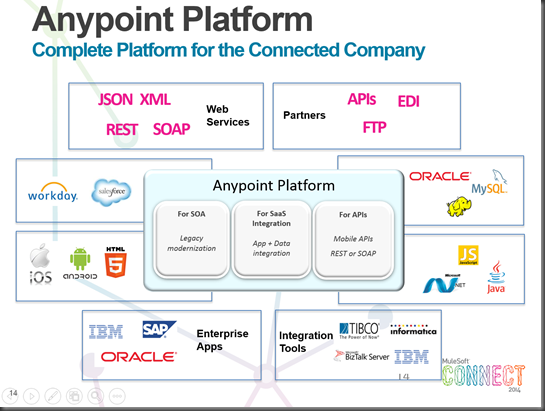
Demo
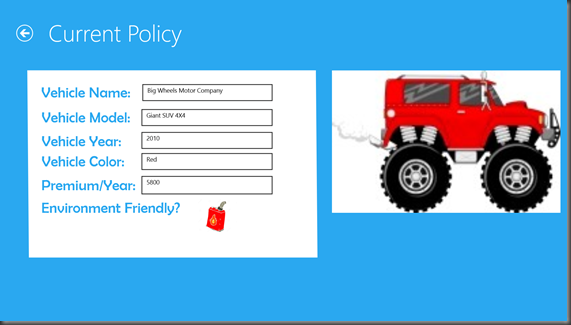
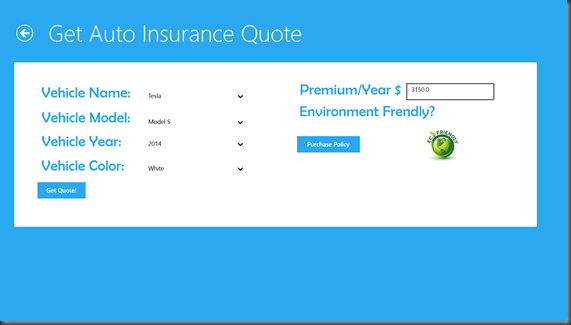
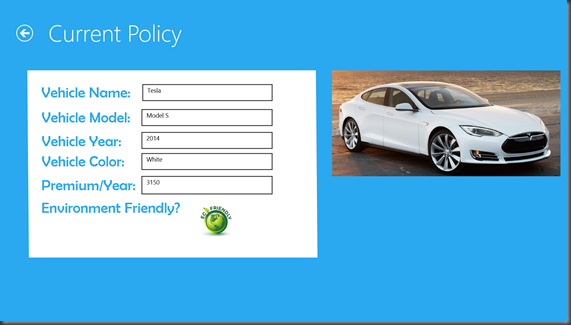
I put together a demo that addressees a lot of the challenges and trends that were discussed across these two presentations including:
- Mobility
- RESTful APIs (modeled in RAML)
- Service Orchestration via MuleESB
- Integrating Heterogeneous systems (SQL Server, WCF Services, .NET and SalesForce)
- Also took the opportunity to introduce some of the new features of the AnyPoint Platform May 2014 release including Scatter-Gather, Web Services Consumer and enhanced DB connector which supports Data Sense)
Here are a few of the screen shots from the Windows 8 Mobile App that was built using C#/XAML.
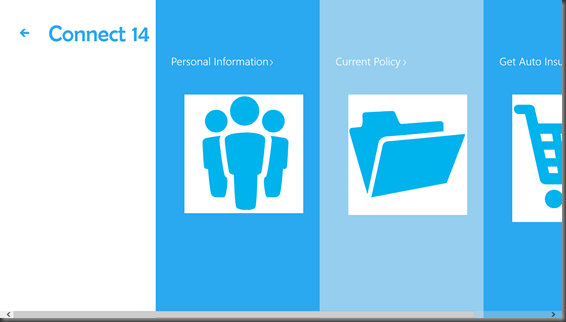
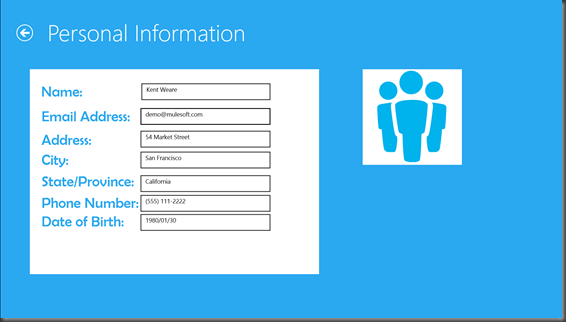
RAML Definition
AnyPoint Studio – MuleESB solution (well part of it – didn’t fit in one screenshot)
Conclusion
Overall it was a great week with a lot of interesting sessions and conversations. Whether you attended it or were unable to attend, the good news is that the London edition of Connect is right around the corner from September 24 – 26th. You can sign up for more details here.
by community-syndication | May 30, 2014 | BizTalk Community Blogs via Syndication
With the ESB Toolkit you use Resolvers to dynamically set maps and endpoints and you get several Resolvers out of the box. The BizTalk ESB Toolkit includes the following resolvers: STATIC, UDDI, UDDI3, XPATH, BRE, BRI, ITINERARY, ITINERARY-STATIC and LDAP. When you set an endpoint in an Itinerary with the STATIC Resolver you are able to reuse Orchestration Services and Messaging Services (pipeline components) to call other web services but it’s also not ideal to store an endpoint in an itinerary because often you have other web services in your development environment than in test, acceptance and production. In that case you have to create different itineraries for all environments. In larger environments where you have a lot of services you want to have a repository to store and manage the web services. Microsoft created UDDI for that but it’s not commonly used because it’s quite complex. Microsoft partner, Nevatech offers Sentinet software product that provides SOA implementations with design-time governance and runtime management. Combined with the free Sentinet BizTalk Server Extensions you can also use it in combination with the ESB Toolkit.
Sentinet SOA Repository Resolver benefits
Sentinet Resolver extends ESB Toolkit capabilities by offering:
- Comprehensive SOA Repository.
- Ease of registering physical services.
- Comprehensive and yet simple to use Sentinet Administrative Console (browser-based Repository portal).
- Management and configuration of the endpoint behaviors for the resolved endpoints.
- Sentinet Resolver that can be configured with variety of human readable endpoint search criteria.
- Guarantee of unique resolution results.
- Advanced Resolver Testing capabilities.
The High-level diagram below shows where the Sentinet Resolver fit in the ESB Toolkit architecture.
See Also
For more information on how to install and use Sentinet BizTalk Server Extensions see:
by community-syndication | May 26, 2014 | BizTalk Community Blogs via Syndication
Announcement
Dev/test story for BizTalk Server in Microsoft Azure IaaS just got better. We have published BizTalk Server 2013 Developer edition image in the platform gallery for MSDN subscribers.
Image details
A typical BizTalk Server (2013) development environment consists of
- Base Windows (Server 2012) platform
- BizTalk Server (2013)
- SQL Server (2012)
- Visual Studio (2012)
- IIS
The aim of creating the developer edition image is to have a self-contained image which includes everything that a BizTalk developer needs to get started. So, it contains not just BizTalk Server but also the other software components mentioned above. The specific versions of the software components are mentioned in parenthesis.
Yes, the developer edition image does contain Visual Studio pre-installed! Not only that, it also contains the BizTalk SDK pre-installed for you.
Getting started
Pre-requisites
This image is available only to MSDN subscriptions in Microsoft Azure. A MSDN subscription offers lots of benefits to develop and test solutions in the cloud. You can read more about MSDN subscription benefits here.
Create a new BizTalk Server development environment
You can create a new BizTalk developer virtual machine either through the Azure portal, or through Powershell. In this blog post, I will walk through the portal experience.
In Azure portal, you can create a new VM by navigating through
New – Compute – Virtual Machine – From Gallery – BizTalk Server
If your subscription is not a MSDN subscription, BizTalk Server 2013 Developer image does not light up. However, if you are making use of a MSDN subscription you will notice the BizTalk Server 2013 Developer image magically light up.
You can then select this image, walkthrough the image creation wizard and create a new BizTalk Server 2013 Development virtual machine just like you would create any other virtual machine.
Develop your first BizTalk Application
When the virtual machine is up and running, it has the local SQL Server up and running as well.
Note the absence of any BizTalk specific databases. This is because the virtual machine has BizTalk Server installed, but it isn’t configured yet.
BizTalk Server configuration
You can now launch the BizTalk Server configuration (shortcut to BizTalk Configuration is present in desktop), and configure BizTalk in the virtual machine.
Above screenshot shows a successful completion of BizTalk configuration.
Development tools
The heart of any BizTalk development environment is the IDE – Visual Studio. The virtual machine already has Visual Studio pre-installed.
Note that the BizTalk SDK is installed as part of the image as well. So, you can get started right away.
More options – other BizTalk components
The developer edition image has BizTalk core installed by default. If you wish to use other components of BizTalk Server, such as ESB Toolkit, WCF LOB adapters, etc. – you have full access to the BizTalk Server 2013 Developer edition base media at C:\BizTalkServer2013_Developer.
Opportunities
Develop in the cloud – Get started with BizTalk Server development in minutes
The barrier to get started with developing BizTalk applications has come down drastically in the cloud. With the BizTalk Server 2013 development image, developers can now provision a fully functional development environment and write their first BizTalk application in minutes.
All the complexities involved with respect to hardware availability, understanding the software dependencies, installation sequence, SDK installations, etc. are taken care of. BizTalk developers can focus on their application, and get started with their app development in the cloud within minutes.
On-demand development environments
There are many cases where customers need to spin off a new BizTalk Server development environment for a POC, or an upcoming BizTalk project. Usually, they either have to work their way through setting up a new environment.
With the power of developer images in Azure, customers can now create their environments on-demand – create and use it when required, and shut it down when the POC/project development is complete.
Leverage Azure platform and its ecosystem
This is often understated, but there is a lot of goodness provided by the Azure platform.
Choose a datacenter location near you
Azure currently operates out of ten regions across the globe. This includes United States, Europe, Asia Pacific, Japan, and Brazil. Additional geographic expansion is a high priority focus for Azure team.
Wherever you are located, you can choose a location near you that suits your requirements.
Explore on premise connectivity options in the Azure platform
It is very common in BizTalk solutions to have one or more dependent systems (e.g. ERP) on premise. Development could happen in the cloud, and to test the end-end flow – customers can make use of the networking solutions in Microsoft Azure: point-to-site, site-to-site, or the recently announced Azure ExpressRoute options.
Others
There are various other goodness that comes as part of the Azure platform. It includes, but is not limited to: VM sizes, VM agent for remote debugging, VM extensions, security extensions, etc.
Summary
BizTalk Server 2013 Developer edition is available for MSDN subscriptions in Microsoft Azure. It is a completely self-contained image and helps you get started with BizTalk Server development in the cloud.
Blog Post by: BizTalk Blog



