by community-syndication | Feb 22, 2014 | BizTalk Community Blogs via Syndication
Back in February I and my college Robin did an presentation on ALM and BizTalk for the BizTalk User Group in Stockholm. In the two hour presentation we talked about things like: Pros and cons on distributed version control handling systems and BizTalk (more specially Git). Identifying the right level of automated test – what […]
Blog Post by: Richard
by Richard | Feb 22, 2014 | BizTalk Community Blogs via Syndication
Back in February I and my college Robin did an presentation on ALM and BizTalk for the BizTalk User Group in Stockholm. In the two hour presentation we talked about things like:
-
Pros and cons on distributed version control handling systems and BizTalk (more specially Git).
-
Identifying the right level of automated test – what are the differences between integration and unit tests and how and what should one use when in a BizTalk context.
-
Using NuGet and BizTalk to handle dependencies and packages. How can we use the NuGet infrastructure to handle all BizTalk dependencies and also distribute artifacts like pipeline components within our company and teams?
-
How, in our opinion, are Continuous Integration and Delivery best handled when developing with BizTalk. In the presentation we’re looking at everything from build servers to how to handle BizTalk automated builds and packing with minimal amount of work.
So, now we doing the presentation all over again for the newly started BizTalk User Group in Gothenburg the 24 of Mars. The presentation will be in Swedish and packed with demos.
Hope to see you there!
by community-syndication | Feb 22, 2014 | BizTalk Community Blogs via Syndication
For BizTalk Application settings use SSO for secure, scalable and highly available store. This is more secure than the usually used BizTalk configuration file and is more maintainable since you will have a single place to update your BizTalk Applications configuration and much more easily you can automate the deployment of these settings. Here is […]
The post BizTalk Server Tip #20: Use SSO as the application configuration store appeared first on BizTalk360 Blog.
Blog Post by: Ricardo Torre

by community-syndication | Feb 21, 2014 | BizTalk Community Blogs via Syndication
One of my colleagues, Coen Dijkgraaf has been trying to fix some of the broken functionality in the BizTalk Server 2010 Documenter , while I have been upgrading it to work with BizTalk 2013. I mentioned that I thought that in the BizTalk Server 2006 documenter all the pipeline components of a pipeline were populated […]
Blog Post by: mbrimble
by community-syndication | Feb 21, 2014 | BizTalk Community Blogs via Syndication
February 20 many new enhancements on Windows Azure were announced. Also Windows Azure BizTalk Services (or WABS) contained a number of improvements and extensions.
New features
Although this article is about the installation of the February 2014 release and migrating your earlier created BizTalk Services, I’ll first summarize the new features of this version of the SDK.
– EDIFACT Protocol Support and X12 Schema Updates
– Pulling Messages from Service Bus Queues and Topics
– Service Bus Shared Access Signatures (SAS) support with Service Bus Queues and Topics
– BizTalk Adapter Services no longer needs SQL on Premise
– Backup and Restore Support
– Operation Log Support
Download
The installation files can become downloaded from this location:
http://www.microsoft.com/en-us/download/details.aspx?id=39087
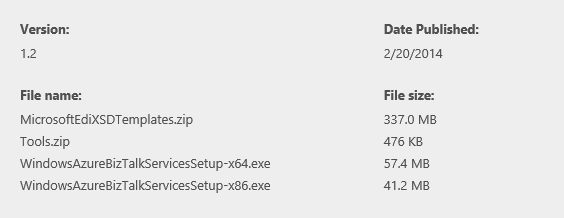
Besides 32- and 64-bits installers of the SDK, you can also download EDI templates and a zip which contains 2 utilities, namely a BizTalk Map to BizTalk Services Map converter and a tool to migrate your BizTalk 2010 trading partners to BizTalk Services!
Installation
Let’s start the installation by starting WindowsAzureBizTalkServicesSetup-x64.exe.
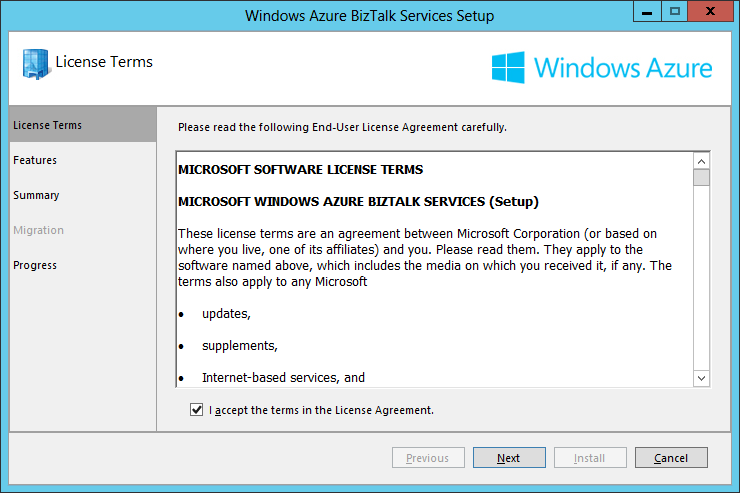
Accept the license agreement and click Next
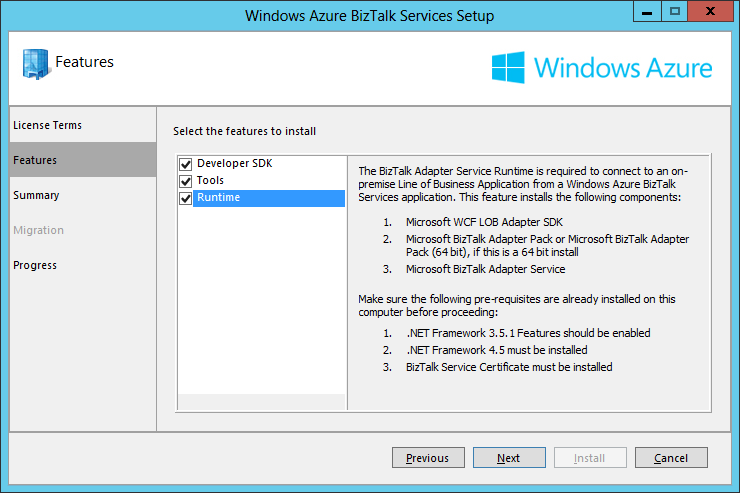
Check if all prerequisites are met, select all checkboxes and click Next
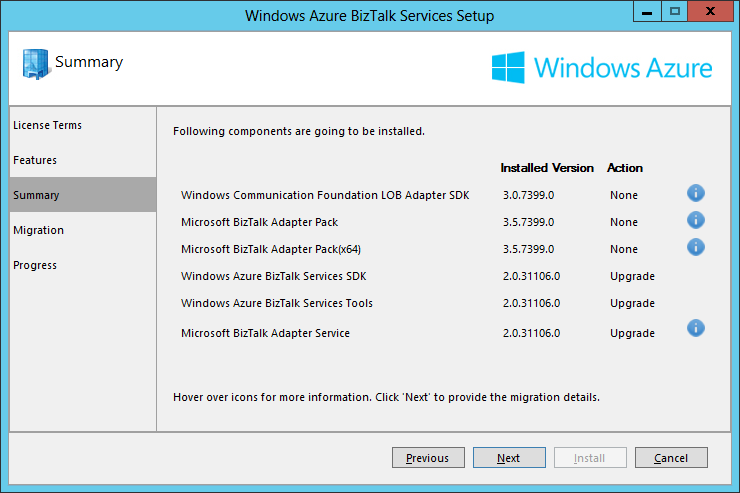
As I have already installed the November 2013 SDK, the installer shows which components are already up to date and which components will be upgraded. Click Next to continue.
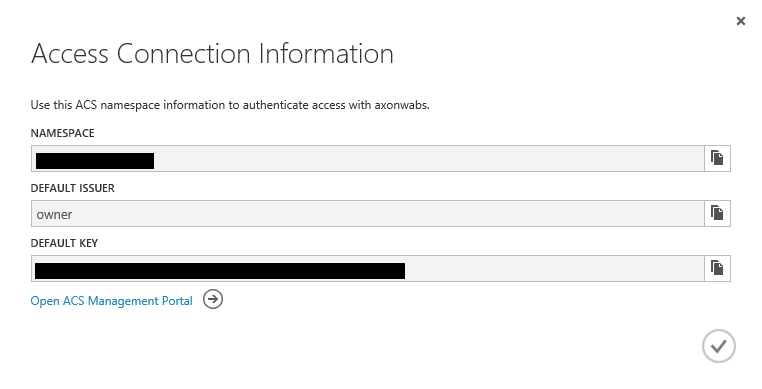
Navigate to the BizTalk Service in the Windows Azure Management Portal and go to the Access Connection Information dialog.
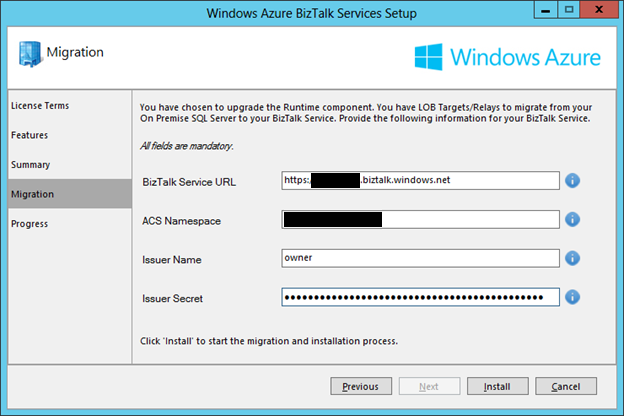
Part of the installation of this SDK, is the migration of your LoB Relay(s) and LoB Target(s) from your on premise database to your BizTalk Service. Copy the Namespace, Default Issuer and Default Secret of your BizTalk Service and paste them in the Installation Wizard.
Click Install
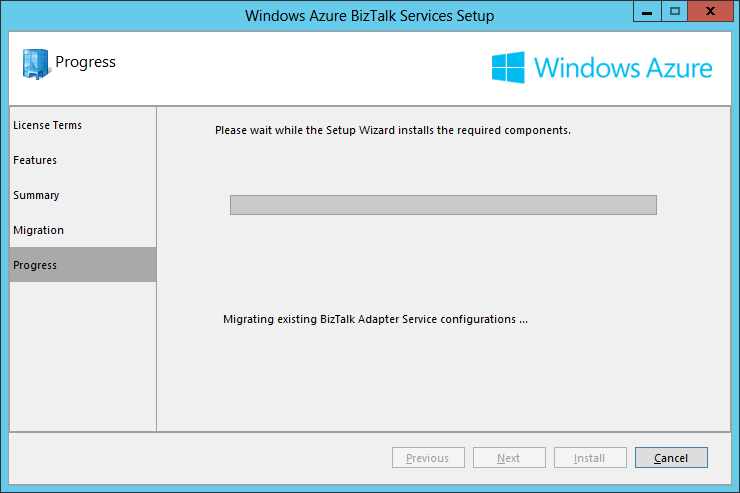
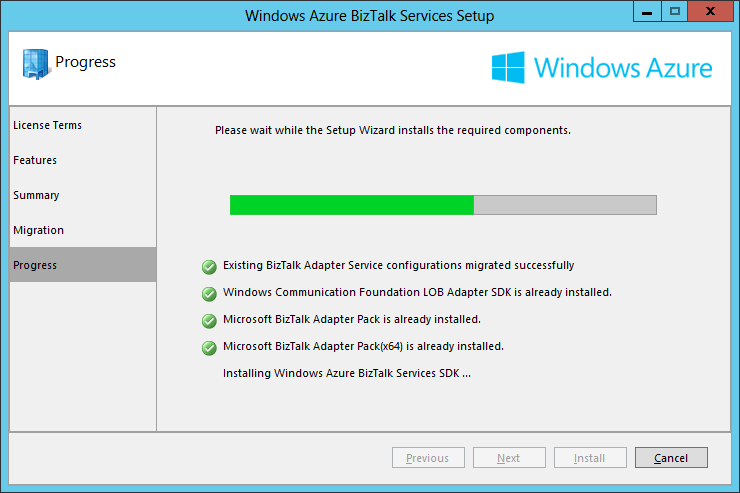
Another part of the installation is the migration of your local BizTalk Adapter Service configuration
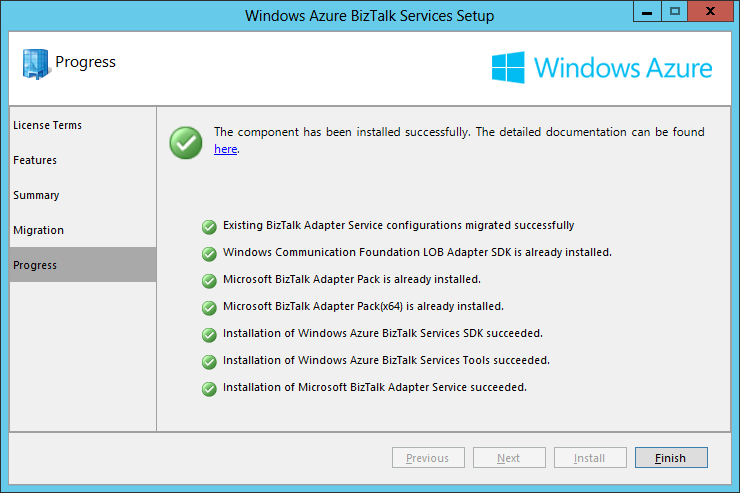
The installation is finished!
Have fun!

by community-syndication | Feb 21, 2014 | BizTalk Community Blogs via Syndication
Buried in the laundry list of new Windows Azure features outlined by Scott Guthrie was a mention of some pretty intriguing updates to Windows Azure BizTalk Services (WABS). Specifically, this cloud-based brokered messaging service can now accept messages from Windows Azure Service Bus Topics and Queues ( there were some other updates to the service […]
Blog Post by: Richard Seroter
by community-syndication | Feb 21, 2014 | BizTalk Community Blogs via Syndication
Use the out of the box SSIS packages for purging old data from BAM ensuring only relevant information is available and that the Performance of the BAMPrimaryImport is the best. You can create SQL Jobs to run this packages which are automatically generated when you deploy your BAM Activities.
The post BizTalk Server Tip #19: Purge BAM Data appeared first on BizTalk360 Blog.
Blog Post by: Ricardo Torre
by community-syndication | Feb 21, 2014 | BizTalk Community Blogs via Syndication
We are pleased to announce that the February update of Windows Azure BizTalk Services is now live!
Customers creating BizTalk Services from the Azure management portal can begin using the new features along with the updated SDK from the Download Center here. Existing customers will see the new functionality light up over the course of next few days as we rollout updates to individual BizTalk Services deployments.
Key features in this update are:-
Support for the EDIFACT protocol
EDIFACT messaging enables customers in Europe, Asia and Australia to build B2B applications on the prevalent messaging format and addresses a top ask for these customers.
We support EDIFACT messaging versions up to D10B natively in the platform. Features such as Batching, Tracking, AS2 with EDIFACT are all supported with today’s update. For X12 messaging, we’ve added support up to 6030 and Message Type 999 in addition to 997 for acknowledgements.
Simplified setup for on-premises connectivity
For applications that connect between cloud and on-premises systems, we’ve simplified the BizTalk Adapter Services (BAS) on-premises installation to no longer require a SQL Server installation. The BizTalk Adapter configuration data is now stored in the cloud without any additional configuration in SQL express configuration required on-premises.
Improvements for Service Bus integration
This release adds support for pulling messages from Service Bus Queues and Topics, which allows a BizTalk Bridge to pull messages directly from a Service Bus Queue or a Topic without having to write to an intermediary service. The service now also supports Service Bus Shared Access Signatures to configure Service Bus Queues and Topics with Agreements and Bridges in the Azure Portal as well as in Visual Studio.
Backup and Restore Support
Backup operations within BizTalk Services can now be easily configured and managed through the Azure management portal. You can configure a scheduled backup once and keep your peace of mind. Restores can be easily performed to a new service using the Azure Portal.
Operations log support
The WABS service is now integrated with the Azure Operations Logs which enable auditing of management tasks for BizTalk Service along with other services that customers are using.
You can read more about how to get started with the new features in ScottGu’s blog update about the new features that Azure shipped yesterday.
We hope these features will add value to your integration scenarios and enrich your Biztalk Services experience. We plan to update BizTalk Service with more scenarios and features in the coming months. Let us know your feedback through BizTalk Services forums or through user voice.
Blog Post by: BizTalk Blog
by community-syndication | Feb 20, 2014 | BizTalk Community Blogs via Syndication
Cluster SSO Master Secret Server using Windows Clustering to guarantee this component is also highly available, you have to do this to achieve full HA. The best candidate servers on which you can cluster the Master Secret Server is the SQL Server cluster where BizTalk is installed because you can reuse this cluster for this […]
The post BizTalk Server Tip #18: Cluster the Master Secret Server appeared first on BizTalk360 Blog.
Blog Post by: Ricardo Torre
by community-syndication | Feb 19, 2014 | BizTalk Community Blogs via Syndication
Issue
During a recent deployment of SharePoint 2013 for a client, we came across an issue with Central Administration getting the error:.
You may be trying to access this site from a secured browser on the server. Please enable scripts and reload this page.
Generally this is resolved by adding the CA site as a Trusted Site. The […]
Blog Post by: Michael Gerety