by community-syndication | Aug 8, 2012 | BizTalk Community Blogs via Syndication
We have a simple PS script to switch Auto-Start on for WCF services running under AppFabric 1.1:
Import-Module ApplicationServer
Set-ASApplication -SiteName “Default Web Site” -VirtualPath “/x.y.z” -AutoStartMode “All” -EnableApplicationPool
Runs fine, unless you are running it from an MSBuild task:
<Target Name=“Setup“>
<Exec ContinueOnError=“false“ Command=‘powershell.exe “$(MSBuildProjectDirectory)\SetupAppFabric.ps1”‘ WorkingDirectory=‘$(MSBuildProjectDirectory)‘ />
</Target>
, and running MSBuild from the x86 framework on an x64 environment. We get this error:
Set-ASApplication : AppFabric configuration cmdlets require AppFabric Server Worker to be installed on the local machine in order to configure the local WCF and WF services. If you need to administer WCF and WF services locally, install the Worker component and try again. If you need to administer WCF and WF services remotely, use PowerShell remoting features to connect to the remote machine. … + FullyQualifiedErrorId : AppFabricNotInstalled,Microsoft.ApplicationServer.Management.Commands.SetASApplicationCmdlet
The fix is to run MSBuild from the x64 framework (as Callum says), which will run PowerShell from x64 and load up the AppFabric dependencies correctly. But to complicate things, that broke some of our other tasks that required the x86 environment, so we ended up running the build in x86 and shelling out to x64 just for the AppFabric stuff:
<Target Name=“Setup“>
<!–AppFabric cmdlets need PS2 run in x64 env; other build tasks need x86, so shell out to x64 for this:->
<Exec Command=‘%SystemDrive%\Windows\Microsoft.NET\Framework64\v4.0.30319\MSBuild.exe “$(MSBuildProjectDirectory)\Build.proj” /t:SetupAppFabric‘/>
</Target>
<Target Name=“SetupAppFabric“>
<Exec ContinueOnError=“false“ Command=’powershell.exe “$(MSBuildProjectDirectory)\SetupAppFabric.ps1″‘WorkingDirectory=‘$(MSBuildProjectDirectory)‘ />
</Target>
Ugly, but no way around it till our other tasks are x64-compatible.
Oh, and be sure to set your execution policy in the x86 and x64 PowerShell environments if you are running scripts in both.
by community-syndication | Aug 8, 2012 | BizTalk Community Blogs via Syndication
Our new 5.0 feature coming in October 2012 release.
The idea behind process monitoring is simple, you are expected to receive certain amount of messages via your receive location or expected to send certain amount of messages via your send port in your BizTalk environment. If that doesn?t happen then there is a business implication and someone needs to be notified. That?s exactly what process monitoring all about.
Let?s take a look at some example scenarios.
- Your trading partner sends you some files via FTP every day. If you receive the file, everything works smoothly, but what happens if there is a problem on your partner end (ex: some firewall patch) and you didn?t receive any messages from them for couple of days.
- Similarly on the transmit/send side, you are supposed to send so many messages per hour, or per business day to your back end systems like SAP or to your trading partners.
- You may want to keep an eye on the sales threshold, for ex: you expect to receive certain volume of messages in your system every business day from your trading partner(s).
BizTalk360 process monitoring is designed to help customers tackle the above scenarios, without any custom development. You can configure it within few minutes, you can read the full story and detailed options in our blog. Sample screen shot below:
/Nandri
Saravana Kumar
by community-syndication | Aug 8, 2012 | BizTalk Community Blogs via Syndication
On August the 28th I will have my first speaking engagement outside Logica, at the Swedish BizTalk User Group.
As a long time attendee I have seen a lot of speakers and I am sure I will do a fair job of it. The topic is “All the small things”, which will try to cover a lot of little hints, tips and tricks when developing BizTalk solutions or running BizTalk.
It will not be an architectural talk but rather a Level 300 aimed at developers. “Tickets” will be available soon.
Blog Post by: Mikael Sand

by community-syndication | Aug 7, 2012 | BizTalk Community Blogs via Syndication
Now that the dust is settling after WPC 2012, I’m able to catch up on all the emails
still coming from the event.
I had a picture taken with John (against a green screen) and is it’s amazing what
they can do with modern technology now.

From my research a couple of points:
-
Over the last 4 years, approx 200 Worldwide Partner awards have been given – 6
of them Australian Partners! We’re one of 6.
-
This is the first time EVER an Australian Partner has been an Application
Integration Winner
-
This is the first time EVER an Australian Partner has been a Cloud Partner
Finalist
See more here
Talk to you soon.
Mick.
Blog Post by: Mick Badran
by community-syndication | Aug 6, 2012 | BizTalk Community Blogs via Syndication
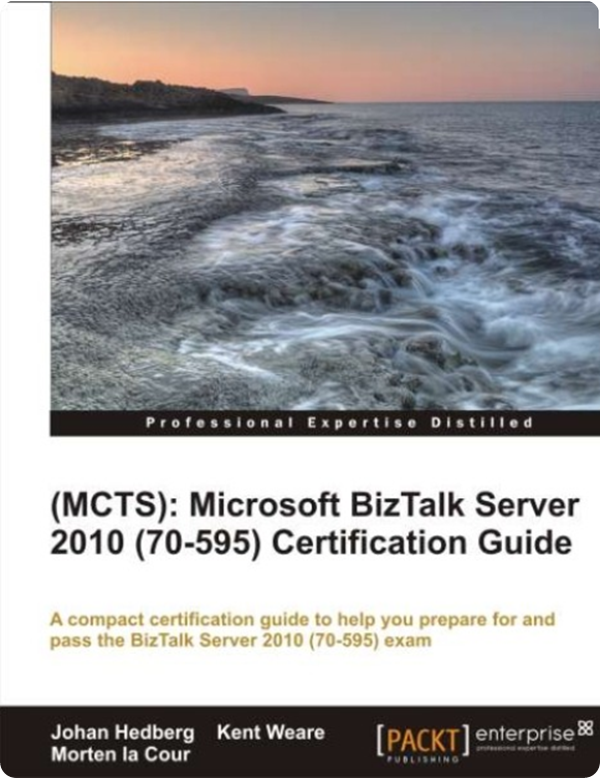
In past I have created a blog post on how to prepare for BizTalk Server 2010 exam. On TechNet Wiki I have written a TechNet Wiki article as guide for preparation. Now Packt Publishing has released a book that does an excellent job in preparing you for the exam. The book was written by three authors; fellow BizTalk MVP’s Kent Weare and Johan Hedberg, who collaborated with Morten la Cour. I was one of the technical reviewers of this book together with fellow BizTalk MVP’s Mikael H%u00e5kansson and Jan Eliasen. Besides us MVP’s Todd Uhl, Sandeep Kesiraju, and Basil Cheng acted as technical reviewers.
The eBook Contest
I have teamed up with Packt Publishing and am organizing a give away especially for you my blog readers. All you need to do is send me an email at SteefJan @ msn dot com and you might win a free copy of Microsoft BizTalk Server 2010 Certification Guide. Three lucky winners stand a chance to win an e-copy of the book.
Lucky winners will be announced 24th of August!!!
Overview of Microsoft BizTalk Server 2010 Certification Guide
- Includes a comprehensive set of test questions and answers that will prepare you for the actual exam.
- The layout and content of the book closely matches that of the skills measured by the exam, which makes it easy to focus your learning and maximize your study time in areas where you need improvement.
Read more about this book and download free Sample Chapter (See download tab on the page).
My View on the book
There are many ways to prepare for the BizTalk exam, you can read books, blog posts, wiki articles, create a VM, develop and so on. However, you do need some guidance and that is exactly what this book does.
This book is an excellent resource to aid you in preparation of the exam. If you read this book from cover to cover, do the self test exam questions, and the exercises on BizTalk development environment (created by yourself or through downloadable VM from MS) I am confident that you will succeeded.
You will need to put in a lot of hours to grasp and understand all the material, but it will pay of. This book will not only help you prepare for the exam, it will also make you a better BizTalk professional.
Cheers,
Steef-Jan
by community-syndication | Aug 5, 2012 | BizTalk Community Blogs via Syndication
Hi folks, BizTalk has some great new features on the horizon and this CTP is jam packed
of new and improved features. I believe the CTP is non-public atm, with MVPs etc.
able to get access (or if you’re on the TAP program)
I’ve got a VM up and running with the setup and config working a treat – I’m not sure
how much I can say, but I’d like to say I’m very pleased with what I’m seeing!
The official feature set blurb goes something like this
Enjoy.
Details
Improved
productivity with new Microsoft Platform support
Customers
can now leverage the latest and greatest platforms, such as Windows Server 2012 RC,
SQL Server 2012, Visual Studio 2012 RC. All new BizTalk projects will target .Net
Framework 4.5 RC by default. The CTP also provides support for latest LOB versions
enabling customers to use BizTalk for integrating their applications with the latest
versions of SAP, Oracle and SQL Server. The new adapters provide a seamless experience
to enable hybrid connectivity, all done via configuration. The CTP provides native
support for ACS authentication and is extensible for other authentication mechanisms.
%u00b7 Platform
support
o Windows
Server 2012 RC, Windows Server 2008 R2
o SQL
Server 2012, SQL Server 2008 R2
o Visual
Studio 2012 RC
o Office
2010
o Support
for latest LOB versions
%u00a7 Support
for SQL Server 2012
%u00a7 Support
for SAP 7.2
%u00a7 Support
for Oracle DB 11.2
%u00a7 Support
for Oracle EBS 12.1
%u00b7 Adapters
o WCF-WebHttp
adapter, to consume REST service or expose REST service
o SB-Messaging,
for sending/pulling data from Service Bus Queues/Topics
o WCF-NetTCPRelay,
for hosting relays or sending data to NetTCPRelay end points
o WCF-BasicHttpRelay,
for hosting relays or sending data to BasicHttpRelay end points
Better
B2B with schema updates
EDI
standards evolve and one of the key investments made in this new BizTalk CTP is to
ensure that we support the latest B2B standards natively. This enables you to transact
messages based on the latest versions of EDI protocol.
%u00b7 B2B
enhancements to support latest standards natively
o Support
for X12 5040, 5050, 6020, 6030
o Support
for EDIFACT D06A, D06B, D07A, D07B, D08A, D08B, D09A, D09B, D10A, D10B
o HL7
2.5.1
We
are working on further schema updates such as HL7 2.6, these will be enabled in the
BizTalk 2010 R2 Beta.
Improved
Performance
The
CTP provides performance improvement for certain key scenarios. In case of two way
MLLP adapter scenarios where ordered delivery is set, the tests have revealed up-to
5X performance improvement so far in our environments. We have also made enhancements
in our engine to improve the performance in ordered send port scenarios.
Building
hybrid applications
Today,
there is an increase in the adoption of hybrid application scenarios where some components
of an application run in the cloud and some other components/LOB applications remain
on-premise. It then becomes important to integrate between these components and leverage
the richness of both worlds. In this CTP release, we enable hybrid connectivity by
providing first class support for integrating with Azure Service Bus Queues/Topics/Relays.
We are introducing the following adapters
%u00b7 SB-Messaging,
for sending/pulling data from Service Bus Queues/Topics
%u00b7 WCF-NetTCPRelay,
for hosting relays or sending data to NetTCPRelay end points
%u00b7 WCF-BasicHttpRelay,
for hosting relays or sending data to BasicHttpRelay end points
Integrating
with Azure Service Bus entities is now just a few configurations away!
Integration
with RESTful services
One
of the other prevalent trends in the market today is the proliferation of RESTful
services. Almost all new services, as well a lot of services created previously, have
a REST interface exposed. For example, all services in Windows Azure, data market
place, Salesforce, etc. have support for REST services. With this CTP release, we
are making it really easy for you to integrate RESTful services with BizTalk Server
using the new WCF-WebHttp adapter. All the REST operations like GET, PUT, POST and
DELETE are now supported natively. It gets better. We received community feedback
during and post TechEd conference that there should be a way to expose REST services
as well from BizTalk. We listened to your feedback. Along with consuming REST services
we are also really excited to announce that you now have an early preview to exposing
REST services from BizTalk Server as well in this CTP.
BizTalk
Server in Azure Virtual Machine role
All
the above enhancements are available right away for you to preview with BizTalk Server
in Azure Virtual Machine role. Setting up a new BizTalk Server environment usually
involves long lead time to procure hardware, get the dependencies in place, set up
the server, etc. This means long lead times before you can get started with your new
BizTalk Server environment. We are now leveraging the power of the cloud and the richness
of Windows Azure to provide an experience where you can get up and running with your
BizTalk Server environment in matter of minutes and move your existing applications
to the cloud without making any changes. Furthermore, the CTP provide improvements
to the BizTalk multi machine configuration and now you can do this using some basic
configuration settings with the click of a button in a single machine, without having
to go and configure BizTalk Server Group in each of the individual nodes.
Blog Post by: Mick Badran



