by community-syndication | Nov 14, 2009 | BizTalk Community Blogs via Syndication
Hi all
Here at Logica in Denmark, we have just been told that we have been chose as the Danish
Microsoft Partner of the year. We are naturally quite proud of this, and one of the
reasons for choosing us is, that despite the financial crisis we have gained market
shares.
You can read Microsofts press release (only in Danish, I am afraid) here: http://www.logica.dk/file/18133
—
eliasen
by community-syndication | Nov 13, 2009 | BizTalk Community Blogs via Syndication
Recently at the SharePoint Conference (SPC2010) delegates were given a beautiful book
with all sorts of developers bits.
The book stars 123 pages of great information, and improvements to many areas that
we previously had pain with (lists, queries, and just CAML in general)
There’s also 6 walkthroughs (sort of like HOLs) with code etc. to give you a feel
for customising SharePoint.
Grab
the PDF version HERE
Some snippets which I found interesting from the book are:
-
Some great object model options now for integrating with SharePoint.
Points to note here:
– Client OM + Rest are exposed as WCF Services (based on Client.Svc) and the Client
OM is a batched model, so you transmit only what you ask for within Object Collection
Hierarchies (unlike SPSite.AllWebs etc etc)
– LINQ to SharePoint is initially created with SPMetal to create all the LINQ classes
(there’s no ’designer’ support for this yet, like LINQ for SQL – at least in this
beta)
– External Lists are an interesting one, you can develop plugins to expose two-way
data syncs within SharePoint. I’m looking to reach out to SAP + Siebel systems when
I explore this option 🙂
-
Resource Throttling is turned on by default – previously developers could write code
like SPList.Items Usually on a Developer’s machine, with 5 items in a list this was
not an issue, 8000 items in a list turns into a different story.
SharePoint 2010 now has safe guards against this turned on by default.
EnjoyI’m off to enjoy the sun.
by community-syndication | Nov 13, 2009 | BizTalk Community Blogs via Syndication
The vexed question of language performance came up a couple of times at the ORF conference last month. I’ve written up my viewpoint on this at http://geekswithblogs.net/cyoung/archive/2009/11/13/136295.aspx. All flames welcome 🙂
by community-syndication | Nov 13, 2009 | BizTalk Community Blogs via Syndication
In my last blog I mentioned issues with BizTalk 09 when creating references between projects. Here’s some follow up thanks to Mandi on the BizTalk escalation team.
BizTalk solutions are often separated into various projects for the different artifacts, pipelines, schemas, orchestration, etc. When working with a BizTalk project with references to other BizTalk projects compilation fails.
A review the project shows an orchestration variable is missing and shows a red exclamation mark. When selecting the type, it shows the referenced BizTalk project but no defined types. This is a known issue and a fix is available (no link available at this time).
Maps are not immune. If there is a map using a schema from a referenced BizTalk project, the “Schema Type Picker” in the map doesn’t show the referenced project and schemas. It only shows local schemas.
To resolve this problem check to see if the “Build Action” is set to “None” instead of “BtsCompile” for the schema. Here’s the link with more information.
Issues with BizTalk 2009 on VS.NET 2008
http://blog.eliasen.dk/2009/07/21/IssuesWithBizTalk2009OnVSNET2008.aspx
There may be other related symptoms. The problems mentioned here are not from a single case so check with the BizTalk team regarding referencing issues and BizTalk 09.
by community-syndication | Nov 13, 2009 | BizTalk Community Blogs via Syndication
I have seen quite a few issues since last year regarding to BTARN configuration wizard. The failures seemed to be in the wizard itself, not the typical SQL connectivity or permission related issues. In some cases the UI failed to load at all. Configuration log indicated access violation during form load. In other cases, configuration UI does load but configuration fail to complete. While the errors vary, the configuration log pointed to something UI related. These issues have been difficult to track down. In one case, we created a number of debug builds but the symptom continued to shift. So while we are still looking for the root cause, I thought it’d be helpful to post the workaround we have been using. The workaround is simply to use silent configuration. Logical since the problem seems to be specific to UI. For BTARN, there are only 2 features so the configuration XML is manageable. You can either export a configuration XML from a fully configured BTARN box and then modify the settings or you can copy configuration XMLs from a configuration log and combine the features manually. In case you don’t have access to a configuration XML for BTARN, this is a sample of what it should look like:
<Configuration>
<Feature Name="Runtime" DisplayName="Runtime" Version="1.0" Description="Runtime Components for RosettaNet.">
<Question ID="RNCREATEORJOIN" Text="Do you want to create a new database group? (Uncheck to join an existing database group)" Answers="Create,Join" Default="Create">
<Answer Value="Create" GUID="{B6BD84F3-E70B-4C62-B5AF-2DFBDA8CA655}" Selected="Yes">
<SQL ID="RN_DB" DisplayName="Configuration Database" Description="This database stores configuration data for BizTalk Accelerator for RosettaNet.">
<Server>Insert Server Name</Server>
<Database>BTARNCONFIG</Database>
<WindowsSecurity Editable="no">yes</WindowsSecurity>
<UserName /><Password /></SQL>
<SQL ID="RN_DATADB" DisplayName="Storage Database" Description="This database stores runtime information for RosettaNet transactions.">
<Server>Insert Server Name</Server>
<Database>BTARNDATA</Database>
<WindowsSecurity Editable="no">yes</WindowsSecurity>
<UserName /><Password /></SQL>
<SQL ID="RN_ARCHIVEDB" DisplayName="Archive Database" Description="This database stores message content for archive and tracking purposes.">
<Server>Insert Server Name</Server>
<Database>BTARNARCHIVE</Database>
<WindowsSecurity Editable="no">yes</WindowsSecurity><UserName /><Password /></SQL>
</Answer>
</Question>
<Name ID="RN_IISSERVERNAME_ID" DisplayName="Web server name" Description="The name of the Web server where the RosettaNet applications are installed." Hidden="false">
<Value>Insert Server Name</Value>
</Name>
<Name ID="RN_IISPORTNAME_ID" DisplayName="Web Server: Port number" Description="The RosettaNet application port number." Hidden="false">
<Value>80</Value>
</Name>
<WebSite ID="RN_HTTPRECEIVERWEBAPP" DisplayName="BizTalk HTTP Receive virtual folder " Description="Configure HTTP Receive virtual folder.">
<WebSiteName>Default Web Site</WebSiteName></WebSite>
<NTService ID="RN Service ID runtime" DisplayName="Application Pool service account for BTARN HTTP Receive location " Description="Service account application pool and database configuration.">
<UserName>insert user name</UserName>
<Domain>domain name</Domain><Password>password</Password>
</NTService>
</Feature>
<Feature Name="WebApps" DisplayName="Web Configuration" Version="1.0" Description="Web application configuration for RosettaNet">
<WebSite ID="RN_WEBAPP" DisplayName="Web application virtual folder " Description="Configure the Web application virtual folder ">
<WebSiteName>Default Web Site</WebSiteName></WebSite>
<Name ID="RN_BTSSERVERNAME_ID" DisplayName="BizTalk Server name" Description="The name of the BizTalk Server where the BTARN pipeline component and the HTTP adapter are installed." Hidden="false">
<Value>Insert Server Name</Value>
</Name>
<Name ID="RN_BTSPORTNAME_ID" DisplayName="BizTalk Server: Port number" Description="The port number of the Web site where the Initiator and Responder Web application resides." Hidden="false">
<Value>80</Value>
</Name>
</Feature>
<Feature Name="WebApps" DisplayName="Web Configuration" Version="1.0" Description="Web application configuration for RosettaNet" />
<InstalledFeature>Runtime</InstalledFeature>
<InstalledFeature>WebApps</InstalledFeature>
</Configuration>
From command prompt, browse to BTARN install folder and you can execute “configuration.exe /s <Configuration XML File Path>”. In some cases where UI partially configured BTARN before crashing, you can use “configuration.exe /u” to un-configure before running silent configuration again. Remember to remove the databases if they have been created previously. Certainly not an ideal solution at this point but hopefully this can help to unblock you in the time being.

by community-syndication | Nov 13, 2009 | BizTalk Community Blogs via Syndication
Not that I’m surprised by this move; I mean, who would expect Amazon to sit on their laurels and let Microsoft claim the masses of .NET developers. One of my main complaints with AWS has been the lack of tooling for consuming the services. Having a REST API provides great reach and flexibility, but if you truly want to get people building on your platform, often you have to lower the bar to entry. This SDK is aimed squarely at Azure and comes just one week before PDC – smart marketing Amazon. It appears, at a quick glance, that the SDK provides simple .NET wrappers around the web APIs for AWS and source code of course gives you ultimate flexibility to modify. What it doesn’t have is something to compare to the developer fabric for building and testing your Azure applications locally. give the services they provide, this makes sense, but I wonder if people will really see this as comparable to the Azure development tools.
Read about this SdK and other news from Amazon on their website.

by Richard | Nov 13, 2009 | BizTalk Community Blogs via Syndication
There are a few really good blog post that explains BAM – like this from Saravana Kumar and this by Andy Morrison. They both do a great job explaining the complete BAM process in detail.
This post will however focus on some details in the last step of the process that has to do with archiving the data. Let’s start with a quick walk-through of the whole process.
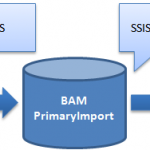
BAM Tracking Data lifecycle
-
The tracked data is intercepted in the BizTalk process and written to the “BizTalk MsgBox” database.
-
The TDDS service reads the messages and moves them to the correct table in the “BAM Primary Import” database.
-
The SSIS package for the current BAM activity has to be triggered (this is manual job or something that one has to schedule). When executing the job will do couple of things.
-
Create a new partitioned table with a name that is a combination of the active table name and a GUID.
-
Move data from the active table to this new table. The whole point is of course to keep the active table as small and efficient as possible for writing new data to.
-
Add the newly created table to a database view definition. It is this view we can then use to read all tracked data (including data from the active and partitioned tables).
-
Read from the “BAM Metadata Activities” table to find out the configured time to keep data in the BAM Primary Import database. This value is called the “online window”.
-
Move data that is older than the online window to the “BAM Archive” database (or delete it if you have that option).
Sound simple doesn’t it? I was however surprised to see that my data was not moved to the BAM Archive database, even if it was clearly outside of the configured online window.
So, what data is moved to the BAM Archive database then?
Below there is a deployed tracking activity called “SimpleTracking” with a online window of 7 days. Ergo, all data that is older than 7 days should be moved to the BAM Archive database when we run the SSIS job for the activity.
If we then look at the “BAM Completed” table for this activity we see that all the data is much older than 7 days as today’s date is “13-11-2009”.
So if we run the SSIS job these rows should be moved to the archive database. lets run the SSIS job. Right?
But when we execute the SSIS job the BAM Archive database is still empty! All we see are the partitioned tables that were created as part of the first steps of the SSIS job. All data from the active table is however moved to the new partitioned table but not moved to the Archive database.
It turns out that the SSIS job does not at all look at the the “Last Modified” values of each row but on the “Creation Time” of the partitioned table in the “BAM MetaData Partitions” table that is shown below.
The idea behind this is of course to not have to read from tables that potentially are huge and find those rows that should be moved. But it also means that it will take another 7 days before the data in the partitioned view is actually move to the archive database.
This might actually be a problem if you haven not scheduled the SSIS job to run from day one and you BAM Primary Import database is starting to get to big and you quickly have to move data over to archiving. All you then have to is of course to change that “Creation Time” value in the BAM Metadata Partitions table so it is outside of the online window value for the activity.
by community-syndication | Nov 13, 2009 | BizTalk Community Blogs via Syndication
Jim Nakashima notes on his blog that Microsoft has just released a “Windows Azure Platform TCO/ROI Analysis Tool” which looks a little something like this:
I gave the tool a whirl and found some interesting bits.
The GOOD
For a technology that’s currently in CTP, it’s great that Microsoft is being pro-active in putting out this tool. As numerous as questions surrounding the cloud are, taking a first stand in noting “These are some of the factors you’ll have to consider when making decisions” is a step in the right direction.
The tool supports multiple currencies, which appear to be updated with fluctuations in currency markets. We live and work in a global IT environment — enough said.
The tool provides multiple base configurations for common scenarios, such as a simple web application, or transactional compute power for a number crunching application. This is helpful if you’d rather go with some common guidelines and tweak them to your needs.
The BAD
There are four models when it comes to hosting: On-Premises, Hosted (at a Provider), Cloud, and Software-as-a-Service. The TCO/ROI tool only provides for comparison shopping of On-Premises to Azure. It’s important to note that the cloud comparison is purely Azure-based, and doesn’t allow you to compare/contrast offerings from other providers.
The tool also makes some assumptions about which Microsoft SKUs you’re using behind the scenes, and that you’re virtualizing everything on premise. There’s no ability choose which Virtualization provider (VMWare vs Hyper-V) and anyone who’s ever had to walk through licensing of products for very specific scenarios will be able to tell you that a second check from a TAM or PAM is a requirement.
The UGLY
The tool is prefaced with a statement that shifts the tone of an otherwise marketing-heavy web site to one Microsoft Legal clearly had its hand in: “MICROSOFT MAKES NO WARRANTIES, EXPRESS, IMPLIED OR STATUTORY, AS TO THE INFORMATION IN THE TCO AND ROI CALCULATOR REPORT.” If one of the intents of the tool is to sell Azure services and drive adoption, helping to assuage concerns is the rightful tact. We’re all new to this arena, help us by guiding us and answering questions for us. This statement has the opposite effect, which is, hands-off. The connotation is “We make no promises that anything that this tool says is valid, that it will help to save you money, that it’s the right approach, or that you should really trust us with your computing needs. We could be hiding things, or we could have left things out.”
In the end, the TCO/ROI tool is a step in the right direction, but its output is of little or no real value, due to the limitations of the inputs. I’d be very interested in seeing v2, though.
An UPDATE to Wednesday’s post on Data Privacy in the Cloud: a friend had noted that Microsoft’s paper seemed quite light. In the interest of being fair and balanced, and because comparison shopping seems to be the thing of the day, Amazon Web Services’ paper may be found here. It’s pretty striking how technically detailed Amazon’s paper is where Microsoft’s is not, especially given that AWS’s paper was published first.

by community-syndication | Nov 12, 2009 | BizTalk Community Blogs via Syndication
This is the first in a series of posts where I want to show some more advanced scripts and things you can do with the PowerShell provider for BizTalk.
I usually do a lot of tryouts and proof of concepts on my development box. In my urge to get things working I never spend too much […]
by community-syndication | Nov 12, 2009 | BizTalk Community Blogs via Syndication
I’ll be speaking at the Baltimore user group, BaltoMSDN, on Wednesday, November 18, 2009 at 6:30 p.m. on Microsoft StreamInsight.
The presentation, Microsoft StreamInsight: The $5 Tour, is an extended version of my talk from CMAP Code Camp, and includes additional demos, as well as a longer discussion on building adapters and developing applications based on CTP2.
With (American) Thanksgiving only two weeks away, StreamInsight makes for a great conversational topic after a big meal.
