
by community-syndication | Jun 17, 2009 | BizTalk Community Blogs via Syndication
I just bought a new laptop, and because I am studying Music Technology part time at university now, I decided to get a Macbook Pro so that I could use Apple’s Logic program for music projects as well as run all my development apps like Visual Studio/SharePoint/SQL Server etc.
Setting up the dual boot with Mac OSX and Vista 64bit was no problem at all. (Andrew Connell has a great blog post about this http://www.andrewconnell.com/blog/archive/2008/07/10/Triple-Boot-Goodness-on-the-MacBook-Pro.aspx)
I have quite a few Virtual PC and Virtual Server images that I use for training as well as software development, but I was wondering if it would be possible to have the same VM’s run from either the Mac OS or Vista?
Well, you can exclude VPC right off the bat. They did have a Mac version, but it is now discontinued and I’m not sure if the same .vmc could be opened in Mac and Windows anyway.
VMWare has Fusion for Mac, but it costs a few bucks.
So a collegue of mine recommended I try Sun’s FREE VirtualBox, which runs on damn near anything.
So I did, and I have to say, I am amazed at this product. Not only was it easy to install and configure on both Mac and PC, but it runs my existing VPC images as is (well after uninstalling the MS Virtual Machine Additions and installing the VirtualBox Guest Additions)
And the bonus is – the exact same image can be started up in either the Mac of Windows OS – perfect for my situation.
Plus I was getting weird scrolling lag issues in VPC that completely disappeared in VirtualBox. Everything is stable and rock solid.
VirtualBox also has a really nice feature called “Seamless Mode“, where your guest OS applications are not run on a separate window, they are run in their own independent windows on the host OS desktop. You have to see it to appreciate it.
Anyway, I’m totally impressed and it has been a long time since I’ve been able to say that about a piece of software, especially a free one.

by community-syndication | Jun 16, 2009 | BizTalk Community Blogs via Syndication
I’ve created another simple extension for Visual Studio 2010 beta 1 that will highlight the current line the caret is in with a different background color. Here’s a screenshot of the extension in action:
The extension itself is pretty simple, but it was a good way to understand how adornments for the text editor worked. […]
by community-syndication | Jun 16, 2009 | BizTalk Community Blogs via Syndication
Recently seen on The Daily WTF:

by community-syndication | Jun 16, 2009 | BizTalk Community Blogs via Syndication
I knew of three techniques for creating generic service on-ramps into BizTalk, but last night learned of a fourth.
So what if you want to create an untyped web service endpoint that can accept any valid XML message? I previously knew of three choices:
Orchestration with XmlDocument message type. Here you create a throw-away orchestration which takes […]
by community-syndication | Jun 16, 2009 | BizTalk Community Blogs via Syndication
For customers currently using the Microsoft BizTalk Adapters for Enterprise Applications (aka the LOB adapters) and willing to migrate their existing projects to the WCF-based LOB adapters, here’s a tool that will help you migrate your projects to work with BizTalk Adapter Pack 2.0.
Before we start talking about the tool and the adapter projects it can be used against, let us set the ground by laying the rules for the naming convention that we will be using here:
What does the tool do?
The migration tool accepts BizTalk project/Solution files containing schemas generated by non-WCF LOB adapters and generates corresponding new BizTalk project/solution files having schemas corresponding to the WCF-based LOB adapters, with the maps and orchestrations modified accordingly. This tool helps you to migrate the projects for the following adapters:
Where to get the tool from?
You can download the tool from http://go.microsoft.com/fwlink/?LinkID=153328. The tool also includes a migration guide that describes:
by Richard | Jun 16, 2009 | BizTalk Community Blogs via Syndication
Traditional SOAP Web Services might feel kind of old as more and more people move over to WCF. But a lot of integration projects still relay heavily on old fashion SOAP Web Services.
Using BizTalk generated Web Services however has a few issues and one needs to add a few extra steps and procedures to make them effective and easy to work with. This post aims to collect, link and discuss all those issues and solutions.
1. Building and deploying
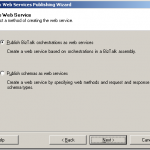
BizTalk Server includes the “BizTalk Web Services Publishing Wizard” tool that integrates with Visual Studio. This is basically a tool to generate a DSL based script for generating web services.
The wizard collects information about what schema or a orchestration to expose, namespaces, names of service and method, where on IIS to publish the service etc, etc.
The output of the tool is then a xml file (a “WebServiceDescription” file) that has all the collected values in it.
As a final step Visual Studio uses the newly created description file as input to a class called WebServiceBuilder in the .NET Framework. It is this class that is responsible for interpreting the description, configure and generate the service.
A common procedure is to use the wizard and click thru it and input values for every single deployment. This is of course slow, error prone and stupid.
What is much better is to take a copy of the generated “WebServiceDescription” file, save it to your source control system and then programmatically pass the file to the WebServiceBuilder class as part of your deployment process. Possible changes to the details of the service can then be done directly in the description file.
I have seen this approach save lots of time and problems related to deployment.
-
Paul Petrov has a great post on how to call the “WebServiceBuilder” class and pass the description file using C#.
http://geekswithblogs.net/paulp/archive/2006/05/22/79282.aspx
-
Michael Stephenson has a good post on how to used the “WebServiceBuilder” class via MSBuild.
http://geekswithblogs.net/michaelstephenson/archive/2006/09/16/91369.aspx
2. Fixing namespace
Another annoying problem (I’d would actually go so far as calling it a bug) is the problem with the bodyTypeAssemblyQualifiedName value in the generated Web Service class.
This causes BizTalk to skip looking up the actual message type for the incoming message. As no message type exists for the message is in BizTalk mapping and routing on message types etc will fail. It is a know problem and there are solutions to it. I would also recommend take the extra time need to make this small “post process step” be part of your deployment process (see how here).
3. Pre-compiling
By default the “WebServiceBuilder” class generates a web service without pre-compiling it. Usually this is not a problem. But in some cases were one really on the web service being online and give a quick response-message the performance problems in this approach can be a huge problem.
When generating the web service without pre-compiling it IIS has to compile the service and then keep the compiled service in memory. That means that when IIS releases the service from memory there is a latency before IIS re-compiled the service, loaded it into memory and executed it. This is a known problem and I have seen this “slow first hit” issue been a frequent question the different forums.
The solution is to use the aspnet_compiler.exe tool and pre-compile the service and the use those pre-compiled dlls as the service. IIS then never has to recompile it and will serve initial hits much faster.
Here is an example of how we defined a target to do this as part of our deployment process using MSBuild.
-
Pre-compile the service into a new folder
-
Clean out the “old” not compile service folder.
-
Copy the pre-complied service into the service folder
<Folder.CleanFolder Path="$(WebSiteServicePath)$(WebServiceName)"/>

<Folder.CopyFolder
            Source="$(WebSiteServicePath)$(WebServiceName)Compiled"
            Destination="$(WebSiteServicePath)$(WebServiceName)" />
-
Paul Petrov has two different articles here describing the process and also a different way that above on how to include the pre-compilation in you build process.
http://geekswithblogs.net/paulp/archive/2006/03/30/73900.aspx, http://geekswithblogs.net/paulp/archive/2006/04/19/75633.aspx

by community-syndication | Jun 16, 2009 | BizTalk Community Blogs via Syndication
Every BizTalk administrator has probably already received complaints from BizTalk operators that operators can see the number of suspended messages but can’t view the message itself. Another common remark might be that the operators cannot use the Orchestration debugger. Debugging in production is not advised but with the debugger you can at least verify where […]
by community-syndication | Jun 16, 2009 | BizTalk Community Blogs via Syndication
Traditional SOAP Web Services might feel kind of old as more and more people move over to WCF. But a lot of integration projects still relay heavily on old fashion SOAP Web Services.
Using BizTalk generated Web Services however has a few issues and one needs to add a few extra steps and procedures to […]
by community-syndication | Jun 15, 2009 | BizTalk Community Blogs via Syndication
Those of you that know me – know how much I enjoy the round ball game 🙂 Whilst not strictly related to my MS role – please bring the FIFA world cup to Australia!
http://www.australia2018-2022.com.au/

by community-syndication | Jun 15, 2009 | BizTalk Community Blogs via Syndication
Ever wanted to know in a send pipeline if a property was promoted before? The BizTalk API comes with an object called ‘ContextPropertyType’ which you can use for this purpose.
I have a very simple schema and corresponding instance:
Above message travels through BizTalk using the following path:
receive port -> orchestration -> send port
I defined the ‘Firstname’ […]
