by Sandro Pereira | Jan 28, 2022 | BizTalk Community Blogs via Syndication
You may already know my BizTalk Pipeline Components Extensions Utility Pack project available on GitHub for those who follow me. The project is a set of custom pipeline components (libraries) with several custom pipeline components that can be used in received and sent pipelines, which will extend BizTalk’s out-of-the-box pipeline capabilities.
This month my team and I update this project with another new component: ODBC File Decoder Pipeline Component.
ODBC File Decoder Pipeline Component
ODBC File Decoder Pipeline Component is, as the name mentioned, a decode component that you can use in a receive pipeline to process DBF or Excel files. Still, it can be possible to process other ODBC types (maybe requiring minor adjustments). The component uses basic ADO.NET to parse the incoming DBF or Excel files into an XML document.
If consuming DBF files is not a typical scenario, we can’t say the same for Excel files. Yet, we often find these requirements, and there isn’t any out-of-the-box way to process these files.
Honestly, I don’t know the original creator of this custom component. I came across this old project that I found interesting while organizing my hard drives. However, when I tested it in BizTalk Server 2020, it wasn’t working correctly, so my team and I improved and organized the structure of the code of this component to work as expected.
How does this component work?
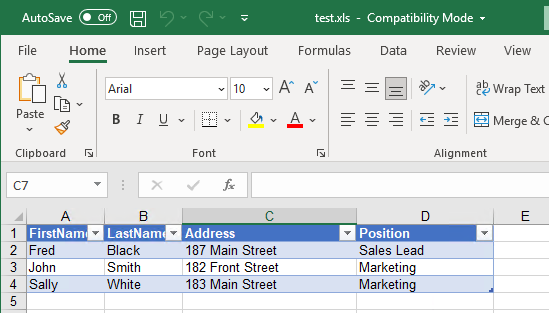
If we take has an example and Excel File (.xls) that has a table with:
- FirstName
- LastName
- Address
- Position
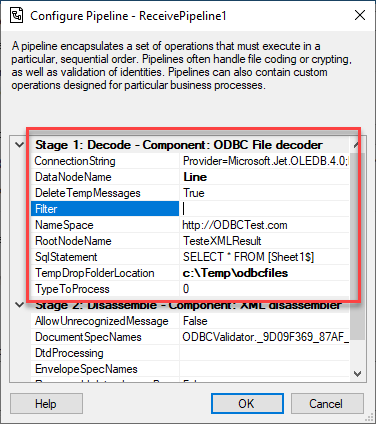
We can use the ODBC File Decoder Pipeline Component to process these documents. First, we need to create a custom pipeline component and add this component to the decode stage. Once we publish this pipeline, we can configure it as follows to be able to process these types of Excel documents:
- ConnectionString: ODBC Connection String
- For Excel documents: Provider=Microsoft.Jet.OLEDB.4.0;Extended Properties=Excel 8.0;
- For DBF: Provider=Microsoft.Jet.OLEDB.4.0;Extended Properties=dBASE IV;
- DataNodeName: Rows node name for the generated XML message
- Filter: Filter for Select Statement
- NameSpace: Namespace for the generated XML message
- For example: http://ODBCTest.com
- RootNodeName: Root node name for the generated XML message
- For example: TesteXMLResult
- SqlStatement: Select Statement to Read ODBC Files
- For example: SELECT * FROM [Sheet1$]
- TempDropFolderLocation: Support temp folder for processing the ODBC Files
- For example: c:Tempodbcfiles
- TypeToProcess: Type of file being Processed
- 0 to process Excel
- 1 to process DBF
The outcome result will be an Excel similar to this:
<?xml version="1.0" encoding="utf-8"?><ns0:TesteXMLResult xmlns:ns0="http://ODBCTest.com">
  <Line>
    <FirstName>Fred</FirstName>
    <LastName>Black</LastName>
    <Address>187 Main Street</Address>
    <Position>Sales Lead</Position>
  </Line>
  <Line>
    <FirstName>John</FirstName>
    <LastName>Smith</LastName>
    <Address>182 Front Street</Address>
    <Position>Marketing</Position>
  </Line>
  <Line>
    <FirstName>Sally</FirstName>
    <LastName>White</LastName>
    <Address>183 Main Street</Address>
    <Position>Marketing</Position>
  </Line>
</ns0:TesteXMLResult>
Does it work with Xlsx files?
Honestly, I didn’t try it yet. I didn’t have that requirement, and I only remember this scenario now that I’m writing this post, but it should be able to process it. The only thing I know is that we need to use a different connection string, something similar to this:
- Provider=Microsoft.ACE.OLEDB.12.0;Data Source=c:myFoldermyExcel2007file.xlsx;Extended Properties=”Excel 12.0 Xml;HDR=YES”;
- or Provider=Microsoft.ACE.OLEDB.12.0;Data Source=c:myFoldermyExcel2007file.xlsx;Extended Properties=”Excel 12.0 Xml;HDR=YES;IMEX=1″;
Download
THIS COMPONENT IS PROVIDED “AS IS”, WITHOUT WARRANTY OF ANY KIND.
You can download ODBC File Decoder Pipeline Component from GitHub here:
The post ODBC File Decoder Pipeline Component appeared first on SANDRO PEREIRA BIZTALK BLOG.
by Sandro Pereira | Jan 27, 2022 | BizTalk Community Blogs via Syndication
Administrators of Business Activity Monitoring (BAM) definitions use the out-of-the-box BAM Management utility tool (BM.exe) to manage and maintain all aspects of the BAM infrastructure.
You can use the BAM utility to perform the following tasks:
- Consume BAM definition and BAM configuration XML as input. The BAM definition XML or XLS files define the data to track and aggregate and the business end user’s view on the tracking data. The BAM configuration XML mandates where to deploy the infrastructure, such as the server name, database name, and other database settings.
- Deploy the run-time infrastructure on the server, including the BAM Primary Import database, BAM Star Schema database, BAM Analysis database, and corresponding Data Transformation Services (DTS) packages. The following items are created during this step:
- BAM Primary Import database
- BAM Star Schema database
- BAM Archive database
- BAM Analysis database
You can learn more about this command-line tool in one of my previous posts: BAM Management Utility Commands – bm.exe. Nevertheless, despite being a powerful tool that works well, it is still an old command-line tool.
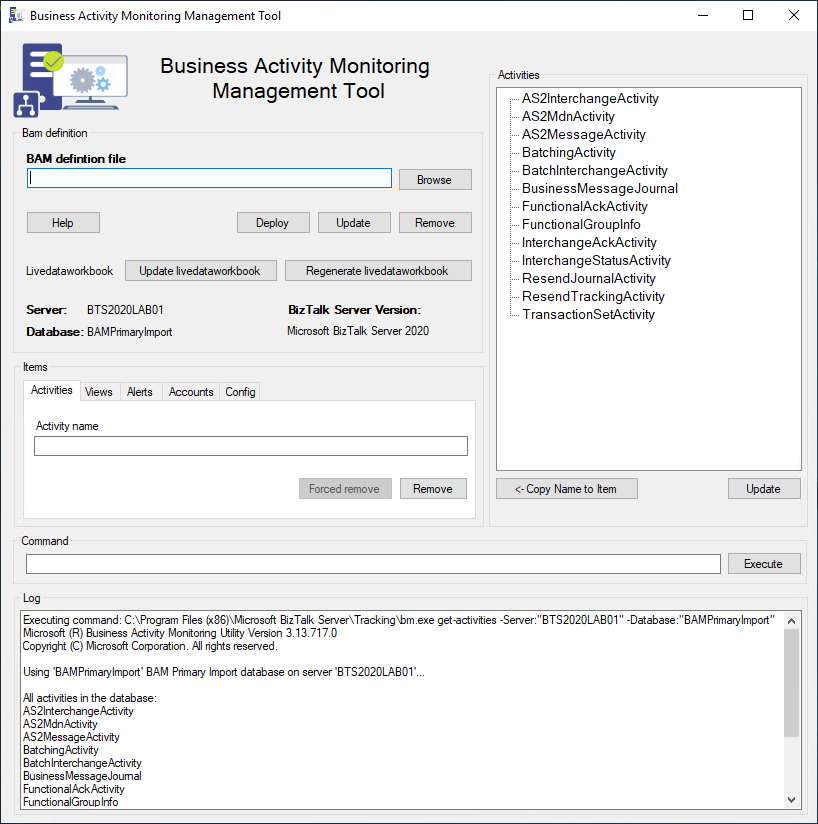
BizTalk Business Activity Monitoring Management Utility Tool is a Windows Application tool that works on top of the BM.exe to modernize and simplify its use. It is the equivalent of the BAM Management utility (BM.exe) tool with a GUI.
In this new version we:
- Tried to modernize the layout of the tool by adding a picture and some other minor adjustments.
- Fix some minor issues getting the correct version of the product – we removed the drop-down box, and now we are getting this info directly from the environment itself.
- Tested in BizTalk Server 2020.
Credits
- Rikard Alard, was the original creator of this tool.
- Diogo Formosinho | Linkedin | Member of my team, and that help me migrate this tool and add a more modern look.
Download
THIS TOOL IS PROVIDED “AS IS”, WITHOUT WARRANTY OF ANY KIND.
You can download the BizTalk Business Activity Monitoring Management Utility Tool from GitHub here:
The post BizTalk Business Activity Monitoring Management Utility Tool appeared first on SANDRO PEREIRA BIZTALK BLOG.

by Sandro Pereira | Jan 26, 2022 | BizTalk Community Blogs via Syndication
The full 7.3 version is complete with the release of v.7.3.1. This was a massive work of adding new shapes of new services that appear on Azure and changing the existing one with the new version of the shapes. Work is done and I hope you enjoy it!
What’s new in this version?
This is the list of changes and additions present in this release:
- New shapes on MIS Azure Stencils, MIS Azure Additional or Support Stencils, MIS Developer Stencils, and MIS Security and Governance packages: add a considerable amount of new shapes of new services that appear on Azure has both changing the existing one with their new layout.
- Move old versions of the shape layout to MIS Azure Old Versions package.
- New shapes on MIS AI and Machine Learning Stencils: several new shapes add it to this package with several Cognitive Services.
- New shapes on Microsoft Integration Stencils: some new shapes add it to this package describing Schemas, Maps, Aggrements, Partners, Assemblies and so on.
- Lock the aspect ratio of the new stencil icons: This was a requested made that can be very handly to protects against accidental resizing with another shape aspect.
- SVG files: new SVG files added.
Microsoft Integration, Azure, Power Platform, Office 365 and much more Stencils Pack
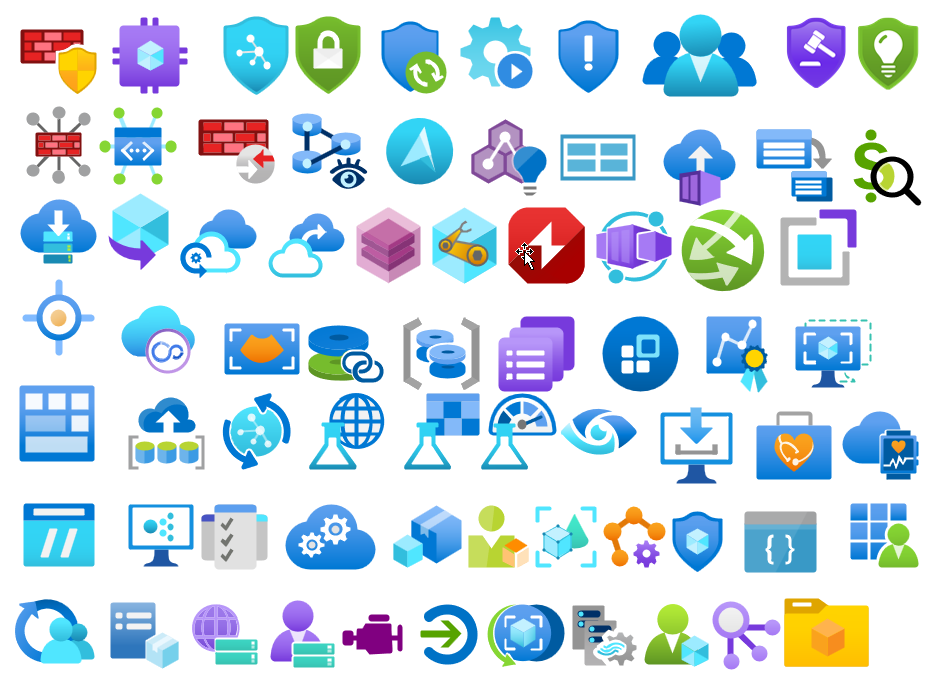
Microsoft Integration, Azure, Power Platform, Office 365 and much more Stencils Pack it’s a Visio package that contains fully resizable Visio shapes (symbols/icons) that will help you to visually represent On-premise, Cloud or Hybrid Integration and Enterprise architectures scenarios (BizTalk Server, API Management, Logic Apps, Service Bus, Event Hub…), solutions diagrams and features or systems that use Microsoft Azure and related cloud and on-premises technologies in Visio 2016/2013:
- BizTalk Server
- Microsoft Azure
- Integration
- Integration Service Environments (ISE)
- Logic Apps and Azure App Service in general (API Apps, Web Apps, and Mobile Apps)
- Azure API Management
- Messaging: Event Hubs, Event Grid, Service Bus, …
- Azure IoT and Docker
- AI, Machine Learning, Stream Analytics, Data Factory, Data Pipelines
- SQL Server, DocumentDB, CosmosDB, MySQL, …
- and so on
- Microsoft Power Platform
- Microsoft Flow
- PowerApps
- Power BI
- Office365, SharePoint,…
- DevOps and PowerShell
- Security and Governance
- And much more…
- … and now non-related Microsoft technologies like:
The Microsoft Integration Stencils Pack is composed of 28 files:
- Microsoft Integration Stencils
- MIS Additional or Support Stencils
- MIS AI and Machine Learning Stencils
- MIS Apps and Systems Logo Stencils
- MIS Azure Additional or Support Stencils
- MIS Azure Black and Gray
- MIS Azure Old Versions
- MIS Azure Stencils
- MIS Black and Cyan
- MIS Buildings Stencils
- MIS Databases and Analytics Stencils
- MIS Deprecated Stencils
- MIS Developer Stencils
- MIS Devices Stencils
- MIS Files and Message Types Stencils
- MIS Generic Stencils
- MIS Infrastructure and Networking Stencils
- MIS Integration Fun
- MIS Integration Patterns Stencils
- MIS IoT Stencils
- MIS Office, Office 365 and Dynamics 365
- MIS Power BI Stencils
- MIS Power Platform Stencils
- MIS SAP Stencils
- MIS Security and Governance
- MIS Servers (Hexagonal) Stencils
- MIS Users and Roles Stencils
- MIS API Connectors
- Organisational Stencils
That you can use and resize without losing quality, in particular, the new shapes.
Download
You can download Microsoft Integration, Azure, BAPI, Office 365 and much more Stencils Pack for Visio from GitHub Here:
The post Microsoft Integration and Azure Stencils Pack for Visio: New version available (v7.3.1) appeared first on SANDRO PEREIRA BIZTALK BLOG.
by Sandro Pereira | Jan 24, 2022 | BizTalk Community Blogs via Syndication
The full 7.3.0 version is not yet complete, but I decided to release it in small pieces instead of taking a long time to make all the planned changes and being the Azure part that will require the most work.
What’s new in this version?
This is the list of changes and additions present in this release:
- New shapes on MIS: Office, Office 365 and Dynamics 365 package: add some new Dynamic 365 shapes like Dataverse, SCM Warehousing, Project Timesheet, Return To School orReturn To Work, and several new Office/Office 365 shapes.
- Remove API Connectors shapes from MIS: Power Platform package: there goal was to simplify this package and migrate that stencils to a dedicated package, since there are more then 600 connectors. Also these connectores are common to Power Automate, Power Apps and Logic Apps.
- Create a new package MIS: API Connectors: This package will provide stencils to all connectors currently provided for Microsoft Power Automate, Microsoft Power Apps, and Azure Logic Apps.
- Lock the aspect ratio of the new stencil icons: This was a requested made that can be very handly to protects against accidental resizing with another shape aspect.
- SVG files: new SVG files added.
Microsoft Integration, Azure, Power Platform, Office 365 and much more Stencils Pack
Microsoft Integration, Azure, Power Platform, Office 365 and much more Stencils Pack it’s a Visio package that contains fully resizable Visio shapes (symbols/icons) that will help you to visually represent On-premise, Cloud or Hybrid Integration and Enterprise architectures scenarios (BizTalk Server, API Management, Logic Apps, Service Bus, Event Hub…), solutions diagrams and features or systems that use Microsoft Azure and related cloud and on-premises technologies in Visio 2016/2013:
- BizTalk Server
- Microsoft Azure
- Integration
- Integration Service Environments (ISE)
- Logic Apps and Azure App Service in general (API Apps, Web Apps, and Mobile Apps)
- Azure API Management
- Messaging: Event Hubs, Event Grid, Service Bus, …
- Azure IoT and Docker
- AI, Machine Learning, Stream Analytics, Data Factory, Data Pipelines
- SQL Server, DocumentDB, CosmosDB, MySQL, …
- and so on
- Microsoft Power Platform
- Microsoft Flow
- PowerApps
- Power BI
- Office365, SharePoint,…
- DevOps and PowerShell
- Security and Governance
- And much more…
- … and now non-related Microsoft technologies like:
The Microsoft Integration Stencils Pack is composed of 27 files:
- Microsoft Integration Stencils
- MIS Additional or Support Stencils
- MIS AI and Machine Learning Stencils
- MIS Apps and Systems Logo Stencils
- MIS Azure Additional or Support Stencils
- MIS Azure Black and Gray
- MIS Azure Old Versions
- MIS Azure Stencils
- MIS Black and Cyan
- MIS Buildings Stencils
- MIS Databases and Analytics Stencils
- MIS Deprecated Stencils
- MIS Developer Stencils
- MIS Devices Stencils
- MIS Files and Message Types Stencils
- MIS Generic Stencils
- MIS Infrastructure and Networking Stencils
- MIS Integration Fun
- MIS Integration Patterns Stencils
- MIS IoT Stencils
- MIS Office, Office 365 and Dynamics 365
- MIS Power BI Stencils
- MIS Power Platform Stencils
- MIS SAP Stencils
- MIS Security and Governance
- MIS Servers (Hexagonal) Stencils
- MIS Users and Roles Stencils
- Organisational Stencils
That you can use and resize without losing quality, in particular, the new shapes.
Download
You can download Microsoft Integration, Azure, BAPI, Office 365 and much more Stencils Pack for Visio from GitHub Here:
The post Microsoft Integration and Azure Stencils Pack for Visio: New version available (v7.3.0) appeared first on SANDRO PEREIRA BIZTALK BLOG.
by Sandro Pereira | Jan 20, 2022 | BizTalk Community Blogs via Syndication
This post was an old post that I published on BizTalkAdminsBlogging.com that is no longer available, so I decided to republish it here on my blog.
In one of my previous posts, I demonstrated how you could change the startup type for BizTalk Server services automatically using PowerShell. This time I will demonstrate how you can create a script that allows us to automatically restart all your BizTalk services:
get-service BTS* | foreach-object -process {restart-service $_.Name}
Download
THIS POWERSHELL IS PROVIDED “AS IS”, WITHOUT WARRANTY OF ANY KIND.
You can download How to Restart BizTalk Server services with PowerShell from GitHub here:
The post How to Restart BizTalk Server services with PowerShell appeared first on SANDRO PEREIRA BIZTALK BLOG.
by Sandro Pereira | Jan 18, 2022 | BizTalk Community Blogs via Syndication
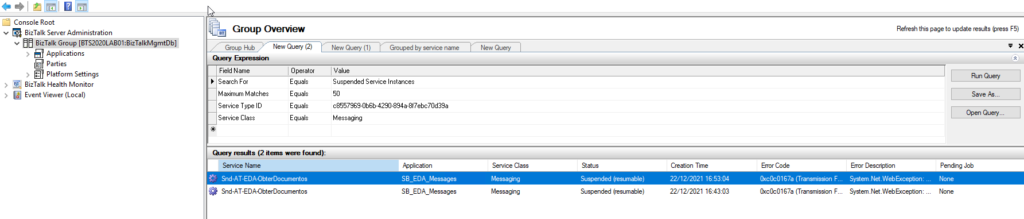
No matter what you do, issues will happen at some point, and we need to deal with them. For example, on BizTalk Server, messages can get suspended for many reasons. Sometimes, we can resume these suspended messages. But, in other situations, we can’t, or no water what we do, they cannot be processed because they contain some errors that need to be fixed.
Regardless of the scenario or the reasons for this to happen, there are situations that we endup having several messages suspended on BizTalk Server. Using the out-of-the-box BizTalk Server Administration tool, we are only allowed to save one message at a time, which means that we need to go one by one and, after several clicks, save the message on the hard drive. This is a huge time-consuming operation.
To expedite these operations, we can use PowerShell. It’s true that we will need to spend a little time creating these PowerShell scripts, but the gain that we get is massive, and once made, we can use it anytime.
With this script, we can retrieve the body/payload of all suspended BizTalk Server messages and save them to a specific folder – no filters required.
The result will be a list of messages created on our hard drive:
Download
THIS POWERSHELL IS PROVIDED “AS IS”, WITHOUT WARRANTY OF ANY KIND.
You can download Save/archive all BizTalk Server suspended messages with PowerShell from GitHub here:
The post Save/Archive BizTalk Server all suspended messages using PowerShell appeared first on SANDRO PEREIRA BIZTALK BLOG.
by Sandro Pereira | Jan 9, 2022 | BizTalk Community Blogs via Syndication
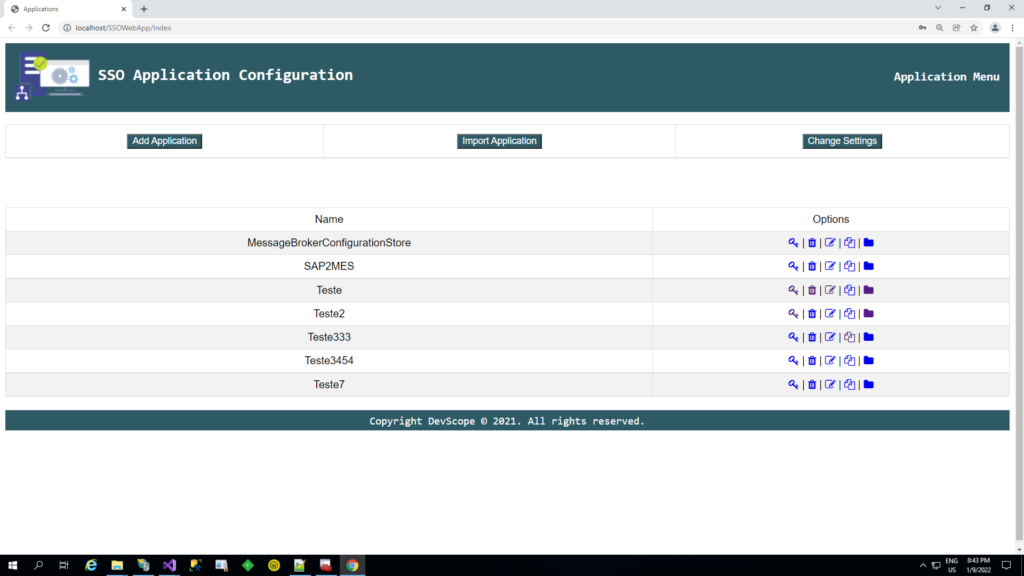
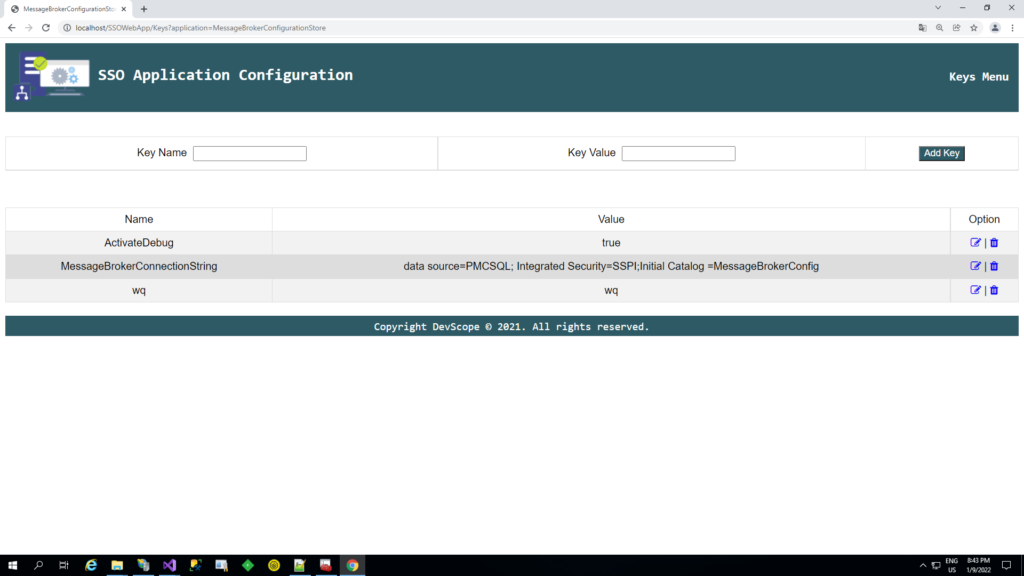
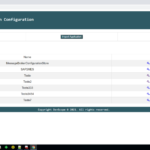
It’s been some time since I created the BizTalk Server SSO Application Configuration tool. The tool is available for several versions of BizTalk Server. It provides the ability to add and manage applications, add and manage key-value pairs in the SSO database, and import and export configuration applications to be deployed to different environments.
However, and although I love this tool, there is a significant limitation. It is a Windows application tool. So, most of the time, we need remote access to the BizTalk Server machines to access the tool to be able to read or change these values inside the SSO Applications.
To bypass this limitation, we create a Web version of this tool. The tool has almost the same features available as the traditional windows tool:
- You can securely export and import Application configurations and it is compatible with MSFT SSO snap-in;
- You can duplicate Applications (copy and past);
- You can rename Applications;
- You can easily add new key-values;
- You can edit key-values;
Other versions
This tool is also available in the format of Windows Application for the following BizTalk Server versions:
Download
THIS TOOL IS PROVIDED “AS IS”, WITHOUT WARRANTY OF ANY KIND.
You can download BizTalk Server SSO Application Configuration Web Tool from GitHub here:
The post BizTalk Server SSO Application Configuration Web Tool appeared first on SANDRO PEREIRA BIZTALK BLOG.
by Sandro Pereira | Jan 8, 2022 | BizTalk Community Blogs via Syndication
While organizing my vast resources in my hard drive, I recently found out, polished, and improved two SQL Server queries that allow us to check the users and groups with access to BAM resources.
These are simple SQL Queries, but they are essential for maintaining your environment under control, security, and privacy standards compliance.
Generally, BizTalk Server is compatible with all the privacy standards-compliant like GDPR or FIPS. BizTalk Server is a messaging broker that doesn’t capture or store any data on its system other than for the time needed to complete business processes and connect and route messages to their target systems. However, because you can process messages and/or communicate with systems that contain sensitive data (personal data), you must have some good practices in BizTalk Server Applications to comply with privacy standards.
Business Activity Monitoring (BAM) is a collection of tools that allow you to manage aggregations, alerts, and profiles to monitor relevant business metrics (called Key Performance Indicators, or KPIs). It gives you end-to-end visibility into your business processes, providing accurate information about the status and results of various operations, processes, and transactions so you can address problem areas and resolve issues within your business. But it is also a component that can capture data from the messages passing by the systems, and some of these data can be sensitive – that shouldn’t happen, but it can happen.
So, it is always good in terms of security, control, documentation, and in some cases, privacy to know which users can access BAM data.
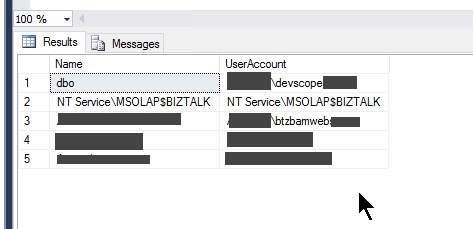
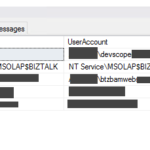
BizTalk Server: SQL Query to list all Users with access to BAMPrimaryImport database
This is a simple SQL Server Query that provides a list of all users that has access to the BAMPrimaryImport database.
THIS SQL SCRIPT IS PROVIDED “AS IS”, WITHOUT WARRANTY OF ANY KIND.
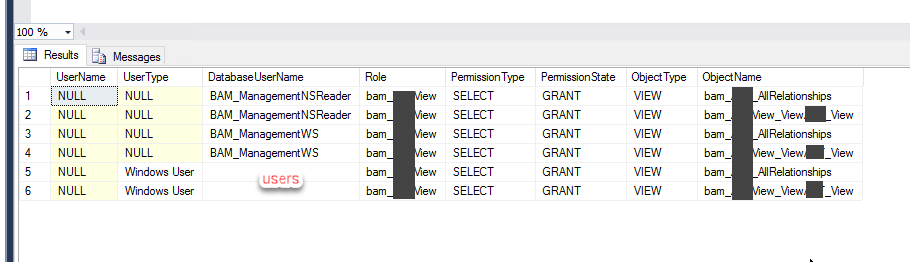
BizTalk Server: SQL Query to list all Users with access to BAM Views
This is a simple SQL Server Query that provides a list of all users access to a specific or to all BAM Views
THIS SQL SCRIPT IS PROVIDED “AS IS”, WITHOUT WARRANTY OF ANY KIND.
The post BizTalk Server BAM SQL Queries: Checking who has permission appeared first on SANDRO PEREIRA BIZTALK BLOG.
by Sandro Pereira | Jan 7, 2022 | BizTalk Community Blogs via Syndication
Monitoring a BizTalk Server environment can sometimes be a complex task due to the infrastructure and complexity layers behind the BizTalk Server. Apart from that, the administrator teams need to monitor all the applications deployed to the environment.
Ideally, the administration team should use all monitoring tools at their disposal, whether they are included with the product, such as BizTalk Server Administrative console, Event Viewer, HAT, or BAM. But the main problem with these tools is that:
- They need manually intervention.
- Almost all of them requires remote access to the environment.
When an administrator must manually check each server or application by events that may have occurred, that is not a very efficient and effective way to allocate the team’s time nor to monitor the environment.
Of course, they can also use other monitoring tools from Microsoft, such as Microsoft System Center Operation Manager (SCOM), or third-party monitoring solutions such as BizTalk360. These tools should be able to read events from all layers of the infrastructure and help the administration team to take preventive measures, notifying them when a particular incident is about to happen, for example, when the free space of a hard drive is below 10%. Furthermore, they should allow the automation of operations when a specific event occurs, for example, restart a service when the amount of memory used by it exceeds 200MB, thereby preventing incidents or failures, without requiring human intervention.
But the question is: and if you don’t have these tools?
You can archive these tasks in several ways. Many people create custom web portals to emulate some of the most basic tasks of the admin console. One of my favorite options is using a mix of PowerShell, schedule tasks, and/or Azure Services like Logic Apps and Functions. But today I will show you a different or alternative way:
- Create a Windows Service to monitor suspended Instances and automatically terminate them
Note: of course, this solution can be expanded to other kinds of stuff or add new funcionalities.
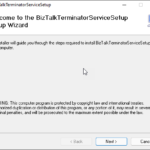
BizTalk Monitor Suspend Instance Terminator Service
This is a Windows Service that will be continually monitoring BizTalk Server for specific suspended messages (with an interval of x seconds/minutes/hours defined on code) and termites them automatically.
This tool allows you to configure:
- The type of suspended messages you want to terminate
- Terminate without saving the messages or saving them to a specific folder before terminating them.
These configurations are made on the app config of the service:
<ServiceFilter>
	<add key="ServiceClass" value="64"/>
	<add key="ServiceStatus" value="32"/>
	<add key="ErrorId" value="0xC0C01B4E"/>
	<add key="Action" value="Terminate"/>
	<add key="SaveLocation" value="C:ArchiveError1"/>
</ServiceFilter>
<ServiceFilter>
	<add key="ServiceClass" value="4"/>
	<add key="ServiceStatus" value="4"/>
	<add key="ErrorId" value="0xc0c01680"/>
	<add key="Action" value="SaveAndTerminate"/>
	<add key="SaveLocation" value="C:ArchiveError2"/>
</ServiceFilter>

You can also define on the app config file the:
- Database name, that by default is already BizTalkMgmtDb
- and the Database Server Host Name, by default localhost
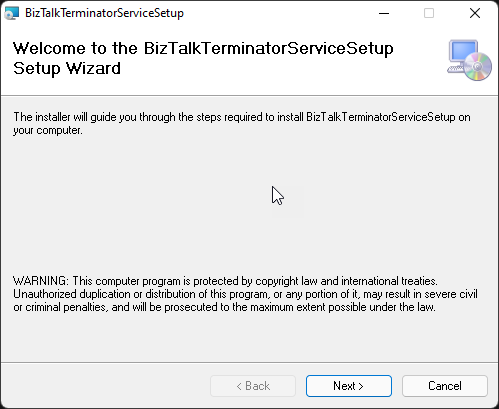
The solution available on GitHub already provides a straightforward setup file.
Download
THIS TOOL IS PROVIDED “AS IS”, WITHOUT WARRANTY OF ANY KIND.
You can download the BizTalk Server GetTrackedMessage tool from GitHub here:
The post BizTalk Monitor Suspend Instance Terminator Service appeared first on SANDRO PEREIRA BIZTALK BLOG.
by Sandro Pereira | Jan 4, 2022 | BizTalk Community Blogs via Syndication
I recently brought some old BizTalk Server resources back to life, like the BizTalk Server WCF-Loopback Adapter or File-Z Adapter. And I have been working on several more resources. So today, it is a pleasure to bring back to life again an old tool created by my friend Thiago Almeida (LinkedIn, Twitter) back in the day he was a BizTalk Server developer:
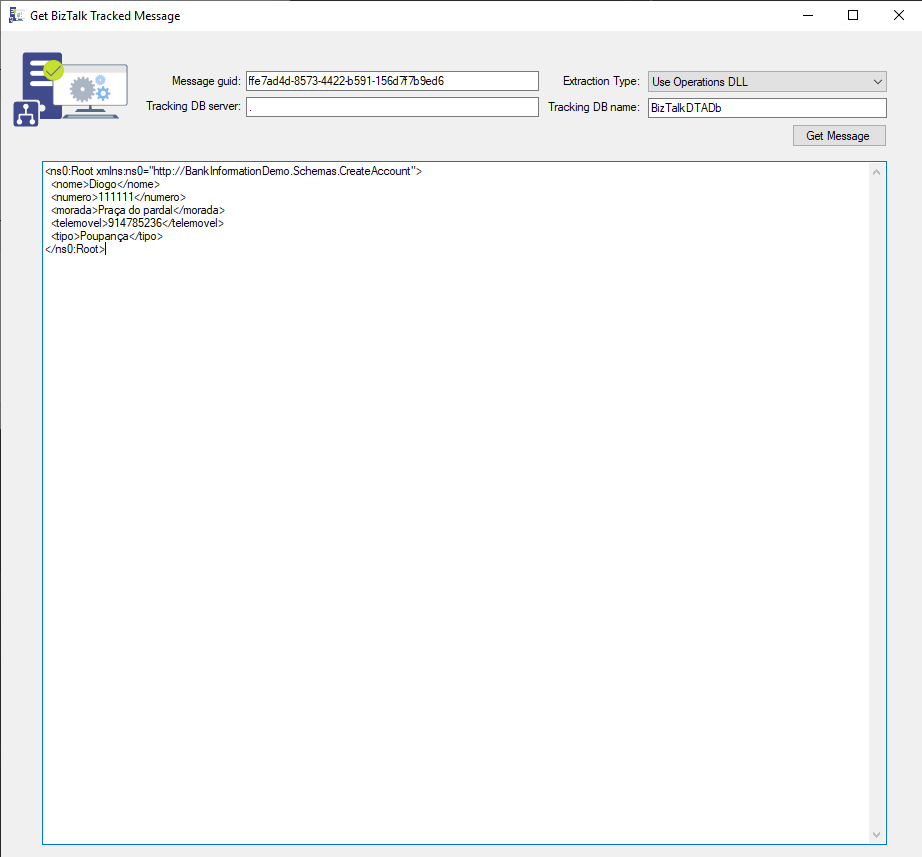
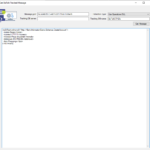
This tool allows you to programmatically extract a message body from the BizTalk tracking database using 3 possible ways, as Thiago Almeida mentioned in his original blog post:
- Operations DLL: this method uses the Microsoft.BizTalk.Operations assembly. This is pretty straightforward. You add a reference to Microsoft.BizTalk.Operations.dll and use the GetTrackedMessage of the BizTalkOperations class. You can also get to the message context using this method. This method is only available for BizTalk Server 2006 and late.
- SQL: this method uses the bts_GetTrackedMessageParts stored procedure inside the tracking database expects the message GUID and will return the compressed message data. We can then use reflection to invoke the Decompress method of Microsoft.BizTalk.Message.Interop.CompressionStreams class inside Microsoft.BizTalk.Pipeline.dll to decompress the data returned from SQL.
- And WMI: this method uses the WMI MSBTS_TrackedMessageInstance.SaveToFile method to save the instance to disk. This was the popular method in BizTalk Server 2004 since there were no operations DLL back then.
As some of you know, the body and context of messages in BizTalk are compressed, and rightfully so. However, the actual compression and decompression code are hidden inside an assembly called BTSDBAccessor.dll. This DLL, the BizTalk Database Accessor, is unmanaged and does a lot of work for BizTalk, including accessing the BizTalk databases to send and receive messages.
The application has only one form and expects the following parameters:
- The message guid of the message you want to extract.
- You can get this value for example, from the Message Flow
- The extraction type (Use Operations DLL, Use SQL, Use WMI)
- Tracking DB server (the BizTalk server name)
- Tracking DB name (the BizTalk Tracking database name)
Credits
- Thiago Almeida | Linkedin | The original craetor of this tool.
- Diogo Formosinho | Linkedin | Member of my team and that help me migrate this tool and that add a more modern look to the tool.
Download
THIS TOOL IS PROVIDED “AS IS”, WITHOUT WARRANTY OF ANY KIND.
You can download the BizTalk Server GetTrackedMessage tool from GitHub here:
The post BizTalk Server: Get Tracked Message tool appeared first on SANDRO PEREIRA BIZTALK BLOG.