Another day and another blog post about BizTalk Mapper Extensions UtilityPack project migration. Today we will focus on another set of libraries available for BizTalk Server 2020: CRM Functoids created a few years ago by Salvatore Pellitteri.
CRM Functoids
This functoids allow you to Integrate Directly with the Dynamics CRM SOAP API, avoiding the use of inline XSLT Call template script function.
MSCRM requires that different data types are specified in a different way. For this reason, we provide a set of functoid each for a specific data type.
This project includes the following Custom Functoids:
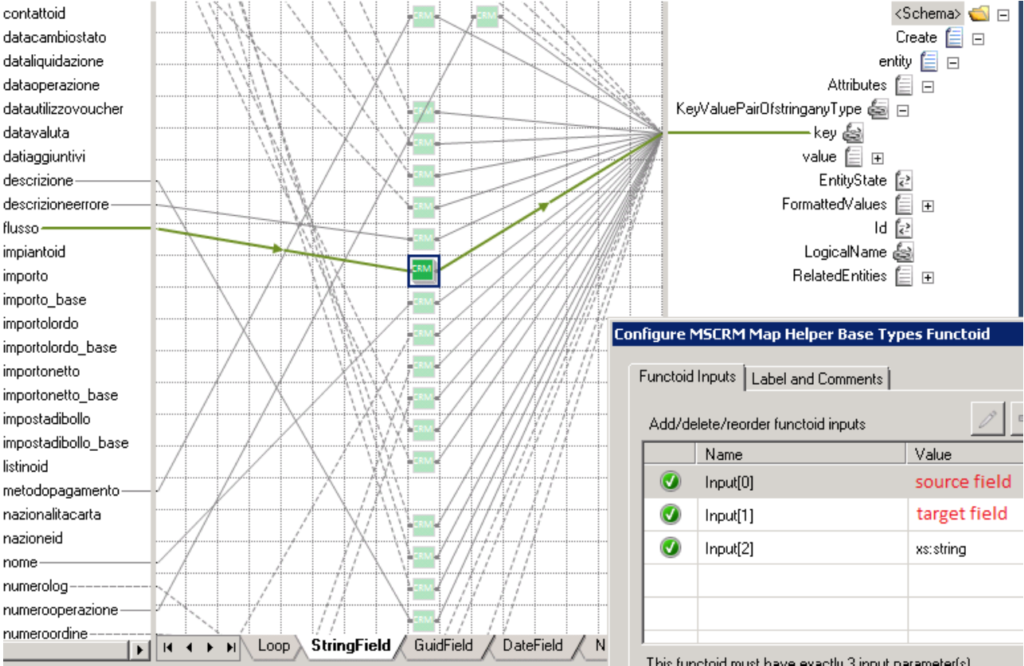
MSCRM Map Helper Base Types Functoid: Use this functoid when you want map CRM base data types such as xs:string, xs:int, and so on.
The functoid takes three mandatory input parameters:
Source Field: Link from source schema field value.
Target Field Name: CRM target field name.
Target Field Type: CRM target field type (Example: “xs:dateTime”).
You may use this functoid in combination with CRM Lookup functoid, where first find for entity GUID and then use the result to map to the destination schema.
MSCRM Map Helper Money Functoid: Use this functoid when you want map CRM money type.
The functoid takes two mandatory input parameters:
Source Field: Link from source schema field value.
First Step: specify the CRM Entity Name on the LogicalName element.
Second Step: define the Key values
BizTalk Mapper Extensions UtilityPack
BizTalk Mapper Extensions UtilityPack is a set of libraries with several useful functoids to include and use it in a map, which will provide an extension of BizTalk Mapper capabilities.
Where to download?
You can download this functoid along with all the existing one on the BizTalk Mapper Extensions UtilityPack here:
BizTalk NoS Ultimate was just released for BizTalk Server 2020. This Visual Studio extension is available for the following versions:
BizTalk Server 2020 – Visual Studio 2019
BizTalk Server 2016 – Visual Studio 2015
BizTalk Server 2013 R2 – Visual Studio 2013
BizTalk Server 2013 – Visual Studio 2012
As I mentioned in previous posts, the purpose of BizTalk NoS Ultimate is to mainly help all BizTalk developers, but why not also all BizTalk administrators, in a lot of different day-to-day situations, by improving the developer experience. By doing so you reduce the development time in new or existing BizTalk projects but also in the analysis, troubleshoot, and documentation experience.
BizTalk NoS Ultimate provides several functionalities like:
Quick search inside artifacts
Fast register/unregister in GAC
Find critical, internal, or external dependencies
JackHammering, which will compare your Visual Studio artifacts with the artifacts deployed in any of your BizTalk environment
Extract the artifacts (Orchestration, map, schema, and so on) from the BizTalk environment and put it in a Visual Studio solution
Many more functionalities like testing your pipeline in Visual Studio in a simple and fast way
Several features are useful in our day by day work and a time saver in a lot of situations.
So, with the release of this new version, I think it is now a good time to start making a walk through all the available features that this extension has to offer.
Expand Solution
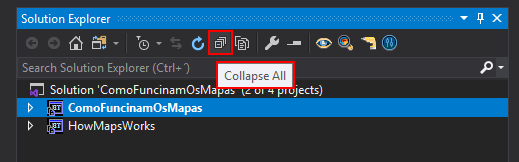
Let’s start with the basic new functionalities that are available in the context of the solution. Collapsing a solution is now a default option available in Visual Studio.
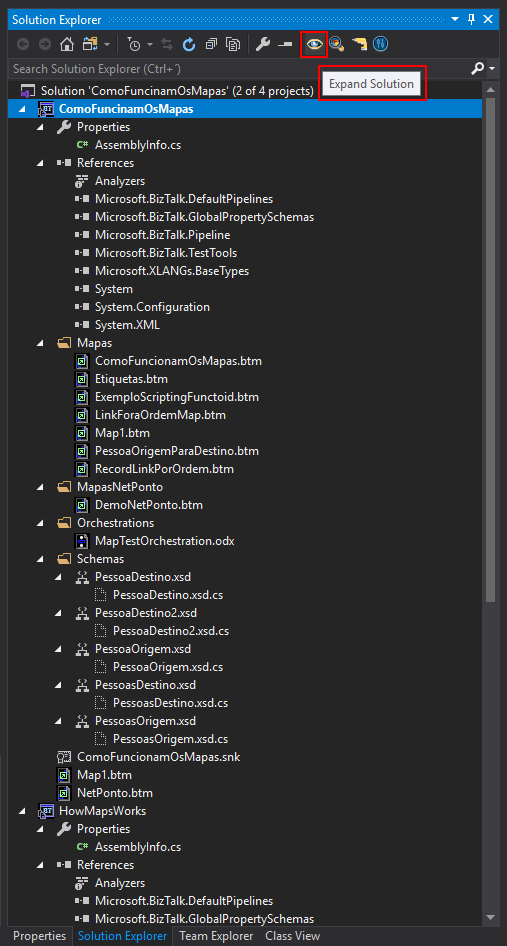
However, quickly expanding all project of a solution it isn’t:
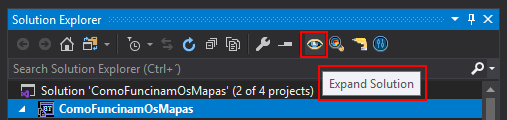
Expand Solution – This option will fully expand all the projects in your current solution. This feature can be useful when you want an easy and simple way to have a visualization of the entire structure of the solution.
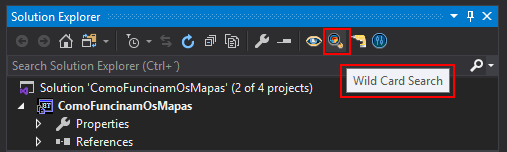
You can access this feature on the Solution Explorer window menu.
Wild Card Search
I think the name explains the feature itself. This feature will perform a full-text search in all the artifacts of your entire solution, which means that, for example, in schemas, it will search for elements, records, and attributes but also for properties of the schema or map itself. In orchestrations, it will search for shape names, message names, variable names, and so on.
The best way to explain the mode of how this operation works or to find an analogy is: inside Visual Studio, open the artifact (schema, map, orchestration, and so on) with XML (text) Editor and make a search inside that artifact. Now think of this process, automatically, to all artifacts of your solution.
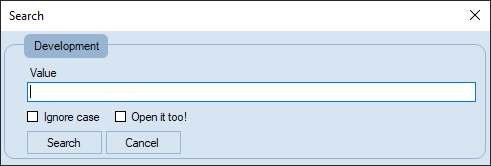
We can also call this as a Search ➤ Selection ➤ Open it operation.
All the artifacts in your entire solution that meet the search requirement will be selected and you will have the option to open them all automatically after the search has finished.
Once again, you can access this feature in the Solution Explorer window menu.
As an example, if I do a Wild Card Search in my solution for ‘Map’ and select Ignore Case, below screenshot will show the outcome. All the artifacts (including folders) that contain the word Map, in any part, will be highlighted in your solution.
You may see in the picture above, that the PessoaOrigem.xsd schema file is selected and if you open it, you will not see any record or element that contains Map word. However, the target namespace contains this word and for that reason, it is being shown on the outcome result of the wild search.
This library includes a suite of functoids that make read configuration parameter values, or config settings, from different sources (locations) and that you can use inside BizTalk mapper.
This project includes the following Custom Functoids:
BTSNTSvc Config Get Functoid: This functoid allows you to get configuration parameters from BTSNTsvc.exe.config. If there is no section specified, the functoid reads from the AppSettings.
The functoid takes two mandatory input parameters:
A string that represents the key name that you want to read from BTSNTsvc.exe.config
A string that represents the section (can be an empty String) from the BTSNTsvc.exe.config that you want to read the key name.
The output of the functoid is a string with the value of the configuration parameters from BTSNTsvc.exe.config
System Environment Variable Get Functoid: This functoid allows you to get configuration parameters from the machine System Environment Variable.
The functoid takes one mandatory input parameters:
A string that represents the key that you want to read from System Environment Variable
The output of the functoid is a string with the value of the configuration parameters from System Environment Variable of the machine.
Custom Config Get Functoid: This functoid allows you to get configuration parameters from a custom configuration file.
The functoid takes two mandatory input parameters:
A string that represents the key (variable name) that you want to read from a custom configuration file
A string that represents the path to the custom configuration file that you want to read the key.
The output of the functoid is a string with the value of the configuration parameters from a custom configuration file.
Windows Registry Config Get Functoid: This functoid allows you to get configuration parameters from Windows Registry.
The functoid takes two mandatory input parameters:
A string that represents the name or path of the subkey to open.
A string that represents the name of the value to retrieve from the registry. This string is not case-sensitive.
The output of the functoid is a string with the value of the configuration parameters from the registry.
Windows Registry Config Get Functoid: This functoid allows you to get configuration parameters from Windows Registry.
The functoid takes two mandatory input parameters:
A string that represents the name or path of the subkey to open.
A string that represents the name of the value to retrieve from the registry. This string is not case-sensitive.
The output of the functoid is a string with the value of the configuration parameters from the registry.
SSO Config Get Functoid: This functoid allows you to get configuration parameters from SSO Database.
The functoid takes two mandatory input parameters:
A string that represents the name of the affiliate application to represent the configuration container to access
A string that represents the property name to read from the.
The output of the functoid is a string with the value of the configuration parameters from SSO.
Rule Engine Config Get Functoid: This functoid allows you to obtain a definition value from a Vocabulary in the Business Rules Engine.
The functoid takes two mandatory input parameters:
A string that represents the definition name (e.g. Value1)
A string that represents the vocabulary name (i.e. Config).
The output of the functoid is a string with the value of the definition name from a specify vocabulary on the Business Rule Engine.
BizTalk Mapper Extensions UtilityPack
BizTalk Mapper Extensions UtilityPack is a set of libraries with several useful functoids to include and use it in a map, which will provide an extension of BizTalk Mapper capabilities.
Where to download?
You can download this functoid along with all the existing one on the BizTalk Mapper Extensions UtilityPack here:
This library includes a suite of functoids that make data encoder that you can use inside BizTalk mapper.
The main purpose of encoding is to transform data so that it can be properly and somehow safely consumed by a different type of system. Don’t get wrong here the goal is not to keep information secret, but rather to ensure that it’s able to be properly consumed.
Encoding transforms data into another format using a scheme that is publicly available so that it can easily be reversed. It does not require a key as the only thing required to decode it is the algorithm that was used to encode it, like, encoding/decoding to ASCII, BASE64, or UNICODE.
And of course, decoding is the opposite, it is the process of converting an encoded format back into the original sequence of characters.
This project includes the following Custom Functoids:
BASE64 Encoder Functoid: This functoid allows you to convert a string type into BASE64 encoded string.
The functoid takes one mandatory input parameters:
A string that represents the text that you want to encode to BASE64
The output of the functoid is a string, Example: U2FuZHJvIFBlcmVpcmE=
BASE64 Decoder Functoid: This functoid allows you to decode BASE64-encoded text strings into the original sequence of characters.
The functoid takes one mandatory input parameters:
BASE64 string representation that you want to decode to a text string
The output of the functoid is a string, Example: Sandro Pereira
BizTalk Mapper Extensions UtilityPack
BizTalk Mapper Extensions UtilityPack is a set of libraries with several useful functoids to include and use it in a map, which will provide an extension of BizTalk Mapper capabilities.
Where to download?
You can download this functoid along with all the existing one on the BizTalk Mapper Extensions UtilityPack here:
First of all, what is BizTalk NoS Ultimate? BizTalk NoS Ultimate is a Visual Studio add-in for BizTalk developers that will improve the experience while developing BizTalk projects. The add-in can be installed as an extension to Microsoft Visual Studio and offers lots of useful functionalities (in addition to existing features) for developers by which they can save valuable time while working on their day-to-day activities and improve the productivity. For me, it is the ultimate tool that all BizTalk developers should have!
BizTalk NoS Ultimate Installation
Installing BizTalk NoS Ultimate in your BizTalk Server 2020 development environment with Visual Studio 2019 is a straightforward task. Most of the pre-requisites will be present and you can simply install the BizTalk NoS Ultimate Visual Studio Extension, that you can download through the below link;
To install BizTalk NoS Ultimate Visual Studio extension, you need to:
Option 1
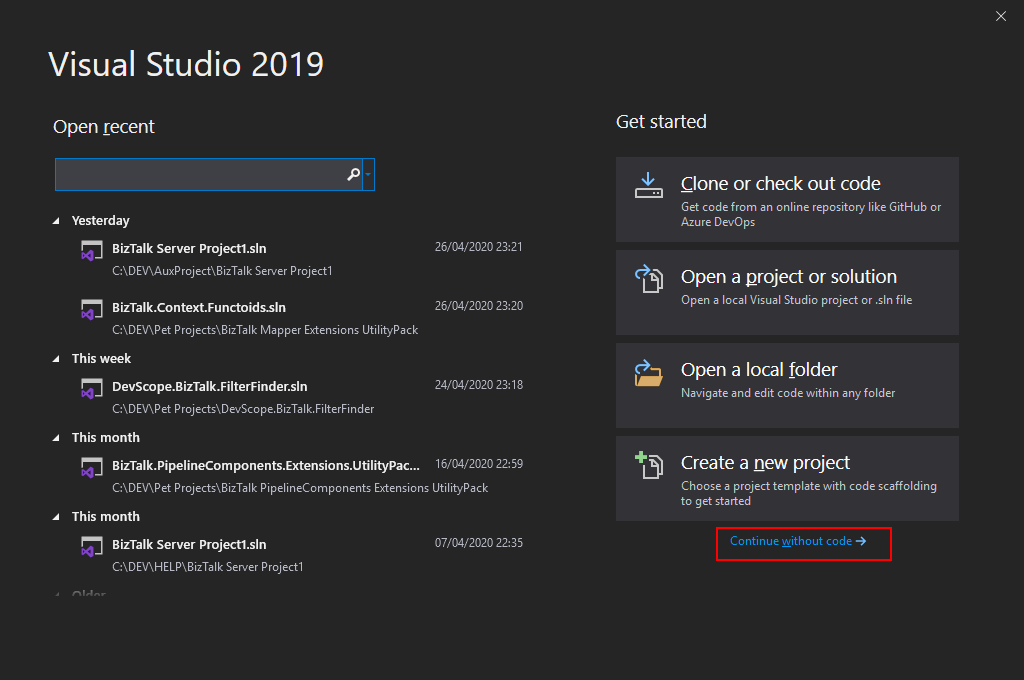
Open your Visual Studio, on the entry screen select the option Continue without code->
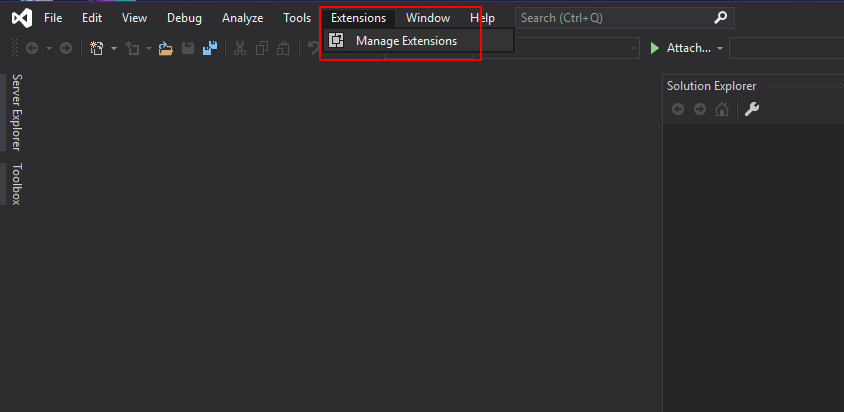
Then on the menu, navigate to Extensions > Manage Extensions
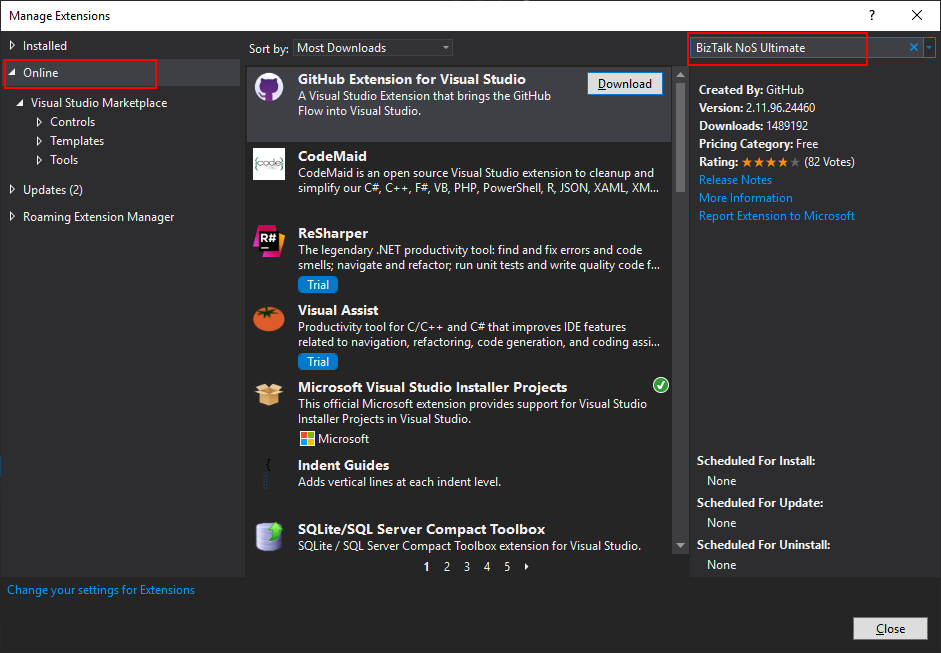
Select Online and search for BizTalk NoS Ultimate
The add-in will be listed in the search results section. Click Download to download and install the add-in
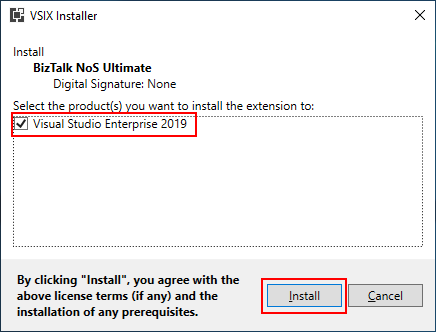
On the VSIX Installer screen
Make sure that the correct version of Visual Studio is selected.
Click Install. This will download and install the add-in to your version of Visual Studio
You need to restart your Visual Studio in order for the changes to take effect
Option 2
If you already have downloaded the BizTalk NoS Ultimate Visual Studio extension file, it will be named something like BizTalkNoS.Addin<version>.vsix
Double-click the extension file to run the installation process
On the VSIX Installer screen
Make sure that the correct version of Visual Studio is selected
Click Install
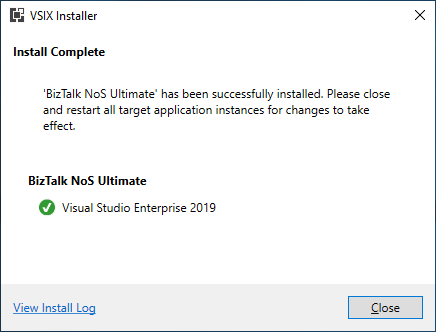
In the VSIX Installer Complete screen, click Close
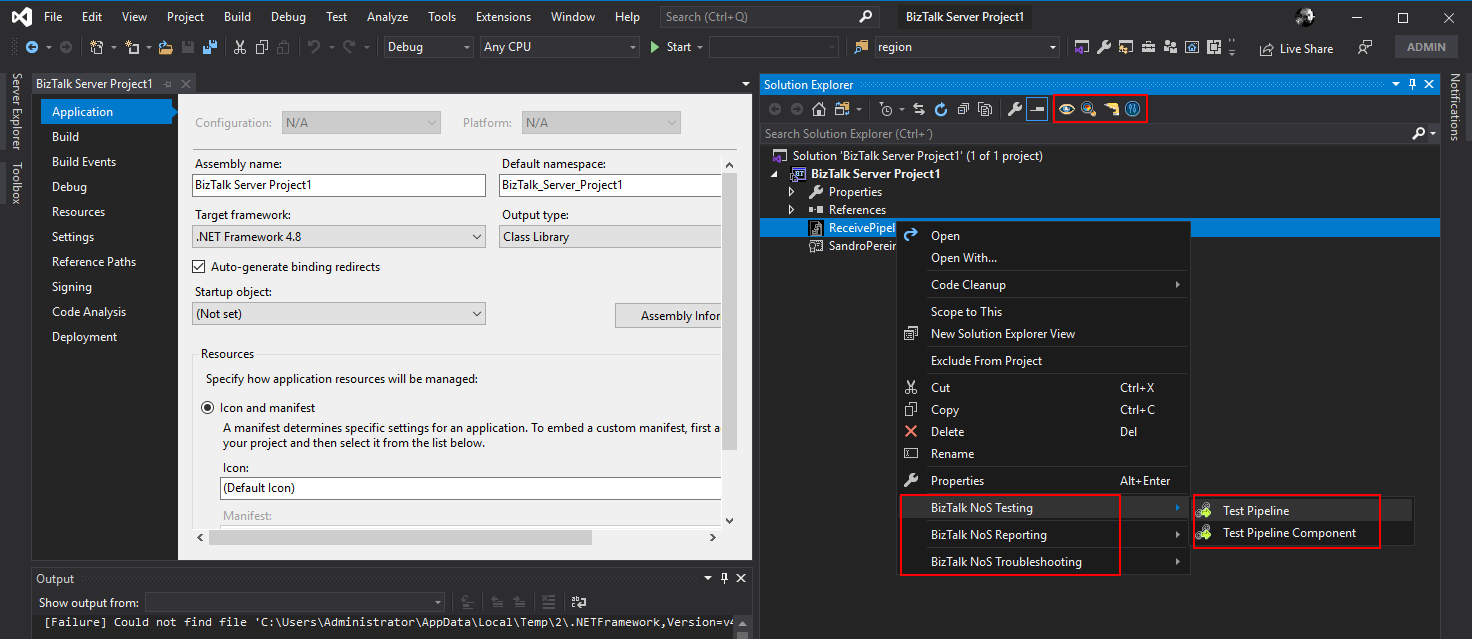
Now, if you open or create a new BizTalk Server solution on Visual Studio, you will see BizTalk NoS Ultimate functionalities both at the Project level as in the Artifact level. By right-clicking on one of your BizTalk projects or artifacts you can see the new options provided by this extension.
This library includes a suite of functoids that generate dynamic data; you can use this inside BizTalk mapper. Dynamic Generators functoids are used to generate a specific type of data in runtime, for example, generate a new Globally Unique Identifier (GUID).
This project includes the following Custom Functoids:
Password Generator Functoid: Use this functoid to build a random password.
The functoid takes five mandatory input parameters:
A Boolean that describing if you want to use Lower Case chars
A Boolean that describing if you want to use Numbers
“1”, “2”, “3”, “4”, “5”, “6”, “7”, “8”, “9”, “0”
A Boolean that describing if you want to use Symbols
“!”, “@”, “#”, “$”, “%”, “&”, “*”, “?”
An integer that represents the length of the password
The output of the functoid is a string, for example, 6FcUw7RBFi
GUID Generator Functoid: This functoid allows you to generate a new GUID.
The functoid takes no parameters
The output of the functoid is a string, for example, 8fe5cee8-279b-4f1b-96f2-450cff2c846c
Tiny Id Generator Functoid: This functoid allows you to generate a new Tiny Id.
The functoid takes no parameters
The output of the functoid is a string, for example, _2ZgiIhjCECNxi9QwU96FA
BizTalk Mapper Extensions UtilityPack
BizTalk Mapper Extensions UtilityPack is a set of libraries with several useful functoids to include and use it in a map, which will provide an extension of BizTalk Mapper capabilities.
Where to download?
You can download this functoid along with all the existing one on the BizTalk Mapper Extensions UtilityPack here:
Conversion functoids are used to convert one type of data to another type, for example between windows date into Unix date. Or use to convert between one format of a specific type of data into another format of that type, for example converting DateTime (Short Time Pattern, Short Date Pattern, Full DateTime Pattern, Universal Sortable DateTime Pattern, …) .
This project includes the following Custom Functoids:
Convert from human-readable to epoch date Functoid: This functoid allows you to convert a traditional date (Human Readable Date) into a Unix date (Epoch Date).
Convert from epoch to human readable date Functoid This functoid allows you to convert a Unix date (Epoch Date) into a traditional date (Human Readable Date).
Convert DateTime format Functoid: This functoid allows you to convert DateTime format.
Convert to a Number Functoid: This functoid allows you to convert a string to a number (integer).
BizTalk Mapper Extensions UtilityPack
BizTalk Mapper Extensions UtilityPack is a set of libraries with several useful functoids to include and use it in a map, which will provide an extension of BizTalk Mapper capabilities.
Where to download?
You can download this functoid along with all the existing one on the BizTalk Mapper Extensions UtilityPack here:
BizTalk Server 2020 – 20 days, 20 posts – day 20. Finally, the last blog post of this season. What supposed to be 20 blog posts in 20 days has become a challenge difficult to fulfill because of the current circumstances all over the world, in which parents are working from home with their children, also studying from home. Nevertheless, I only needed the double of time (additional 22 days) to finish the initial goal.
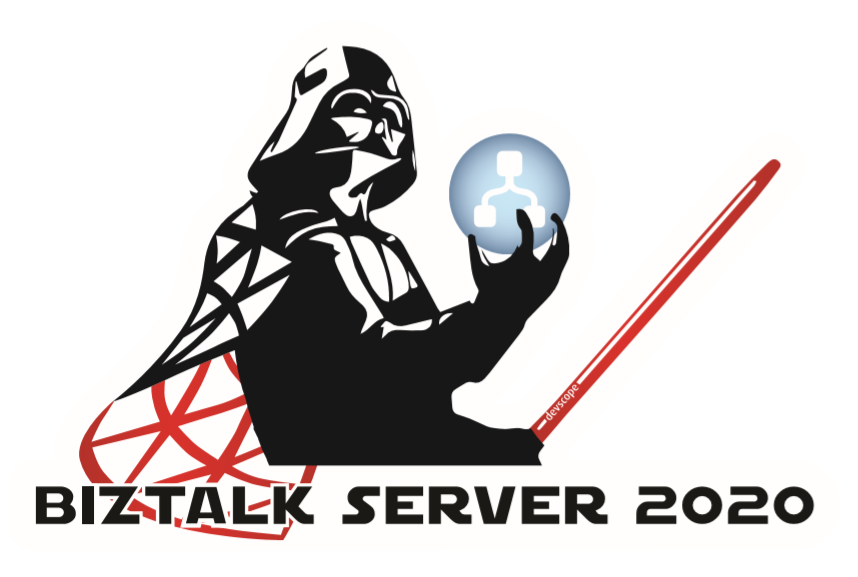
And to finalize this season, I reserved the best for the end :). My new BizTalk Server Lord Darth Vader sticker. I wasn’t supposed to share this sticker in this way, the initial intention was to present and give it away (physical sticker) at the INTEGRATE 2020 event in London but do the circumstances and the fact that INTEGRATE 2020 will be an online event now, I decided to share here the support files for you to print it in a graphics shop if you want to have this Welcome To The Dark Side of the force sticker :).
Welcome To The Dark Side of the force
BizTalk Server was always the bad boy of integration, the one that nobody likes (but everyone admires or wish to have its skills). As a reference, the first marketing campaign produced by Microsoft, BizTalk was a T-Rex (a bad boy).
Because I’m a star wars fan, and when I decide to create this new sticker version coincided a little bit as the release of the last film, I decide to create this new Lord BizTalk Darth Vader version maintaining the bad boy concept.
This package is a collection of 3 different image formats of the new Lord BizTalk Darth Vader sticker, two of them are available in vector format that will allow you to use and resize without losing quality:
BizTalk-Darth-Vader.ai
BizTalk-Darth-Vader.pdf
BizTalk-Darth-Vader-01.png
All of the
resources are in the original size ready to print in a graphics shop.
Thanks to Cristóvão Silva (Graphic & Web Designer @ DevScope) for helping me creating these resources.
I hope you enjoy!
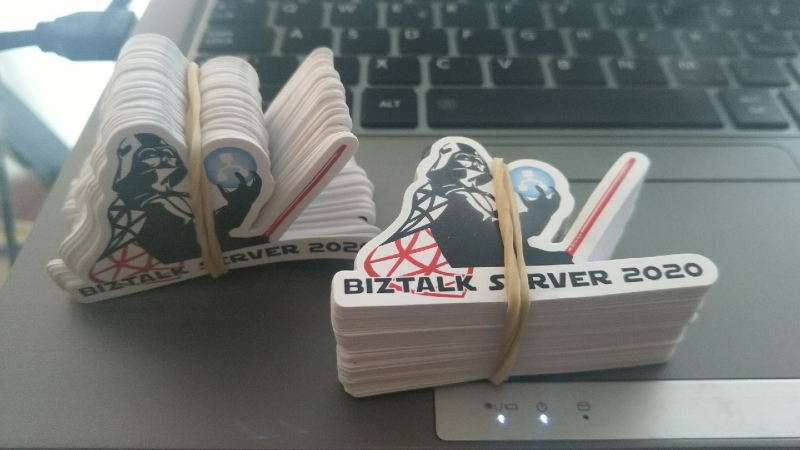
I already have several stickers printed that I will give away in future events or ship for some of you that will organize events.
BizTalk Server 2020 – 20 days, 20 posts – day 19. To finalize this topic about the BizTalk Pipeline Components Extensions UtilityPack project, here another brand new component: XML Namespace Stripper Pipeline Component. I actually create this component for a need in a recent RosettaNet project.
XML Namespace Management Pipeline Component
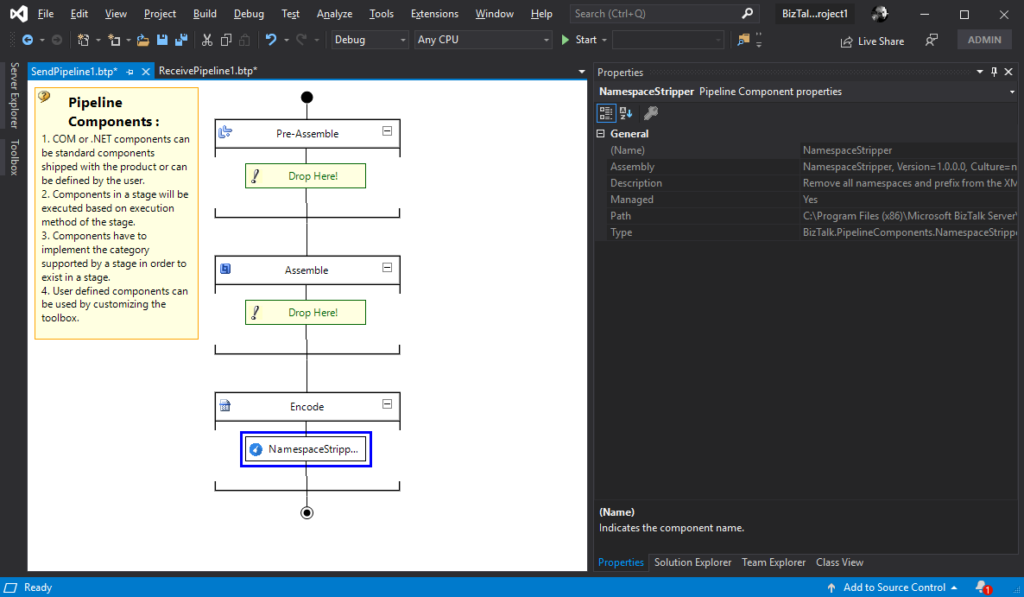
This custom XML Namespace Stripper Pipeline Component is a pipeline component for BizTalk Server which can be used in a Send Pipeline (Encode stage) to remove all namespaces and prefix from an XML message.
Once again, the goal of this component is to clean up all namespaces and prefix present in XML outbound messages, transforming the the message from this:
To use this pipeline component in your projects you just copy the NamespaceStripper.dll file into the Pipeline Components folder that exists in the BizTalk Server installation directory:
You do not need to add this custom pipeline component to be used by the BizTalk Runtime to the Global Assembly Cache (GAC).
What is BizTalk Pipeline Components Extensions Utility Pack?
BizTalk Pipeline Components Extensions Utility Pack is a set of custom pipeline components (libraries) with several custom pipeline components that can be used in received and sent pipelines, which will provide an extension of BizTalk out-of-the-box pipeline capabilities.
BizTalk Server 2020 – 20 days, 20 posts – day 18. Another blog post about the topic and project BizTalk Pipeline Components Extensions UtilityPack, but this time it is a brand new component: XML Namespace Management Pipeline Component.
XML Namespace Management Pipeline Component
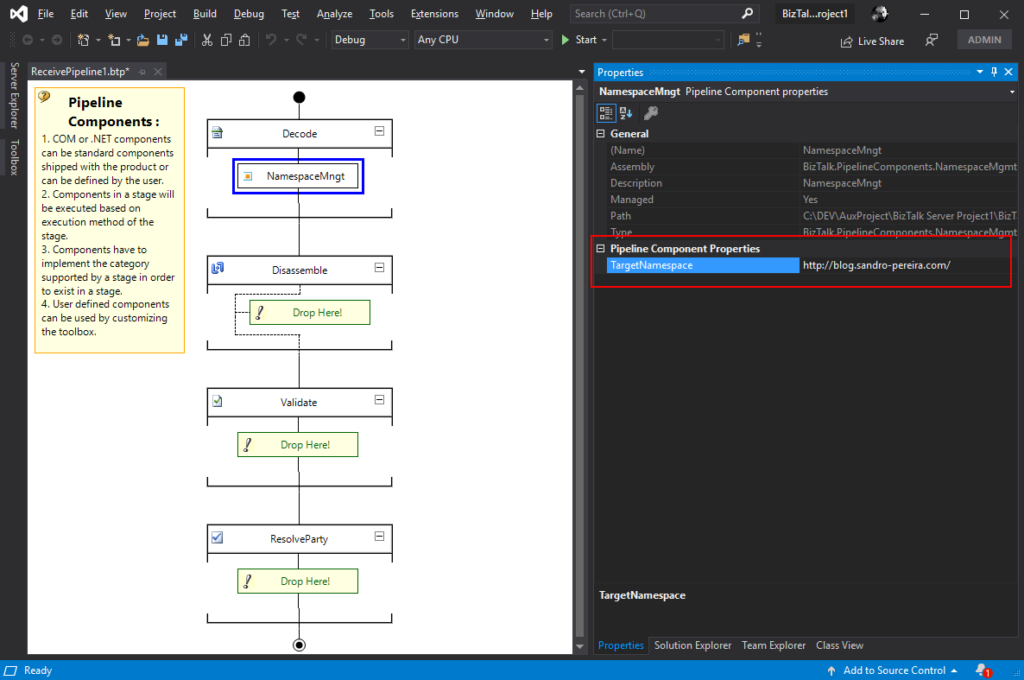
This custom XML Namespace Management Pipeline Component it is basically the opposite of the XML Namespace Remover Pipeline Component. It is a pipeline component for BizTalk Server which can be used in any stage of both receive and send pipelines that allow you to add or change the namespace to inbound and outbound BizTalk Messages.
Once again, this component allow you to add a namespace to inbound and outbound BizTalk Messages, transforming the root of the message from this:
This component requires one configuration that is the TargetNamespace in which you specify the namespace you want to set on the message.
To use this pipeline component in your projects you just copy the BizTalk.PipelineComponents.NamespaceMgmt.dll file into the Pipeline Components folder that exists in the BizTalk Server installation directory:
You do not need to add this custom pipeline component to be used by the BizTalk Runtime to the Global Assembly Cache (GAC).
What is BizTalk Pipeline Components Extensions Utility Pack?
BizTalk Pipeline Components Extensions Utility Pack is a set of custom pipeline components (libraries) with several custom pipeline components that can be used in received and sent pipelines, which will provide an extension of BizTalk out-of-the-box pipeline capabilities.



 BizTalk Mapper Extensions UtilityPack