by community-syndication | Mar 24, 2011 | BizTalk Community Blogs via Syndication
In a post yesterday I should a way to invoke a stored procedure in SQL Azure using WCF-SQL Adapter. There is another to invoke a stored procedure using AppFabric Connect for Services functionality in BizTalk Server 2010. This new feature feature brings together the capabilities of BizTalk Server and Windows Azure AppFabric thereby enabling enterprises to extend the reach of their on-premise Line of Business (LOB) systems and BizTalk applications to cloud. To be able to bridge the capabilities of BizTalk Server and Windows Azure AppFabric you will need Biztalk Server 2010 Feature Pack.
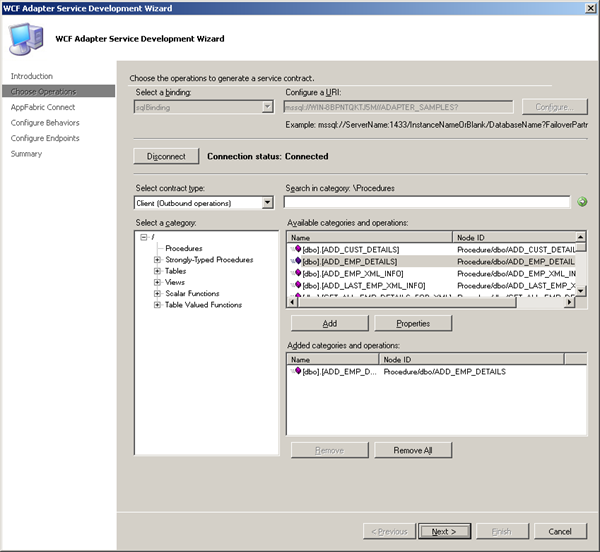
In this post I will show how to leverage BizTalk WCF-SQL Adapter to extend reach of stored procedure to the cloud. First I will create a service that will expose the stored-procedure. I create a VS Studio project and select WCF Adapter Service. Steps that follow are also described in an article called Exposing LOB Services on the Cloud Using AppFabric Connect for Services. I skip first page concerning and go to choose the operations to generate a service contract page.
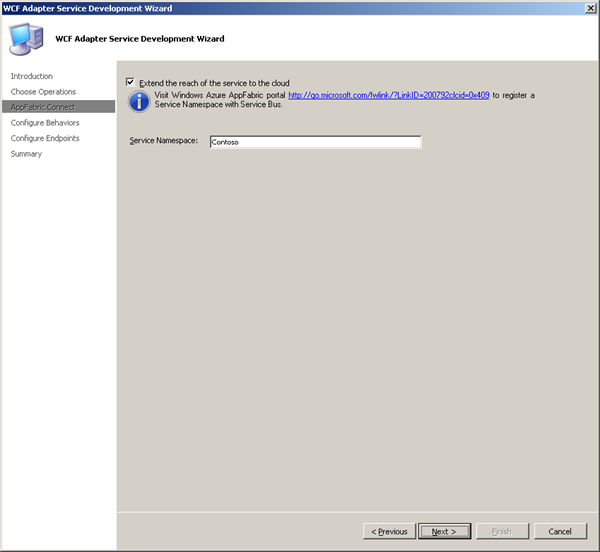
I choose local database, stored procedure ADD_EMP_DETAILS (same as in previous posts) and click Next. In AppFabric Connect page, select the Extend the reach of the service on the cloud checkbox. In the Service Namespace text box, enter the service namespace that you must have already registered with the Service Bus.
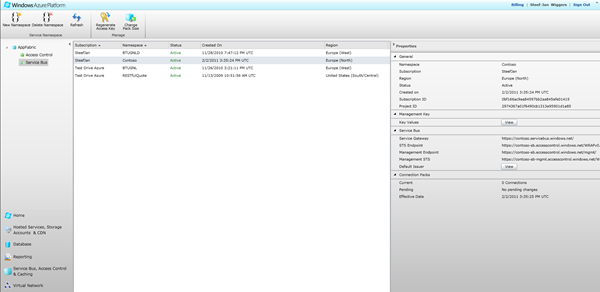
Next step is configure the service behavior. You will have to configure the service behavior (for both on-premises and cloud-based services) and the endpoint behavior (for only endpoints on the Service Bus).
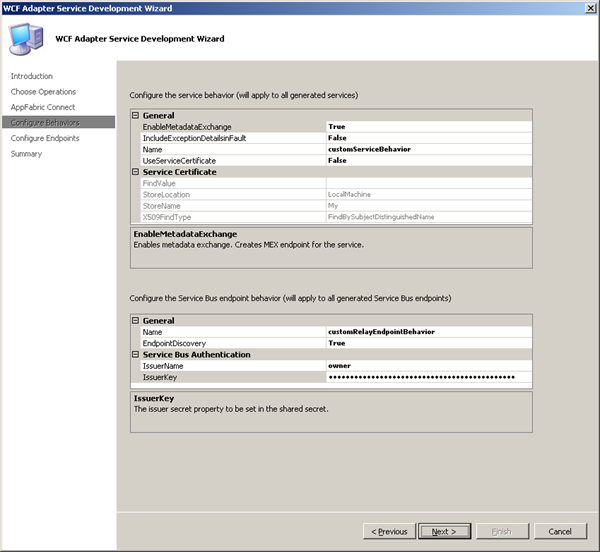
I enabled the EnableMetadatExchange to True, so the service metadata is available using standardized protocols, such as WS-Metadata Exchange (MEX). I not using security features as in certificates so the UseServiceCertificate is set to False. I enabled EndpointDiscovery, which makes the endpoints publicly discoverable. Next page is around configuring endpoints.
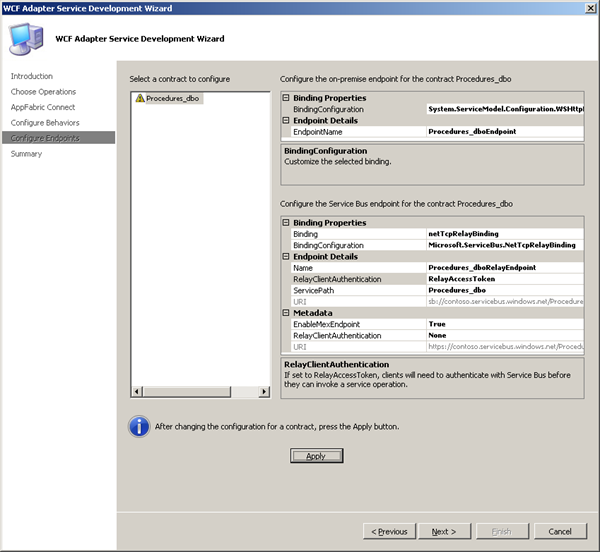
I accepted the the defaults for the on-premises endpoint and focus on configuring the Service Bus endpoints. I select netTcpRelayBinding for which the URL scheme is sb and set EnableMexEndPoint to True. Rest I accepted default values. After configuration you will have to click Apply. Then click and final screen will appear.
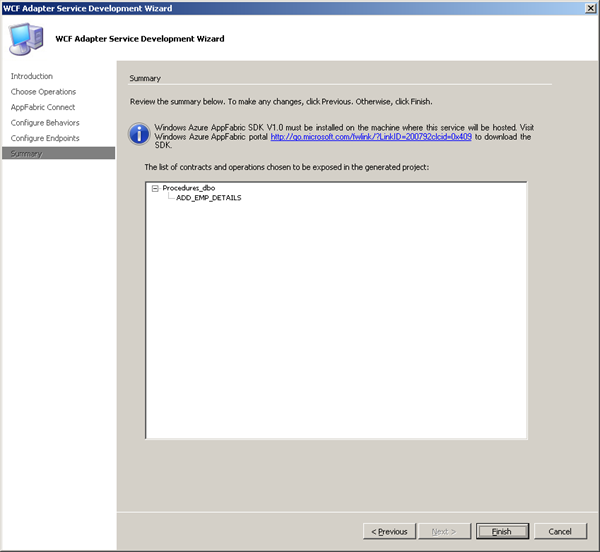
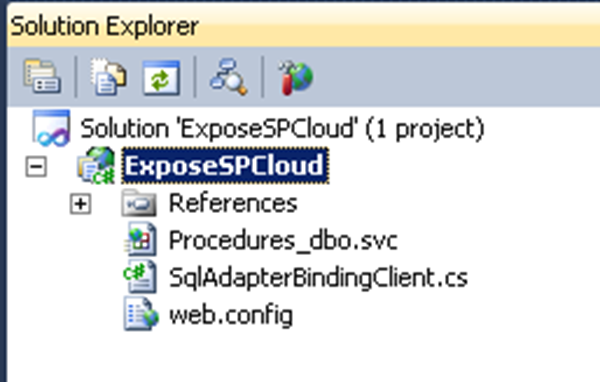
Finish and the wizard creates both on-premise and Service Bus endpoints for the WCF service.
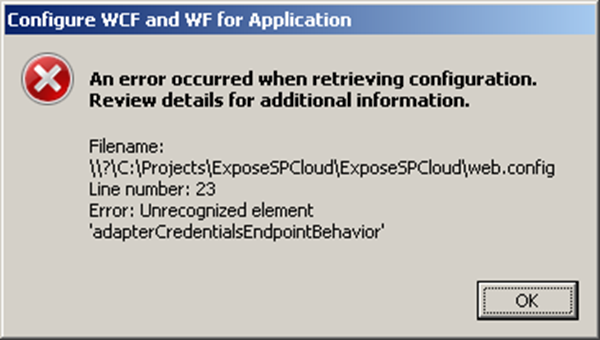
Next steps involve publishing the service. In the Visual Studio project for the service, right-click the project in Solution Explorer and click Properties. On the Properties page, in the Web tab, under Servers category, select the Use Local IIS Web Server option.The Project URL text box is automatically populated and then click Create Virtual Directory.In Solution Explorer, right-click the project again and then click Build. When service is build you will have to configure it in IIS for auto-start. By right clicking the service, Manage WCF and WF Service and then configure you might run into this error (which you can ignore a this element is not present in intellisense).
In Auto-Start you can set it to enable. Next step is to verify if the Service Bus endpoints for the WCF service are published. You will have to view all the available endpoints in the Service Bus ATOM feed page for the specified service namespace:
https://<namespace>.servicebus.windows.net
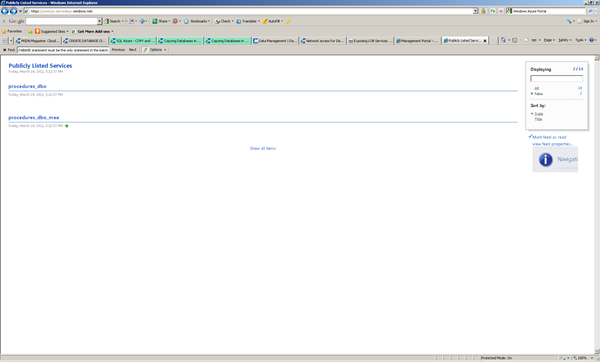
I typed this URL in a Web browser and saw a list of the all the endpoints available under the specified service bus namespace. To be able to consume the WCF service to able to invoke the procedure you will need to build a client. I create a Windows Application to consume WCF Service, so inside my project I created a new project a Windows Forms Application and added a service reference using the URL for the relay metadata exchange endpoint.
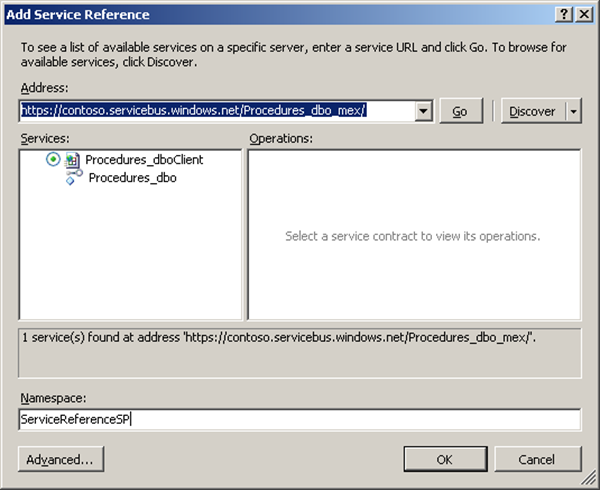
In ServiceBus Endpoint the RelayClientAuthentication was set to RelayAccessToken, which means that the client will need to pass the authentication token to authenticate itself to the Service Bus. Therefore you will have to add following section in app.config.
<behaviors>
<endpointBehaviors>
<behavior name=”secureService”>
<transportClientEndpointBehavior credentialType=”SharedSecret”>
<clientCredentials>
<sharedSecret issuerName=”<name>” issuerSecret=”<value>” />
</clientCredentials>
</transportClientEndpointBehavior>
</behavior>
</endpointBehaviors>
</behaviors>
You must get the values for issuerName and issuerSecret from the organization (e.g. your Azure account) that hosts the service. The endpoint configuration in app.config has to be changed to this:
<endpoint address=”sb://contoso.servicebus.windows.net/Procedures_dbo/”
binding=”netTcpRelayBinding” bindingConfiguration=”Procedures_dboRelayEndpoint”
contract=”ServiceReferenceSP.Procedures_dbo” name=”Procedures_dboRelayEndpoint” behaviorConfiguration=”secureService“/>
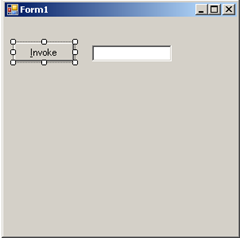
Code for making this work (implementation of invoke button).
using System;
using System.Collections.Generic;
using System.ComponentModel;
using System.Data;
using System.Drawing;
using System.Linq;
using System.Text;
using System.Windows.Forms;
using ExposeSPCloudTestClient.ServiceReferenceSP;
namespace ExposeSPCloudTestClient
{
public partial class Form1 : Form
{
public Form1()
{
InitializeComponent();
}
private void btnInvoke_Click(object sender, EventArgs e)
{
int returnValue = -1;
Procedures_dboClient client = new Procedures_dboClient(“Procedures_dboRelayEndpoint”);
client.ClientCredentials.UserName.UserName = “sa”;
client.ClientCredentials.UserName.Password = “B@rRy#06”;
try
{
Console.WriteLine(“Opening client…”);
Console.WriteLine();
client.Open();
client.ADD_EMP_DETAILS(“Steef-Jan Wiggers”, “Architect”, 20000, out returnValue);
}
catch (Exception ex)
{
MessageBox.Show(“Exception: ” + ex.Message);
}
finally
{
client.Close();
}
txtResult.Text = returnValue.ToString();
}
}
}
Query employee table before execution of code above results as depicted below:
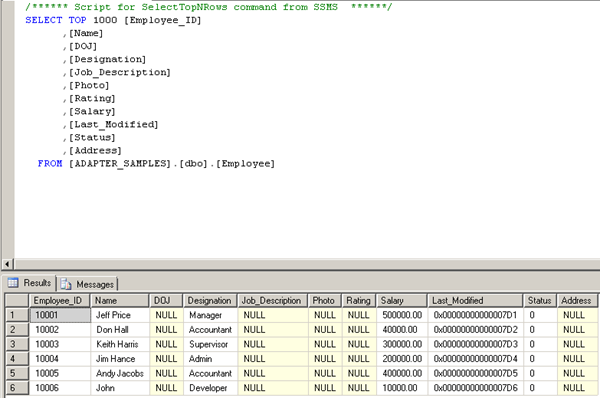
After invoking stored-procedure through consuming the service the new record is added.
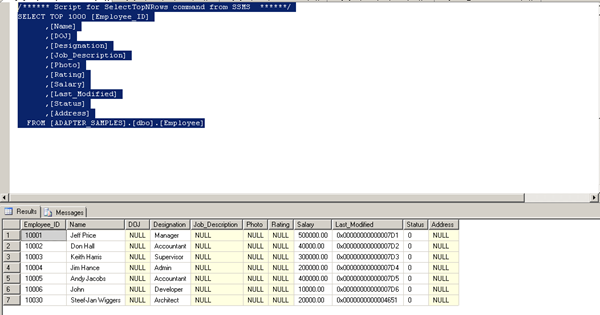
As you can see I am added to employees table through adapter service called by the client.As you can see there is another way of invoking a stored-procedure making use of BizTalk AppFabric Connect Feature.

by community-syndication | Mar 24, 2011 | BizTalk Community Blogs via Syndication
Have you played with OData much yet? The OData protocol allows you to interact with data resources through a RESTful API. But what if you want to securely expose that OData feed out to external parties? In this post, I’ll show you the very simple steps for exposing an OData feed through Windows Azure AppFabric. […]
Blog Post by: Richard Seroter
by community-syndication | Mar 23, 2011 | BizTalk Community Blogs via Syndication
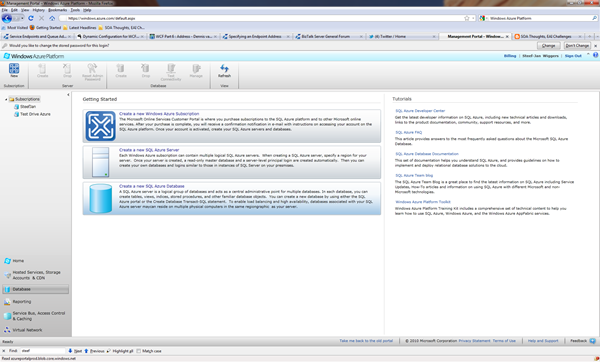
In previous post I explained how call stored procedure using WCF-SQL Adapter from BizTalk. I now want to do same thing, but instead of calling a stored-procedure in SQL Server I will call a stored procedure in SQL-Azure. If you want to do you will need a Windows Azure Account. If you do than you can sign in through Azure Management Portal and if you do not have SQL Azure database you can go database in portal and click Create a new SQL Database.
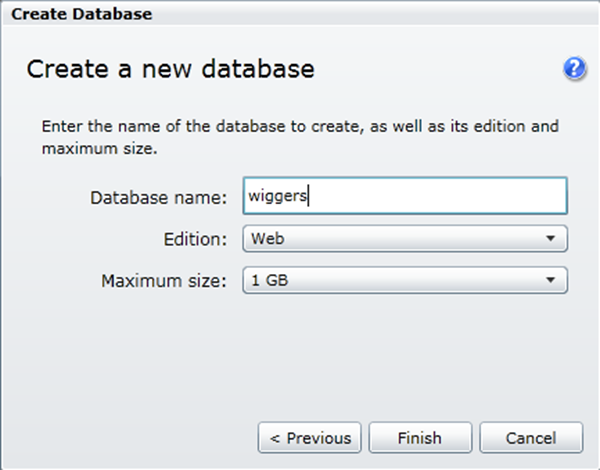
You will then go through set of steps (e.g. wizard), where you will have to select subscription and server, region (my case North Europe), credentials, firewall rules (I did not apply any), database name, edition (web), and size (1 Gb).
So I now have a database in the cloud and I can access it through SQL management studio 2008 R2 on my machine. That’s what I thought, but I got the message below stating I need a firewall rule.
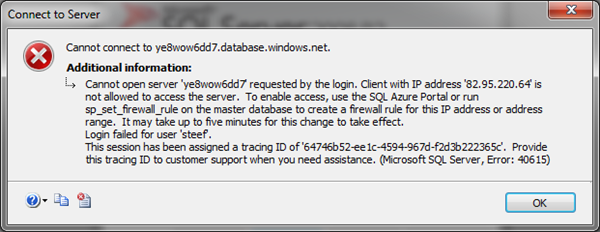
This meant I had to go back to the portal and create a firewall rule for IP address of my laptop. I dropped the database and started over again. And tried again and yes I could access the database instantly.

Now I needed to create a database with same tables and stored procedure as on-premise version. In SQL Azure you can create a new database by right clicking database and click new database. A script will appear that looks like below that needs to be executed.
CREATE DATABASE ADAPTER_SAMPLES;
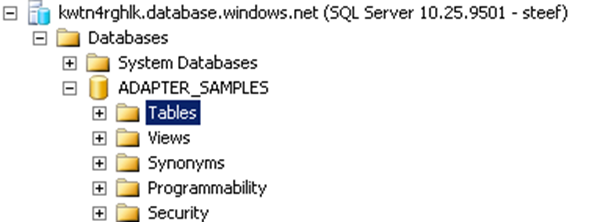
This may take a few seconds, but then you have a database. Next step was to execute the script for creating table (just Employee) and stored procedure. I right clicked tables and then new table a new query screen appears where I execute following statements:
CREATE TABLE [dbo].[Employee](
[Employee_ID] [int] IDENTITY(10001,1) NOT NULL,
[Name] [varchar](50) NOT NULL,
[DOJ] [datetime] NULL,
[Designation] [varchar](50) NOT NULL,
[Job_Description] [varchar](max) NULL,
[Photo] [image] NULL,
[Salary] [decimal](18, 2) NOT NULL,
[Last_Modified] [timestamp] NULL,
[Status] [int] NULL CONSTRAINT [DF_Employee_Status] DEFAULT ((0)),
[Address] [xml] NULL,
CONSTRAINT [PK_Employee] PRIMARY KEY CLUSTERED
(
[Employee_ID] ASC
))
GO
Now of course I needed to have some data in there.
INSERT INTO [Employee]([Name],[Designation],[Salary])VALUES(‘Jeff Price’,’Manager’,500000)
INSERT INTO [Employee]([Name],[Designation],[Salary])VALUES(‘Don Hall’,’Accountant’,40000)
INSERT INTO [Employee]([Name],[Designation],[Salary])VALUES(‘Keith Harris’,’Supervisor’,300000)
INSERT INTO [Employee]([Name],[Designation],[Salary])VALUES(‘Jim Hance’,’Admin’,200000)
INSERT INTO [Employee]([Name],[Designation],[Salary])VALUES(‘Andy Jacobs’,’Accountant’,400000)
And the stored procedure by navigate to stored-procedure and right click new new stored procedure. I deleted the preformatted stuff en pasted the code below:
CREATE PROCEDURE [dbo].[ADD_EMP_DETAILS]
— Add the parameters for the stored procedure here
@emp_name varchar(50),
@emp_desig varchar(50),
@salary decimal(18,2)
AS
BEGIN
— SET NOCOUNT ON added to prevent extra result sets from
— interfering with SELECT statements.
SET NOCOUNT ON;
— Insert statements for procedure here
INSERT INTO [ADAPTER_SAMPLES].[dbo].[Employee]
([Name]
,[Designation]
,[Salary])
VALUES
(@emp_name
,@emp_desig
,@salary)
SELECT [Employee_ID] FROM Employee where [Employee_ID] = (select IDENT_CURRENT(‘Employee’))
END
GO
I am fairly new to SQL Azure so some of steps or things can be done differently. You can find many information online, like this MSDN article Getting Started with SQL Azure Development. Now that I have got things set up I now go through same steps to invoke the stored-procedure in SQL Azure using WCF-SQL Adapter.First I fire up VS2010 and create a new BizTalk project and then through add generated items I choose Consume Adapter Service.
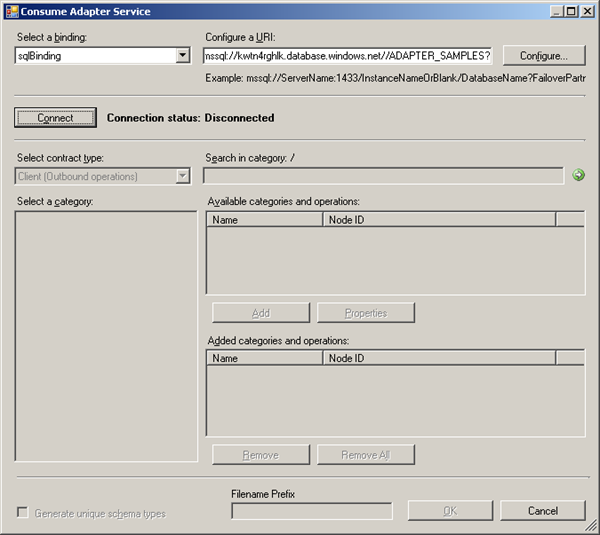
I configured the URI accordingly,click Configure in security tab name of database administrator and then password, URI Properties the InitialCatalog Name and Server and you will get URI like:
mssql://kwtn4rghlk.database.windows.net//ADAPTER_SAMPLES?
Connect and category will appear. You will then select Procedure and add procedure and click OK.
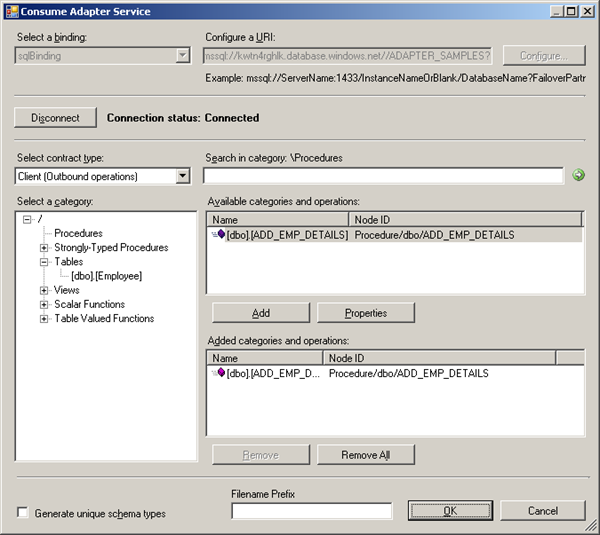
Once that is done then binding and schema’s are generated.
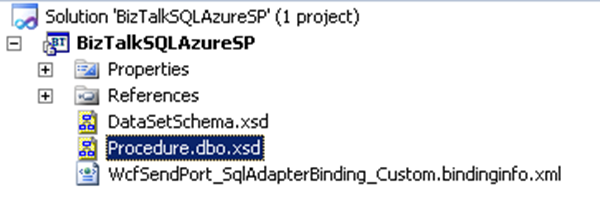
After deploying I imported the binding file accompanied with this sample called WcfSendPort_SqlAdapterBinding_Custom.bindinginfo.xml. Send port will be created and only thing I had to do is adding filter to this send ports. If you go to generated send port and click configure for custom-adapter you will see in general tab and others the details.
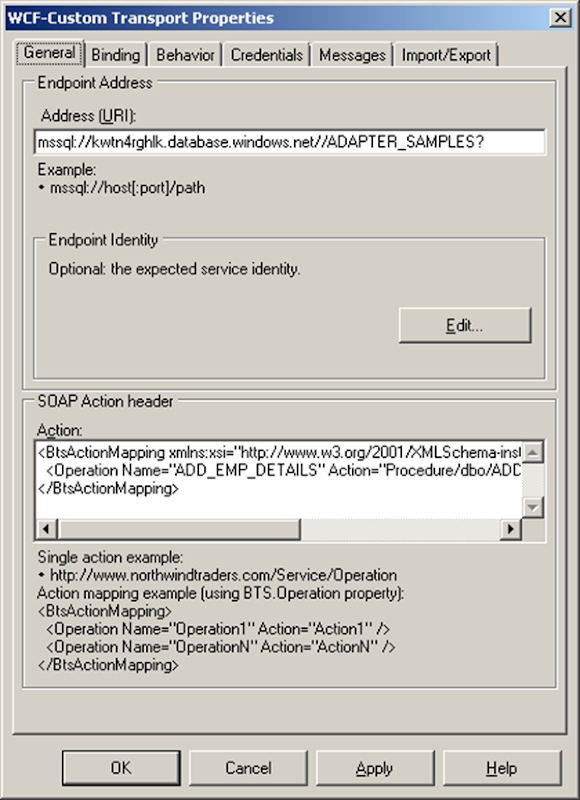
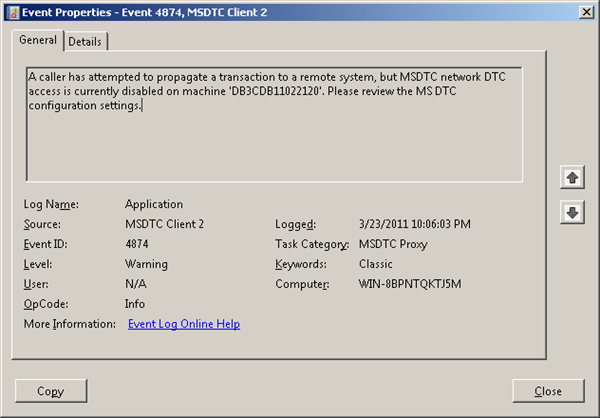
One important things to be noted here is that in binding the useAmbientTransaction has to be set to false! If not you will error message below:
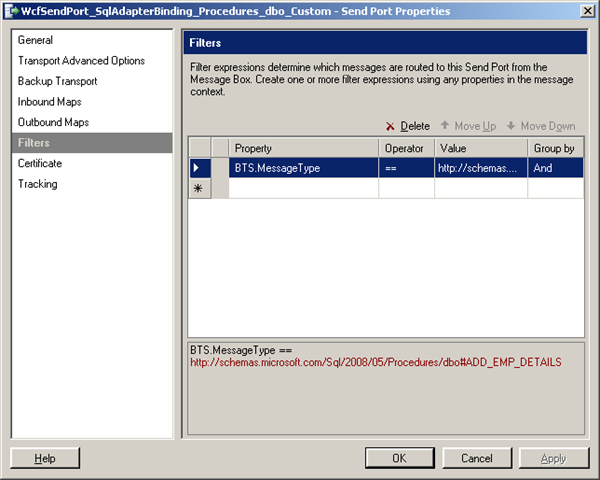
You will need to fill in credentials in credential tab! Next step is to add a filter for message type.
When this is done I created a receive location for incoming message that will look like this:
<ns0:ADD_EMP_DETAILS xmlns:ns0=”http://schemas.microsoft.com/Sql/2008/05/Procedures/dbo”>
<ns0:emp_name></ns0:emp_name>
<ns0:emp_desig></ns0:emp_desig>
<ns0:salary></ns0:salary>
</ns0:ADD_EMP_DETAILS>
And a send port that will send response message to a folder. Message that will placed in receive folder is:

As a result to follow message is returned:
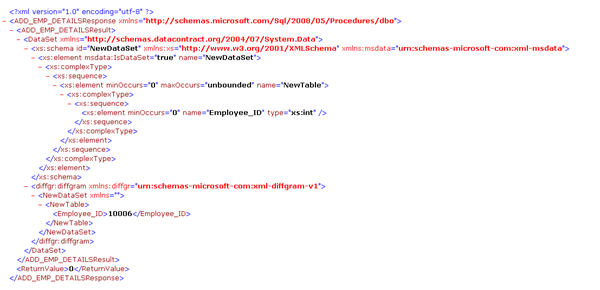
When I run the follow T-SQL command in SQL Azure I get the following result:
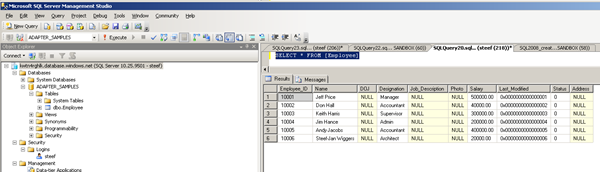
So as you can see I am in there now.I have showed you a way to invoke a stored procedure in SQL Azure using BizTalk Server with a messaging solution. Cool stuff.
Technorati: biztalk server 2010
by community-syndication | Mar 23, 2011 | BizTalk Community Blogs via Syndication
If you expand a VM and the Windows OS recognizes the new space as unallocated space, there is a quick fix:
Download a freeware program called Easeus Partition Master – http://download.cnet.com/Easeus-Partition-Master-Home-Edition/3000-2248_4-10863346.html?tag=mncol%3bpop&cdlPid=10982635. Run this on the Windows VM and it should show 2 drives. Highlight the one you want to expand, click on (expand/resize), drag divider out to full size of HD and then “apply”. Reboot and it should be fine.
Blog Post by: Eric Stott
by community-syndication | Mar 23, 2011 | BizTalk Community Blogs via Syndication
A few days ago, Microsoft Research (MSR) announced Trinity , a graph database that is powering some important initiatives within Microsoft such as Probase . This is the second serious initiative of MSR in the NOSQL space. Last year, MSR released a map…(read more)
Blog Post by: gsusx
by community-syndication | Mar 23, 2011 | BizTalk Community Blogs via Syndication
Whilst enjoying my enforced 8-months Swedish paternity leave I have fund a bit of time to continue looking at Windows Azure and AppFabric (both Server and Azure), and have started another series of Azure webcasts with the first one on Azure Storage (please excuse my daughter having a tantrum half-way through recording). I plan to look at the existing functionality present in Windows Azure, and then look at the emerging technologies in Windows Azure AppFabric.
The first in the series is “An Introduction to Azure Storage”, more will follow.
by community-syndication | Mar 23, 2011 | BizTalk Community Blogs via Syndication
http://www.microsoft.com/downloads/en/details.aspx?FamilyID=b4579045-b183-4ed4-bf61-dc2f0deabe47
The core client DLLs are now available as a separate download.
The strange thing is that when you install these on your machine it still puts them
under the c:\program files\common files\.\Web Server Extensions etc.
The main dlls are:
1: Microsoft.SharePoint.Client.dll
2: Microsoft.SharePoint.Client.Runtime.dll
& the Sliverlight client dlls.
Given the directory paths, it maybe worth just grabbing the dlls you need for you
solution and deploy them as part of the package.
Blog Post by: Mick Badran
by community-syndication | Mar 21, 2011 | BizTalk Community Blogs via Syndication
This article presents a workable solution for consuming ReSTful services using BizTalk Server 2010.
by community-syndication | Mar 21, 2011 | BizTalk Community Blogs via Syndication
We are in the process of migrating some of our existing stuff from BizTalk 2006 to BizTalk 2010. As part of the process I was prototyping a web service call with some complex data models using WCF-basicHttp adapter.
I was consistently getting the following error message despite my various attempts like restarting host instances, redeploying the whole solution, uninstalling and installing assembly into GAC, etc
xlang/s engine event log entry: Uncaught exception (see the ‘inner exception’ below) has suspended an instance of service
……
Exception type: TargetInvocationException
Source: mscorlib
Target Site: System.Object _InvokeMethodFast(System.IRuntimeMethodInfo, System.Object, System.Object[], System.SignatureStruct ByRef, System.Reflection.MethodAttributes, System.RuntimeType)
The following is a stack trace that identifies the location where the exception occured
……
Exception type: TypeInitializationException
Source: EA.BizTalk.Framework.WCF.Orchestrations
Target Site: Microsoft.XLANGs.BaseTypes.SchemaBase get_PartSchema()
The following is a stack trace that identifies the location where the exception occured
……
Loading this assembly would produce a different grant set from other instances. (Exception from HRESULT: 0x80131401)
……
Exception type: FileLoadException
Source: EA.BizTalk.Framework.WCF.Orchestrations
Target Site: Void .cctor()
Doing some research taken me to this article http://support.microsoft.com/kb/2282372 where it explains about the error Loading this assembly would produce a different grant set from other instances. Even though the KB article is not related to BizTalk issue directly, it just gave me the clue its something do with 64bit process and version of .NET framework.
I checked the settings of the default BizTalk host configuration and to my surprise its configured as 32 bit as shown in the below picture.
Surprisingly, when I tried to create a new BizTalk host, by default the “32-bit only” option is checked by default.
Solution:
So, the solution is to create a new 64 bit host (simply, uncheck the 32bit only option) and create required host instances, then configure your orchestration to run inside the newly created 64 bit host as shown below.
Once the orchestration issue is sorted, you’ll experience something similar on the WCF-basicHttp adapter send port as shown in the below figure.
There was a failure executing the response(receive) pipeline: “Microsoft.BizTalk.DefaultPipelines.XMLReceive, Microsoft.BizTalk.DefaultPipelines, Version=3.0.1.0, Culture=neutral, PublicKeyToken=31bf3856ad364e35” Source: “XML disassembler” Send Port: “WcfSendPort_CustomerService_BasicHttpBinding_ICustomerService” URI: “http://localhost:7684/CustomerService.svc” Reason: Loading this assembly would produce a different grant set from other instances. (Exception from HRESULT: 0x80131401)
The solution to the problem is same, this time you need to create new Send handlers for the WCF adapter you are using and reconfigure your send port to use the new send handler as shown in below pictures
by community-syndication | Mar 21, 2011 | BizTalk Community Blogs via Syndication
A few months back I was talking to a VP of Architecture from one of our customers about service testing practices and he expressed a very blunt viewpoint about load testing: “Developers don’t load test their web services because is to F. difficult” …(read more)
Blog Post by: gsusx



