by community-syndication | Mar 7, 2015 | BizTalk Community Blogs via Syndication
The ALM Forum is moving to a new venue this year. The Bell Harbor Conference Center at Pier 66 on the Seattle waterfront plays host to a great line up of workshops, keynotes and breakout sessions. In previous years … Continue reading →
The post Visit quicklearn at the alm forum May 18-22, 2015 appeared first on QuickLearn Blog.
Blog Post by: Anthony Borton

by community-syndication | Mar 7, 2015 | BizTalk Community Blogs via Syndication
BizTalk Boot Camp 2015 – Microsoft Campus, Charlotte North Carolina
In addition to me speaking at the BizTalk Summit in London, I will also be speaking about Azure API Management at the BizTalk Boot camp at the Microsoft campus in Charlotte on April 29th/30th.
I had the opportunity to speak at this event two years ago and was happy to come back. The event is being organized by Mandi Ohlinger who works for Microsoft and is responsible for a lot of the technical content that you find on Azure BizTalk Services and BizTalk Server.
This is a free event and registration is required.
My topic will be an introduction to Azure API Management and how you can leverage this new Azure capability with your existing BizTalk Services.
by community-syndication | Mar 7, 2015 | BizTalk Community Blogs via Syndication
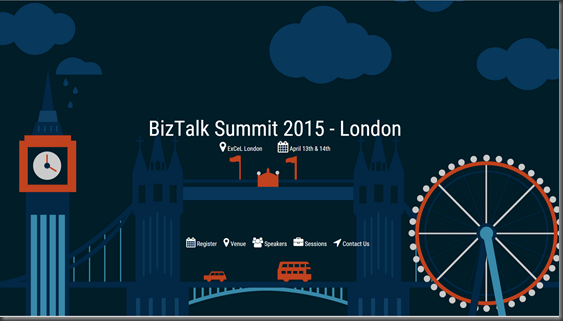
BizTalk Summit 2015 – April 13/14 London, England
The BizTalk Summit has become an annual, must attend, event in London. This event is once again being organized by BizTalk360 in conjunction with Microsoft and the BizTalk Product group. BizTalk360 has organized several large events and I expect this one to be even bigger than some of the other events they have hosted including the very successfully Integrate 2014 event they put on in Redmond in December 2014.
There have been over 250 attendees registered and you can still take advantage of some discounted tickets being available. This event provides a great opportunity to learn and network with Integration experts from all over the world including Microsoft BizTalk and Service Bus product team members. Please visit this link for registration information.
My buddy Sandro Pereira has put together a blog post called Top 7 reasons to attend BizTalk Summit 2015 which I thought was an interesting read. You can take a look at that article here.
Recently, some of the BizTalk Summit session abstracts have been posted, including mine, so I thought I would update my blog as my the sessions were not public when I previously announced I would be speaking.
My topic is on API Management and more specifically Azure API Management. You can read the details below.
Session Abstract
API Management Part 1 – An Introduction to Azure API Management
Building APIs is not just about technology. APIs enable many new business opportunities, but only if done correctly. As a result of lucrative opportunities, many Software vendors have emerged or pivoted from their SOA management roots to provide API Management capabilities. These API Management platforms provide the building blocks behind a successful API program.
In this session, Kent will introduce you to Microsoft’s Azure API Management platform by providing an overview that highlights its capabilities and the opportunities that emerge for organizations. As part of this presentation, Kent will demonstrate how developers can create their first API and discuss strategies for transforming existing services to leverage Azure API Management.
This presentation will consist of general guidance on API Management, an Azure API Management portal walk-through and demos that re-enforce the concepts that were introduced.
You may be asking yourself – “Part 1” well what is “Part 2”? There will be another session that includes Azure API Management by Tomasso Groenendijk. We have been working together to ensure there is no overlap and he will pick up where I leave off from an Azure API Management capability perspective.

by community-syndication | Mar 6, 2015 | BizTalk Community Blogs via Syndication
Hard to imagine that on 16th January, 2013 the “BizTalk Crew” (Steef-Jan Wiggers, Nino Crudele, Saravana Kumar, Tord Glad Nordahl and me) were starting one of the most important Integration event in the world with bit of help from the BizTalk product group (Guru Venkataraman and Ravi Krishnaswamy) The event was a huge success that […]
Blog Post by: Sandro Pereira

by community-syndication | Mar 3, 2015 | BizTalk Community Blogs via Syndication
There is a lot of inconsistent and incorrect information about the BizTalk SAP Adapter (or in this case WCF-SAP Adapter) installation process and how it works – It is normal to see comments that the adapter only runs on 32-bit, or to see indications that we have to copy DLLs to two different places (System32 […]
Blog Post by: Sandro Pereira

by Richard | Feb 26, 2015 | BizTalk Community Blogs via Syndication
Using a build server and leveraging continuous integration is good practice in any software
development project. The idea behind automated build and continuous integrations is to have a server that
monitors one’s source code repository and builds the solution as changes occur. This separate build
activity alone will ensure that all artifacts are checked in and that a successful build doesn’t depend on any artifacts or settings on the development machines.
Today build servers do a lot more as part of the build – the build process usually involves execution of
tests, labeling the source as well as packing the solution into a deployable artifact.
In this post we’ll see how a build process can be achieved using Team Foundation (TFS) Build Services, building a BizTalk project that results in
a deployable MSI artifact.
TFS Build Services
TFS Build services is a component that is part of the standard TFS install media.
Each TFS build controller controls a number of “Build Agents” that will perform the actual build process. For each solution to build one has to
define its process. These processes are described in a “Build Template” that tells the agent what steps to go through
and in what order.
“Build Templates” in TFS Build Services are defined using Visual Studio. The image below shows a build template accessed through Visual Studio Team Explorer.
Major steps in a build template
As one creates a new build template for a solution one has to go through the following major steps:
1. Define a trigger
Decides what should trigger the build. Should it be triggered manually, should it be a scheduled build or should it
be triggered at a check-in of new code?
2. Source Setting
This will tell the build process what part of the source tree the build template is relevant for. When queueing
a new build this is the part of the source tree that will be downloaded to the staging area. It also tells the build
services where on disk the source should be downloaded to.
3. Process
This is where all the steps and activities that the build service should perform are defined. Team Foundation Build
Services comes with a number of standard templates and custom ones can be added. In this post we’ll however stick with the default one.
Build your first BizTalk solution
Building BizTalk Server solution using TFS Build Services is straight forward.
In this post I will use this sample BizTalk solution. After checking it into Team
Foundation Source Control (I’ll use TFS Source control in this post but it’ll work similarly using Git) I’ll create a new build template for the solution. All that’s
needed to change is the MsBuild platform setting property, so we’re using x86 when executing MsBuild as shown below.
After queuing a build we can in the TFS Build Explorer see a successful build!
We can also download the output from the build where we can see all our build artifacts!
Using BtsMsiTask to create a MSI as part of the build
So far so good, but we started the article by saying that what we wanted was a deployable artifact. In the case of
BizTalk this means a BizTalk MSI. Let’s see what we need to change to also have the build process create a MSI.
1. Install BtsMsiTask
Download and install BtsMsiTask. This will install a MsBuild task for generating the MSI.
2. Add a MsBuild project file
Add a MsBuild project file (build.proj) to the solution
The project file will tell the BtsMsiTask process what artifacts to include.
Add the created project file to the solution and check it in as part of the solution.
3. Add the MsBuild project file to the TFS build template
Add the created MsBuild project file to the TFS build template by adding it to the list of projects to build.
After another successful build we can see that we also created a MSI as part of the build!
Adding build information to the MSI
File name
As we can see the MSI we just created ended up with the default BtsMsiFile name that is a combination of the BizTalk application name property and the
current date and time. Wouldn’t it be nice of we instead could the build number as part of the name?
BtsMsiTask has an optional property called FileName that we for
example can set to <FileName>$(TF_BUILD_BUILDNUMBER).msi</FileName>
Source location
When installing the artifact to BizTalk Server we can see that the source location property in the BizTalk Administration Console is set to
where the artifact was built on the staging area.
It’d be nice to also have information about what build that produced these artifacts. This will give the required information to know exactly what builds that are used for all the installed artifacts.
We can change what is set in the source location by using the SourceLocation property of BtsMsiTask <SourceLocation>c:$(TF_BUILD_BUILDNUMBER)</SourceLocation>
So after setting the property as below, queue another build, reinstall using the MSI and we’ll get the following result with the build number in the source location property.
And finally this is the MsBuild project file we ended up with in our example.



