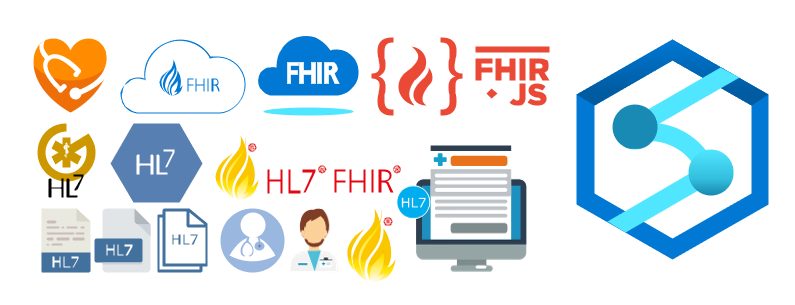
Once again, I update this stencil pack with requested shapes from community members: Azure HL7 FHIR (Fast Healthcare Interoperability Resource) and Azure Synapse Analytics. The result was the addition of 16 new shapes. I hope you enjoy it.
What’s new in this version?
The main goal of this release was to provide the new icons present in the Azure Portal and update existing ones. In this version, the changes and additions are:
New shapes: New shapes added on MIS Apps and Systems Logo Stencils, Microsoft Integration Stencils, MIS Users and Roles Stencils, MIS Files Stencils, MIS Azure Others Stencils, and MIS Azure Stencils;
SVG Files: Add new SVG files, and uniform all the filenames;
Microsoft Integration, Azure, Power Platform, Office 365 and much more Stencils Pack
Microsoft Integration, Azure, Power Platform, Office 365 and much more Stencils Pack it’s a Visio package that contains fully resizable Visio shapes (symbols/icons) that will help you to visually represent On-premise, Cloud or Hybrid Integration and Enterprise architectures scenarios (BizTalk Server, API Management, Logic Apps, Service Bus, Event Hub…), solutions diagrams and features or systems that use Microsoft Azure and related cloud and on-premises technologies in Visio 2016/2013:
BizTalk Server
Microsoft Azure
Integration
Integration Service Environments (ISE)
Logic Apps and Azure App Service in general (API Apps, Web Apps, and Mobile Apps)
Azure API Management
Messaging: Event Hubs, Event Grid, Service Bus, …
Azure IoT and Docker
AI, Machine Learning, Stream Analytics, Data Factory, Data Pipelines
SQL Server, DocumentDB, CosmosDB, MySQL, …
and so on
Microsoft Power Platform
Microsoft Flow
PowerApps
Power BI
Office365, SharePoint,…
DevOps and PowerShell
Security and Governance
And much more…
… and now non-related Microsoft technologies like:
SAP Stencils
The Microsoft Integration Stencils Pack is composed of 27 files:
Microsoft Integration Stencils
MIS Additional or Support Stencils
MIS AI and Machine Learning Stencils
MIS Apps and Systems Logo Stencils
MIS Azure Additional or Support Stencils
MIS Azure Mono Color
MIS Azure Old Versions
MIS Azure Others Stencils
MIS Azure Stencils
MIS Buildings Stencils
MIS Databases and Analytics Stencils
MIS Deprecated Stencils
MIS Developer Stencils
MIS Devices Stencils
MIS Files Stencils
MIS Generic Stencils
MIS Infrastructure Stencils
MIS Integration Fun
MIS Integration Patterns Stencils
MIS IoT Devices Stencils
MIS Office365
MIS Power BI Stencils
MIS PowerApps and Flows Stencils
MIS SAP Stencils
MIS Security and Governance
MIS Servers (HEX) Stencils
MIS Users and Roles Stencils
That you can use and resize without losing quality, in particular, the new shapes.
I am always paying attention to requests from members of the community, and whenever I can, I update this stencil pack with requested shapes or functionalities. And this is one of these cases, Josh asked me to add DevOps offerings stencils in special: Boards, Repos, Pipelines, Test Plans, and Artifacts.
The result was this. I hope you enjoy it.
What’s new in this version?
The main goal of this release was to provide the new icons present in the Azure Portal and update existing ones. In this version, the changes and additions are:
New shapes: New shapes added on MIS Developer Stencils;
SVG Files: Add new SVG files, and uniform all the filenames;
Microsoft Integration, Azure, Power Platform, Office 365 and much more Stencils Pack
Microsoft Integration, Azure, Power Platform, Office 365 and much more Stencils Pack it’s a Visio package that contains fully resizable Visio shapes (symbols/icons) that will help you to visually represent On-premise, Cloud or Hybrid Integration and Enterprise architectures scenarios (BizTalk Server, API Management, Logic Apps, Service Bus, Event Hub…), solutions diagrams and features or systems that use Microsoft Azure and related cloud and on-premises technologies in Visio 2016/2013:
BizTalk Server
Microsoft Azure
Integration
Integration Service Environments (ISE)
Logic Apps and Azure App Service in general (API Apps, Web Apps, and Mobile Apps)
Azure API Management
Messaging: Event Hubs, Event Grid, Service Bus, …
Azure IoT and Docker
AI, Machine Learning, Stream Analytics, Data Factory, Data Pipelines
SQL Server, DocumentDB, CosmosDB, MySQL, …
and so on
Microsoft Power Platform
Microsoft Flow
PowerApps
Power BI
Office365, SharePoint,…
DevOps and PowerShell
Security and Governance
And much more…
… and now non-related Microsoft technologies like:
SAP Stencils
The Microsoft Integration Stencils Pack is composed of 27 files:
Microsoft Integration Stencils
MIS Additional or Support Stencils
MIS AI and Machine Learning Stencils
MIS Apps and Systems Logo Stencils
MIS Azure Additional or Support Stencils
MIS Azure Mono Color
MIS Azure Old Versions
MIS Azure Others Stencils
MIS Azure Stencils
MIS Buildings Stencils
MIS Databases and Analytics Stencils
MIS Deprecated Stencils
MIS Developer Stencils
MIS Devices Stencils
MIS Files Stencils
MIS Generic Stencils
MIS Infrastructure Stencils
MIS Integration Fun
MIS Integration Patterns Stencils
MIS IoT Devices Stencils
MIS Office365
MIS Power BI Stencils
MIS PowerApps and Flows Stencils
MIS SAP Stencils
MIS Security and Governance
MIS Servers (HEX) Stencils
MIS Users and Roles Stencils
That you can use and resize without losing quality, in particular, the new shapes.
Back to one of my favorite topics: Errors and Warnings, Causes, and Solutions since I have several issues to report in my internal OneNote. But in fact, this one happened today while I was implementing a new RosettaNet PIP on a client… nevertheless, this is not specific to RosettaNet.
I
was making a small improvement to an existing process/project to allow specific
orchestrations to be activated based on some properties promoted from the
message by applying a filter on the activate Receive Message shape. Everything
was going peacefully well until I tried to redeploy the Visual Studio solution.
Once I try to redeploy the BizTalk Server Visual Studio solution from Visual
Studio, I got the following error:
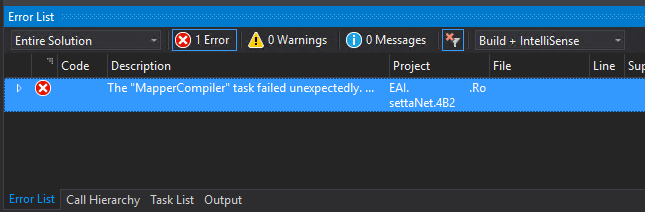
Error The “MapperCompiler” task failed unexpectedly.
System.UnauthorizedAccessException: Access to the path ‘C:……MapsmapNotifyOfShipmentReceipt_To_PIP4B2.btm.cs’ is denied.
at Microsoft.VisualStudio.BizTalkProject.BuildTasks.MapperCompiler.Execute()
at Microsoft.Build.BackEnd.TaskExecutionHost.Microsoft.Build.BackEnd.ITaskExecutionHost.Execute()
at Microsoft.Build.BackEnd.TaskBuilder.<ExecuteInstantiatedTask>d__26.MoveNext() EAI.RosettaNet.4B2.
The funny part was that this was a small change that I did in an existing solution that already was running fine in the environment… and the change was a small improvement in the orchestration, not on the map!
Cause
Well,
I don’t know why the compiler decided to pick the mapper to complain. But This
issue is not related to any kind of maps you may have in your solution.
And
yes, the user that I was using to open, and build the solution had full rights
to access the file in question, all full rights to deploy stuff to the BizTalk
Server environment.
There are several possible causes for you to get such Access Denied errors when deploying BizTalk solutions directly from Visual Studio. Most common is that you don’t have the right BizTalk privileges to deploy artifacts, or in other words, you are not a local Administrator.
But most of the time is simpler than that and indeed is related to additional securities setting present in recent Windows Server versions. For you to be able to successfully deploy a BizTalk Server solution directly from Visual Studio, you must run Visual Studio as an Administrator, or with elevated permissions, because BizTalk assemblies need to be deployed into the GAC. What normally happens, is that if you have User Account Control (UAC) activated, or sometimes even deactivated, there are some additional securities setting present in recent Windows Server versions that, by default, doesn’t run Visual Studio with elevated permissions.
This
was indeed one of these cases, Visual Studio was not open with elevated
permissions.
Solution
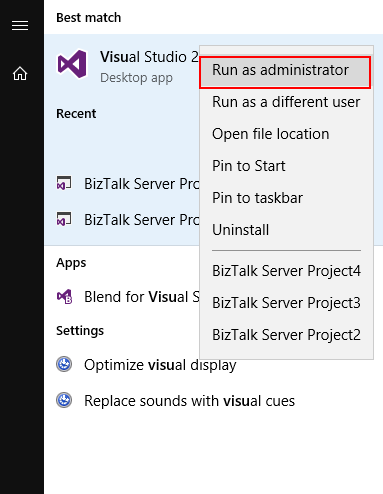
The quick solution is for you to run
Visual Studio as an Administrator by simply run below step:
Right-click
under Visual Studio and choose Run as administrator option.
The problem with this approach is that
you need to remember yourself to do it every time you want to run Visual Studio.
Otherwise, the next time you try to deploy the solution, it will fail again
with the same error.
If you try now to deploy your solution, you will see that this problem goes aways and you will be able to deploy it successfully (assuming that the solution does not actually have errors).
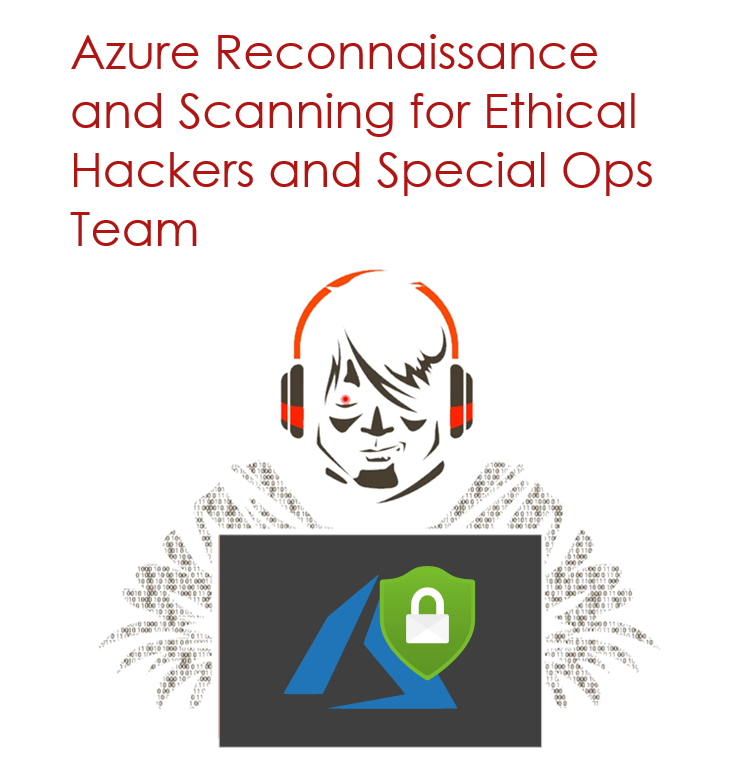
Nino Crudele just published another free whitepaper about Azure Reconnaissance and Scanning for Ethical Hackers and Special Ops Team. It is a 25 pages whitepaper that will provide you with a quick and practical guide full of tools and techniques for scanning and reconnaissance in Azure to Ethical Hackers and Special Ops Team that want to learn or know a little more. You shouldn’t miss this opportunity!
Once again, I would like to take this opportunity to say thanks to Nino Crudele for inviting me to be his technical reviewer for this whitepaper. I never learn to say no to him, it is always a crazy nightmare but a delightful one. And I’m already waiting to our next challenge.
Nino Crudele is a freelance living in the United Kingdom. He is Global Azure Lead and Cybersecurity expert in Hexagon Manufacturing Intelligence, a global manufacturing company. He is responsible for leading the Microsoft Azure Cloud area, supporting and advising the Company to select the most appropriate cloud strategies and solutions from high-level design to implementation and Security is one of my top priorities.
What to expect about Azure Reconnaissance and Scanning for Ethical Hackers and Special Ops Team whitepaper
This whitepaper will provide:
The final objective of a Penetration Testing project is to provide useful information to resolve the errors identified before they can be used for malicious purposes.
How to identify our attack surface by researching, collecting, and organizing as much information as possible about a potential attack target. Then it will seek ways that could be exploited to get into the systems.
And of course, like any good Penetration Testing project should be, how to provide useful information to resolve the errors identified before they can be used for malicious purposes.
Where you can download it
The whitepaper is completely free and you can download it here:
Another error
and warnings, cause and solutions blog post. This time on a small issue that I got
during an application configuration in a developing environment.
Well, I
think I will not tell you anything new, but when you are generating Schemas
from a SQL database, regardless of whether they are actions directly on tables
or invoking stored procedures, a binding file is automatically created on your
BizTalk Server Visual Studio solution. And you can use it to easily create the
necessary ports to communicate with your SQL database. You don’t need to create
them manually.
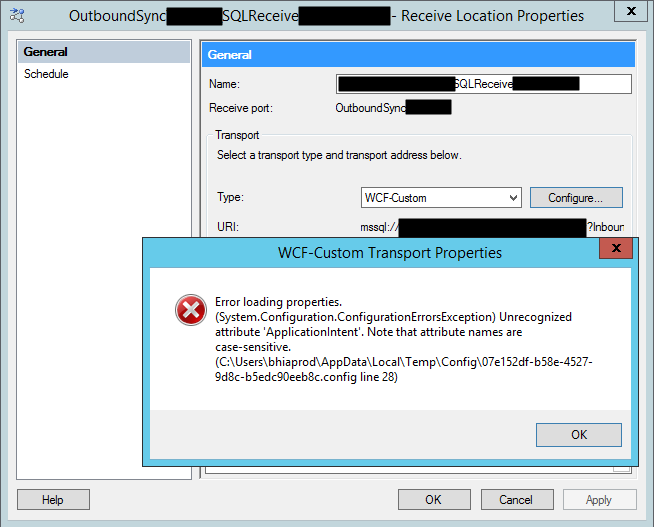
On one of these occasions, as I did thousands of times before, I successfully import my binding file containing the receive ports for my SQL database. But to my surprise every time I was trying to open the port configuration to change the attributes, I was getting the following error:
Error loading properties. (System.Configuration.ConfigurationErrorsException) Unrecognized attribute ‘Attribute-Name’. Note that attribute names are case-sensitive.
For a better context, why this error was happening, I was working with the BizTalk Server 2013 R2 version.
Cause
Although I didn’t initially understand why it
happened, the error is quite clear. The attribute name, in my case ApplicationIntent
was invalid.
Only thing I was sure:
It
wasn’t a case-sensitive issue I was sure about that because this was an auto-generated
binding file and the only thing I did was to change the receive port and
receive location names
To demystify the problem, I ended up:
Manually
creating the receive port;
Export
the bindings;
And
compare the bindings;
And what I noticed was that the bindings were different, this last one, that was working, didn’t contain the ApplicationIntent attribute and two other additional attributes like MultiSubnetFailover attribute.
I end up realizing that, because I didn’t have access to the client and I was with limit access to my dev machines, I end up creating the Schemas and the transformations using a different version: BizTalk Server 2016.
The schemas and almost artifacts, even if you
developer in a higher version, it will work well on BizTalk Server 2013 R2, you
just need to compile with a different network. Nevertheless, I will not advise doing
that. However, the binding files are different and not compatible between these
two versions for this adapter.
Solution
The solution is easy and you have three options:
Manually remove, fixing the binding file, for example, open in notepad and remove the ApplicationIntent=”ReadWrite”;
I will not recommend that approach;
You will find other issues that you need to solve;
Regenerate the schemas and bindings in your correct Visual Studio solution;
It may give you additional work on redeploying the solution;
But it is the most consistent option, everything will be updated and you sure that you have all the correct resources.
Manually create the ports on the BizTalk Server Administration Console;
Make sure to generate the binding files and update them in our Visual Studio solution;
Recently a
client call me reporting a strange behavior on the BizTalk Server Administration
Console. Based on what was reported to me, some updates were applied to the
server at the level of the operating system and that after installation, they
would have performed a controlled restart to the environment. However, after
the environment is back once again online when trying to access the
administrative console, they got the following error:
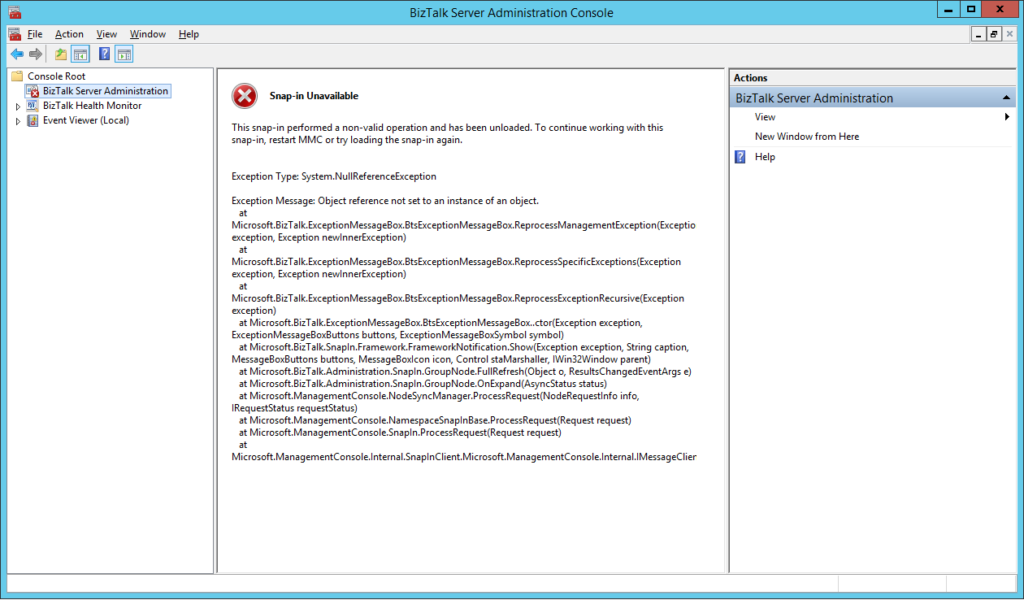
The snap-in performed a non-valid
operation and has been unloaded. To continue working with this snap-in, restart
MMC or try loading the snap-in again.
Just for curiosity, BizTalk Health Monitor, worked perfectly fine. And the BizTalk Server engine was working properly also. It was just a matter of UI.
Cause
I don’t really know the specific reasons that cause this problem, and to be honest, being a production environment, the important was to put everything working again. But in a simple way, this error message normally means that the MMC or one of the snap-ins, in this case, BizTalk Server Administration snap-in did not load correctly.
Restarting the machine again, or even restart
the BizTalk Server Administration console doesn’t solve the issue.
Solution
You can troubleshoot fudder this problem and use
a tool like System File Checker to scan and see if you find the root of the
issue and probably the fix.
However, the simple way to solve this is to:
Repair
BizTalk Server installation;
Once you repair the installation, everything
should be working fine again.
Notice: don’t forget to reinstall the last Cumulative
updates.
I
have an insane roadmap of things to be published but if I didn’t have this week
was fertile in providing me with new content. Full week troubleshooting and
fixing issues in several clients… what an amazing week! But the best one
arrived almost on the last day.
Do
you know the feeling when you develop a solution that has been working properly
for a while and stops working for no logical reason? I bet you do. And this happened
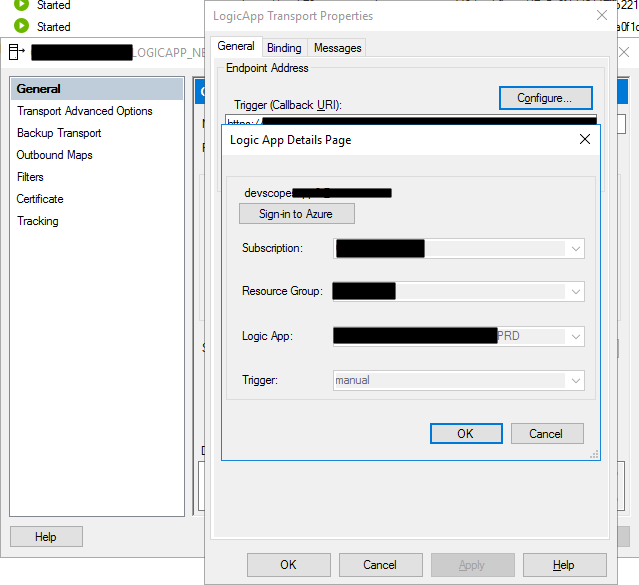
to me this week at a client where we are using the BizTalk Server Logic App
Adapter to extend part of our logical business to the cloud. And without we
make any changes to the Logic Apps or any changes in our BizTalk Server environment
(aka no new development installed, no patch’s or hotfixes installed, no
restarts, …) everything stops to work, we were not receiving any new messages
on our Logic Apps.
When
I access to BizTalk Server environment, I realize that all the requests were
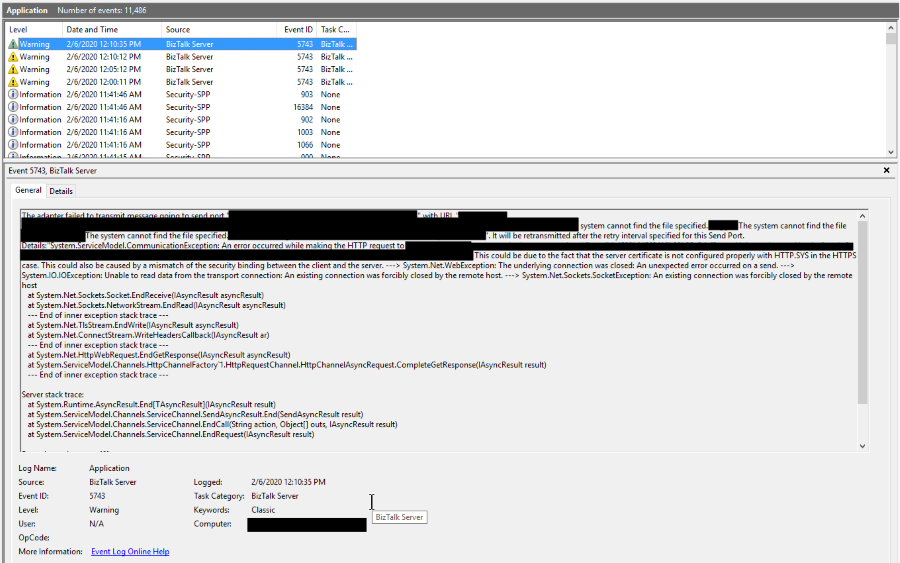
suspended with the following error:
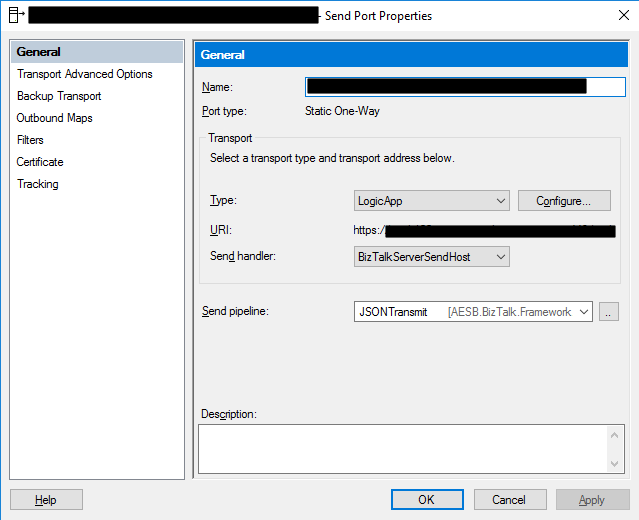
System.ServiceModel.CommunicationException: An error occurred while making the HTTP request to https://prod-….logic.azure.com/workflows/…/triggers/manual/paths/invoke?queryparameters . This could be due to the fact that the server certificate is not configured properly with HTTP.SYS in the HTTPS case. This could also be caused by a mismatch of the security binding between the client and the server. —> System.Net.WebException: The underlying connection was closed: An unexpected error occurred on a send. —> System.IO.IOException: Unable to read data from the transport connection: An existing connection was forcibly closed by the remote host. —> System.Net.Sockets.SocketException: An existing connection was forcibly closed by the remote host at System.Net.Sockets.Socket.EndReceive(IAsyncResult asyncResult) at System.Net.Sockets.NetworkStream.EndRead(IAsyncResult a
The adapter failed to transmit message going to send port “LOGICAPP_SEND_PORT” with URL “https://prod-….logic.azure.com/workflows/…/triggers/manual/paths/invoke?queryparameters“. It will be retransmitted after the retry interval specified for this Send Port. Details:”System.ServiceModel.CommunicationException: An error occurred while making the HTTP request to https://prod-….logic.azure.com/workflows/…/triggers/manual/paths/invoke?queryparameters. This could be due to the fact that the server certificate is not configured properly with HTTP.SYS in the HTTPS case. This could also be caused by a mismatch of the security binding between the client and the server. —> System.Net.WebException: The underlying connection was closed: An unexpected error occurred on a send. —> System.IO.IOException: Unable to read data from the transport connection: An existing connection was forcibly closed by the remote host. —> System.Net.Sockets.SocketException: An existing connection was forcibly closed by the remote host
at System.Net.Sockets.Socket.EndReceive(IAsyncResult asyncResult)
at System.Net.Sockets.NetworkStream.EndRead(IAsyncResult asyncResult)
— End of inner exception stack trace —
at System.Net.TlsStream.EndWrite(IAsyncResult asyncResult)
at System.Net.ConnectStream.WriteHeadersCallback(IAsyncResult ar)
— End of inner exception stack trace —
at System.Net.HttpWebRequest.EndGetResponse(IAsyncResult asyncResult)
at System.ServiceModel.Channels.HttpChannelFactory`1.HttpRequestChannel.HttpChannelAsyncRequest.CompleteGetResponse(IAsyncResult result)
— End of inner exception stack trace —
Server stack trace:
at System.Runtime.AsyncResult.End[TAsyncResult](IAsyncResult result)
at System.ServiceModel.Channels.ServiceChannel.SendAsyncResult.End(SendAsyncResult result)
at System.ServiceModel.Channels.ServiceChannel.EndCall(String action, Object[] outs, IAsyncResult result)
at System.ServiceModel.Channels.ServiceChannel.EndRequest(IAsyncResult result)
Exception rethrown at [0]:
at System.Runtime.Remoting.Proxies.RealProxy.HandleReturnMessage(IMessage reqMsg, IMessage retMsg)
at System.Runtime.Remoting.Proxies.RealProxy.PrivateInvoke(MessageData& msgData, Int32 type)
at System.ServiceModel.Channels.IRequestChannel.EndRequest(IAsyncResult result)
at Microsoft.BizTalk.Adapter.Wcf.Runtime.WcfClient`2.RequestCallback(IAsyncResult result)”.
The other curious thing was that all my environments DEV, QA, and PROD were with the same symptom and all of them start at the same time which made this problem even more intriguing.
However,
I was able to connect with the adapter, see and select all the Logic Apps in my
subscription.
To
demystify if that was a problem with the adapter, I switch to the HTTP adapter
in order to try. Nevertheless, I got identical problems that made me dismiss
the idea that there could be something wrong with the adapter.
The
next step was to see if there was a network issue, maybe a firewall or proxy, which
should be because there was no intervention in the environment, but it is
always worth testing. To do that, I used one of my favorite tools, postman, and
to my surprise, everything was working fine. I was able to communicate and send
requests to all my Logic Apps in all my environments!
Cause
If you don’t are really
familiar with this type of problem, you may be pointed for a certificate issue,
but in our case, we were not using any kind of certificates to call our Logic
Apps and no additional type of authentication.
But I was sure that I had
already seen that error in the past, and I was related to security protocol (TLS
1.0 or TLS 1.2) used on the HTTPS communication and yes HTTPS because
all Logic Apps endpoints are in HTTPS.
BizTalk
Server came out-of-the-box and works very well with SSL (Secure Socket Layer)
3.0 or TLS (Transport Layer Security) 1.0, and these are the security
protocol used. New versions of BizTalk Server allow us to use TLS 1.2, but that
required extra manual configurations that we need to do in the environment and I
know that everyone is deprecating TLS 1.0 and 1.1 because of the well know vulnerabilities,
nevertheless, everything was working fine I have been doing this kind of hybrid
solution connecting with Logic Apps.
What
I discovered on the official documentation was that they say that: The
Request trigger supports only Transport Layer Security (TLS) 1.2 for incoming
calls. Outgoing calls continue to support TLS 1.0, 1.1, and 1.2.
Nevertheless,
that wasn’t true until a few days ago, and my guess is that they actually discontinue
support for TLS 1.0 and 1.1 on the incoming calls without any notice, something
that, in my opinion, you shouldn’t do.
Solution
The solution was very simple,
we just need to specify that the default security protocol on BizTalk Server is
TLS 1.2. And to do that you need:
To
make some changes on the registry to set TLS 1.2 as default security protocol TLS1.2;
Or
creating a Custom BizTalk Server behavior;
I
choose the first option, making some changes to the registry. And to accomplish
that we need to add the below DWORD values in our registry:
On the [HKEY_LOCAL_MACHINESYSTEMCurrentControlSetControlSecurityProvidersSCHANNELProtocolsTLS 1.2Client]
Create the following DWORD (32-bit) values
Name: DisabledByDefault
Value Data: 0
Name: Enabled
Value Data: 1
On the [HKEY_LOCAL_MACHINESYSTEMCurrentControlSetControlSecurityProvidersSCHANNELProtocolsTLS 1.2Server]
Create the following DWORD (32-bit) values
Name: DisabledByDefault
Value Data: 0
Name: Enabled
Value Data: 1
On the [HKEY_LOCAL_MACHINESOFTWAREMicrosoft.NETFrameworkv4.0.30319]
Create the following DWORD (32-bit) values
Name: SchUseStrongCrypto
Value Data: 1
On the [HKEY_LOCAL_MACHINESOFTWAREWow6432NodeMicrosoft.NETFrameworkv4.0.30319]
Create the following DWORD (32-bit) value
Name: SchUseStrongCrypto
Value Data: 1
If
you try resending a message to your Logic App, everything should work properly
again.
And of course, this was my answer: @WSilveiraNZ a new BizTalk Server 2020 sticker is being made… just to let you know #msbts but then Coen Dijkgraaf joined and asked if the sticker would be available on time for Global Integration Bootcamp?
I was undecided
about whether to publish or wait to INTEGRATE to be a surprise. But I at the
end I decided to create not one but two stickers:
On to published during the INTEGRATE event… spam alert: it is awesome!
And this one above to publish now in order for you all to grab it and go to a graphics shop to make your BizTalk Sticker. A simple and clean BizTalk Server 2020 sticker identical to the logo that I publish this week: BizTalk Server 2020: a new unofficial logo
This package is a collection of 3 different image formats of the new BizTalk
Server 2020 sticker, two of them are available in vector
format that will allow you to use and resize without losing quality:
BizTalkSticker.ai
BizTalkSticker.pdf
BizTalkSticker-01.png
All of the
resources are in the original size ready to print in a graphics shop.
Thanks to Cristóvão Silva (Graphic & Web Designer @ DevScope) for helping me creating these resources.
I hope you enjoy!
Download
BizTalk Server 2020 sticker Microsoft | TechNet Gallery
BizTalk Server 2020 was officially released in the middle of January, January 15, 2020, to be more accurate. And you may be asking, why haven’t I written a post about this new version yet.
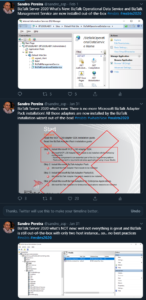
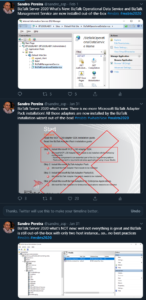
The answer is simple. I think this version should be properly analyzed, tested by us, and then we can talk about it. And for me, it all starts with installing and configuring the product, and this is where you will find the big differences between the previous version, BizTalk Server 2016 for this new version. You may have a quick overview of that on my twitter handle: https://twitter.com/sandro_asp:
It is not yet available, but for now, I can tell you that I have finished my BizTalk Server 2020 installation and configuration guide – 122 pages guide describing detail instructions to install all the features of the product – I think I may be the first one installing and configuring BAM Portal and is running properly. The installation guide will be published soon but for now, is under review.
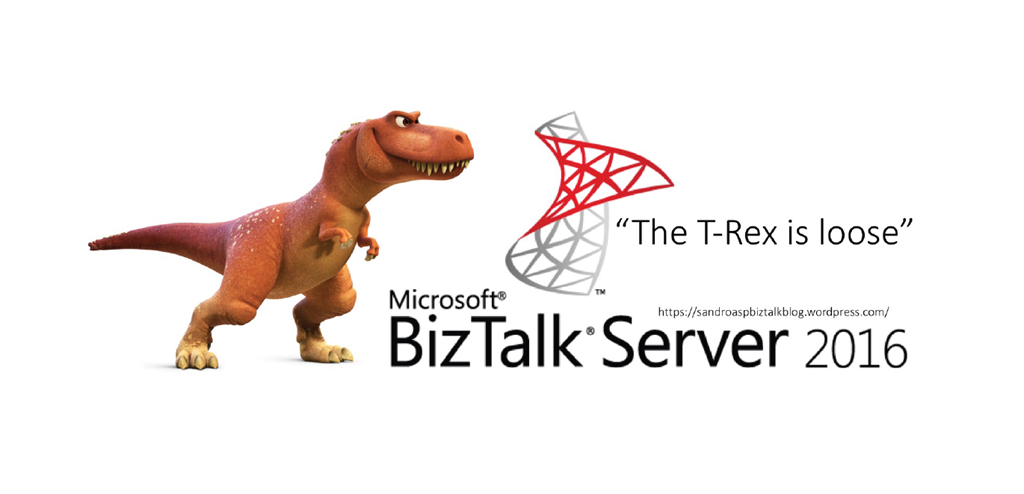
It is a sign that you like it, but, once again, this is not the official logo. The official logo was released by Microsoft when BizTalk Server 2016 was launched and at that time Microsoft decided to drop the fancy Server icon from the logo and the version identification, now it is a simple generic logo with just Text that will be consistent in this and further versions of BizTalk Server. You may find the official logo here: Because BizTalk Server 2016 is almost here… take a look to the new BizTalk Server logotype.
But people sometimes prefer to use the “old” format just because it specifies the version, so it is easier to associate with the last version or a specific version of the product. And that was the main reason for me to create that logo.
Nevertheless, during BizTalk Server 2016 release, Microsoft also updated or released a BizTalk Server icon/stencil that you may find in the official BizTalk Server twitter handle:
So I decided that my first blog post after BizTalk Server 2020 was launched, it would be about updating my unofficial BizTalk Server logo and this time it would combine:
The official BizTalk Server icon with the official BizTalk Server logo.
Plus the version number.
And the end
result is this:
This package is a collection of 4 different image formats of the new Unofficial BizTalk Server 2020 logotype, two of them are available in vector format that will allow you to use and resize without losing quality:
BizTalkLogo.ai
BizTalkLogo.pdf
BBizTalkLogo-01.jpg
BizTalkLogoWhite-01.png
Thanks to Cristóvão Silva (Graphic & Web Designer @ DevScope) for helping me creating these resources.
Download
New Unofficial BizTalk Server 2020 logo in vector format Microsoft | TechNet Gallery
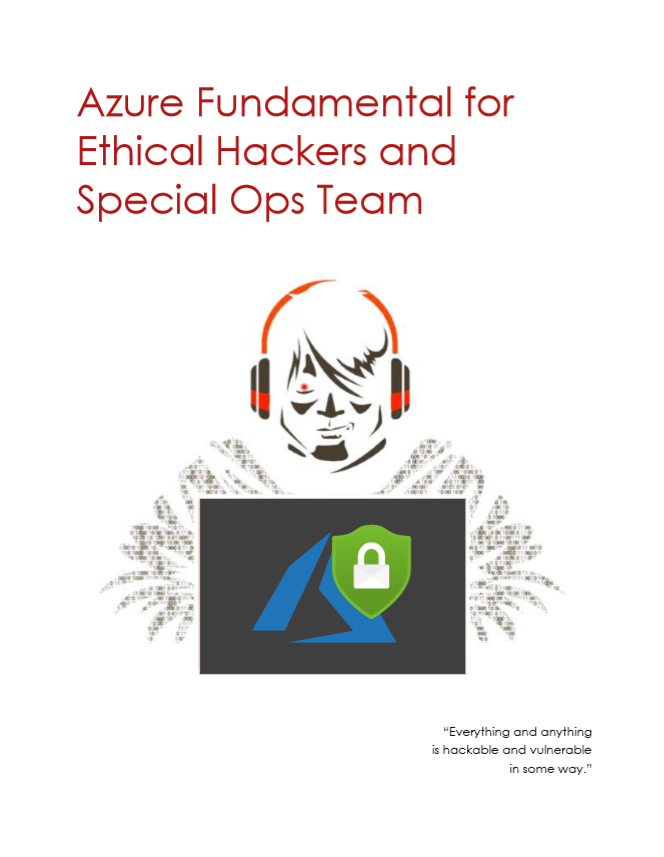
Nino Crudele just published a free whitepaper about Azure Fundamental for Ethical Hackers and Special Ops Team. This is a 39 pages whitepaper about Azure Fundamentals and Penetration Testing and if you’re passionate about security or want to know a little more, then you shouldn’t miss this opportunity.
Nino Crudele is a freelance living in the United Kingdom. He is Global Azure Lead and Cybersecurity expert in Hexagon Manufacturing Intelligence, a global manufacturing company. He is responsible for leading the Microsoft Azure Cloud area, supporting and advising the Company to select the most appropriate cloud strategies and solutions from high-level design to implementation and Security is one of my top priorities.
What to expect about Azure Fundamental for Ethical Hackers and Special Ops Team whitepaper
This whitepaper will provide:
A good understanding of Microsoft Azure, how it is organized and how it works, and this is a good prerequisite in order to create penetration tests, understanding the weaknesses and the critical areas and for any type of security operator.
A good introduction and understanding about penetration testingS, the phases, the standards, the technique, and the methodologies related to Microsoft Azure
Where you can download it
The whitepaper is completely free and you can download it here:
I would like to take this opportunity also to say thanks to Nino Crudele for inviting me to be is a technical reviewer for this whitepaper, as always with him it was a nightmare but a very enjoyable one.


 Microsoft Integration, Azure, Power Platform, Office 365 and much more Stencils Pack for Visio


![Azure Reconnaissance and Scanning for Ethical Hackers and Special Ops Team [free whitepaper] By Nino Crudele](https://www.biztalkgurus.com/wp-content/uploads/2020/02/Azure-Reconnaissance-and-Scanning-for-Ethical-Hackers-and-Special-Ops-Team-1-150x150.png)



 #msbts but then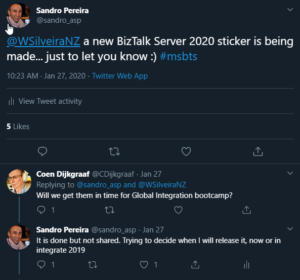
![Azure Fundamental for Ethical Hackers and Special Ops Team [free whitepaper] By Nino Crudele](https://www.biztalkgurus.com/wp-content/uploads/2020/01/Azure-Fundamental-for-Ethical-Hackers-and-Special-Ops-Team-1-150x150.png)