by Gautam | Sep 24, 2017 | BizTalk Community Blogs via Syndication
Do you feel difficult to keep up to date on all the frequent updates and announcements in the Microsoft Integration platform?
Integration weekly update can be your solution. It’s a weekly update on the topics related to Integration – enterprise integration, robust & scalable messaging capabilities and Citizen Integration capabilities empowered by Microsoft platform to deliver value to the business.
If you want to receive these updates weekly, then don’t forget to Subscribe!
On-Premise Integration:
Cloud and Hybrid Integration:
Feedback
Hope this would be helpful. Please feel free to let me know your feedback on the Integration weekly series.
by Gautam | Sep 17, 2017 | BizTalk Community Blogs via Syndication
Do you feel difficult to keep up to date on all the frequent updates and announcements in the Microsoft Integration platform?
Integration weekly update can be your solution. It’s a weekly update on the topics related to Integration – enterprise integration, robust & scalable messaging capabilities and Citizen Integration capabilities empowered by Microsoft platform to deliver value to the business.
If you want to receive these updates weekly, then don’t forget to Subscribe!
On-Premise Integration:
Cloud and Hybrid Integration:
Feedback
Hope this would be helpful. Please feel free to let me know your feedback on the Integration weekly series.
by Gautam | Sep 11, 2017 | BizTalk Community Blogs via Syndication
Do you feel difficult to keep up to date on all the frequent updates and announcements in the Microsoft Integration platform?
Integration weekly update can be your solution. It’s a weekly update on the topics related to Integration – enterprise integration, robust & scalable messaging capabilities and Citizen Integration capabilities empowered by Microsoft platform to deliver value to the business.
If you want to receive these updates weekly, then don’t forget to Subscribe!
On-Premise Integration:
Cloud and Hybrid Integration:
Feedback
Hope this would be helpful. Please feel free to let me know your feedback on the Integration weekly series.
by Gautam | Sep 4, 2017 | BizTalk Community Blogs via Syndication
Do you feel difficult to keep up to date on all the frequent updates and announcements in the Microsoft Integration platform?
Integration weekly update can be your solution. It’s a weekly update on the topics related to Integration – enterprise integration, robust & scalable messaging capabilities and Citizen Integration capabilities empowered by Microsoft platform to deliver value to the business.
If you want to receive these updates weekly, then don’t forget to Subscribe!
On-Premise Integration:
Cloud and Hybrid Integration:
Feedback
Hope this would be helpful. Please feel free to let me know your feedback on the Integration weekly series.
by Gautam | Aug 27, 2017 | BizTalk Community Blogs via Syndication
Do you feel difficult to keep up to date on all the frequent updates and announcements in the Microsoft Integration platform?
Integration weekly update can be your solution. It’s a weekly update on the topics related to Integration – enterprise integration, robust & scalable messaging capabilities and Citizen Integration capabilities empowered by Microsoft platform to deliver value to the business.
If you want to receive these updates weekly, then don’t forget to Subscribe!
On-Premise Integration:
Cloud and Hybrid Integration:
Feedback
Hope this would be helpful. Please feel free to let me know your feedback on the Integration weekly series.
by Gautam | Aug 20, 2017 | BizTalk Community Blogs via Syndication
Do you feel difficult to keep up to date on all the frequent updates and announcements in the Microsoft Integration platform?
Integration weekly update can be your solution. It’s a weekly update on the topics related to Integration – enterprise integration, robust & scalable messaging capabilities and Citizen Integration capabilities empowered by Microsoft platform to deliver value to the business.
If you want to receive these updates weekly, then don’t forget to Subscribe!
On-Premise Integration:
Cloud and Hybrid Integration:
Feedback
Hope this would be helpful. Please feel free to let me know your feedback on the Integration weekly series.
by Gautam | Aug 14, 2017 | BizTalk Community Blogs via Syndication
Do you feel difficult to keep up to date on all the frequent updates and announcements in the Microsoft Integration platform?
Integration weekly update can be your solution. It’s a weekly update on the topics related to Integration – enterprise integration, robust & scalable messaging capabilities and Citizen Integration capabilities empowered by Microsoft platform to deliver value to the business.
If you want to receive these updates weekly, then don’t forget to Subscribe!
On-Premise Integration:
Cloud and Hybrid Integration:
Feedback
Hope this would be helpful. Please feel free to let me know your feedback on the Integration weekly series.
by Gautam | Aug 10, 2017 | BizTalk Community Blogs via Syndication
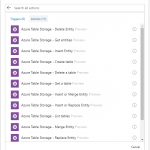
Recently Azure Table Storage Connector has been released in preview.
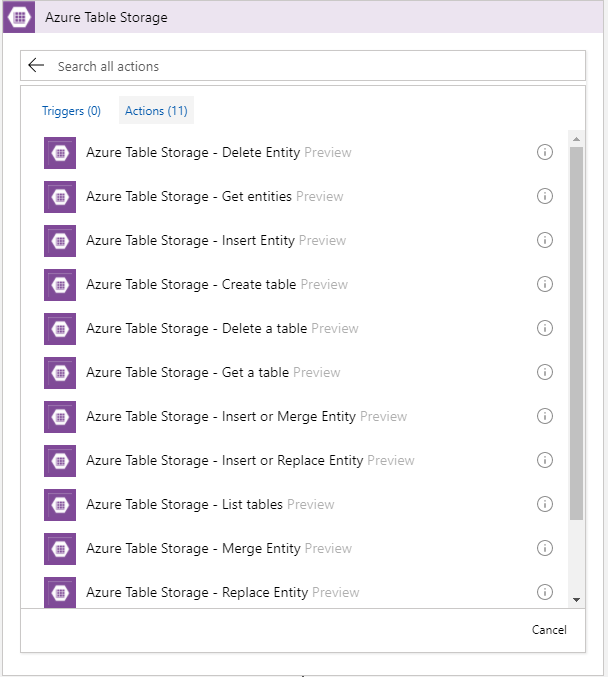
Now, the connector is only available in West Central US. Hopefully soon it will be rolled out to other data centers.
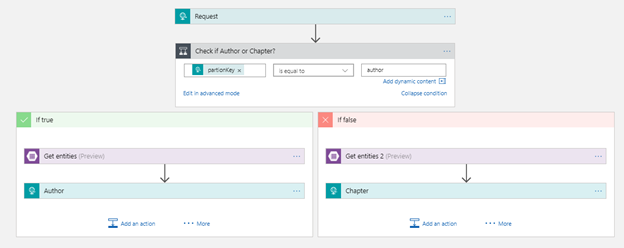
To play around this connector I created this very simple Logic App which pulls an entity from the table storage.
I have a table storage called RobustCloudIntegrationWithAzure as shown below.
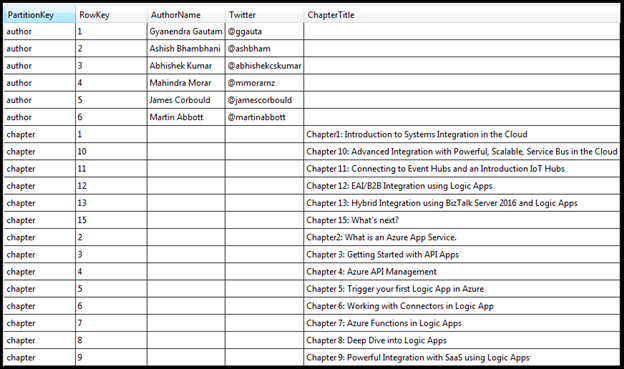
This table basically stores all the authors and chapters name of the book Robust Cloud Integration With Azure.

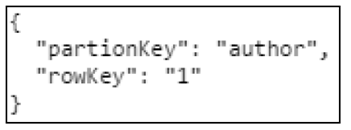
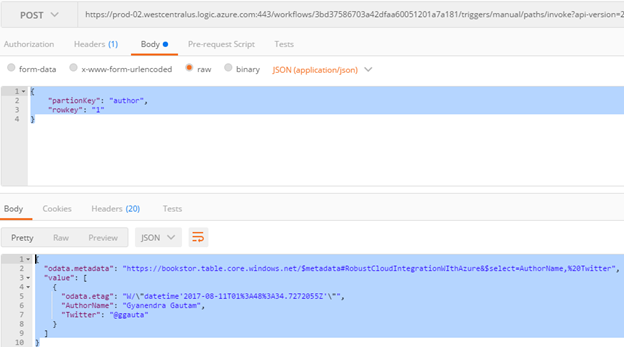
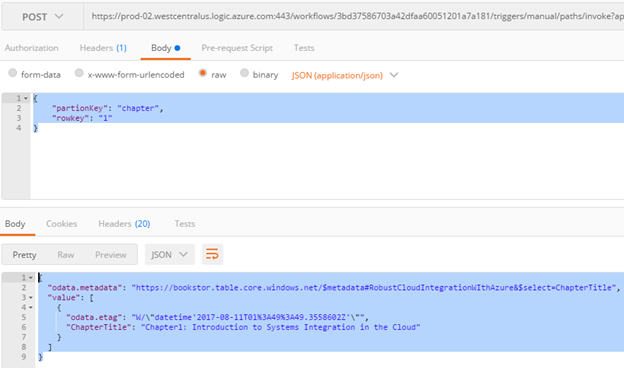
The author or the chapter is the partition key and the sequence number is the row Key. To get any author or chapter details, you need to pass partition key and the row key to the logic app
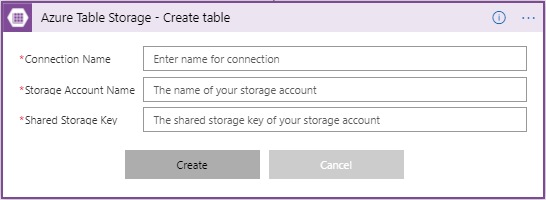
First you need to make a connection to the Azure Storage table, by providing the Storage Account Name with Shared Storage Key. You also need to give a name to your connection.
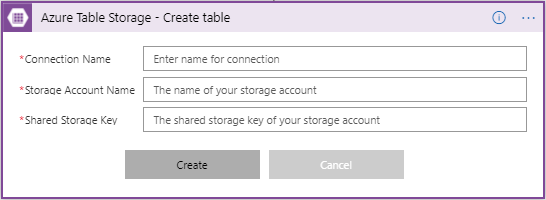
Once you have made the connection successfully, you can use any action of CRUD operation. In this case I am using Get Entities which is basically a select operation.
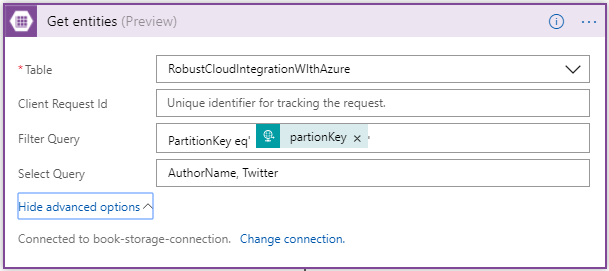
Once you have selected the table, you have option to user Filter and Select OData query. In the Filter Query I have condition to check for partionKey which is coming from input request. In the Select Query, you can choose the columns of the table to display.
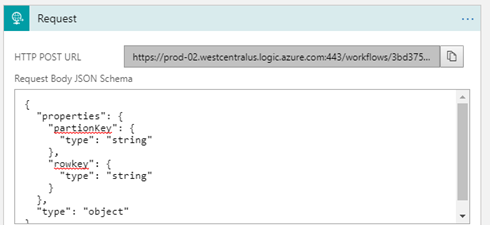
So, this logic app receives an request with the partionKey and rowKey as inputs.
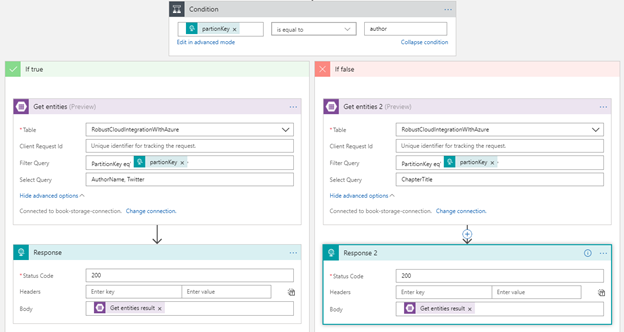
Then it checks the value of partitionKey. If a partitionkey is equal to the author, Author action would be executed, else Chapter action. Depending on the partitionkey, either author or chapter details will be sent out as the response from the Logic App workflow
Here are the sample request and response using Postman.
Author
Chapter
Conclusion
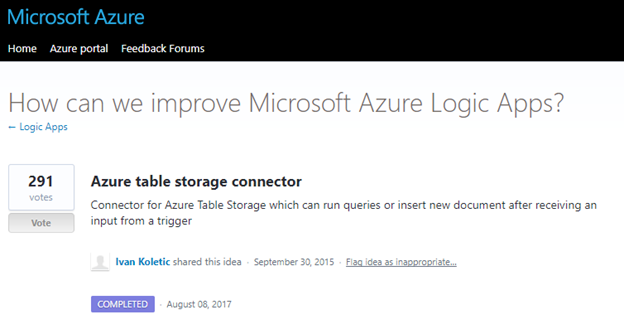
Azure Table Storage Connector was one of the most voted request to Logic App team and now it’s available to use.
by Gautam | Aug 6, 2017 | BizTalk Community Blogs via Syndication
Do you feel difficult to keep up to date on all the frequent updates and announcements in the Microsoft Integration platform?
Integration weekly update can be your solution. It’s a weekly update on the topics related to Integration – enterprise integration, robust & scalable messaging capabilities and Citizen Integration capabilities empowered by Microsoft platform to deliver value to the business.
If you want to receive these updates weekly, then don’t forget to Subscribe!
On-Premise Integration:
Cloud and Hybrid Integration:
Feedback
Hope this would be helpful. Please feel free to let me know your feedback on this Integration weekly series.
by Gautam | Aug 5, 2017 | BizTalk Community Blogs via Syndication
In this post, I will show you how to get started and build an EAI solution using Enterprise Integration Pack in Logic Apps. You can also refer my last blog post for Enterprise Integration Pack overview.
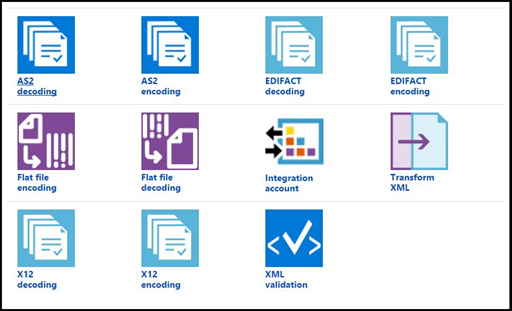
To build the EAI solution, we can use pre-built connectors to establish connection with different business applications.
Integration Account Connector
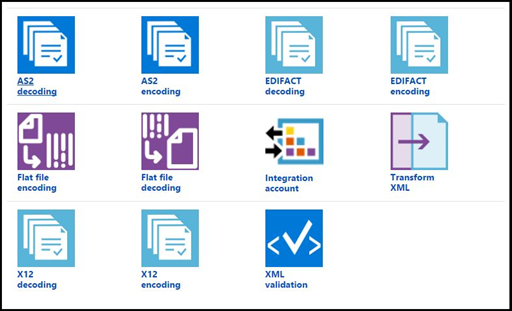
Here are the basic steps required to build an enterprise workflow in Logic Apps as described in Azure documentation.

- Add schema, maps, certificates, partners and agreement to the integration account for the EAI/B2B solution
- Create a logic app and link the logic app to the integration account
- Now build the enterprise workflow in Logic App using the artifacts stored in the integration account.
We will begin with very simple scenario, to convert a flat file order message to XML message and insert the records in a SQL table.

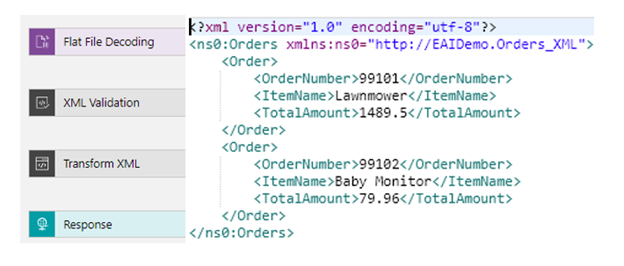
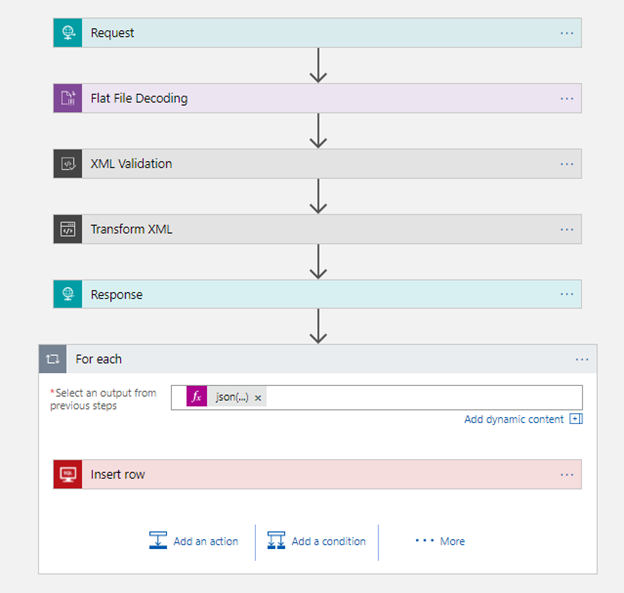
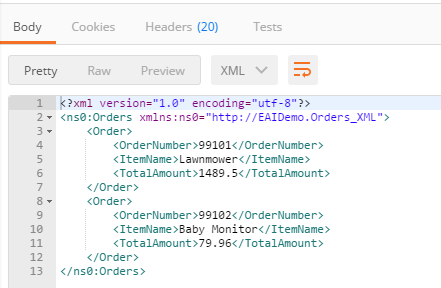
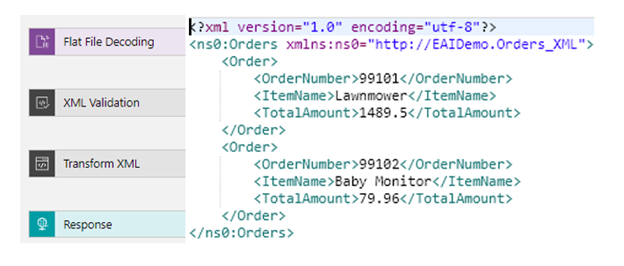
The workflow would use the Flat File Decoding, XML Validation, and Transform XML to produce the XML response with TotalAmount for each order as shown here:
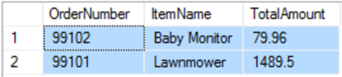
Workflow would then iterate through each order record and insert the order to the table HighOrder in Azure SQL.
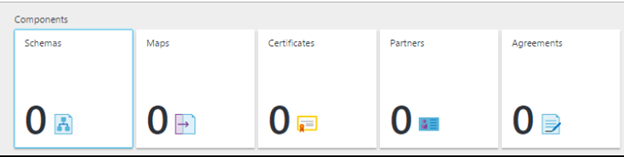
Create an Integration Account in the Azure portal
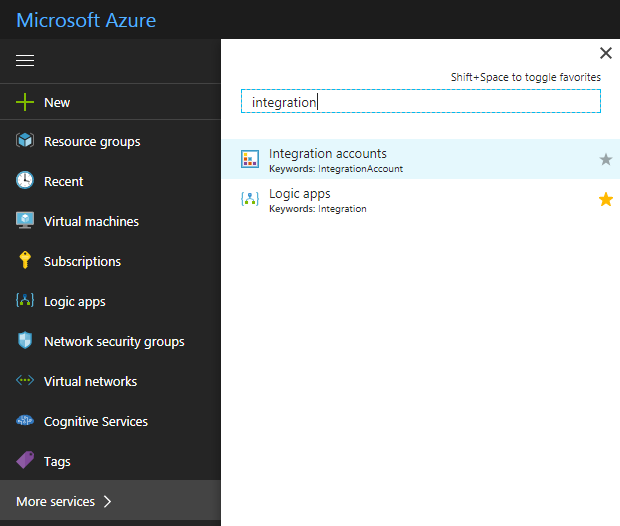
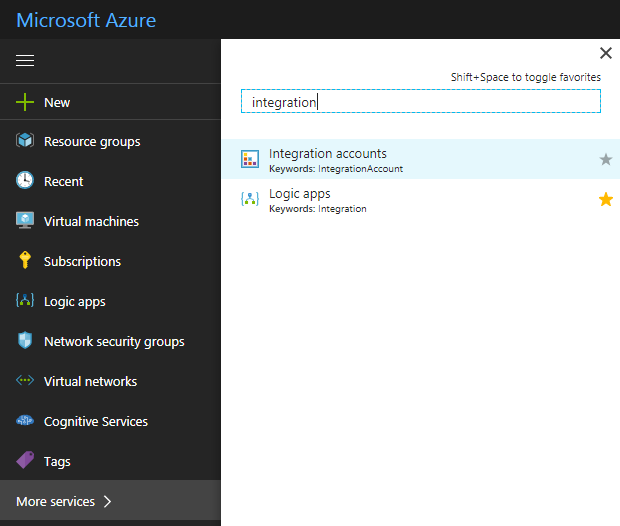
Log in to Azure portal and search for integration account.
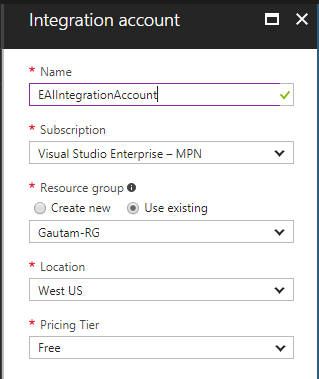
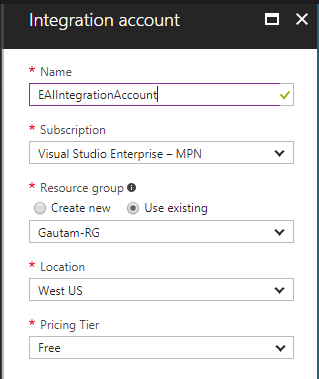
Now enter the Name for the integration account and select the Subscription, Resource group, and Location, as shown here. Click on the Create button.
Create schema and maps
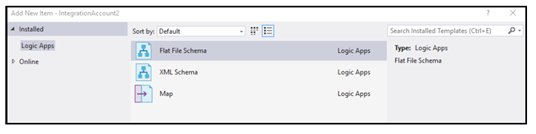
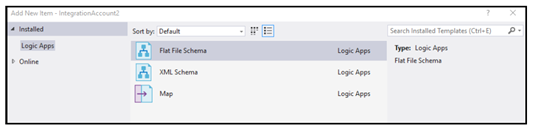
The next step would be to create schemas and maps for our solution and add them to integration account. We need to use an Enterprise Integration Tool, which is really just Visual Studio extensions that give you the BizTalk schema editor and mapper in Visual Studio 2015.
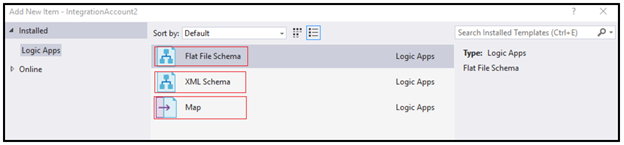
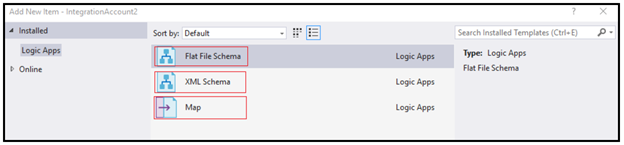
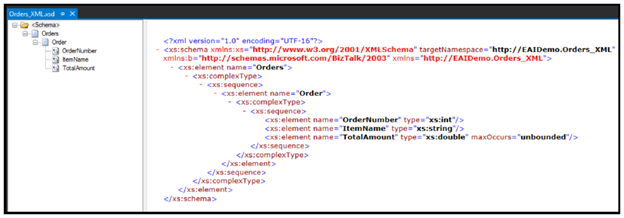
You need to use IntegrationFFSchema, IntegrationSchema, and IntegrationMap in Visual Studio 2015 to create enterprise-class schemas defining an order–one Flat File Schema, one XML schema, and a map converting one format to another.
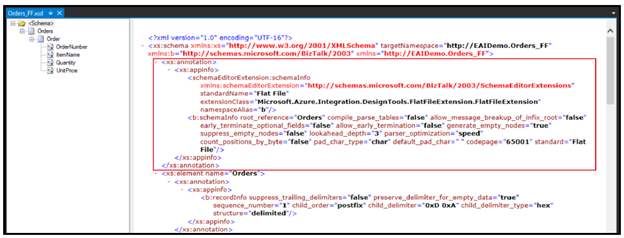
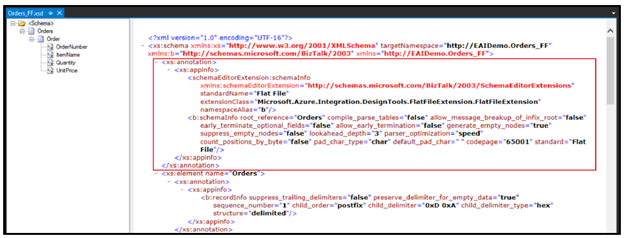
You would use Logic App Flat File Schema Wizard to develop the Flat File Schema.
IntegrationFFSchema: Orders_FF
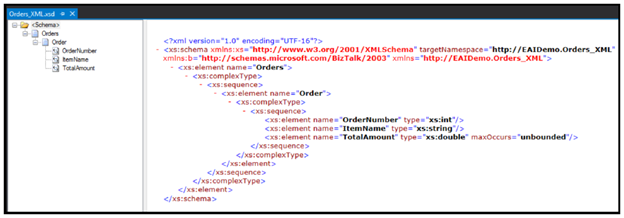
IntegrationSchema: Orders_XML
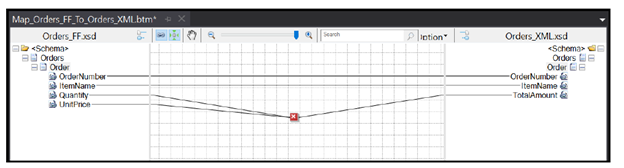
IntegrationMap: Map_Orders_FF_To_Orders_XML
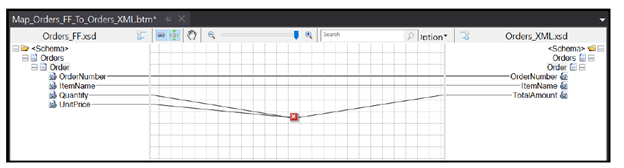
The map is very simple. It just multiplies Quantity and ItemName in the inbound message into the TotalAmount outbound field in the XML schema. The mapper includes the Functoids for basic calculations, logical conditions, and string manipulation.
Add schema, maps the integration account
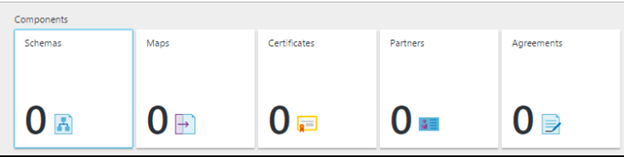
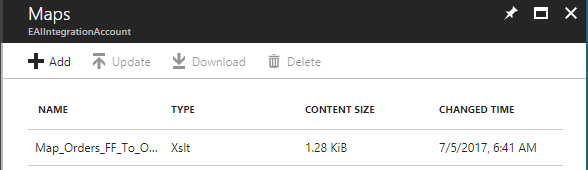
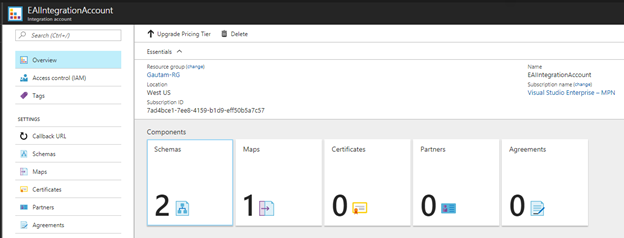
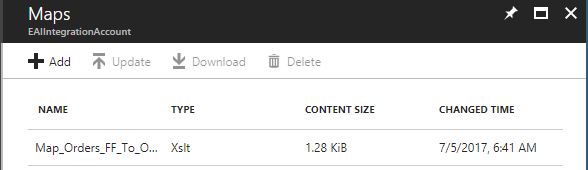
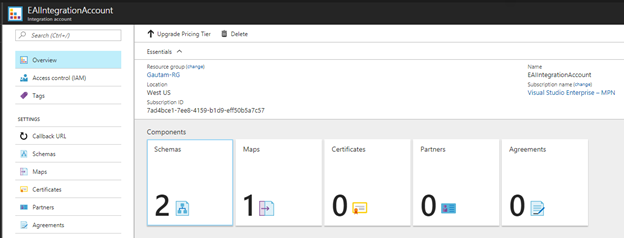
Now we need to upload the schemas and map to integration account so that we can use them in Logic Apps. Integration account does not take the DLLs, so we need to upload the raw XSD and XSLT maps.
Create a Logic App and link the logic app to the integration account
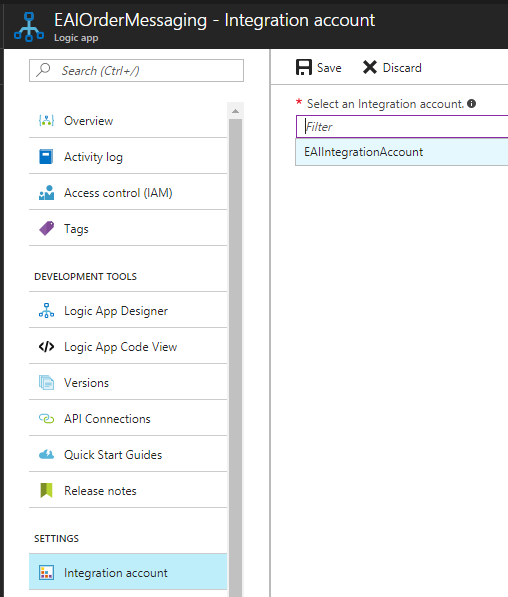
The next step is to create a Logic App and link the Logic App to the integration account. I have created a Logic App – EAIOrderMessaging.
To link it to the integration account, SampleIntegrationAccount, under Settings section of Logic App, click on Integration Account.
Build the enterprise workflow in Logic App using the artifacts stored in the integration account.
Now we can go back to Logic App and start using the integration account artifacts there.
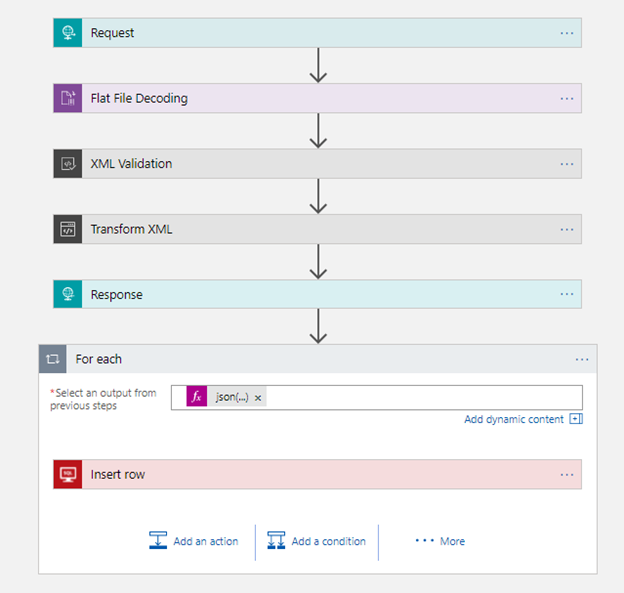
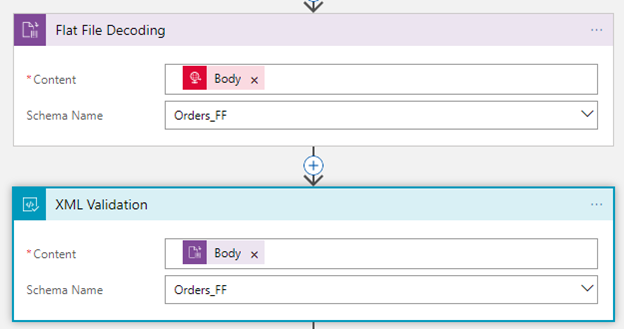
Select the Order_FF in Flat File Decoding and XML Validation actions respectively, as shown here:
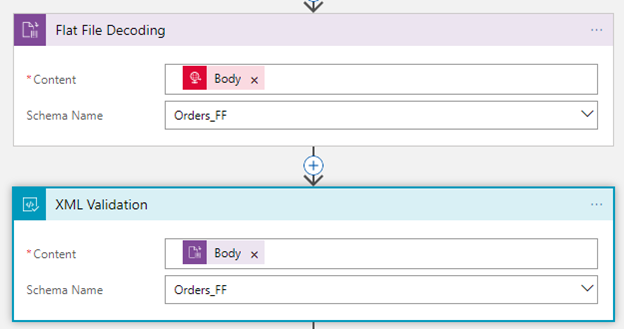
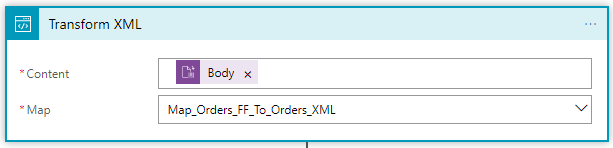
Once comma-separated order payload is decoded and validated, the next step would be to transform the order message using Transform XML action, as shown here:
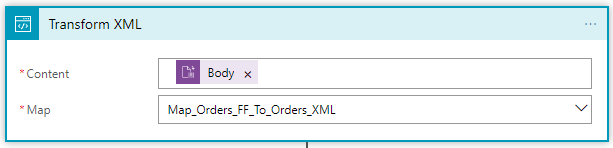
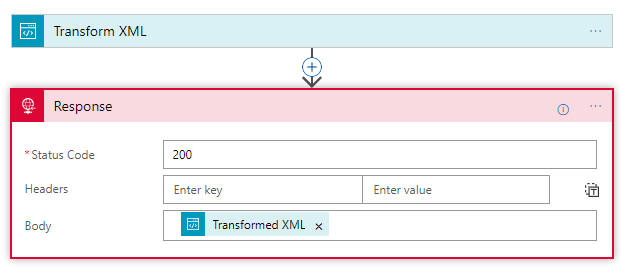
To get the XML response from the map, we are using the Response action, as follows:
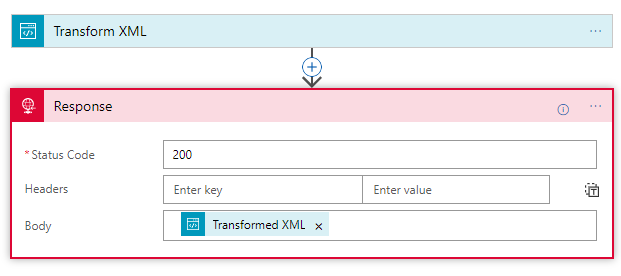
Now save the Logic App to create the URL endpoint in the Request trigger, as follows:

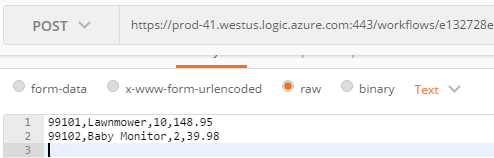
Copy the complete URL by clicking on the copy button as shown in the preceding screenshot. Now we can use this URL to test the workflow using the Postman application.
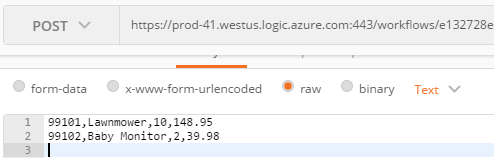
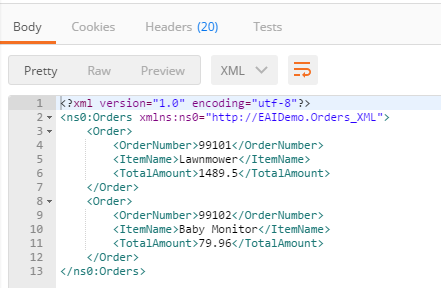
So, here is complete end-to-end workflow which takes in a flat file, validates the flat file using the Flat File Schema, uses a built-in check to see that it’s a decoded flat file, executes maps, and finally returns the XML response back.
This Logic App workflow now can be extended in various way. For example, instead of HTTP Request trigger, we can use FILE or FTP trigger, and the final XML response can be pushed to the Service Bus topic so that it can be subscribed by the on-premise line of business systems or any other downstream system.
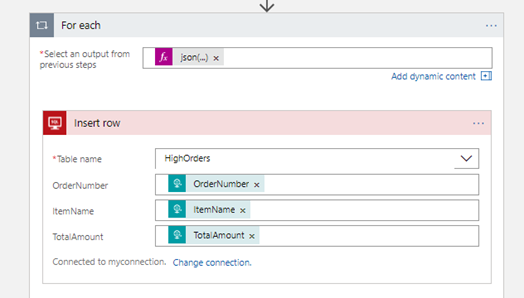
In our scenario, this workflow is inserting the order records in the Azure SQL table using SQL connector as shown below
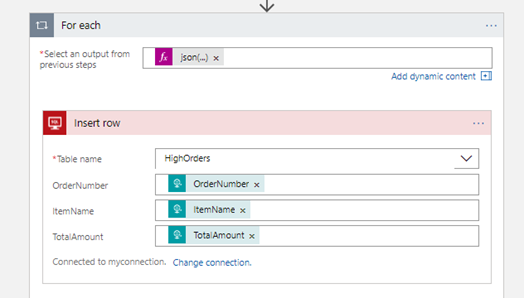
json(xml(body(‘Transform_XML’)))?[‘ns0:Orders’]?[‘Order’]
XML response of Transform XML action is being converted into JSON and then workflow is iterating through each order record and passing the values to Azure connector.
Summary
In this post we saw how to develop and EAI messaging scenario from the scratch by creating schemas and maps using visual studio and then uploading them to integration account and using them in Logic App work flow in integration account connectors.