In our Integration projects, especially nowadays on Azure Integration Services, sometimes we have the need to work with Base64 strings format. This is very common in some connectors inside Logic App, where the request or response is in Base64, like the Service Bus or the HTTP. And when we need to debug or troubleshoot our solution or business process, we need to understand what is the request and response payload. That means that we need most of the time to decode the Base64 string.
And I know what you guys are thinking… I also was thinking that way! Why do you need a Windows tool if we have plenty of online tools like https://www.base64decode.org/ that can easily do the job simply and fashionably?
And my straightforward and honest answer is privacy/security! The problem with using these online tools is that we never know behind the scenes what they are doing. Are you sure that they are not keeping logs of the inputs we provide and the result outputs? That is the magic question because we often have sensitive (private) information on those Base64 strings, like a connection string or usernames and passwords. And we need to be careful about where we put this information.
I have an amazing Ethical hacking friend, Nino Crudele, and every time I speak with him about security, I’m always more suspicious about how to use specific tools available on the web or, in general, how to secure my personal stuff and my solutions. And even speaking with Michael Stephenson, something that we try to do regularly, we share these concerns, and it was Michael that raised my suspicions about the decode online tools. Since that talk, I have stopped using them and decided to create my personal tool.
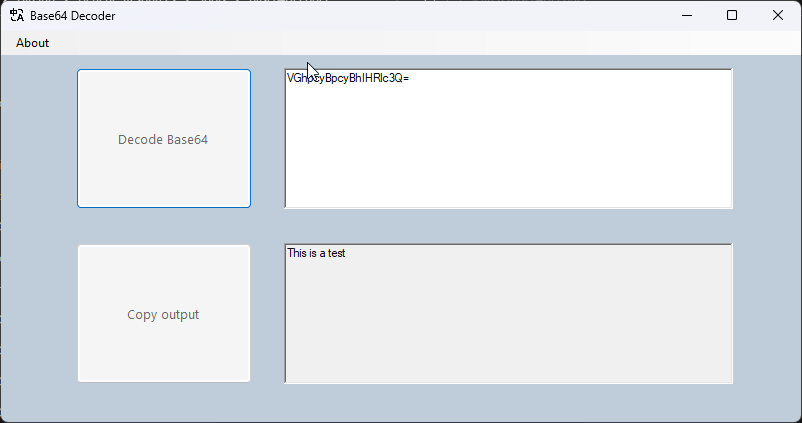
Base64 Decode Windows tool
This is a very simple Windows tool that allows you to decode your data. This is a handy tool if you have to deal with Base64 format.
To not raise the same suspicions about this tool, the source code is available on GitHub!
Download
Hope you find this useful! So, if you liked the content or found it useful and want to help me write more content, you can buy (or help buy) my son a Star Wars Lego!
Credits
Luis Rigueira | Member of my team and one of the people responsible for developing this tool.
Author: Sandro Pereira
Sandro Pereira lives in Portugal and works as a consultant at DevScope. In the past years, he has been working on implementing Integration scenarios both on-premises and cloud for various clients, each with different scenarios from a technical point of view, size, and criticality, using Microsoft Azure, Microsoft BizTalk Server and different technologies like AS2, EDI, RosettaNet, SAP, TIBCO etc.
He is a regular blogger, international speaker, and technical reviewer of several BizTalk books all focused on Integration. He is also the author of the book “BizTalk Mapping Patterns & Best Practices”. He has been awarded MVP since 2011 for his contributions to the integration community.
View all posts by Sandro Pereira
And once again, the Logic App team wants to listen to our feedback! And this time, on the topic we all developers or consultants were anxiously waiting for, specially BizYalk Server developers: XML Support in Logic Apps!
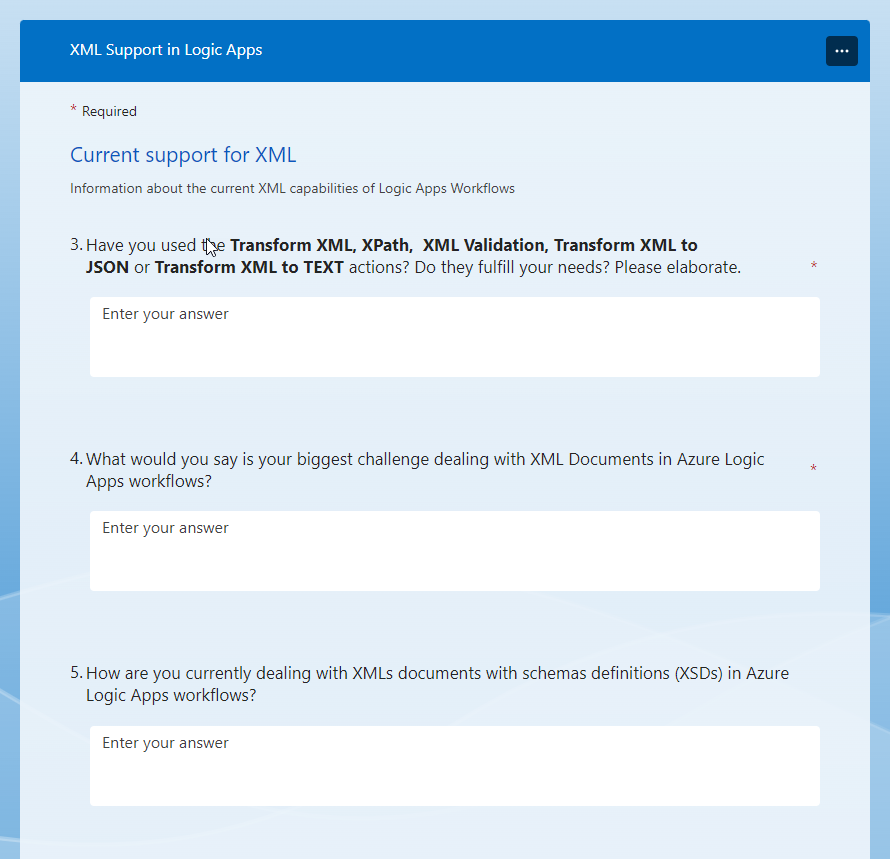
XML Support in Logic Apps Survey
With this new survey, the Logic App team seeks feedback on how you guys want to have or imagine having XML Support inside Logic Apps. They want to learn about your needs and feedback on the current Logic Apps workflows support for XML and to provide us information about potential scenarios that you want to see covered around XML and SOAP:
What industry do you work in?
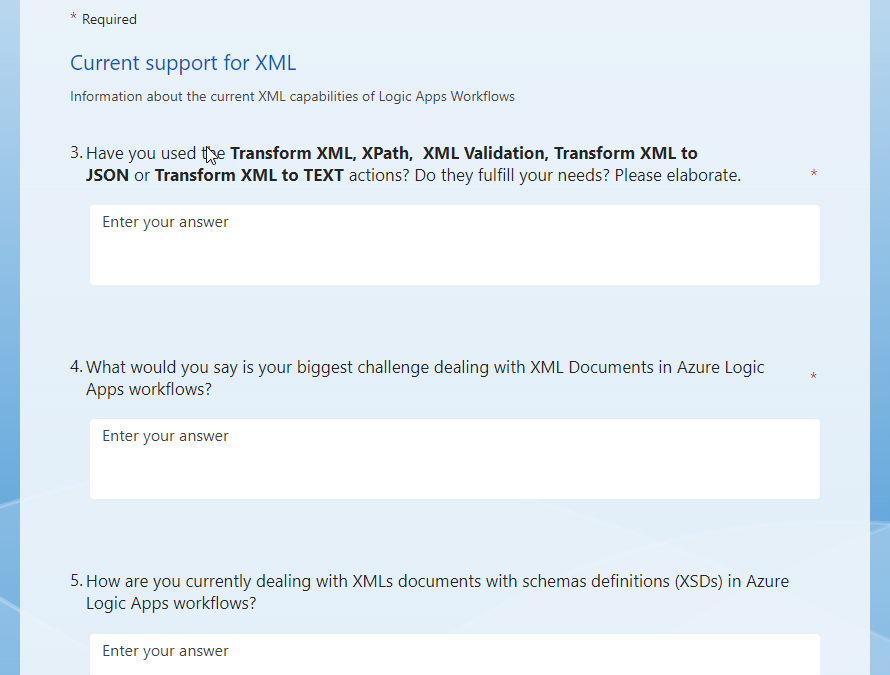
Information about the current XML capabilities of Logic Apps Workflows
Have you used Transform XML, XPath, XML Validation, Transform XML to JSON, or Transform XML to TEXT actions? Do they fulfill your needs?
What is your biggest challenge in dealing with XML Documents in Azure Logic Apps workflows?
How are you currently dealing with XMLs documents with schemas definitions (XSDs) in Azure Logic Apps workflows?
Are you currently converting SOAP to REST services or calling SOAP services from Logic Apps? If so, what procedure do you follow?
Are you familiar with the HTTP connector? Does it address your needs?
Are you familiar with the Custom Connector experience that supports SOAP? Does it address your needs?
How are you retrieving individual data elements from an XML document and then using that value in an action?
Are you migrating schemas from BizTalk or other products to Azure Logic Apps?
(For Consumption Only) How would you rate the XML capabilities of the Enterprise Integration Pack?
Please Rank the areas you feel Azure Logic Apps should include XML native support.
THIS IS YOUR OPPORTUNITY! Don’t complain that the developing experience is not that good or you missing XML capabilities inside Logic App in the future if you don’t fill out this form. The survey does not take long to respond to, and this is your opportunity to try to change and influence the next set of features.
I did my part!
Please fill out the following survey to help Azure Logic Apps:
On a final note, congratulations to the Logic App team for being so engaged with the community over the last few months! Keep this engagement active, and please continue to do a great job!
Author: Sandro Pereira
Sandro Pereira lives in Portugal and works as a consultant at DevScope. In the past years, he has been working on implementing Integration scenarios both on-premises and cloud for various clients, each with different scenarios from a technical point of view, size, and criticality, using Microsoft Azure, Microsoft BizTalk Server and different technologies like AS2, EDI, RosettaNet, SAP, TIBCO etc.
He is a regular blogger, international speaker, and technical reviewer of several BizTalk books all focused on Integration. He is also the author of the book “BizTalk Mapping Patterns & Best Practices”. He has been awarded MVP since 2011 for his contributions to the integration community.
View all posts by Sandro Pereira
Yesterday while troubleshooting a BizTalk Server developer environment at a client, I encountered an unusual error while trying to configure the BizTalk Server Backup job:
Could not find server ‘server name’ in sys.servers.
Based on the error description, and by the fact that I was trying to run a SQL Server job, I knew that the error should be on the SQL Server side, some incorrect configurations,
Cause
Why this problem start to happen is unclear to me, and at the time I didn’t have all the information available to understand that. However, after investigating a little this error type I realize that we can execute a SQL query to check out what is your linked server:
select * from sys.servers
Or
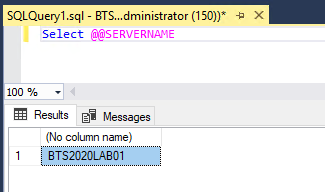
Select @@SERVERNAME
The problem was that once I run these scripts, I realize the server name was not the expected one, it was incorrect! For example:
I was expecting BTS2020LAB01.
But instead, I was seeing VMIMAGE01.
And that was causing the failure on the Backup job and other BizTalk server jobs.
Solution
To solve this issue we need to fix that server name and for that, we can apply the following SQL script:
sp_dropserver 'VMIMAGE01'
GO
sp_addserver  'BTS2020LAB01',local
GO
After applying this script, make sure you restart the SQL Server service.
Once you have done these steps, you can successfully start your BizTalk Backup job.
Author: Sandro Pereira
Sandro Pereira lives in Portugal and works as a consultant at DevScope. In the past years, he has been working on implementing Integration scenarios both on-premises and cloud for various clients, each with different scenarios from a technical point of view, size, and criticality, using Microsoft Azure, Microsoft BizTalk Server and different technologies like AS2, EDI, RosettaNet, SAP, TIBCO etc.
He is a regular blogger, international speaker, and technical reviewer of several BizTalk books all focused on Integration. He is also the author of the book “BizTalk Mapping Patterns & Best Practices”. He has been awarded MVP since 2011 for his contributions to the integration community.
View all posts by Sandro Pereira
If you come from BizTalk and have an integration background like me, you may remember that we had a Loopback Adapter in BizTalk Server.
The Loopback adapter is a two-way send adapter that, in essence, returns a copy of the outbound message back to the caller, in most cases, an orchestration. This capability can be used in several situations or scenarios:
One is to replace the need to call pipelines inside an orchestration. Calling pipelines inside orchestrations is a good option, but it complicates the logic of the orchestrations with loops and expressions. You’ll also end up repeating the “code” for each message type/orchestration.
Or have a way to invoke a party/agreement to get more details in the message.
Using Loopback adapter to subscribe NACKs off Web Services.
And so on.
However, while trying different implementation strategies using Azure Integration Services, I realize that the use of a Loopback API is also very handy.
Are you wondering where you can use this component or strategy?
In many different ways like:
If we need to do a liquid transformation inside Logic App Consumption, we need to have an Integration Account, which is expensive. Instead, we can expose an operation in API Management to perform a liquid transformation. For that, you will need the Loopback API.
Throwing an exception inside Logic Apps. There are many ways to archive these capabilities. One of the options is again exposing an operation in API Management to throw back the exception. For that, you will need the Loopback API.
And so on.
Soon I’m going to publish some of these implementation strategies.
For now, I leave you the Loopback API code for you to try and provide feedback.
Loopback API Azure Function
The Loopback API is simply an Azure Function that, in its essence, returns a copy of the inbound message/request back to the caller. We can say that this Azure Function mimics the Echo API, which comes by default in the API Management,
You can download the complete code for the function from GitHub. The link is below at the bottom of the blog post. Here is a small code snippet:
        public static async Task Run(
            [HttpTrigger(AuthorizationLevel.Function, "post", Route = null)] HttpRequest req,
            ILogger log)
        {
            log.LogInformation("C# HTTP trigger function processed a request.");

            string requestBody = await new StreamReader(req.Body).ReadToEndAsync();
            //dynamic data = JsonConvert.DeserializeObject(requestBody);

            string contentType = req.Headers["Content-Type"];

            return new ContentResult { Content = requestBody, ContentType = req.Headers["Content-Type"] };
Where can I download it
You can download the complete Azure Function source code here:
Once again, thank my team member Luis Rigueira for testing these concepts with me!
Hope you find this helpful! So, if you liked the content or found it helpful and want to help me write more content, you can buy (or help buy) my son a Star Wars Lego!
Author: Sandro Pereira
Sandro Pereira lives in Portugal and works as a consultant at DevScope. In the past years, he has been working on implementing Integration scenarios both on-premises and cloud for various clients, each with different scenarios from a technical point of view, size, and criticality, using Microsoft Azure, Microsoft BizTalk Server and different technologies like AS2, EDI, RosettaNet, SAP, TIBCO etc.
He is a regular blogger, international speaker, and technical reviewer of several BizTalk books all focused on Integration. He is also the author of the book “BizTalk Mapping Patterns & Best Practices”. He has been awarded MVP since 2011 for his contributions to the integration community.
View all posts by Sandro Pereira
I have often been writing about how to handle exceptions and get the correct and detailed error message describing in an easy and clean matter the failures in our processes:
And the reason why that happens is that we need to accept the fact that at a certain point in time, our process will fail. Or by the fact we did some updates that weren’t tested properly, an external system is down or in intervention, or by issues in Microsoft infrastructure, and so many other reasons. But when that happens, one thing is clear: we want to get the exact error message describing why it failed. But, of course, we can always go to the Logic Apps run history – except if it is a Stateless workflow on Standard – to check where and why it failed. And obviously, we will have all the information necessary to solve the problem. However, most of the time, if not always, we want to log the error in some place like Application Insights, SQL Database, Event Hubs, and so on in an automated way without human intervention. To accomplish that, we need to access this error message in runtime.
By default, Logic App allows handling errors using the Configure run after settings at a per action level. For more complex scenarios, it can be done by setting up Scope action and implementing try-catch/try-catch-finally statements. However, getting a detailed error message can be a bit challenging inside Logic App, and you will find different approaches to implement the same capabilities, each of them with advantages and disadvantages.
In this whitepaper, we will be addressing some of the possible ways to address these needs but also addressing some of the following questions:
How can I implement error handling?
This is an important question and topic because, without proper error handling, we will not be able to send in an automated way access the error message instead, our workflow will finish in that action with a failure state.
What out-of-the-box features do I have to capture and access the error details?
How can I improve these default features in a no-code, low-code way and in a code-first approach?
Where can I download it
You can download the whitepaper here:
Author: Sandro Pereira
Sandro Pereira lives in Portugal and works as a consultant at DevScope. In the past years, he has been working on implementing Integration scenarios both on-premises and cloud for various clients, each with different scenarios from a technical point of view, size, and criticality, using Microsoft Azure, Microsoft BizTalk Server and different technologies like AS2, EDI, RosettaNet, SAP, TIBCO etc.
He is a regular blogger, international speaker, and technical reviewer of several BizTalk books all focused on Integration. He is also the author of the book “BizTalk Mapping Patterns & Best Practices”. He has been awarded MVP since 2011 for his contributions to the integration community.
View all posts by Sandro Pereira