by community-syndication | Jan 8, 2013 | BizTalk Community Blogs via Syndication
I’ve seen this happen a couple of times. Where security is not enforced good enough. So I wanted to dedicate a blog post to talk more about this. In most enterprise companies security is important and get a lot of focus. However BizTalk is often left to itself since the structure around it may be […]
Blog Post by: Tord Glad Nordahl

by community-syndication | Jan 8, 2013 | BizTalk Community Blogs via Syndication
One of the cool new features of the Workflow Foundation in the .Net framework 4.5 is the annotations. This gives you the option to at nice comments to your workflows.
In the designer you just have to right click your activity and choose the annotations menu item to add, edit or delete annotations.
If you upgrade your Visual Studio project from Visual Studio 2010 you can’t see these menu options. The problem is that the upgrade wizard doesn’t change the target framework, so if you go into properties window of your project and change the Target framework to .Net Framework 4.5 or newer, then you will have the option to add annotations to your workflow.
Random posts:
Help me, help you. You know how 😉 (click, click, click…) Or buy anything at Amazon. You get the same price, and I get a little bit of money.

by community-syndication | Jan 7, 2013 | BizTalk Community Blogs via Syndication
Scareware, a type of malware that mimics antimalware software, has been around for a decade and shows no sign of going away. The goal of scareware is to fool a user into thinking that their computer is heavily infected with malware and the most convenient…(read more)
Blog Post by: Mark Russinovich
by community-syndication | Jan 7, 2013 | BizTalk Community Blogs via Syndication
Most of you are aware of the BizTalk Summit 2013, London event on 16th January. The event was originally called as BizTalk Innovation Day, but after Microsoft BizTalk product group involvement, it’s been renamed to BizTalk Summit 2013, London as part of the European repeat of the recent BizTalk Summit 2012, held at Microsoft Campus […]
The post BizTalk Summit 2013 – London, Additional seats available appeared first on BizTalk360 Blog.
Blog Post by: Saravana Kumar
by community-syndication | Jan 7, 2013 | BizTalk Community Blogs via Syndication
I tried to install the Cumulative update package 14 for SQL Server 2008 R2.
After requesting the update on http://support.microsoft.com/kb/2703280, I got an email containing a link to download the file 449383_intl_x64_zip.exe. After downloading the file an trying to run the self extracting zip file, I got following error:
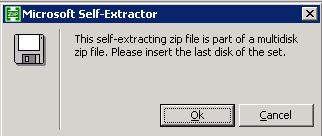
This self-extracting zip file is part of a multidisk zip file. Please insert the last disk of the set.
There is no other option than pressing the OK-button.And after pressing the OK-button 3 times, I got following error message:
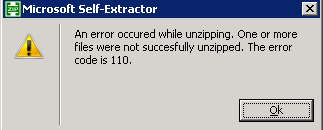
An error occured while unzipping. One or more files were not succesfully unzipped. The error code is 110.
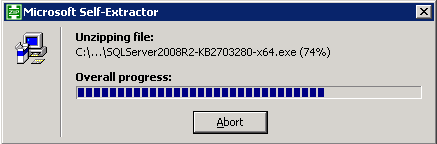
The solution for this seemed to be to just download the file from the given link in my email again.
After this I could succesfully run the self-extracting zip file an install my cumulative update package.
by community-syndication | Jan 5, 2013 | BizTalk Community Blogs via Syndication
I was configuring a new Development environment that consisted of a BizTalk Application Server and a Remote SQL Server. The BizTalk Installation went smoothly but the Configuration did not. I tend to configure SSO service on its own as it can be problematic. There is no point in configuring the remaining databases until a person knows that the SSO database is created successfully. Otherwise, there will be a lot of wasted key strokes.
In this particular case I was able to configure the SSODB but as soon as I would try to configure the Group and Runtime, the System.EnterpriseServices.Transaction Proxy exception started to surface.
If you perform a Google/Bing search for ‘System.EnterpriseServices.TransactionProxyException’ you will probably get quite a few results. Most of the results will point you in the direction of a MSDTC not being enabled or configured correctly.
In my case MSDTC was configured correctly based upon Microsoft’s recommendations. I was a little puzzled at this point but in some of the support forums people were discussing the DTC Tester tool. Having been through a lot of frustration and a few failed attempts at trying to configure the Group and Runtime features I figured I would give it a try. I am glad I did.
The purpose of DTC Tester is to enlist a remote transaction against the Temp Database which is hosted in SQL Server. If you are able to successfully enlist and commit this transaction then there is a very high probability that your BizTalk configuration (as it relates to MSDTC) will be successful.
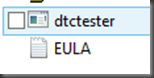
The tool is available here. Download it and run the self extracting executable. At this point we will discover a ’dtctester’ executable and an End User License Agreement.
The dtctester executable needs to be run from a command prompt but requires an ODBC connection is configured before we can run the tool. The ODBC connection should be pointed at the Database Instance where we want our BizTalk Databases to be created.
ODBC connections can be created via the Control Panel and a System DSN will work.
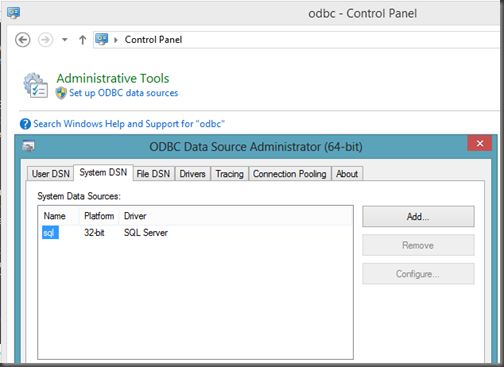
From a command prompt we can now run the tool. When I ran it for the first time I encountered errors (highlighted in red)
C:\Downloads>dtctester <ODBCConnectionName> <UserName> <Password>
Executed: dtctester
DSN: <ODBCConnectionName>
User Name: <UserName>
Password: <Password>
tablename= #dtc7063
Creating Temp Table for Testing: #dtc7063
Warning: No Columns in Result Set From Executing: ‘create table #dtc7063 (ival int)’
Initializing DTC
Beginning DTC Transaction
Enlisting Connection in Transaction
Error:
SQLSTATE=25S12,Native error=-2147168242,msg='[Microsoft][ODBC SQL Server Driver]
Distributed transaction error’
Error:
SQLSTATE=24000,Native error=0,msg=[Microsoft][ODBC SQL Server Driver]Invalid cur
sor state
Typical Errors in DTC Output When
a. Firewall Has Ports Closed
-OR-
b. Bad WINS/DNS entries
-OR-
c. Misconfigured network
-OR-
d. Misconfigured SQL Server machine that has multiple netcards.
Aborting DTC Transaction
Releasing DTC Interface Pointers
Successfully Released pTransaction Pointer.
In my situation the issue ended up being the Windows Firewall on the BizTalk Server was not allowing Outbound DTC connections which was blocking MSDTC from participating in Transactions with SQL Server. You can modify the MSDTC Firewall rules in the Control Panel.
After allowing MSDTC to communicate through the firewall I re-ran the dtctester tool and had success.
C:\Downloads>dtctester <ODBCConnectionName> <UserName> <Password>
Executed: dtctester
DSN: <ODBCConnectionName>
User Name: <UserName>
Password: <Password>
tablename= #dtc9418
Creating Temp Table for Testing: #dtc9418
Warning: No Columns in Result Set From Executing: ‘create table #dtc9418 (ival int)’
Initializing DTC
Beginning DTC Transaction
Enlisting Connection in Transaction
Executing SQL Statement in DTC Transaction
Inserting into Temp…insert into #dtc9418 values (1)
Warning: No Columns in Result Set From Executing: ‘insert into #dtc9418 values (
1) ‘
Verifying Insert into Temp…select * from #dtc9418 (should be 1): 1
Press enter to commit transaction.
Commiting DTC Transaction
Releasing DTC Interface Pointers
Successfully Released pTransaction Pointer.
Disconnecting from Database and Cleaning up Handles
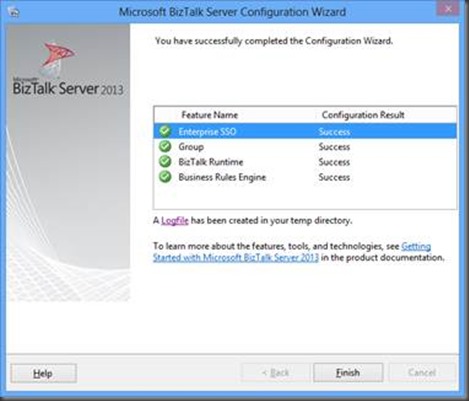
After completing this successful test with the dtctester tool I could successfully configure my BizTalk Group and Runtime.
by community-syndication | Jan 4, 2013 | BizTalk Community Blogs via Syndication
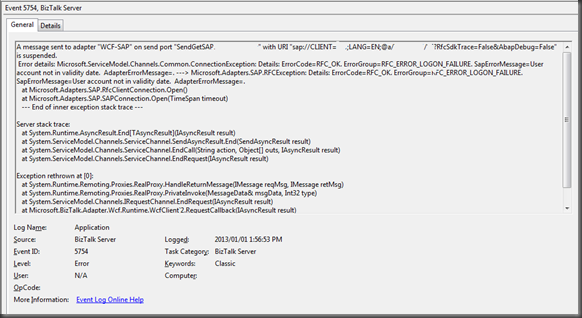
Recently, I have been working with a new organization and have been been building some interfaces that communicate with SAP. Over the Christmas break I continued to work on some of these interfaces. On December 31 my interfaces were working just fine. But, on January 1st, I made a few changes and then ran my BizUnit regression tests just to make sure everything was ok. To my surprise, my tests were failing and the issue was related to the following error.
It just seemed like too much of a co-incidence that the errors started occurring on the first day of the new year. My gut told me that my account must have expired. At my previous organization the SAP-BizTalk system accounts never expired but they do at this one(which is probably not a bad thing). The resolution in this case was for the SAP Basis team to update the validity date for the account. Once this attribute was updated I could re-connect to SAP through my interfaces. I have no idea why the SAP error message doesn’t just say “your account has expired”.
by community-syndication | Jan 4, 2013 | BizTalk Community Blogs via Syndication
The year 2013 will start with two events where I will be speaking. First, on January 16nd I’ll be in London during the BizTalk Summit 2013 hosted by Microsoft UK in their headquarters. It is organized by fellow Microsoft Integration MVP Saravana Kumar (BizTalk360) and Microsoft UK. Saravana and I will be joined on stage by Microsoft Integration MVP’s Tord Nordahl, Sandro Pereira and Nino Crudele. My session will be on the new adapters in BizTalk Server 2013. In this session I will focus on adapters that can be used for integration with cloud services and applications. These adapters are the WCF-BasicHttpRelay, WCF-NetTcpRelay, SB-Messaging and WCF-HttpWeb. In this session there will be 5 demo’s on to how to use these adapters.
Next on the 22nd of January I will be at an event hosted by middleware service provider ESTREME. There will be joined on stage by fellow Microsoft Integration MVP Saravana Kumar, Richard Seroter, who’s touring the Netherlands and Sweden, and Derk Shutte. I will be presenting on BizTalk Best Practices. It will be interesting to talk about best practices from an operational and development view. During my talk I hope on some good discussion with the audience around the best practices for BizTalk.
Both events will be great fun and I like to thank Tim Jonker, Bert van Ark, and Mark van der Harst from ESTREME for organizing the event, Mikael Hakansson getting Richard to Europe and Saravana for organizing the event in London!

by community-syndication | Jan 4, 2013 | BizTalk Community Blogs via Syndication
In a couple weeks, I’m off to Amsterdam and Gothenburg to speak at a pair of events. First, on January 22nd I’ll be in Amsterdam at an event hosted by middleware service provider ESTREME. There will be a handful of speakers, and I’ll be presenting on the Patterns of Cloud Integration. It should be a […]
Blog Post by: Richard Seroter
by community-syndication | Jan 4, 2013 | BizTalk Community Blogs via Syndication
When introducting optional records in a Flat File Schema, it’s important to think about the Parser Optimization property. In this blog post you find out how easy it is to allow records to be optional, but how easy you can forget the Parser Optimization property…