by community-syndication | May 30, 2012 | BizTalk Community Blogs via Syndication
So after my first blog post regarding the interview questions, I decided to add one with more advanced questions. I am not going to give out the answers, however if you want to discuss any of the questions please let me know by sending me an email. 1. How can you flag messages and route
Blog Post by: Tord Glad Nordahl

by community-syndication | May 30, 2012 | BizTalk Community Blogs via Syndication
Time to mix it up. I’ve been in enterprise IT for 5+ years, and while I’ve enjoyed it immensely and been fortunate to work at a great company, there are other things that I want to be able to do. So, I’ve decided to quit my job, and accept an offer with Tier 3. I’ll […]
Blog Post by: Richard Seroter
by community-syndication | May 30, 2012 | BizTalk Community Blogs via Syndication
Recently I had a conversation through email with Oliver Hauth, the person who as a BizTalk community member I like to bring to the foreground in this blog post. He has been awarded Microsoft Valuable Professional little over a year ago. I met Oliver in Berlin during the TechEd Europe 2010 and we’ll probably meet again during the upcoming TechEd Europe 2012 in Amsterdam. He is a passionate IT professional, BizTalk forum member and fun guy to hang out with. Here is his story.
Oliver is 32 years old and lives in Germany. He is married and with his wife has a two year old daughter. They are expecting their second child in September. He is the team coordinator and lead architect, responsible for the area of Business Process Integration and Workflow Solutions at MAN Diesel & Turbo SE. His job covers mostly BizTalk Server, SharePoint and Nintex Workflow, SQL Server Reporting Services, SQL Server Integration Services and Forefront Identity Management.
Oliver was introduced to BizTalk Server at MAN Diesel & Turbo SE a few years ago. He started as a lightweight developer, trying to understand the system. From that moment he started focusing more to be a landscape and solution architect for distributed applications and cloud solutions in general. One of his key skills is finding the BizTalk based solution for the more complex scenarios (dynamic routing, property / content based routing , multi-part messages, filter criteria).
Oliver’s view of BizTalk is and I quote:
“The biggest advantage of BizTalk server is the great tooling and monitoring toolkit. It delivers the stable basis we need for our daily work in the enterprise as well as the flexibility to connect to a wide range of systems. With the newer versions and the enhancements of WCF adapters and Azure bindings it integrates much better in the new .NET world and is shows that it’s built to integrate with current cloud solutions. Furthermore it’s fun to develop. When starting with BizTalk you do not really understand how the tool works, but once you’re into it you can impress a lot of people with how quickly and flexible you can build integration processes.”
Oliver spends most of his time with his family; trying to spend at least the evening with his daughter and wife. Besides that he has just started building their new house, which will consume a lot of time during the next 12 months. The remaining (few) hours he normally uses to have a look at new technologies, listen to music (from what he saw at Facebook we have a very similar taste) or play some video games. From time to time Oliver reads a non-technical book (mostly when he’s on holiday).
Oliver started doing some Wing-Tsung with two colleagues. Furthermore he likes watching NFL / Football games if he can find a German TV channel showing these games (not very popular here). He also plans to reactivate his skiing activity in the future – if he can find the time to do so.
Oliver’s final quote:
“Keep reading this blog – Steef-Jan is doing an amazing job. Also keep in mind: BizTalk’s not dead. Have a look at Azure and AppFabric but do not give up BizTalk too early. It’s still one of the strongest tools on the market.
Especially to your German readers: If you use BizTalk please start participating in the community, we need you!”
I like to thank Oliver for his contributions to the BizTalk community and time to have a chat with me.I will probably meet him again in June during TechEd Europe.
by community-syndication | May 29, 2012 | BizTalk Community Blogs via Syndication
It has always been possible to interrogate SQL Server for metadata (schema) information. You can easily discover all the objects in a database (tables, views, stored procedures, and so on) and their types by directly querying system tables (not recommended, as they can change from one version of SQL Server to another) or information schema […]
Blog Post by: Lenni Lobel

by community-syndication | May 29, 2012 | BizTalk Community Blogs via Syndication
Hello BizTalk community !
long time I did not write a post on my MBV blog and update the tool ! I was indeed quite busy in my new role helping SharePoint developers but I always kept an eye on the BizTalk business and maintained strong relationships inside MS with BizTalk Support and Field/Consultants engineers.
Some of them reported me some MBV warnings about SQL versions which were not anymore accurate because of new SQL updates.
I also found myself the need to update rules checking the Cumulative Upates presence for BizTalk itself, BizTalk Adapter Pack, or HIS layer.
Finally, I received also requests to reduce some latency when opening large MBV report files in IE.
I decided so to work on a new major MBV version, implementing first a mechanism to generate multiple output files, updating its repository (rules and queries), its warning event mechanism , and finally fixing an issue with the MBV MMC Snapin :
1) This new version provides now a global option (in MBV GUI) allowing to split the output report into sub-reports file and using frames for .HTML files; that option is disabled by default to keep generating a single report file (like in previous MBV versions).
When that option is enabled , MBV will create a sub-folder for each new collect with the current date/time as name and will generate in that folder several .HTML files (also .TXT and .XML if you selected to also produce them).
Each .HTML file corresponds to a section of a single MBV report and they will be loaded in the MAINPAGE.HTML containing 4 frames :
– top left frame to diplay a list of main sub-reports to load in the top right frame
– top right frame which can change depending of which sub-report you selected in the top left frame
– bottom left frame to diplay the query categories list to load in the bottom right frame
– bottom right frame which will contain all the time the queries report.
By default I display in the top right frame the Warnings sub-report and when we click in a warning to be redirected to a query report, I just expand the corresponding query in the bottom right rame so it is a very fast link and make the analyze more comfortable.
A text status file containing all the collect activity and the errors met.will also be generated in the sub-folder.
Console version of MBV, MBVConsole.exe, provides now two options, /MRF and /SRF to produce either Multiple Report Files or a Single Report File.
If you need so to generate multiple output files and analyze the output using the frame-based page, just set the global option “Generate Multiple Files” to True in MBV GUI or use MBVConsole with the option /MRF (Multiple Report File)
2) As requested by a major customer using MBV to monitor their BizTalk group, I updated the MBV rule engine to implement Event IDs for each warning generated as an event.
MBV provides indeed a global option (in its GUI version) to generate Application events for its warnings, but until now all the events generated had 0 as ID value; this MBV update will generate now for each warning raised a unique ID with a base event ID range that you can choose in the GUI version of MBV.
3) Finally I fixed an important issue occuring with the MBV MMC Snapin.
I recall that MBV MMC is an MMC snapin to start the BizTalk “MsgBoxViewer” tool from an MMC console and display directly inside the console the generated reports with their different sections.
MBVMMC would allow for example a BizTalk administrator to have his own custom MMC console (.MSC) integrating both the BizTalk Snap-in and the MBV one.
If yoo look indeed at the file behind the BizTalk Administration console, you can see that it is an .msc file containing both the Microsoft BizTalk Server MMC Snap-in and the Event Viewer one, so if you add in a same .msc both the Biztalk MMC snapin and the MBV one and save the MMC into the existing file “BTSmmc.msc” in the BizTalk install folder, you will see the MBV MMC in the BizTalk Admin console 😉
This is below so a summary of the main changes made in that MBV version :
– Possibility now to generate multiple output file and display the reports in a frame-based maain page
– Updated the BizTalk CUs rule
– Updated the BizTalk BAP CUs rule
– Added rukes to check for HIS kinstalltion and HIS Cumulative Updates
– Added more KB rules in the events query (select the ”Max Events..” query to see all its rules)
– The “Max events.. » query targets now ALL the BTS in the group and not only the server where MBV is running
– The “Network drivers » query targets now also the BTS servers
– Added a query to get the operation history of BAM
– Added a rule checking for the failure of the BizTalk monitor job and suggesting to install CU 1 if not installed
– Updated the query to get versions of important dlls to get version of MQSeries, mqagent2, mqac.sys, etc…
– Adding two optional queries (in the “BT DBs Details” category) to get DTA tracking info per orch and per port
– Generate now a unique ID for each rule raising a warning in the Event log
– MBV MMC Snapin was fixed
you can find this new version here :
http://blogs.technet.com/b/jpierauc/archive/2007/12/18/msgboxviewer.aspx
Even if BizTalk is not anymore my core business, I want to continue updating the tool at least to follow the CUs update cycle and adding some critical rules when needed
As usual, feel free to report me your feedbacks or submit any issues or questions you could have about MBV
Thanks !
JP
Jean-Pierre Auconie
EMEA SharePoint Development Escalation Engineer
Former EMEA BizTalk Technical lead & BizTalk Escalation Engineer
MCROSOFT FRANCE
[email protected]

Blog Post by: JPAuc
by community-syndication | May 28, 2012 | BizTalk Community Blogs via Syndication
I should delete this
Blog Post by: jon
by community-syndication | May 28, 2012 | BizTalk Community Blogs via Syndication
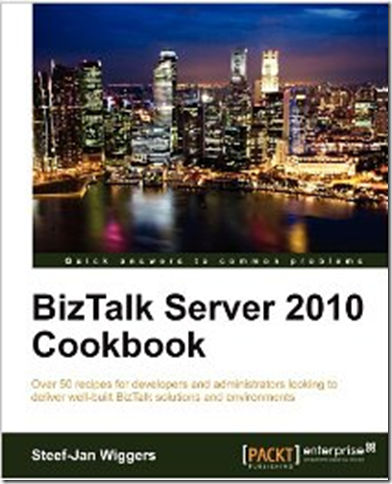
Recently I have found myself with some time to review a book instead of writing one. This time around it was a BizTalk book written by fellow BizTalk MVP Steef-Jan Wiggers. Steef-Jan is no stranger in the BizTalk community. He has been very active in the MSDN forums, reviewing and writing books and has been busy on the speaking circuit in the Netherlands, Sweden, Canada and more recently Italy.
Steef-Jan has a lot of BizTalk experience so it should come as no surprise that he has written a very practical book based upon a lot of real-world experience. This experience is demonstrated constantly through-out the book and was very refreshing.
The book itself focuses on many areas including:
- Setting up BizTalk Environments
- BizTalk Automation Patterns
- Instrumentation, Error Handling and Deployment
- Securing Message Exchange
- WCF Messaging with BizTalk
- BizTalk AppFabric Connect
- Monitoring and Maintenance
- Rules Engine
- Testing BizTalk Artifacts
So based upon these areas of discussion it is impossible to go into a tremendous amount of depth on each topic. However, Steef-Jan will provide a practical example and then leave the reader with links to valuable resources where you can dive deeper if you wish.
One of my favorite topics in the book included the Instrumentation, Error Handling and Deployment chapter. I feel that this chapter introduces some of the “tricks of the trade” that can really provide some benefit to a BizTalk developer. In this chapter you will discover some tools like the BizTalk Benchmark Wizard and NLog. These are both valuable tools that we have included in our BizTalk deployment at my organization.
Another area of the book that I enjoyed was the Monitoring and Maintenance chapter. More and more we are starting to hear about Monitoring and Maintenance. Steef-Jan discusses tools that can really provide visibility into your BizTalk environment including SCOM, BizTalk 360 and MessageBox Viewer.
All in all the book was excellent. I can’t say there was a topic that I didn’t feel was appropriate. I think there are probably some areas that could definitely benefit by having more details included. But, the book is a Recipe book and I think it delivers on what is promised in the book’s overview. Congrats Steef-Jan on putting together a great book!
You can find the book on both the Packt and Amazon websites.
by community-syndication | May 28, 2012 | BizTalk Community Blogs via Syndication
Finally we get some info on what IP ranges are used for the Data Centers. Now when you have those conversations with the Network security folks and when they ask “What IP addresses are you hitting?”, when they want to open up access for Azure Service Bus.
Here’s the ‘official’ IP Ranges (you just hope it doesn’t change on you…it works
for 3 days of the week, then the 4th it stops…that was an interesting one to solve)
Windows Azure
DataCenter IP Ranges
This appeases my grief in a previous
post
Blog Post by: Mick Badran
by community-syndication | May 28, 2012 | BizTalk Community Blogs via Syndication
The BizTalk Event in Italy was a blast and I had a great time. Today a day after I arrived home I got intrigued by a scenario on the BizTalk forums. The scenario described a situation that BizTalk databases are growing larger even though the BizTalk database jobs are running correctly (see also database script on MSDN Code Gallery). The execution of the BizTalk Server SQL Agent jobs are crucial for managing the BizTalk Server databases and for maintaining optimal performance. Experienced BizTalk professionals know that all the BizTalk SQL Server Agent jobs except the MessageBox_Message_Cleanup_BizTalkMsgBoxDb job should be enabled and running successfully. Besides this job the other jobs should not be disabled!
By default, the following BizTalk jobs aren’t configured and enabled upon installation.
- Backup BizTalk Server (BizTalkMgmtDb)
- DTA Purge and Archive (BizTalkDTADb)
- MessageBox_Message_Cleanup_BizTalkMsgBoxDb
So as a BizTalk pro you need to configure these according to your requirements for backups, and purging. To configure the first two jobs, see this post from fellow MVP Sandro Pereira where you will find enough detail and background information. The last job is started by the MessageBox_Message_ManageRefCountLog_BizTalkMsgBoxDb job. Therefore, it is recommended that you disable this job.
Now having the jobs running properly is one thing yet there can be more causes to uncontrolled growth of the databases like:
- Excessive suspended message or service instances
- Disk failures
- High levels of tracking
- BizTalk Server throttling
- Poor SQL Server performance
- Network latency issues
Below you will find more detail on probable causes of uncontrolled growth of the BizTalk databases:
Excessive suspended message or service instances
Service instances can be suspended (resumable) or suspended (not resumable). These service instances may be Messaging, Orchestration, or Port. A proliferation of suspended messages and service instances may cause the BizTalk Server Messagebox database to increase in size beyond what would be expected during normal operations.
BizTalk Server accommodates termination and removal of these instances by using the Group Hub page in the BizTalk Server Administration Console or through the use of the Terminate.vbs script. Through group hub page you can remove them all or selectively (see this post by fellow MVP Ben Cline).
Zombies or orphaned message can be another cause for increase of suspended messages of service instances (this script from Tord G. Nordahl can help you find information on these kind of messages). An orphaned or zombie message is a message that does not have an associated service instance, typically because the service instance has terminated before the message was received. An orphaned or zombie service is a service that does not have any associated messages. Again the terminate script can resolve this issue.
Disk failures
Important for SQL Server is the disk configuration. A wrong configuration could easily lead to disk failures. If one disk fails the disk contention on the other can increase (see also this post). Failure can be related to I/O errors (which cannot be identified through the event log). This can be prevented by performing a disk I/O simulation using SQLIOSim. To prevent disk failures is one thing, but how do identify them. You can look into SQL Server error logs, or you can use SCOM to monitor for failures.
High levels of tracking
By default, tracking is enabled on the default host. BizTalk requires the Allow Host Tracking option be checked on a single HOST. When tracking is enabled, the Tracking Data Decode Service (TDDS) moves the tracking event data from the BizTalk Server MessageBox database to the BizTalk Server tracking database. If no BizTalk Server hosts are configured with the option to Allow Host Tracking or if the tracking host is stopped, then TDDS will not run and the TrackingData_x_x tables in the BizTalk Server MessageBox database will grow unchecked. Therefore, a dedicated BizTalk Server host should be configured with the option to Allow Host Tracking (see also Configuring a Dedicated Tracking Host).
BizTalk Server throttling
There are lot of scenarios because of which Host throttling can occur. It can be because of Low Process Memory, high database size,high thread count and some more. Now the BizTalk Server host throttling mechanism continually monitors for a throttling condition, calculates the severity of the throttling condition, and applies host throttling progressively depending on the calculated severity. The throttling mechanism moderates the workload of the host instance to ensure that the workload does not exceed the capacity of the host instance or any downstream host instances.
Throttling protects BizTalk from completely shutting down. High database size can cause throttling and is an undesired effect. Growth of databases can be caused by fact that more messages are coming into BizTalk than going out (see post by Tord G. Nordahl). To mitigate this problem, see section Throttling condition triggers, actions, and mitigation strategies of How BizTalk Server Implements Host Throttling.
Poor SQL Server Performance
BizTalk Server makes a large number of short, very quick transactions to SQL Server within one minute. If the SQL Server cannot sustain this activity, you may experience BizTalk Server performance issues. Monitor the Avg. Disk sec/Read, Avg. Disk sec/Transfer, and Avg. Disk sec/Write performance monitor counters in the PhysicalDisk performance object. The optimal value is less than 10 ms (milliseconds). A value of 20 ms or larger is considered poor performance. You can use Windows Performance Monitor to monitor these counters. With the BizTalk Server 2010 Performance Optimization Guide that contains prescriptive guidance for optimizing BizTalk Server performance you can try to resolve poor performance.
Network latency issues
SQL Server is one of those few applications that is very sensitive to disk and network latency. If your SQL Server is waiting around for disk or network they will start to complain. To mitigate the impact of network latency on the database throughput, you should consider using gigabit network cards and increase of network bandwidth.
Some of the information found here is from MSDN, TechNet Wiki (i.e. Database Survival Guide) and blogs from fellow MVP’s and BizTalk community members. The health of the BizTalk Server databases is critical for having a stable, robust and sustainable BizTalk infrastructure. There are also some tools that can help in identifying the problem for having uncontrolled growth of the BizTalk databases.
The MsgBoxViewer tool is useful for troubleshooting, because it provides an HTML report that has detailed information about table sizes and the row count. The report can also help determine whether BizTalk Server is throttling. Additionally, the tool provides a snapshot of the BizTalk Server databases and the BizTalk Server configuration. When BizTalk Server is running slower than usual, run the MsgBoxViewer tool, and then review the generated HTML report for any problems. The Summary section lists warnings in yellow and potential problems in red (see section Troubleshooting of How to maintain and troubleshoot BizTalk Server databases).
You can also check you BizTalk deployment by using the BizTalk Server Best Practices Analyzer V1.2. This tool examines a BizTalk Server 2006, BizTalk Server 2006 R2, or BizTalk Server 2010 deployment and generates a list of issues pertaining to best practices standards for BizTalk Server deployments. There are other tools available that can help you test you SQL Server environment and able to tune it, see SQLCrunch.
There are a lot of factors that can cause BizTalk databases to grow and result in a poor health of your overall BizTalk environment. With the information in this post I hope you have a number of tools to either prevent or solve this issue.
Cheers!
– Steef-Jan
by community-syndication | May 28, 2012 | BizTalk Community Blogs via Syndication
Hi folks,
We’re looking for someone who loves technology and is currently surrounded by .NET
technologies.
Contact us if you want to be part of a great team that sinks their teeth into many
different projects, concepts and technologies.
The most important thing I look for is your ’can do’ attitude, the rest we can essentially
learn. Come and be part of a team that loves what they do, and do what they love.
(Makes it easier to get up on these colder mornings )
Sydney based.
If you’re interested and want to start the ball rolling – http://breeze.net/who-we-are/jobs.aspx
(I might even get you to leave your CV at home for the interviews )
Talk to you soon,
Mick.
p.s. No agencies please.
Blog Post by: Mick Badran

