The last time I released a new version of my stencil, it was on January 26 of 2022. A long time ago indeed, so it is fair to say that I do need to release a new major version of my stencils, and that will be a long work and process. However, I decided to do this task progressively and release minor updates during this “journey”. This way, it becomes easier for me because I don’t need to spend long periods allocated to this task, and at the same time, all of you can start enjoying these new icons.
What’s new in this version? (for now)
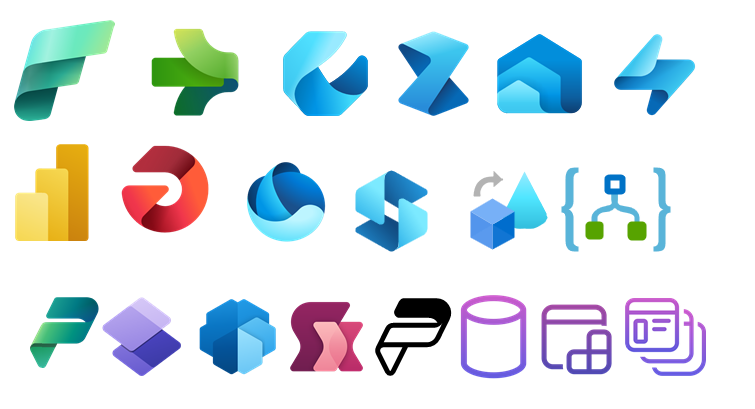
The main goal of this release was to provide the new icons present in the Azure Portal, on the Power Platform, and new existing Services. In this version, the changes and additions are:
New shapes: New shapes added on MIS Databases and Analytics Stencils, MIS Azure Additional or Support Stencils, Microsoft Integration Stencils, MIS Azure Stencils, and MIS Power Platform Stencils;
SVG Files: Add new SVG files;
Special Highlights: Microsoft Fabric and the new Logic App Data Mapper
Microsoft Integration, Azure, Power Platform, Office 365, and much more Stencils Pack
Microsoft Integration, Azure, Power Platform, Office 365, and much more Stencils Pack it’s a Visio package that contains fully resizable Visio shapes (symbols/icons) that will help you to visually represent On-premise, Cloud or Hybrid Integration and Enterprise architectures scenarios (BizTalk Server, API Management, Logic Apps, Service Bus, Event Hub…), solutions diagrams and features or systems that use Microsoft Azure and related cloud and on-premises technologies in Visio 2016/2013:
BizTalk Server
Microsoft Azure
Integration
Integration Service Environments (ISE)
Logic Apps and Azure App Service in general (API Apps, Web Apps, and Mobile Apps)
Azure API Management
Messaging: Event Hubs, Event Grid, Service Bus, …
Azure IoT and Docker
AI, Machine Learning, Stream Analytics, Data Factory, Data Pipelines
SQL Server, DocumentDB, CosmosDB, MySQL, …
and so on
Microsoft Power Platform
Microsoft Flow
PowerApps
Power BI
Office365, SharePoint,…
DevOps and PowerShell
Security and Governance
And much more…
… and now non-related Microsoft technologies like:
SAP Stencils
The Microsoft Integration Stencils Pack is composed of 27 files:
Microsoft Integration Stencils
MIS Additional or Support Stencils
MIS AI and Machine Learning Stencils
MIS Apps and Systems Logo Stencils
MIS Azure Additional or Support Stencils
MIS Azure Mono Color
MIS Azure Old Versions
MIS Azure Others Stencils
MIS Azure Stencils
MIS Buildings Stencils
MIS Databases and Analytics Stencils
MIS Deprecated Stencils
MIS Developer Stencils
MIS Devices Stencils
MIS Files Stencils
MIS Generic Stencils
MIS Infrastructure Stencils
MIS Integration Fun
MIS Integration Patterns Stencils
MIS IoT Devices Stencils
MIS Office365
MIS Power BI Stencils
MIS PowerApps and Flows Stencils
MIS SAP Stencils
MIS Security and Governance
MIS Servers (HEX) Stencils
MIS Users and Roles Stencils
That you can use and resize without losing quality, in particular, the new shapes.
Download
You can download Microsoft Integration, Azure, BAPI, Office 365, and much more Stencils Pack for Visio from GitHub here:
Hope you find this helpful! So, if you liked the content or found it helpful and want to help me write more content, you can buy (or help buy) my son a Star Wars Lego!
Author: Sandro Pereira
Sandro Pereira lives in Portugal and works as a consultant at DevScope. In the past years, he has been working on implementing Integration scenarios both on-premises and cloud for various clients, each with different scenarios from a technical point of view, size, and criticality, using Microsoft Azure, Microsoft BizTalk Server and different technologies like AS2, EDI, RosettaNet, SAP, TIBCO etc.
He is a regular blogger, international speaker, and technical reviewer of several BizTalk books all focused on Integration. He is also the author of the book “BizTalk Mapping Patterns & Best Practices”. He has been awarded MVP since 2011 for his contributions to the integration community.
View all posts by Sandro Pereira
In one of my previous documents, I spoke about how to configure ChatGPT to be used with Azure Logic Apps. At that time, my team and I decided to create that blog post just for fun, but we didn´t yet have in mind a good idea of how to use it in a real-case integration scenario or to help build integration projects.
During a break at INTEGRATE 2023 conference, Mike Stephenson show me an idea that he had while listening to one of the talks about putting ChatGPT to do transformation using natural language, thereby replacing the maps. Needless to say, it was a fascinating and fun conversation. You can see his blog post here:
This put me thinking about where else we could apply ChatGPT in use to help develop, implement, or process our integration needs. Despite having a few ideas, one quickly stood out, and that somehow follows Mike’s idea: Messages Validation! In other words, have a Logic App which is processing some data, and then we use ChatGPT to validate the data for us by describing the schema validation in natural language text.
So I ended up creating this small sample scenario where we have the following JSON Message:
And we want to validate the incoming message if it is valid or not based on the following rules:
The OrderID must exist and be an Integer.
The ClientName can not be empty or null.
The Quantity must exist, and it is an Integer.
The value of the Company field can only be “SP” or “LZ”.
The Operation field must exist.
Of course, this task can be made by creating a JSON schema with all the rules and then validating the message against the schema. However, some of these rules are not natively supported by Logic Apps like the use of regular expressions or patterns.
But the main idea here on this post is to provide a simplified way to do this task and use natural language to replace the Schemas.
You can watch my coworker Luís Rigueira describing all the process in this video:
So how do we achieve this?
First, as you already know, you should create a Logic App. It can be Consumption or Standard. We will be using Consumption, and then you should give it a proper name because starting using proper names from the day one rule never gets old!
And then create a Logic App that has the following structure:
When a HTTP request is received trigger.
A Compose action.
An HTTP action.
And finally, a Response action.
Leave the When a HTTP request is received trigger as his. And on the Compose action, add the following configurations with all the actions to apply the validation of the message:
Check if the Json Input is valid or invalid by these rules:

The OrderID must exist and be an Integer
The client name can not be empty or null
The Quantity must exist and it is an Integer
Company can only be "SP" or "LZ"
Operation must exist

If it is valid return a message saying "body is valid"
If it is invalid return a message saying the "body is invalid" and explain why.

Json input: @{triggerBody()}
As the JSON input, we dynamically select the Body property from the Trigger, which contains the JSON we send via Postman.
Next, on the HTTP call, we need to perform the call to the ChatGPT API to perform or try to perform the JSON message validation. To do that, we need to specify the following body:
If you want to know or understand a little bit about this – How to call ChatGPT from a Logic App – see my previous blog post: Using Logic Apps to interact with ChatGPT.
Finally, we need to configure the Response action to use the following expression in the response:
This way, we only send the message content as a response. Now if you test your logic app with Postman, this should be the result:
If the rules we added to the Compose action are met, we will get the following response:
The body will be valid.
Otherwise, the body is invalid, and ChatGPT gives the reason why.
Of course, I think at this stage maybe AI is still not a reliable option to be used in data transformation or data validation, but it shows potential.
Once again, thank my team member Luis Rigueira for helping me with this always crazy scenarios.
Hope you find this helpful! So, if you liked the content or found it helpful and want to help me write more content, you can buy (or help buy) my son a Star Wars Lego!
Author: Sandro Pereira
Sandro Pereira lives in Portugal and works as a consultant at DevScope. In the past years, he has been working on implementing Integration scenarios both on-premises and cloud for various clients, each with different scenarios from a technical point of view, size, and criticality, using Microsoft Azure, Microsoft BizTalk Server and different technologies like AS2, EDI, RosettaNet, SAP, TIBCO etc.
He is a regular blogger, international speaker, and technical reviewer of several BizTalk books all focused on Integration. He is also the author of the book “BizTalk Mapping Patterns & Best Practices”. He has been awarded MVP since 2011 for his contributions to the integration community.
View all posts by Sandro Pereira
JSON Schema is a declarative language that allows you to annotate. It provides a format for what JSON data is required for a given application and how to interact with it and validate JSON documents to ensure it meets the requirements.
Applying JSON Schemas validation in your solutions will let you enforce consistency and data validity across similar JSON data.
If you are not familiar with JSON Schema, you will then notice that the JSON Schema itself is written in JSON-based format. It’s just a declarative format for “describing the structure of other data”. This is both its strength and its weakness (which it shares with other similar schema languages). It is easy to concisely describe the surface structure of data, and automate validating data against it. However, since a JSON Schema can’t contain arbitrary code, certain constraints exist on the relationships between data elements that can’t be expressed. JSON Schema is a proposed IETF standard.
JSON Schema Validation Function
The JSON Schema Validation is a simple Azure Function that allows you to validate your JSON message against a JSON Schema, enabling you to specify constraints on the structure of instance data to ensure it meets the requirements.
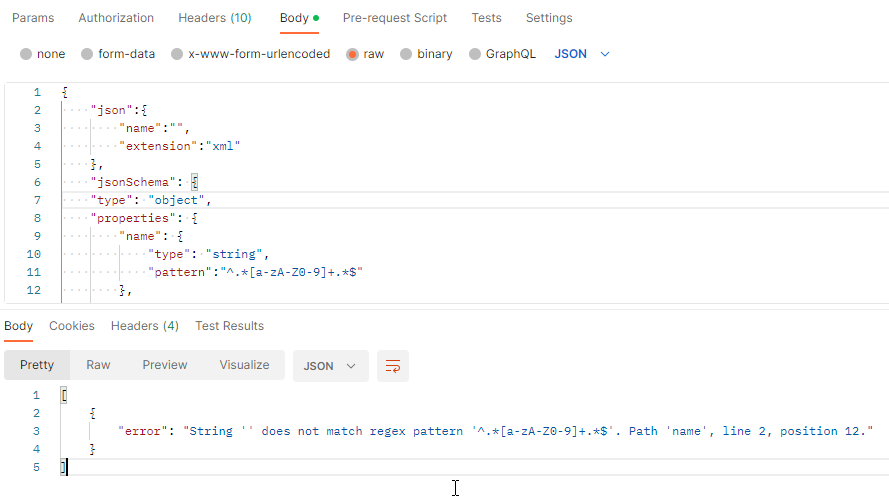
The function receives a JSON payload with two properties:
Or a 400 Bad Request if there are validation errors/issues.
Where can I download it?
You can download the complete Azure Functions source code here:
Hope you find this helpful! So, if you liked the content or found it helpful and want to help me write more content, you can buy (or help buy) my son a Star Wars Lego!
Big thanks to my team member Diogo Formosinho for testing and helping me develop this function with me!
Author: Sandro Pereira
Sandro Pereira lives in Portugal and works as a consultant at DevScope. In the past years, he has been working on implementing Integration scenarios both on-premises and cloud for various clients, each with different scenarios from a technical point of view, size, and criticality, using Microsoft Azure, Microsoft BizTalk Server and different technologies like AS2, EDI, RosettaNet, SAP, TIBCO etc.
He is a regular blogger, international speaker, and technical reviewer of several BizTalk books all focused on Integration. He is also the author of the book “BizTalk Mapping Patterns & Best Practices”. He has been awarded MVP since 2011 for his contributions to the integration community.
View all posts by Sandro Pereira